
On this page
LinkedIn doesn't publish an MCP server. Every "LinkedIn MCP" you can install today comes from a third party, and each one gives your AI a different set of hands, so the right one depends on what you want done.
Want Claude or ChatGPT to comment in your voice on posts from the people you care about, answer your DMs and find new people to reach? Connect it to Extrovert, a LinkedIn engagement and outreach tool with its own MCP server. You copy one URL from Extrovert, add it to Claude as a custom connector and click Allow. From then on you can open a chat and ask, "What needs attention today?"
Pick the server by the job you want done
| If you want your AI to... | Use |
|---|---|
| Comment on the posts of people and topics you choose, reply to DMs, run outreach and find new people to reach | An engagement tool's MCP server, such as Extrovert. It acts through your Extrovert account, inside your daily limits and working hours. |
| Write, schedule and publish your own posts | A content tool's MCP server, such as Taplio, which also reads your analytics and can find posts in its curated creator feeds to comment on. Zapier's LinkedIn actions can publish a share update or a company page update. |
| Pull profile, company and job data in bulk | A data extraction server, such as Apify or Bright Data. They're built for collecting public data, not for acting as you. |
| Read profiles, jobs and your inbox, and send messages or connection requests from your own session | A local server that drives your logged-in browser, such as the open-source linkedin-mcp-server. It runs on your machine, and its README warns that accounts using automated tools can be restricted or banned. |
The rest of this guide covers the first row: what Claude can do on LinkedIn through Extrovert, how to connect it, and what to ask first.
Why there's no plain "LinkedIn MCP"
LinkedIn's API is mostly closed. Any developer can get three open permissions: your name and photo, your email, and posting, commenting or liking as you. Sales Navigator data, ads and recruiting tools need partner approval, and your personal inbox isn't on the open list at all. MCP doesn't change any of that. It's only the plug that lets an assistant call tools.
So every LinkedIn MCP server either sits on top of a product with its own route into LinkedIn, or it operates a logged-in browser for you. When you compare options, ask two questions. Whose LinkedIn connection is your AI borrowing? And what sits between a sloppy prompt and your account?
What Claude can do on LinkedIn through Extrovert
Extrovert is LinkedIn engagement and outreach software. You tell it whose posts to follow (prospects, clients, peers, creators you learn from) and which topics to watch, grouped into campaigns. Extrovert finds their new posts, drafts comments and DMs in your Voice, and tells you when a message is due. A Voice is the set of instructions and examples the AI writes with: your background, your tone, real comments you've written, the points you like to make. You approve what goes out, or let a campaign comment on its own.
With the MCP server connected, Claude can do that work from your chat:
- Go through today's comment drafts with you. It can show you what's waiting, rewrite a draft that misses ("shorter, and ask about their pilot"), approve the good ones, skip the rest, and pull back a comment that hasn't gone out yet. You decide whether approving leaves a comment, a reaction, or both.
- Answer your DMs. It reads a conversation, drafts a reply, tightens it on request and sends it when you say so. Before you write to someone new, it can read their profile, recent posts or recent comments.
- Set Extrovert up for you. It can write your Voice from what you tell it and from your recent posts, start a campaign for the people you want to stay visible with, or set up a topic campaign that collects posts on a subject you want to join in on.
- Find new people. It searches Extrovert's B2B database by job title, seniority, company, location, industry or the tools a company uses. The search doesn't touch your LinkedIn account.
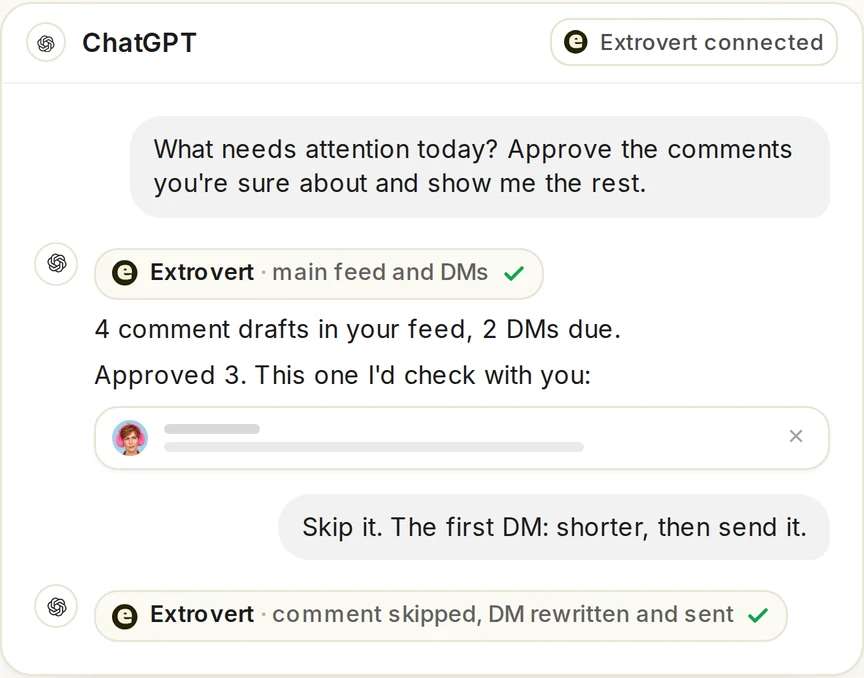
A morning check-in, as illustrated on Extrovert's product page. The same prompts work in Claude.
Claude never sees your LinkedIn password or session cookies, and billing and teammates stay out of its reach. A few jobs live outside the chat. Publishing posts to your own feed isn't part of Extrovert, which is built around comments and DMs. Connection requests come from a campaign's settings, which Claude can switch on, rather than one-off commands. Intent Signals campaigns, which find people from their LinkedIn activity, are set up in the app. And Claude works only while you're prompting it, with no schedule or background mode. For comments that go out while you're away, there's Extrovert's Auto mode, switched on campaign by campaign.
How to connect Extrovert to Claude
You need an Extrovert account with your LinkedIn connected, and a Claude account. Setup takes a few minutes.
- Start an Extrovert trial. It's ten days and needs no card. Sign-up asks for your public LinkedIn profile URL, and Extrovert uses it to prepare a starting setup: a Voice, a topic campaign, and an outreach campaign with up to 100 people who match your likely buyers. Both campaigns start switched off.
- Connect your LinkedIn account in Extrovert. The profile URL alone doesn't give Extrovert access. Open Settings → LinkedIn account and connect with the Chrome extension (it uses the LinkedIn session you're already signed into) or with your email and password.
- Copy your MCP URL. In Extrovert's left menu, open Connect to AI and click Copy.
- Add it to Claude. Go to Customize → Connectors, click + Add, then Add custom connector. Name it Extrovert, paste the URL and finish adding it. Your browser opens Extrovert's consent page. Click Allow.
- Start a chat. Open a new chat, check that Extrovert is switched on in the chat's connectors menu, and ask: "Use Extrovert and show my campaigns."
- Switch your campaigns on. Look over the people, the topic and the Voice Extrovert prepared, ask Claude to change whatever doesn't fit, then ask it to start the campaigns. The first posts and drafts show up within minutes. Until a campaign is running, there's nothing for Claude to review.
Claude's Free plan allows one custom connector, which is enough for this. On Team and Enterprise plans, an owner may need to add the connector in the organization settings first.
If you look at the connector's tool list, you'll see only three Extrovert tools: list_tool_names, describe_tools and call_tool. That's expected. Extrovert has more than 90 actions, and Claude looks up the ones it needs as it goes instead of loading all of them into every chat.
ChatGPT, Claude Code, Cursor and other clients
The same URL works in any client that supports remote MCP servers:
- ChatGPT (web, on eligible Plus, Pro, Business, Enterprise and Education accounts): open chatgpt.com/plugins, click Add → Create custom MCP server, name it Extrovert, choose Server URL and paste your link. Set authentication to OAuth and leave the advanced settings alone; you don't need a client ID or an API key. Tick the acknowledgment, click Create as a plugin, then sign in to Extrovert and click Allow. Select the Extrovert plugin in a new chat.
- Claude Code and Codex: the Connect to AI page shows a ready-made command with your URL in it. Run it, then approve Extrovert in the browser.
- Cursor: go to Settings → Tools & Integrations → MCP, add a server named extrovert, paste the URL, click Connect and approve.
- Anything else: add an HTTP (Streamable HTTP) server with your Extrovert URL and follow the browser sign-in.
In every client you sign in to Extrovert, not to LinkedIn, with the same kind of OAuth flow as "Sign in with Google." Your Extrovert API key won't work here. Each teammate connects with their own Extrovert account, and the AI works in whichever team you have selected in Extrovert.
If the assistant says it can't see your campaigns, check that the connector is enabled in that particular chat, finish the Allow step if you skipped it, and start a fresh chat. In ChatGPT, an "MCP error -32602: Tool not found" message means it's holding an old tool list. Open the plugins page, select Extrovert, click Refresh, then start a new chat. The Extrovert MCP help article covers the rarer cases.
What to ask Claude first
Start with questions that only read, so you can see how the assistant judges your drafts before it acts. Then hand over the approvals.
| Ask Claude | What happens |
|---|---|
| "Show me everything waiting for approval across all my campaigns." | Lists the comment drafts waiting for your review. |
| "What needs attention today? Approve the comments you're sure about and show me the rest." | Reads the drafts and the DMs that are due, approves the ones it's confident in, and brings back the ones worth a second look. |
| "Go through my waiting comments and approve the ones that mention a concrete result. List them for me first." | Applies your rule and shows you the shortlist before approving. |
| "Draft a reply to the last message from Anna, keep it short. Show me before you send it." | Prepares the reply, waits for your edit or your yes, then sends. |
| "Read my recent LinkedIn posts and suggest talking points for my Voice." | Pulls your posts and proposes talking points to add. |
| "Here are profile URLs for six founders I want to stay visible with. Put them in a new campaign that uses my casual Voice." | Creates the campaign with those people in it, and starts it when you say so. |
| "Set up a topic campaign for posts about product-led growth, so I can join those conversations." | Creates a topic campaign that collects posts on that subject from anyone on LinkedIn. |
| "Find VPs of Sales at US SaaS companies with 50 to 200 employees that use HubSpot." | Runs a Lead Finder search and shows a preview of up to 20 matches. |
Adding people from a search costs Extrovert Credits, one per person, while previewing is free. Before Claude adds anyone, it tells you how many people, which campaign they're going into and what it costs, then waits for your yes.
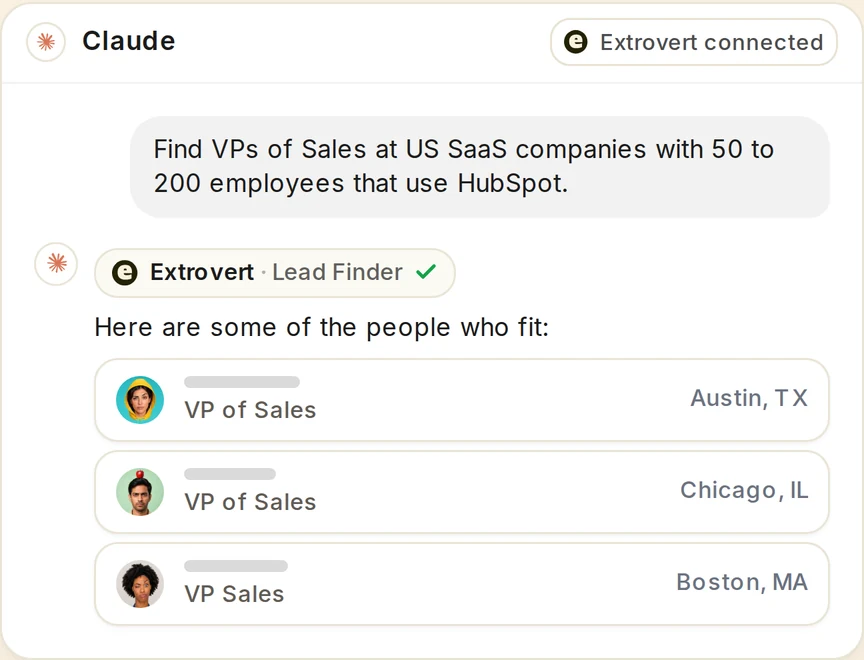
A Lead Finder search asked from Claude, as illustrated on Extrovert's product page.
When a draft is close but not right, tell Claude what to change the way you'd brief a colleague: "shorter," "ask about their hiring plans," "drop the compliment." Inside Extrovert, the same edit-and-approve loop looks like this:
Illustration: a draft comment on a prospect's post; your direction, typed or spoken: "Shorter. Ask what they use today."; the draft rewritten with it, shorter, with the Approve button.

What happens after Claude says "approved"
Claude can only act through Extrovert, so anything it approves or sends follows the same limits, working hours and safety rules as an approval you'd make in the Extrovert dashboard. It also can't go beyond your permissions or your credit balance.
Approving queues a comment; it doesn't post it that second. The comment moves to the Pending tab of your feed and goes out with a gap after the previous one, within your working hours and under your daily limit. Approve something late in the evening and it may publish the next morning. Until then, you can cancel it, or ask Claude to.
"Nothing waiting" doesn't always mean nothing is happening. Claude's approval list only covers running campaigns that wait for your review. Campaigns on Auto publish without asking, so their comments never show up there. If your posted history keeps growing while Claude reports an empty queue, that's why.
Bulk approval doesn't show you each draft. A prompt like "Approve the 10 most relevant comments" approves the top of your feed without listing what it picked. Use it once your Voice's drafts rarely need editing. Until then, ask Claude to show you what it's about to approve or send. The same goes for DM rewrites: if you want to read the new version first, say so.
In Extrovert itself, recommended DMs wait for you like this, each with the reason it's due:
Illustration: the DM workspace on its Recommended tab, 5 conversations due for a message today, each with its reason. Connected 2 days ago: First DM. No reply for 9 days: Follow-up. New role at their company: Restarter signal. Promised a call 2 weeks ago: Follow-up. Quiet for 3 months: Keep in touch. The first one is open, with the first DM drafted and the buttons Send and Snooze.


Try it on your own account first. Connect Extrovert, switch on a campaign, and ask Claude what's waiting for you. Once you've watched it handle a few drafts the way you would, let it approve the rest.
FAQ
Is a LinkedIn MCP server safe for my account?
No tool can promise that, Extrovert included. LinkedIn's User Agreement restricts automated software, and the open-source browser server says so in its own README. What you can control is the pace and who reviews what goes out. A local browser server acts in your live session at whatever pace your agent sets. With Extrovert, Claude never sees your LinkedIn password or cookies, and it can only approve or send through Extrovert, which spaces comments, sticks to your working hours and enforces your daily limits.
How much does it cost?
The MCP connection is included in Extrovert's plan. One seat costs $49 a month on monthly billing, and seats get cheaper as your team grows. Each seat is one LinkedIn account and includes 250 tracked people, 1 topic and 300 Credits a month. The 10-day trial needs no card, and the pricing page has the team rates.
Can I use it for a teammate's or client's account?
Yes, within your permissions. If you manage a teammate's or client's account in Extrovert, Claude can set up and work their campaigns from your chat. Teammates who want their own assistant connect with their own Extrovert login.