On this page
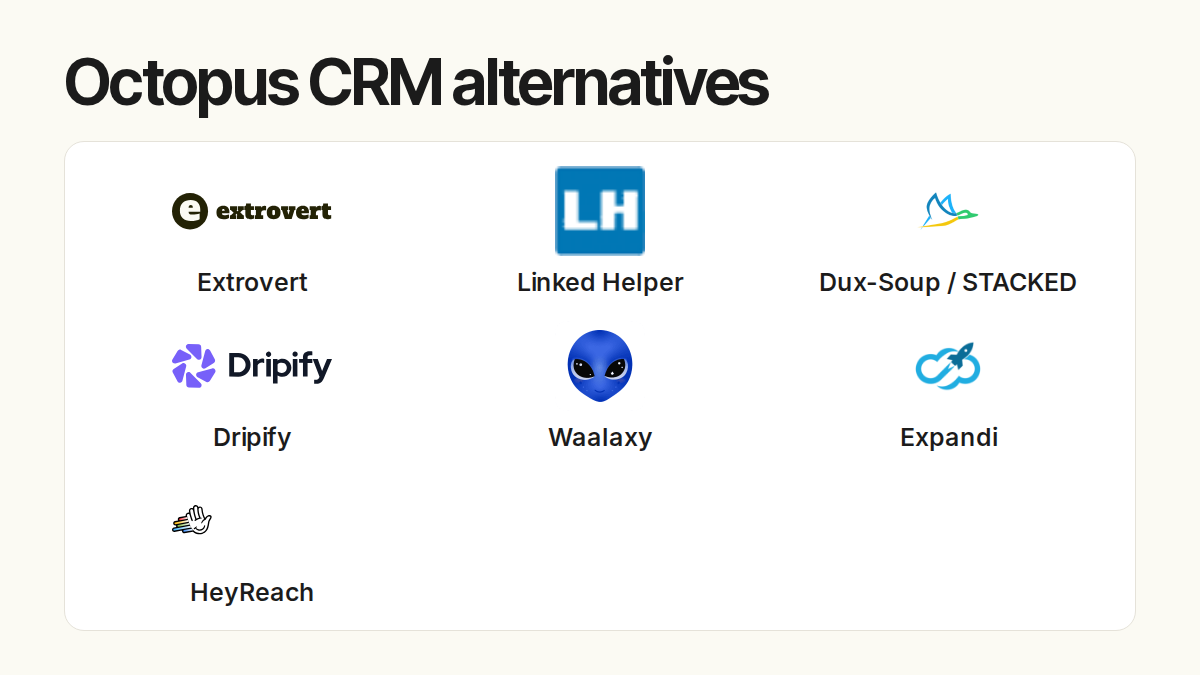
The right Dux-Soup alternative depends on what you want to change: how you find a reason to contact someone, how campaigns run, or how your team manages several LinkedIn accounts.
Extrovert brings prospect discovery, relevant comments, and follow-up DMs into one workflow. Start here if you want to build familiarity with selected prospects and stay in touch through a long sales cycle. The other tools below cover extension-based actions, cloud sequences, multi-sender campaigns, and desktop automation.
Dux-Soup itself now offers STACKED, with local desktop and managed cloud execution. Moving away from a Chrome extension does not necessarily mean moving away from Dux-Soup. Compare the current offer before replacing it.
Dux-Soup alternatives at a glance
| Tool | Main workflow | Execution | Starting price and billing basis |
|---|---|---|---|
| Extrovert | Prospect discovery, comments, and context-led DMs | Cloud session or Chrome extension | $49/LinkedIn-account seat/month, billed monthly |
| Octopus CRM | LinkedIn action campaigns and a lead dashboard | Chrome extension | Starter $9.99/month; $6.99/month with annual billing |
| Waalaxy | Prebuilt LinkedIn sequences; email on Business | Cloud | Pro £34/user/month on monthly billing |
| Expandi | Conditional LinkedIn and email campaigns | Cloud | $99/account/month; $79/month with annual billing |
| HeyReach | Campaigns across multiple senders and a unified inbox | Cloud | Growth $79/sender/month, billed monthly |
| Linked Helper | Desktop campaigns, lead data, and AI drafts | Your computer or VPS | Local Standard $15/license/month for one license, one month |
| Dux-Soup STACKED (baseline) | Drip campaigns and lead management | Local desktop or managed cloud | €49/Local seat/month or €88/Cloud seat/month, billed monthly |
Prices use the currencies displayed in the pricing images below. Annual discounts, plan limits, and paid extras affect the total; a lower entry price does not include every workflow.
1. Extrovert: Turn prospect activity into relevant outreach
Extrovert helps you reach people with something relevant to say. Add prospects from your CRM, a CSV, or Sales Navigator, or find new people inside Extrovert. It follows their LinkedIn activity, finds posts worth joining, and prepares comments and DMs in your voice. It replaces the discovery, engagement, and follow-up work around selected prospects, rather than STACKED’s conditional drip-campaign builder.
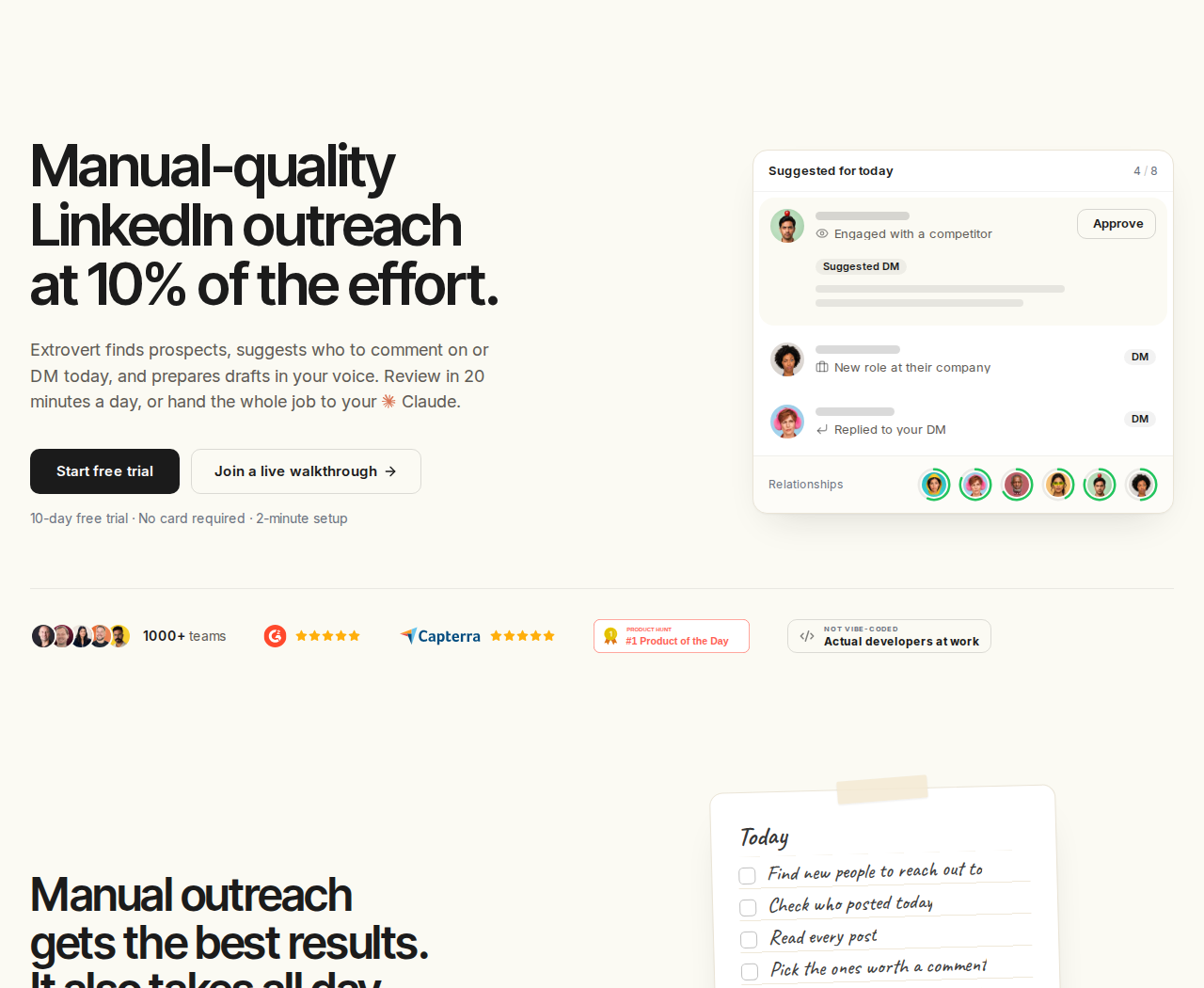
Extrovert prepares daily outreach around the people you want to reach.
For B2B sales teams, the useful shift is from another scheduled message to a touch connected to what a prospect is doing. For account executives, the same workflow supports contact with open opportunities and customers after the first conversation.
Find prospects and relevant posts to comment on
Lead Finder searches a B2B database by role, company, and location without using your LinkedIn account. Previewing matches is free; each delivered prospect costs 1 Credit.
Intent Signals finds people behind relevant LinkedIn activity, including engagement with a chosen post or new connections with a competitor's team. You choose who enters a campaign. These signals help you identify an audience or a timely reason to investigate; they do not prove that someone is ready to buy. Signal discovery costs 25–250 Credits per delivered prospect, depending on the signal.
Once prospects are in a campaign, Extrovert ranks and filters posts for you. Comment drafts give you a starting point, and Quick Edit lets you shorten a draft or change its direction without rewriting it yourself.
Illustration: a draft comment on a prospect's post; your direction, typed or spoken: "Shorter. Ask what they use today."; the draft rewritten with it, shorter, with the Approve button.

Follow up when there is something to talk about
Conversation Restarters use a concrete prospect post to suggest a DM when an earlier conversation has gone quiet. The illustration shows how a post about attending an event becomes a relevant follow-up question.
Illustration: Extrovert reads the prospect's posts. hot take, thought leadership, motivation, promotion are skipped. One post, went to sf tech week, is a Restarter signal. Extrovert suggests the DM "Seen you went to SF Tech Week. How did it go?", and the prospect replies.


Teammates can share campaigns and manage client accounts. You can connect Claude or ChatGPT through MCP, or use the API and webhooks to connect Extrovert to other tools.
Controls: Campaigns start with manual comment review. You can approve comments in bulk or enable automatic comments per campaign; connection requests can run after warm-up. DMs require approval. An AI assistant connected through MCP can approve comments and send DM replies when you instruct it.
Price: $49 per LinkedIn-account seat/month, billed monthly, with annual and volume discounts. Each seat includes 250 tracked prospects, 1 topic, and 300 monthly Credits, shared across the team. Extra tracking capacity and Credit top-ups cost more. Teammates who do not connect a LinkedIn account are free. See Extrovert pricing.
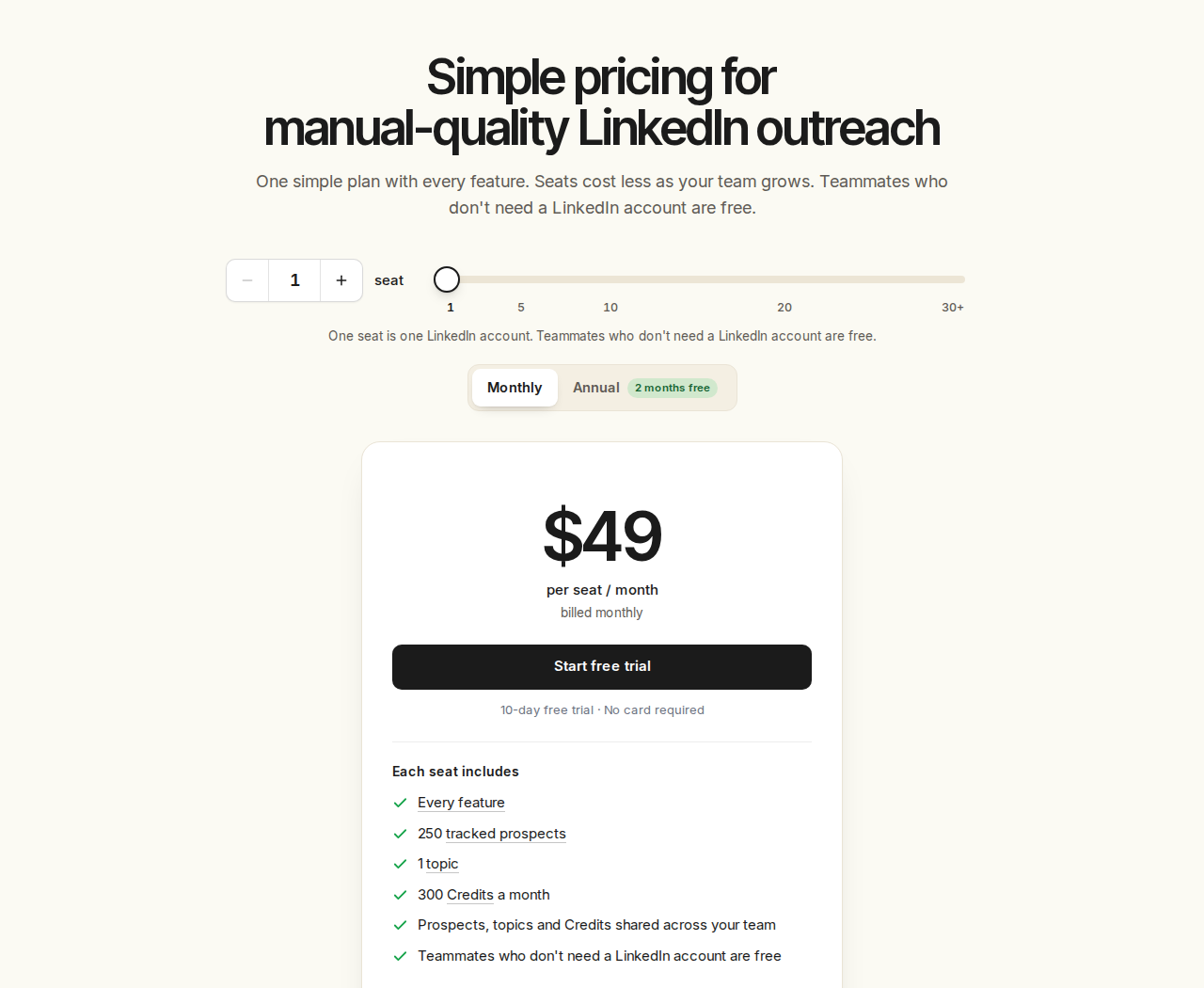
One monthly seat includes every feature, with tracking and discovery allowances shared across the team.
Try the workflow with the prospects you already want to reach. The trial lasts 10 days and requires no card.
What Dux-Soup STACKED already offers
STACKED combines drip campaigns, AI message personalization, lead management, contact export, and integrations. Its sequences include actions such as connection requests, messages, InMails, profile visits, and post likes, with delays and response detection.
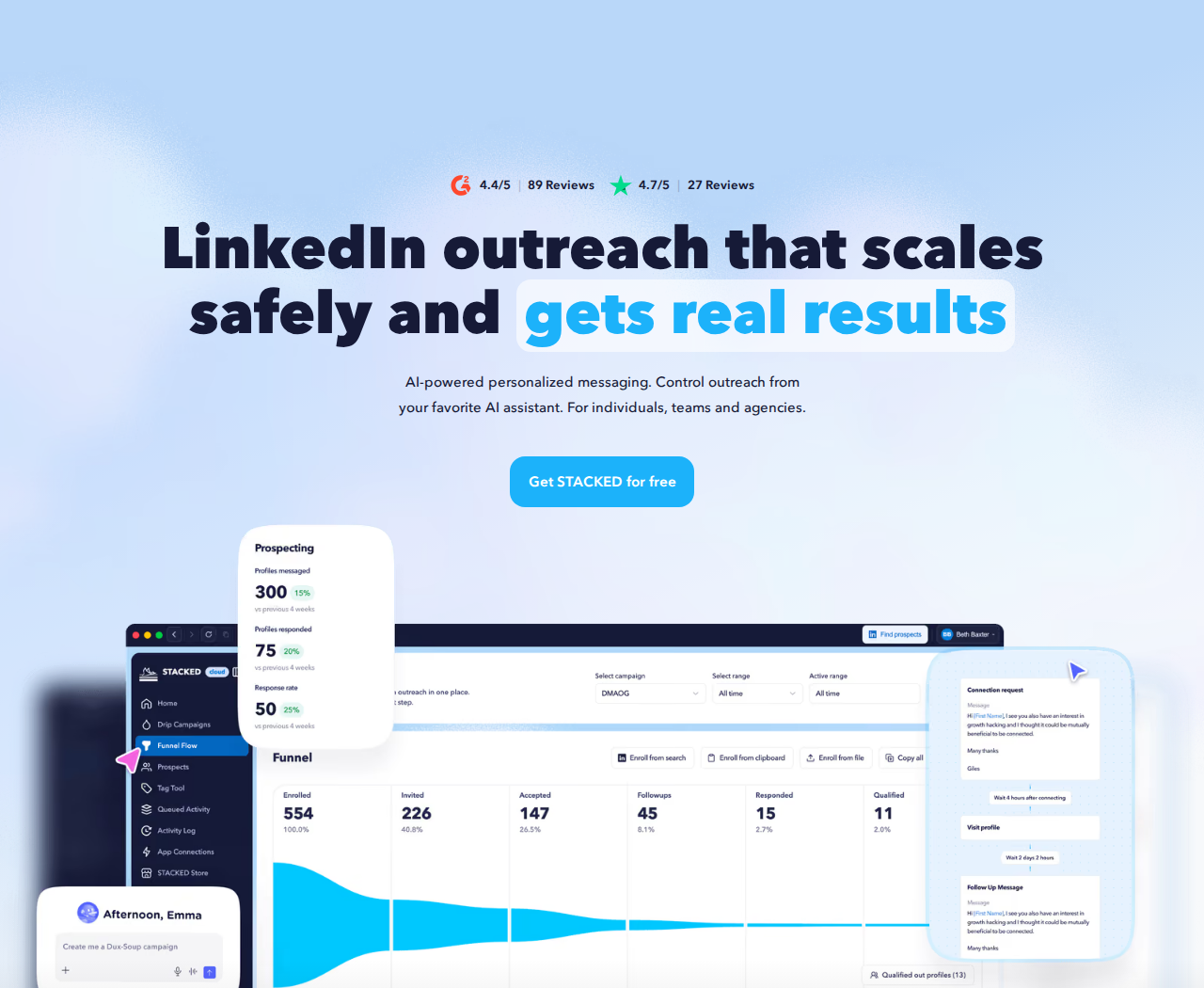
STACKED is the current Dux-Soup offer, with two execution options.
Local runs as a Mac/Windows desktop app on your own machine. Cloud runs on Dux-Soup's infrastructure without keeping your machine on. Both offer campaigns and lead management.
Price: The euro pricing shown below is €49/seat/month for Local and €88/seat/month for Cloud on monthly billing. Annual billing displays €36.25 and €65.83 per seat/month respectively. Billing model and seat count are selected at checkout.
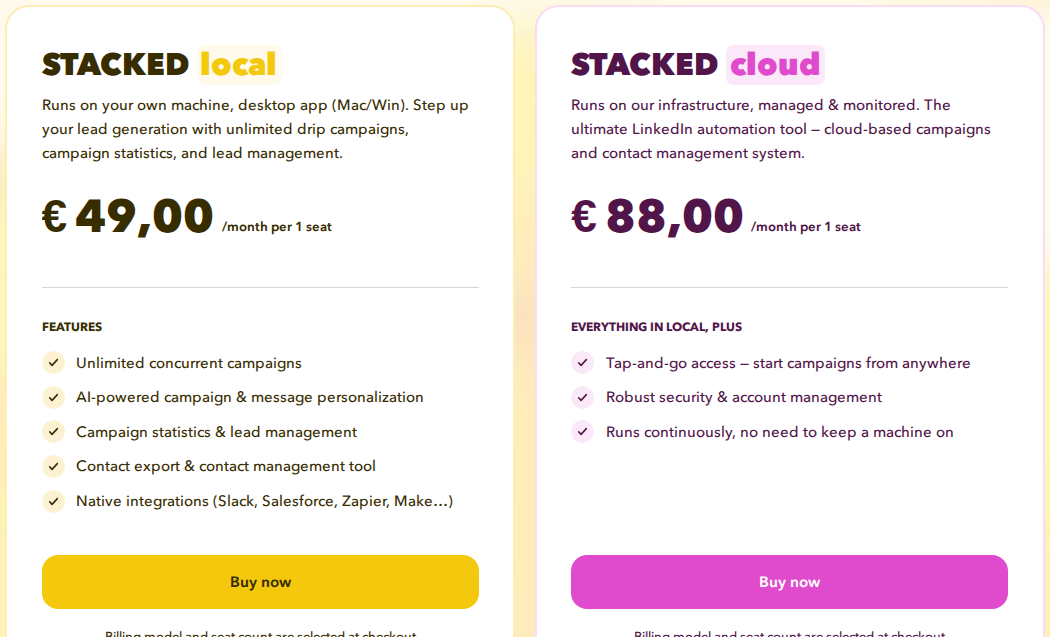
STACKED Local and Cloud differ in where campaigns run. The image shows monthly seat prices in euros.
Before comparing alternatives, decide which part of the workflow needs to change:
- Relevant engagement: Find posts to comment on and a reason to restart a conversation. This is Extrovert's focus.
- Campaign execution: Compare action sequences, branching, reply detection, and where the software runs.
- Team operations: Compare sender counts, client permissions, shared inboxes, and the cost of adding accounts.
2. Octopus CRM: Extension-based actions and lead management
Octopus CRM combines a Chrome extension with a personal lead dashboard. It automates connection requests, messages to first-degree connections, profile visits, and skill endorsements. Campaign funnels connect those actions, while Zapier and HubSpot connections move data into other systems.
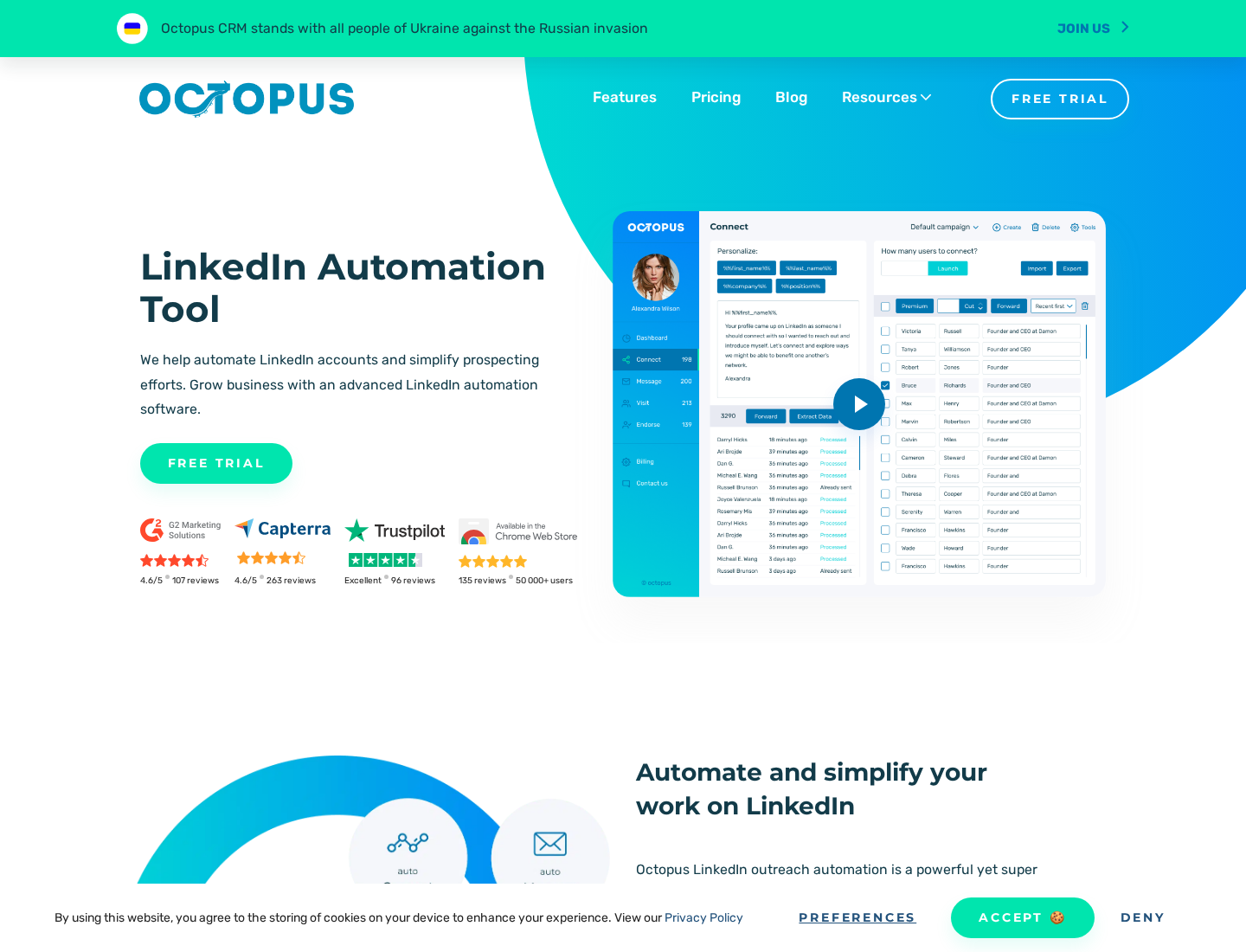
Octopus CRM organizes LinkedIn actions into campaigns alongside a lead dashboard.
Import profiles, assign them to an action campaign, and track progress. It remains extension-based, so execution depends on your browser and machine rather than a managed cloud service.
Price: Starter costs $9.99/month on monthly billing, or $6.99/month with annual billing. Pro, Advanced, and Unlimited cost $14.99, $21.99, and $39.99/month respectively on monthly billing. The 7-day trial requires no card.
Plan condition: Bulk messages start with Pro at $14.99/month. Campaign creation, import/export, and funnels require Advanced at $21.99/month; Zapier/HubSpot integrations require Unlimited at $39.99/month. These are monthly-billing prices.
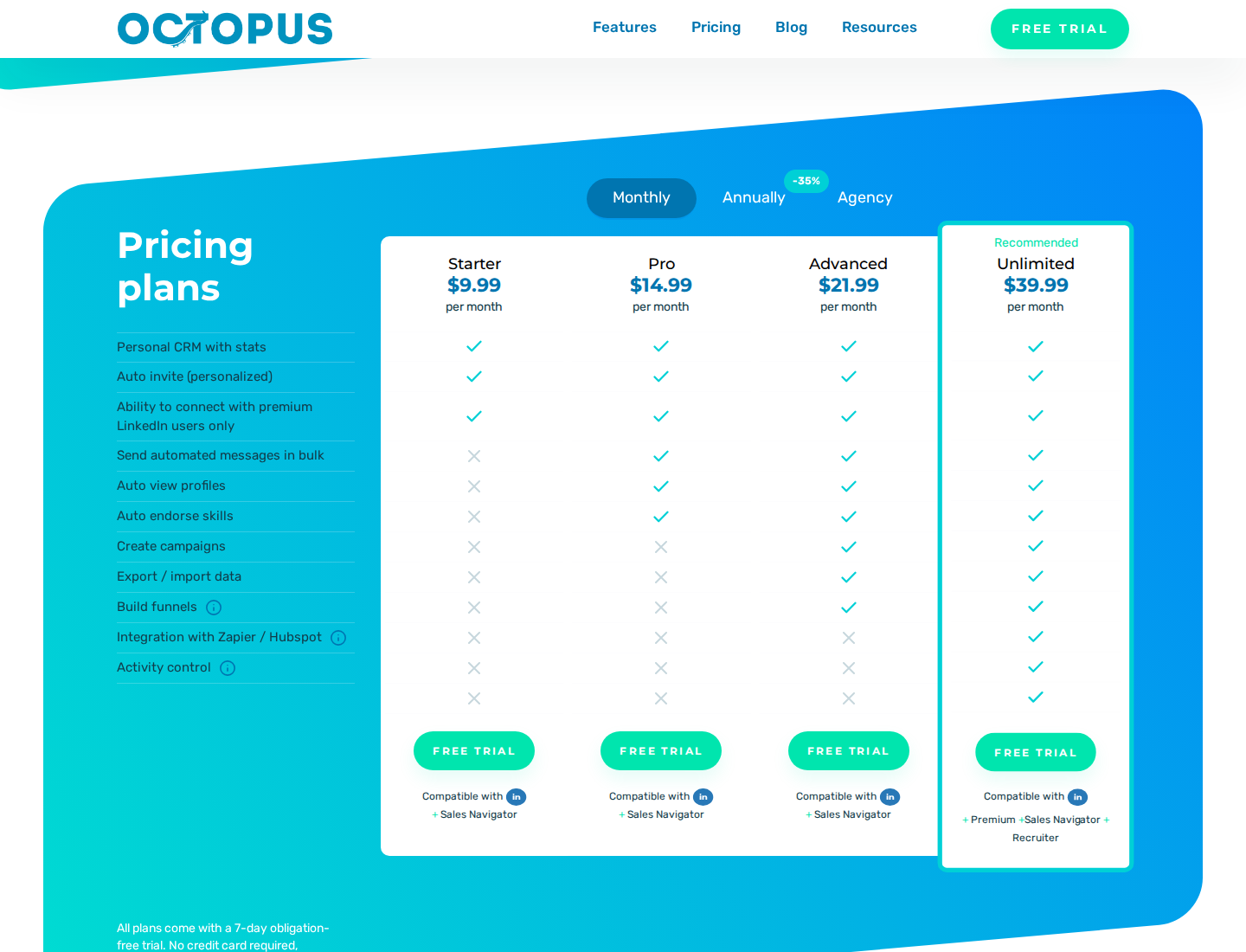
Octopus CRM's monthly tiers separate the entry-level subscription from the fuller funnel and integration workflow.
3. Waalaxy: Cloud sequences with an email tier
Waalaxy runs outreach in the cloud, with prebuilt sequences, automated follow-ups, CRM synchronization, and team collaboration. Its optional Alien Copilot extension helps import prospects; campaign execution no longer depends on the previous Chrome extension.

Waalaxy presents a sequence-led workflow for LinkedIn prospecting and follow-up.
Pro advertises 300 invitations/month. Advanced and Business advertise 800; Business adds cold email sequences, LinkedIn-plus-email campaigns, and 500 email-finder credits. Plan allowances do not override LinkedIn's limits on an individual account.
Price: In the monthly GBP pricing shown below, Pro is £34/user/month, Advanced £69, and Business £104. Quarterly and annual commitments have different discounts. A 14-day trial is advertised.
Plan condition: Email sequences require Business. The LinkedIn inbox is a paid add-on, separate from the outreach subscription; its free conversation allowance is not a free campaign-sending plan.
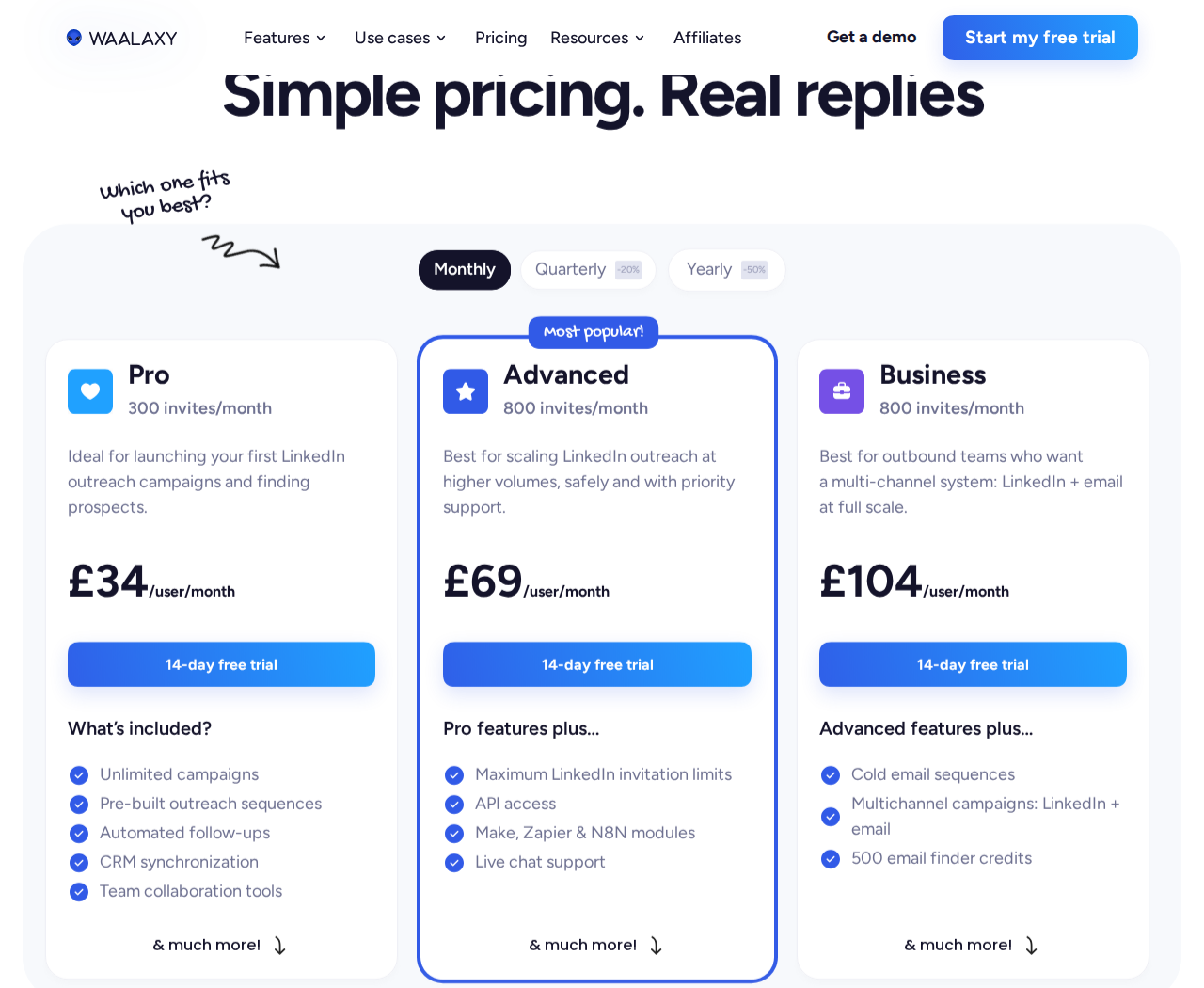
The monthly view shows invitation allowances and the Business tier's email features.
4. Expandi: Conditional cloud campaigns
Expandi's cloud campaign builder branches on actions and conditions. LinkedIn actions and email follow-ups can sit in one sequence, with configurable schedules, campaign prioritization, statistics, and a centralized dashboard.
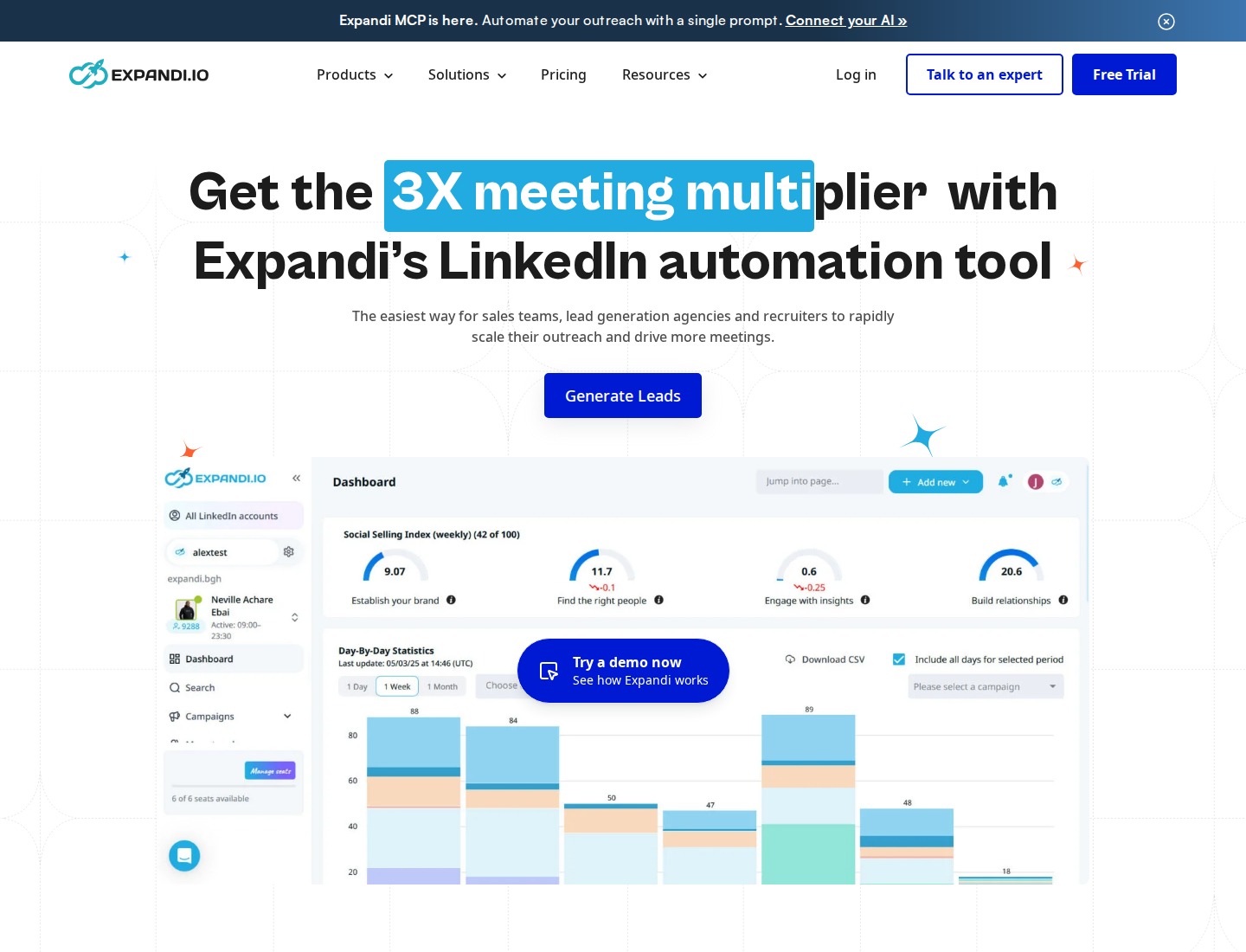
Expandi focuses on campaign automation with conditional sequences.
Each account gets a dedicated country-based IP, with configurable warm-up and action limits. Agency features include roles, permissions, client reporting, and white-label options.
Price: Business costs $99/month per account, or $79/month with annual billing. Agency pricing is custom for 10+ seats. A 7-day trial is available.
Plan condition: Image/GIF and video personalization can require paid add-ons. Include those in the budget if personalized media is part of your current campaigns.
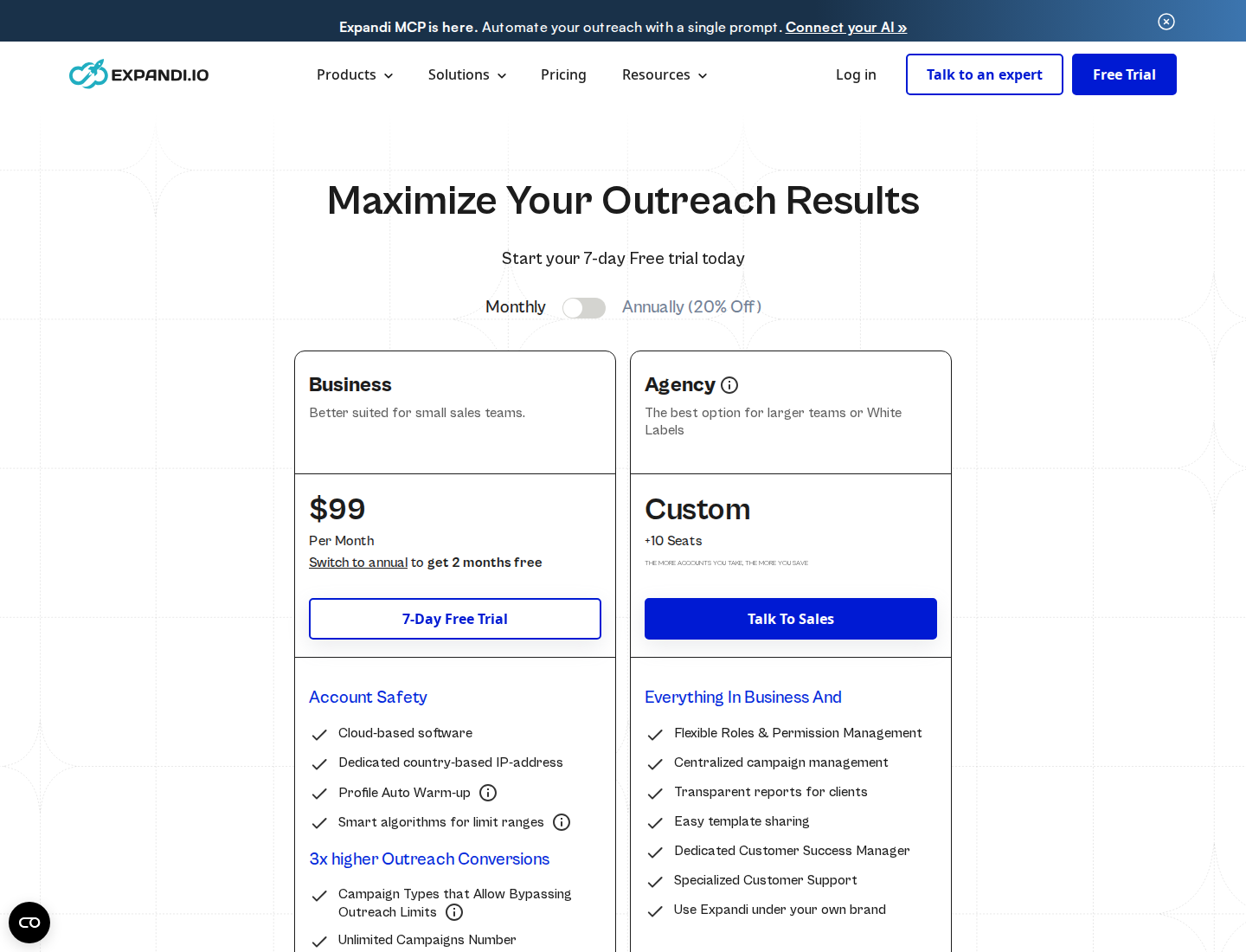
Expandi's Business plan includes the campaign builder; certain media-personalization services cost extra.
5. HeyReach: Multi-sender campaigns and a unified inbox
HeyReach rotates campaign sending across connected LinkedIn accounts. A unified inbox brings replies together, while workspaces and permissions separate teams and client accounts. API, webhooks, MCP, and integrations connect campaigns to a broader outbound setup.
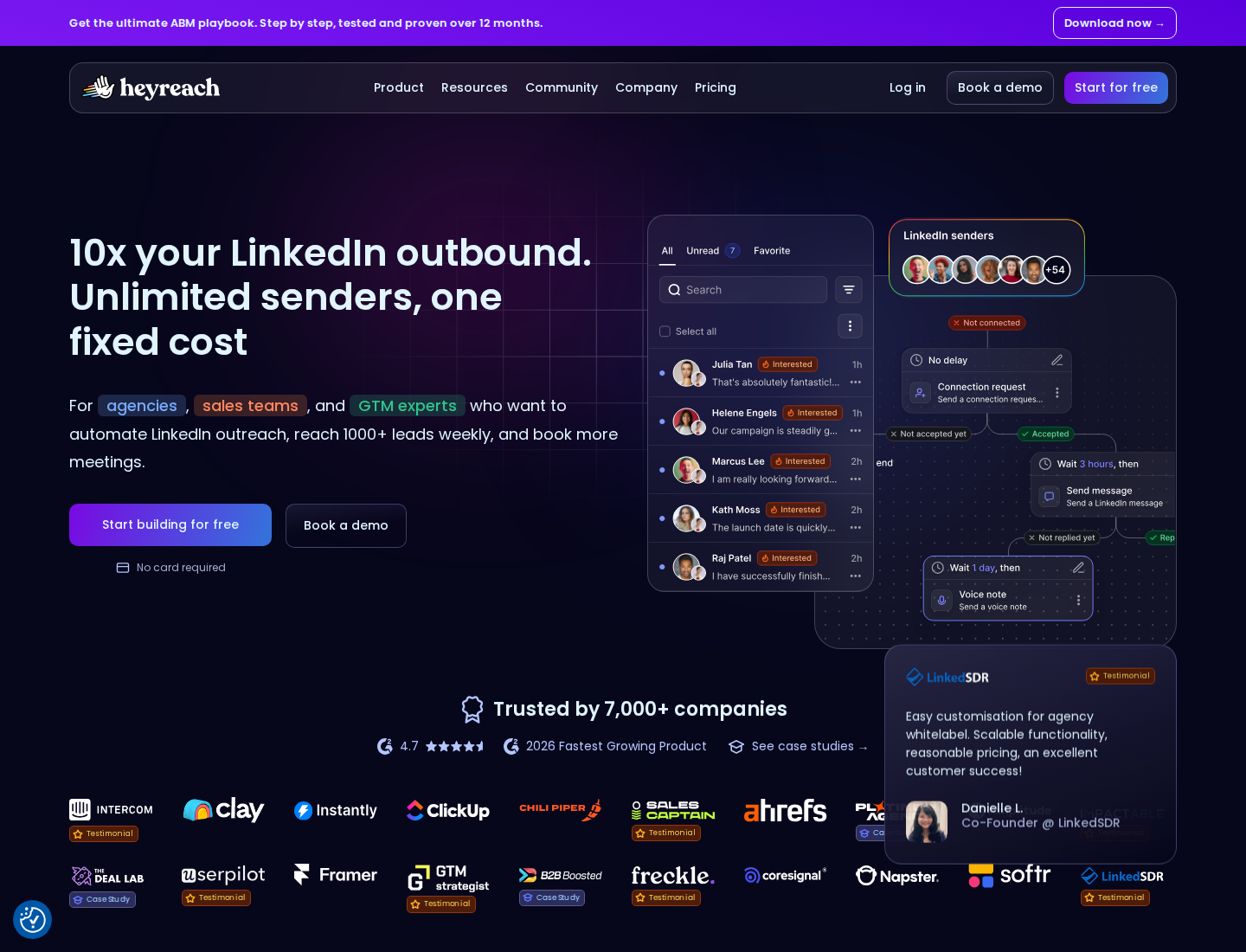
HeyReach combines sender management with campaigns and a unified inbox.
Sender rotation is useful to understand separately from seat pricing: the product can coordinate multiple accounts, but each plan pays for a particular number of senders. Adding reviewers or client users is different from adding LinkedIn accounts that send messages.
Price: Growth starts at $79/sender/month on monthly billing. Agency costs $999/month for 25 senders; Unlimited costs $2,999/month for unlimited senders. Quarterly and annual prices differ. Growth has a 14-day no-card trial.
Plan condition: Agency bundles charge for capacity, not only the accounts in use. Agency and Unlimited require bringing your own proxies, so include that infrastructure in the total.
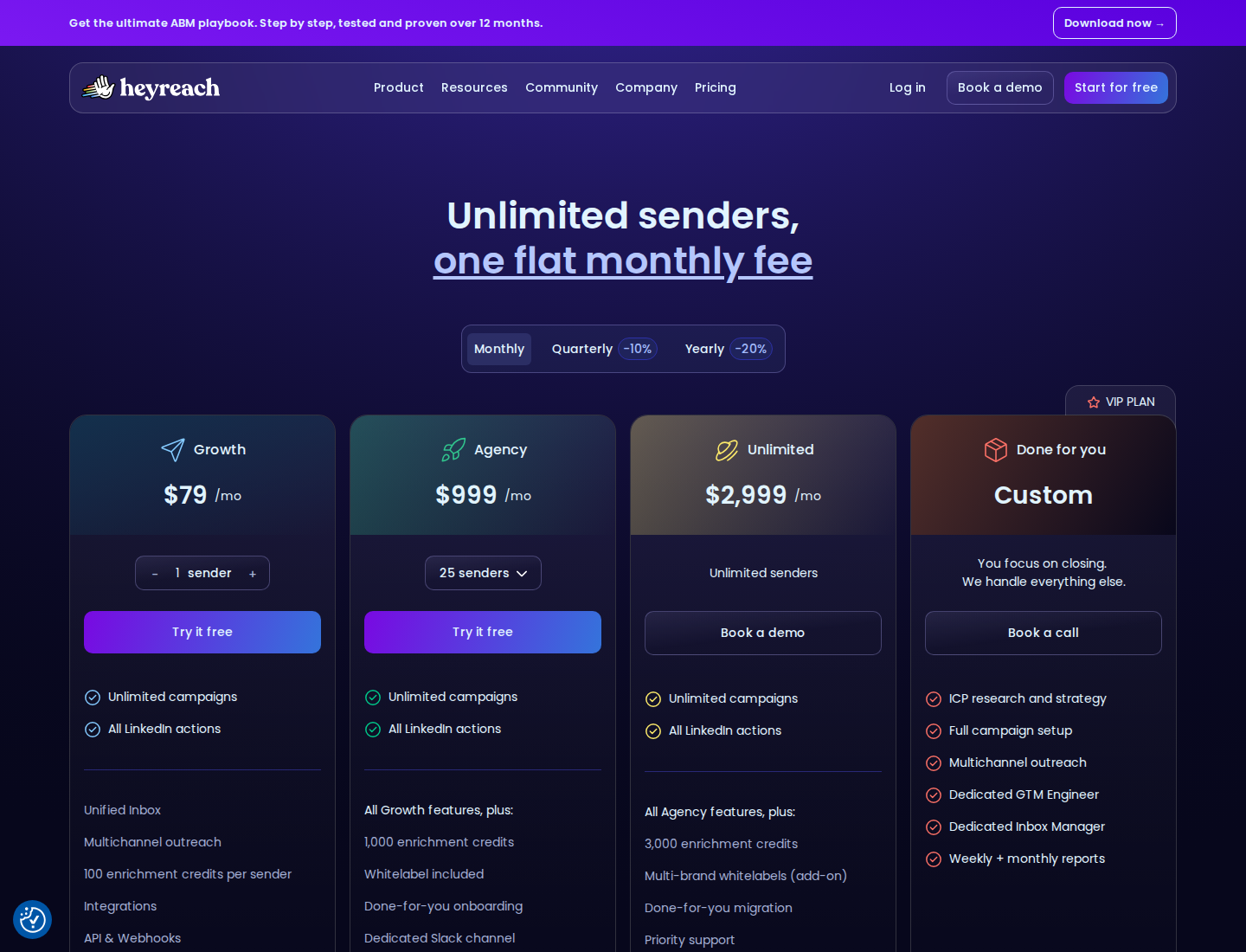
Unlimited senders belong to the Unlimited plan, not the $79 Growth subscription.
6. Linked Helper: Desktop campaigns and storage choices
Linked Helper runs on Windows, Mac, or Linux, with connection, message, and InMail campaigns, lead management, data enrichment, and built-in AI tools. Its campaign builder has 30+ action types. AI-personalized messages can wait in a drafts queue for individual or bulk approval.
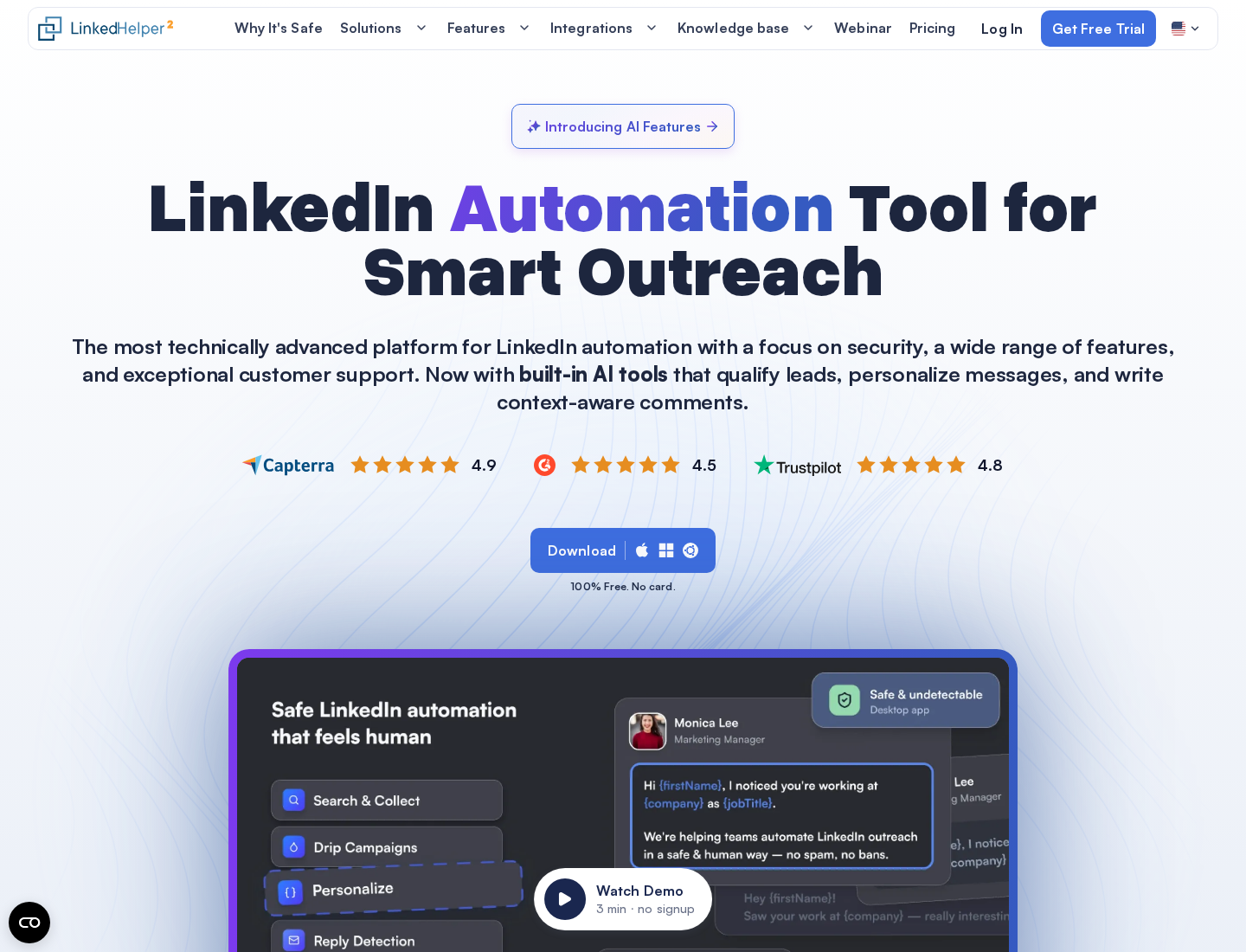
Linked Helper combines desktop execution with campaigns, lead data, and AI drafts.
Local and Cloud refer to workspace data storage. Both versions execute LinkedIn actions on your own computer or VPS, where the app must stay running. Cloud storage adds shared data and automatic backups; it does not move execution onto Linked Helper's servers.
Price: The calculator below shows $15/license/month for one Local Standard license on a one-month term, before local tax. Local is advertised from $8.25/license/month with a longer commitment. Storage, Standard/Pro plan, license term, and volume affect the quote.
Plan condition: Both plans include AI features, with different Credit allowances. Standard also caps certain actions, including some group/event messages and exports; Pro lifts product caps, but cannot remove LinkedIn's own limits.
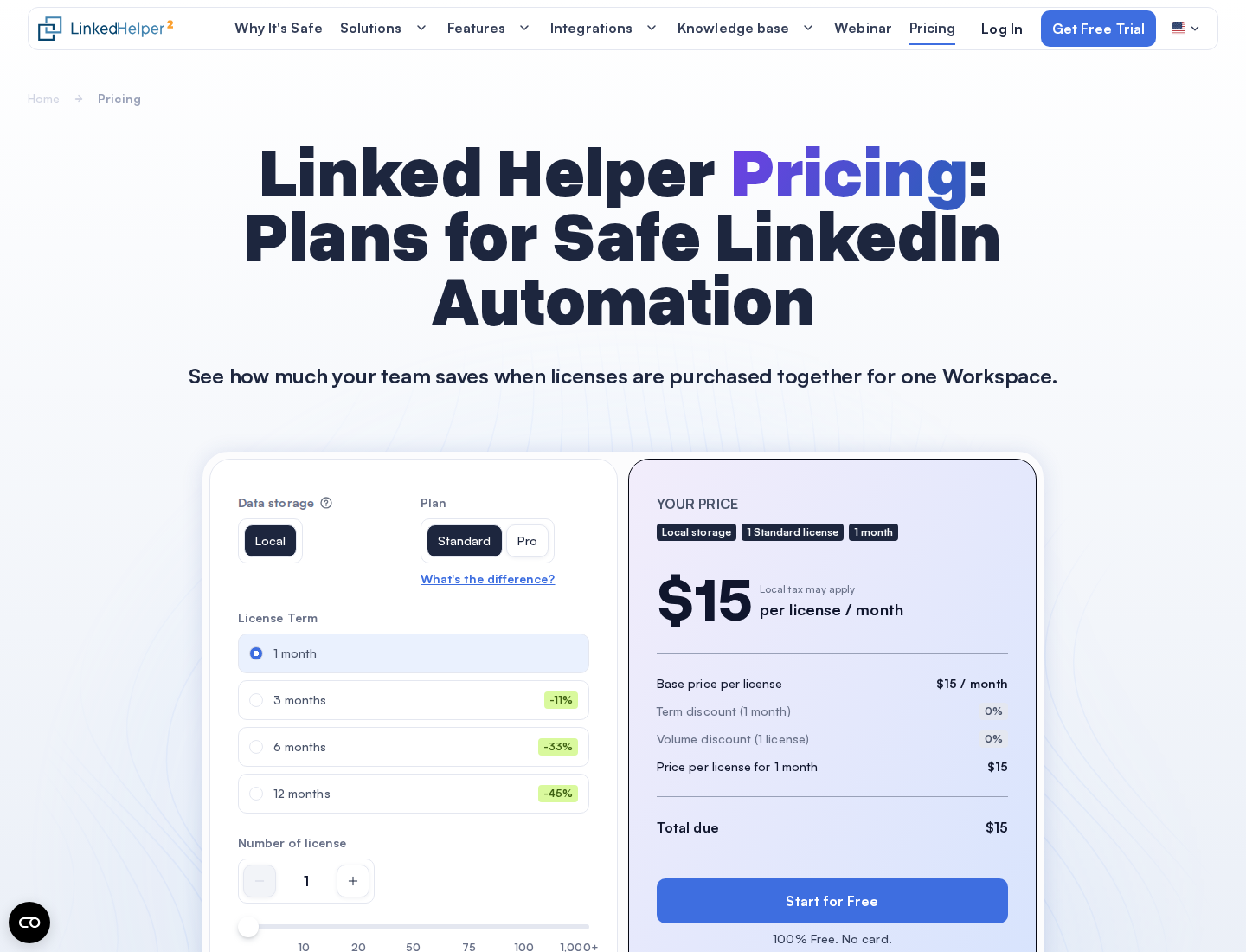
The calculator separates storage, plan, term, and license count. This view shows a one-month price rather than an annual “from” price.
How to move without losing follow-ups
List the accounts you operate, the prospects still in a campaign, and the conversations that need a reply. Export the data your current subscription allows before ending it. Preserve notes, reply status, and suppression lists so that a new campaign does not contact people who have already declined. Rebuild sequences, delays, and rules in the new tool; importing contacts does not automatically transfer campaign logic or conversation history.
Pause old sequences before activating new ones. Running two sets of automated actions on the same account can duplicate messages and make activity harder to control. Review the first drafts and replies before expanding the new workflow.
For Extrovert, start with a focused prospect list, set your voice, and review the first comment drafts. Use recommended conversations to decide whom to contact next, and Conversation Restarters to resume earlier DMs around a prospect’s recent post. Agencies can share campaigns and manage client accounts; founders can begin with their own target accounts.
LinkedIn’s User Agreement restricts bots and unauthorized automated methods for messaging and engagement. Review buttons, rate limits, and dedicated IPs do not establish authorization or guarantee account standing. This applies to every tool here, including Extrovert.
FAQ
Does Extrovert replace Dux-Soup's campaign builder?
Extrovert supports prospect discovery and engagement-led outreach through comments, connection suggestions, and DMs. It does not reproduce STACKED's conditional drip-campaign builder. Its focus is relevant touches around prospect activity and ongoing relationships.
Is Dux-Soup still a Chrome extension?
The current STACKED offer uses local desktop or managed cloud execution. Local runs on your own Mac or Windows machine; Cloud runs on Dux-Soup's infrastructure. Legacy extension-tier prices do not describe this offer.
Which alternatives run without leaving my computer on?
Waalaxy, Expandi, and HeyReach run campaigns in the cloud. Extrovert offers a cloud session or a Chrome-extension connection. Dux-Soup STACKED also has a managed Cloud option. Linked Helper's Cloud label refers to data storage; its execution still needs your computer or VPS running.
Is there a free Dux-Soup alternative?
The products in this shortlist are paid tools with trials, rather than ongoing free campaign-sending plans. Extrovert offers a 10-day no-card trial. Waalaxy's free inbox conversation allowance does not include a free outreach subscription.
Does manual review make LinkedIn outreach safe?
Review helps you inspect wording and relevance. It does not guarantee platform authorization or protect an account from restriction. In Extrovert, comments can publish without review if Auto is enabled, and a connected AI assistant can approve or send the actions you authorize.