On this page
Lemlist alternatives fall into four groups: LinkedIn relationship tools, email senders, prospecting databases and multichannel sequencers. Start with the part of outbound you want to change. A lower entry price tells you little if the plan leaves out your required channel, lead data or sending capacity.
Extrovert helps sales teams turn prospects’ LinkedIn activity into comments and contextual conversations. Instantly and Smartlead cover email sending across multiple mailboxes. Apollo combines contact discovery with sales execution. Expandi and Waalaxy focus on LinkedIn sequences, while Reply.io and La Growth Machine cover broader multichannel workflows.
Lemlist alternatives at a glance
| Tool | Main workflow | Entry price and billing | Important condition |
|---|---|---|---|
| Lemlist (baseline) | Email or multichannel sequences | Email: $69/month; Multichannel: $109/user/month, monthly billing | Email: 50,000 sends and unlimited users/senders; Multichannel: 5 senders/user |
| Extrovert | LinkedIn discovery, post tracking, comments and contextual DMs | $49/connected LinkedIn account/month, monthly billing | 250 tracked prospects, 1 topic and 300 monthly Credits per seat; shared across the team |
| Instantly | Cold-email sending and warmup | Growth Outreach: $47/month, monthly billing | 1,000 uploaded contacts and 5,000 emails/month; lead-data Credits separate |
| Smartlead | Email campaigns across multiple mailboxes | Base: $39/month, monthly billing | 2,000 stored contacts and 6,000 sends/month; verification add-on costs extra |
| Apollo | Contact discovery and email sequences | Free plan; Basic: $49/seat/month, billed annually | 30,000 annual Credits per seat; mailbox and calling allowances vary by plan |
| Expandi | Cloud LinkedIn sequences with email follow-ups | Business: $99/connected LinkedIn account/month, monthly billing | Personalization add-ons cost extra |
| Waalaxy | Template-based LinkedIn sequences | Pro: £17/user/month, billed yearly | Email sequences require Business at £52/user/month, billed yearly |
| Reply.io | Email, LinkedIn, calls and SMS sequences | Multichannel: $99/user/month, monthly billing | 5 mailboxes/user monthly; WhatsApp is semi-automated |
| La Growth Machine | LinkedIn and email sequences | Basic: €60/identity/month, monthly billing | Calls require Pro at €120/identity/month; each identity is billed separately |
These prices use different currencies, billing periods and units. An annual monthly equivalent requires an annual commitment. Compare the plan needed for your channels, then add data credits, domains, mailboxes and client-workspace charges.
What Lemlist includes before you switch
Lemlist combines a 650M+ lead database, contact enrichment, AI research, email campaigns and deliverability tools. Its Multichannel plan adds automated LinkedIn profile visits, invitations, text and voice messages, InMail and calling. WhatsApp is an add-on. SMS and calling costs depend on the options enabled for your account.
The Email plan starts at $69/month on monthly billing, or $55/month billed yearly, for 50,000 email sends per month and unlimited users and email senders. Multichannel starts at $109/user/month on monthly billing, or $87/user/month billed yearly, with five email senders per user. Data enrichment and buying-intent allowances are additional subscriptions. The standard trial is 14 days; in-app calls are excluded.
Lemlist’s multichannel product page describes comments as manual actions with automated reminders. Its LinkedIn product page also includes automated likes, profile visits and skill endorsements. This makes sequence execution and daily relationship work different comparison criteria.
1. Extrovert: LinkedIn prospecting built around relevant conversations
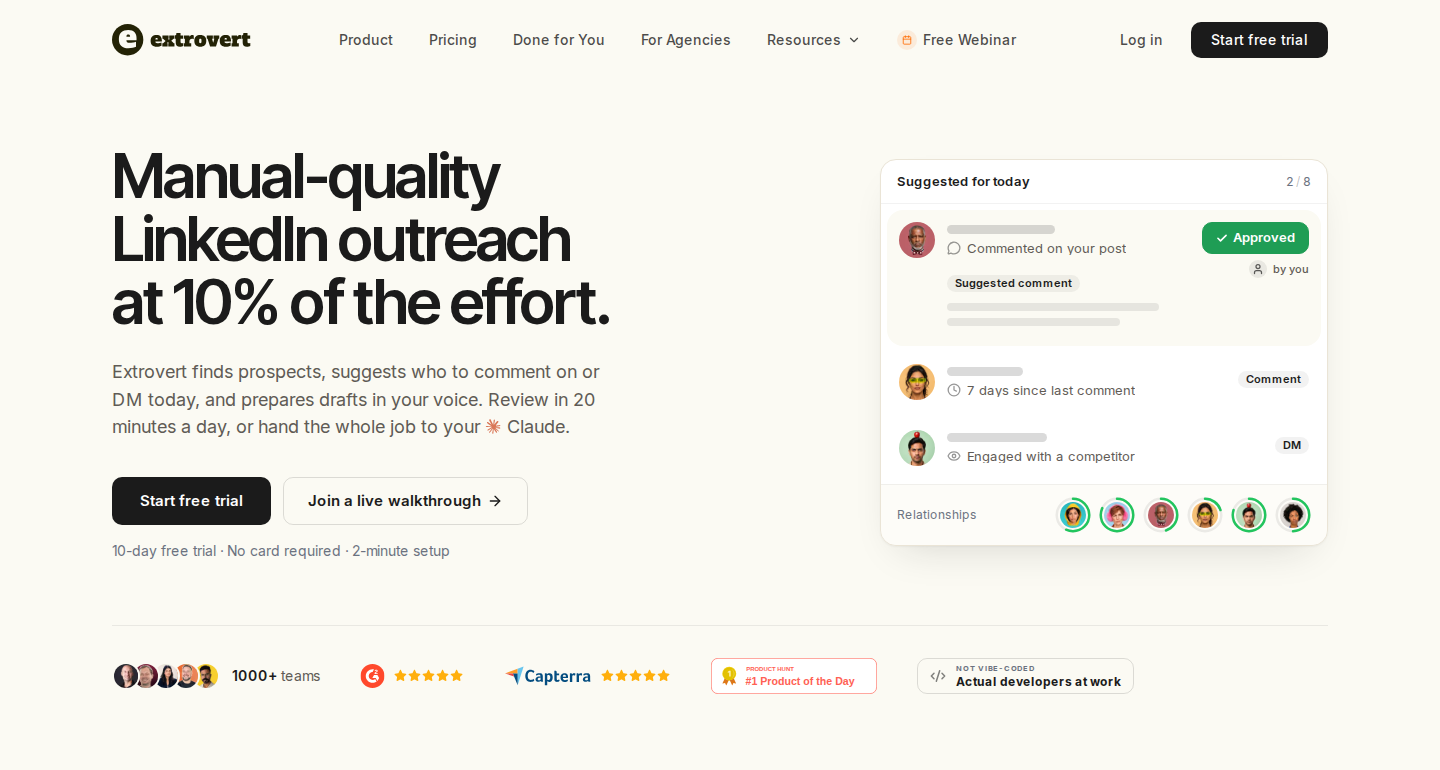
Extrovert brings prospect activity, comments and conversations into the same LinkedIn workflow.
With Extrovert’s LinkedIn outreach workflow, you can track people from your target accounts or follow a topic, collect relevant posts in one feed, and prepare comments and DMs in your writing style. Use that activity to stay visible to prospects, nurture open deals and reconnect with people who went quiet.
Find the people you want to reach
Import prospects from CSV, your CRM, a Sales Navigator search or your connections. Lead Finder also searches a global B2B database by role, company and location, so you do not have to bring every prospect yourself. Delivered Lead Finder prospects cost one Credit each.
Intent Signals serves a different purpose: it finds people behind relevant LinkedIn activity, then filters them against your ideal customer profile. Engaging with a specific post costs 25 Credits per delivered prospect; other signal types cost more. Activity gives you context for an approach, not proof that someone will buy.
Use LinkedIn activity as a reason to reach out
Extrovert finds people through topic engagement, competitor content and competitor-team connections. It shows the activity behind each prospect, so you can decide who belongs in a campaign.
Illustration: a radar sweeping LinkedIn activity. Most of it is passed over; three people are found by what they did: commented on a post about your topic; engaged with a competitor's post; connected with a competitor's sales team.


Pick the conversations that need attention
Recommended DMs brings together suggested conversations and the reason to write. You can review the draft, edit it, send it or snooze the suggestion. Comments, connection requests and DMs have their own settings and limits; Extrovert also supports automatic comment campaigns and actions through its API or an AI assistant with the permissions you allow.
Illustration: the DM workspace on its Recommended tab, 5 conversations due for a message today, each with its reason. Connected 2 days ago: First DM. No reply for 9 days: Follow-up. New role at their company: Restarter signal. Promised a call 2 weeks ago: Follow-up. Quiet for 3 months: Keep in touch. The first one is open, with the first DM drafted and the buttons Send and Snooze.


The LinkedIn workflow: Extrovert organizes work around prospects’ posts, relationship history and reasons to reconnect. Lemlist organizes email and LinkedIn steps inside an outbound sequence. Lemlist also supports engagement conditions and reminders for manual comments, so the distinction is the daily workflow rather than whether LinkedIn exists in the product.
Connecting your stack: API and webhooks connect Extrovert to your CRM or sequencer. A webhook can hand a prospect onward after the number of comments you set. If you are replacing email sending, warmup or calling, keep a dedicated tool for those workflows.
Price: One connected LinkedIn account costs $49 per month, billed monthly. Every feature is included, with 250 tracked prospects, one topic and 300 monthly Credits per seat, shared across the team. Review-only teammates are free. Extra tracking capacity and Credit top-ups cost more. The pricing page includes annual and volume discounts. The trial lasts 10 days and needs no card.
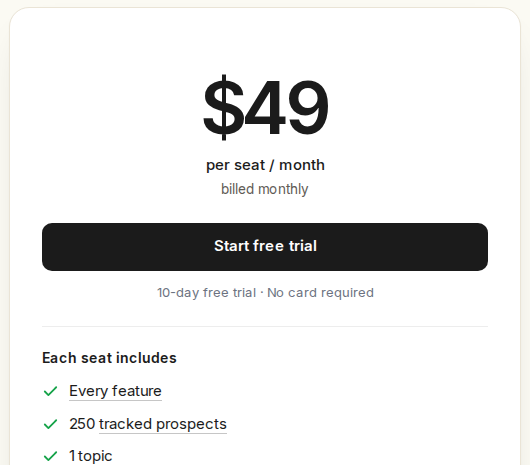
Monthly plan: $49 per seat, with one connected LinkedIn account per seat.
2. Instantly: email campaigns and mailbox warmup
Instantly covers the email-sending part of outbound. The standalone Growth outreach plan includes unlimited connected email accounts and warmup, but it caps uploaded contacts at 1,000 and sends at 5,000 emails per month. Unlimited mailboxes does not mean unlimited sending volume.
Its separate Credits subscription covers lead-database access, enrichment and research. The Starter bundle combines Growth outreach with 1,500 monthly Credits and starts at $94/month on monthly billing. The standalone Growth outreach plan is $47/month on monthly billing.
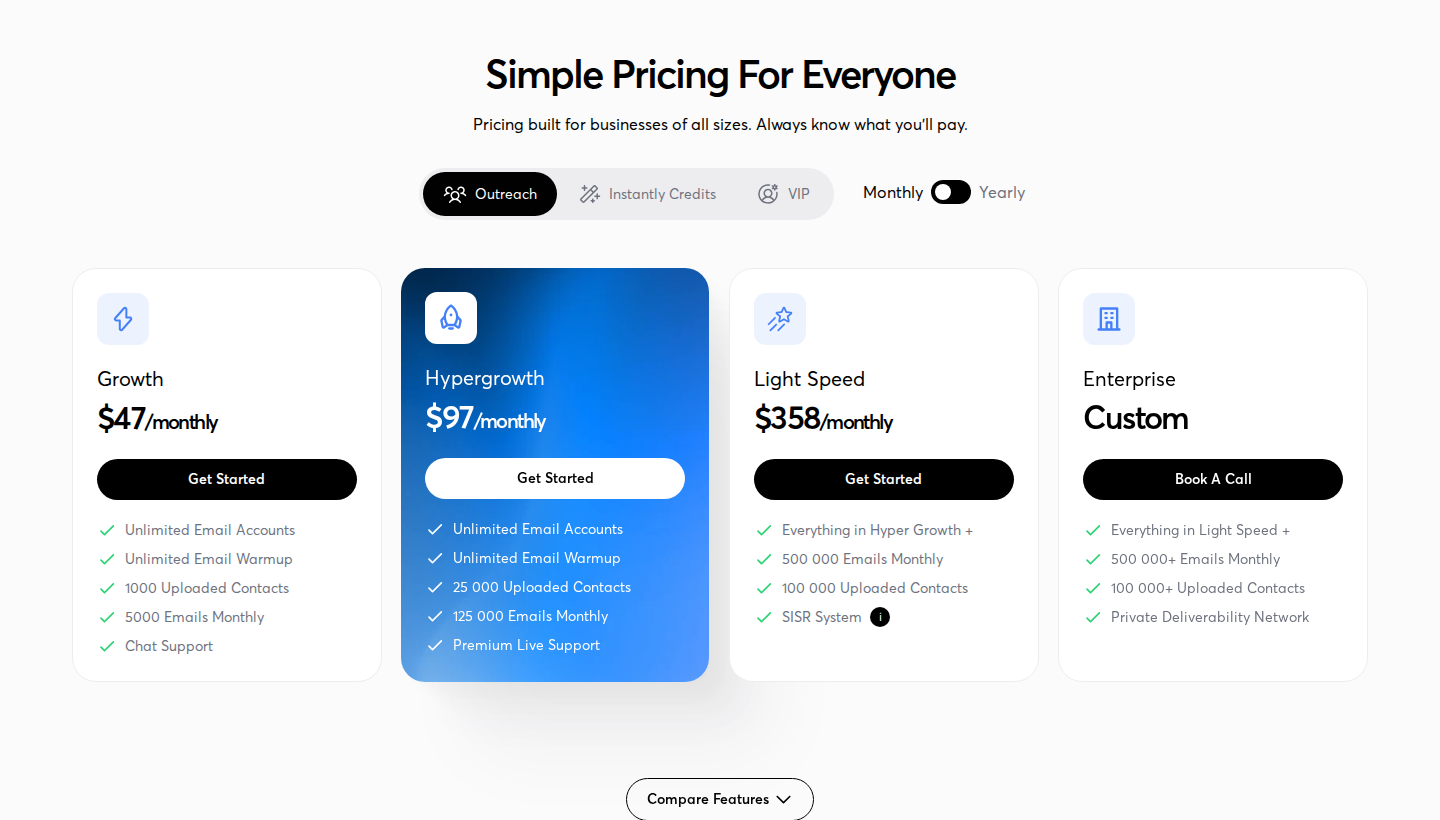
Growth Outreach on monthly billing; lead-data Credits are separate.
Scope: Email campaigns, a unified email inbox and warmup; lead sourcing depends on the Credits subscription or bundle. CRM exports and an API connect the workflow to other systems. An outreach subscription alone does not include the full data package.
3. Smartlead: email sending across multiple mailboxes
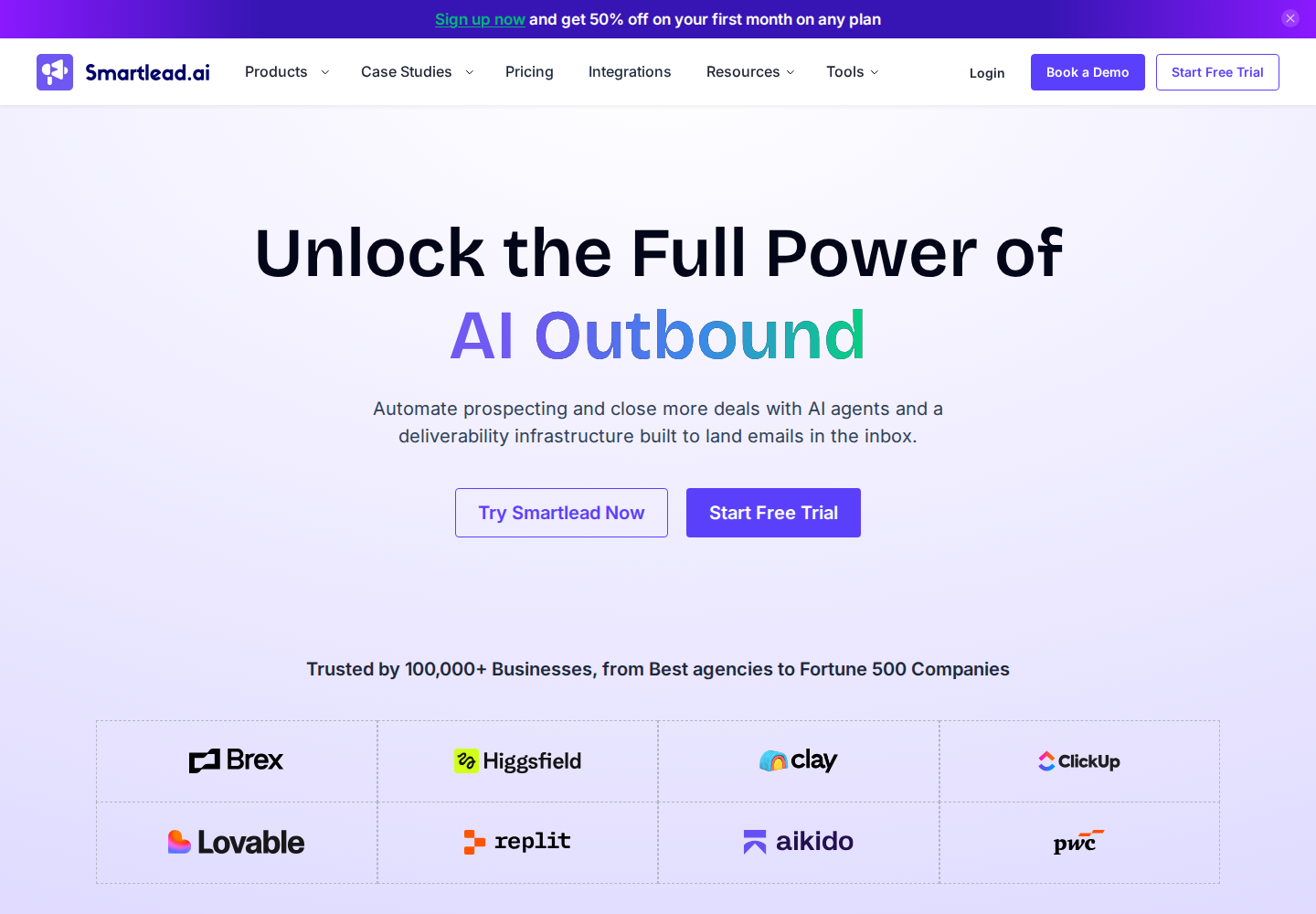
Smartlead supports email campaigns, sender rotation and unlimited connected email accounts. Base costs $39/month on monthly billing, with 2,000 stored contacts and 6,000 email sends per month. Its pricing table lists verified-email allowances with a separate $59/month add-on on the lower tiers; do not treat every listed allowance as part of the base price.
Client workspaces are available from Pro onward. Whitelabeling costs $29/month per client workspace; Unlimited Prime, at $379/month on monthly billing, includes three or more client workspaces. API and webhooks support custom connections to the rest of the stack.
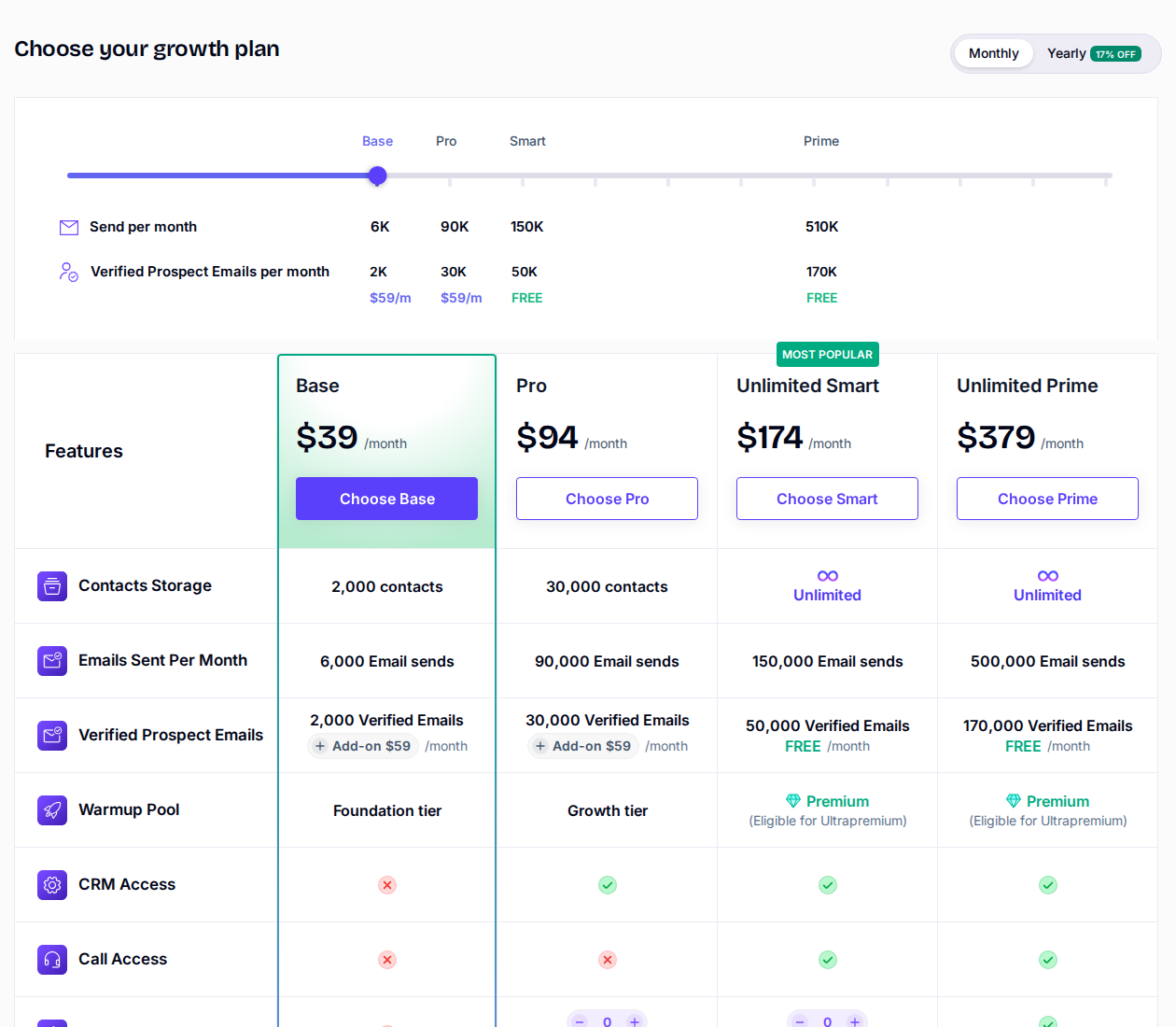
Base on monthly billing; verified-email allowances carry separate add-on charges.
Scope: Email sending and client email operations. Contact limits, sending limits, verification and client-workspace charges are separate budget items.
4. Apollo: contact discovery and email sequences
Apollo combines contact and company search with email sequences, enrichment, CRM connections and calling features. Its Basic plan costs $49 per seat/month, billed annually, with 30,000 Credits per seat per year granted upfront. The free plan includes two sequences and 900 Credits per seat per year, granted monthly.
The Basic plan includes one mailbox per user, a deliverability suite and email warmup. Professional expands mailbox support. Salesforce, HubSpot and Pipedrive integrations are listed in the plan comparison, with availability depending on the feature and tier.
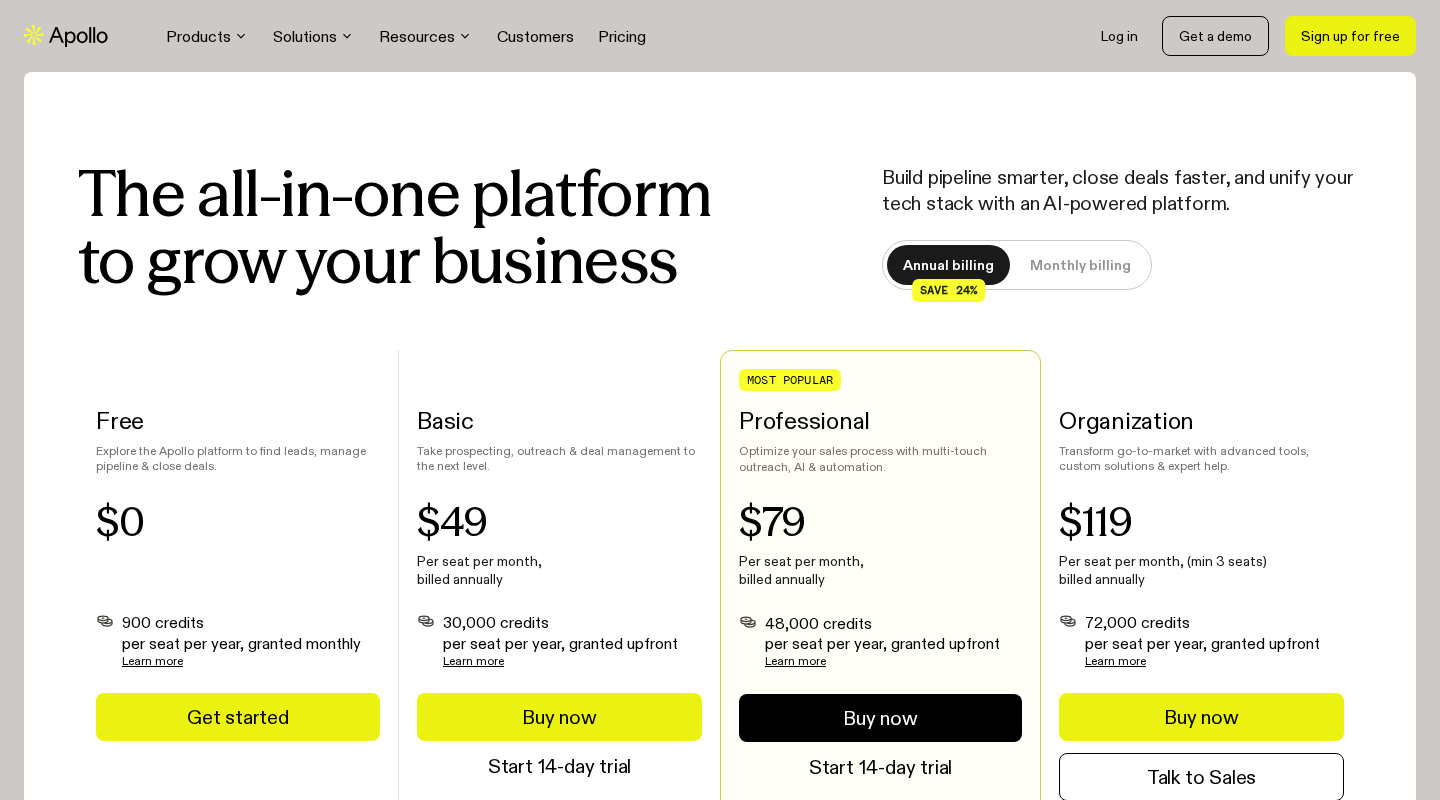
Basic’s $49 monthly equivalent is billed annually per seat.
Scope: Database-led prospecting and sales execution. Credit allowances, mailbox limits and calling charges matter alongside the seat price. Apollo’s LinkedIn extension and sequence tasks should not be confused with automatic LinkedIn sending.
5. Expandi: LinkedIn sequences with email follow-ups
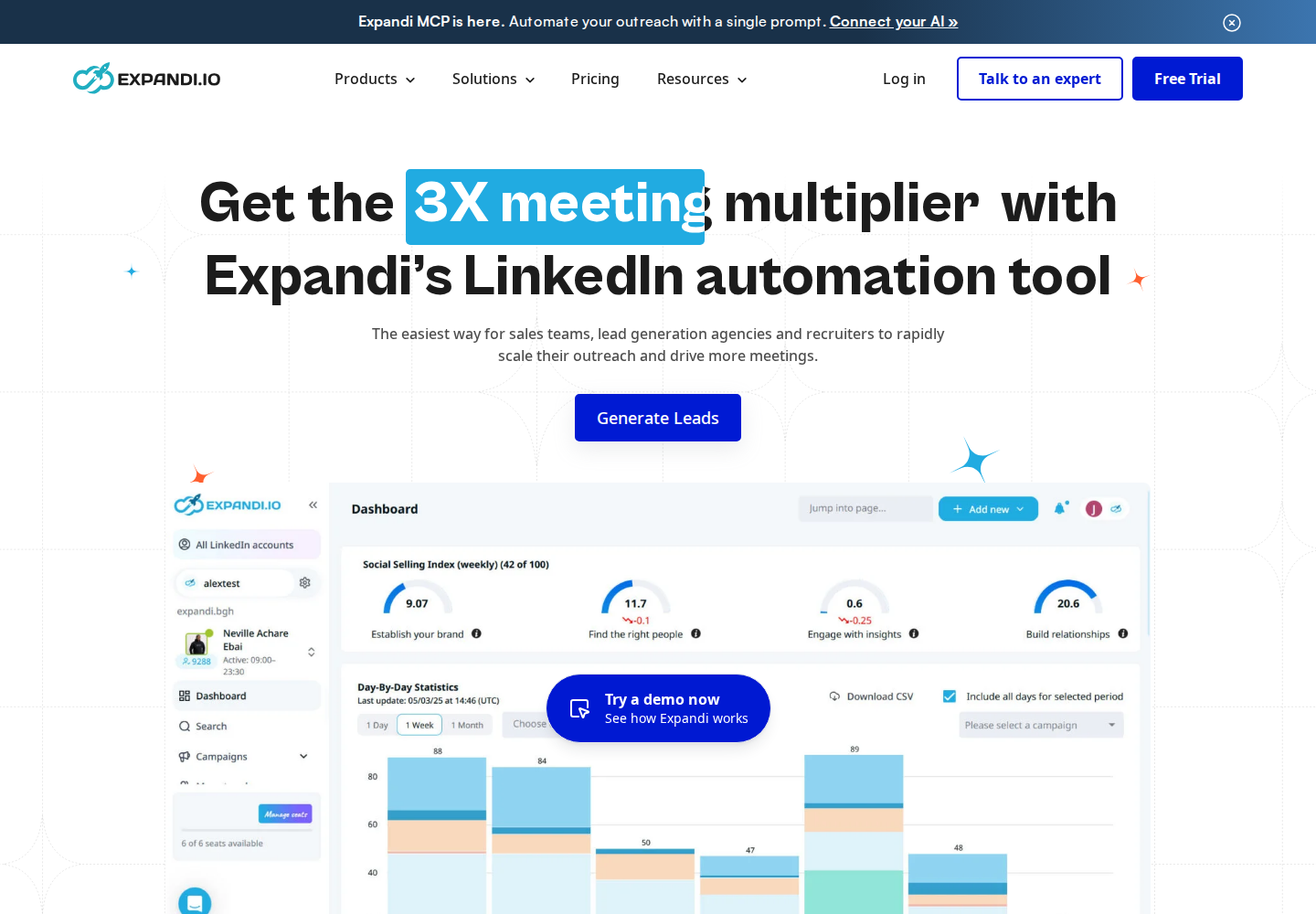
Expandi runs in the cloud and combines LinkedIn connection requests, messages and email follow-ups in one sequence. Its builder supports conditional steps, campaign prioritization, scheduling and integrations. Each connected LinkedIn account requires its own seat.
Business costs $99 per seat/month on monthly billing, or $79/month billed annually. A seven-day trial is available. Image/GIF personalization and video integrations can add charges; the agency offer for larger teams uses custom pricing.
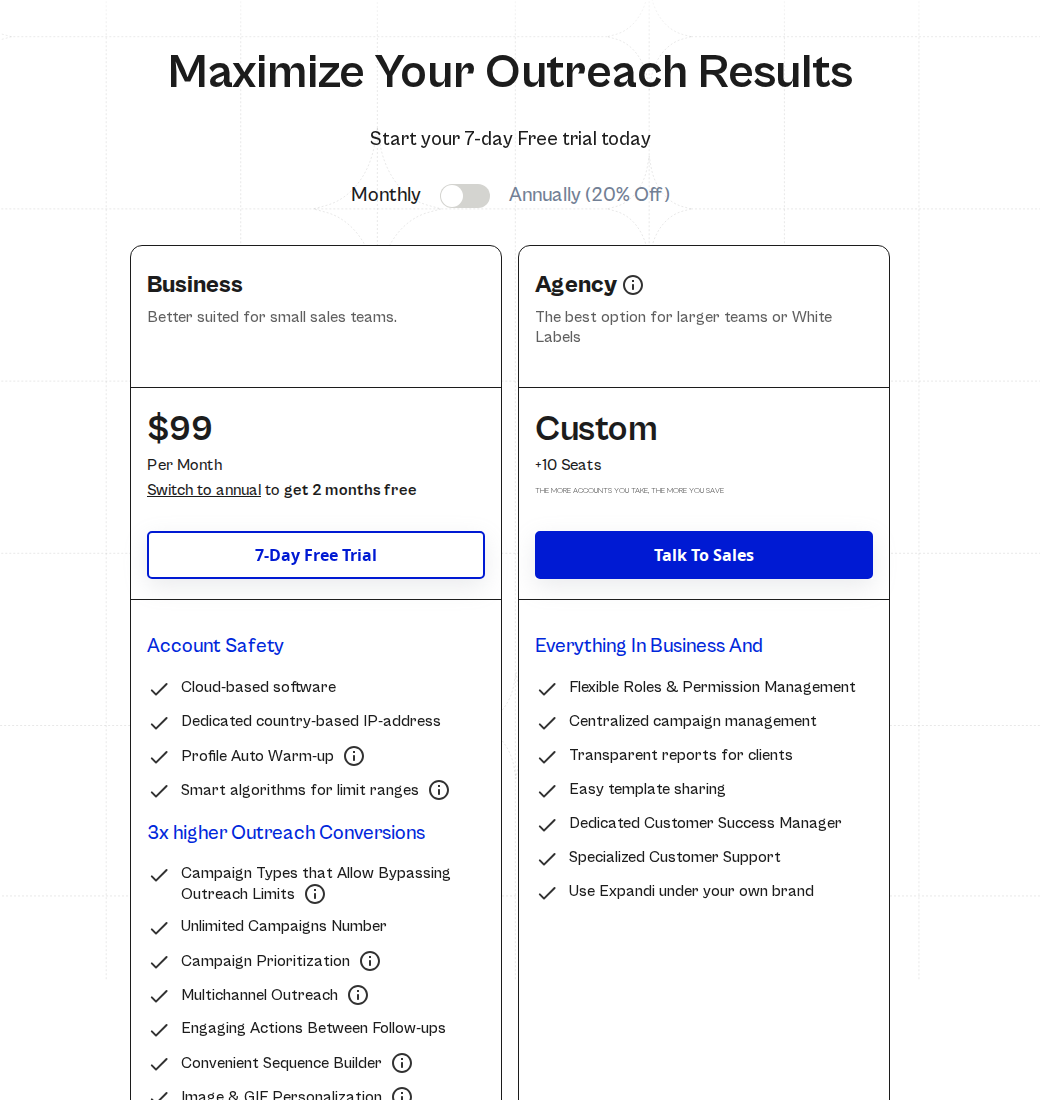
Business on monthly billing, with one connected LinkedIn account per seat.
Scope: LinkedIn-first sequence execution, including email follow-ups. Its country-based IPs, warmup and activity limits describe how it operates; they do not establish lower restriction risk or guaranteed account safety. For a deeper breakdown of this workflow, see our Expandi and Extrovert comparison.
6. Waalaxy: template-based LinkedIn and email sequences
Waalaxy includes prebuilt LinkedIn outreach sequences, automated follow-ups, CSV imports and exports, and CRM synchronization. Business adds cold-email sequences and multichannel campaigns. API access and Make, Zapier and n8n modules are listed from Advanced onward.
The yearly-billed prices in GBP are £17/user/month for Pro, £35 for Advanced and £52 for Business. Pricing is localized by currency.
Business includes 500 email-finder credits. Pro lists 300 invitations per month; Advanced and Business list 800. Those are product allowances, not a guarantee that LinkedIn will accept that activity. A 14-day trial is available. Its LinkedIn Inbox is a separate paid add-on, with a free conversation allowance advertised separately.
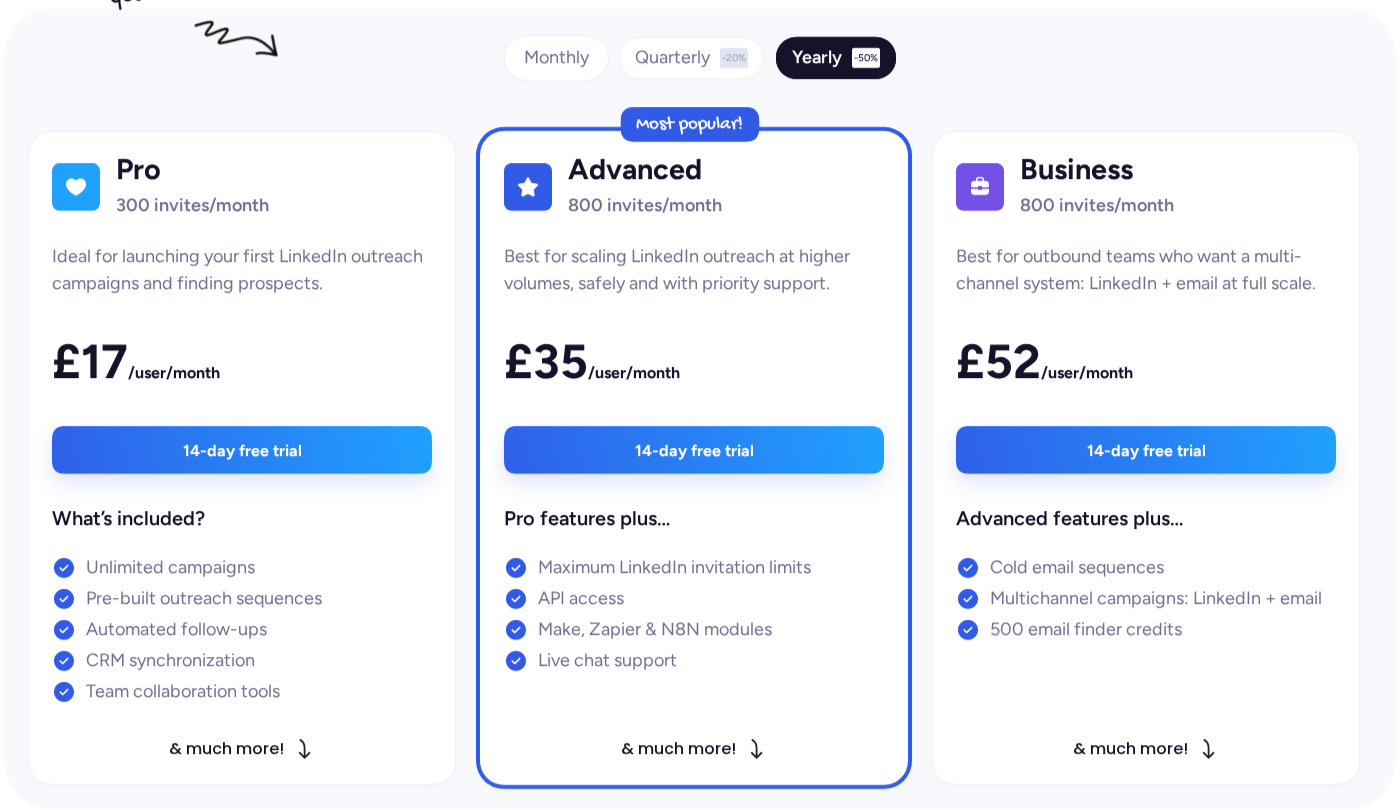
GBP prices with yearly billing selected; Business is the email-plus-LinkedIn plan.
Scope: LinkedIn sequence execution, with email on a higher plan. Compare the plan covering your intended channels rather than treating Pro’s price as the cost of LinkedIn-plus-email outreach.
7. Reply.io: multichannel sales sequences
Reply.io combines email, LinkedIn, calls and SMS in a multichannel sequence, with WhatsApp semi-automation. Its sequence builder includes conditions and A/B testing; a consolidated inbox brings replies together. The Email Volume plan is priced separately from Multichannel, so compare the channel package rather than the lowest email-only rate.
Multichannel costs $99/user/month on monthly billing, with five mailboxes per user and unlimited active contacts. Annual billing reduces the monthly equivalent to $89/user and increases the allowance to ten mailboxes per user. Calls, phone numbers and data credits need their own budget.
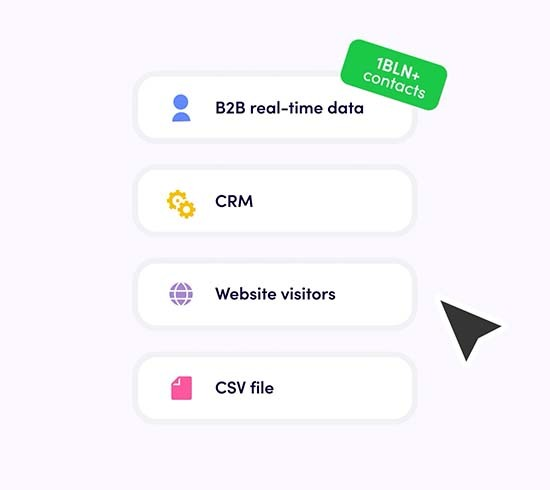
Reply.io’s official sales-workflow illustration.
Scope: A sequencer for teams coordinating several outreach channels. Distinguish automated steps from semi-automated tasks, and check the connected accounts and phone services each rep needs.
8. La Growth Machine: identity-based LinkedIn and email sequences
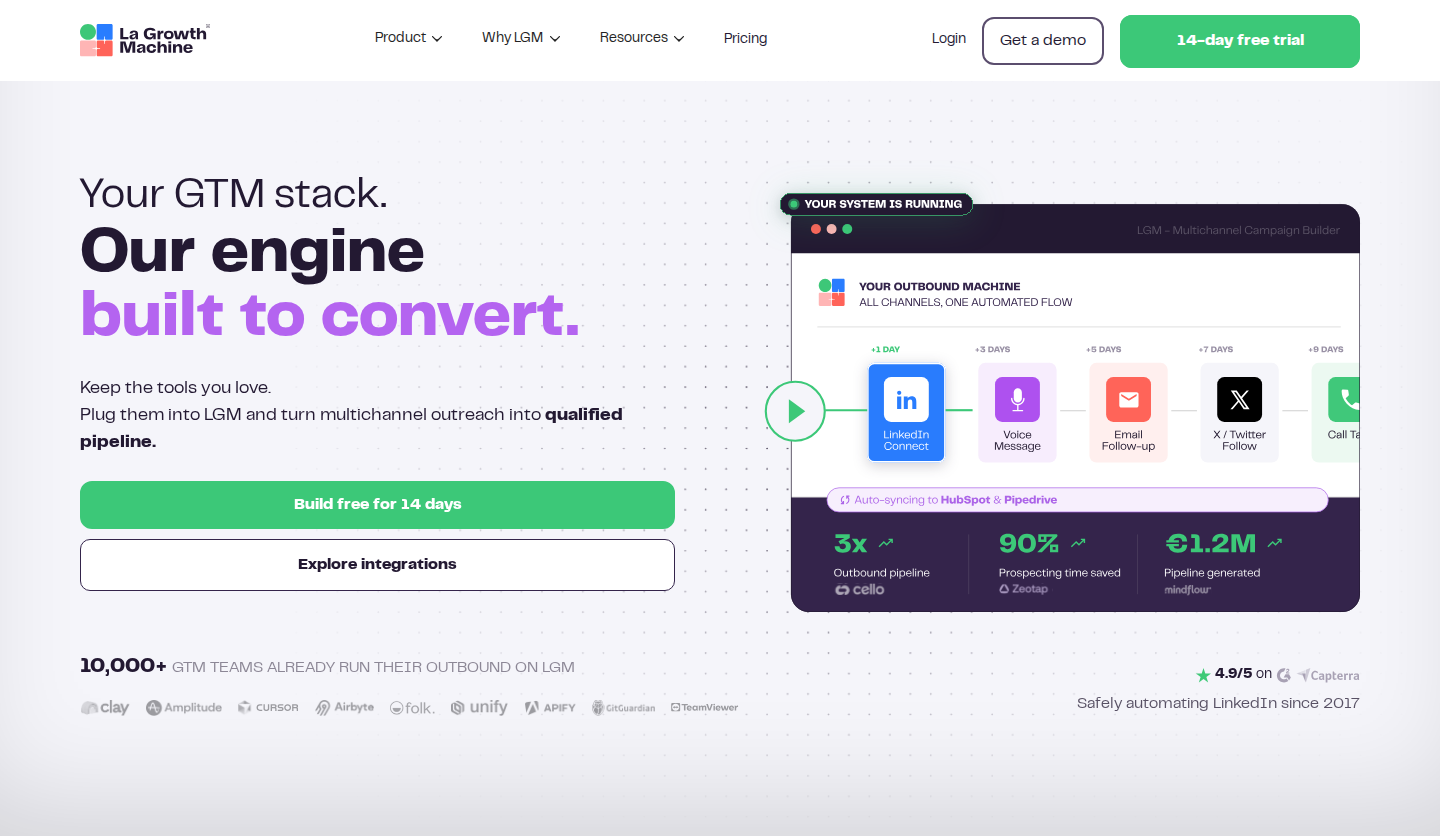
La Growth Machine groups prospecting channels around a sales identity.
La Growth Machine combines LinkedIn and email outreach with enrichment. Pro adds a unified LinkedIn/email inbox. Its pricing unit is an identity: the sender attached to a LinkedIn account and sending email accounts. A team with several senders needs several billed identities even if colleagues share the workspace.
Basic costs €60/identity/month on monthly billing, or €50/month billed annually. It includes 250 enriched leads per month and one sending email account. The Pro plan adds calls and costs €120/identity/month monthly, or €100/month billed annually. Pro includes 400 enriched leads, five sending email accounts and six active campaigns. Ultimate adds X and native CRM workflows, with higher enrichment and mailbox allowances.
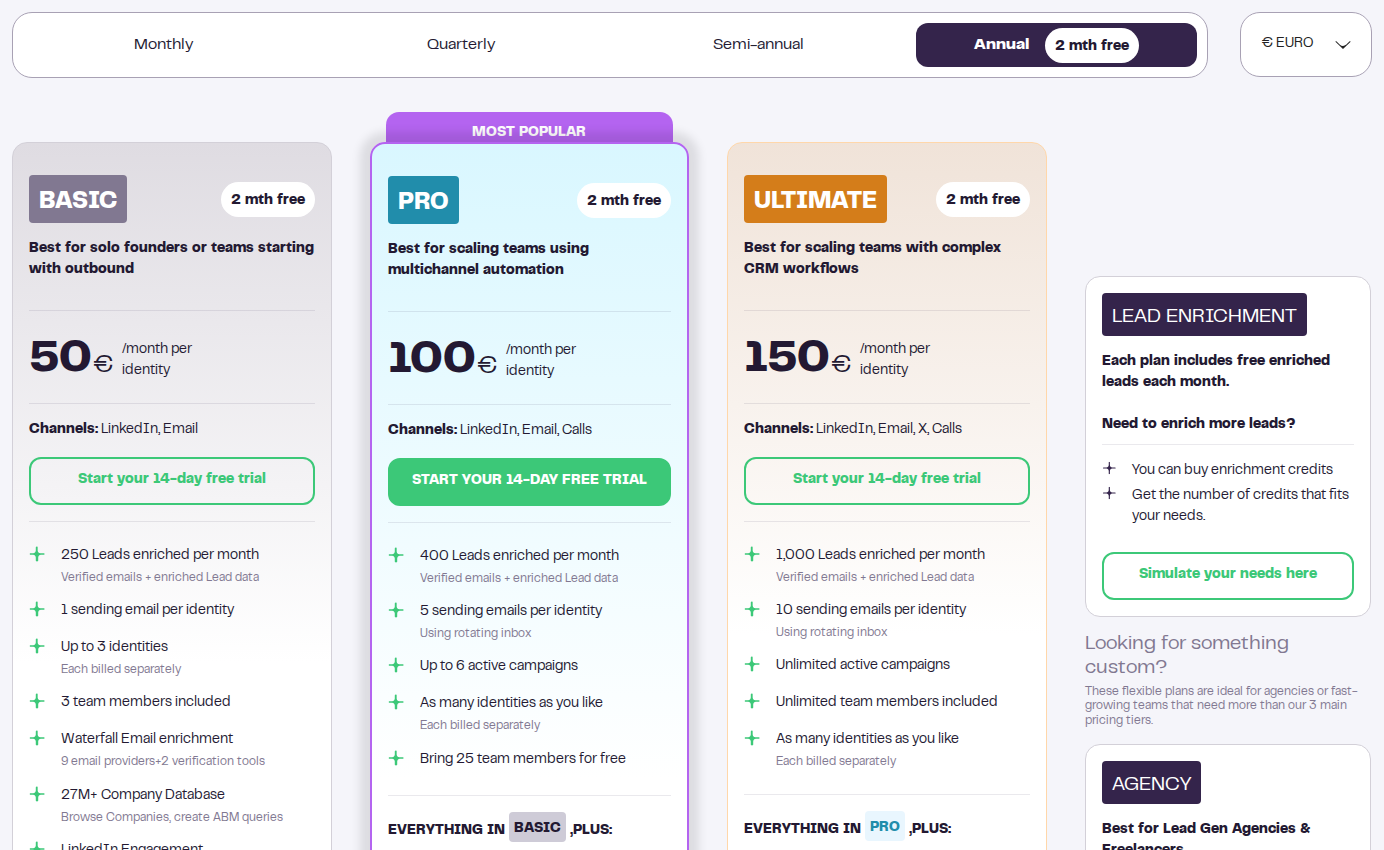
Monthly prices are per identity. Basic covers LinkedIn and email; Pro adds calls.
Scope: LinkedIn and email sequences billed per sender identity. Compare the identity count, enrichment allowance, active-campaign limit and CRM tier before estimating the team cost.
For an email-heavy team, Instantly Growth starts with 1,000 uploaded contacts and 5,000 monthly sends; Smartlead Base includes 2,000 stored contacts and 6,000 sends. Both charge separately for data-related services. Agencies should also compare client-workspace isolation, permissions, whitelabel charges and who can access each client’s replies.
What to check before moving a Lemlist campaign
Separate the work you want to change: finding contacts, email sending, LinkedIn engagement, DMs, calls and reply handling. A tool that replaces one job can work alongside the rest of your stack.
- Match the real plan. If your sequence needs LinkedIn and email, compare the multichannel tier. Waalaxy Pro and Lemlist Email are different products for budgeting purposes.
- Count the right unit. List connected LinkedIn accounts, sales identities, users and email mailboxes separately. Unlimited connected mailboxes still comes with contact and send limits.
- Export the history that prevents duplicate outreach. Keep replies, unsubscribes, suppression lists, campaign status and owner assignments. Stop overlapping follow-ups when a prospect responds.
- Test one workflow before moving the whole team. Confirm imports, personalization fields, reply detection and CRM sync with a small campaign. For a webhook handoff, document which system owns the next action.
For LinkedIn relationship work, start an Extrovert campaign with a focused target list. Review prospects’ posts and drafts, choose a commenting mode, and use recommended conversations to decide when to write. Our SDR workflow shows how this fits alongside email and calling.
Frequently asked questions
Which Lemlist alternatives support email and LinkedIn?
Expandi, Waalaxy Business, Reply.io Multichannel and La Growth Machine support both channels. Their billing units and included accounts differ. Extrovert covers LinkedIn discovery, post engagement and contextual DMs, with API and webhook handoffs to an email sequencer.
Is there a free Lemlist alternative?
Apollo has a free plan for contact discovery and limited sales execution. A free plan is different from a time-limited trial. Include data-credit, sequence and mailbox allowances when deciding whether the free tier covers your work.
Which alternatives are relevant for email-heavy agencies?
Instantly and Smartlead support email campaigns across unlimited connected mailboxes. Compare stored contacts, monthly sends, data credits and client workspaces. Those limits determine the cost more reliably than mailbox count alone.
Do activity limits make LinkedIn automation risk-free?
No. Product allowances, warmup settings and review controls do not guarantee that LinkedIn will accept the activity or that an account will never be restricted. Platform rules, permissions and message quality remain part of the decision.