On this page
LinkedIn marketing has several jobs: create useful content, publish it consistently, reach people through employees and paid campaigns, measure performance, and build relationships with buyers. Choose tools for the jobs your team needs help with.
For account-specific engagement, Extrovert brings relevant posts, comment drafts, DMs, and follow-ups into a daily routine. Publishing tools handle the content calendar; advocacy platforms coordinate employee participation; Campaign Manager runs paid distribution. A small team can also start with native LinkedIn features and free publishing or design tools.
These 11 tools cover the main parts of a B2B LinkedIn marketing stack. Compare the workflow, the account type it supports, and the billing unit before adding another subscription.
Best LinkedIn marketing tools at a glance
Start with the program you are running:
- Personal-brand content: Taplio and AuthoredUp cover writing and post analytics; Canva covers creative production.
- Company-page publishing: Buffer covers a lightweight queue. Hootsuite, Sprout Social, and Oktopost cover broader team operations and reporting.
- Distribution beyond your own posts: GaggleAMP coordinates employees, Favikon supports creator partnerships, and Campaign Manager runs paid campaigns.
- Relationships with buyers and customers: Extrovert organizes personal-account comments, DMs, and follow-ups.
On a phone, swipe the table if the price column is clipped. Tool names stay with their workflow descriptions.
| Tool and account/program scope | Entry price and decisive plan condition |
|---|---|
| Extrovert: personal-account engagement, comments and DMs | $49/LinkedIn account/month, monthly; every feature included |
| Taplio: personal-brand content and analytics | $39/month, monthly; AI writing/commenting from $69 Growth |
| AuthoredUp: post editing, previews and analytics; profiles and Pages | $19.95/profile/month; $16.63/month annually; Business has a three-profile minimum |
| Favikon: creator partnerships across networks | €199/month Core, monthly; brand platform, credits apply |
| Hootsuite: profile/Page and cross-channel operations | €99/user/month annually; structured approvals in Advanced (€399) |
| GaggleAMP: employee advocacy program | Company-size quote; unlimited members, annual billing |
| Oktopost: B2B social publishing and CRM reporting | Annual quote; unlimited social profiles, add-ons affect cost |
| LinkedIn Campaign Manager: ad-account campaigns | Auction-based ad spend, billed by campaign objective |
| Sprout Social: cross-channel publishing and reporting | $79/seat/month annually or $99 monthly; consolidated inbox from Standard ($199 annually) |
| Buffer: profile/Page publishing queue | Free; Essentials $5/channel/month annually; approvals in Team ($10 annually) |
| Canva: creative production and brand assets | Free; Pro US$144/year/person; team approvals in Business |
USD unless a different currency is shown. Prices shown per month with annual billing are monthly equivalents, not monthly contracts. Canva's yearly price is the annual total. The screenshots below retain the displayed currency and billing selection; open an image to inspect the full-size details.
1. Extrovert for account-specific engagement
Extrovert helps marketers stay visible to buyers, champions, customers, and people discussing relevant topics. It collects their LinkedIn posts, prioritizes where to engage, and drafts comments in your voice. That makes participation manageable when your audience includes a defined list of accounts rather than only followers of your company Page.
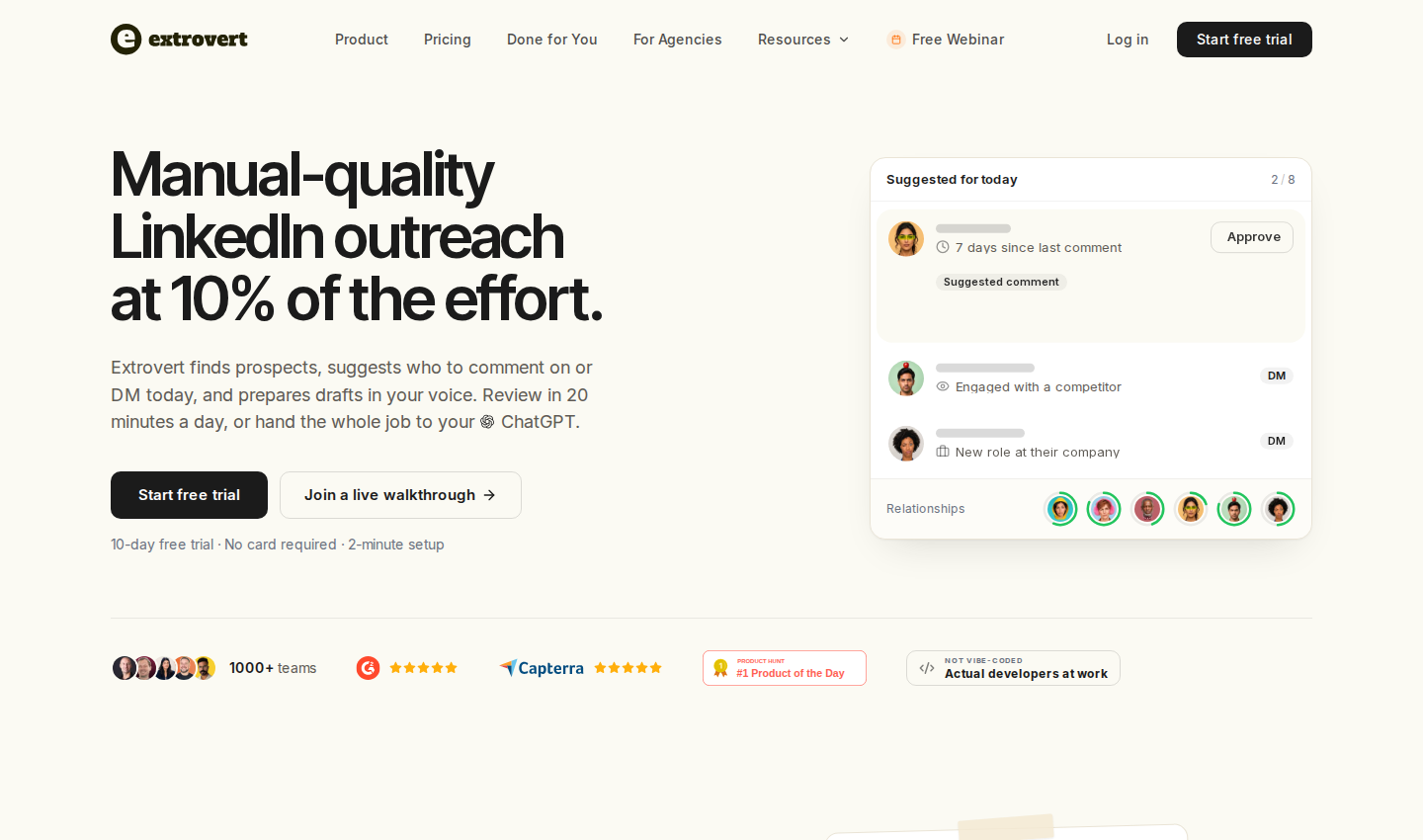
A founder or B2B marketer can use a people campaign to nurture relationships and a topic campaign to join discussions in their market. For teams connecting marketing with sales, the same context supports LinkedIn prospecting and follow-ups after a useful public exchange.
What it covers:
- People and topic campaigns, shared prospect lists, prioritized posts, and content filters.
- Comment drafts and quick edits using your writing style.
- Recommended DMs, conversation restarters, and follow-ups.
- Lead Finder for prospects matching a role, company, and location; Intent Signals for people found through configured LinkedIn activity.
- Individual review, bulk approval, optional automated comment campaigns, and assistant access through MCP with the permissions you grant.
Give each campaign a clear engagement priority
A launch or topic campaign may need the newest relevant posts. A relationship campaign may need to spread comments across people who have not heard from you recently. Extrovert's three sorting strategies help the team choose which posts to comment on before drafting.
Illustration: the posts a campaign found, sorted three ways. Newest posts, newest first: Just now, 20 min ago, 3 h ago, Yesterday. Closest to outreach, fewest comments left before outreach first: 1 left, 2 left, 3 left, 4 left. Evenly distribute, longest since your last comment first: 6 weeks ago, 3 weeks ago, Last week, Yesterday.
Newest posts
In a visibility campaign, the newest posts come first, so your comment goes up while people are still reading.
Closest to outreach
In a warm outreach campaign, the people who need only one or two more comments before you reach out come first, so you get to the first DM sooner.
Evenly distribute
In a nurturing campaign, the people you have not commented on for the longest come first, so nobody on the list is forgotten.


Continue the conversation when there is a reason to message
Recommended DMs shows why a conversation is worth starting, with the context and a prepared message. Review the reason, edit the message, then send or snooze it. Marketers working with sales can base their next message on the person's activity and previous conversations.
Illustration: the DM workspace on its Recommended tab, 5 conversations due for a message today, each with its reason. Connected 2 days ago: First DM. No reply for 9 days: Follow-up. New role at their company: Restarter signal. Promised a call 2 weeks ago: Follow-up. Quiet for 3 months: Keep in touch. The first one is open, with the first DM drafted and the buttons Send and Snooze.


Pricing: Extrovert pricing starts at $49 per LinkedIn account per month, billed monthly, with annual and volume discounts. Each seat includes 250 tracked prospects, one topic, and 300 monthly Credits, pooled across the team. Review-only teammates are free. Lead Finder costs one Credit per delivered prospect; Intent Signals costs 25–250 Credits per prospect depending on the signal. Extra tracking capacity and Credit top-ups cost more. The trial lasts 10 days and requires no card.
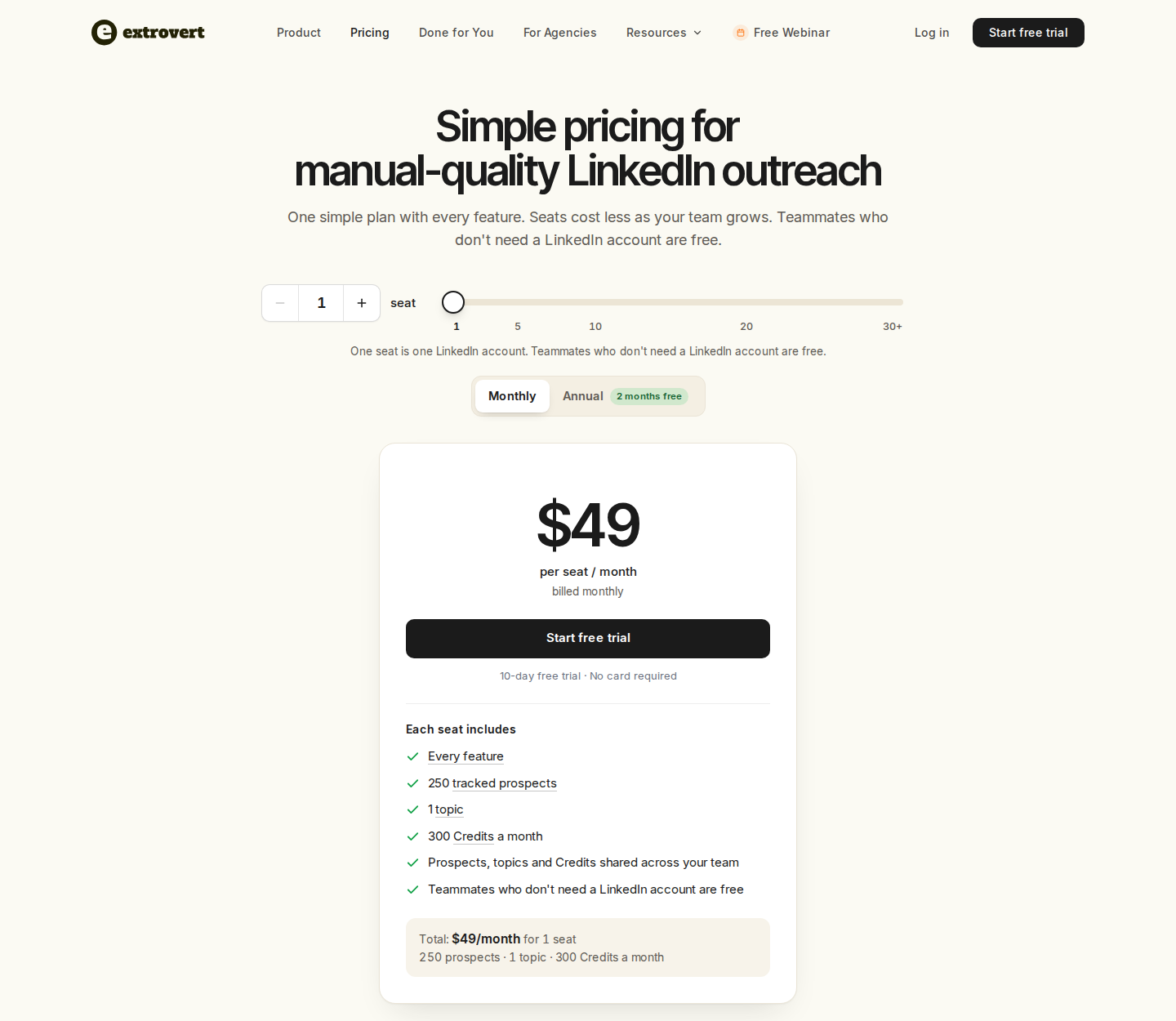
One LinkedIn-account seat; monthly billing. Open for full-size details.
For a marketing pilot, set up a people or topic campaign around your audience, review the relevant posts, and follow up on recommended conversations. Your team controls review and automation settings within each workflow.
2. Taplio for content and personal-brand workflows
Taplio combines post inspiration, drafting, scheduling, and LinkedIn analytics. Writers can collect ideas, prepare and schedule posts, then see which content attracted attention. Higher plans also cover commenting on curated feeds and lead lists, importing post engagers, and lead outreach.
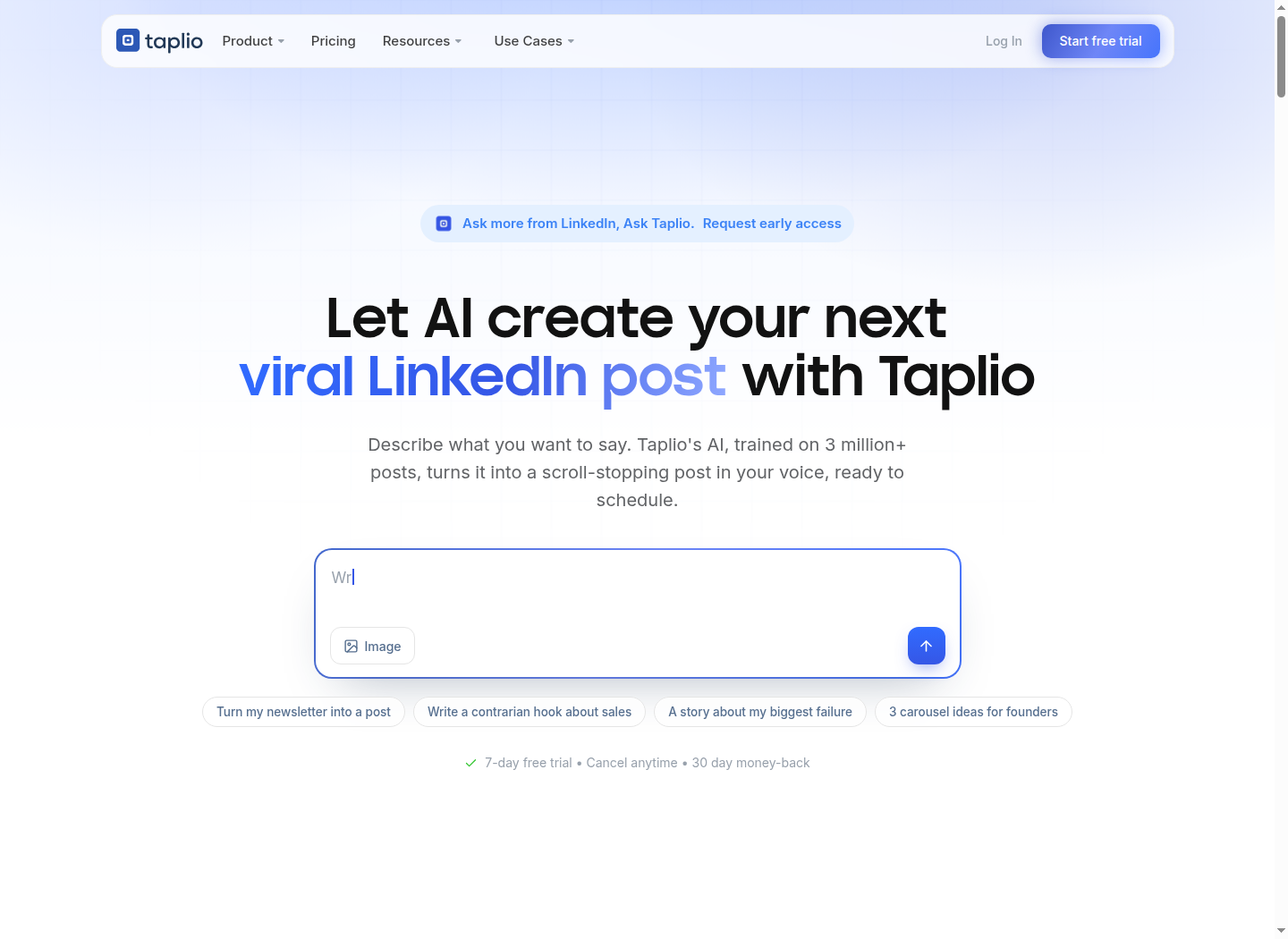
Capabilities: post drafts and calendar, reusable snippets, AI content tools, audience analytics, team collaboration, and plan-dependent engagement and outreach. Taplio also provides API and MCP connectivity.
Pricing: Starter is $39/month billed monthly. Growth is $69/month and adds AI writing and commenting; Pro is $199/month and adds unlimited AI posts and comments plus lead outreach. Annual rates are lower. The seven-day trial provides Pro access. Budget for the plan that includes the workflow you need, rather than assuming entry pricing covers every feature.
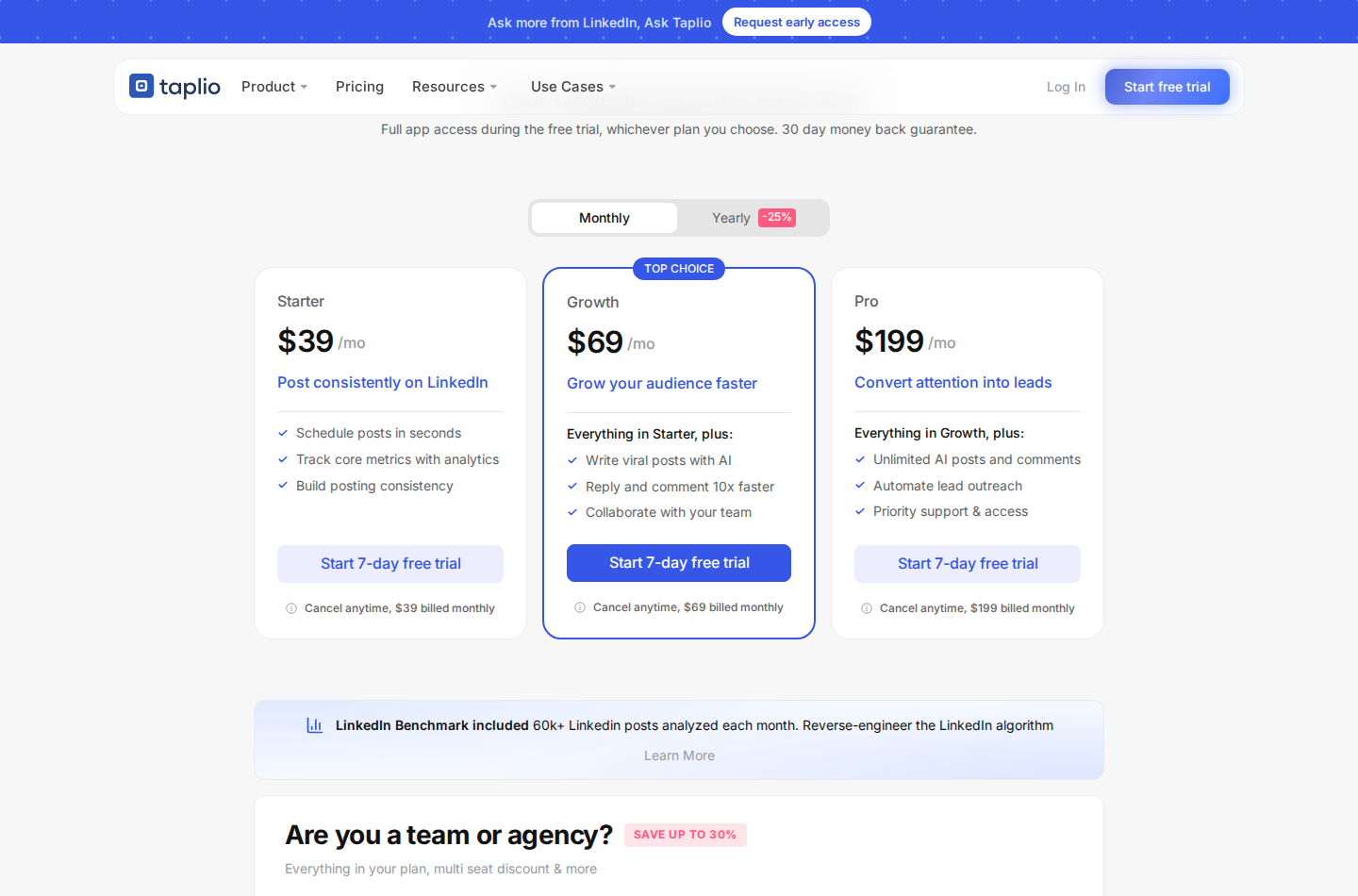
Starter, Growth and Pro; monthly billing. Open for full-size details.
For a deeper breakdown of content and relationship workflows, see Taplio alternatives for B2B teams.
3. AuthoredUp for post formatting, previews, and analytics
AuthoredUp gives writers a LinkedIn post editor with text styling, reusable snippets, draft organization, and desktop and mobile previews. The preview lets you inspect the opening and the “See more” fold before publishing. Post and profile analytics show how earlier content performed.
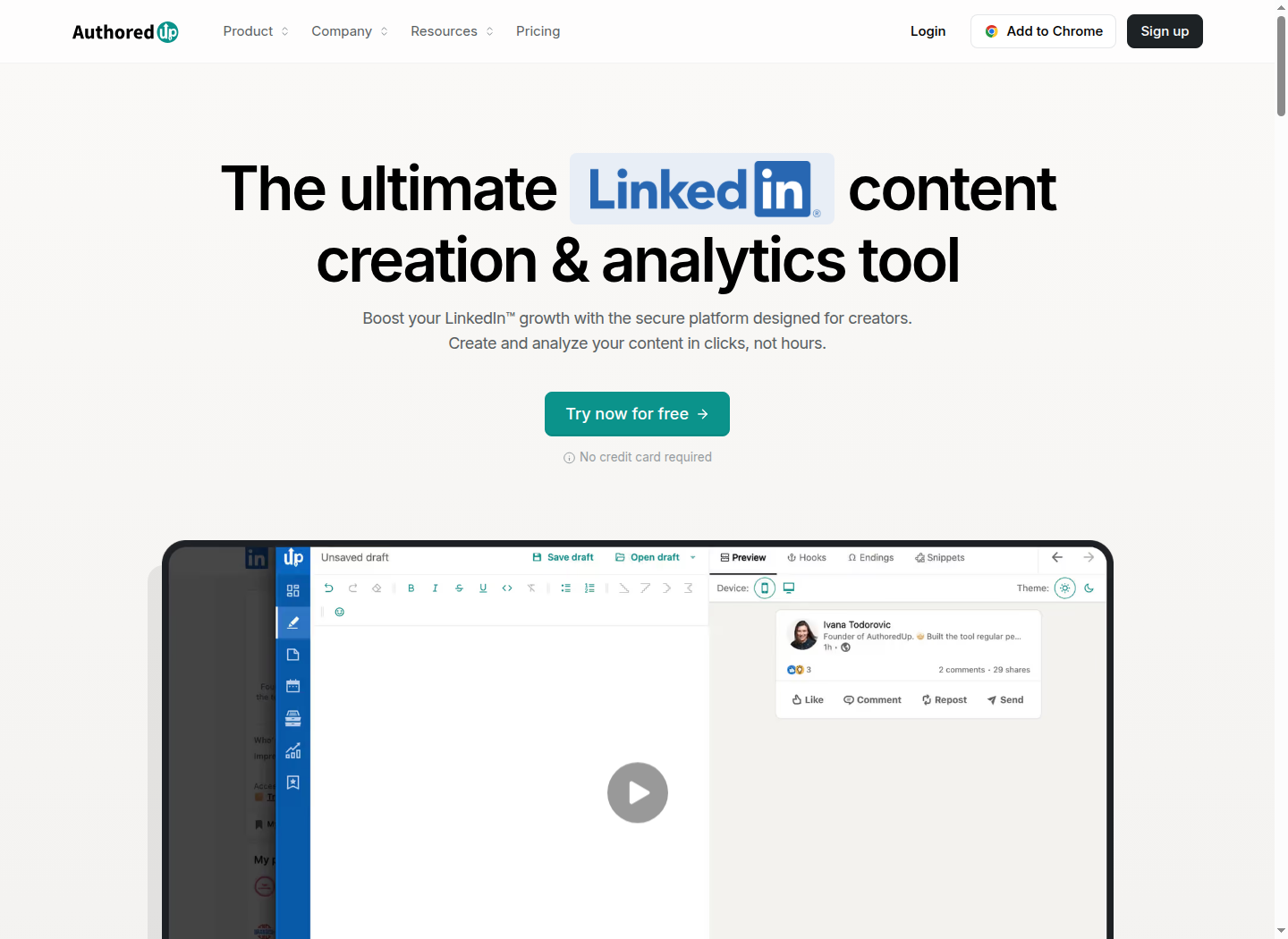
Capabilities: saved posts, a content calendar, scheduling, company-page support, and business-plan collaboration. Its web platform and Chrome extension serve different parts of the workflow; scheduling runs through the extension.
Pricing: Individual costs $19.95/month for one connected profile on monthly billing, or $16.63/month billed $199.50 annually. Business costs $14.95 per profile per month on monthly billing, or $12.46/month billed $149.50 per profile annually, with a three-profile minimum. Company pages do not incur separate profile charges.
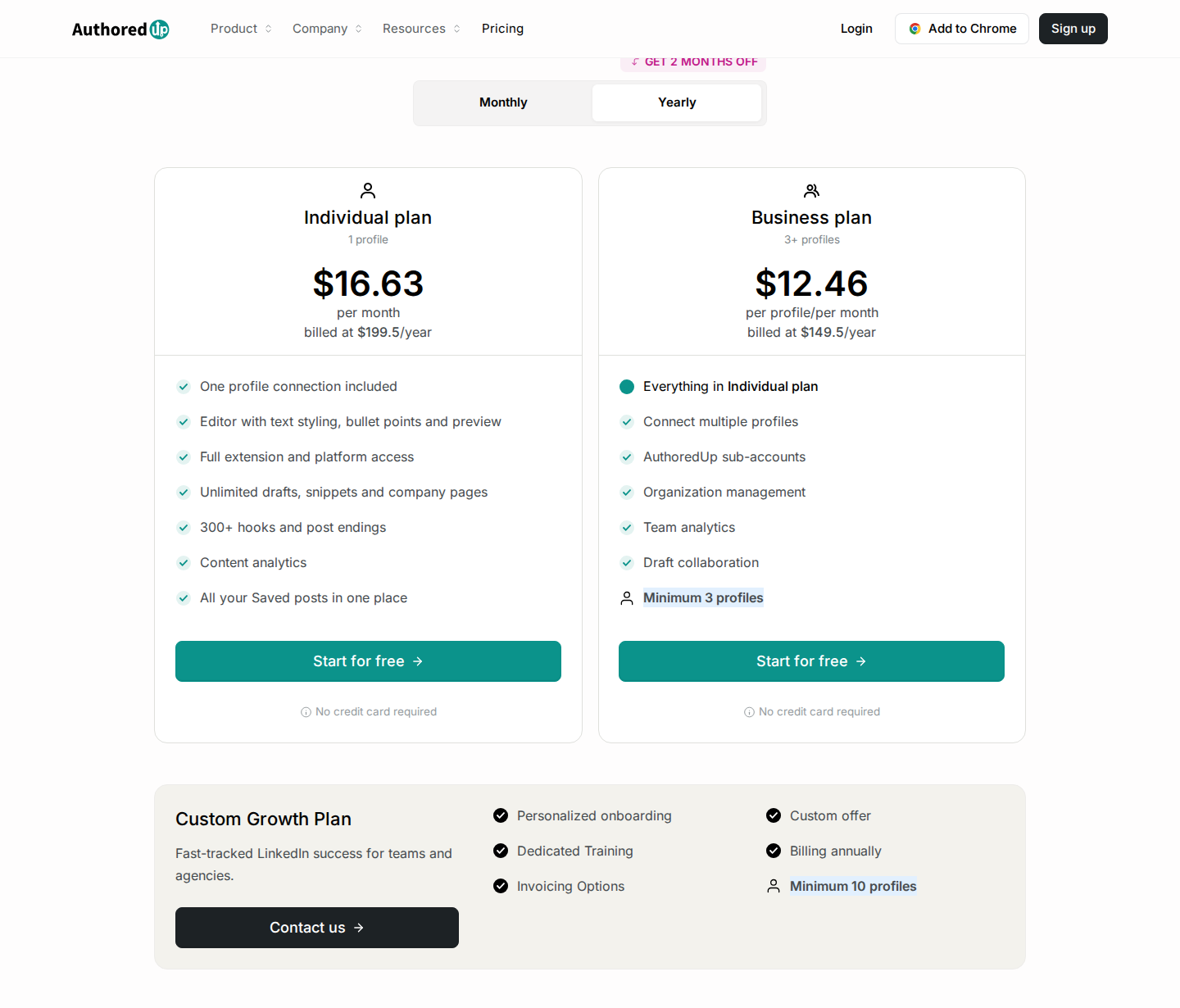
Annual billing; Individual and Business are shown as monthly equivalents. Open for full-size details.
For a quick formatting check without a paid workspace, use our LinkedIn post formatter and post preview.
4. Favikon for creator discovery and partnership campaigns
Favikon covers influencer marketing across several networks, including LinkedIn. A B2B marketing team can search for creators in its niche, compare profiles and audience data, organize contacts, and track partnership campaigns. The focus is finding creators who can reach your target audience, rather than measuring your own Page.
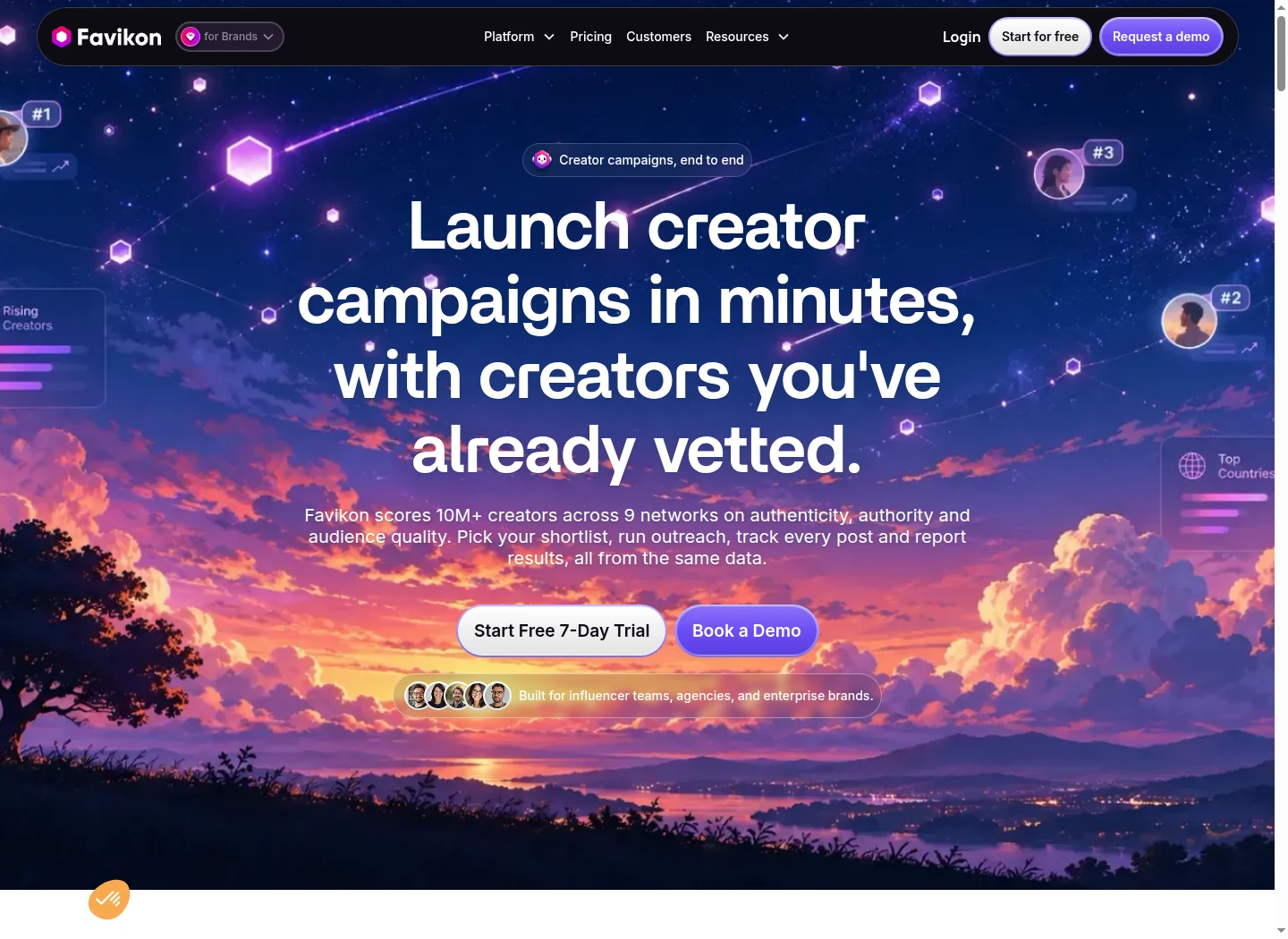
Capabilities: creator and content search, rankings, profile intelligence, campaign tracking, and email messaging. Pro adds social DMs, expanded campaign capacity, and GA4 integration. Authenticity scores help screen potential partners alongside audience relevance and the quality of their work.
Pricing: in the EUR monthly view, Core is €199/month and Pro is €299/month. Core includes 500 monthly credits, 3,000 contacts, one active campaign, and 100 tracked creators. Pro increases those allowances. Extra usage can require additional credits. This comparison covers the brand platform; Favikon Creator is a separate product.
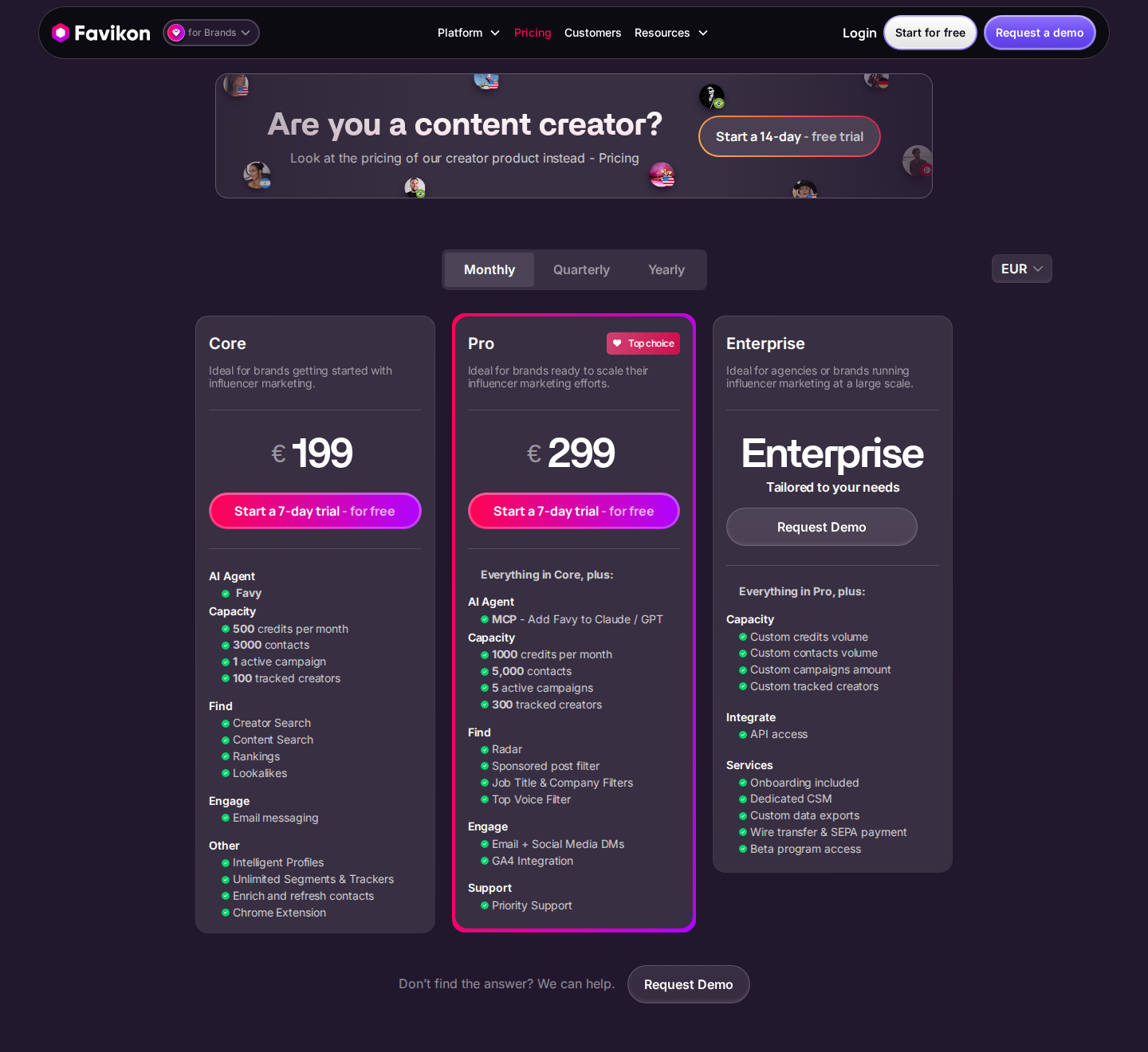
Brand platform; EUR, monthly billing. Open for full-size details.
5. Hootsuite for company-page and cross-channel operations
Hootsuite manages content planning and publishing across connected social accounts, including LinkedIn profiles and Pages. Its shared calendar helps a marketing department coordinate LinkedIn with other channels instead of maintaining separate publishing schedules and reports.
Capabilities: AI content assistance, connected-account analytics, inbox responses, listening, and plan-dependent automation. Structured approval and routing workflows are in Advanced; Enterprise adds governance and deeper measurement.
Pricing: in the EUR view shown below, Standard is €99 per user per month, billed annually, for up to 10 social accounts. Professional is €199 and Advanced is €399 per user per month on annual billing. Professional and Advanced allow unlimited social accounts. The free trial is 14 days; prices exclude applicable taxes.
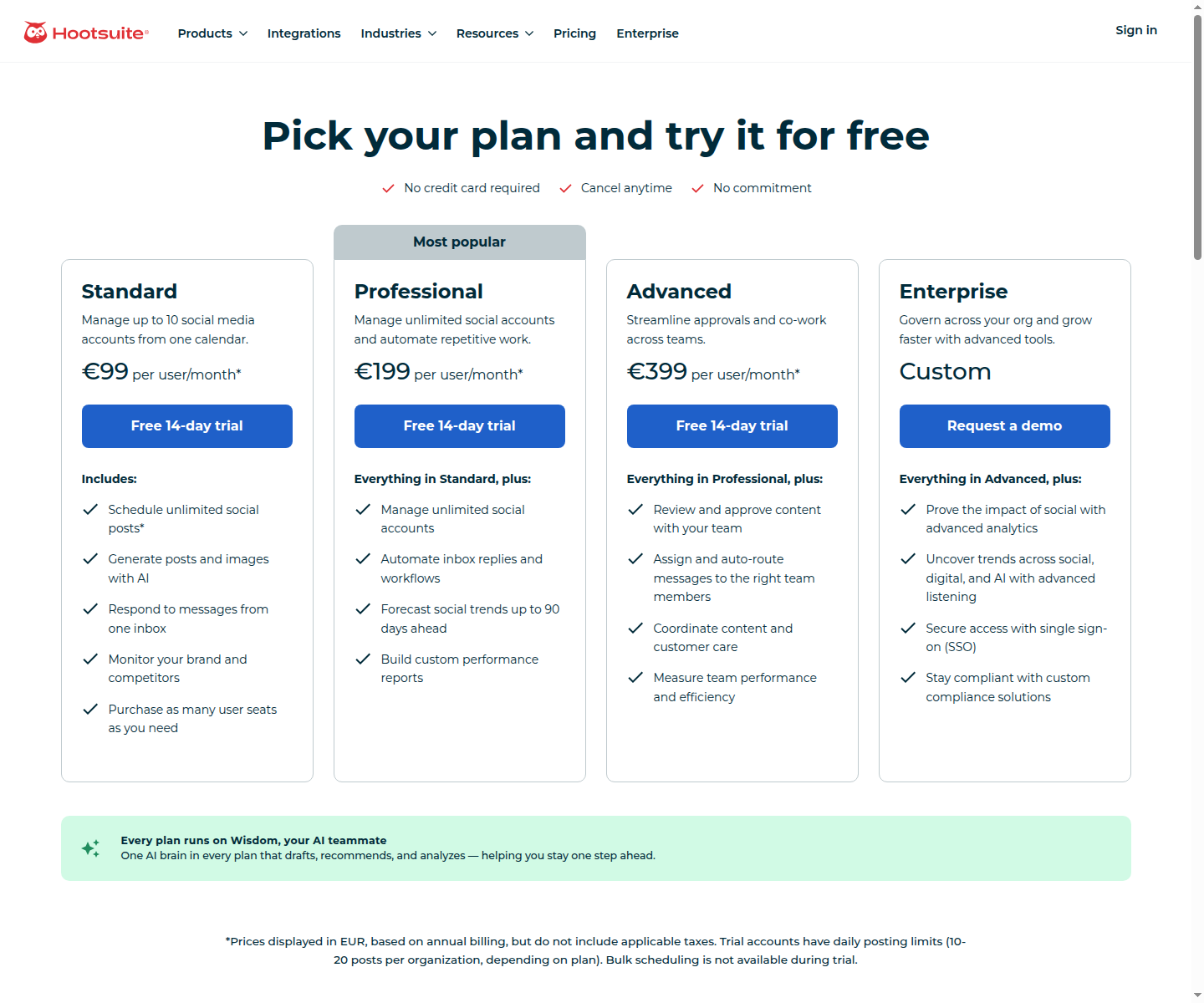
EUR; per user, annual billing. Open for full-size details.
Check the required account type and approval workflow before selecting a tier. A publishing seat, a connected social account, and an employee participating in advocacy are different units.
6. GaggleAMP for employee advocacy
GaggleAMP distributes approved content and suggested actions to employees, including through Slack and Microsoft Teams. Program managers can coordinate participation and report on how employees distribute content.
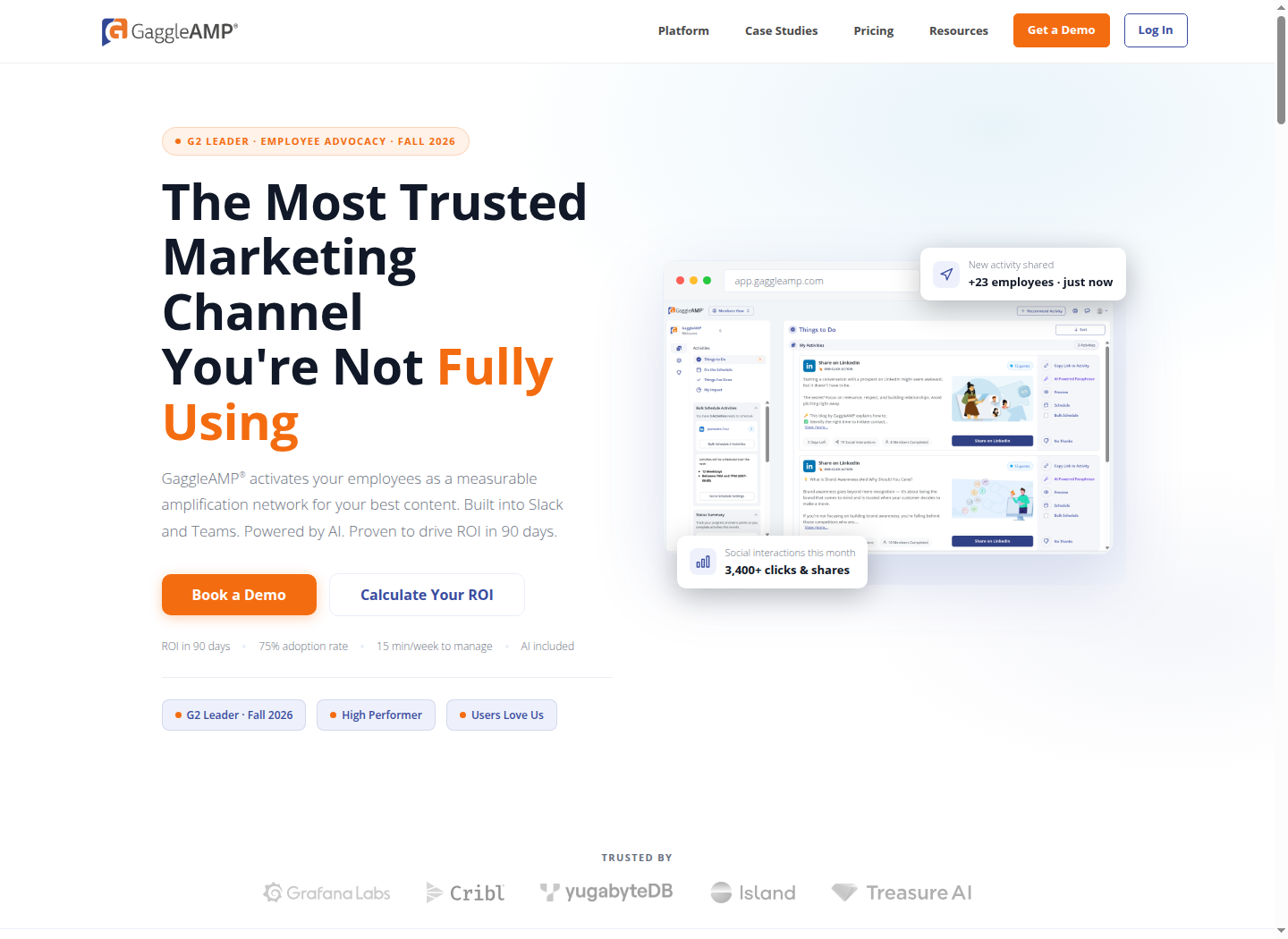
Employees get a consistent way to participate in the company's content program. A central activity feed reduces the work of finding the latest post or figuring out what the company wants shared; employees still need relevant content they want to support.
Capabilities: an advocacy activity feed, AI assistance, program analytics, and organizational workspaces.
Pricing: a custom quote based on company size, with unlimited members and the AI Suite included. Contracts are billed annually; the standard term is two years. A one-year term has a 10% uplift over the two-year base rate, while three years is 5% below it. One advocacy workspace is included; additional workspaces depend on the quote.
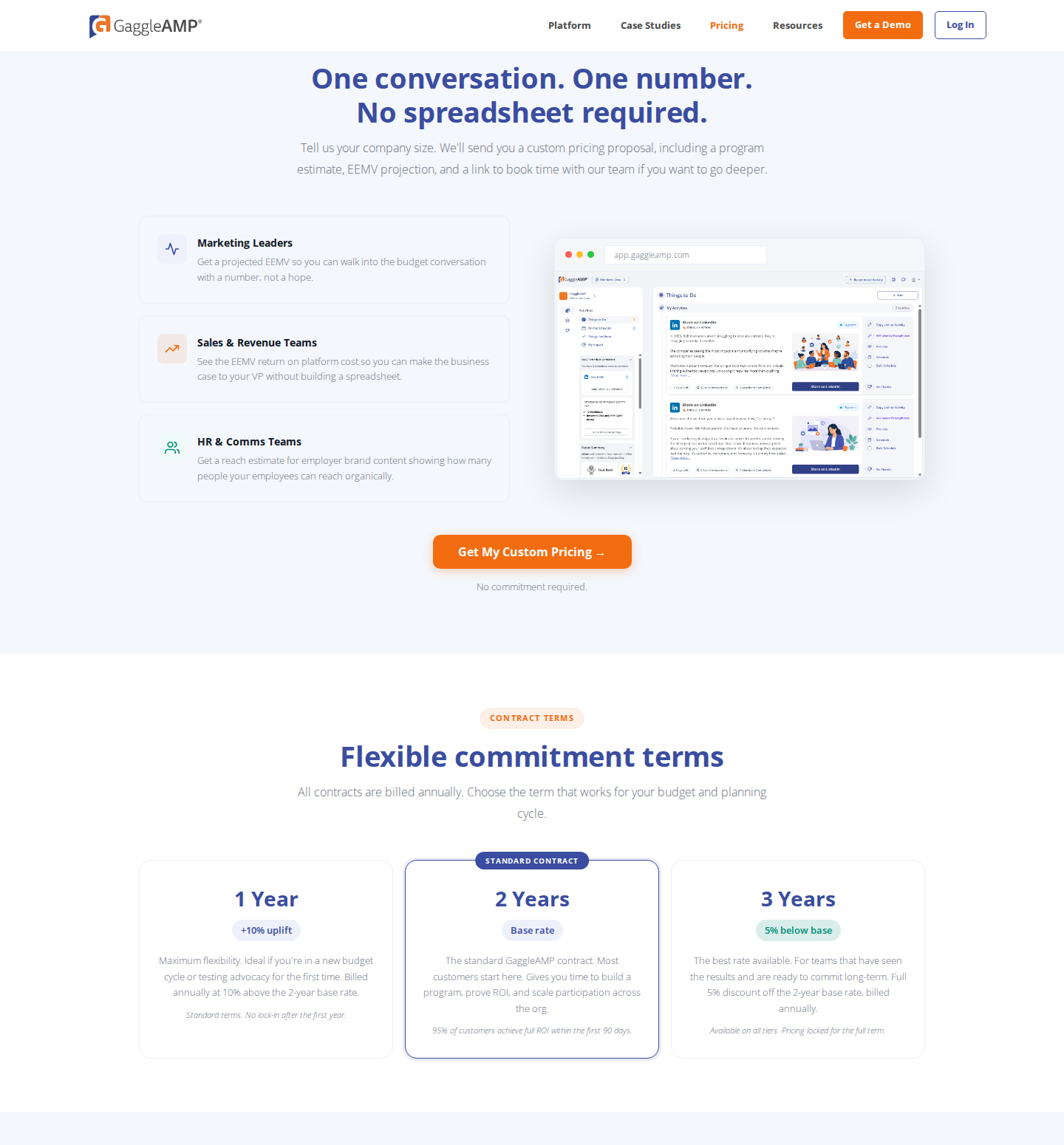
Company-size quote, unlimited members; annual billing and contract terms. Open for full-size details.
7. Oktopost for B2B social reporting and CRM connections
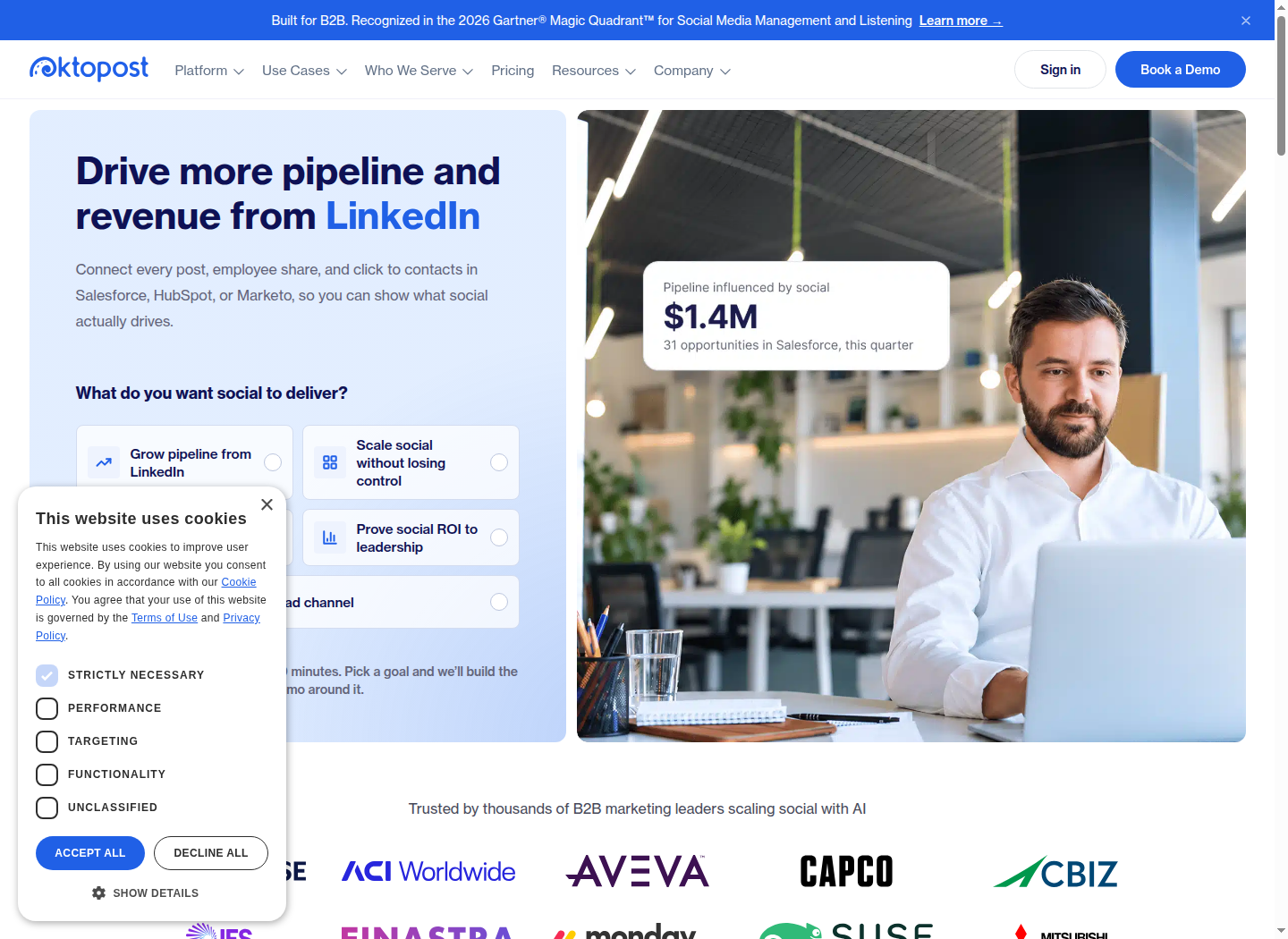
Oktopost combines publishing and engagement with analytics, lead tracking, and marketing-automation or CRM integrations. For a B2B team already using systems such as Salesforce, HubSpot, or Marketo, it can bring social campaign data into the same reporting process as other marketing activity.
Capabilities: a shared inbox, campaign tagging, UTM tagging, Social BI dashboards, LinkedIn ads reporting, and CRM or marketing-automation integrations. Advanced adds approval workflows, governance, SSO, provisioning, and API access.
Pricing: Professional and Advanced are annual, quote-based plans. The quote depends on team size and add-ons. Social profiles are unlimited without per-profile fees.
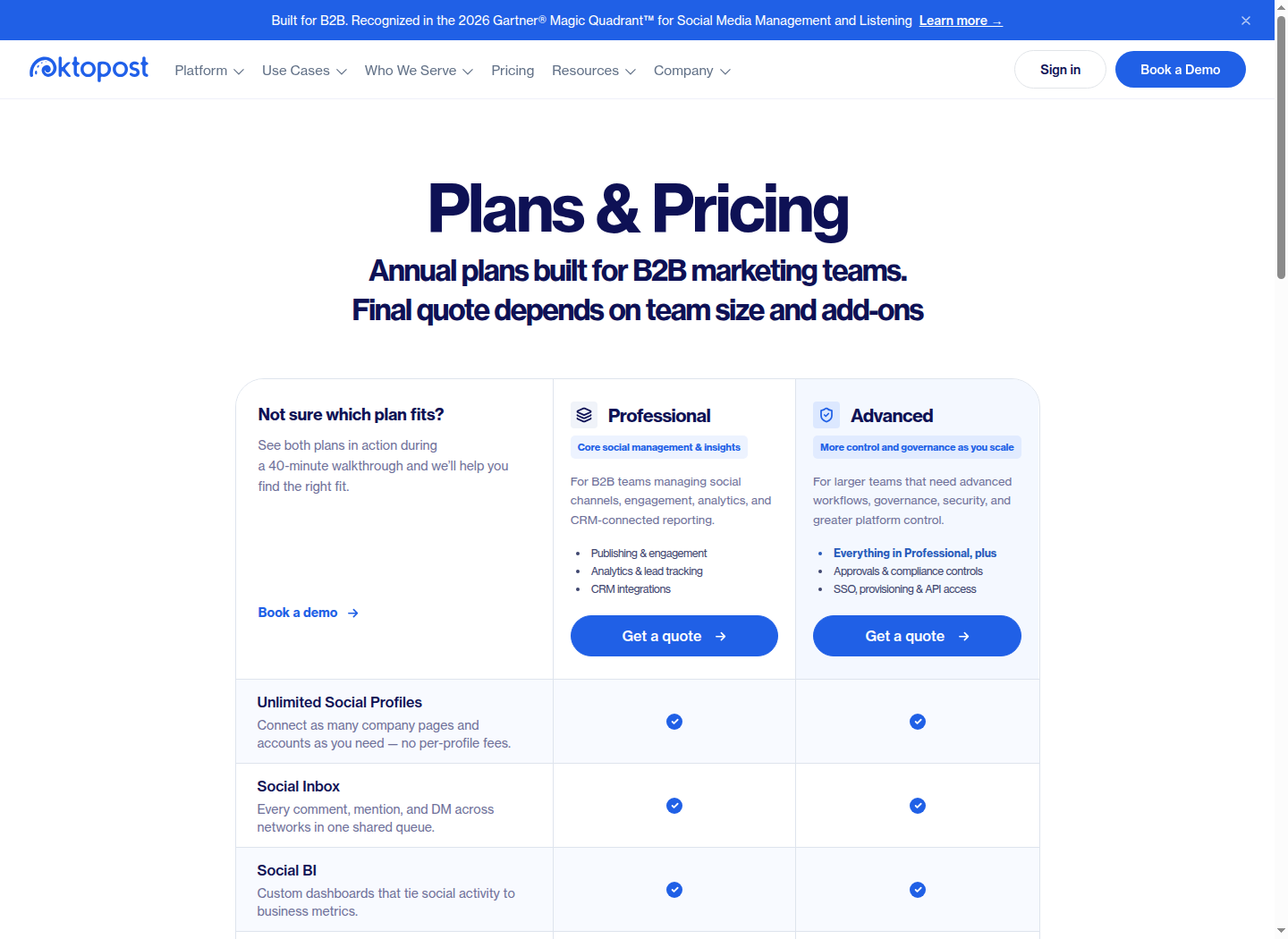
Professional and Advanced; annual quote-based plans. Open for full-size details.
Set up campaign tags, tracking, and CRM connections before evaluating pipeline reports. Those records show how social activity connects with leads and opportunities under your attribution model.
8. LinkedIn Campaign Manager for paid distribution
Campaign Manager is LinkedIn's native advertising platform. It supports professional audience targeting, Sponsored Content and other ad formats, conversion tracking, and campaign reporting. Paid distribution can reach people beyond your organic followers and support lead generation or conversion campaigns.
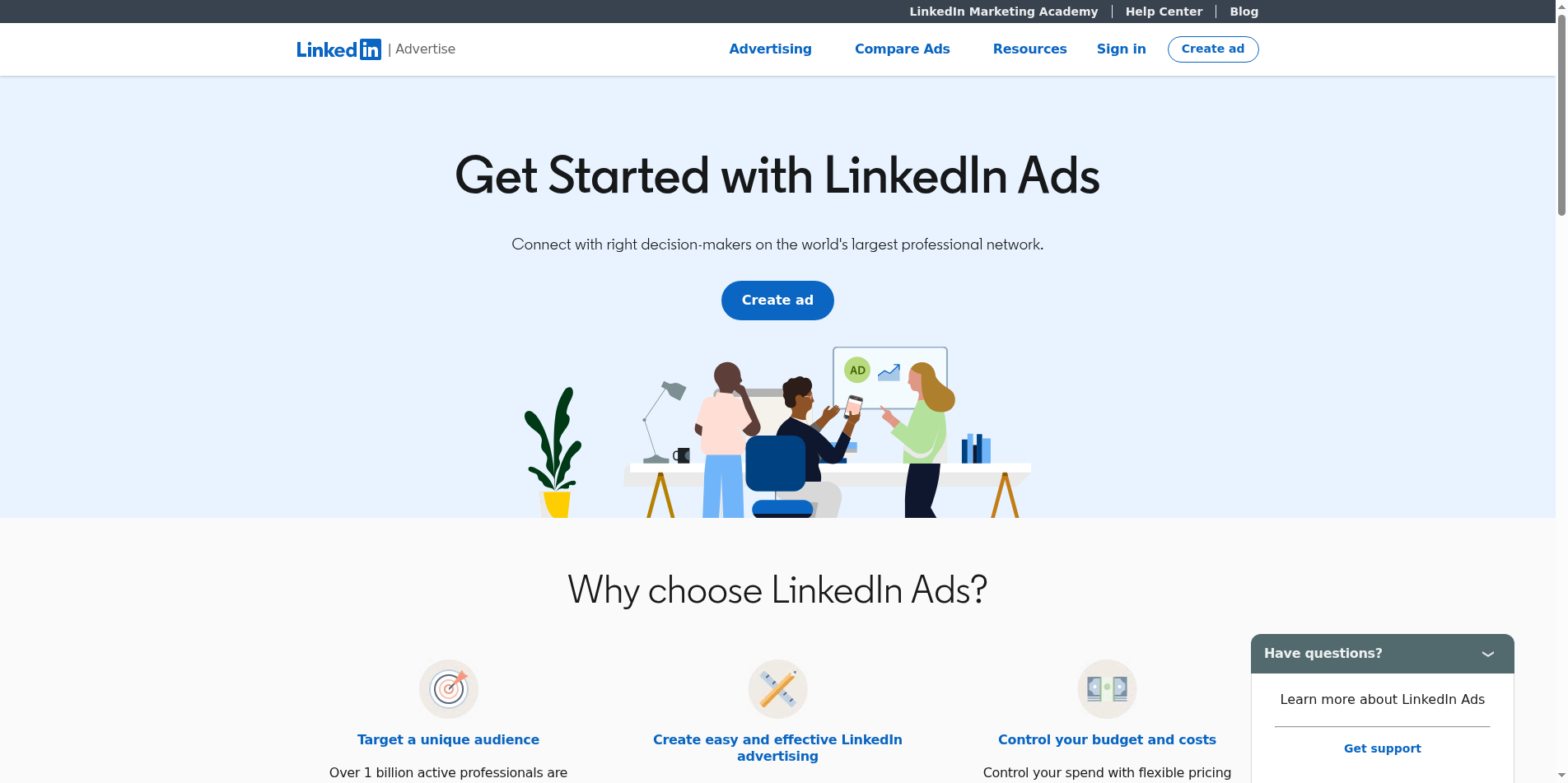
Capabilities: targeting by attributes such as role and company, campaign objectives, auction bidding, and budget controls. Lead Gen Forms let people submit their details within LinkedIn. Available formats, bidding options, and billable events depend on the objective and campaign setup.
Pricing: auction-based advertising spend rather than a software subscription. Cost depends on your bid, the target audience, and the billable event for the campaign objective. There is no fixed cost-per-click that applies to every audience.
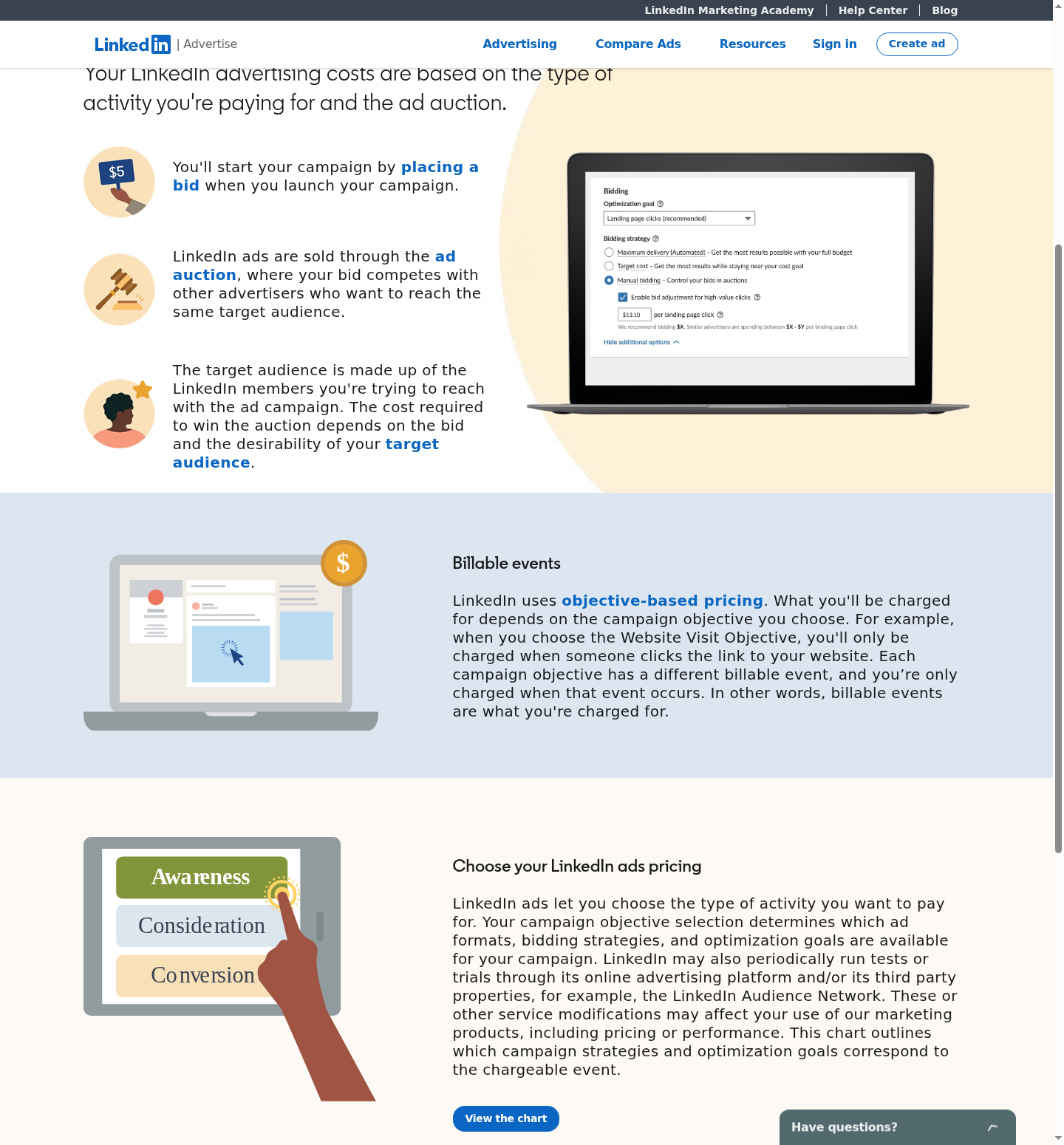
Official ad-pricing explanation: auction and objective-based billing. Open for full-size details.
Choose the conversion you want before launching. A campaign optimized for website visits needs a different success measure from a lead-generation campaign; neither should be judged only by impressions. Organic posting or engagement can run alongside paid campaigns without being a prerequisite for buying ads.
9. Sprout Social for publishing, incoming engagement, and reporting
Sprout Social provides cross-channel publishing and reporting, with an inbox and collaboration features on its broader plans. A marketing team can organize scheduled content, handle incoming engagement, and report on connected accounts from one workspace.
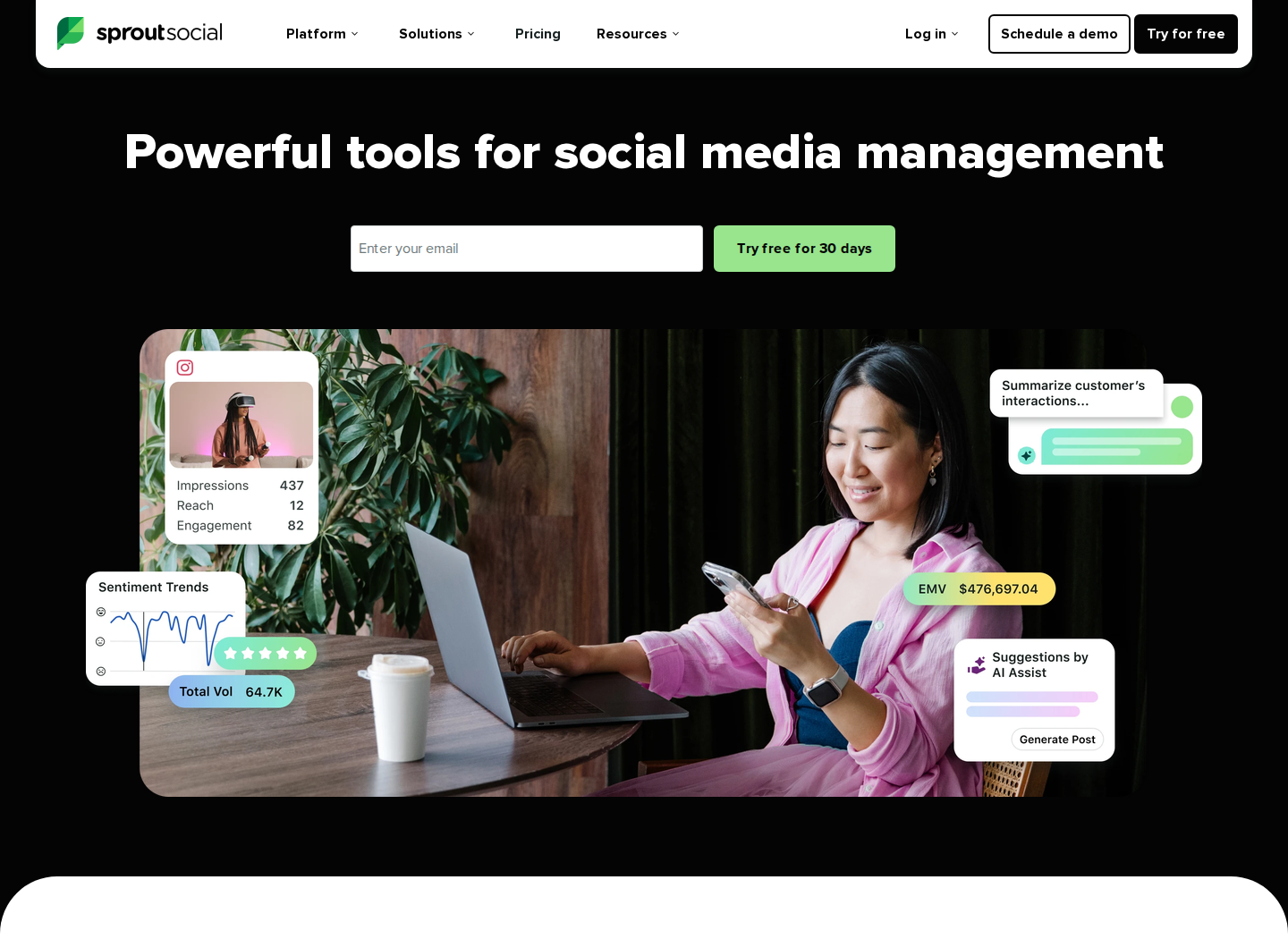
Capabilities: publishing, profile and post reporting, AI assistance, and plan-dependent customer-care workflows. Professional adds competitor, tagging, and paid insights. Advanced adds inbox sentiment, reply assistance, and API and helpdesk integrations.
Pricing: Essentials starts at $79 per seat per month billed annually, or $99 billed monthly, with five social profiles. Standard is $199 per seat per month billed annually and adds the consolidated inbox and collaboration tools. The trial lasts 30 days. Premium Analytics, Listening, and Employee Advocacy are separate add-ons available from Standard upward.
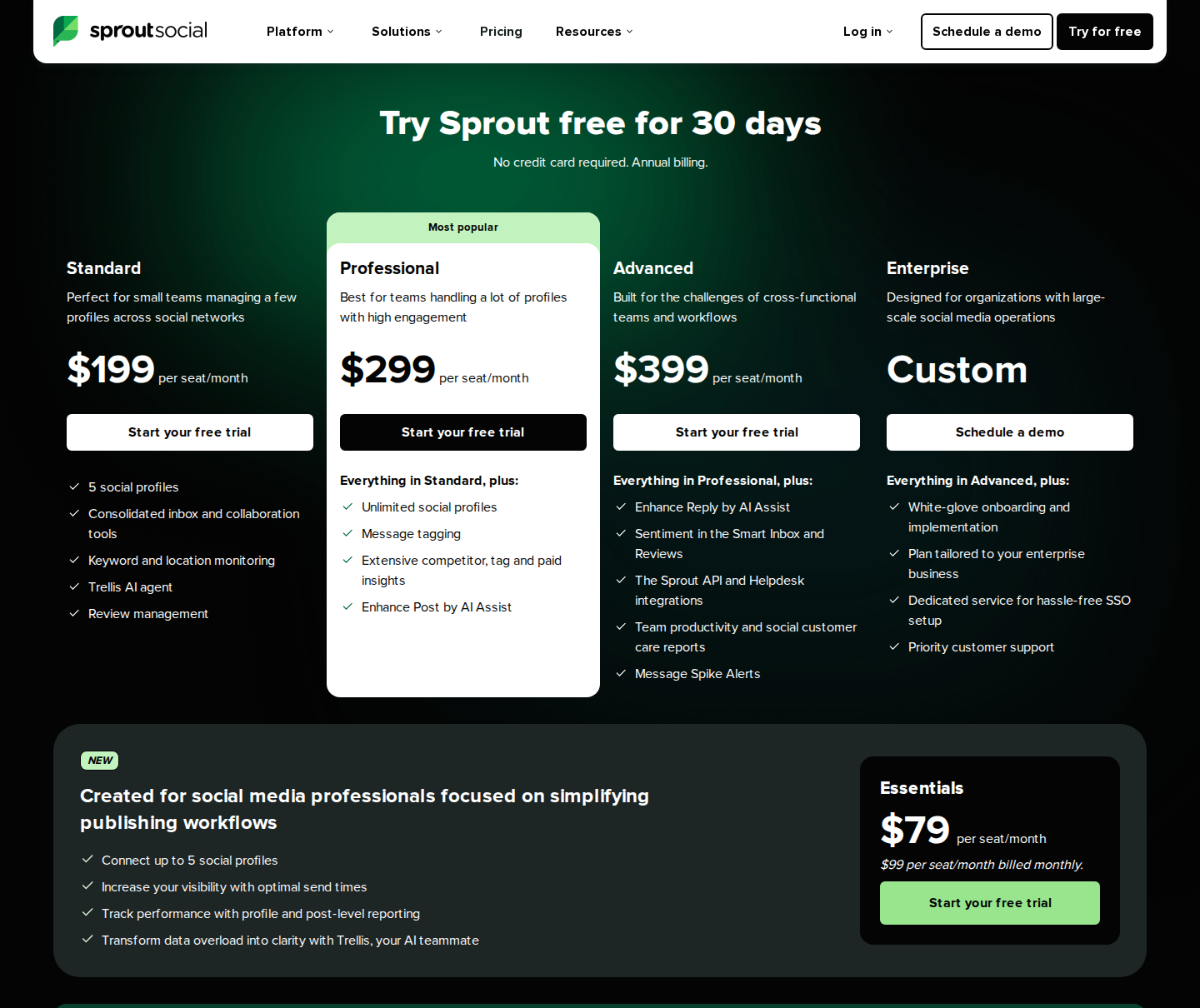
Annual billing; Essentials pricing appears below the main plan cards. Open for full-size details.
Essentials covers publishing and reporting. A program requiring listening, advocacy, and customer-care workflows needs a budget for the relevant tier and add-ons.
10. Buffer for a lightweight publishing queue
Buffer organizes content ideas, drafts, and a publishing queue across social networks, including LinkedIn profiles and Pages. It gives small teams a way to maintain a content schedule without starting with a large social-management subscription.
Capabilities: a visual calendar, AI assistance, scheduling, and content performance insights. Paid plans add advanced analytics and first-comment scheduling; Team includes content approval workflows, access levels, and unlimited team members.
Pricing: Free supports up to three channels, one user, and 10 scheduled posts per channel at a time; a slot opens again when a post publishes. For one channel, Essentials costs $5/month, billed $60 annually. Team costs $10/month, billed $120 annually. A connected profile or Page counts as a channel. Adding channels changes the subscription cost; paid plans have a 14-day trial.
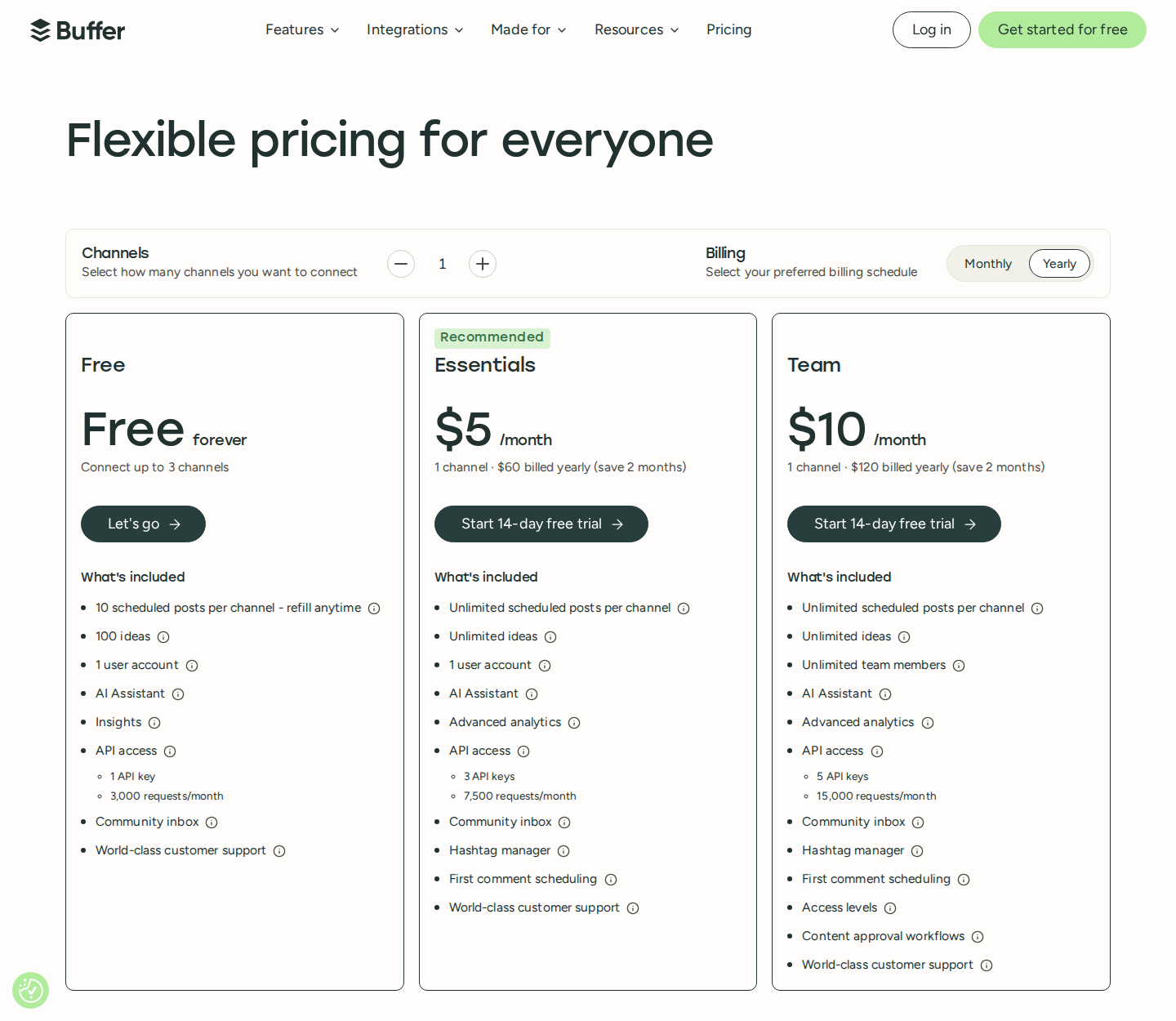
One channel; annual billing, including the free plan. Open for full-size details.
Count the founder's profile and the company Page separately when estimating the budget. Team collaboration is a plan feature, while channel count determines what you pay to connect.
11. Canva for branded LinkedIn creative
Canva covers the visual-production part of LinkedIn marketing: post graphics, multi-page documents, presentations, videos, and ad creative. Reusable templates and brand assets help keep a founder's posts, company content, and campaign materials visually consistent.

Official Canva Business product illustration.
Capabilities: a drag-and-drop editor, stock media, templates, PDF and image export, and plan-dependent Brand Kits, AI tools, and collaboration. Pro includes social content scheduling; Business adds team administration and approvals.
Pricing: Canva Free is available at no cost. In the USD annual view, Pro is US$144/year for one person and Business is US$250/year per person; Enterprise is quote-based. AI Pass is a separate paid add-on to Pro or Business. Prices exclude applicable taxes.
For LinkedIn document posts, export a readable multi-page PDF and check it at phone size before uploading. A reusable layout saves production time, but each page still needs a clear point and text that can be read without zooming.
Build the stack around your marketing program
Match tools to the account type
A personal profile, a company Page, and an ad account have different jobs and permissions. A founder-led program needs a writing routine and participation in relevant conversations. A company-page program needs a publishing calendar and a way to review content. An employee program needs distribution and participation reporting. Paid campaigns need targeting, creative, and conversion tracking.
Start with the gap in your program. For publishing and creative, native LinkedIn tools and free tiers may cover the early work. For relationships with a defined buyer audience, Extrovert adds prioritized engagement and contextual follow-ups. For a department coordinating many accounts, inspect permissions, approvals, reporting, and integrations before comparing entry prices.
Avoid paying for the same workflow twice
Several tools include calendars, AI drafts, and analytics. Decide where the team will publish and which report it will use, then add tools only for missing jobs. Keep a separate count of software users, connected profiles or Pages, LinkedIn-account seats, and participating employees; those are not interchangeable billing units.
For agencies coordinating work across clients, Extrovert's agency program explains shared delivery and commercial terms. Our done-for-you partner directory lists service providers if you need help running the program.
Measure the job you bought the tool to do
| Marketing job | What to inspect during a pilot |
|---|---|
| Content production and publishing | Time to prepare approved posts, publishing consistency, and post-level performance |
| Employee advocacy | Active participants, completed activities, and reach or engagement from employee content |
| Creator partnerships | Audience fit, campaign deliverables, and tracked visits, leads or conversions |
| Paid distribution | Cost per qualified lead or conversion, lead quality, and subsequent CRM outcomes |
| Account engagement | Relevant replies, conversations, follow-up completion, and resulting opportunities |
Decide tracking and qualification rules before the pilot. Use campaign tags and UTMs consistently, and connect lead data to your CRM where relevant. Keep attributed conversions separate from claims about incremental revenue. Compare results with the program's goal rather than asking every tool to prove the same metric.
FAQ
What is the best LinkedIn marketing tool for a small team?
It depends on the immediate job. Native publishing and analytics, Buffer's free tier, and Canva Free can cover a small team's initial content work. For consistent engagement with specific buyers and customers, Extrovert brings relevant posts, comments, DMs, and follow-ups together. Pay for more capacity when the free tools no longer cover the work.
Do I need separate tools for personal profiles and company Pages?
Not always. Some publishing platforms support both, but account permissions, analytics, and pricing differ. Check each required account type and whether connecting another profile or Page adds cost. An employee advocacy program also needs participation controls beyond a publishing calendar.
Can employees share content without advocacy software?
Yes. Manual coordination can work for a small group. Advocacy software adds a central feed of activities, integrations, and participation reporting when the program becomes difficult to coordinate through messages and spreadsheets.
Can I do LinkedIn marketing without paid tools?
Yes. Native publishing, analytics, manual engagement, and free creative or scheduling tools can support a useful routine. Our post idea generator, post formatter, and post preview help prepare content. Advertising spend is separate from software subscription costs.
How is LinkedIn marketing different from social selling?
Marketing includes content, company-page distribution, employee advocacy, creator partnerships, and advertising. Social selling focuses on relationships with individual buyers. Extrovert supports that relationship work within a broader marketing program; our social selling tools guide covers the seller's workflow in more detail.