On this page
A sales rep needs a way to find relevant people, decide who deserves attention, build familiarity and keep conversations moving. Extrovert connects those jobs through prospect discovery, prioritized comments, contextual DMs and follow-ups. That makes it a practical starting point for SDRs and account executives whose LinkedIn work revolves around a defined buyer list.
The eight tools below cover different parts of that routine. Native buyer search, contact enrichment, publishing and sequenced sending have different inputs and limits. Start with the work your team is missing rather than buy a subscription for every category.
Choose by the work your rep needs to finish
For prospect-first LinkedIn selling, Extrovert connects discovery, comments and contextual follow-up in one routine. The other tools cover distinct jobs:
- You need to build or research an account list: Sales Navigator provides native profile search, relationship context and alerts; Apollo adds contact data and enrichment for email and phone work.
- You have the right buyers but rarely engage them: Extrovert prioritizes their posts, prepares comments and suggests conversations to revisit.
- You need coordinated campaign execution: HeyReach rotates senders and separates team or client workspaces. Aimfox separates campaigns for existing connections from new-prospect outreach. Lemlist combines LinkedIn steps with email and calling.
- Your own posts are part of the sales motion: Taplio combines publishing and analytics with contact engagement.
- Interested buyers already sit in your inbox: Kondo organizes conversations and brings snoozed follow-ups back into view.
Start with the bottleneck. A rep with unanswered conversations needs follow-up discipline before another lead source. A rep with no relevant list needs discovery and qualification before more sending capacity. Keep your CRM as the place for deal stage, owner and the next agreed step.
LinkedIn sales tools at a glance
Prices below are in US dollars. The Lemlist capture shows its euro offer; currencies are labeled separately rather than converted. Billing units and conditions matter. Scroll horizontally to see all four columns, including plan limits.
| Tool | Main rep workflow | Entry price | What changes the purchase |
|---|---|---|---|
| Extrovert | Find people, engage their posts, follow up | $49/connected account/month, monthly | 250 tracked prospects and 300 Credits per seat; discovery consumes Credits |
| Sales Navigator | Native buyer search and account alerts | Core $119.99/license/month, monthly | Advanced CRM integrations require Advanced Plus |
| Apollo | Contact data, enrichment and sales tasks | Free; Basic $49/seat/month, annual | LinkedIn sequence steps are manual tasks |
| HeyReach | Campaigns across LinkedIn senders | $79/sender/month, monthly | Count connected senders, not team logins |
| Lemlist | Email and LinkedIn sequences | Multichannel $109/user/month, monthly | Email-only plan excludes LinkedIn automation |
| Taplio | Publishing and contact engagement | Starter $39/month, monthly | Growth $69/month adds AI and commenting |
| Kondo | Inbox labels and follow-up reminders | Basic $28/user/month, annual | CRM and Sales Navigator inbox require Business |
| Aimfox | Connection and messaging campaigns | $49/seat/month, monthly | Sales Navigator sources need that separate subscription |
Sales Navigator Core also starts at $1,079.88/license/year. Lemlist Multichannel is $87/user/month with annual billing. Annual payment changes the commitment as well as the monthly equivalent.
Trigify is winding down its standalone platform after its team joined HubSpot. Standard customer access, monitoring and integrations end at 11:59 p.m. BST on October 22, 2026; contract-specific dates can differ. It is no longer part of this active shortlist. Engage AI's current public pricing emphasizes a reciprocal engagement community, a different job from engaging a chosen buyer list; its former comment-copilot prices should not be treated as current subscription prices.
1. Extrovert: turn a buyer list into an engagement routine
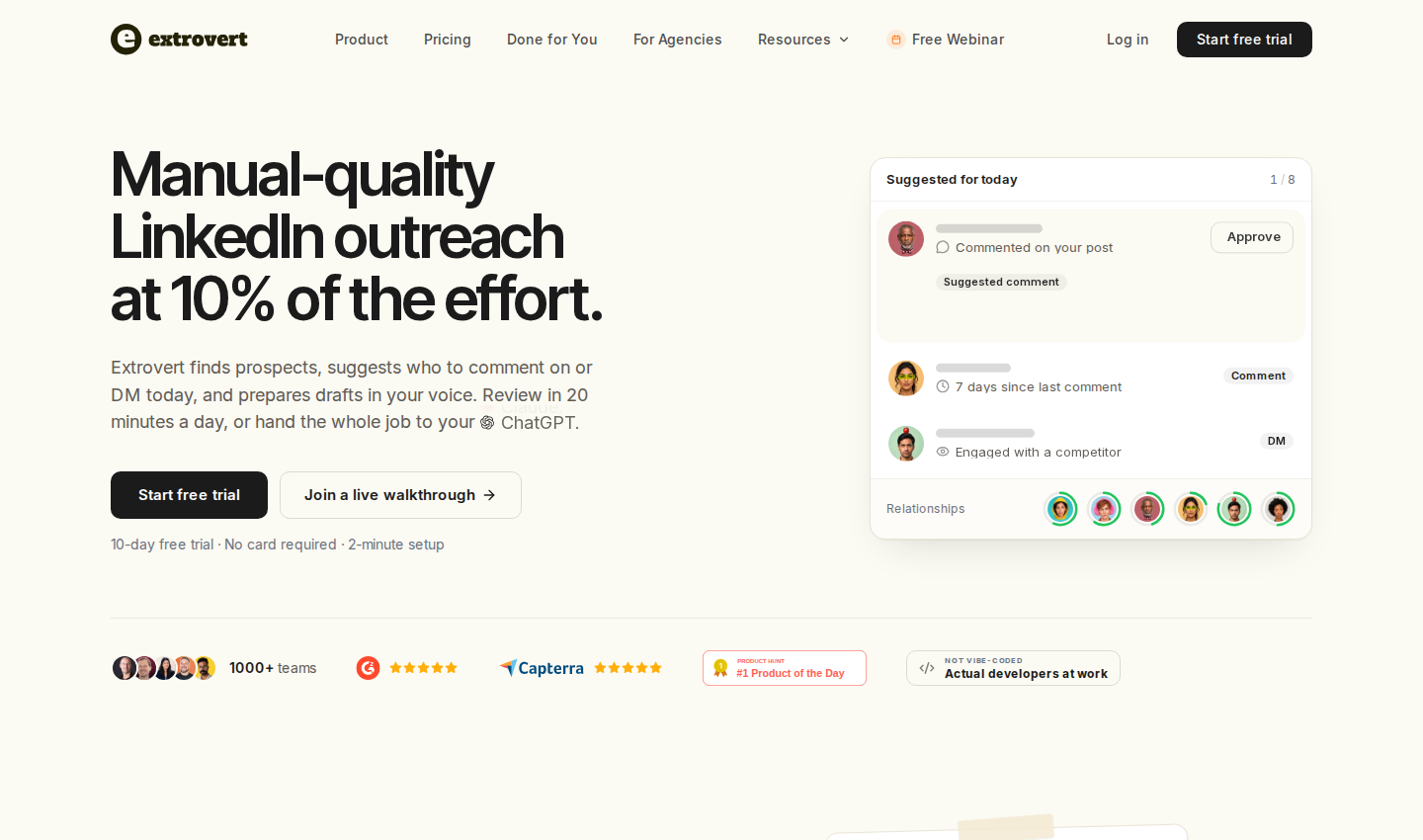
Extrovert official homepage. Open the image for full-size detail.
For SDRs prospecting on LinkedIn, the recurring task is deciding who to engage today and what to say. For account executives, it also includes staying in touch with several people at an account and reopening conversations after a quiet period.
Extrovert brings prospect discovery, tracked posts, comment drafts, DMs and follow-ups into campaigns. Your Voice and instructions guide drafts, while the post or conversation provides context. You can import prospects from CSV, your CRM or Sales Navigator, or find new people inside Extrovert.
Find people by fit, then check their context
Lead Finder searches a separate B2B database by person and company criteria, including role and location. You can preview matches before adding people. Intent Signals discovers people through configured LinkedIn activity, such as engagement with a chosen post, topic or competitor.
These are separate discovery methods. A role match helps assess fit; an activity signal gives you something to investigate. Neither establishes budget, buying authority or purchase intent.
Put relevant prospect posts first
Extrovert's comment-prioritization strategies surface the newest posts, prospects closest to outreach or people you have not commented on recently. The illustration shows how those strategies change the feed you review. That keeps commenting tied to the audience you want to reach.
Illustration: the posts a campaign found, sorted three ways. Newest posts, newest first: Just now, 20 min ago, 3 h ago, Yesterday. Closest to outreach, fewest comments left before outreach first: 1 left, 2 left, 3 left, 4 left. Evenly distribute, longest since your last comment first: 6 weeks ago, 3 weeks ago, Last week, Yesterday.
Newest posts
In a visibility campaign, the newest posts come first, so your comment goes up while people are still reading.
Closest to outreach
In a warm outreach campaign, the people who need only one or two more comments before you reach out come first, so you get to the first DM sooner.
Evenly distribute
In a nurturing campaign, the people you have not commented on for the longest come first, so nobody on the list is forgotten.


Follow up with a reason to talk
Conversation Restarters connect a prospect's recent post to a suggested DM. The illustration shows the post context beside the proposed message, so you can judge whether the reason is relevant before sending. Recommended DMs and smart follow-ups also help organize conversations that need attention.
Illustration: Extrovert reads the prospect's posts. hot take, thought leadership, motivation, promotion are skipped. One post, went to sf tech week, is a Restarter signal. Extrovert suggests the DM "Seen you went to SF Tech Week. How did it go?", and the prospect replies.

Controls: Review comments individually, approve in bulk or enable Auto comments for a campaign. Auto comments publish without prior review within configured filters, limits and posting windows. Connection requests can be automated after warm-up. DMs require approval; an authorized teammate or an instructed assistant connected through MCP can perform supported actions. Review does not have to mean the account owner clicks every item personally.
Pricing: One connected LinkedIn account is one seat. A single seat is $49/month billed monthly, including every feature, 250 tracked prospects, one topic and 300 monthly Credits. Capacity is pooled across the team; teammates without a connected account are free. Lead Finder uses one Credit per delivered prospect; Intent Signals uses 25–250 Credits per prospect, depending on the signal. Included Credits reset monthly; purchased top-ups roll over. Extra tracking capacity and top-ups cost more. Annual and volume discounts are available on Extrovert pricing.
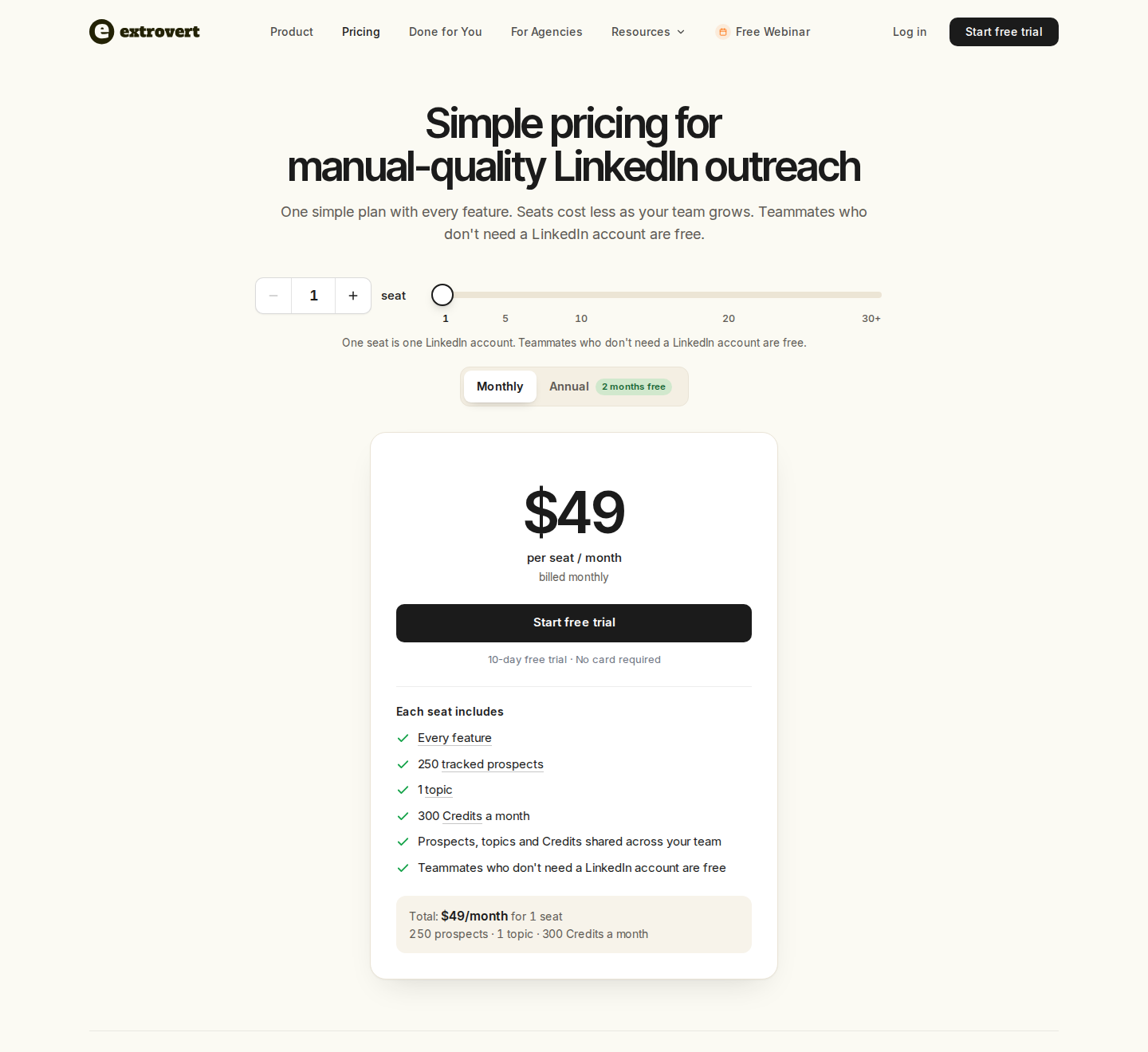
Extrovert pricing: monthly billing, one connected account. Open the image for full-size detail.
Material limit: Extrovert is LinkedIn-focused. Keep your CRM as the system of record; discovery Credits and tracking capacity are separate limits. Its advantage for this buyer is the connected discovery-to-engagement workflow.
See the product workflow and controls, then use the 10-day, no-card trial on your own prospect list.
2. Sales Navigator: native buyer search and account context
Sales Navigator official homepage. Open the image for full-size detail.
Sales Navigator searches LinkedIn's own member and company profiles with 50+ filters. Saved leads and accounts generate alerts for changes such as new content and job moves. All three plans include 50 monthly InMail credits for contacting people outside your network.
- Discovery and qualification: Research role, company and account context; organize leads and map relationships.
- Team features: Advanced and Advanced Plus add TeamLink and collaboration features. Advanced Plus adds advanced CRM integrations and lead/contact creation.
- Outreach assistance: Message Assist drafts personalized outreach. AI feature availability can vary by offer, account and language.
Pricing: Core starts at $119.99/license/month or $1,079.88/license/year. Advanced starts at $159.99/license/month or $1,799.88/license/year. Advanced Plus uses a custom quote. Regional prices, taxes and promotions vary.
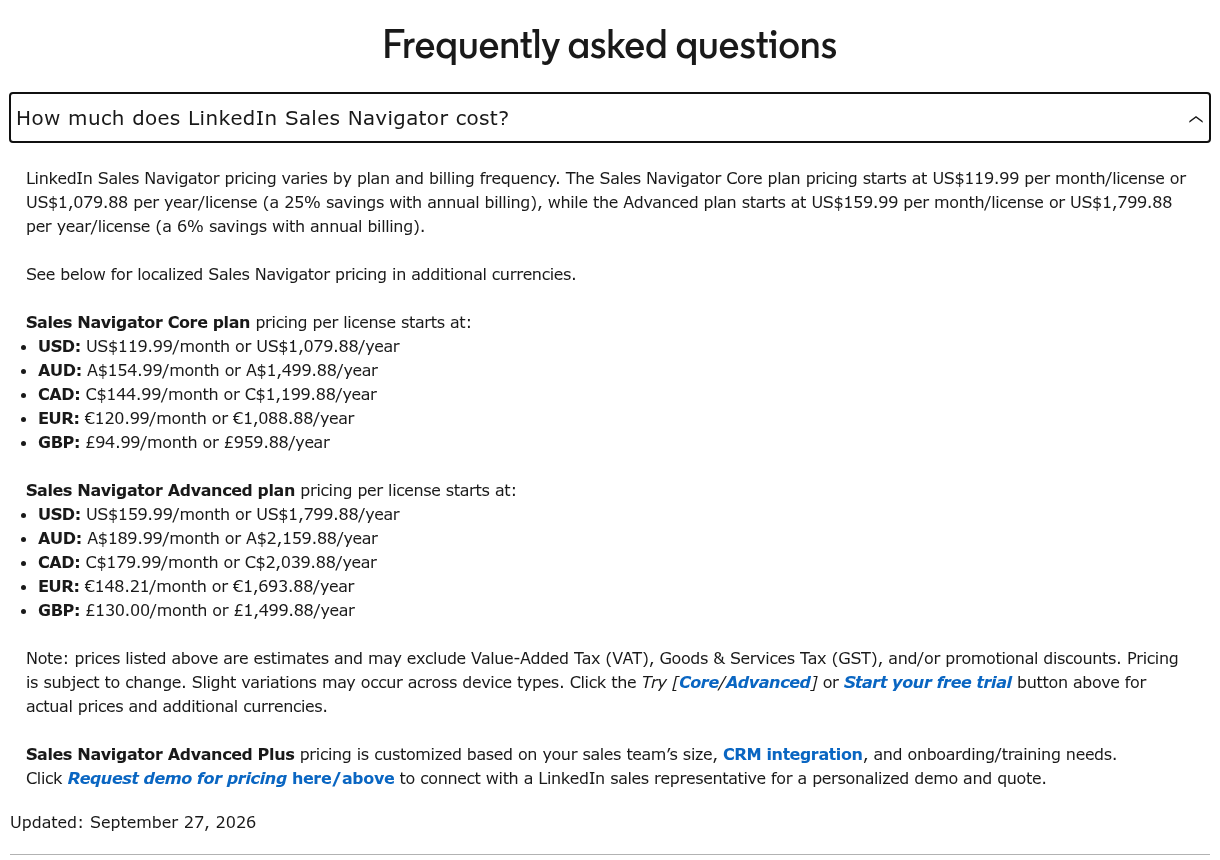
Sales Navigator pricing: official monthly and annual cost answer in USD and regional currencies. Open the image for full-size detail.
Rep workflow: Save the relevant leads and accounts, review their alerts before outreach, and check whether a new role or post changes the reason to contact them. Map other people involved in the account rather than treating one contact as the whole buying committee.
Material limit: Core does not include the advanced CRM integration. Native profile information and alerts still need a rep's qualification judgment; they do not guarantee accuracy or interest. For the deeper workflow distinction, see Extrovert vs Sales Navigator.
3. Apollo: contact data, enrichment and sales tasks
Apollo official homepage. Open the image for full-size detail.
Apollo combines contact and company search, enrichment, intent filters and sequences. Its prospecting extension brings contact research into LinkedIn. Lead scoring and AI research can support qualification alongside the account information your team already holds.
- Discovery: Search people and companies, then enrich contact records.
- Execution: Email sequences, a task center and dialer features connect research to outreach.
- LinkedIn steps: Sequence tasks can prompt reps to visit a profile, connect or message through LinkedIn. Reps complete these LinkedIn tasks manually.
Pricing: A free tier is available. Basic is $49/seat/month billed annually; Professional is $79/seat/month billed annually. Basic includes 30,000 annual Credits per seat, granted upfront. Contact data, enrichment and calling consume Credits under their respective rules.
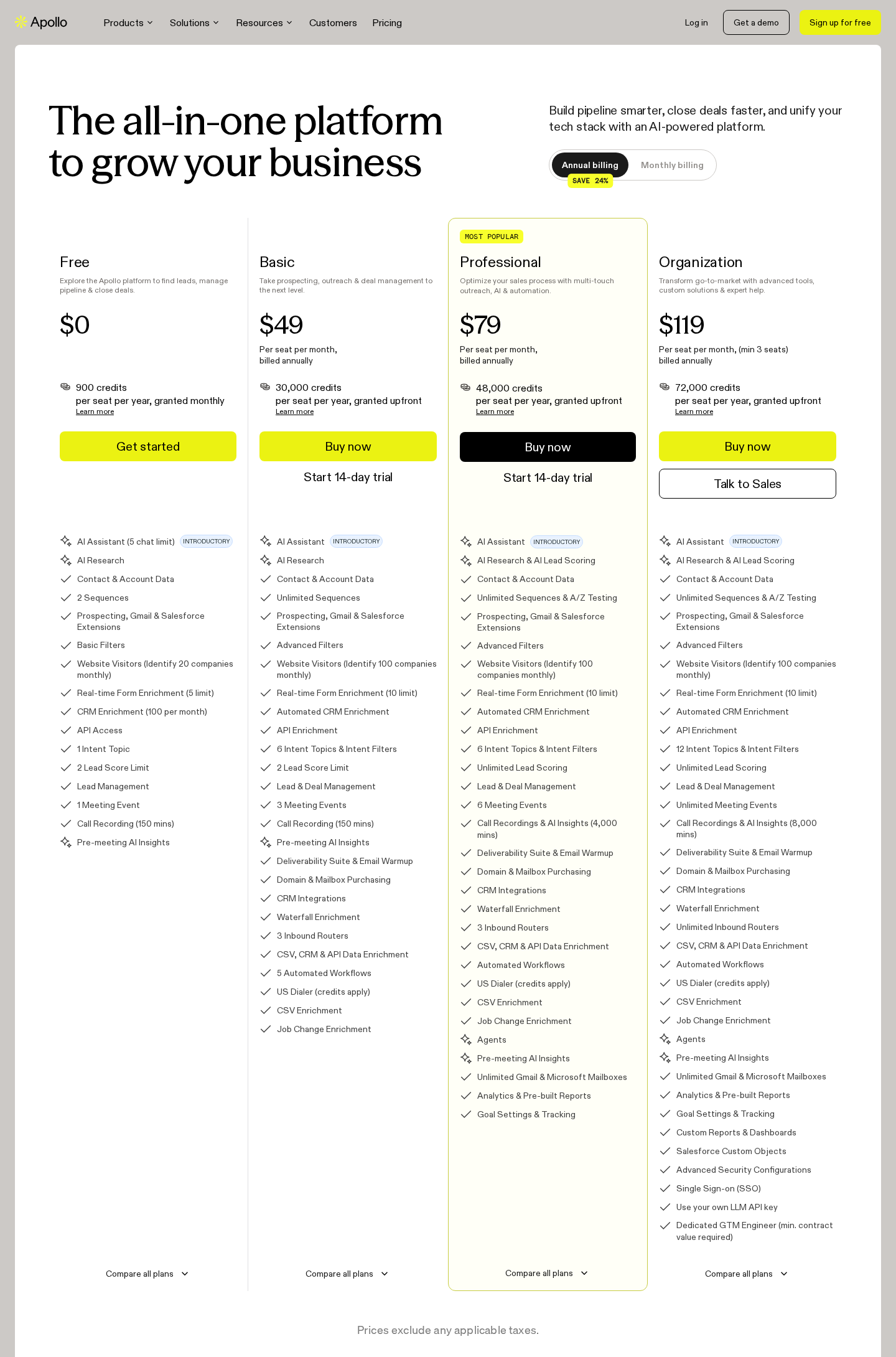
Apollo pricing: annual billing; paid prices per seat. Open the image for full-size detail.
Rep workflow: Research a person on LinkedIn, enrich their contact record and add the relevant next step to a sequence. When a LinkedIn task comes due, the rep completes it manually. Keep the LinkedIn action and the CRM record aligned so another rep does not repeat the same touch.
Material limit: Data and task execution are different from maintaining a prospect's comment-to-DM relationship history. Confirm your required data allowances and CRM workflow; an email address or intent score does not qualify an opportunity by itself.
4. HeyReach: campaigns across connected LinkedIn senders
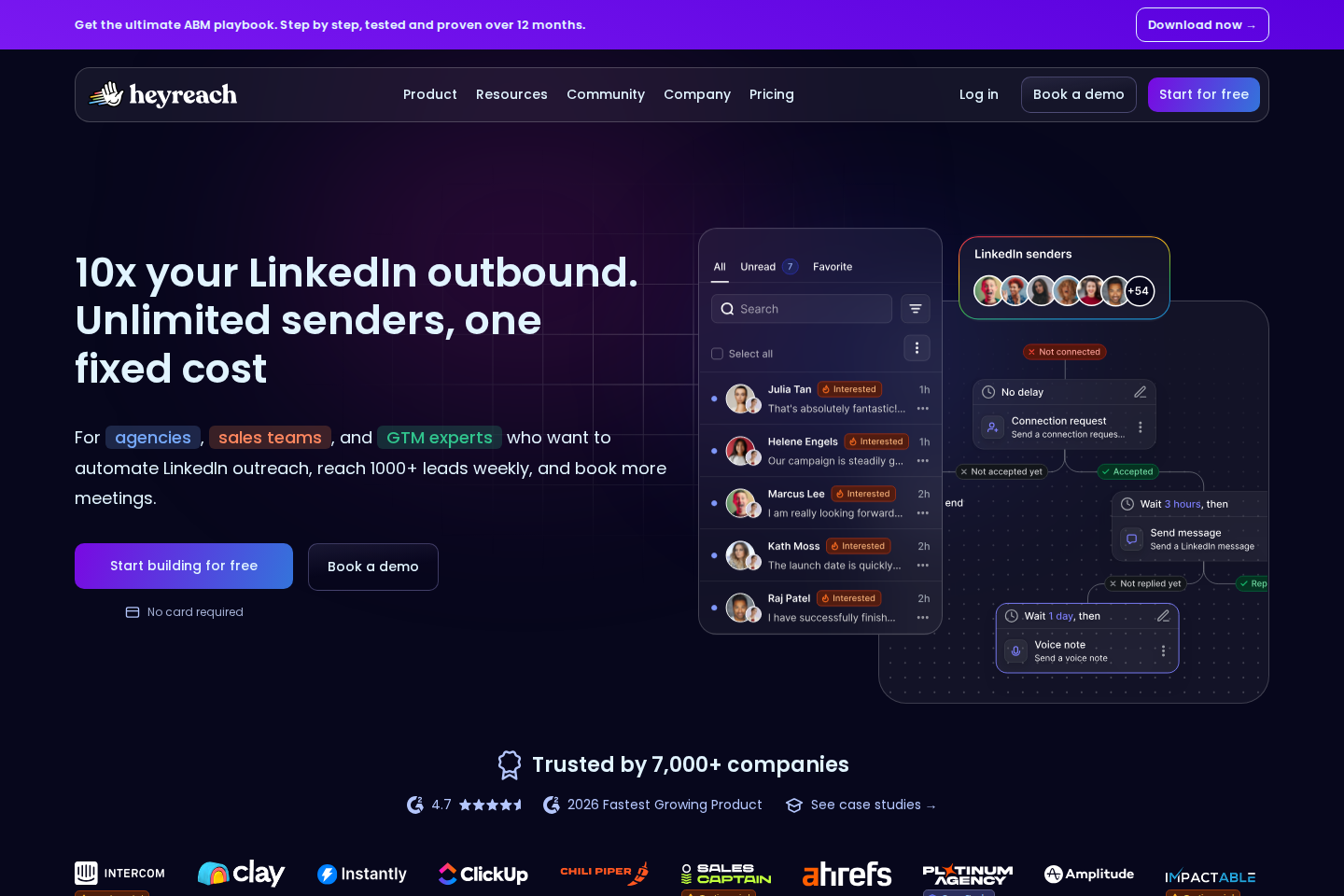
HeyReach official homepage. Open the image for full-size detail.
HeyReach organizes LinkedIn campaigns across multiple connected accounts, with sender rotation, a unified inbox, workspaces and permissions. API, webhooks, integrations and an MCP server connect campaign work to the surrounding sales stack.
- Sending: Connection and message actions run through configured campaign sequences.
- Replies: A unified inbox centralizes campaign conversations.
- Team operations: Workspaces and permissions separate client or team activity.
Pricing: Growth starts at $79/sender/month billed monthly. Agency is $999/month for 25 senders; Unlimited is $2,999/month for unlimited senders. Quarterly and annual billing offer different rates. Growth can cover multiple senders charged per sender; it is not restricted to one account.
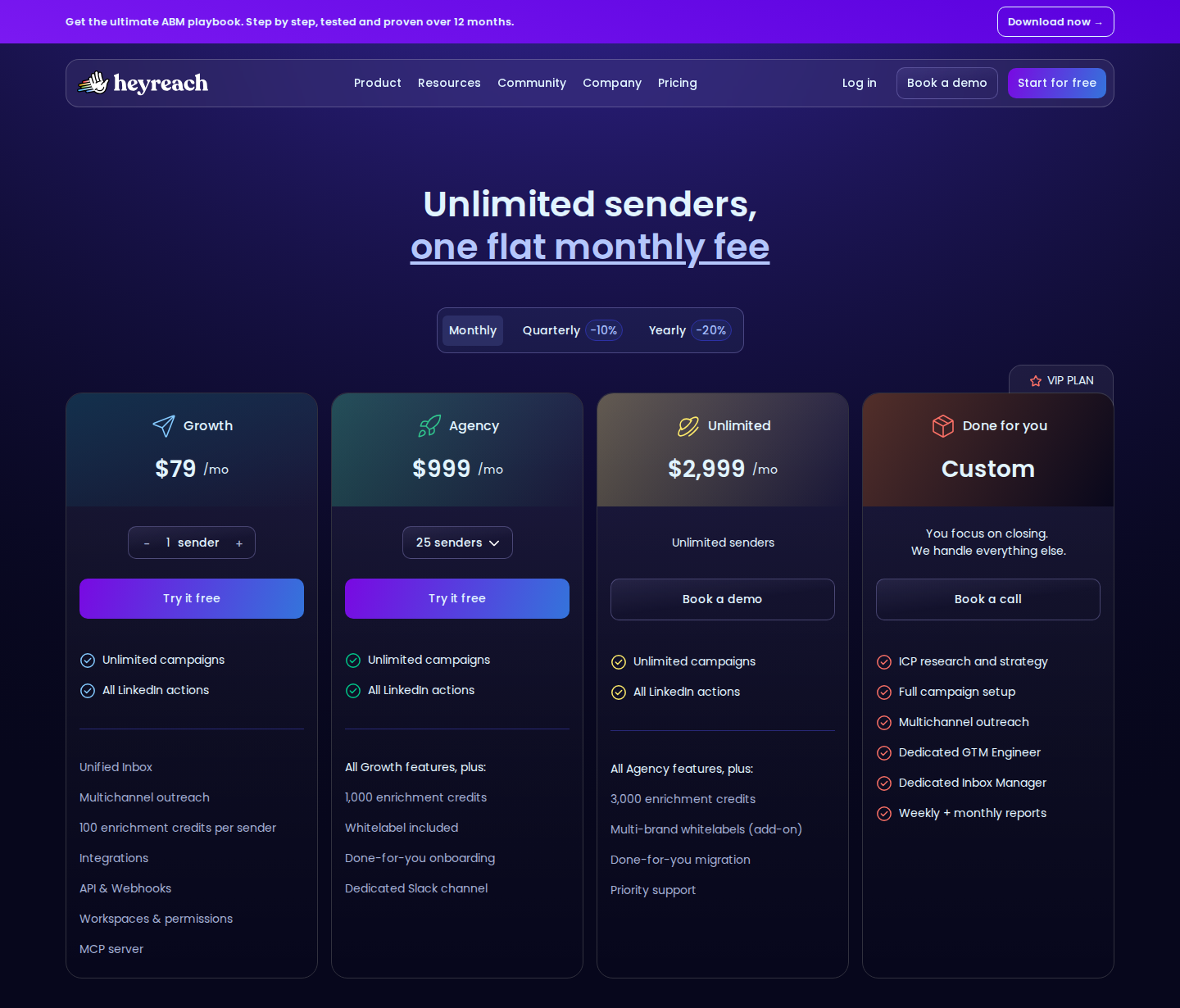
HeyReach pricing: monthly billing; sender-based plans. Open the image for full-size detail.
Rep workflow: Assign the prospect to a sender, run the campaign and manage replies in the shared inbox. Decide who takes over once a reply becomes a sales conversation; sender rotation should not rotate responsibility for the relationship.
Material limit: A sender bundle is campaign capacity, not a source of qualified buyers. Coordinate ownership and stopping rules across accounts so the same prospect does not receive overlapping outreach. See the HeyReach alternatives comparison for the engagement-workflow differences.
5. Lemlist: LinkedIn steps inside multichannel sequences
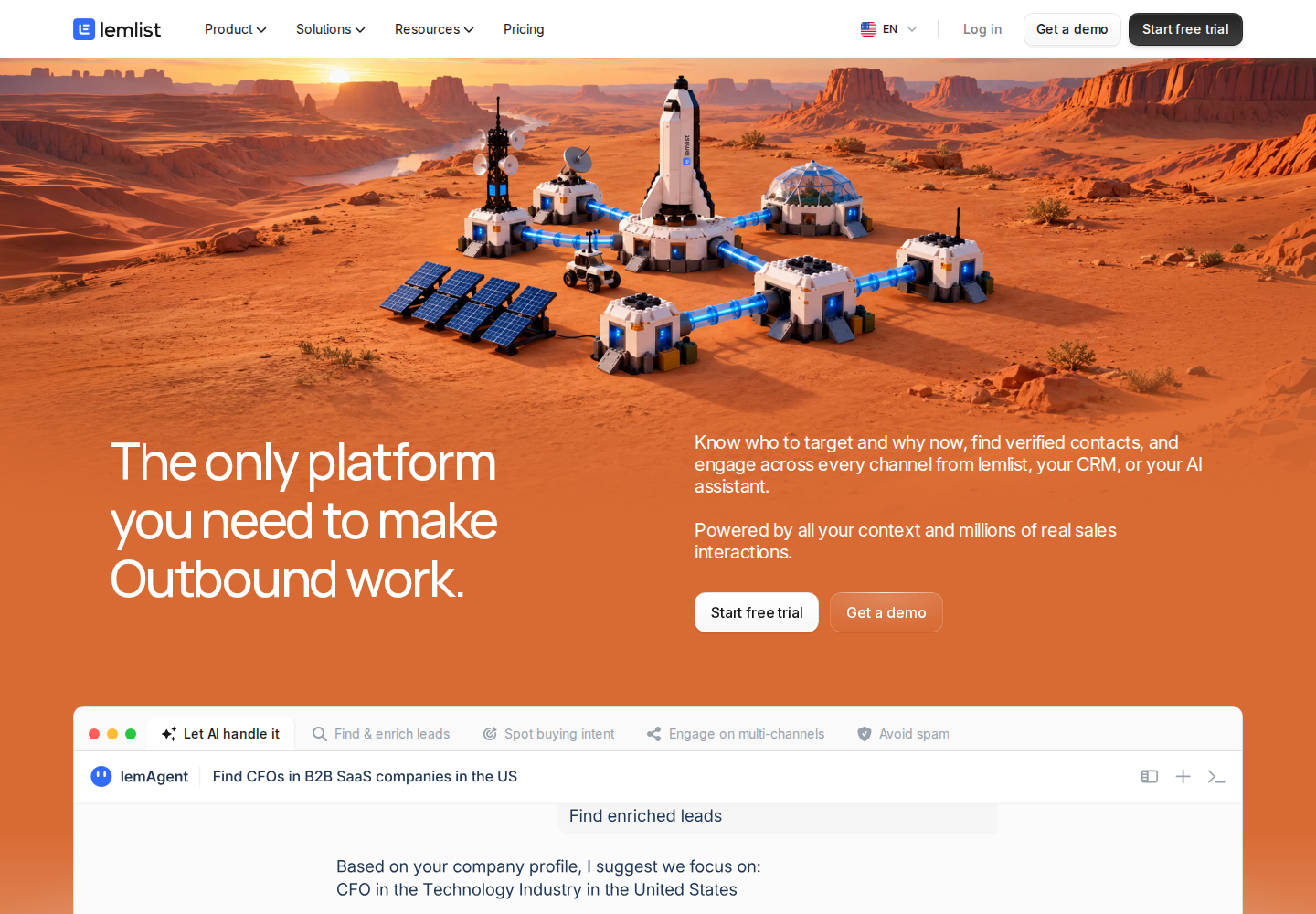
Lemlist official homepage. Open the image for full-size detail.
Lemlist combines prospect data, enrichment and messaging with email and LinkedIn sequences. Multichannel adds LinkedIn automation, calling and other channel options to its Email plan. CRM integrations, API access, MCP and CLI are also part of the current platform.
- Discovery and qualification: Lead search, enrichment and separately priced buying-intent signals.
- Sending: Email, LinkedIn visits, invitations and messages in a coordinated cadence.
- Operations: Email warm-up and deliverability monitoring alongside campaign reporting.
Pricing: Multichannel starts at $109/user/month billed monthly or $87/user/month billed annually. The Email plan starts at $69/month billed monthly or $55/month billed annually, with unlimited users and a selected email-volume allowance. Data and buying-intent add-ons cost extra.
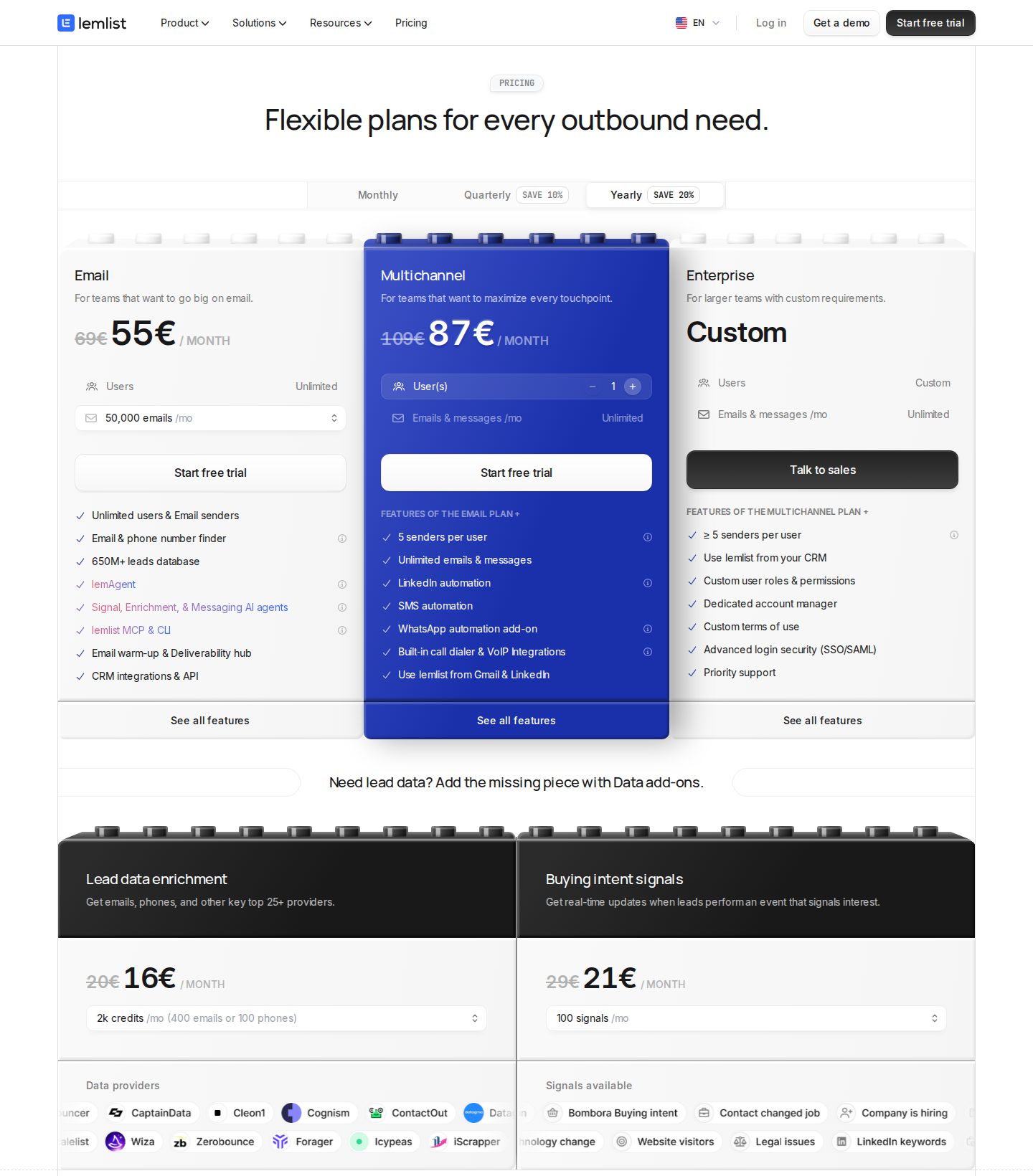
Lemlist pricing: Yearly billing selected; euro plan prices. Open the image for full-size detail.
The screenshot above shows annual pricing in euros: €87/user/month for Multichannel and €55/month for Email. These are the displayed euro prices, not conversions of the dollar prices above.
Rep workflow: Put email and LinkedIn steps in one cadence, review replies across channels and check what happens to scheduled steps when a prospect responds. Include the actual channel plan and data add-ons in the budget.
Material limit: The Email plan's entry price does not buy LinkedIn automation. Separate channel coverage from a prospect-specific engagement routine when evaluating the Lemlist alternatives.
6. Taplio: publishing connected to contact engagement
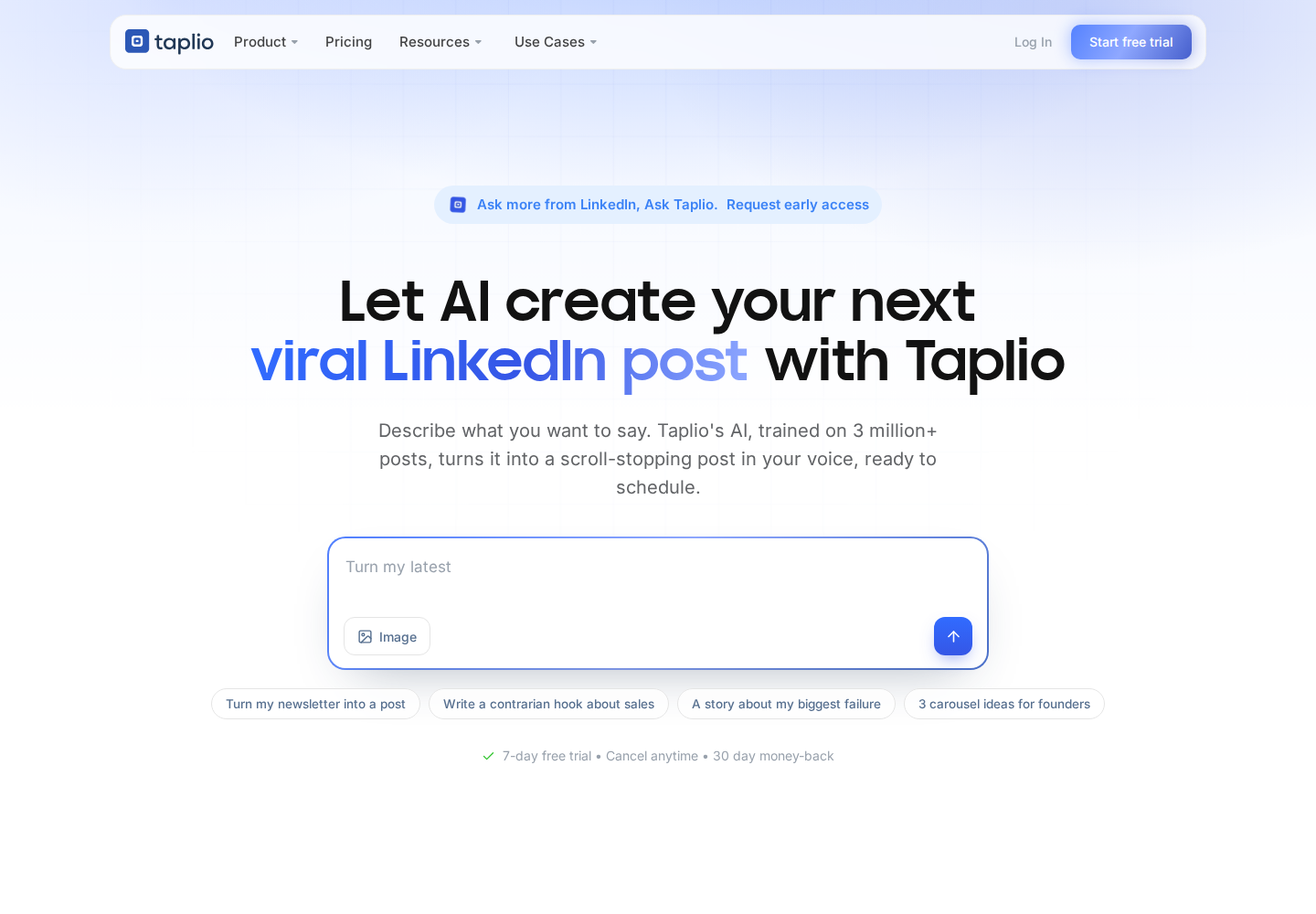
Taplio official homepage. Open the image for full-size detail.
Taplio covers LinkedIn drafting, scheduling and analytics. It also supports contact lists, imports of post likers and commenters, comments on leads' posts and outreach features.
- Publishing: Maintain a calendar and analyze your own content.
- Engagement: Growth adds AI writing, commenting and reply assistance.
- Outreach: Pro includes automated lead outreach; API and MCP support connected workflows.
Pricing: Monthly plans are Starter $39, Growth $69 and Pro $199. Starter centers on scheduling and analytics. A seven-day trial provides Pro access; annual and team offers differ.
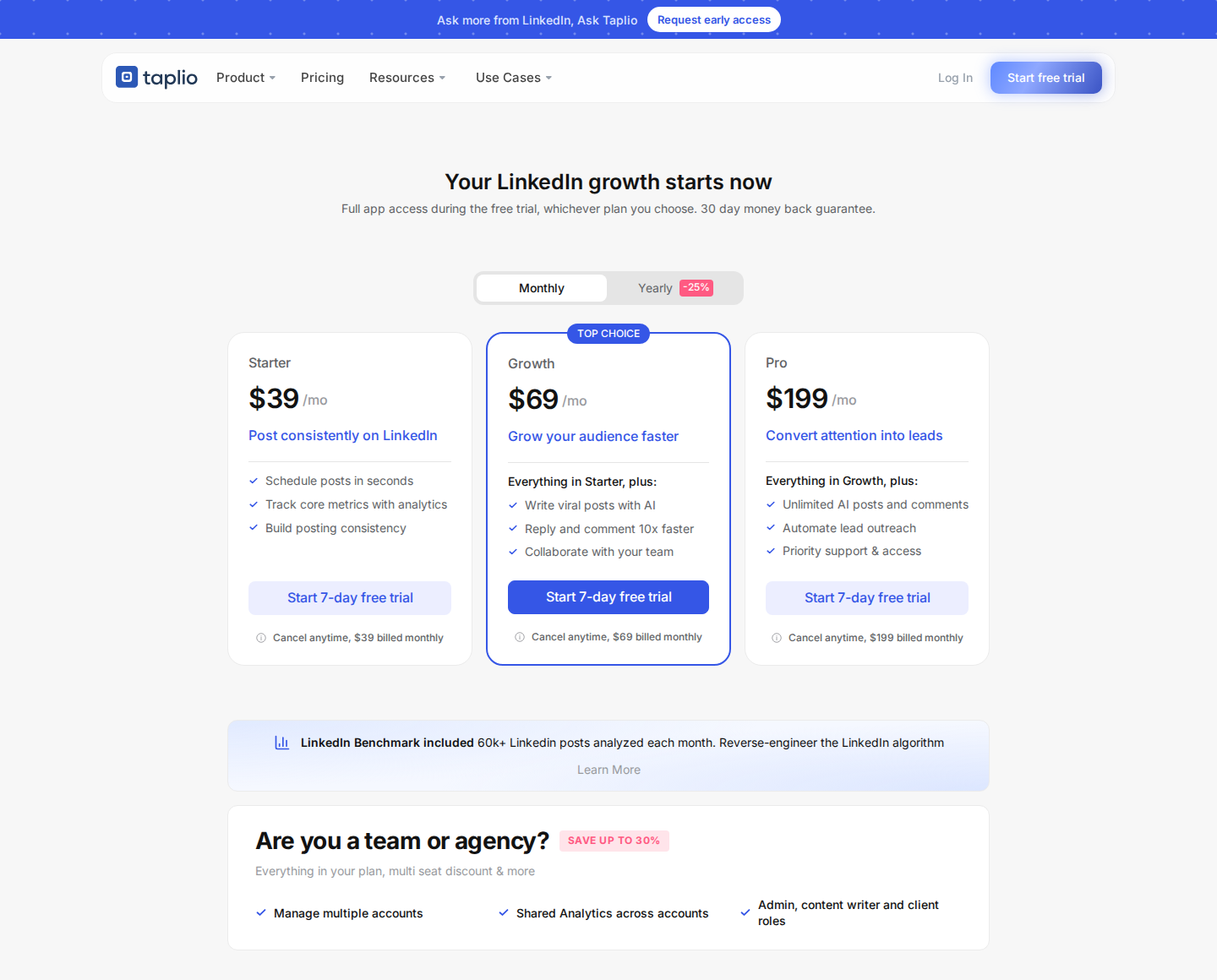
Taplio pricing: monthly billing; Starter, Growth and Pro. Open the image for full-size detail.
Rep workflow: Publish around the problems you sell into, review people engaging with those posts and qualify them before adding them to outreach. Separate the publishing task from the daily work of engaging named target accounts.
Material limit: Starter does not include Growth's AI writing, commenting or reply assistance. People who interact with your posts are research candidates, not automatically qualified leads. Extrovert's prospect-first workflow starts with the audience you want to engage, whether or not you publish regularly.
7. Kondo: keep existing DM conversations organized
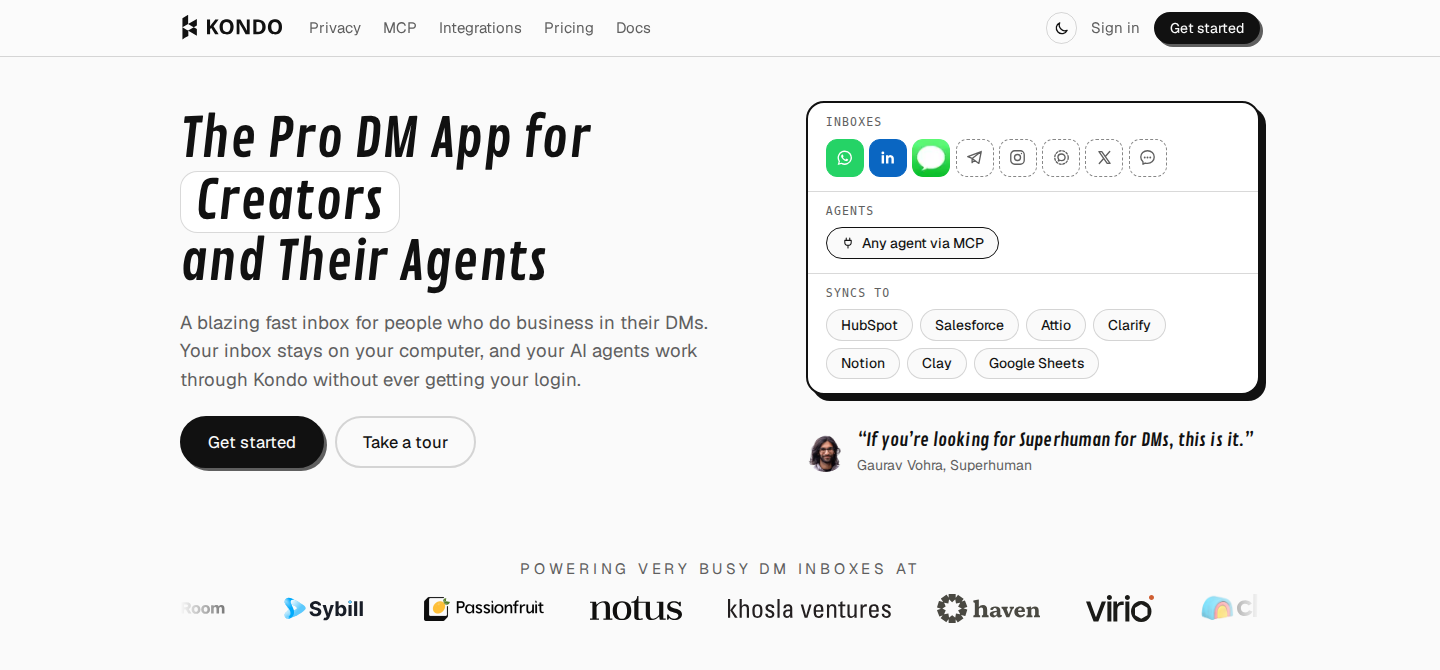
Kondo official homepage. Open the image for full-size detail.
Kondo adds labels, split inboxes, snippets, keyboard shortcuts and snooze reminders to LinkedIn messaging. A snoozed conversation returns to the top of the inbox later, giving a rep a practical way to remember a follow-up.
- Conversation management: Separate active opportunities from other chats with labels.
- Replies: Reuse snippets and move through messages with shortcuts.
- Sync: Business adds CRM integrations, a Sales Navigator inbox, analytics and MCP.
Pricing: Basic is $28/user/month billed annually; Business is $36/user/month billed annually. Enterprise starts at $52/user/month billed annually.
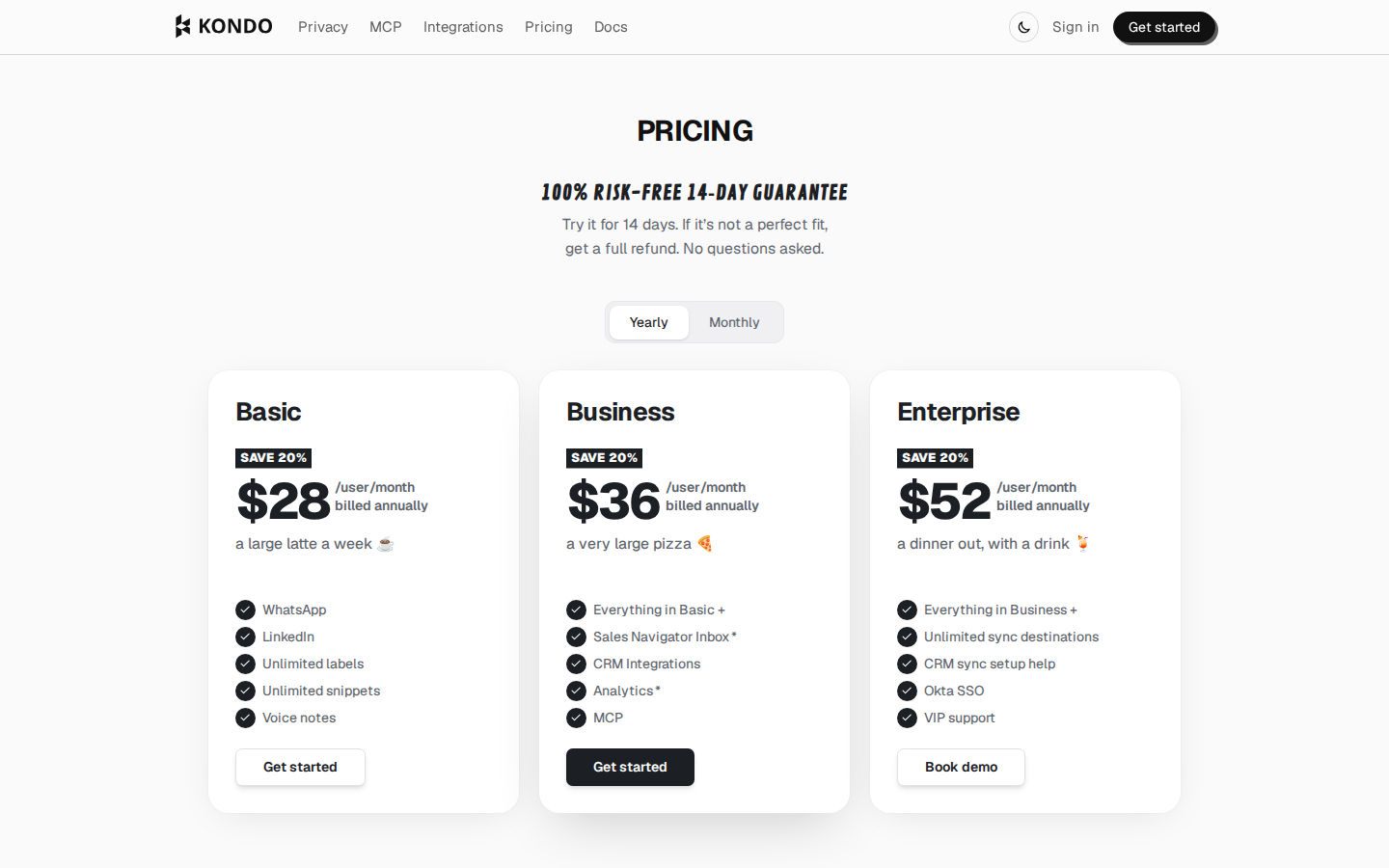
Kondo pricing: annual billing; per-user plans. Open the image for full-size detail.
Rep workflow: Label active opportunities, use snippets for repeatable replies and snooze conversations until the promised follow-up date. Put a deal commitment in the CRM too; an inbox reminder does not update the opportunity stage.
Material limit: Kondo says it is not a DM automation tool. Its inbox organization serves existing conversations; it does not replace prospect discovery or a campaign feed of posts worth engaging with. CRM and Sales Navigator inbox features are not included in Basic.
8. Aimfox: connection and messaging campaigns
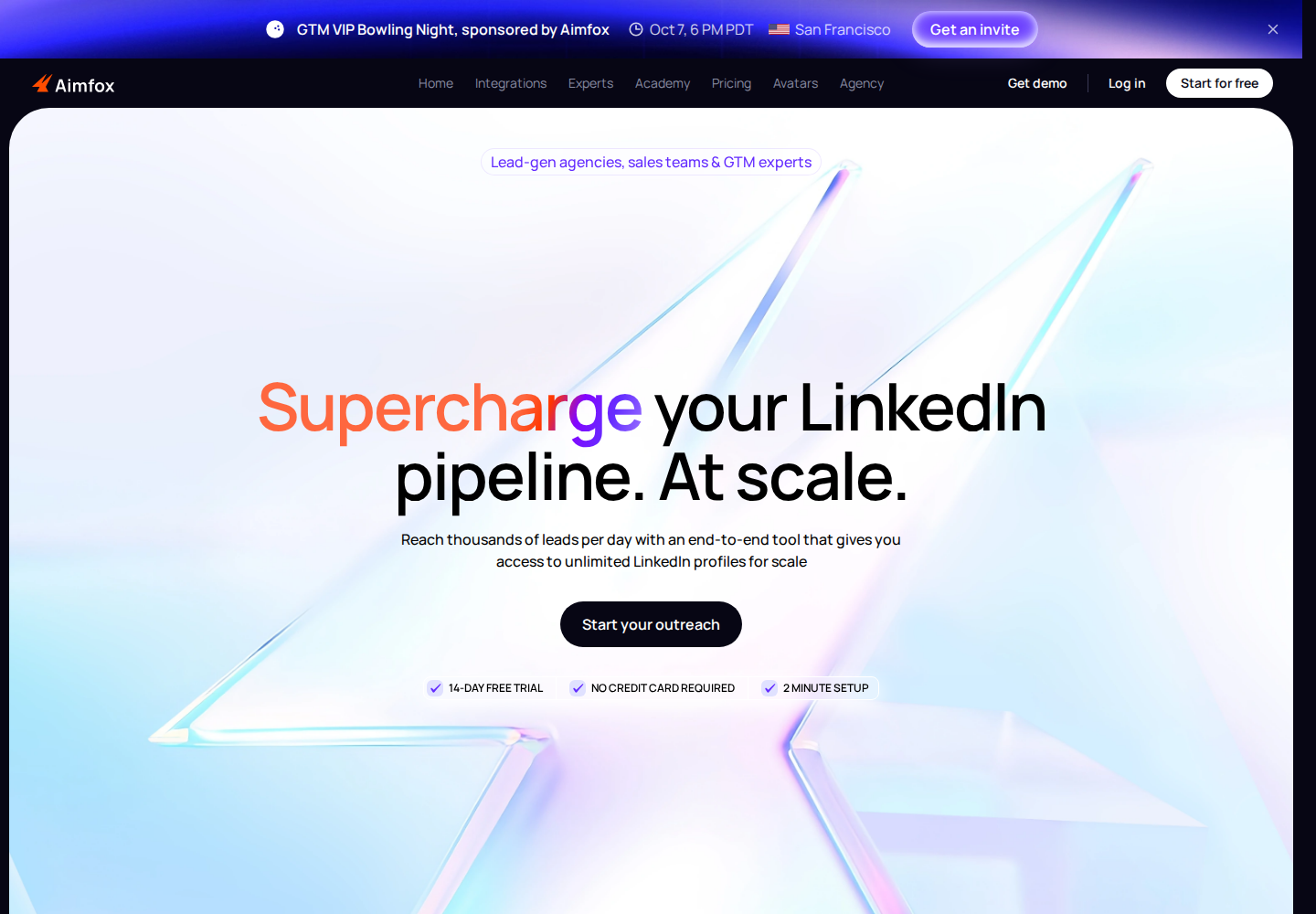
Aimfox official homepage. Open the image for full-size detail.
Aimfox runs inbound campaigns for existing connections and outbound campaigns for new prospects. Campaign sources include LinkedIn search, Sales Navigator, post engagers and custom lists. Its unified inbox, variables, reporting and integrations support campaign management.
- Sending: Connection requests and messaging sequences.
- Replies: Inbox management and campaign reporting.
- Team scope: Agency management is a separate offer from a standard Outreach seat.
Pricing: An Outreach seat costs $49/seat/month billed monthly. Agency starts at $499/month for 20 seats, with additional seats priced separately. A 14-day trial is advertised without a card requirement.
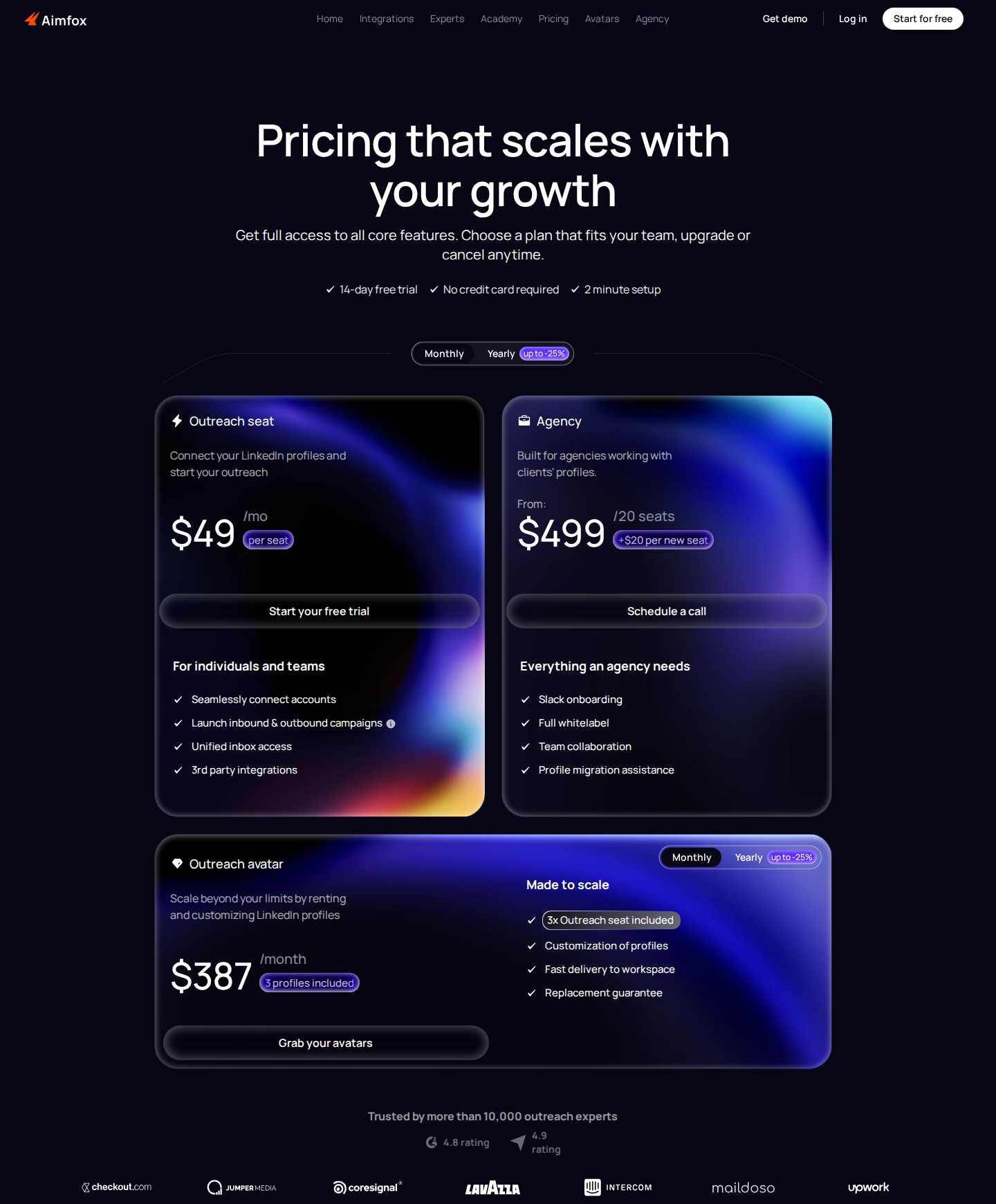
Aimfox pricing: monthly pricing; Outreach and Agency are separate offers. Open the image for full-size detail.
Rep workflow: Separate existing connections from new prospects, select the relevant campaign source and review replies in the unified inbox. Assign one person to handle the conversation once the prospect answers.
Material limit: Sales Navigator campaigns require a separate active Sales Navigator subscription. Aimfox's rented-profile offer is distinct from ordinary connected seats; it is not a reason to treat the base subscription as unlimited outreach. Limits and proxies do not guarantee LinkedIn account safety.
Build the routine before expanding the stack
Discovery and qualification
Define the role, company criteria and account context you need. Search results become a working list only after you check relevance and decide who owns each relationship. Record the reason to engage, not just a title or an email address. Record where the list came from and define what must be true before a first message. Remove people who fail those criteria before loading a campaign.
Engagement and first messages
In Extrovert, organize relevant people into campaigns, review their prioritized posts and add something useful to the conversation. Send a DM when the context supports it. The Conversation Restarter illustration above uses a prospect’s SF Tech Week post as the reason for a message. The event supplies a specific conversation opener; a generic promotional post may not. A comment does not oblige a prospect to reply, and a social interaction is not permission for repeated pitches.
Follow-up and handoff
Review recommended conversations, due follow-ups and post-based restarters. Stop when someone declines, pause when timing is wrong and record the next agreed step in your CRM. If another tool also sends sequences, assign one owner and check for duplicate activity.
Control and measurement
Choose which actions need approval and which can run automatically, then inspect the actual settings. Human review improves editorial control; it does not guarantee compliance with LinkedIn's terms or immunity from restrictions.
For a trial, use one defined prospect list and record the work completed: relevant posts reviewed, comments approved, conversations followed up and next steps agreed. Track relevant replies, meetings and opportunities alongside activity. Keep unrelated connections and social replies out of the sales totals. For B2B sales teams, judge the routine by relevant replies, meetings and opportunities rather than action counts.
FAQ
Do I need Sales Navigator to use Extrovert?
No. Extrovert's Lead Finder and Intent Signals can find prospects without a Sales Navigator subscription. You can also import an existing list. Sales Navigator adds native LinkedIn search, relationship features and InMail, which are distinct capabilities.
Does Extrovert send everything automatically?
No. Comments support individual review, bulk approval or optional campaign Auto mode. Connection requests can be automated after warm-up. DMs require approval, including approval by an authorized teammate or an instructed MCP assistant.
What does one Extrovert seat cover?
One connected LinkedIn account, all features, 250 tracked prospects, one topic and 300 monthly Credits. Capacity is shared across the team. Review-only teammates are free; additional capacity and Credit top-ups cost extra.
Which LinkedIn sales activity proves buying intent?
No single like, comment, profile update or connection proves intent to buy. Use those events as context for research and a relevant conversation. Qualification still requires evidence about fit, need, timing and the people involved in the decision.