On this page
Start with the part of Taplio you want to replace: writing LinkedIn posts, scheduling them, understanding performance, or keeping up with the people you want to reach.
Extrovert focuses on prospect relationships: relevant posts, comments in your voice, DMs and follow-ups. Supergrow, Kleo, AuthoredUp and MagicPost cover LinkedIn content workflows. Hootsuite and Buffer bring LinkedIn into a wider social publishing calendar.
Taplio alternatives at a glance
Prices below are in USD. Monthly billing applies unless the row says annual billing. Check which plan includes AI writing, approvals or engagement tools.
| Tool | Main workflow | Entry price and billing unit | Important condition |
|---|---|---|---|
| Extrovert | Prospect campaigns, comments, DMs and follow-ups | $49/connected LinkedIn account/month | Every feature; tracking limits and discovery Credits apply. 10-day trial. |
| Supergrow | AI interviews, post creation, scheduling and profile analytics | Pro: $39/month for one account | Teams with approvals: $199/month for five accounts. 7-day trial. |
| Kleo | Content strategy, AI writing, scheduling, analytics and coaching | $99/month; extra profiles $49/month each | Software, weekly calls and community bundled together; money-back guarantee rather than a free trial. |
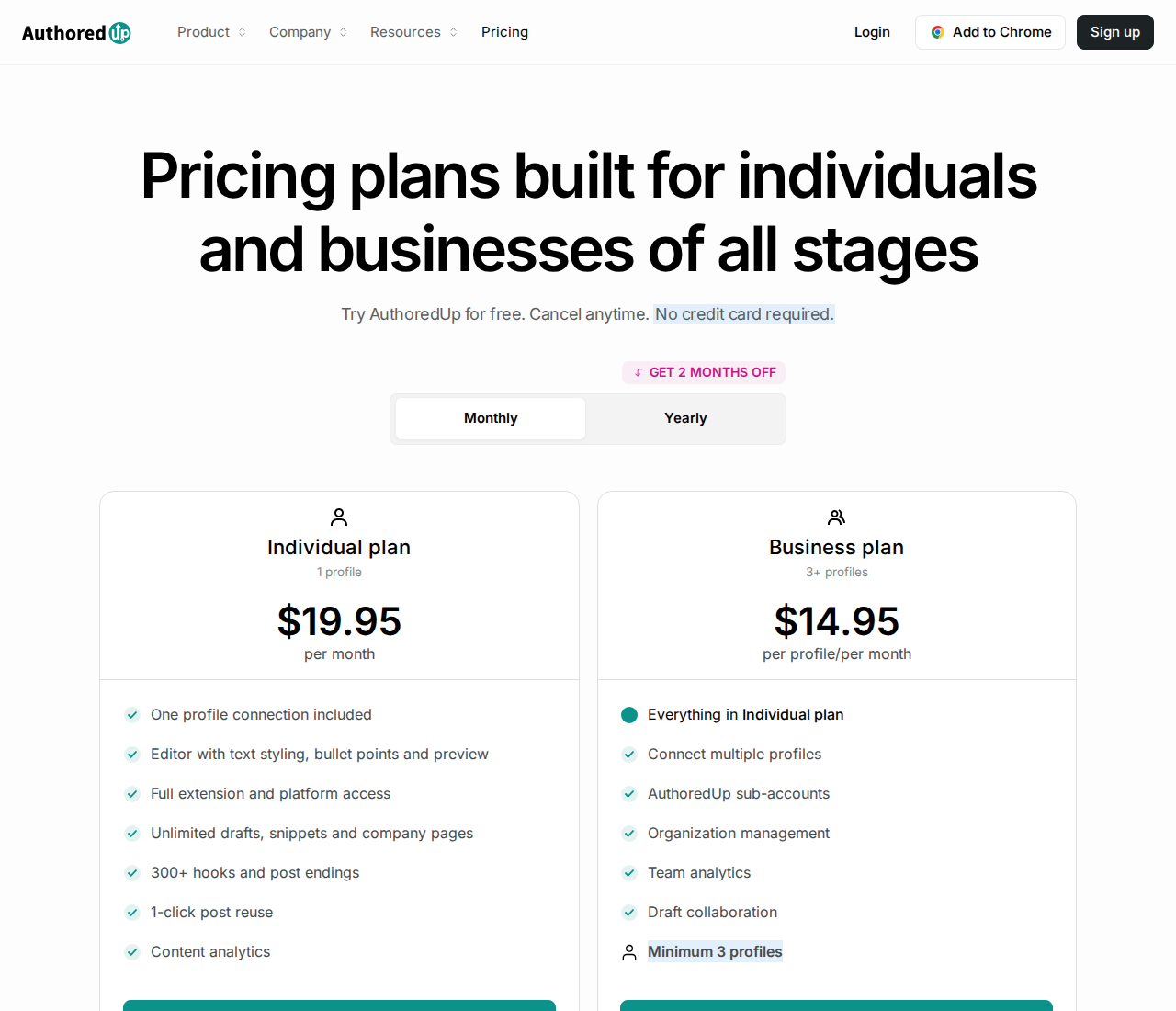
| AuthoredUp | Post formatting, previews, scheduling and content analytics | $19.95/month for one profile | Business: $14.95/profile/month, minimum three profiles. AI assistant in closed beta. |
| MagicPost | LinkedIn scheduling, AI content and performance analysis | Growth: $49/month; Creator: $69/month for one LinkedIn identity | AI post generation is in Creator, not the entry Growth plan. Free trial. |
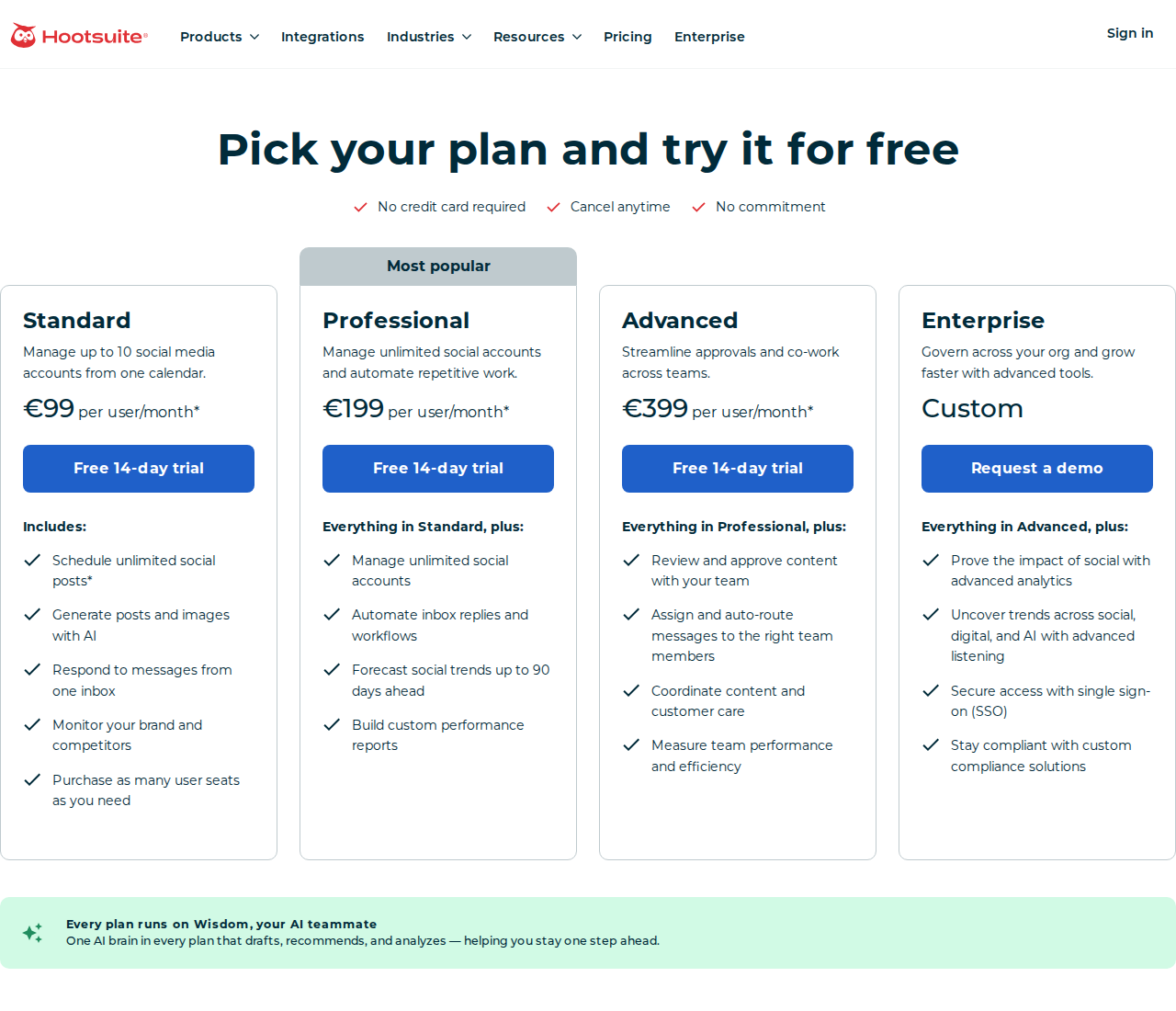
| Hootsuite | Multichannel publishing, inbox and reporting | Standard: $99/user/month, billed annually | Up to 10 social accounts; content approval workflows are in Advanced. 14-day trial. |
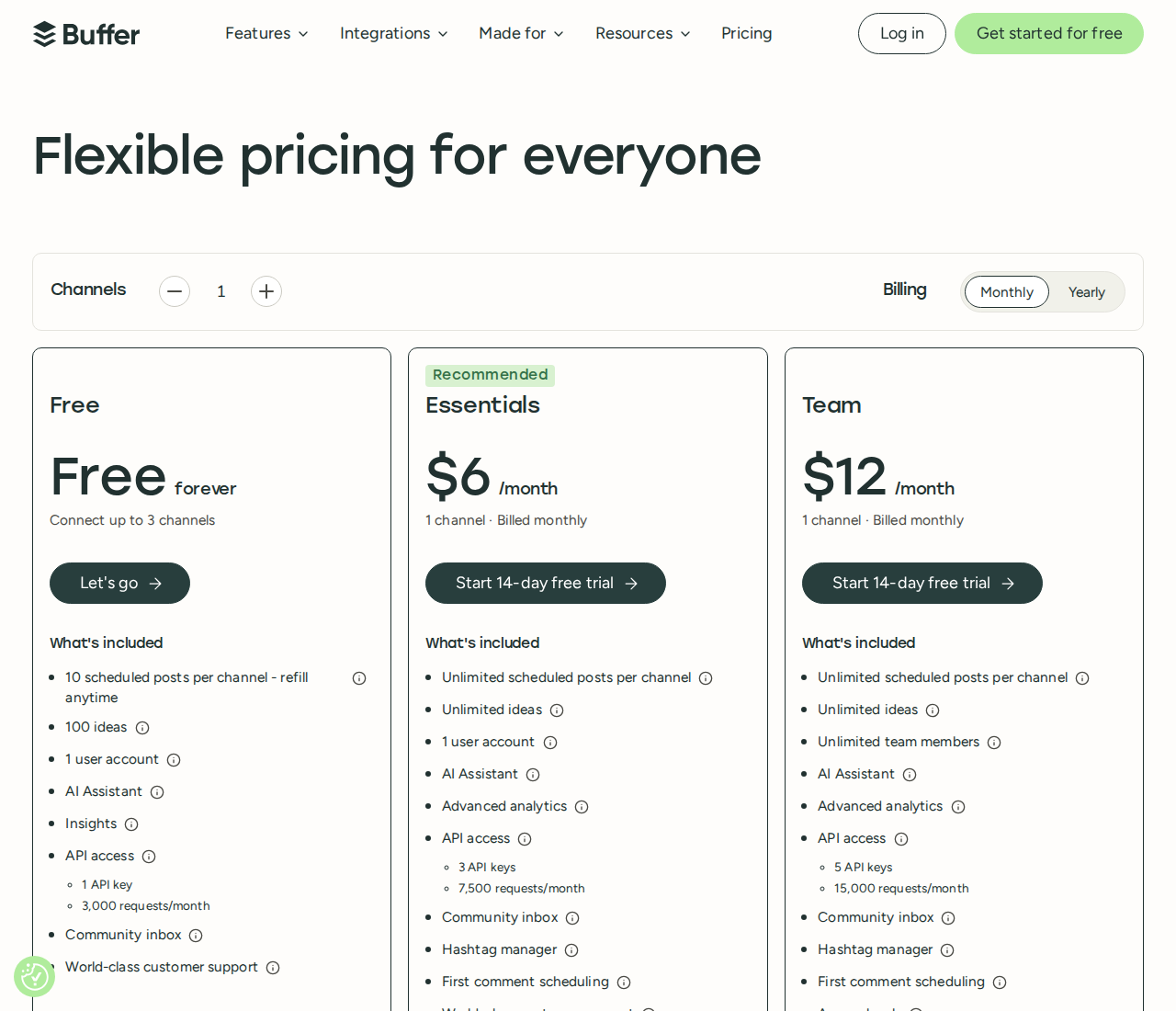
| Buffer | Multichannel scheduling, AI assistance and analytics | Free; Essentials: $6/channel/month | Free: three channels, one user, 10 queued posts per channel and basic Insights. Advanced analytics on paid plans. |
For context, Taplio's monthly plans are Starter at $39, Growth at $69 and Pro at $199. Starter covers scheduling and analytics. Growth adds AI writing and commenting; Pro adds unlimited AI posts and comments plus automated lead outreach. Its seven-day trial gives Pro access before moving to your selected plan.
Taplio also has lead lists, engagement tools, API access and MCP. A useful alternative can replace one of those workflows without replacing the whole platform.
1. Extrovert: stay in touch with the people you want to reach
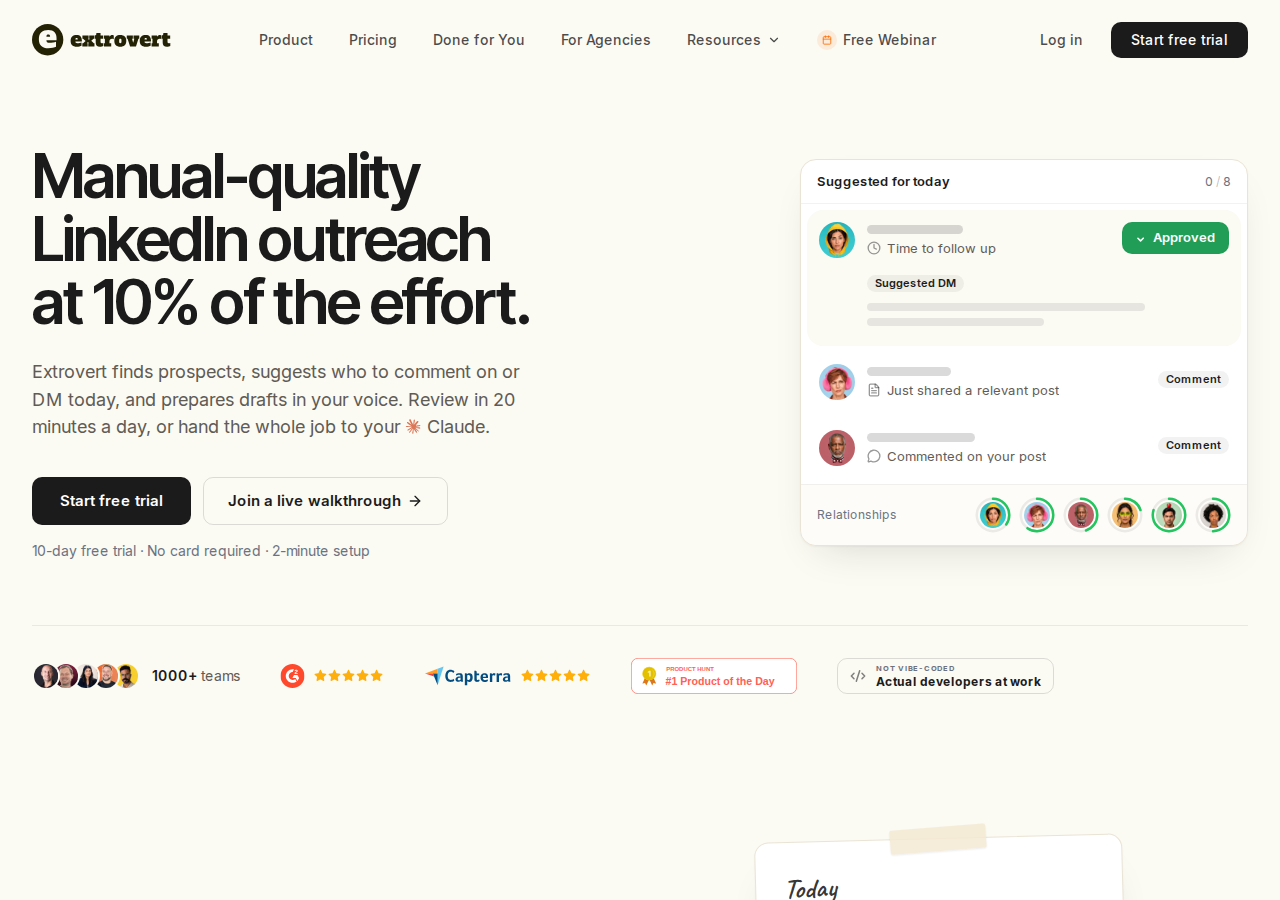
Extrovert organizes LinkedIn around prospects, customers and peers. Add the people you want to reach to a campaign, or follow a topic your market discusses. Their relevant posts and suggested comments arrive in your feed, so you can spend your time on the conversation rather than checking profiles one by one.
Give each campaign a purpose
A list of target accounts needs a different routine from a list of existing customers. Extrovert supports warm outreach, nurturing, visibility and mutual-support campaigns, with different priorities:
- Newest posts: join a discussion while it is still active.
- Closest to outreach: prioritize people who are near the comment threshold you set before reaching out.
- Evenly distribute: prioritize people whose posts you haven't commented on in the longest time.
For founders selling on LinkedIn, the campaign feed makes it easier to stay in touch with prospects between your own posts, without checking each person's profile.
Illustration: the posts a campaign found, sorted three ways. Newest posts, newest first: Just now, 20 min ago, 3 h ago, Yesterday. Closest to outreach, fewest comments left before outreach first: 1 left, 2 left, 3 left, 4 left. Evenly distribute, longest since your last comment first: 6 weeks ago, 3 weeks ago, Last week, Yesterday.
Newest posts
In a visibility campaign, the newest posts come first, so your comment goes up while people are still reading.
Closest to outreach
In a warm outreach campaign, the people who need only one or two more comments before you reach out come first, so you get to the first DM sooner.
Evenly distribute
In a nurturing campaign, the people you have not commented on for the longest come first, so nobody on the list is forgotten.


Continue the conversation
Recommended DMs show which conversations need attention and why. Smart follow-ups and Conversation Restarters help you return to an existing thread with context, rather than rereading every conversation to work out what to do next.
Illustration: the DM workspace on its Recommended tab, 5 conversations due for a message today, each with its reason. Connected 2 days ago: First DM. No reply for 9 days: Follow-up. New role at their company: Restarter signal. Promised a call 2 weeks ago: Follow-up. Quiet for 3 months: Keep in touch. The first one is open, with the first DM drafted and the buttons Send and Snooze.


Illustration: Extrovert reads the prospect's posts. hot take, thought leadership, motivation, promotion are skipped. One post, went to sf tech week, is a Restarter signal. Extrovert suggests the DM "Seen you went to SF Tech Week. How did it go?", and the prospect replies.
Comment and DM drafts use your Voice and writing examples. Review comments individually, approve them in bulk, or enable automation for campaigns you trust. You can also connect Claude or ChatGPT through MCP, the protocol that lets an AI assistant use Extrovert's tools. Your assistant can work with your priorities, edit drafts and take the actions you allow.
For teams and agencies, shared campaigns and managed client accounts keep the work together. API access and webhooks connect it to other tools.
If you need new prospects, Lead Finder searches by role and company criteria; Intent Signals finds people through selected LinkedIn activity. Discovery uses Credits, separately from tracking people already in your campaigns.
Illustration: a radar sweeping LinkedIn activity. Most of it is passed over; three people are found by what they did: commented on a post about your topic; engaged with a competitor's post; connected with a competitor's sales team.
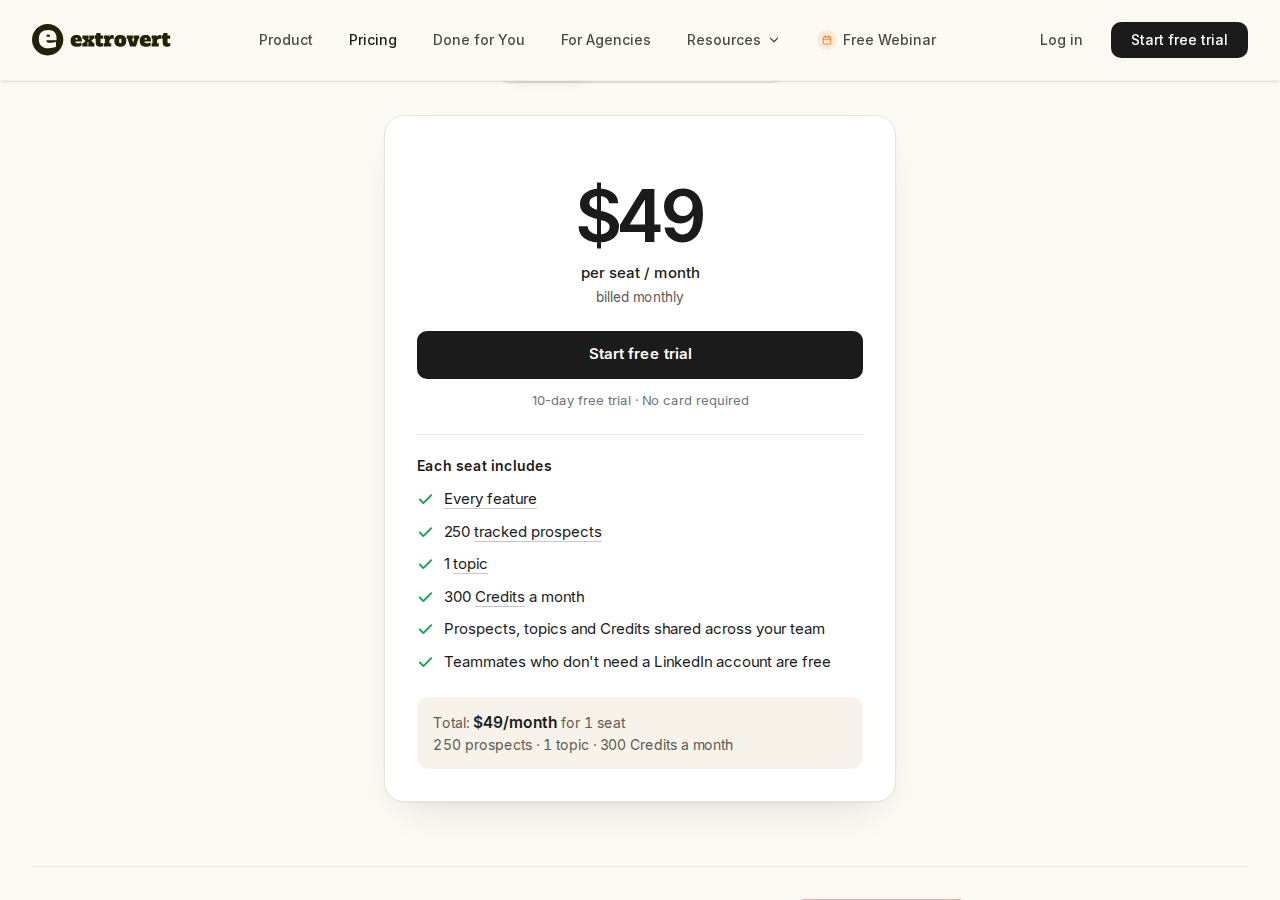
Pricing: $49 per connected LinkedIn account per month, billed monthly. Each seat includes every feature, 250 tracked prospects, one topic and 300 monthly Credits, shared across the team. Teammates without a connected LinkedIn account are free. Annual and volume discounts are available; extra tracking capacity and Credit top-ups cost more. See Extrovert pricing.
Scope: Extrovert covers prospect engagement and follow-ups. Your own post-writing and scheduling remain a separate workflow.
2. Supergrow: turn your expertise into LinkedIn content
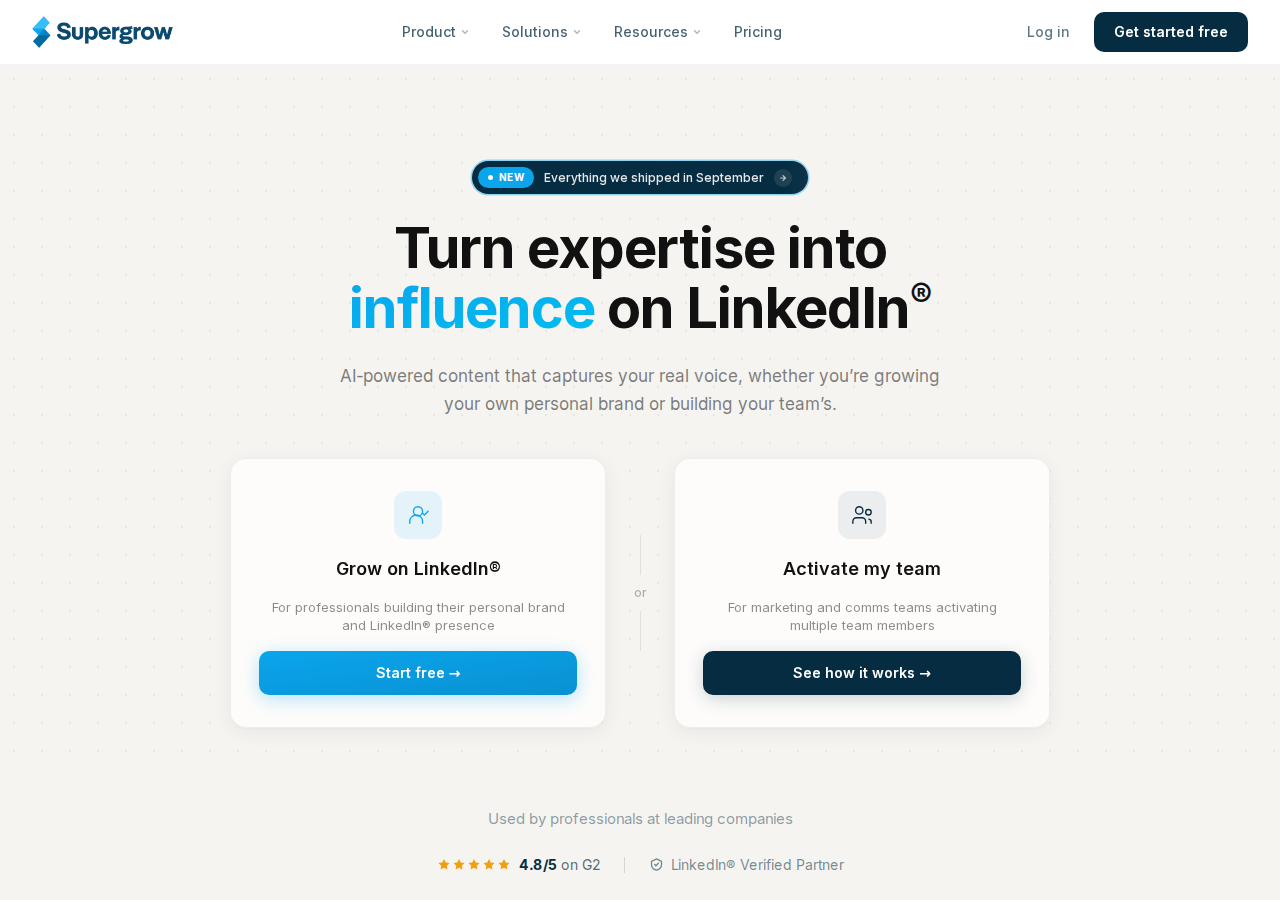
Supergrow combines Content DNA, a profile of your writing voice, with Postcast AI interviews. Instead of starting every draft with a blank prompt, you can talk through your expertise and use the interview as material for posts. It also repurposes articles, YouTube videos and PDFs.
The Pro plan includes a calendar, draft organization, first-comment scheduling, carousel creation, engagement, MCP and profile analytics. Teams adds member-specific voices, feedback and approvals, publishing on behalf of members, and team-wide reporting. The Teams plan covers the feedback and approvals a marketer needs to turn several executives' input into a publishing calendar.
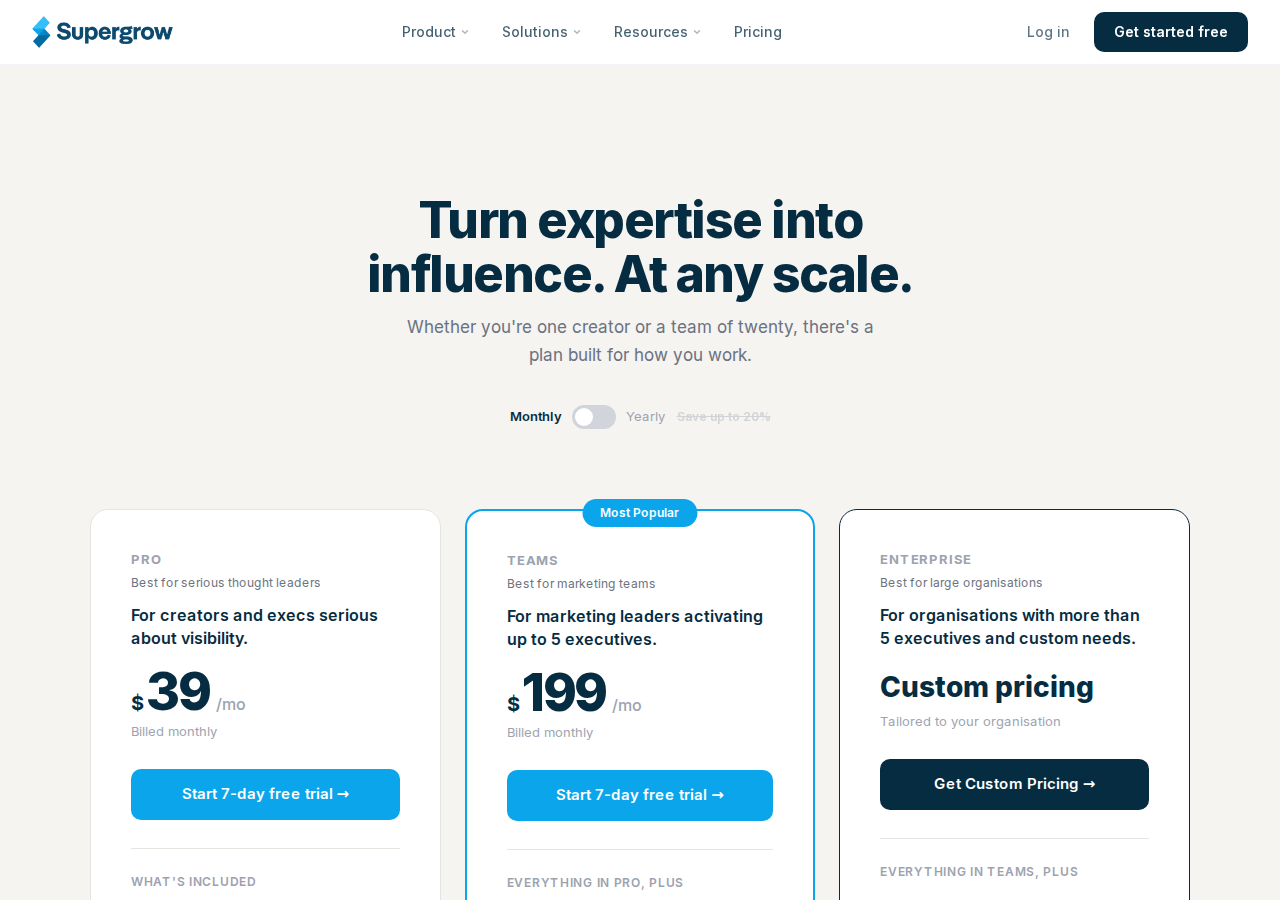
Pricing: Pro is $39/month for one account. Teams is $199/month for five accounts; Enterprise has custom pricing for larger organizations. All plans have a seven-day trial. Annual rates are $31/month for Pro and $189/month for Teams, billed annually.
3. Kleo: content strategy, writing and creator support
Kleo combines an AI content workspace with training and community support. It remembers your voice and identity, helps organize ideas and saved inspiration, and covers graphics, LinkedIn scheduling and analytics.

Its Chrome extension saves content into your inspiration library. The paid platform adds unlimited chats and post creation, 20 visuals per month, a training library, weekly calls and a private creator community.
The price covers software, coaching and community access together, rather than a publishing calendar alone.
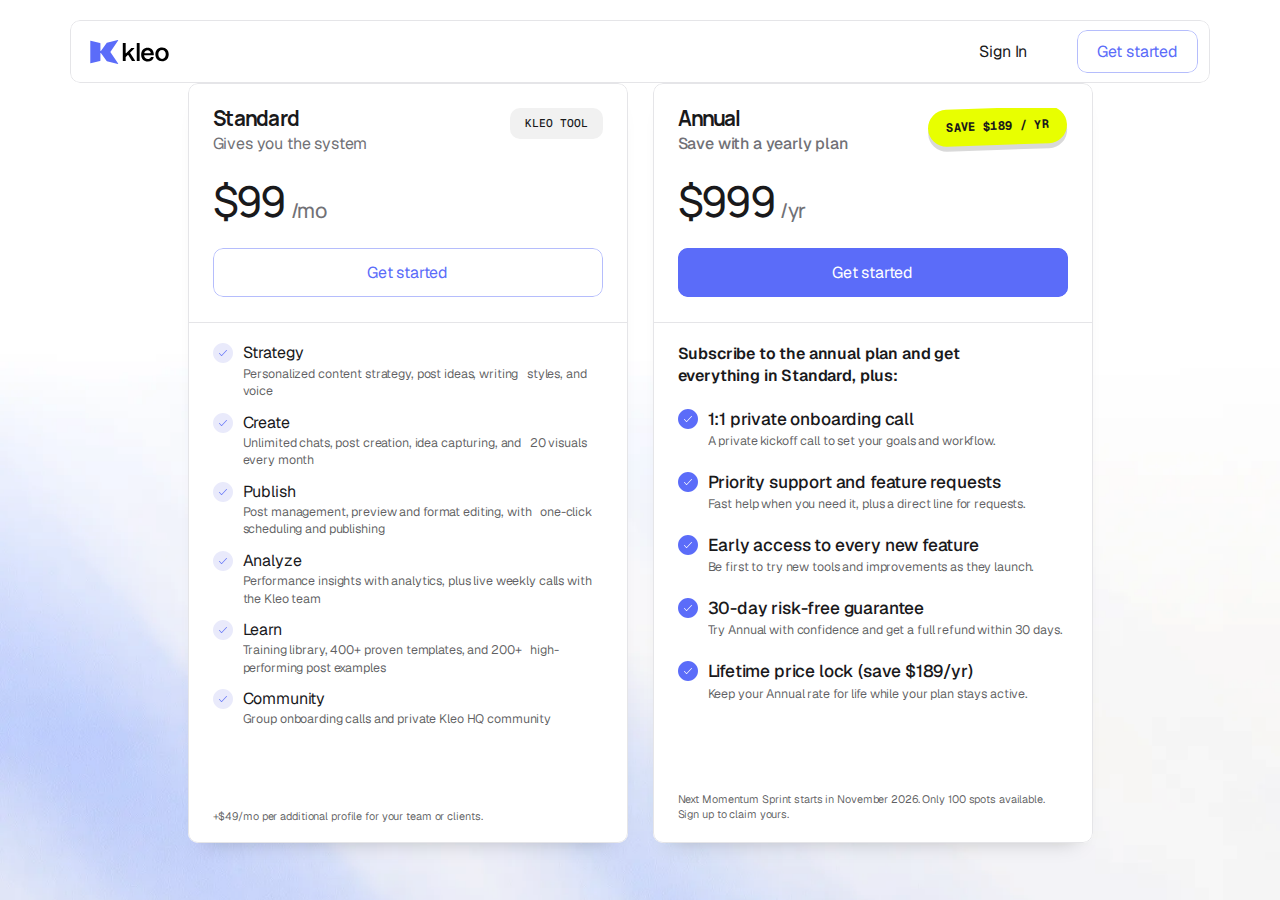
Pricing: Standard is $99/month, plus $49/month per additional profile. The annual package is $999/year and adds private onboarding, priority support and early feature access. Monthly subscribers have a seven-day money-back guarantee; annual subscribers have 30 days. A refund guarantee requires a purchase and is different from a free trial.
4. AuthoredUp: edit, preview and measure your posts
AuthoredUp focuses on the work around a draft: text styling, readability and length insights, desktop and mobile previews, snippets, saved posts and a content calendar. The preview helps you check the opening and the “See more” fold before publishing.
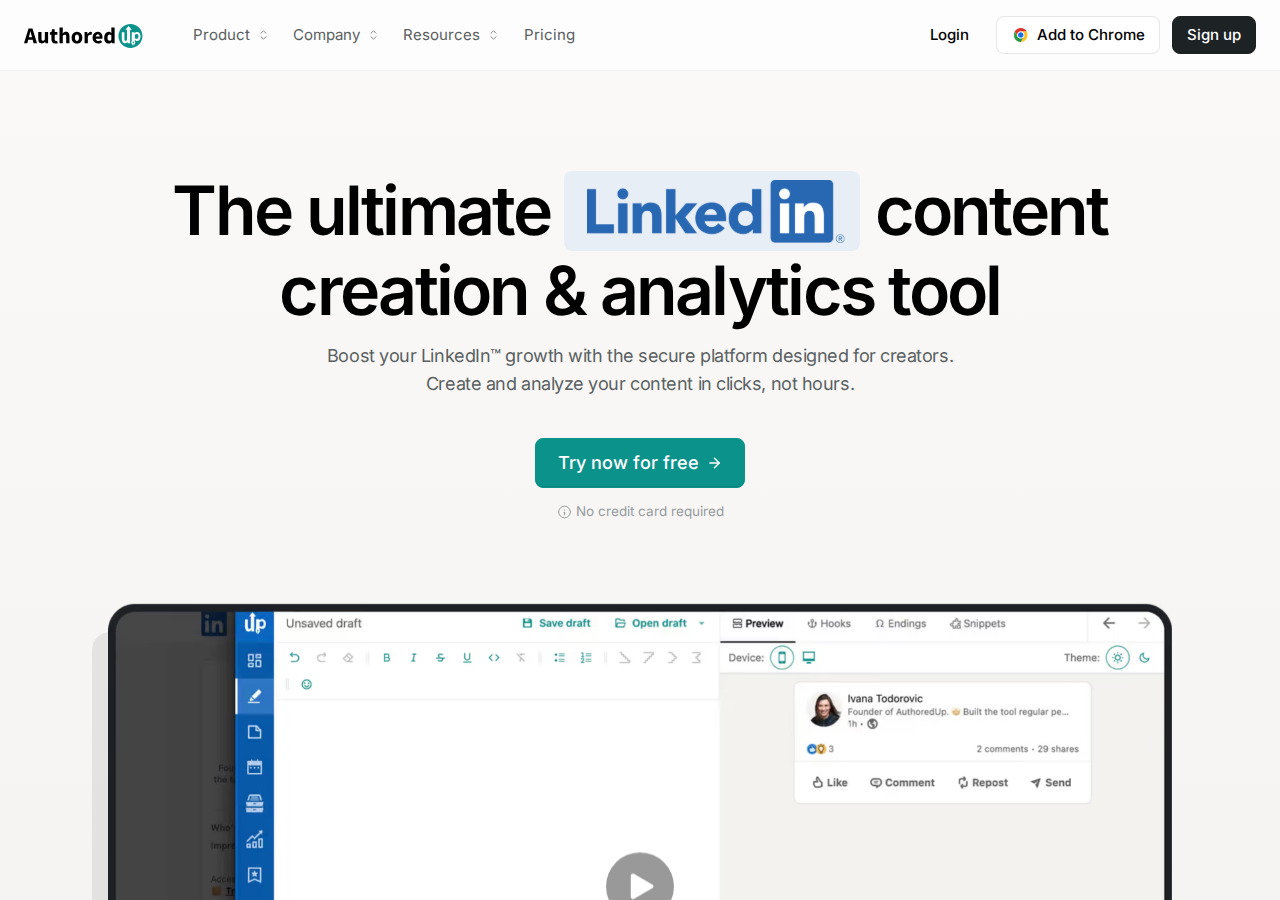
Analytics cover historical posts, saves, sends, reach and CSV export. Business adds team analytics and draft collaboration. A connected personal profile also covers company pages it manages, without a separate company-page charge.
The editor and drafts work on its web platform, while the Chrome extension brings formatting, previews, scheduling and analytics into LinkedIn. Coauthor, the AI assistant that learns from your posts, is listed in closed beta. Its availability matters if AI generation is the reason you are changing tools.
Pricing: Individual is $19.95/month for one profile, or $199.50/year. Business is $14.95/profile/month with at least three profiles. The free trial requires no card.
5. MagicPost: connect publishing with performance analysis
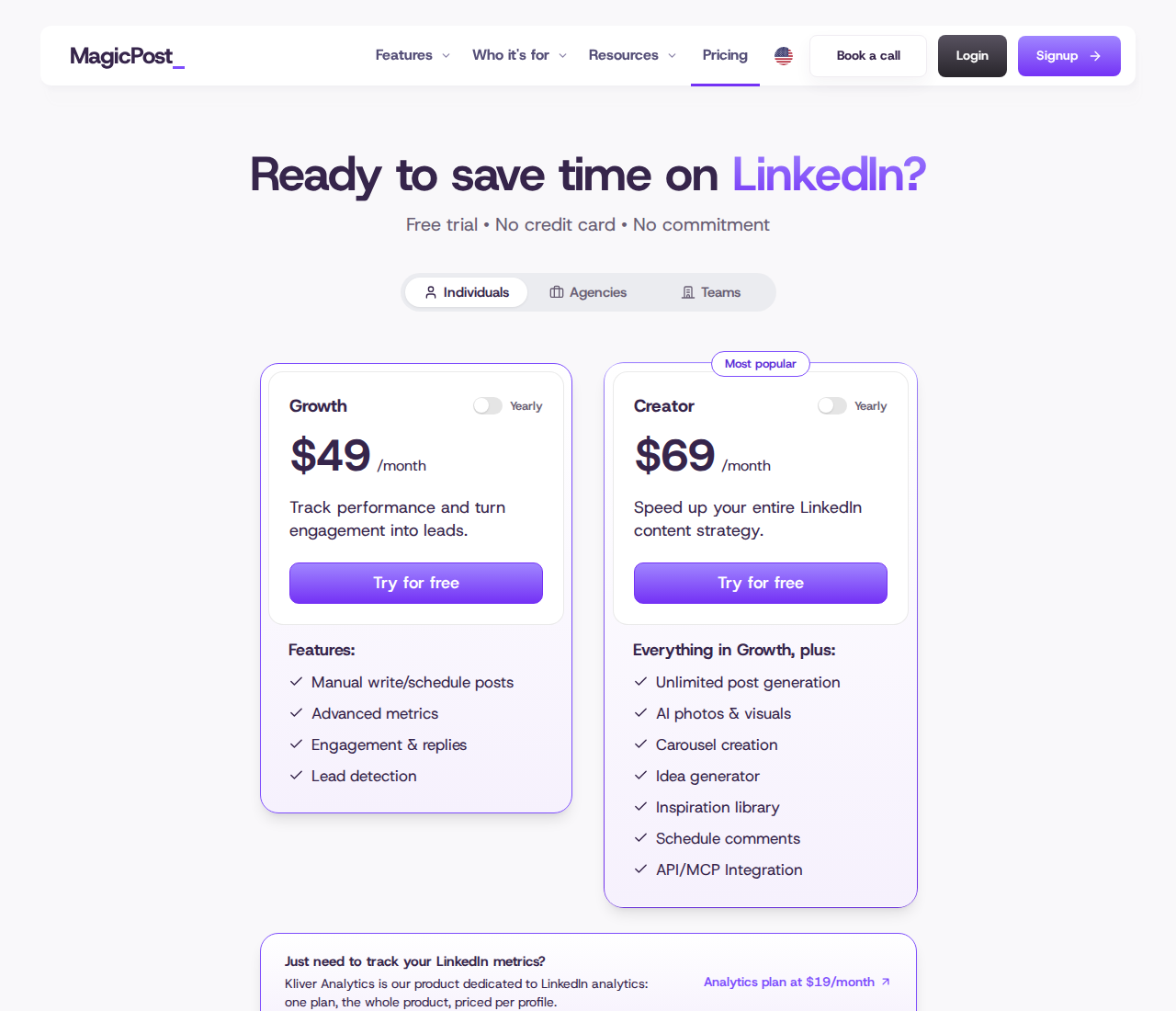
MagicPost brings LinkedIn scheduling and reporting into one workflow. Its Creator plan adds AI post generation from a topic, URL or file, writing-style import, visuals and carousels.

The calendar supports a personal profile or a company page you administer. Reporting includes post-level results, period comparisons, median performance, follower-bracket benchmarks and CSV/PDF exports. Those views answer different questions: which posts performed well, whether your typical post improved, and how your results compare with similarly sized accounts. Saves, unique views and click metrics are available when LinkedIn exposes them.
Creator also includes scheduled comments under your own posts and API/MCP access. Scheduled comments on your content are distinct from maintaining an ongoing prospect-engagement routine.
Pricing: Growth is $49/month for one LinkedIn identity and covers manual writing, scheduling, advanced metrics, engagement and lead detection. Creator is $69/month for one LinkedIn identity and adds AI post generation and the creation features above. A free trial requires no card. Unlimited post generation does not mean unlimited media generation; visuals, carousels and AI images have separate usage limits.
6. Hootsuite: manage LinkedIn alongside other channels
Hootsuite combines publishing, an inbox, reporting, competitive benchmarking and listening across social networks. Your team can plan LinkedIn posts in the same calendar as its other channels.
Standard supports up to 10 social accounts. Professional adds unlimited accounts, deeper reporting and inbox automation. Advanced adds content approvals, internal collaboration and customer-care workflows; Enterprise adds governance and further integrations.
Pricing: In USD, Standard is $99/user/month, Professional $199/user/month and Advanced $399/user/month, billed annually and excluding applicable taxes. Monthly billing has different rates. The 14-day trial requires no card but has daily posting limits and excludes bulk scheduling.
For LinkedIn, the Inbox supports Page comments and private messages on Pages with messaging enabled, on the web version. That is Page customer care, rather than a personal-profile DM inbox. Hootsuite's keyword-triggered DM automation is an Instagram feature, not LinkedIn outreach.
7. Buffer: a publishing queue with a permanent free plan
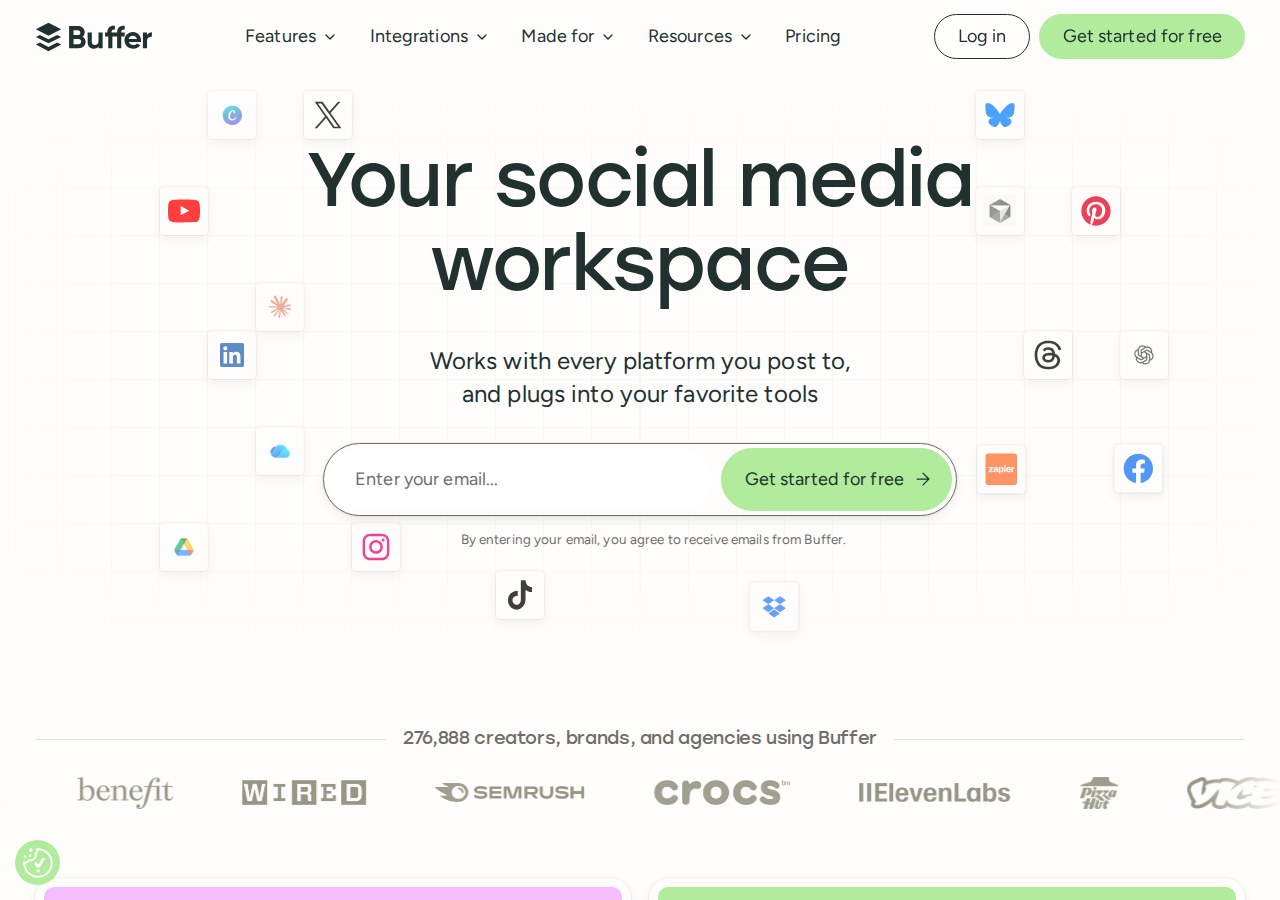
Buffer covers multichannel scheduling, analytics, a community inbox and AI assistance. Its AI Assistant can create, refine and repurpose drafts, including on the Free plan.
Free includes three channels, one user and 10 queued posts per channel at a time. A slot becomes available again after a scheduled post publishes, so this is a queue limit rather than a lifetime allowance. Free also includes basic Insights; paid plans add advanced analytics and reports.
Pricing: Essentials starts at $6/channel/month with monthly billing, or $5/channel/month billed annually. Team starts at $12/channel/month with monthly billing, or $10/channel/month billed annually and includes unlimited team members, approvals and access controls. Paid plans have a 14-day trial. Additional channels can qualify for volume pricing.
Count the channels you need before comparing this with a per-user or per-profile subscription. On a paid plan, every connected channel is billed, including the three channels previously covered by Free. Buffer supports publishing for LinkedIn profiles and Pages. Community lets you reply to comments on your own posts and Pages; it is not a feed of posts from a prospect list.
What to check before replacing Taplio
Match the plan to the job
Write down the features you use each week: AI drafts, a queue, post analytics, commenting, lead lists or DMs. Then compare the cost of the plan that includes those features. An entry publishing price is not always the price of AI writing or team approvals.
Separate the two sides of engagement as well. Replying to comments under your own posts keeps a discussion active. Tracking a target list helps you notice other people's posts and stay in touch over time. Both are useful, but they solve different problems.
Check analytics against the decision you need to make
Post impressions show reach; saves, replies and clicks add context. Period comparisons and median performance help you see whether results are improving beyond one successful post. Exports matter if you report to a client or combine social data with your own records. None of those metrics alone shows how many customers a post produced.
Keep the switch manageable
Save the drafts, snippets and reports you need before canceling. Check that the replacement supports your personal profile or company page, the formats you publish, and anyone who must approve the content. Connect one account and complete that workflow before moving the rest.
To keep up with prospects between posts, start an Extrovert trial, add the people you want to stay in touch with, and review their posts and recommended conversations. Keep your publishing routine while testing the campaign feed and follow-ups.
FAQ
Is there a free Taplio alternative?
Buffer has a permanent Free plan with three channels, one user, an AI Assistant and 10 queued posts per channel. Extrovert offers a 10-day trial with no card required, rather than a permanent free plan. Kleo's money-back guarantee applies after purchase.
Is there a cheaper alternative to Taplio?
Compare the feature you need with the relevant Taplio tier. AuthoredUp's individual plan is $19.95/month for editing, previews and content analytics. Buffer's Essentials starts at $6/channel/month. Taplio Starter is $39/month for scheduling and analytics; AI writing and commenting start with its $69/month Growth plan. Different prices cover different workflows and billing units.
Can Extrovert replace Taplio's post scheduler?
Extrovert handles prospect campaigns, comment drafts, recommended DMs and follow-ups. It does not write and schedule your own posts. Its role is to help you stay visible to selected people and continue the relationship between posts.
Is Kleo still a free Chrome extension?
Kleo's current paid platform starts at $99/month and includes an extension for saving inspiration. Descriptions of the earlier extension do not describe the current subscription, which also includes writing, scheduling, analytics and creator support.
Can a LinkedIn tool guarantee no account restrictions?
No. Review controls, activity limits and spacing do not guarantee LinkedIn approval or zero risk. In Extrovert, you choose what to review, which campaigns may automate comments, and which actions a connected AI assistant may take.