
Quick compare
Prices checked
Best forBuyer lists and daily engagement
- Lead Finder plus ongoing prospect tracking
- Review or automate selected comment campaigns
- Discovery Credits and tracking slots are separate
Starting price$49/LinkedIn account/month10-day trial, no card
Start Free TrialBest forNative buyer search
- 50+ search filters
- Saved lists and native alerts
- Advanced CRM features require Advanced Plus
Starting priceUS$119.99/license/month
Read ReviewOlder Kaspr reviews
Best forProfile contact details
- Phone and email reveal
- CSV and CRM handoff
- Phone and export allowances are separate
Starting priceFree; paid from $65/user/month
Read ReviewBest forContact research and email
- 20+ search attributes
- Email campaigns on paid plans
- Single-user self-serve; exports and fair use caps
Starting priceFree; Email $49/month, US/UK included
Read ReviewEarlier Waalaxy reviews
Best forReady-made LinkedIn sequences
- Cloud campaigns
- LinkedIn-source and CSV imports
- Email sequences need Business; Inbox costs extra
Starting price£34/user/month14-day trial
Read ReviewBest forMulti-sender prospecting
- Visual sequence builder
- Team reply handling
- Combined email inbox requires Enrich
Starting price$69/sender/month7-day trial
Read ReviewLegacy Dux-Soup reviews, before STACKED
Best forLocal or cloud execution
- Up to 12 steps per sequence
- Pause-on-reply and response inbox
- Local needs awake computer; Cloud costs $99
Starting price$55/seat/month, Local14-day trial, no card
Read ReviewBest forCloud account bundles
- LinkedIn and email sequences
- Smart Inbox across priced tiers
- Delayed inbox sync; enrichment starts on Growth
Starting price$65/month, one LinkedIn accountFree trial
Read Review








On this page
Extrovert is our first pick among the best LinkedIn prospecting tools for SDRs who need to find suitable buyers and turn that list into relevant daily conversations. Sales Navigator covers native search, Kaspr and ContactOut reveal contact details, and Waalaxy, GetSales, Dux-Soup STACKED and Closely manage sequences. Choose around the step you need to fix: finding people, reaching them outside LinkedIn or keeping the next interaction relevant.
Key takeaways
- Extrovert connects buyer discovery with ongoing engagement. Find or import people, follow their activity and prepare a relevant comment or DM rather than starting from an empty message box.
- Sales Navigator searches LinkedIn's own network and includes InMail. Check the tier when your team also needs collaboration or advanced CRM features.
- Kaspr and ContactOut help when you already know whom to target but need contact details. Compare phone, email and export allowances separately instead of treating them as one pool.
- Sequence tools differ in account bundles, email access and reply handling. Price the plan that supports your complete workflow, including any inbox or enrichment extras.
- Discovery volume and active tracking are different limits. Test a defined buyer list, check the records and assign someone to handle replies before expanding.
What LinkedIn prospecting software actually is (and what it is not)
LinkedIn prospecting software helps you identify potential buyers, understand their work and start or continue a business conversation. The category covers several different jobs. A search tool builds the list, a contact-data tool reveals email addresses or phone numbers, and an engagement tool helps you stay close to what those people are doing. A sequence tool schedules a series of outreach actions.
Those jobs can overlap within one product, but they still need separate checks. Finding a person's profile does not mean you have a verified email address. Revealing an email does not mean the subscription includes an email sender. A LinkedIn inbox does not necessarily collect email replies too. Before comparing prices, write down the steps your team needs and who will own each one.
For a relationship-led routine, the useful output is a list of relevant people plus a reason for the next interaction. That might come from a recent post, an existing conversation or a documented activity signal. Activity helps you research the person; it does not prove that they have a budget or want to buy.
Prospecting software also does not replace qualification or your CRM. You still need to check the person's role, decide whether the account fits and record meaningful progress. Count qualified conversations and next steps separately from invitations or messages sent. The warm LinkedIn outreach slides show how list building, engagement and follow-up fit together.
How we ranked these LinkedIn prospecting tools
The order starts with the daily SDR task: build a suitable list, find a relevant reason to engage and keep the conversation moving. Extrovert comes first for that connected workflow. The remaining products cover native research, contact reveal and sequence execution, so the reviews make those different roles explicit.
We compared five documented dimensions and carried them into the table below:
- List inputs and discovery: supported search, profile, CSV and Sales Navigator routes, plus published filter or list limits where available.
- Contact access: email and phone availability, the unit each allowance measures and how many usable exports the plan includes.
- Next-action coverage: which of research, post tracking, comments, DMs, invitations and email the product handles.
- Execution and replies: local or cloud operation, review and automation controls, and the channels covered by the inbox.
- Cost and capacity: the entry price, required workflow tier, connected-account unit and any separate credits or add-ons.
These dimensions explain the practical differences; a larger contact allowance alone does not make a product better for daily engagement. Prices use their stated currency and billing commitment. Ratings retain their actual platform, scale and count.
The best LinkedIn prospecting tools in 2026
The eight tools below cover different parts of the same prospecting process. Start with the step that currently costs your team the most useful selling time. Then check the plan conditions before adding another subscription. Keep an existing qualified list when you have one instead of paying to discover the same people again.
1. Extrovert, best for turning a buyer list into daily engagement
Extrovert helps you build a qualified buyer list, then find a relevant reason to engage each prospect. Its Lead Finder and campaign tools connect the search for suitable people with the daily work of getting to know them.
Lead Finder searches a separate B2B database, not through your connected LinkedIn account. Start with role and company filters, such as seniority, headcount or funding. Inspect up to 100 masked preview rows free, select matching people and add them to a campaign. Full names and LinkedIn URLs appear after adding. You can also import an existing CSV or Sales Navigator list.
The campaign tracks prospects’ posts so you can choose whom to engage today and respond to something specific. Review suggested comments yourself or automate selected comment campaigns. For a private conversation, open the separate DM recommendations, which draw on recent posts and conversation history. You review and send those messages; recommendations do not start an automatic DM sequence.
An extra 250 tracked prospects costs $20/month. Discovery top-ups start at $29 for 2,000 Credits.
Pricing is $49 per LinkedIn account per month, billed monthly, with a 10-day, no-card trial. Each seat includes 250 tracked prospects, one topic and 300 monthly discovery Credits: tracking capacity and discovery spend are separate. Lead Finder charges one Credit per processed record, including duplicates, invalid records and records over the tracking limit.
Rating: 5.0/5 on Product Hunt, from 12 reviews.
Best suited for
Founders and SDRs who want to turn a selected buyer list into regular, context-specific engagement. It fits a prospecting routine built around reviewed conversations rather than automatic DM sequences.
2. LinkedIn Sales Navigator, best for native buyer search and saved leads
Sales Navigator helps you build lead and account lists from LinkedIn's own profiles. Its 50+ advanced filters narrow searches by buyer and company criteria. Saved lists and alerts keep job changes and new content available for later research, instead of making you repeat the same search each day.
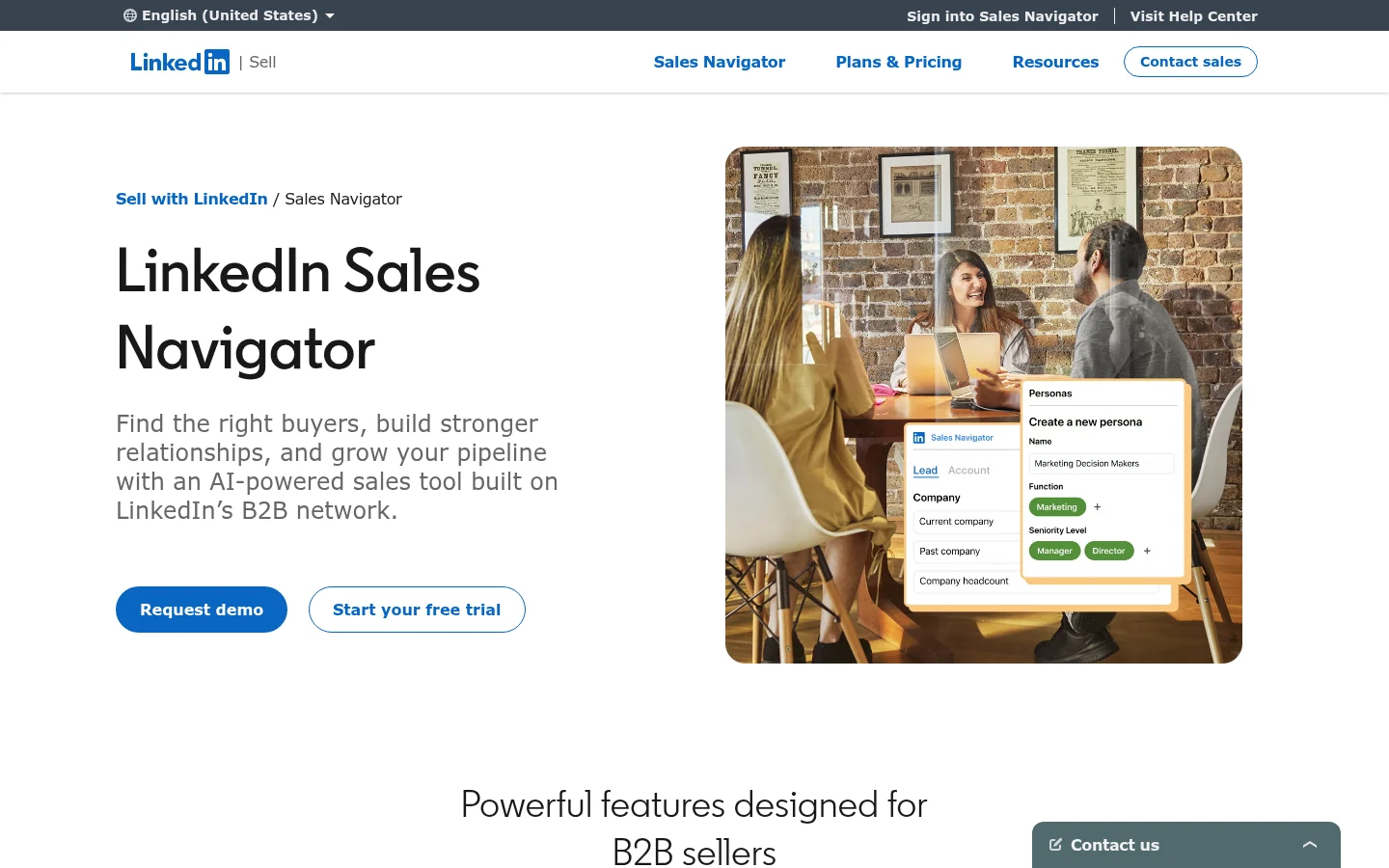
Core includes 50 InMail credits per month for reaching people outside your connections. That allowance measures a specific message format, not a verified-email export or a complete follow-up sequence. Decide where the next conversation will happen before treating search access as your entire prospecting setup.
Advanced adds team and research features. Advanced Plus is the integrated-CRM tier, including advanced CRM integrations and lead or contact creation. Match those requirements to the actual tier rather than attaching every feature to Core's price.
Price: Core starts at US$119.99 per license/month or US$1,079.88/year. Advanced starts at US$159.99/month or US$1,799.88/year; Advanced Plus requires a quote. Trial eligibility depends on subscription history and requires payment details. Region, tax and promotions can change checkout pricing.
TrustRadius lists 8.5/10 from 1,608 reviews and ratings. Reviewers mention export limits, incomplete contact details and cost. The Extrovert vs LinkedIn Sales Navigator comparison explains how native research and ongoing engagement fit together.
Best suited for
Sales Navigator suits reps building precise buyer lists from LinkedIn profiles. Check the team and CRM tier before buying licenses for a shared sales process.
3. Kaspr, best for contact details while researching LinkedIn profiles
Kaspr reveals emails and phone numbers while you research people on LinkedIn. Save prospects in dashboard lists, add notes and export contacts to a CRM or CSV. It also enriches LinkedIn search results and CSV files containing profile URLs, reducing the copying between profile research and your outbound tools.
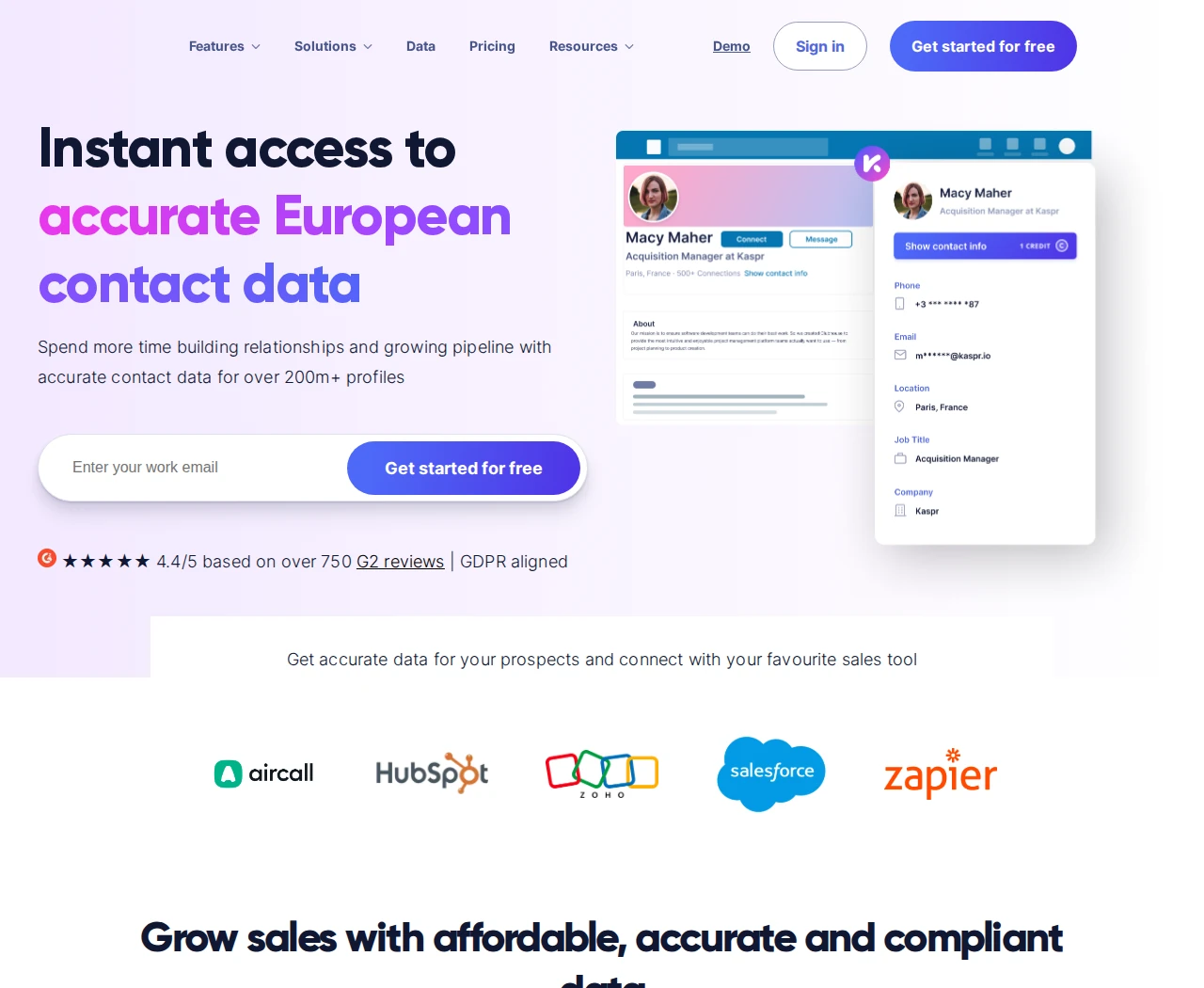
The distinction between allowances matters. B2B email credits cover work emails; direct-email credits cover personal emails, while phone reveals and exports have their own limits. A large email allowance does not give a call-first team the same number of phone numbers.
Price: Free includes 15 B2B email, five phone and five direct-email credits monthly, without a card. Starter is $65/user/month on monthly billing or $49/month equivalent billed annually. Business is $99 monthly or $79 annually. Paid B2B email access is subject to fair use.
Starter includes 100 phone and five direct-email credits per month; Business includes 200 of each. Annual plans allocate a year's credits. Sales Navigator support starts on Starter, while Recruiter Lite starts on Business. Current cards advertise up to 12,000 Starter exports/year and 30,000 on Business; keep reveal and export limits separate.
Product Hunt lists 1.0/5 from two older reviews. Capterra reviewers also report contact-yield, freshness and phone-context concerns. Check a sample in your target countries before relying on the returned details.
Best suited for
Kaspr suits reps moving from LinkedIn profile research into calling or email outreach. Match the contact type, export allowance and required integration to your actual daily list.
4. ContactOut, best for contact search that continues into email campaigns
ContactOut combines a searchable contact database, a LinkedIn lookup extension and email campaigns. Search Portal offers 20+ attributes, including job title, seniority, location, company size and technologies. You can find suitable people, save a list and move selected contacts into email outreach without rebuilding it elsewhere.
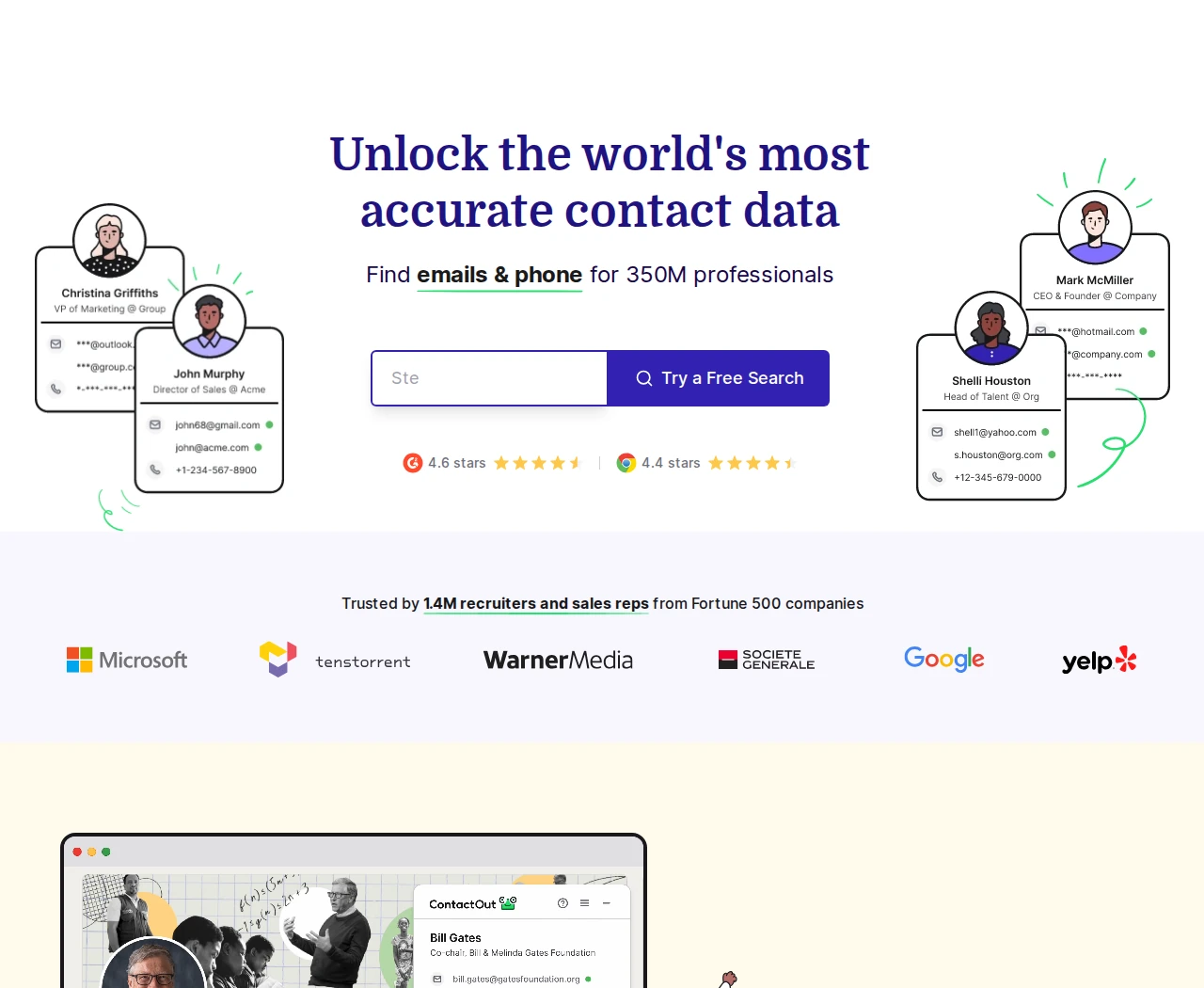
The extension reveals work or personal emails and phone numbers on LinkedIn profiles and company websites. Bulk reveal, CSV export and CRM handoff support a separate outbound system. ContactOut also documents automated, multi-stage email campaigns with personalized fields and campaign analytics; that is email sending, not evidence of a LinkedIn DM sequence.
Price: including US/UK data, Email costs $49/month and Email + Phone $99/month. Annual totals are $468 and $948 respectively. Lower regional offers exclude US/UK data, so compare the geography as well as the displayed price.
Free lists five emails, five phones and five exports per day. Email includes 300 monthly exports; Email + Phone includes 600. Paid unlimited plans have fair-use caps of 2,000 email credits and 1,000 phone credits per account/month, separate from exports. Self-serve plans specify one user per company; Team/API needs a quote.
Trustpilot rates ContactOut 1.2/5 from 135 reviews, including complaints from people whose contact data appears there. G2 users also report credit limits, outdated numbers and extension reliability issues.
Best suited for
ContactOut suits a rep combining contact research with email follow-up. Check geography, usable exports and the team contract before rolling it out to several sellers.
5. Waalaxy, best for ready-made LinkedIn follow-up sequences
Waalaxy turns a LinkedIn-source prospect list into a sending campaign. Import people from LinkedIn Basic, Sales Navigator or Recruiter Lite, or use supported CSV, event, group and post-reaction sources. Choose a sequence, add prospects and write the messages that will follow the invitation.
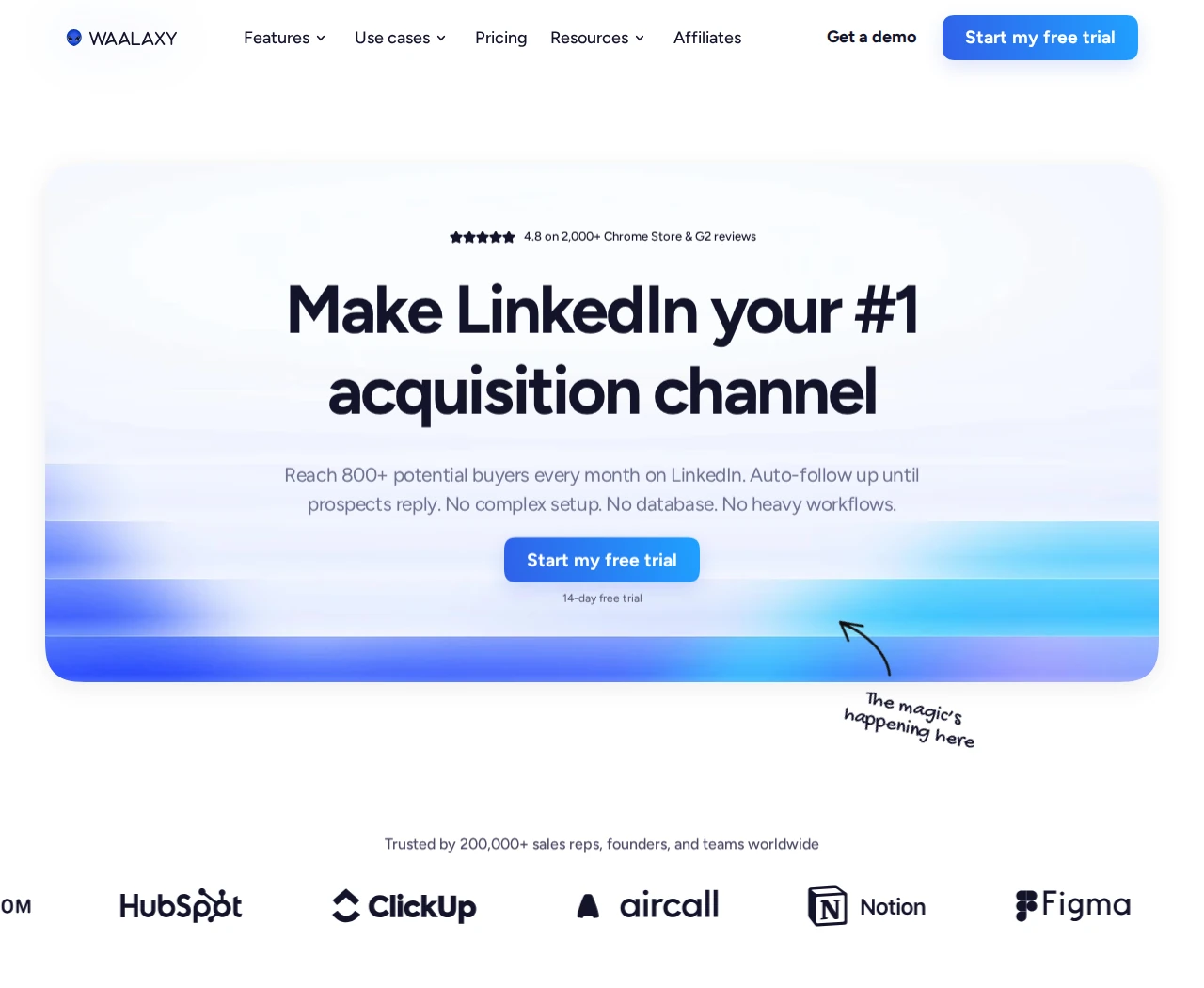
The current product runs campaigns in the cloud. Its former Chrome extension has been removed; an optional import helper is separate. Invitations and follow-ups can run in the background, with acceptance and reply analytics helping you review the campaign.
Price: in the live GBP monthly view, Pro is £34/user/month, Advanced £69 and Business £104. Annual upfront billing displays £17, £35 and £52 monthly equivalents. Pro advertises 300 invitations/month, while Advanced and Business advertise 800, within account quotas shared across campaigns.
Business adds cold-email and combined LinkedIn/email sequences. Email-finder credits on Pro or Advanced do not include email sending. Advanced adds API and automation modules; the LinkedIn Inbox is a paid add-on on every tier. Budget for that reply workflow rather than assuming the campaign subscription includes it.
The advertised trial lasts 14 days. Freemium cannot launch campaigns, and current documentation says Waalaxy does not send InMail. Product Hunt lists 4.3/5 from seven earlier reviews. Those reviewers raise preset-workflow flexibility; a recent G2 reviewer also asks for more flexible advanced filters.
Best suited for
Waalaxy suits sellers who want a template-led invitation and follow-up routine. Choose Business when email sequences are part of the job, and price the Inbox separately.
6. GetSales, best for prospecting sequences across several senders
GetSales combines sender management, a visual sequence builder, an outreach CRM and a team inbox. Import LinkedIn searches, Sales Navigator results or CSV, then organize prospects with lists, tags and custom fields. Documented imports support up to 1,000 leads per basic LinkedIn search and 2,500 per Sales Navigator search.
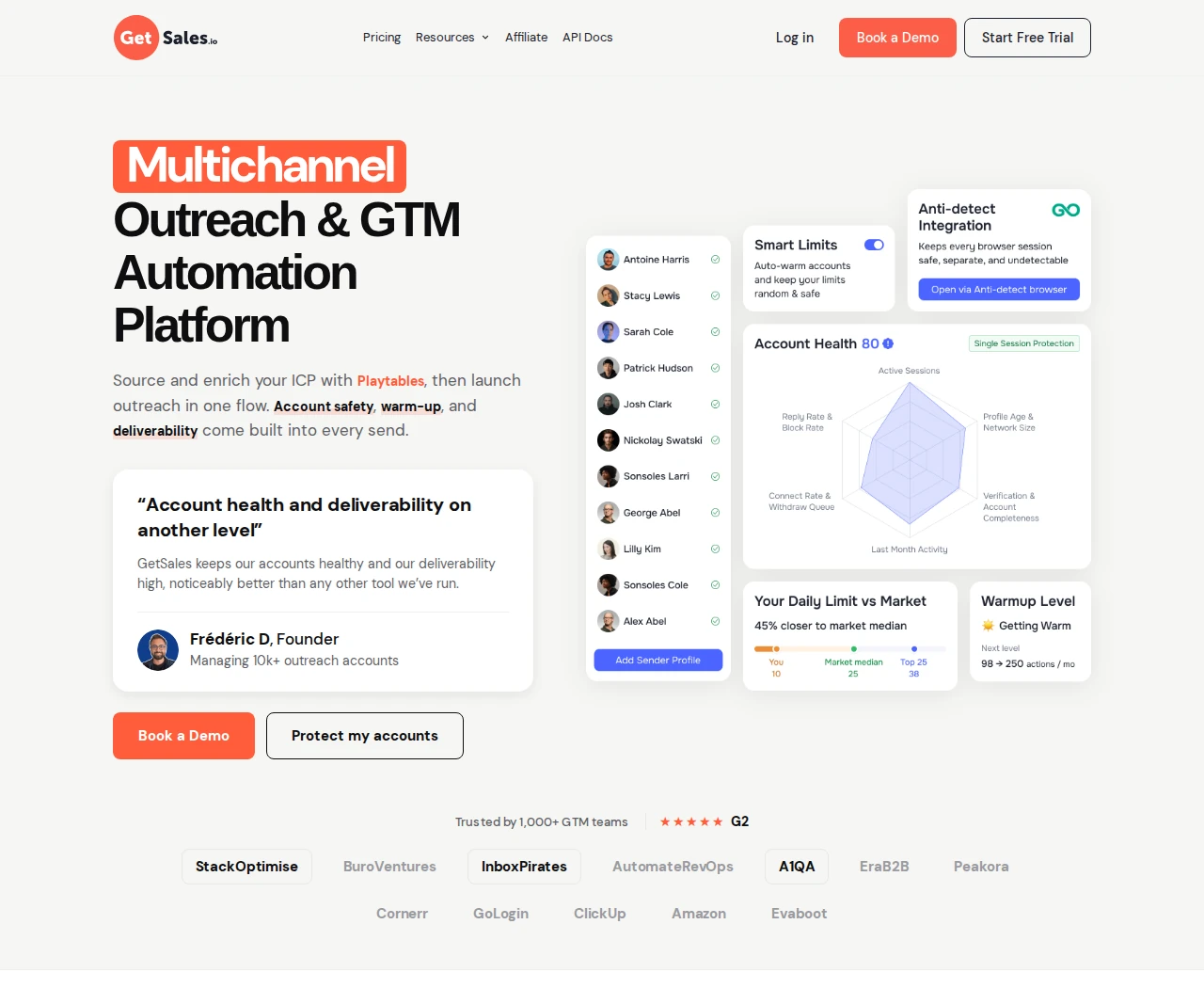
Sequences can include invitations, messages, InMail, email, delays and manual tasks. Sender rotation helps a team distribute work across profiles. Reply behavior depends on the node settings: default message conditions exclude people who replied, while an explicit override can continue sending. Check those settings before launching follow-ups.
Price: for one sender billed monthly, Send costs $69, Enrich $89 and Scale $119. At five senders, rates fall to $39/$49/$69 per sender. The advertised $39 rate therefore requires a $195/month five-sender purchase, not one account. Human teammates are not the paid sender unit.
Send includes the LinkedIn Team Unibox. Enrich adds the multichannel sequencer and combined LinkedIn/email inbox, with three email inboxes per sender; Scale includes 20. Enrichment and email-finder credits are separate allowances. API access connects the workflow to other tools.
The official signup advertises a seven-day trial. Trustpilot rates GetSales 4.5/5 from 14 reviews. G2 and Capterra reviewers mention setup complexity and checking imported lists.
Best suited for
GetSales suits teams coordinating prospecting and replies across several LinkedIn senders. Budget for Enrich when email sequences and a combined inbox are required.
7. Dux-Soup STACKED, best for choosing local or cloud LinkedIn campaigns
Dux-Soup's current product, STACKED, is a Windows and macOS application with local or cloud execution. The former Pro, Turbo and Cloud Chrome extensions are deprecated. Both current options use the desktop app; Cloud changes where the automation runs rather than removing that application from the setup.
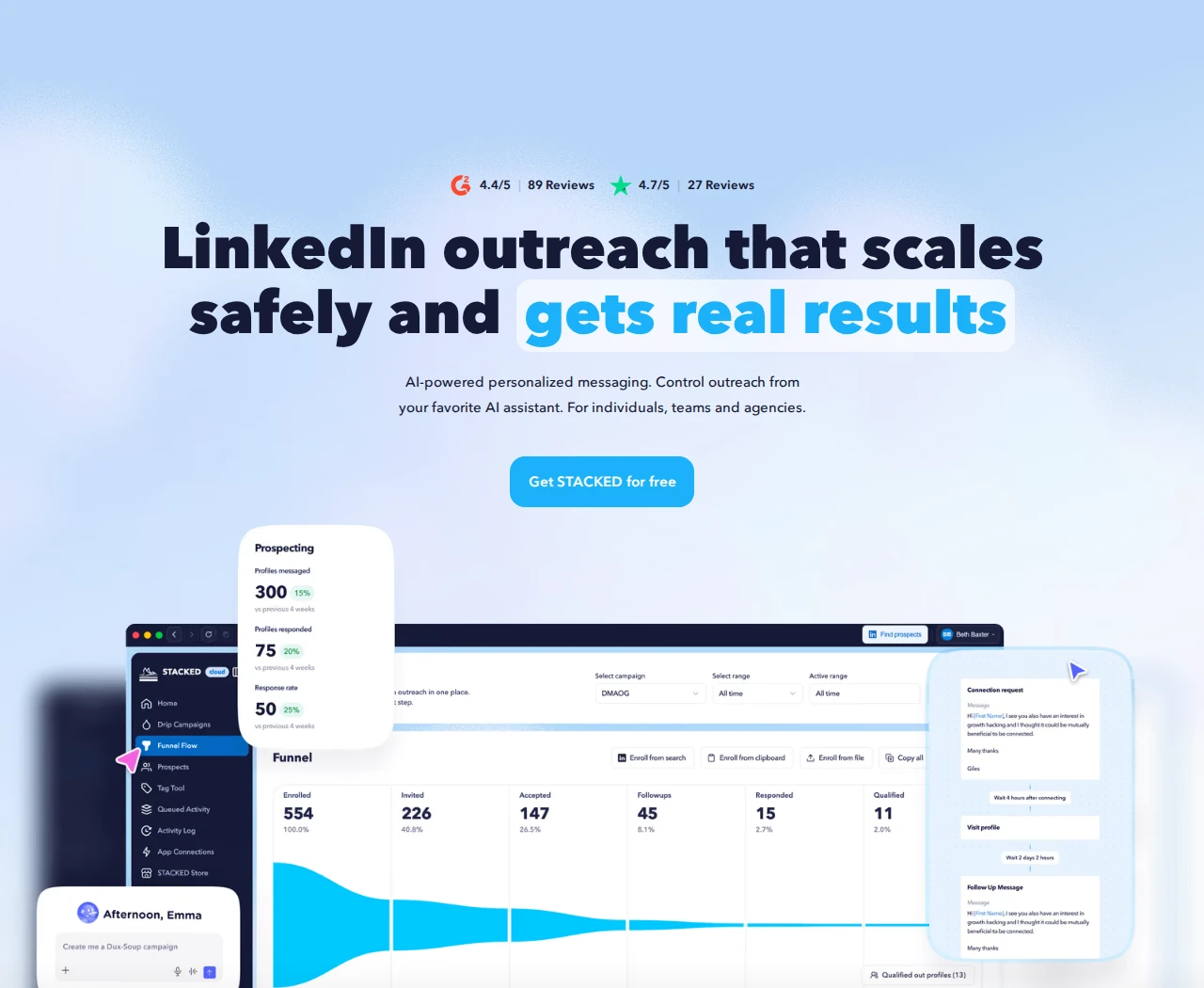
Bring in a LinkedIn search, Sales Navigator list, CSV or profile URLs, then build a campaign. Both plans allow unlimited concurrent campaigns and up to 12 steps per sequence. Actions include visits, follows, post likes, invitations, messages, InMail and endorsements. Reply detection pauses the prospect's sequence, while a response inbox covers LinkedIn, Sales Navigator and Recruiter conversations.
Price: Local costs $55/seat/month on monthly billing; Cloud costs $99. Annual equivalents are $41.25 and $74.17 respectively. Local needs your computer on and awake during scheduled activity; Cloud execution continues independently of its power or connection. Shared team campaigns start at two seats.
The trial lasts 14 days without a card. Email lookups for second- and third-degree prospects use paid credits, charged on a successful find. OpenAI personalization requires a separately funded API account, so the seat fee is not the entire potential usage cost.
Capterra lists 4.0/5 from 16 legacy Dux-Soup reviews that predate STACKED. A recent G2 reviewer asks for better team visualization; current Local's runtime requirement is a separate buying condition.
Best suited for
STACKED suits sellers running LinkedIn sequences from an imported prospect list. Choose the execution option around who maintains the computer and the cost of cloud operation.
8. Closely, best for cloud campaigns sold in account bundles
Closely runs LinkedIn and email prospecting campaigns in the cloud. Import a selected list from LinkedIn, Sales Navigator, Recruiter or CSV, then arrange profile views, invitations, messages and email steps. The homepage documents automatic campaign pauses when prospects reply, helping keep scheduled follow-ups separate from an active conversation.
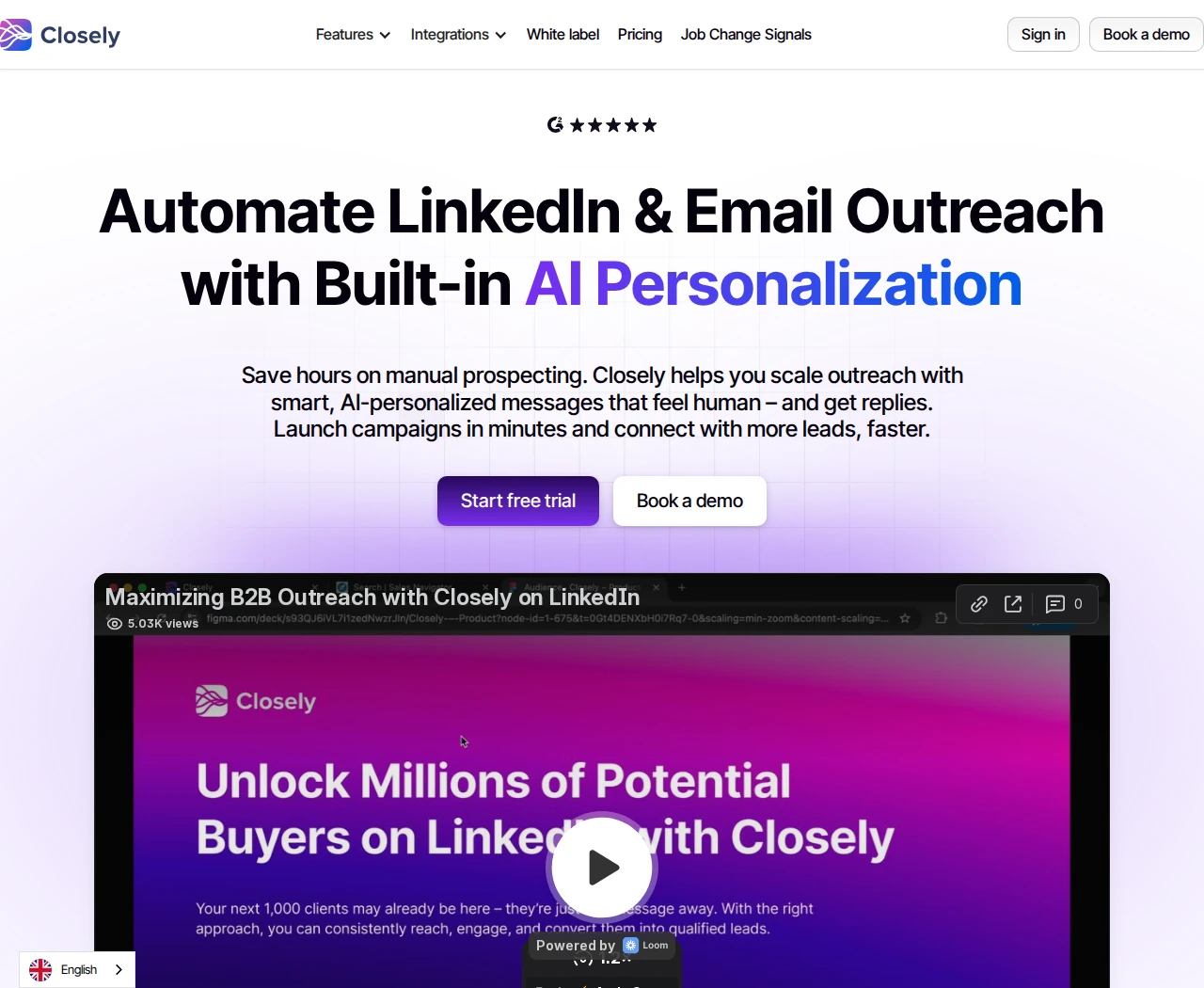
Smart Inbox is included across the priced tiers, with tags, notes and campaign filters for handling conversations across accounts. It is not real-time chat: official help says new LinkedIn messages can take a few hours to appear and do not appear during non-working hours. Decide whether that delay fits the person responsible for replies.
Price: Starter costs $65/month for one LinkedIn account. Growth is $159 for three accounts and Essential $259 for five, on monthly billing. Annual equivalents are $39/$95/$155 per month. Compare the bundle total rather than treating each displayed number as a per-account rate.
Starter excludes contact enrichment and AI agents. Growth adds 3,000 monthly credits; its pricing card equates these to 750 emails, 150 phones or 1,500 AI personalizations. These are alternative uses of one allowance, not three included pools. Essential includes 5,000 credits. The product advertises a free trial.
G2 rates Closely 4.6/5 from 196 reviews. Reviewers report campaign-editing and billing friction, while the documented inbox delay and Growth enrichment gate are direct plan conditions.
Best suited for
Closely suits teams buying cloud sequences for a defined set of LinkedIn accounts. Check reply-sync timing and the whole bundle cost when enrichment is part of the workflow.
Side-by-side comparison
Compare the list source, contact access, next action, reply workflow and actual plan cost. Monthly prices below use the stated currency; annual commitments are labelled in the reviews. An allowance for discovery, contact reveal or exports measures a different job from active tracking or sending.
| Tool | Discovery and contact access | Next action and replies | Monthly entry cost | Material capacity or gate |
|---|---|---|---|---|
| Extrovert | Lead Finder's separate B2B database, activity signals or existing lists | Post tracking, comments and separately reviewed DMs | $49/LinkedIn account | 250 tracked prospects, one topic, 300 discovery Credits; tracking and discovery separate |
| LinkedIn Sales Navigator | 50+ native search filters, saved leads and alerts | Native research and 50 InMail credits/month | US$119.99/license | Advanced Plus for advanced CRM integration |
| Kaspr | Profile reveal, list enrichment and contact export | CSV/CRM or dialer handoff | Free; Starter $65/user | Starter: 100 phone + five direct-email credits/month; exports separate |
| ContactOut | 20+ search attributes, profile and website reveals | Email campaigns; CRM/CSV handoff | Free; Email $49 | US/UK included at quoted price; 300 Email exports/month; single-user self-serve |
| Waalaxy | LinkedIn-source and CSV imports | Cloud invitation/follow-up sequences; paid LinkedIn Inbox | £34/user | Pro: 300 invitations/month; email sequences require £104 Business |
| GetSales | LinkedIn/Sales Navigator/CSV imports | Multi-sender sequences and team inbox | $69/sender | Combined email/LinkedIn inbox and email sequences start at $89 Enrich |
| Dux-Soup STACKED | Searches, files and profile URLs | Up to 12-step sequences; pause-on-reply and response inbox | $55/seat Local | Awake computer for Local; Cloud $99/seat |
| Closely | LinkedIn-source or CSV imports; Growth enrichment | Cloud LinkedIn/email sequences; delayed-sync inbox | $65/one LinkedIn account | Enrichment starts at $159 Growth with three accounts and 3,000 monthly credits |
Which LinkedIn prospecting tool fits your use case
Choose the product around the work your team needs to complete. Where a tool hands the list to another system, assign ownership of the next action and replies.
| Your situation | Tool to assess | Workflow check | Buying condition |
|---|---|---|---|
| You need a selected buyer list and relevant daily interactions | Extrovert | Draft style and review choices | Discovery Credits and active tracking slots are separate |
| You need detailed search within LinkedIn's own network | LinkedIn Sales Navigator | Exact buyer criteria and InMail budget | Match the collaboration and CRM tier |
| You research profiles and need phone numbers or emails | Kaspr | Coverage in your countries | Contact type and usable exports have separate limits |
| You want contact research followed by email campaigns | ContactOut | Search fit and email workflow | US/UK coverage, export caps, fair use and team terms |
| You want ready-made invitation and follow-up sequences | Waalaxy | Template fit and reply handling | Email tier and paid Inbox |
| Several senders need sequences and shared reply handling | GetSales | Reply conditions and sender assignment | Sender count and Enrich channel gates |
| You want to choose where LinkedIn automation executes | Dux-Soup STACKED | Local machine upkeep | Cloud has a higher seat fee |
| You want LinkedIn/email campaigns in a set account bundle | Closely | Delayed inbox sync | Bundle count and Growth enrichment gate |
Use the same defined buyer list during evaluation. For contact data, check current employer and reachable details; for engagement, check whether posts give you a useful reason to talk and how much editing drafts need. Before rollout, test a small CRM handoff and decide who handles replies for every sender. Coordinate activity with any existing sending tools rather than layering a second unattended campaign onto the same account.
For enterprise contact databases, enrichment workflows and broader account intelligence, see the B2B prospecting tools guide. Teams sharing client accounts can also review the agency workflow.
What results look like with Extrovert
A useful prospecting routine connects a chosen buyer list to repeated, relevant contact. These customer case studies show how that work fits into a wider sales process.
Allbound OS founder S. Can Timağur reports connection acceptance rising from 15% to 32% in his comment-first workflow. He uses Extrovert for engagement, nurture and drafts, with GetSales handling connection steps, sequences and follow-ups. His routine includes one or two comments spaced one or two weeks apart, followed by a connection request within 24 hours of a comment. He also reports daily DM reply work falling from 45 minutes to 10 minutes.
Blynked's Bojan Djakonovic Berisavljevic reports moving from five to 50 daily comments in a 15–20-minute routine. In one client comparison, cold prospects had 24% connection acceptance and a 4% reply rate; prospects familiar with the client after two weeks of comments had 61% acceptance and a 38% reply rate. Clay supplied targeted lists, Extrovert supported commenting and Aimfox handled connection requests. These are customer-reported results from that combined process.
Unstuck founder Sabahudin Murtić describes a December 2025 comment-to-DM example with eight replies and two booked calls from 12 messages. Extrovert supported contextual openers; his broader process also used HeyReach and Claude Code for parts of outreach and follow-up. The result belongs to that particular example, with messages approved and sent by a person.
FAQ
What is the best LinkedIn prospecting tool for an SDR?
Extrovert is our first pick for finding suitable buyers and turning a selected list into relevant daily engagement. Compare discovery, contact details and sequence handling separately so the subscription solves the step you need.
How do I choose between search, contact-data and sequence tools?
Start with the missing step: finding buyers, getting their contact details or managing repeated outreach. Then check the required plan, allowances and who handles replies before combining products.
What does a prospecting credit pay for?
The unit depends on the product: it can measure a processed record, a phone reveal, an email or an export. Extrovert Lead Finder uses one Credit per processed record, including duplicates, invalid and over-limit records; active tracking capacity is a separate allowance.
How can I use an existing prospect list in Extrovert?
Import profiles through a CSV, profile URLs or a Sales Navigator list, then add suitable people to a campaign. You can follow their posts and prepare relevant comments or DMs without paying to discover the same people again.
How does Extrovert control LinkedIn activity?
Extrovert keeps activity within your daily limits and follows your working hours. It spaces out actions, and anything over the limit waits for the next day. You choose what to review and what to automate.
What should I measure during a trial?
Check role and employer accuracy, usable contact details and whether the activity gives you a relevant reason to engage. Record qualified conversations and next steps separately from invitation acceptance or messages sent.
Why is Trigify no longer included?
Trigify's retirement notice set the standard end of platform access and monitoring at 11:59pm BST on October 22, 2026, with some contract-specific exceptions. Existing customers should follow their account notice and replace dependent monitoring or integrations.
Try Extrovert with a focused buyer list
Start with the people your team wants to reach. Import a useful list or use Lead Finder to narrow the search. Add suitable people to a campaign. Use their activity to choose a relevant next interaction. Review the drafts and decide which comment campaigns to automate. The 10-day trial needs no credit card.