Cold outreach reply rates have been falling for years. The average B2B sequence now needs 18 touches to book one meeting, up from five or six just a few years ago, and most of those touches go straight to the archive. The teams pulling ahead are building familiarity before they ever pitch by commenting, showing up in the feed, and reaching out to people who already recognize the name. The right prospecting stack makes that scalable. The wrong one buries reps in stale data and automation that gets their accounts flagged.
This guide covers what B2B prospecting is and the 11 tools doing it best in 2026. We've grouped them by job: LinkedIn prospecting, data and enrichment, intent data, and outreach. For each tool you'll find what it does, who it's for, current pricing, and one honest limitation.
Best B2B prospecting tools: a brief overview
LinkedIn Prospecting
If you want prospects to already recognize your name before you reach out, Extrovert is the best LinkedIn prospecting pick because it builds that familiarity for you, not just a list to cold-message. Here's how it stacks up against the other LinkedIn-native tools.
- Extrovert: Best for warm engagement-led prospecting. Track prospects and topics on LinkedIn, then send AI-suggested comments and DMs from your own playbook in about 15 minutes a day. The only tool here built around getting known before you pitch.
- LinkedIn Sales Navigator: Best for building and filtering large prospect lists: trades Extrovert's warm, engagement-led approach for LinkedIn's raw search and filter data, with no engagement layer of its own.
- Taplio: Best for founders publishing content regularly: trades Extrovert's prospect-tracking workflow for a warm list built from your own post engagers, which only works if you're already posting.
- HeyReach: Best for agencies running LinkedIn outreach across multiple client accounts: trades Extrovert's human-reviewed, single-account safety for rotating multi-account send volume.
Data and Enrichment
- Apollo.io: Best all-in-one for teams that want data, sequencing, and a basic CRM in one platform without a five-figure contract.
- Clay: Best for ops and growth teams who want to build dynamic enrichment workflows. Waterfalls across 75+ providers; you pay only for records that hit.
- ZoomInfo: Best for enterprise teams who need the deepest contact database and are willing to pay for it.
Intent Data
- Bombora: Best for identifying accounts showing topic-level buying intent before they raise their hand. The original intent-data provider.
- G2 Buyer Intent: Best for catching in-market buyers who are actively researching your category on G2 right now.
Outreach
- Lemlist: Best for multichannel cold outreach combining email, LinkedIn steps, and calls in one sequence.
- Instantly: Best for high-volume cold email at low cost per mailbox. Favored by agencies and outbound-heavy teams.
| Tool | Strength | Pricing | Platforms |
|---|---|---|---|
| Extrovert | AI-suggested comments and DMs from your playbook; warm-first approach | From $49/month; free trial | Web, Chrome extension |
| LinkedIn Sales Navigator | Native LinkedIn data, advanced filters, CRM sync | From $90/month/seat (annual) | Web, mobile |
| Taplio | Personal-brand content scheduling + prospecting from your engagers | From $39/month | Web |
| HeyReach | Multi-account LinkedIn outreach with rotating senders | From $79/month per sender | Web |
| Apollo.io | 275M+ contact database + built-in sequencing | Free tier; from $49/month | Web, Chrome extension, API |
| Clay | Waterfall enrichment across 75+ data providers | From $167/month | Web, API |
| ZoomInfo | Deepest enterprise contact database + intent layer | Custom pricing | Web, API, CRM integrations |
| Bombora | B2B topic-level intent data from publisher network | Custom pricing | API, CRM integrations |
| G2 Buyer Intent | In-market buyers researching your category on G2 | Included with G2 listing plans | Web, CRM integrations |
| Lemlist | Multichannel sequences: email + LinkedIn + calls | From $39/month | Web |
| Instantly | High-volume cold email with unlimited mailbox rotation | From $37/month | Web |
LinkedIn prospecting tools
1. Extrovert, best for warm engagement-led prospecting
Most LinkedIn prospecting tools are built around volume: send more connection requests, run more sequences, hit more inboxes. Extrovert takes the opposite position. Instead of reaching out cold, you build familiarity first. You add prospects, customers, and competitors to a tracking list, and Extrovert's AI surfaces their posts and suggests on-brand comments and DMs based on your own playbook. By the time you send a direct message, the prospect already knows your name.
The workflow takes about 15 minutes a day. You review the AI-suggested comments, edit or approve them, and post directly from the app. Over 90 days, what Extrovert calls the 90-day loop, you accumulate enough touchpoints that outreach converts like warm referrals rather than cold sequences. No automation running unattended, no connection-request blasts: every action is human-reviewed before it goes out, which avoids the flagging risk that comes with unattended sending.
Key features:
- Prospect and topic tracking: follow specific people, accounts, and keywords across the LinkedIn feed
- AI comment and DM suggestions tuned to your voice and playbook
- Buying-signal and champion-change alerts so you reach out at the right moment
- Human-in-the-loop design: every action goes through you before it posts
- Built for SDRs doing LinkedIn for sales, AEs, founders, and agency teams
Best for:
- Sales reps who want meetings to feel warm, not cold
- Teams that have tried automation and gotten accounts restricted
- Founders and AEs doing relationship-led selling with 20-100 target accounts
Pricing:
- Free trial available
- Paid plans from $49/month
- Team and agency plans: see Extrovert pricing
Pros:
- Genuinely warm engagement means higher reply rates without burning LinkedIn standing
- Playbook-tuned AI: suggestions match your tone and ICP, not a generic template
- Champion and job-change tracking catches buying signals competitors miss
Cons:
- LinkedIn-only. Not a multichannel cold-email tool
- Built for steady daily reps. Not suited for one-off high-volume blasts
2. LinkedIn Sales Navigator, best for building and filtering prospect lists
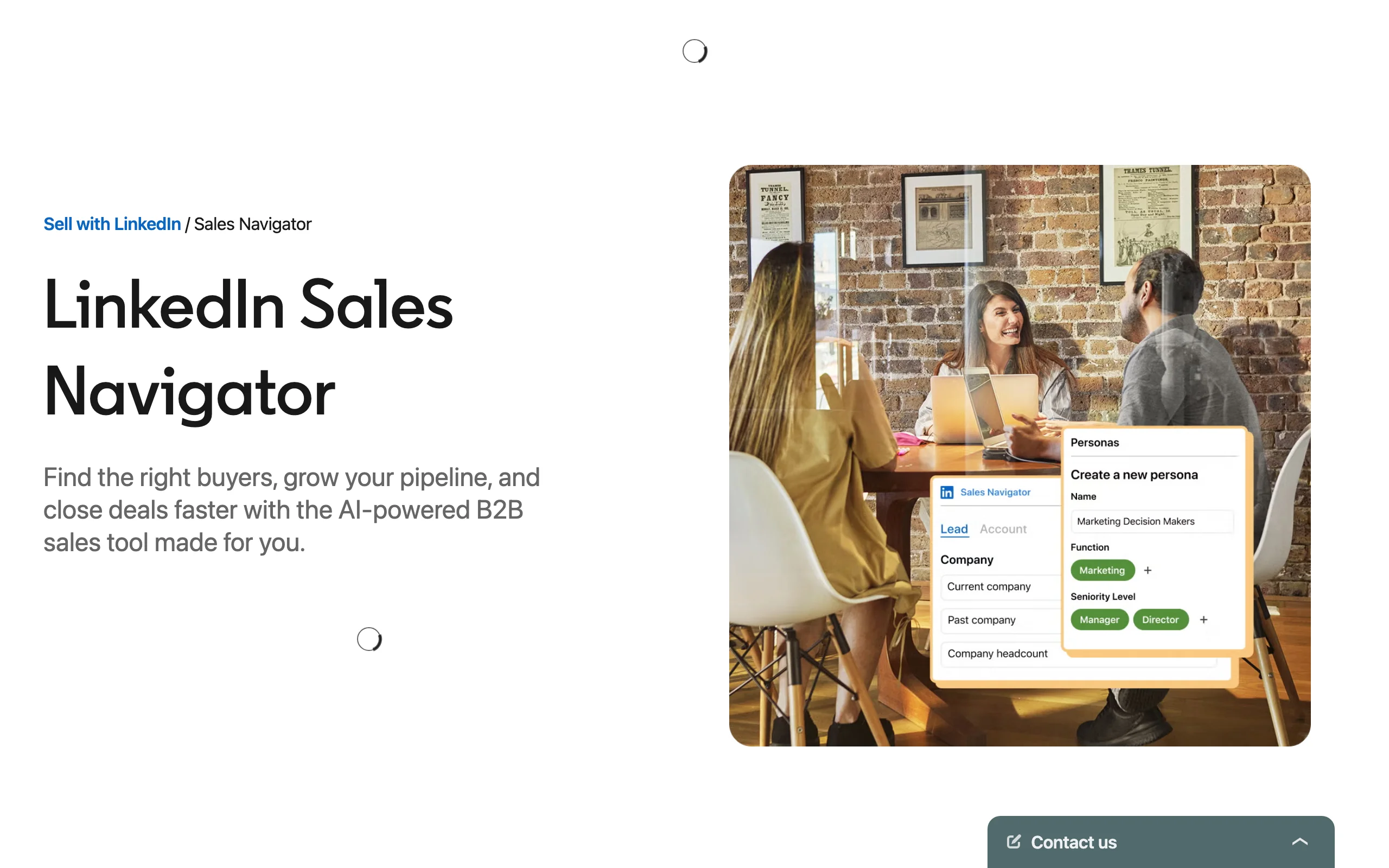
Sales Navigator trades Extrovert's warm, engagement-led workflow for the foundational layer most serious B2B prospecting stacks are built on: raw list-building. It gives you LinkedIn's full dataset, 1 billion+ profiles, filtered by title, company size, growth signals, seniority, geography, and dozens of other criteria. The account and lead lists update in real time as people change jobs or trigger alerts you've configured.
Where Navigator earns its keep is in the signal layer on top of the data. You can set alerts for job changes at target accounts, track when a saved lead posts content, and receive buyer-intent signals when prospects engage with LinkedIn content relevant to your category. CRM sync pushes that activity back to Salesforce, HubSpot, or your tool of choice. For warm outreach to work, you need to know what prospects are doing. Navigator surfaces that without requiring you to scroll the feed manually.
Key features:
- Advanced search: 40+ filters including job function, seniority, company headcount growth, and posted content keywords
- Account and lead alerts: job changes, company news, and content activity
- InMail credits (50/month on Core) for reaching people outside your network
- CRM sync to Salesforce, HubSpot, and Dynamics
- TeamLink to see warm paths through colleagues' networks
Best for:
- Any B2B sales team doing LinkedIn-based prospecting at volume
- SDRs and AEs who need accurate list-building that stays current
- Teams running account-based motions that need account-level signals
Pricing:
- Core: $99.99/month (monthly) or $79.99/month (billed annually)
- Advanced: $149.99/month (monthly)
- Advanced Plus (Salesforce CRM sync): custom pricing
Pros:
- First-party LinkedIn data is more accurate than scraped databases
- Real-time job-change alerts catch hiring moments before competitors do
- TeamLink reveals mutual connections for genuine warm intros
Cons:
- InMail reply rates have declined as the format became saturated
- Data quality is LinkedIn-native only; no email or phone enrichment
3. Taplio, best for personal-brand-led prospecting
Taplio trades Extrovert's prospect-and-topic tracking for a narrower bet: it is built for sellers and founders who prospect through their own content rather than tracking other people's. You schedule and optimize your LinkedIn posts, track which content performs, and pull a list of every person who engaged with your posts in the last 30 days. That engager list becomes a warm prospecting pool: people who already know your ideas before you reach out.
Reps using Taplio typically combine it with a separate outreach tool. Taplio handles the "get noticed" phase; another tool handles the follow-up sequence. It's a narrow use case, but if personal branding is your primary prospecting motion, it removes a lot of manual work.
Key features:
- AI-assisted post drafting and scheduling
- Engagement analytics: track which posts drive the most profile views and follows
- Engager export: pull a list of everyone who liked, commented on, or shared your recent posts
- Contact management for LinkedIn connections with tags and notes
- Carousel and document post creation
Best for:
- Founders and solo sellers whose primary pipeline comes from LinkedIn content
- Consultants and advisors building authority in a niche
- SDRs whose company invests in personal-brand enablement
Pricing:
- Starter: $39/month
- Standard: $65/month
- Pro: $199/month (team seats included)
Pros:
- Engager lists are the warmest prospecting pool you can build without a referral
- Content scheduling removes the daily "what do I post" friction
Cons:
- Prospecting features are limited if you don't publish content consistently
- No email or phone data; pairs with a separate enrichment tool
4. HeyReach, best for agency-scale multi-account LinkedIn outreach
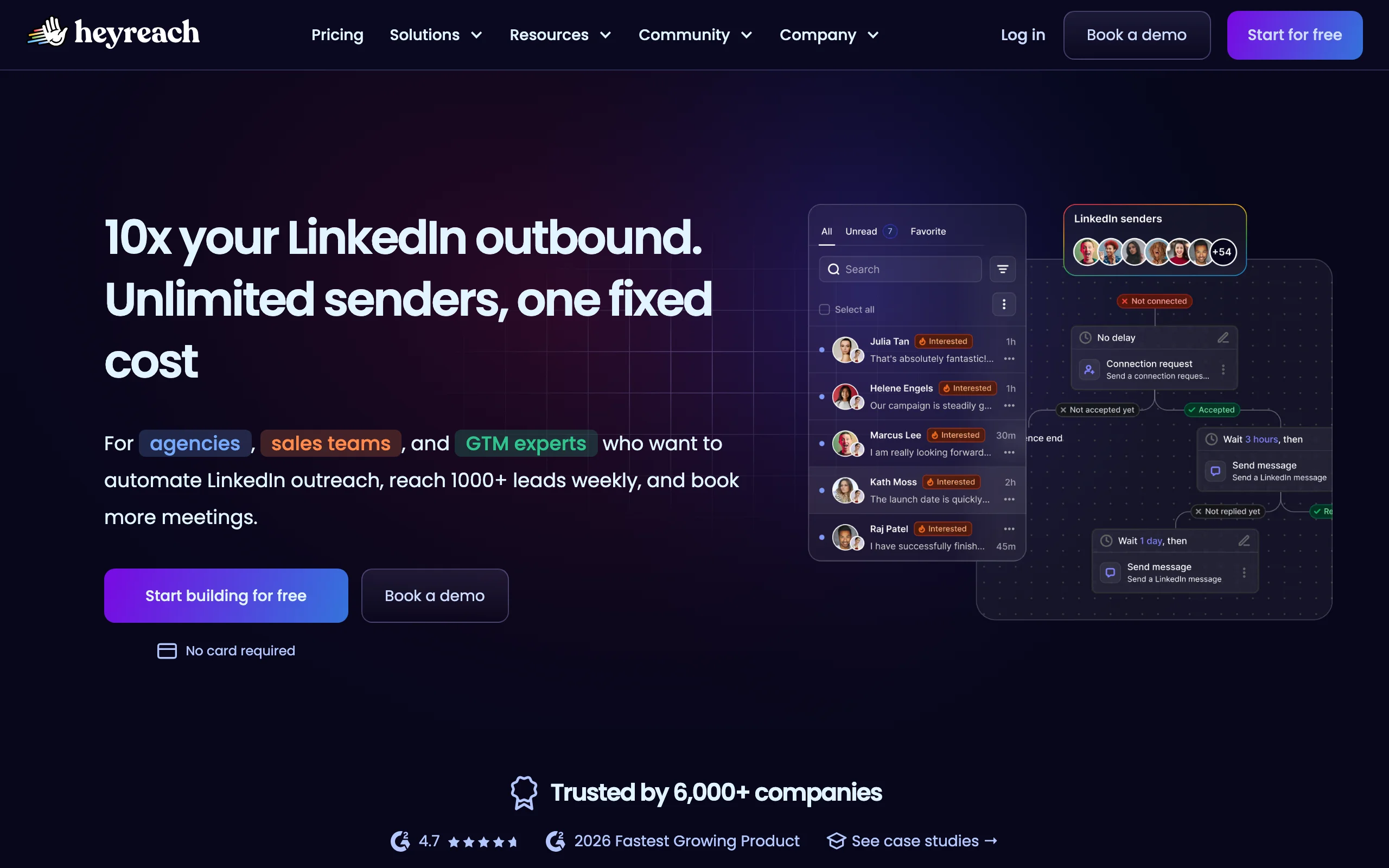
HeyReach trades Extrovert's human-reviewed, single-account approach for volume: it is built for teams running LinkedIn outreach across multiple sender accounts, agency teams managing client campaigns, BDR pods with dedicated outreach reps, or any setup where volume requires more than one LinkedIn seat. It rotates connection requests and messages across accounts automatically, keeping individual account activity within LinkedIn's acceptable-use thresholds.
The risk with any multi-account LinkedIn tool is detection. HeyReach mitigates this through cloud-based infrastructure (each account runs from a dedicated IP) and configurable daily limits. No multi-account tool is ban-proof, but this setup is meaningfully safer than browser-extension tools running from a shared IP. Use it for multichannel sequences that combine LinkedIn connection, message, email, and InMail steps.
Key features:
- Multi-account management: add unlimited LinkedIn accounts, rotate sending across them
- Dedicated residential proxies per account
- Multichannel sequences: LinkedIn + email in one flow
- Agency dashboard: manage multiple client workspaces from one login
- Native integrations with Clay, Smartlead, and major CRMs
Best for:
- LinkedIn lead generation agencies managing 5+ client accounts
- BDR teams where each rep runs a dedicated outreach account
- High-volume outbound programs that have outgrown single-account limits
Pricing:
- Growth: $79/month per sender
- Agency: $999/month (25 senders, whitelabel included)
- Unlimited: $2,999/month
Pros:
- Best-in-class for agency-scale LinkedIn volume
- Dedicated proxy infrastructure reduces ban risk versus browser-extension tools
- Clean reporting across accounts and clients
Cons:
- Still involves automated activity on LinkedIn; some account risk exists regardless
- Not suited for high-touch, relationship-led prospecting
Data and enrichment tools
5. Apollo.io, best all-in-one prospecting platform
Apollo is the starting point for most B2B prospecting conversations, and for good reason. A 275M+ contact database, built-in email sequencing, a dialer, and a basic CRM layer sit inside one platform at a price point small teams can afford. For teams that want one login covering data, outreach, and tracking, it's the most cost-efficient starting point.
Data accuracy is Apollo's known weakness. Independent tests put its verified email rate around 65-75%. That is workable for high-volume sequences, but not for high-value accounts where every bounce damages sender reputation. Teams running precision prospecting often use Apollo for list-building and route records through a verification step before sequencing.
Key features:
- 275M+ B2B contacts filterable by job title, industry, company size, technology stack, and intent signals
- Email sequencing with A/B testing and reply tracking
- Dialer and call recording
- Chrome extension for prospect enrichment on LinkedIn profiles and company websites
- Basic CRM with deal tracking
Best for:
- Early-stage teams that need data and outreach in one platform without a large budget
- SDRs building lists for cold email and call sequences
- Ops teams using Apollo as the enrichment layer before routing to a dedicated sequencer
Pricing:
- Free: 10 export credits/month
- Basic: $49/user/month
- Professional: $79/user/month
- Organization: $119/user/month (minimum 5 seats)
Pros:
- All-in-one reduces tool sprawl for small teams
- Generous free tier for initial testing
- Solid filters for ICP-matched list building
Cons:
- Email accuracy lags dedicated providers like Cognism or Cleanlist (65-75% vs 90%+)
- Sequencing is less configurable than dedicated tools like Lemlist or Outreach
6. Clay, best for enrichment workflows
Clay is where modern GTM teams take list-building from a spreadsheet into an automated enrichment engine. You connect a data source (a LinkedIn Sales Navigator export, a website visitor list, a CRM segment), define a waterfall of enrichment providers, and Clay works through each record until it hits verified data. You pay per credit, not per record attempted, which means the cost scales with success rather than input.
The ceiling on Clay is high. Advanced users build workflows that pull company funding data from Crunchbase, verify emails through multiple providers, score records against an ICP rubric, and push qualified leads into a sequencer, all without touching a spreadsheet. A redditor in r/sales described it accurately: "Clay is the prospecting workflow engine. Everything else feeds into it or comes out of it."
Key features:
- Waterfall enrichment across 75+ data providers (Apollo, Clearbit, Hunter, LinkedIn, and more)
- Pay-per-hit credit model: you only spend credits on records that return data
- AI personalization columns: generate custom opening lines or research summaries at scale
- Native connections to HeyReach, Smartlead, Outreach, and most sequencers
- Zapier and webhook support for custom workflow triggers
Best for:
- Growth and revenue ops teams building automated enrichment pipelines
- Agencies doing high-volume outbound that require personalization at scale
- Teams with a clear ICP who want to enrich inbound leads before routing
Pricing:
- Launch: $167/month (2,000 credits)
- Starter: $349/month (10,000 credits)
- Explorer: $800/month (50,000 credits)
- Custom enterprise available
Pros:
- Waterfall model dramatically improves email coverage versus any single provider
- Personalization columns eliminate hours of manual research per record
- Flexible enough to replace multiple point tools
Cons:
- Steep learning curve; most value requires technical setup
- Credits can evaporate faster than expected on large lists
7. ZoomInfo, best for enterprise-grade contact data
ZoomInfo is the largest commercial B2B contact database, with over 260 million professional profiles and coverage that goes deeper than Apollo or Sales Navigator on direct-dial phone numbers (roughly 60% accuracy vs Apollo's 45%). For enterprise teams running account-based programs where data completeness matters more than cost, it remains the benchmark.
The sticker price is a real barrier. ZoomInfo rarely publishes pricing, but annual contracts typically start in the five figures and scale up quickly with seat count and add-on modules. Reddit discussions in r/sales frequently flag ZoomInfo's contract practices as frustrating: auto-renewal clauses and aggressive sales processes come up often. Run a full legal review before signing.
Key features:
- 260M+ professional profiles with verified direct-dial phone numbers
- Company intent signals (ZoomInfo Intent) powered by a proprietary publisher network
- Org chart data for multi-threading large accounts
- Chorus conversation intelligence integration
- Deep CRM integrations with Salesforce, HubSpot, and Dynamics
Best for:
- Enterprise sales teams where data completeness justifies premium cost
- BDR programs combining phone outreach with email (direct-dial quality is the differentiator)
- ABM teams that need org chart depth to map buying committees
Pricing:
- Custom only; typical contracts start at $15,000-20,000/year
- No free tier
Pros:
- Best phone number accuracy in the market for North American contacts
- Intent data layer surfaces accounts showing real purchase signals
- Org chart data is unmatched for enterprise multi-threading
Cons:
- Contract terms and auto-renewal clauses have generated consistent complaints from users
- Cost is prohibitive for teams under 10 seats; Apollo provides sufficient accuracy at a fraction of the price
Intent data tools
8. Bombora, best for topic-level B2B intent data
Bombora aggregates content consumption signals from a co-op of 6,000+ B2B publisher sites. When a company's employees start reading heavily about "sales engagement platforms" or "GDPR compliance software," Bombora flags that account as surging on that topic, before they fill out a demo request or visit your website. Most enterprise GTM teams use Bombora signals to prioritize which accounts to work this week rather than treating all ICP accounts equally.
The data is account-level, not individual-level. You see that Acme Corp is surging on your topic, not who inside Acme is reading. Combine Bombora with a tool like LinkedIn Sales Navigator to identify the right contact at the surging account, or route the signal into Clay to trigger an enrichment and personalization workflow.
Key features:
- Topic surging: 10,000+ tracked B2B topics with weekly surge scores
- Company-level intent based on off-site content consumption
- Integration with Salesforce, HubSpot, Marketo, and most major GTM platforms
- Account prioritization scoring to rank ICP accounts by buying readiness
- Audience segments for programmatic advertising based on intent
Best for:
- Marketing and sales teams running account-based programs with 200+ ICP accounts
- Demand-gen teams who want to align paid media spend with accounts actively in-market
- Sales ops teams building priority tiers for BDR outreach queues
Pricing:
- Custom only; typically $30,000-60,000/year depending on seat count and topic volume
- Trial access available through some CRM partnerships
Pros:
- Off-site signal catches intent before the prospect is on your website
- Publisher co-op is the largest in the B2B space; coverage is broader than proprietary networks
- Integrates cleanly into most enterprise CRM and marketing automation stacks
Cons:
- Account-level only; you still need to identify the right buyer inside the account
- Expensive relative to the incremental lift for smaller teams with fewer than 50 ICP accounts
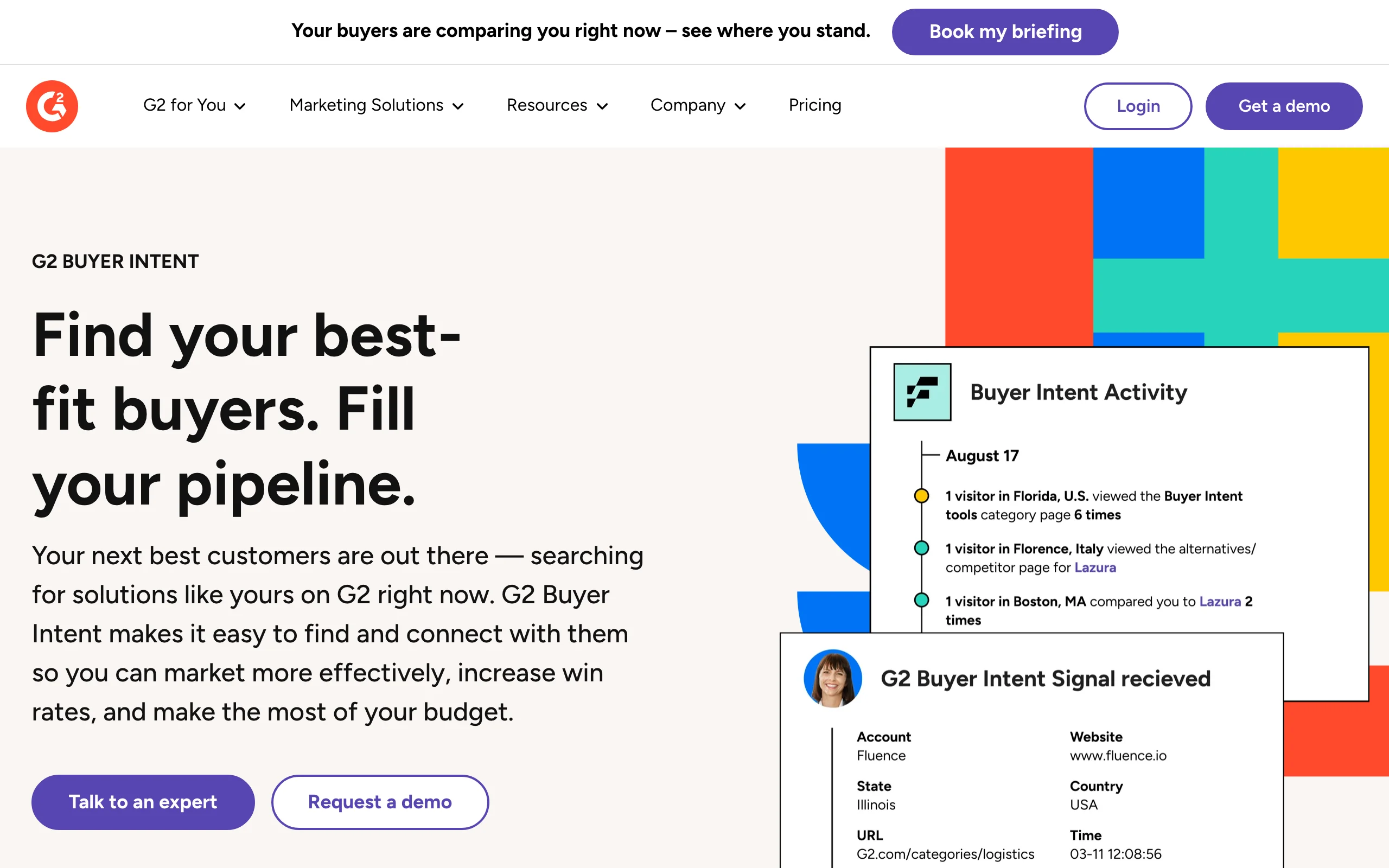
9. G2 Buyer Intent, best for catching in-market buyers on review sites
G2 Buyer Intent surfaces companies that are actively researching your category on G2 right now: viewing your profile, comparing competitors, reading reviews. This is downstream intent: the prospect is already in buying mode, actively comparing options rather than consuming educational content. For teams with a G2 presence, it's one of the highest-conversion intent signals available.
The limitation is coverage. G2 Buyer Intent only fires when the researching company is identifiable via IP reverse-lookup, which typically captures 10-20% of actual visitors. Still, the conversion rates on that fraction are high enough to justify building a dedicated outreach sequence around them. Pair it with LinkedIn Sales Navigator to find the right contact, then use warm outreach to approach rather than a generic cold template.
Key features:
- Real-time alerts when identified companies view your G2 profile or competitor profiles
- Category research signals: catch accounts browsing tools in your space
- Buyer intent filters: narrow by company size, industry, and location
- CRM push to Salesforce and HubSpot
- Competitor comparison tracking (who is researching alternatives to you)
Best for:
- B2B SaaS companies with an established G2 presence and multiple reviews
- Sales teams who want to add a high-intent signal layer on top of standard prospecting
- Marketing teams aligning paid retargeting to accounts currently researching
Pricing:
- Included with G2 Seller plans; Buyer Intent tiers start around $300/month
- Exact pricing tied to G2 listing tier
Pros:
- Downstream intent: the account is actively in buying mode, past the stage of researching a problem
- Competitive intel: see which of your prospects are looking at alternatives
- High conversion rate on the fraction of visitors identified
Cons:
- Only identifies 10-20% of actual visitors due to IP resolution limitations
- Requires an active G2 profile with sufficient review volume to be credible
Outreach tools
10. Lemlist, best for multichannel cold outreach
Lemlist started as an email personalization tool famous for its image personalization (putting a prospect's name or logo inside a screenshot) and grew into a full multichannel sequencer. Today it covers cold email, LinkedIn steps, and phone calls in one sequence builder, with strong deliverability features including warm-up built in.
The user base skews toward SMB and mid-market outbound teams who want one tool handling the full cold-touch workflow without stitching together Outreach or Salesloft integrations. The LinkedIn steps require the Lemlist Chrome extension and a connected LinkedIn account; they're not cloud-based, so the same account-risk caveats apply as to other browser-based LinkedIn tools.
Key features:
- Multichannel sequences: email, LinkedIn, and phone in one flow
- Dynamic image and video personalization in cold email
- Lemwarm: built-in email warm-up and deliverability monitoring
- AI sequence generator: draft full multichannel sequences from a prompt
- Native CRM integrations with HubSpot, Pipedrive, and Salesforce
Best for:
- SMB and mid-market sales teams running multichannel cold outreach
- SDRs who want LinkedIn steps inside a cold email sequence without managing two tools
- Founders and solopreneurs who need an affordable all-in-one outreach starting point
Pricing:
- Email Starter: $39/month (1 sender)
- Email Pro: $69/month
- Multichannel Expert: $99/month (LinkedIn + email + calls)
- Business: $159/month (team features)
Pros:
- Genuinely multichannel sequences in one builder without enterprise pricing
- Image and video personalization stands out in crowded inboxes
- Lemwarm deliverability tooling is effective for new domains
Cons:
- LinkedIn steps are browser-extension-based, not cloud-based (account risk not eliminated)
- Reporting and analytics are weaker than dedicated sequencers like Outreach or Salesloft
11. Instantly, best for high-volume cold email
Instantly is built for teams whose primary bottleneck is sending cold email at scale without burning domains. The core mechanic: unlimited email accounts per workspace, each on Instantly's warm-up network, rotating sends across all of them. Teams can run 50,000 emails a month across 20 warmed domains without the deliverability collapse that comes from sending volume on a single mailbox.
It's a narrow tool. There are no phone steps, limited LinkedIn integration, and the personalization features are basic compared to Lemlist. For agencies and outbound-heavy teams where the job is email volume and reply monitoring, it's the most cost-efficient option in the market.
Key features:
- Unlimited email accounts per workspace (no per-seat email account cost)
- Built-in warm-up network across all connected accounts
- Sequence builder with A/B testing and reply detection
- Unibox: unified inbox across all sender accounts
- Basic AI personalization and sequence generation
Best for:
- Outbound agencies managing cold email for multiple clients
- Founder-led teams running high-volume cold email on a tight budget
- Any team whose primary outreach channel is cold email at scale
Pricing:
- Growth: $37/month (up to 1,000 active leads/month)
- Hypergrowth: $97/month (up to 25,000 active leads/month)
- Light Speed: $358/month (500,000 active leads/month)
Pros:
- Unlimited mailboxes per workspace eliminates the main deliverability bottleneck
- Warm-up network is included, not a paid add-on
- Pricing is the most efficient in the market for pure cold email volume
Cons:
- Weak personalization versus Lemlist or Clay-enriched sequences
- No meaningful LinkedIn or phone workflow; email-only
How to choose the best B2B prospecting tool for your needs
Define your primary motion first
B2B prospecting breaks into two fundamentally different approaches: warm engagement (you build familiarity before pitching) and cold automation (you reach as many people as possible and filter for replies). They're not mutually exclusive, but your primary motion determines which tools you lead with.
If your team does relationship-led selling, meaning high-ACV accounts, long cycles, and buying committees, the warm motion wins. Use Extrovert to build presence on LinkedIn, Sales Navigator to map the buying committee, and Bombora or G2 Buyer Intent to time your outreach to signals. Save the cold-email infrastructure for lower-ACV volume plays.
If your team runs high-volume outbound, meaning 50+ touchpoints per rep per day, sub-$5K ACV, and short cycles, lead with Apollo or Clay for data, and Instantly or Lemlist for execution. Add Sales Navigator for LinkedIn prospecting. Consider the risk profile of browser-based LinkedIn tools: automated connection sends on a single LinkedIn account get restricted regularly, and recovering a flagged account costs more than the week's pipeline it generated.
Match the tool to your ICP and territory
Not every market needs enterprise data pricing. If your ICP is SMBs in North America with email-first outreach, Apollo's data accuracy (65-75% verified email) is sufficient and its cost is a fraction of ZoomInfo. If you're targeting enterprise accounts where a direct-dial phone number determines whether the BDR gets a conversation, ZoomInfo's 60% phone accuracy justifies the premium. If you're targeting accounts in EMEA where GDPR complicates bulk data use, Cognism's compliance-first approach is worth evaluating.
For LinkedIn-specific coverage, first-party LinkedIn data (Sales Navigator) is always more accurate than scraped or enriched databases. Use Navigator for list-building, then enrich with phone and email via Apollo or Clay before sequencing.
Think about account safety before you automate LinkedIn
A recurring thread in r/sales discussions about LinkedIn automation: teams run aggressive connection campaigns for a few weeks, see initial numbers, and then get the account restricted. Recovering a restricted account takes weeks and often requires legal documentation from LinkedIn. The pipeline generated rarely covers the downtime.
Before deploying any LinkedIn automation tool, whether HeyReach, Expandi, or Lemlist's LinkedIn steps, calculate the replacement cost of the LinkedIn seat at risk. For SDRs whose entire pipeline runs through LinkedIn, account safety is a business continuity issue, well beyond a compliance preference. Tools that run through cloud infrastructure with dedicated IPs (HeyReach) carry less risk than browser-extension tools running from a shared IP. Tools that keep a human reviewing every action before it posts (Extrovert) reduce that risk further still, since nothing sends unattended.
Build the stack in layers, not all at once
The teams burning $5K+ per month on prospecting tools often have significant overlap. An Apollo subscription that includes sequencing alongside a separate Outreach contract. Sales Navigator plus a scraper that pulls the same data. Clay enriching contacts that Apollo already verified.
Start with one data source and one outreach tool. Add an intent layer (Bombora or G2) once your sequence infrastructure is working. Add LinkedIn prospecting as a parallel warm motion. Free LinkedIn tools are a useful starting point for teams testing LinkedIn outreach copy before investing in a full tool.
For reps focused on networking on LinkedIn, the minimum viable stack in 2026 is Sales Navigator (list-building), Extrovert (warm engagement), and Apollo or Instantly (cold email). That covers 90% of the prospecting surface without unnecessary overlap.
FAQ
What is the best B2B prospecting tool for LinkedIn?
LinkedIn Sales Navigator is the baseline: it gives you first-party LinkedIn data with advanced filters, job-change alerts, and CRM sync. For teams building warm engagement before pitching, Extrovert adds a layer Sales Navigator doesn't cover: tracking prospect content and suggesting on-brand comments and DMs so you're a familiar name before you reach out. Use both: Navigator for list-building and signal alerts, Extrovert for the warm-engagement workflow.
How is prospecting different from lead generation?
The distinction matters, but the short version: prospecting is the active work of identifying and reaching out to specific individuals who match your ICP. Lead generation is the broader effort of attracting people to raise their hand through content, ads, SEO, or events. Prospecting is outbound and targeted; lead generation is inbound and scalable. Most B2B teams need both, but they require different tools and different skills.
Can I prospect on LinkedIn without automation tools?
Yes, and for teams with fewer than 30 target accounts, manual prospecting on LinkedIn is often more effective than automated outreach. Genuine comments and personalized messages get higher reply rates than anything a sequence tool sends. The case for tools becomes compelling when you're managing 100+ accounts, need alerts for job changes and post activity, or want AI help drafting comments and messages that match your tone without starting from scratch every day. See the best social selling tools for a workflow that works without automation risk.
What does a good B2B prospecting stack cost?
A minimal but effective stack costs $150-350/month: LinkedIn Sales Navigator Core ($80-100/month on annual), one outreach tool like Lemlist or Instantly ($39-99/month), and an engagement layer like Extrovert ($49/month). Scaling up to Apollo for data, Bombora for intent, and Clay for enrichment workflows typically lands in the $800-2,000/month range before enterprise contracts. Intent data (Bombora, ZoomInfo Intent) adds another $2,500-5,000/month for enterprise teams.
What's the difference between b2b prospecting software and a CRM?
A CRM (Salesforce, HubSpot, Pipedrive) stores and tracks your existing contacts, deals, and activities. B2B prospecting software helps you find new contacts, enrich them with accurate data, surface buying signals, and reach out before those people exist in your CRM. The workflow is: prospecting tool finds and qualifies the contact, outreach tool sends the sequence, CRM records the result and tracks the deal. Most prospecting tools integrate directly with major CRMs to push qualified leads automatically.