Quick compare
Prices checked
Best forTurning prospect posts into conversations
- Feeds for chosen prospects and topics
- Comment drafts and separate DM suggestions
- Extra tracking costs more
- Not a keyword search across all LinkedIn posts
Starting price$49/LinkedIn seat/month10 days trial, no card
Start Free TrialRating not listed
Best forFinding authors and people who engage with posts
- Added details on authors and people who engage
- No personal LinkedIn login needed
- Daily collection
- Credits count records, not unique people
Starting price$99/month7 days trial, no card
Read Review4.6/5AppSumo · 36 reviews
Earlier lifetime-deal cohort
Best forFinding public mentions and sending alerts
- Hourly LinkedIn checks on Pro
- Send alerts to Slack, email, API or MCP
- Only finds posts it can access
- Paid extra mentions enabled by default
Starting price$199/month; $159/month billed annually7 days trial, no card
Read Review4.5/5Chrome Web Store · 20 ratings
Chrome extension
Best forKeyword, people and company watchlists
- Keyword, people and company watchlists
- Editable replies or opt-in engagement rules
- Chrome must run with LinkedIn logged in
- Growth checks every 24 hours
Starting priceFree; Growth $99/month7 days trial; card, then auto-renewal
Read ReviewBest forFinding posts about buying situations
- Finds posts about buying situations
- Shows the original post and interest score
- Session cookie for native LinkedIn search
- Trial excludes reply and integration tools
Starting price$49/month7 days trial, no card
Read ReviewBest forLead and company alerts inside LinkedIn
- Native lead and account alerts
- 10,000 saved leads on Core
- Not a search for untagged keywords
- Team and CRM features need higher plans
Starting priceUS$119.99/license/month1 month trial if eligible; card, renewal
Read Review6.9/10TrustRadius · 15 ratings
Reviews and ratings
Best forHelping teams follow customers who change jobs
- Job moves sent to the assigned CRM owner
- Updates can create tasks or start sequences
- Annual commitment for sales teams
- Job-move checks run weekly or monthly
Starting price$40,000/year + $3,000 implementation
Read ReviewBest forBuilding custom monitoring and data steps
- Choose sources and add data to results
- Send relevant results to other tools
- Set up usage limits and schedules
- Recurring monitoring needs a paid plan
Starting priceFree; Launch $185/month14 days trial; 1,000 Data Credits
Read Review7.6/10TrustRadius · 10 ratings
Reviews and ratings
Best forCombining company-page activity with buyer data
- Combine page activity with CRM records
- Match people across data sources
- LinkedIn connection covers company pages only
- Job-change detection can take months
Starting price$2,500/month billed annually
Read ReviewIncludes data-subject/privacy complaints
Best forTracking job changes alongside contact details
- Track job moves alongside contact data
- Scheduled Salesforce Data Hub jobs
- Tracked-contact count not publicly priced
- Credits do not state a tracking allowance
Starting priceFree; Pro credits from $20/month
Read ReviewRating not listed
Best forTracking company changes for recruitment teams
- Recruitment and account-event monitors
- Email, API, MCP and webhook delivery
- Profile URLs track the employer, not posts
- Webhook delivery uses credits
Starting price€99/month; 3 seats7 days trial, no card; 500 credits
Read Review4.1/5AppSumo · 16 reviews
Earlier lifetime deal; not current LinkedIn plan
Best forReporting on company pages and competitors
- Company-page and competitor reporting
- Exports and performance email alerts
- Does not monitor personal profiles
- Your page and competitor data differ
Starting price$99/month or $990/year14 days trial, no card
Read Review











On this page
Extrovert is our first pick for tracking prospects and topics, then starting conversations from their posts. It brings posts into one feed, drafts comments and suggests timely DMs. Other LinkedIn monitoring tools do different jobs: find public mentions, track job changes or compare company pages. Start with the update you need to see. Then compare what each tool helps you do next.
Key takeaways
- Extrovert helps you follow prospects and topics, comment on posts and follow up. Its $49 monthly LinkedIn seat includes 250 tracked people, one topic and 300 discovery Credits.
- Following a person and searching for keywords serve different needs. Jungler.ai finds authors and people who engage with posts, Octolens sends mention alerts, and OutX tracks keywords, people and companies.
- A job-change alert can help you reconnect with a former customer at a new company. Sales Navigator, UserGems and LeadIQ offer different ways to track these moves and share them with your team.
- Compare how often each tool checks for updates, what it can see and how much it tracks. A daily search, an hourly public-post check and a company-page report give you different information.
- Test what happens after an alert arrives. Read the original post, choose who should respond and decide whether to comment, send a DM, update your CRM or take no action.
What LinkedIn monitoring actually is (and what it is not)
LinkedIn monitoring means checking a chosen source for updates you care about, then showing you what changed. You might follow a list of prospects, search for keywords, track a customer's job or watch your company page. The result could be a post to comment on, a new employer to research or a report for your marketing team.
For sales, start by deciding whether you want to follow people you know or find new people. A prospect feed shows posts from people you choose. Keyword searches find public posts that mention your brand, a competitor or a problem you help solve. These searches can help you find people, but a matching phrase doesn't tell you whether they need your product or plan to buy.
Be clear about what you mean by competitor monitoring, too. You might want posts that mention a rival, people who engage with its posts, hiring news or company-page performance. These are four different jobs. Check which one a tool covers before you pay.
The source also sets what you can see. Public-post searches don't include private DMs or closed conversations. A company-page connection may not follow personal profiles. A job-change database can find a new employer without finding the person's latest post. An analytics report can show performance without alerting you to a prospect's activity. Choose the updates you need and what you'll do with them before paying to track more.
How we ranked these LinkedIn monitoring tools
We compared what each tool tracks, its plan limits and its price. We gave the most weight to what a B2B seller can do after seeing a useful update. Extrovert comes first because it connects prospect and topic feeds to comments and follow-ups. Jungler follows for finding people from public activity without a personal LinkedIn login. Octolens adds hourly checks and several ways to send alerts. OutX and Buska offer watchlists or searches for buying situations, using a LinkedIn session. Sales Navigator provides alerts inside LinkedIn. The remaining tools cover team-wide job-change tracking, custom setups, combined customer data, contact updates, recruitment and reporting.
For a routine you can follow, get the warm LinkedIn outreach slides. They cover choosing prospects, commenting and following up.
We used five checks:
- Events tracked: posts from named people, keyword matches, job changes and company-page metrics, listed separately.
- Tracking limits: how many people, searches, signals or accounts the plan includes, using each tool's own units.
- Time between checks: the stated minutes, hours or days, including which plan provides that schedule and where no interval is published.
- What happens next: alerts, editable comments, DMs or sending a result to another tool, including who controls sending.
- Full starting cost: currency, seat or workspace price, billing period, usage charges and trial or card terms.
Prices and ratings were checked on 25 October 2026. Each listed rating shows its platform, score and review or rating count.
The best LinkedIn monitoring tools in 2026
The list starts with tools for following prospects and starting conversations. It then covers public mentions, LinkedIn alerts, job changes and reporting. Each review explains what the tool tracks and what you get. Compare the plan that covers your task, not a free data allowance for a different job.
1. Extrovert, best for turning prospect monitoring into conversations
Extrovert gives SDRs and founders posts from chosen prospects and topics in one feed. Add LinkedIn URLs, a CSV or a Sales Navigator search. Choose warm outreach for new relationships or nurturing for people you know. Comments arrive as drafts in your style to edit, approve or skip.
People campaigns follow your list; topic campaigns find discussions. Sort by newest posts, people closest to outreach or those you haven't commented on recently. Filter out old posts, politics, sensitive topics and lead magnets. Set each campaign's pace and priority.
Intent Signals finds people through activity you choose, including engagement with competitor posts or pages, or connections with their sales or customer-success teams. Check the activity and whether each person fits your target customer. Lead Finder searches a third-party B2B database. Prospect posts and profiles also come from third-party sources, not your connected LinkedIn account.
A radar sweeping LinkedIn activity. Most of it is passed over; three people are found by what they did: commented on a post about your topic; engaged with a competitor's post; connected with a competitor's sales team.


Recommended DMs stay in a separate workspace. Conversation Restarters use prospect news; follow-ups use the existing thread and your timing. Read and edit before sending. Comments support individual review, bulk approval and optional automation. MCP and API let assistants act with your permissions; webhooks can send prospects to your CRM or sequencer after a chosen number of comments.
The price is $49 per connected LinkedIn seat/month, including 250 tracked prospects, one topic and 300 monthly discovery Credits. Annual billing is $490 per seat; unconnected teammates are free. The trial is 10 days with no card. Product Hunt rates Extrovert 5.0/5 from 12 reviews. Extra tracking and discovery cost more; see pricing.
Best suited for: Extrovert suits B2B teams turning prospect posts into comments and timely conversations. It fits teams that want to stay in touch with chosen people rather than collect every public mention.
2. Jungler.ai, best for finding authors and people who engage with posts
Jungler.ai finds people through LinkedIn keyword matches and activity around chosen profiles or company pages. Keyword searches return posts with added details about their authors. Profile and company searches can also find people who interact with those posts. This helps you research an audience as well as find mentions of a phrase.
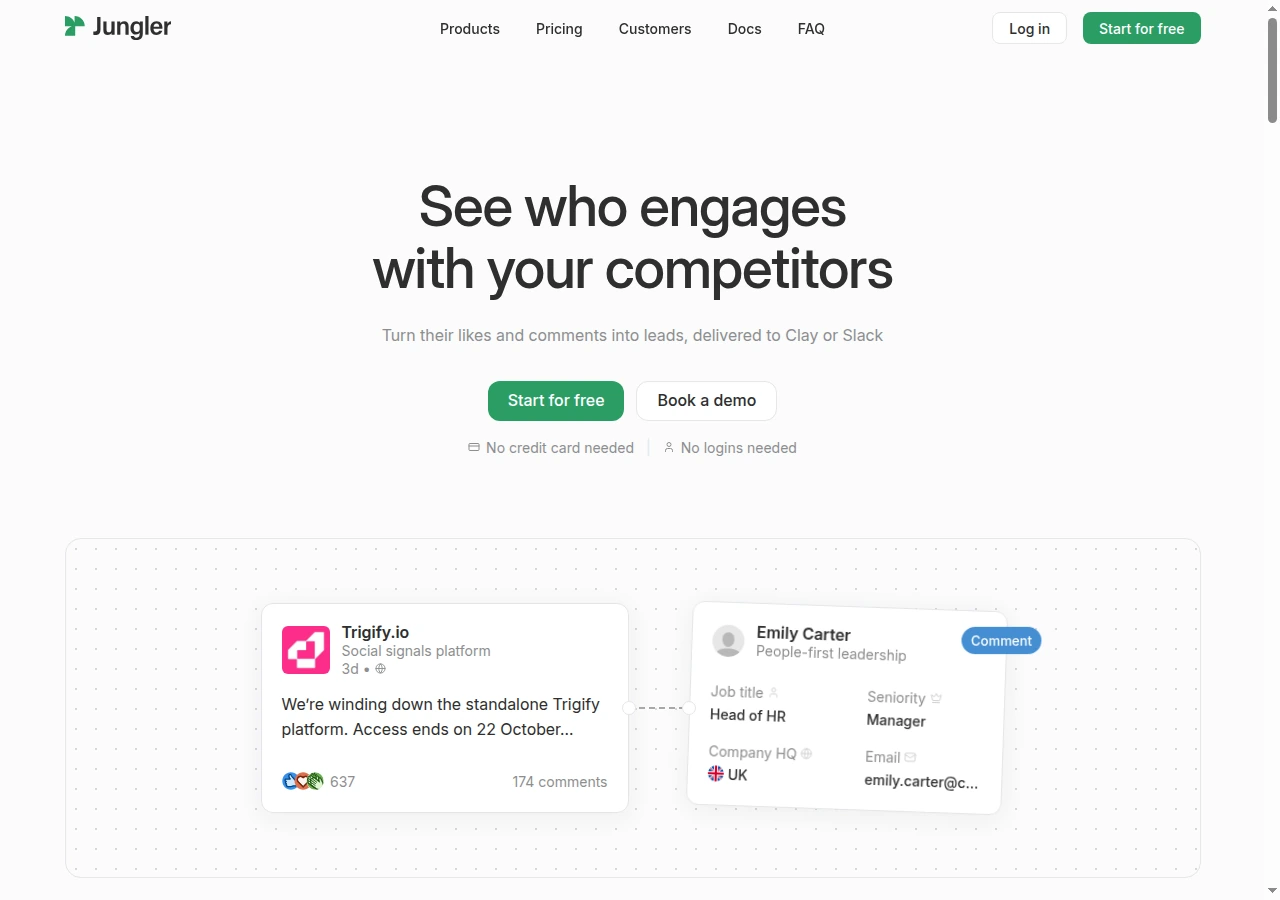
Collection runs every 24 hours. Keyword searches allow six keywords and five operators, with about 250 posts per day. The first run can retrieve roughly a month of posts within that limit. Profile engagement checks stop after a post's seven-day window. Broad searches can reach the daily cap, so use focused terms to make the returned posts more useful.
Starter costs $99/month for five signals and 8,000 monthly credits, with unlimited workspace seats. Yearly billing shows a $79 monthly equivalent. The seven-day, no-card trial includes 2,000 credits. Posts and engagement records use credits, including activity from people outside your target market. One credit record doesn't mean one new person.
Jungler needs no personal LinkedIn login, cookie or extension. It doesn't send messages. Filter people by your ideal customer profile, then send results to Clay, Slack or a tool for outreach through integrations, API or webhooks.
Best suited for: Jungler suits sales and research teams finding relevant authors and people who engage with public posts. It fits teams that already have a tool and an owner ready to handle outreach.
3. Octolens, best for finding public mentions and sending alerts
Octolens searches for brand, competitor and category keywords. You can sort matches by relevance, tone and signs of buying interest. Its LinkedIn sources include public posts and tagged mentions from a company page connected through OAuth, which lets you grant access. Other keyword searches use posts visible while logged out, so some posts won't appear.
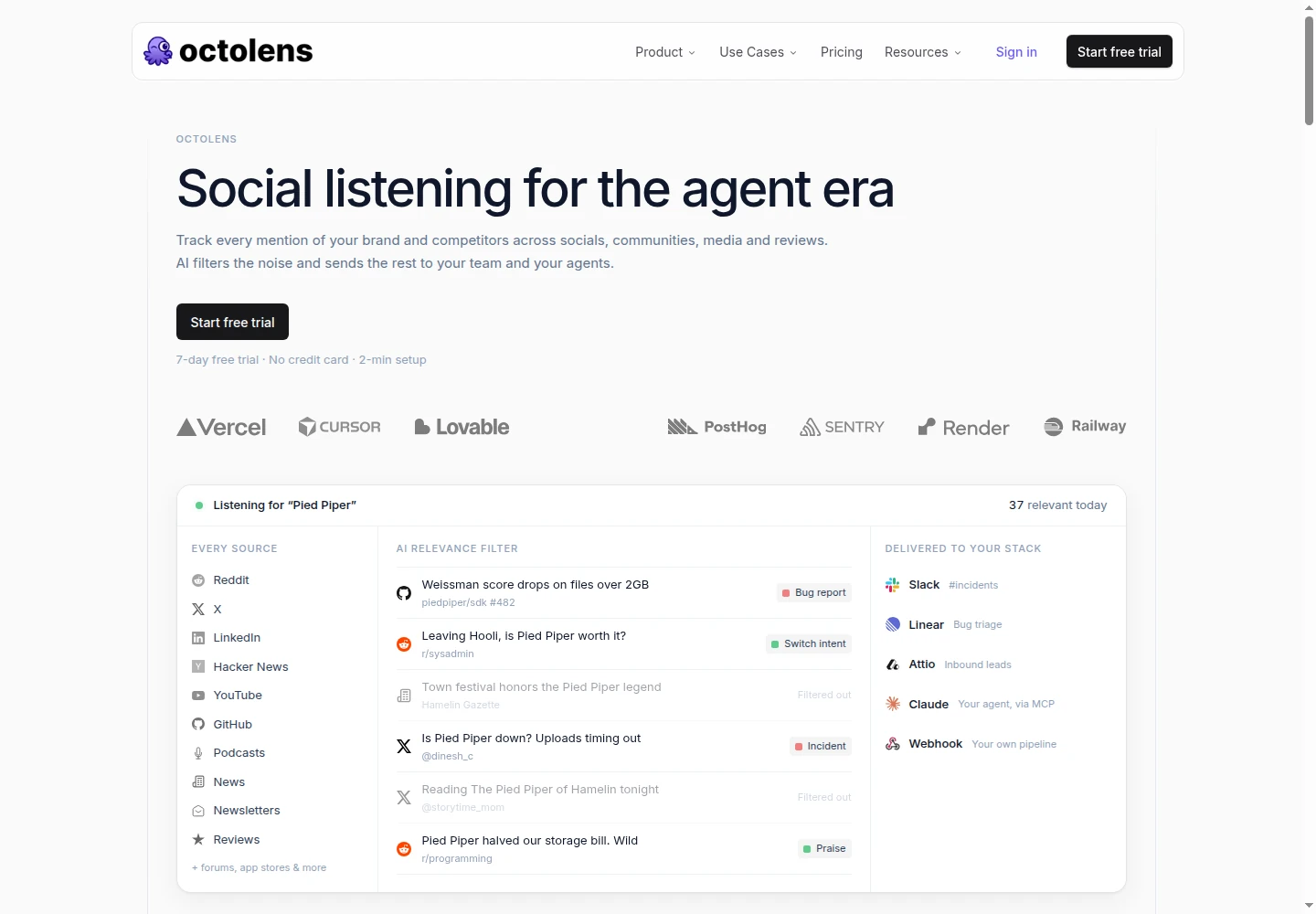
Combine search terms, exclude unwanted words and filter by language to narrow the results. Send matches to Slack, email, webhooks, CSV, API or MCP. Integrations are available on every plan. Your team can read each conversation and send it to the right person; posting a response is a separate step.
Pro includes 10 keywords and 15,000 monthly mentions, with hourly LinkedIn checks. It costs $199/month, or $159/month equivalent billed annually. EUR prices are €169 and €139 respectively. Scale includes 40 keywords and 50,000 mentions, with LinkedIn checks listed as under five minutes apart.
Flex mentions are enabled by default, allowing extra paid usage. AI-rejected matches also use the quota. You can cap spending or turn flex off. The seven-day, no-card trial includes five keywords and 5,000 mentions.
AppSumo rates Octolens 4.6/5 from 36 reviews of an earlier lifetime deal. Reviewers mention quota use and gaps in coverage for their niche.
Best suited for: Octolens suits teams sending public brand and competitor conversations to sales, support or marketing. Its shared feed and alert options help different people handle different kinds of mention.
4. OutX, best for keyword, people and company watchlists
OutX tracks keywords, people and companies in one workspace. It ranks matching posts and offers replies you can edit. Keep separate watchlists for known prospects and new keyword matches so your team can respond to each group in the right way.
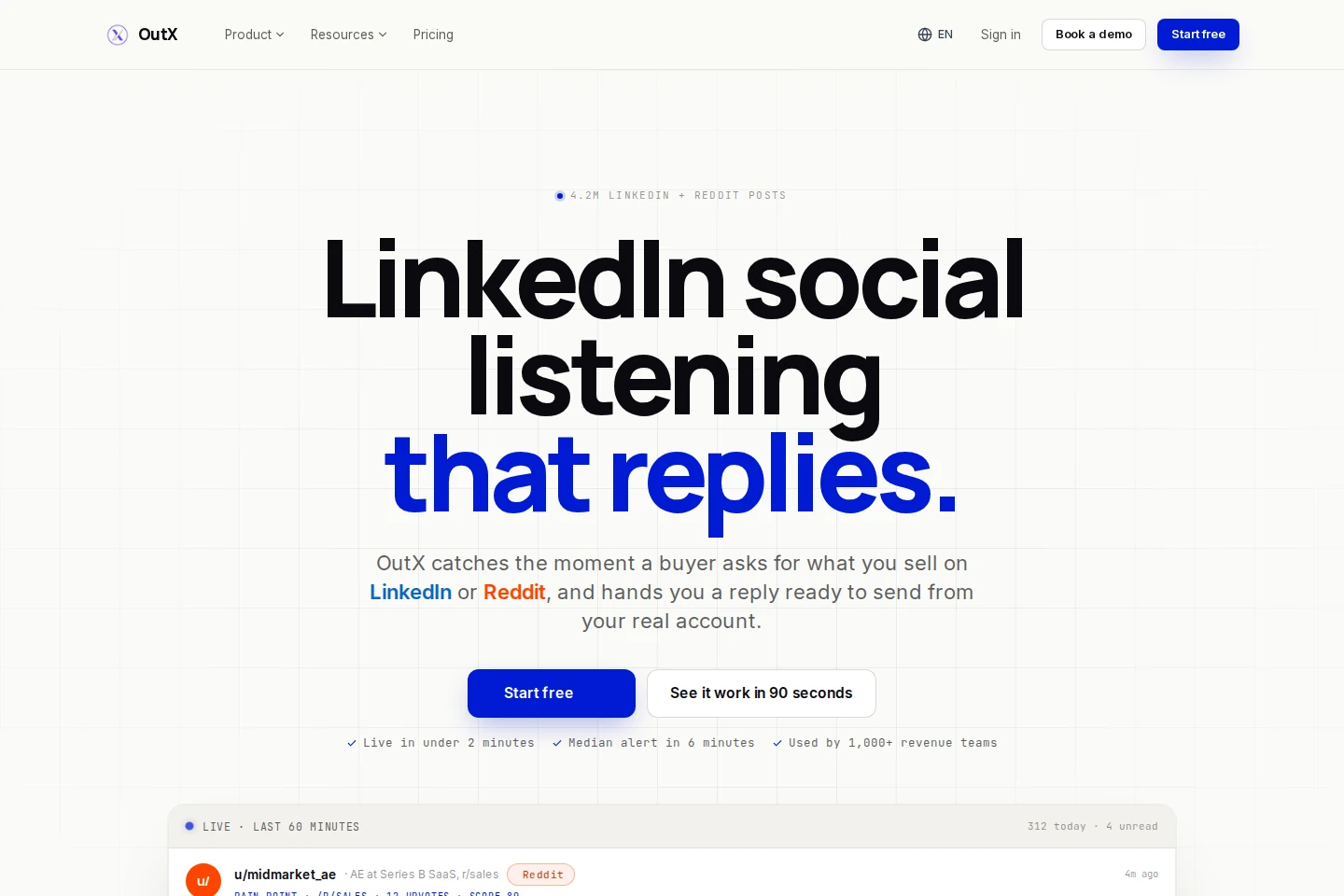
The free plan includes two watchlists, 400 profiles or companies combined, and five members. Growth costs $99/month for five watchlists, 1,000 profiles or companies and 24-hour refresh. Expert is $249/month for 20 watchlists, 4,000 profiles or companies and 12-hour refresh. Ultimate is $999 for 100 watchlists, 20,000 profiles or companies and six-hour refresh. Each people or company watchlist holds up to 200 entries. The homepage's six-minute median is separate from each plan's scheduled refresh.
OutX requires its Chrome extension and a logged-in LinkedIn session. Monitoring and engagement pause when you close the browser or shut down the computer. Email alerts are available; Slack needs Expert or Ultimate. You can edit comments manually. Automatic likes and comments use rules you must turn on separately.
The seven-day paid-plan trial requires a card and charges automatically afterward. Billing terms require cancellation at least six hours before expiry.
The Chrome Web Store rating is 4.5/5 from 20 ratings. One October reviewer reported no results after setup. G2 users also mention CRM-sync and mobile-app limits.
Best suited for: OutX suits teams tracking known people and accounts while finding new keyword matches. It fits teams that can keep Chrome running with LinkedIn logged in.
5. Buska, best for finding posts about buying situations
Buska searches public LinkedIn posts for buying situations you choose. It scores matches from 0 to 100 and shows the author, headline, date and original link. You can look for a problem or a request for recommendations rather than follow one person. Read the post and check whether the author fits your target customer before reaching out.
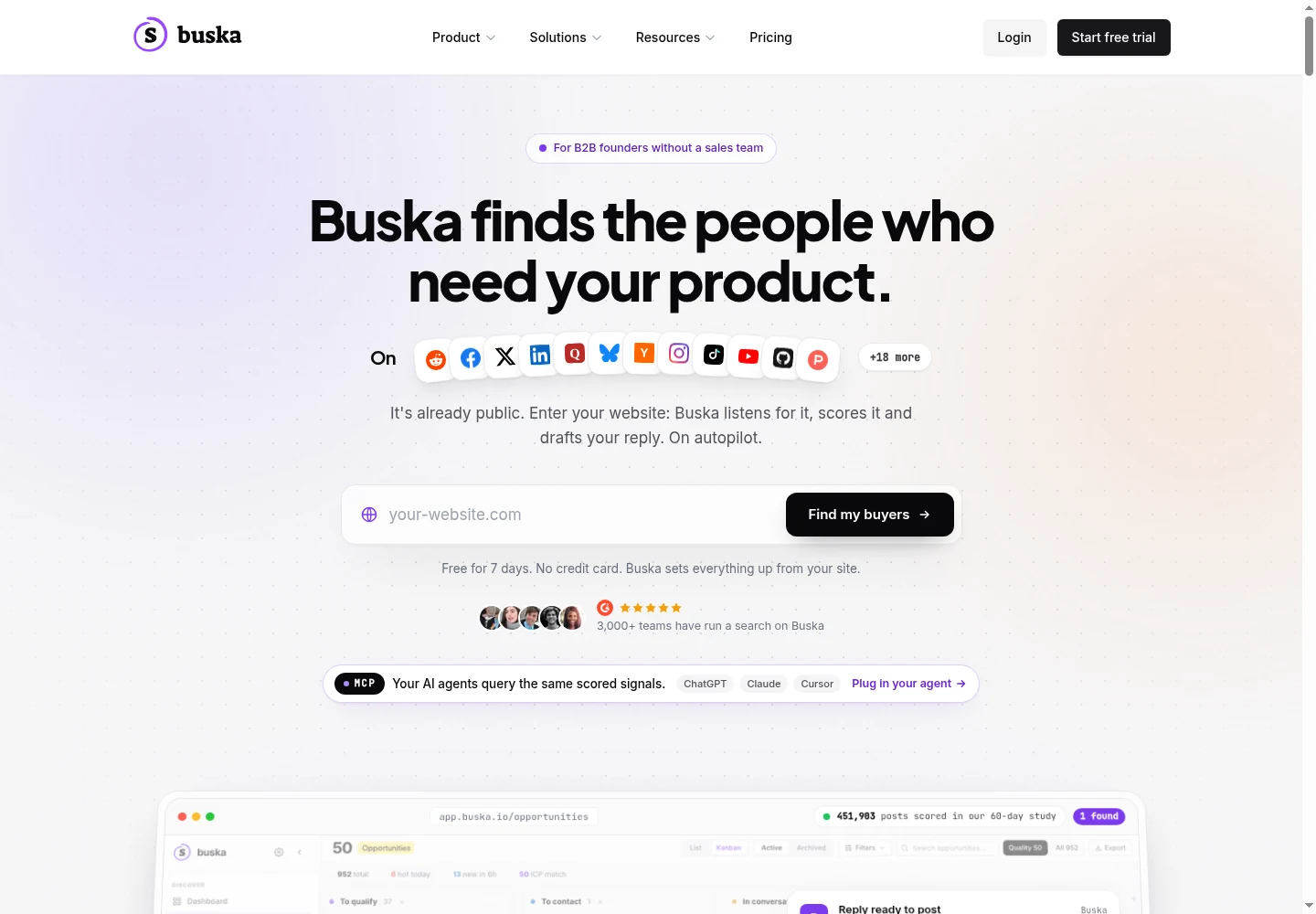
Native LinkedIn search requires your account's session cookie. Without it, Buska uses posts found by web search. It doesn't follow named profiles, track job changes or collect individual people who like or comment on posts.
Starter costs $49/month for five signals, two ideal customer profiles (ICPs) and daily scans. Growth is $99/month for 15 signals, five ICPs and scans every three hours. Scale is $249 for 30 signals, 10 ICPs and hourly scans. Searches run within 6am–8pm Paris time, so plan around that window if you need overnight alerts.
The seven-day, no-card trial includes LinkedIn and daily searches. It excludes Reply Studio, CSV and messaging or CRM integrations. Growth adds help drafting replies, exports and CRM/API access. Reply Studio helps prepare a response and opens the original post; it doesn't publish your LinkedIn reply.
The G2 rating is 5.0/5 from two reviews. Reviewers mention setup and noise from broad keywords. Use the trial to narrow the situations you track.
Best suited for: Buska suits small sales teams checking public discussions for specific buying situations. It fits teams that can use session-cookie access and scheduled searches rather than follow a person's posts continuously.
6. LinkedIn Sales Navigator, best for lead and company alerts inside LinkedIn
Sales Navigator helps you follow chosen leads and accounts inside LinkedIn. Save people, put them in lists and filter the homepage alerts for job changes or new posts. Use it to research people and keep up with them; it doesn't search every untagged mention of your brand.
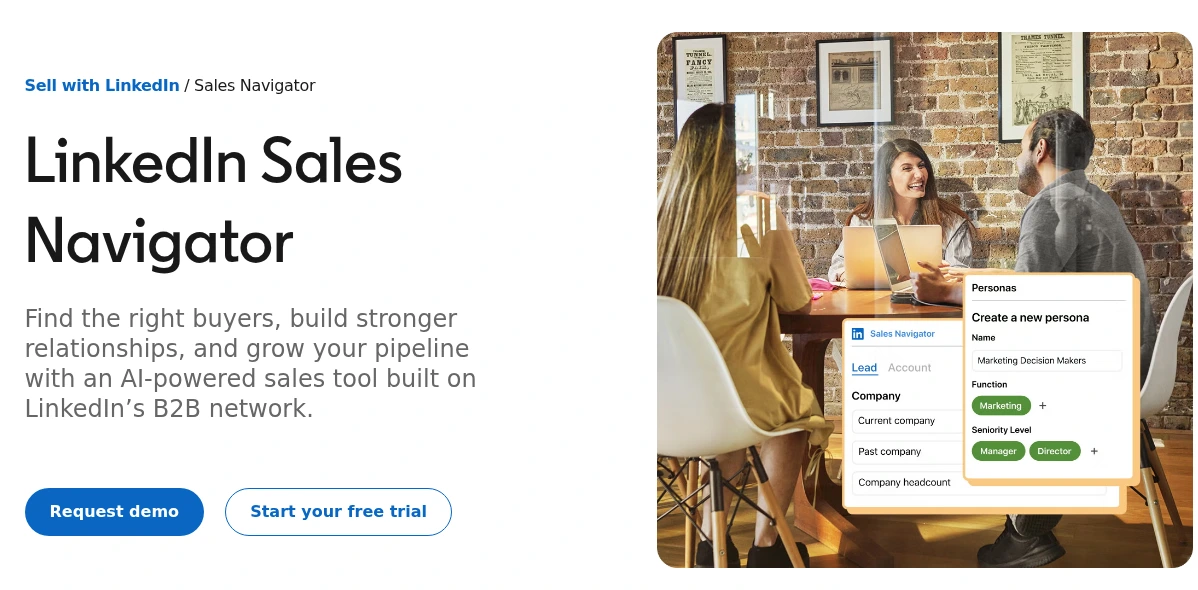
Core supports 10,000 saved leads, with 1,000 per list, plus 50 saved lead searches and 50 account searches. Saved-search emails arrive weekly when new people or accounts match. These differ from alerts about a saved prospect's activity. Company-post alerts are limited to one per account per day. LinkedIn has also removed the Posted Content search filter.
US Core pricing is $119.99 per license/month, or $1,079.88/year. Advanced starts at $159.99/month and adds team features such as TeamLink and Buyer Intent. Advanced Plus has custom pricing and more CRM connections. The one-month trial requires payment details and renews automatically. Eligibility depends on recent trials and existing paid LinkedIn subscriptions.
Research a lead, save an alert and choose whether to connect or send InMail. You control outreach; bulk InMail isn't supported. See Extrovert vs Sales Navigator for the wider workflow.
The SourceForge rating is 4.2/5 from five reviews. Reviewers mention price and limits in research and day-to-day use.
Best suited for: Sales Navigator suits sellers who want LinkedIn's own lead and account alerts alongside research. It fits an existing engagement routine that needs updates on chosen people and companies.
7. UserGems, best for helping teams follow customers who change jobs
UserGems helps sales teams reconnect when former customers, interested buyers or other supporters move companies. It combines updates about people and companies with CRM records, account scores and campaigns. You can see whether someone you know has joined a company you want to sell to, then assign the next step.
Checks for these job moves run weekly or monthly, depending on the license. Checks for new hires and promotions run monthly and look back three months. A daily campaign can use older job-change data, so choose the scan schedule your team needs before setting outreach dates.
Core starts at $40,000/year plus $3,000 implementation, with unlimited users. Its four million shared credits cover 40,000 data actions or 400,000 AI actions. Those figures don't mean 40,000 monitored contacts. Agree on the people tracked, signals included and actions charged during the purchase. There is no listed self-serve trial.
Updates can create CRM records and tasks, reach Slack or email, or add people to sequences you configure. Give each person or account one owner so several reps don't contact the same new employer separately. Allow time for setup, filters and deciding where alerts go.
The TrustRadius score is 6.9/10 across 15 reviews and ratings. Reviewers mention complex setup, credit use, poor-fit results and delays in job-change data.
Best suited for: UserGems suits sales teams tracking known customers and supporters across a CRM and other sales tools. It fits teams with the annual budget and a clear owner to coordinate several reps.
8. Clay, best for building custom monitoring and data steps
Clay lets you build steps around an update. Its sources include LinkedIn keyword and brand searches, social activity and job changes. Bring a result into a table, add details about the person or company and choose where to send it next.
To create a custom signal, choose Actions → Import → Custom signal, select a source and search, then set the schedule. Check the estimated cost per result before adding data or another action. Each source has its own account and permission needs, so check what the chosen source can see on LinkedIn.
Built-in signals run on schedules from daily to quarterly. Custom-source schedules vary. Hourly scheduled columns require Enterprise. Job-change checks need a LinkedIn profile URL and cost one Action plus 0.2 Data Credits per contact checked, including checks that find no change.
The free plan includes 500 Actions and 100 Data Credits, but no recurring social or job-change signals. Launch starts at $185/month, or $167/month equivalent billed annually. It includes 15,000 Actions and 2,500 Data Credits monthly. Growth starts at $495 monthly and adds CRM integrations, HTTP API, webhooks and web intent. Budget for the plan, repeated checks, added data and the tool receiving each result.
The Trustpilot rating is 2.8/5 from 26 reviews. Reviewers describe a learning curve, hard-to-predict credit use and problems with debugging or support.
Best suited for: Clay suits people who want to add data to monitoring results and send them through steps they choose. It fits teams with someone to maintain sources, schedules and spending limits.
9. Common Room, best for combining company-page activity with buyer data
Common Room brings social activity together with CRM, website, product and community data. Your team can see more of what a person or company has done in one place. Its LinkedIn connector follows your connected company page, including posts, comments, reactions and mentions. You need page-admin access; it doesn't follow any personal profile you choose.
The first import covers 30 days. New company-page content arrives in around 30 minutes. Job-change tracking uses a different schedule: detection can take a few months. Check which source produced an update before assuming all information on a person's record is equally fresh.
Essential starts at $2,500/month billed annually, with five seats and up to 100,000 room contacts. Alerts, workflows and segments are unlimited. Plans include connections to CRM, sales-engagement tools, Slack and MCP. Outbound Salesforce and HubSpot sync runs daily. You can choose field mappings, whether to create records and whether to overwrite them.
Start with your company page and existing CRM owners. Add other sources that help your team decide who to contact. Website and product activity need their own data collection and identity matching. The browser extension can add and enrich contacts manually; ongoing personal-profile tracking is a different task.
The TrustRadius score is 7.6/10 across 10 reviews and ratings. Reviewers mention setup, navigation and HubSpot-integration problems.
Best suited for: Common Room suits teams combining company-page activity with other information about buyers. Teams with existing CRM, product or website data have more information to bring together.
10. LeadIQ, best for tracking job changes alongside contact details
LeadIQ collects contact details, adds data to records and tracks job changes for people you know. Its pricing table lists “Track Job Changes for Champions” on Free, Pro and Enterprise. The table doesn't state how many people each account can track, so confirm that allowance for your list.
Pro starts at $20/month with monthly billing, or $15/month equivalent annually, for the displayed credit package. Five users are included. That price covers the selected credits, not a stated number of tracked people. Speak with an account executive or customer-success contact to set up Data Hub tracking.
Data Hub supports weekly or monthly Salesforce jobs, including custom objects, with email and in-app notices. Salesforce automation stays off until you configure and turn it on. The scan schedule determines when these jobs run; the site's “instant” wording doesn't set the detection time for every job.
In Prospecting Hub, upload contacts and download a report showing their previous and current employer or title. For recurring Salesforce Data Hub checks, choose contacts through a report, select fields to update and name the person who gets completion notices. This setup lets your team keep CRM records current rather than rely on one-off reports.
The Trustpilot rating is 2.3/5 from six reviews. Most concern data use and privacy.
Best suited for: LeadIQ suits teams keeping customer and contact records current in a Salesforce prospecting process. Assign someone in sales operations to configure scheduled jobs and the actions that follow them.
11. Signalbase, best for tracking company changes for recruitment teams
Signalbase at trysignalbase.com helps recruitment teams spot hiring, funding, acquisitions and job moves at target companies. It is separate from the IT consultancy at signalbase.com. You receive company events to research rather than a feed of posts mentioning your brand.
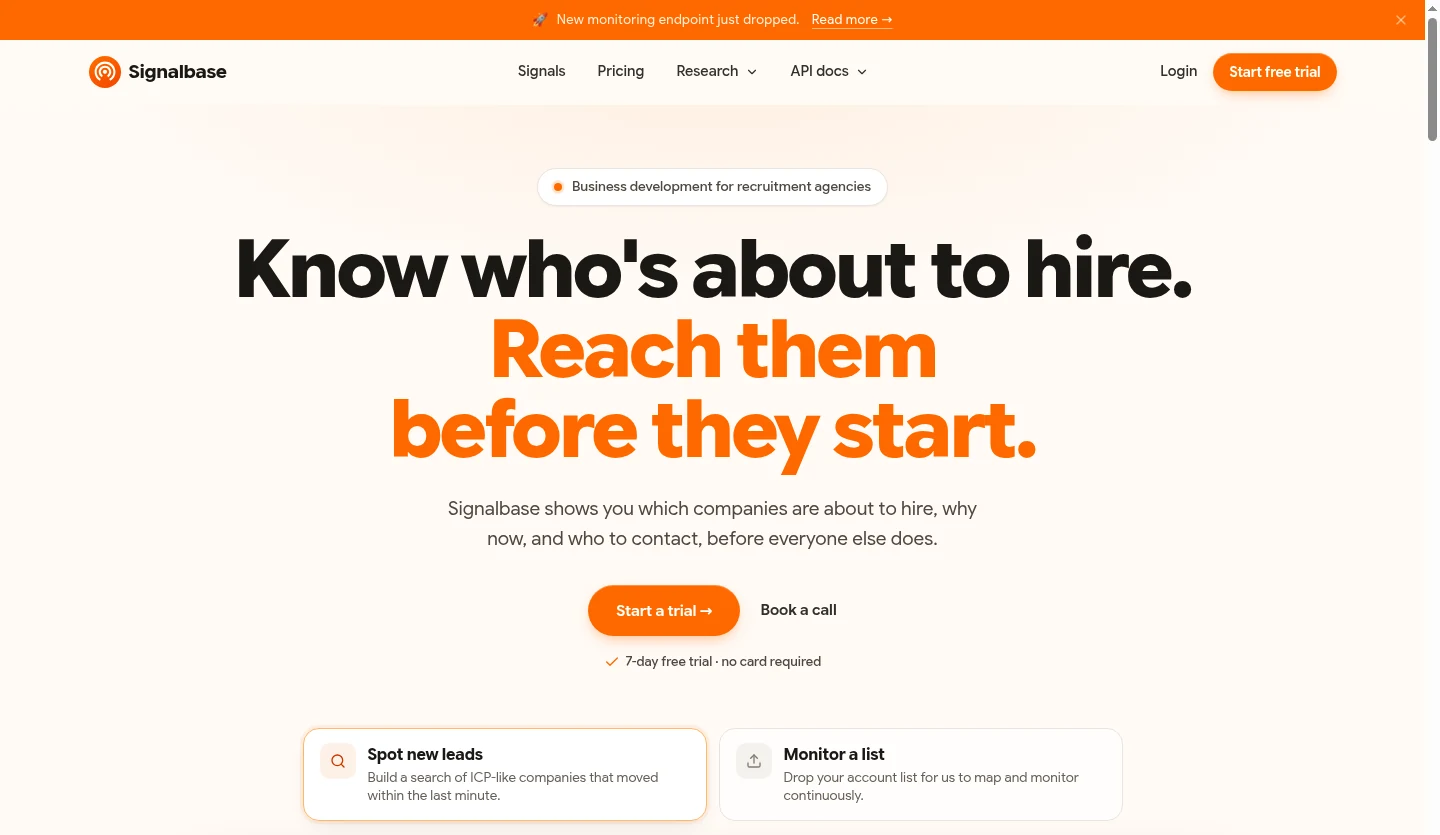
Create a monitor, choose event types and add company domains or LinkedIn company/profile URLs. A personal-profile URL points the monitor to that person's current employer. It then watches the company, not the person's posts. Use company events to decide which account needs research or a new conversation.
Limits are 20 monitors and 1,000 targets per team, with up to 500 targets per add request. Adding the same company to several monitors uses the target allowance each time. Email alerts and API requests to manage monitors are free. Each successful webhook delivery costs one API credit, so include alert delivery in your budget.
Pro costs €99/month, with three seats and 2,000 monthly credits, plus API, MCP and webhooks. The seven-day, no-card trial includes 500 credits. Extra usage has an agreed rate. Confirm the API billing unit and extra charges for your setup; credits aren't a fixed number of signals.
Signalbase doesn't yet write outreach. You may also need another contact-data provider alongside its social-profile data.
Best suited for: Signalbase suits recruitment sales teams using hiring and company changes to choose accounts to research. It fits teams watching an employer and its news rather than a person's latest post.
12. Socialinsider, best for reporting on company pages and competitors
Socialinsider compares LinkedIn company pages and posts over time. Marketing teams can see engagement, post formats and audience growth. Connect pages you manage, add competitors and choose a reporting period. It provides company-page reports rather than personal-post feeds or keyword searches across LinkedIn.
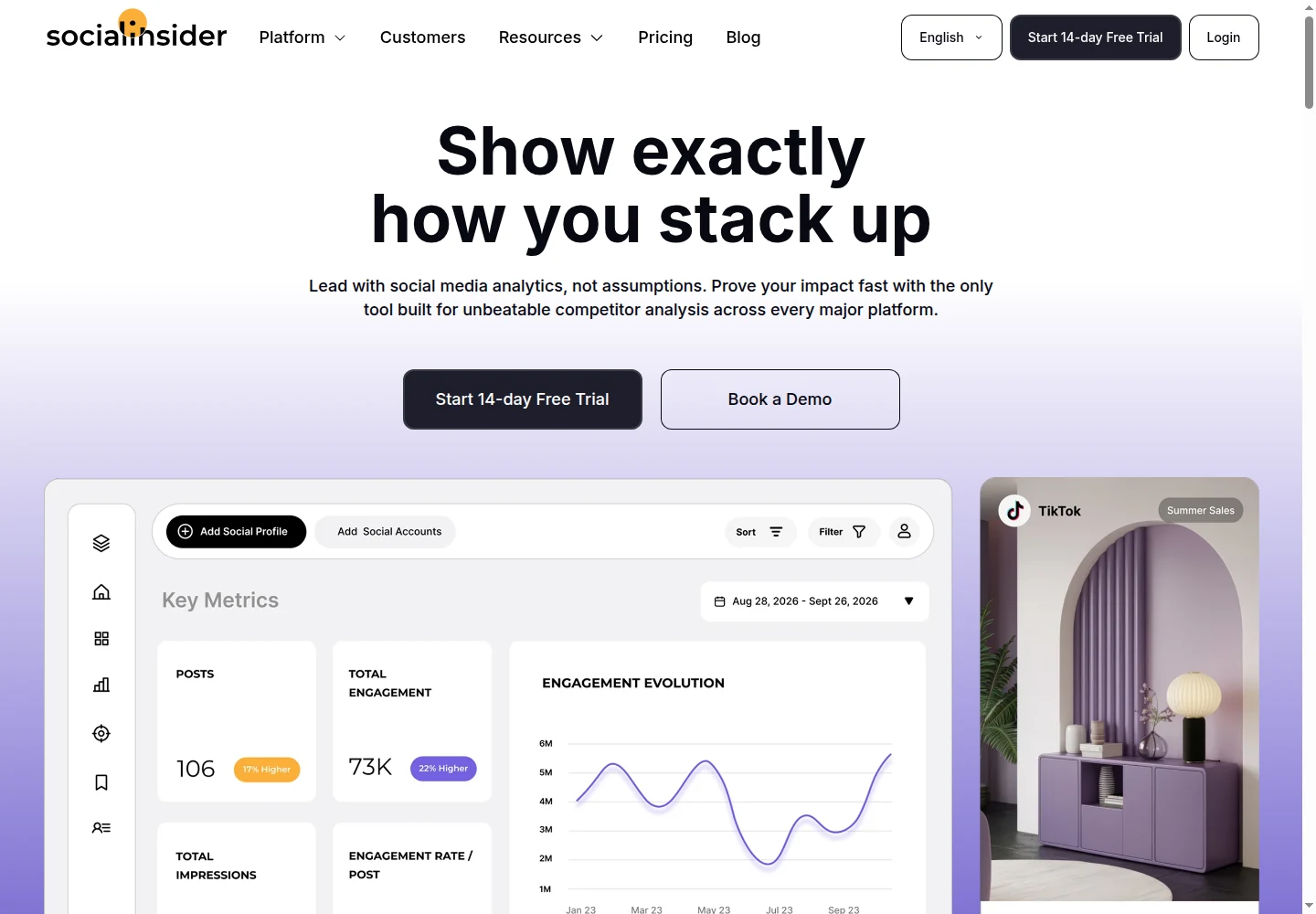
Your connected page can provide private metrics such as impressions, clicks and reach. Competitor reports use public or estimated data. Check which kind of data a report uses before comparing your page with a rival's; their page administrator has information you can't see.
Adapt costs $99/month or $990/year, with 20 simultaneous social profiles, one seat and three months of post history. Ten profile replacements per month are included, and unlimited exports are advertised. The 14-day trial requires no card. More history, profiles, seats or API access may require a different package.
Performance alerts and weekly email summaries help you keep up without opening each dashboard. The analytics API lists a six-hour data cadence, meaning how often it updates. Alert delivery can have a different schedule. Test the report, metric and notice your team needs during the trial.
The AppSumo rating is 4.1/5 from 16 reviews of an earlier lifetime deal. Those reviews include access and limit disputes. Newer G2 reviewers also mention loading speed, reporting options and differences in detail between platforms.
Best suited for: Socialinsider suits marketers and agencies reporting on company pages and competitors. Its profile-based plans fit reports across several accounts rather than a seller's daily prospect feed.
Side-by-side comparison
Compare what each tool tracks, how much it includes, how often it checks, what you can do next and the full starting cost. Each tool uses its own units: a keyword, person, company, credit and social profile count different things.
| Tool | Monitoring source | Capacity and timing | Next step and access | Starting price and commitment |
|---|---|---|---|---|
| Extrovert | Chosen prospects and topics | 250 people + 1 topic/seat; no fixed public check interval listed | Comment drafts; separate Recommended DMs; optional comment automation and assistant actions with your permission | $49/LinkedIn seat/month; 300 discovery Credits; 10-day no-card trial |
| Jungler.ai | Keyword authors; profile/company posts and people who engage | Starter: 5 signals, 8,000 credits/month; daily checks | Added contact details, integrations/API/webhooks; no personal LinkedIn login or message sending | $99/month; 7-day no-card trial with 2,000 credits |
| Octolens | Public keywords and connected-page mentions | Pro: 10 keywords, 15,000 mentions/month; LinkedIn hourly | Alerts, filters, exports, API/MCP; paid extra mentions enabled by default | $199/month or $159/month billed annually; 7-day no-card trial |
| OutX | Keyword, people and company watchlists | Free: 2 watchlists/400 entries; Growth: 5/1,000, 24-hour refresh | Running Chrome extension and LinkedIn login; manual replies or engagement rules you turn on | Free; Growth $99/month; paid trial requires card and renews |
| Buska | Posts matching buying situations | Starter: 5 signals/2 ICPs; daily within Paris-time scan window | Session cookie for native LinkedIn search; Growth adds replies and CRM/API | $49/month; 7-day no-card trial excludes reply/integration tools |
| LinkedIn Sales Navigator | Saved leads and accounts | 10,000 leads, 1,000/list; saved-search matches emailed weekly | LinkedIn alerts, research and InMail you choose to send | US$119.99/license/month or $1,079.88/year; eligible card-required trial |
| UserGems | Known contacts' job moves and company signals | Licensed contact scans weekly/monthly; company scans monthly | CRM/tasks, Slack/email and sequences you set up | $40,000/year + $3,000 implementation; unlimited users |
| Clay | Chosen keywords, social activity and job changes | Launch: 15,000 Actions + 2,500 Data Credits/month; schedule varies by source | Tables and added data; Growth adds CRM, HTTP API and webhooks | Free; recurring monitoring needs Launch at $185/month or $167/month billed annually |
| Common Room | Connected company page plus other buyer data | Essential: 100,000 room contacts; page content around 30 minutes | Admin access, contact matching and CRM steps; job changes can take months | $2,500/month billed annually; 5 seats |
| LeadIQ | Known customers' job moves and saved contact data | Tracking allowance not stated publicly; Data Hub weekly/monthly jobs | Salesforce steps; set up schedules and confirm tracking allowance | Free feature listing; Pro credits from $20/month, no stated tracked-contact allowance |
| Signalbase | Hiring, funding and company events | 20 monitors/1,000 targets/team; 2,000 monthly credits | Email or webhook; 1 credit per successful webhook delivery | €99/month; 3 seats; 7-day no-card trial with 500 credits |
| Socialinsider | Company-page and post performance | Adapt: 20 profiles, 3 months' history; API updates every 6 hours | Reports, exports and email alerts; owned and public metrics differ | $99/month or $990/year; 1 seat; 14-day no-card trial |
Faster checks help when someone can respond at that pace. During a trial, test a known relevant event. Look for missed posts and unwanted matches, then check that the right person receives the alert.
Which LinkedIn monitoring tool fits your use case
The person who needs an alert depends on what your team should do next.
| Your situation | Monitoring job | Tools to examine | What to check in the trial |
|---|---|---|---|
| SDRs and founders following chosen prospects | Read useful posts and stay in touch | Extrovert; Sales Navigator for LinkedIn research and alerts | Whether those people post often enough, and whether their updates help you start useful conversations |
| Sales or support following brand and topic discussions | Find public keyword matches and send them to an owner | Jungler.ai, Octolens, OutX, Buska | Missed posts, unwanted matches, time between checks and who receives alerts |
| Sales operations reconnecting with former customers | Find job moves and update the assigned rep | UserGems, LeadIQ; Clay for custom steps | How many people you can track, new-role accuracy and who gets the CRM update |
| Teams combining several sources of buyer data | Join social activity with customer and company records | Common Room, Clay | What each connection covers, whether people match correctly and what the update triggers |
| Recruitment sales teams | Spot hiring, funding and company changes | Signalbase | Target-count rules and the cost of email versus webhook delivery |
| Marketing teams reporting on company pages | Compare post and account performance | Socialinsider | Your connected-page metrics versus public competitor data, and how much history reports need |
What results look like with Extrovert
Monitoring helps when the information leads to a useful action. These customers use Extrovert to follow people, respond to posts and start conversations with people who know them.
LeadLetters: a feed for existing relationships. Selim Uysal rebuilt a list of about 200 people from his engagement history and put them in a dedicated Extrovert feed. He estimates that editing a suggested comment takes 30 seconds, compared with five minutes from a blank box. LeadShark helped find the earlier engagement records; Extrovert provides the lists and feed. Read the LeadLetters case study.
SaasFluence: less manual creator tracking. Denis Acia describes spending 15 hours a week following B2B creators manually before discussing partnerships. His team now uses Extrovert to find posts and review comments. He reports connection acceptance above 40%. The 15 hours is the old workload, not a measured net saving. Read the SaasFluence case study.
Allbound OS: comments before the invite. Can Timağur reports acceptance rising from 15% to 32% after one or two comments spaced one to two weeks apart. Extrovert handles engagement and staying in touch; GetSales handles outreach. He also reports daily DM reply work falling from 45 minutes to 10. Read the Allbound OS case study.
Blynked: prospects had seen the comments first. Bojan Djakonovic Berisavljevic reports a client comparison of 24% versus 61% connection acceptance and 4% versus 38% replies after prospects had seen comments for two weeks. The team used Clay lists, Extrovert comments and Aimfox invites. Read the Blynked case study for the comparison and his daily routine.
Browse the customer case studies for the steps behind these customer-reported results.
Turn alerts into clear next steps
Start with one audience and one person responsible for the results. Read the first posts and check whether they give your team a useful reason to respond before tracking more.
For keyword alerts, separate brand names, competitors and the words buyers use to describe a problem. OutX's hiring example searches for hiring, requires remote and excludes internship, freelance and agency. Read the results before changing your filters. The words should describe a company your team can help.
Send complaints to the customer team, qualified questions to sales and repeated competitor themes to product marketing. Keep the original post, remove duplicates and reduce unwanted matches before paying for faster checks or higher limits. For LinkedIn B2B sales teams, one owner per prospect helps prevent two tools from starting the same outreach.
The LinkedIn social-listening guide explains how to check and share results. Buying signal tools cover more types of company event.
What Trigify's retirement means for existing workflows
Trigify announced on 23 September 2026 that its team was joining HubSpot and its standalone platform was retiring. Standard access ended at 11:59pm BST on 22 October 2026, including monitoring, integrations and API access. Some contracts have different dates, so follow your account's notice.
Customer accounts and workflows don't move into HubSpot. List each old signal's source, search rules and destination before replacing it. Extrovert covers prospect-post monitoring and the steps to respond, rather than every former Trigify signal or integration.
FAQ
What should a LinkedIn monitoring tool track?
Track updates that help you decide what to do next: a prospect's post, a public mention, a job move or company-page performance. Write down what you need to receive before comparing tools, since a report and an alert feed serve different needs.
How can I monitor LinkedIn keywords without an @mention?
Use a keyword tool that searches public posts for your chosen brand, competitor or problem. Test it with known relevant posts and words you want to exclude, since sources and post visibility affect what it finds.
How do I monitor specific LinkedIn prospects?
Use a people list such as an Extrovert people campaign or saved-lead alerts in Sales Navigator. In Extrovert, review posts and comment drafts, then handle useful DM suggestions in their separate workspace.
What is the difference between monitoring and LinkedIn analytics?
Monitoring shows you a new update or conversation so you can choose a next step. Analytics reports account and post performance over time, but may not tell a seller whom to contact today.
How quickly do LinkedIn monitoring alerts arrive?
Tools check at different intervals, from daily to hourly or faster, depending on the plan and source. Check the schedule for the task you need and whether monitoring pauses when you close your browser.
What can I monitor for free?
LinkedIn notifications, manual checks and your own page's analytics can cover basic needs, and some tools offer limited free plans. Extrovert has a 10-day, no-card trial to try a real prospect list or topic.
Can monitoring tools work together without duplicating outreach?
Yes, if each update goes to one owner and a clear next step. Remove duplicate contacts and decide which tool finds people, checks their fit and handles outreach.
How does Extrovert control LinkedIn activity?
Extrovert keeps activity within your daily limits and follows your working hours. It spaces out actions, and anything over the limit waits for the next day. You choose what to review and what to automate.
Try Extrovert free with your own prospect list
Put the people you want to stay in touch with into one feed. Find a useful post without opening every profile. Review a comment draft in your voice. Use a timely update to reopen a conversation. Try the routine for 10 days without a credit card.