Quick compare
Prices checked
Best forRelevant DMs and follow-ups
- Reasons and contextual DM drafts
- Free review-only teammates
- Extra prospect capacity costs more
Starting price$49/account/month10-day trial, no card
Start Free TrialBest forConditional cloud campaigns
- Global multi-account inbox
- Conditional LinkedIn and email
- Email replies use your mailbox
Starting price$99/seat/month7-day trial, no card
Read ReviewBest forSequences with team upgrades
- Unlimited campaigns on Pro
- Dedicated LinkedIn inbox
- Managers need Advanced
Starting price$79/user/month Pro7-day trial, no card
Read Review4.4/5Product Hunt · 10 reviews
Earlier product reviews
Best forMulti-sender client campaigns
- Outbound sender distribution
- Separate client workspaces
- Agency has a 20-seat minimum
Starting price$49/seat/month14-day trial, no card
Read ReviewEarlier product reviews
Best forPrebuilt solo sequences
- Preset cloud sequences
- Email on Business
- Inbox does not show teammates’ chats
Starting price£34/user/month Pro14-day trial
Read Review8.3/10TrustRadius · 23 ratings
Combined reviews and ratings
Best forNative multichannel sequences
- Email and LinkedIn on Multichannel
- Unified campaign reply inbox
- LinkedIn needs €109/user Multichannel
Starting price€69/team/month (Email only)14-day trial, no card
Read ReviewEarlier product reviews
Best forLinkedIn and email sequences
- Native email and LinkedIn
- Client environments and permissions
- Confirm agency bundle and renewal
Starting price$100/seat/month7-day first-account trial
Read ReviewBest forDesktop campaign control
- Lower local entry price
- Custom LinkedIn campaign builder
- Computer or VPS must stay running
Starting price$15/license/month Local Standard14-day Pro trial, no card
Read Review








On this page
Extrovert is our first pick among the best HeyReach alternatives when your team needs to decide whom to message, why now and what to say next. It recommends relevant first DMs, follow-ups and conversation restarters for selected prospects. The other seven options cover cloud campaigns, client workspaces, native email sequences and desktop sending. Choose whether you need a better conversation routine, a different campaign sender, or both.
Key takeaways
- Extrovert helps you choose a relevant next conversation. You see a reason to contact a prospect, review a contextual DM draft and decide whether to send or postpone it.
- A HeyReach replacement needs to match your account setup. Count connected LinkedIn profiles separately from teammates who only review work or handle replies.
- Email integration and native email sending are different. Check whether a tool sends both channels itself or connects LinkedIn campaigns to a separate email platform.
- Entry prices can hide the plan you need. Include inbox access, client permissions, extra capacity and agency renewal terms in your comparison.
- A careful move protects existing conversations. Export your lists, assign reply owners and stop overlapping campaigns before turning on the new setup.
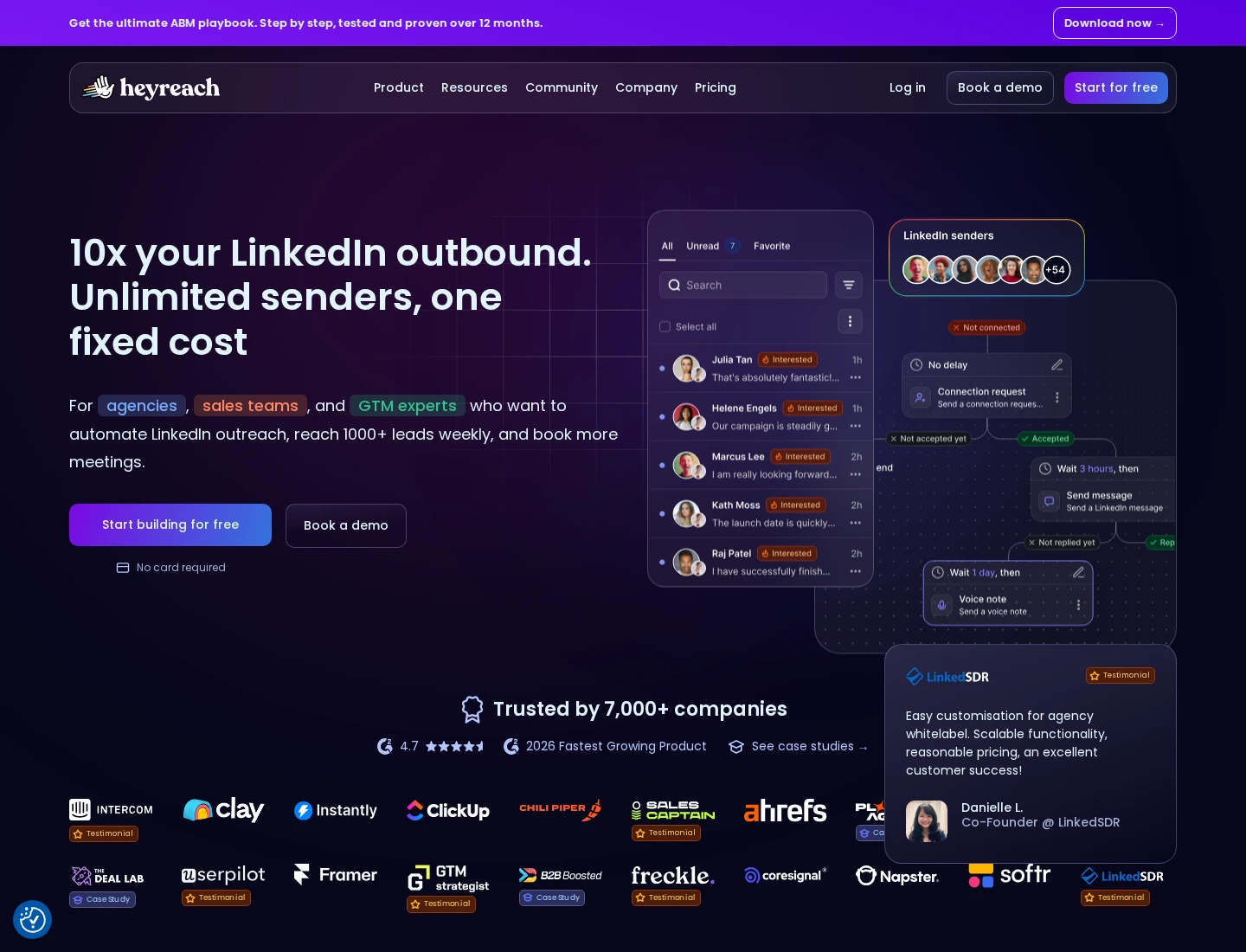
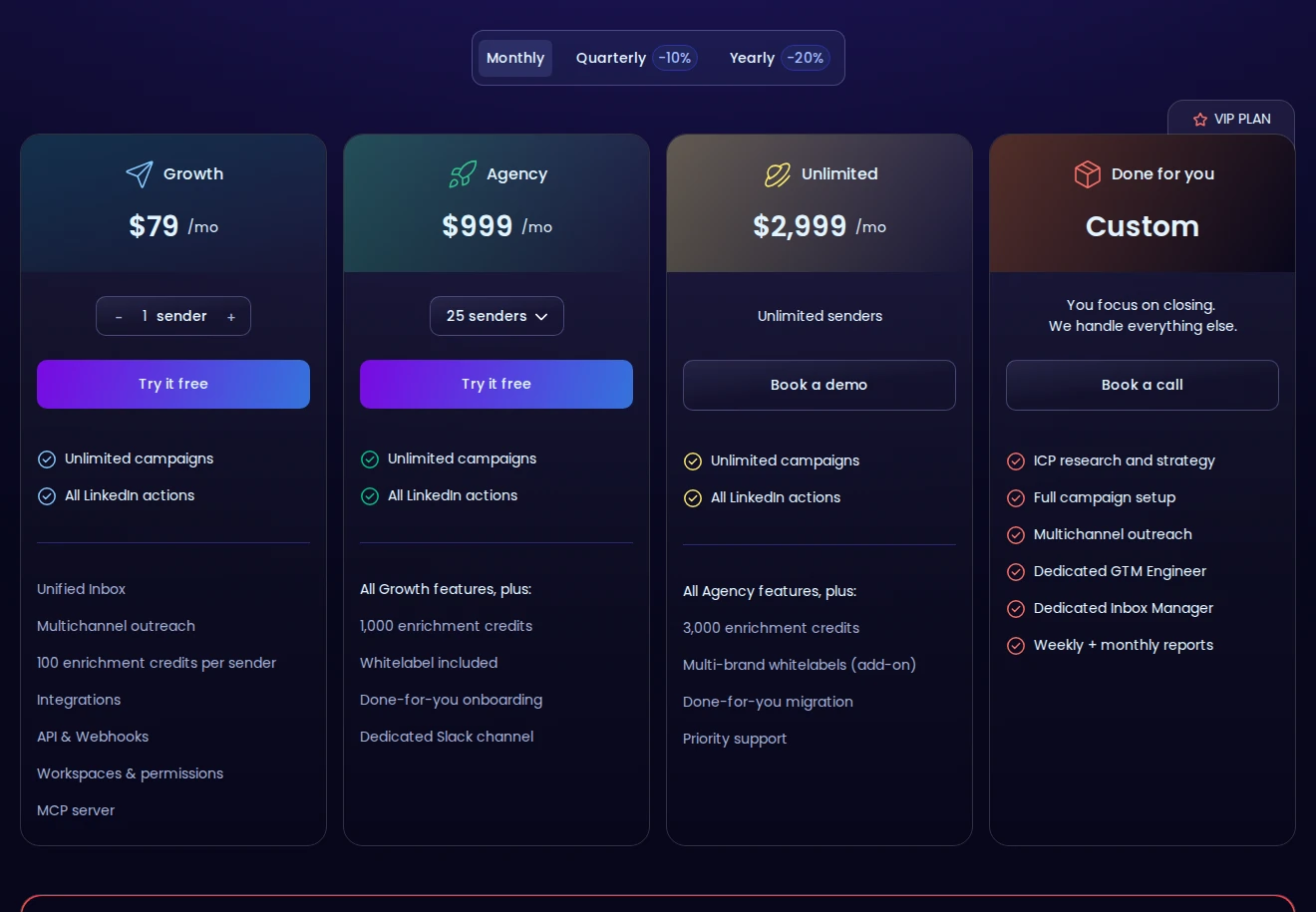
HeyReach centers on outreach across multiple LinkedIn senders. Campaigns, sender rotation, a unified inbox, workspaces and permissions help a team run that setup. Its email workflow connects with platforms such as Instantly, Smartlead and EmailBison. Those connections matter if you want to keep your existing email stack.
How we ranked these HeyReach alternatives
We compared the work each tool covers, its account setup and the plan needed to run it. Extrovert ranks first for deciding whom to contact and continuing relevant conversations; the remaining tools address distinct campaign and agency needs.
- Conversation steps covered: prospect discovery, comments, connection requests, DMs and follow-ups. We distinguish suggested actions, review controls and scheduled sending rather than counting them as the same feature.
- Channels executed: LinkedIn, native email and calling, with integrations kept separate from built-in sending. A lower-priced email-only plan does not count as LinkedIn coverage.
- Account and reply controls: connected profiles included, shared inbox access, client workspaces and roles. We identify the plan that supplies those controls instead of assuming every entry tier includes them.
- Operating requirements and allowances: cloud or desktop execution, campaign limits and paid prospect or discovery capacity. These determine what you need to maintain beyond the subscription.
- Cost and trial terms: monthly price per account, user or license, required upgrades and trial duration. We keep currencies, annual commitments and temporary agency offers explicit.
The best HeyReach alternatives in 2026
The eight tools below replace different parts of the HeyReach workflow. Start with Extrovert if choosing a relevant next message is your main problem. Compare the campaign tools by channels, inbox access and client controls when you need to move scheduled sending. Keep your current account count and reply process beside you as you read.
1. Extrovert, best for relevant first DMs and restarting quiet conversations
Extrovert is the first pick when replacing HeyReach means changing how you decide whom to message and what to say. It helps you work through selected prospects and existing LinkedIn conversations, with a reason to contact each person and a draft you can act on.
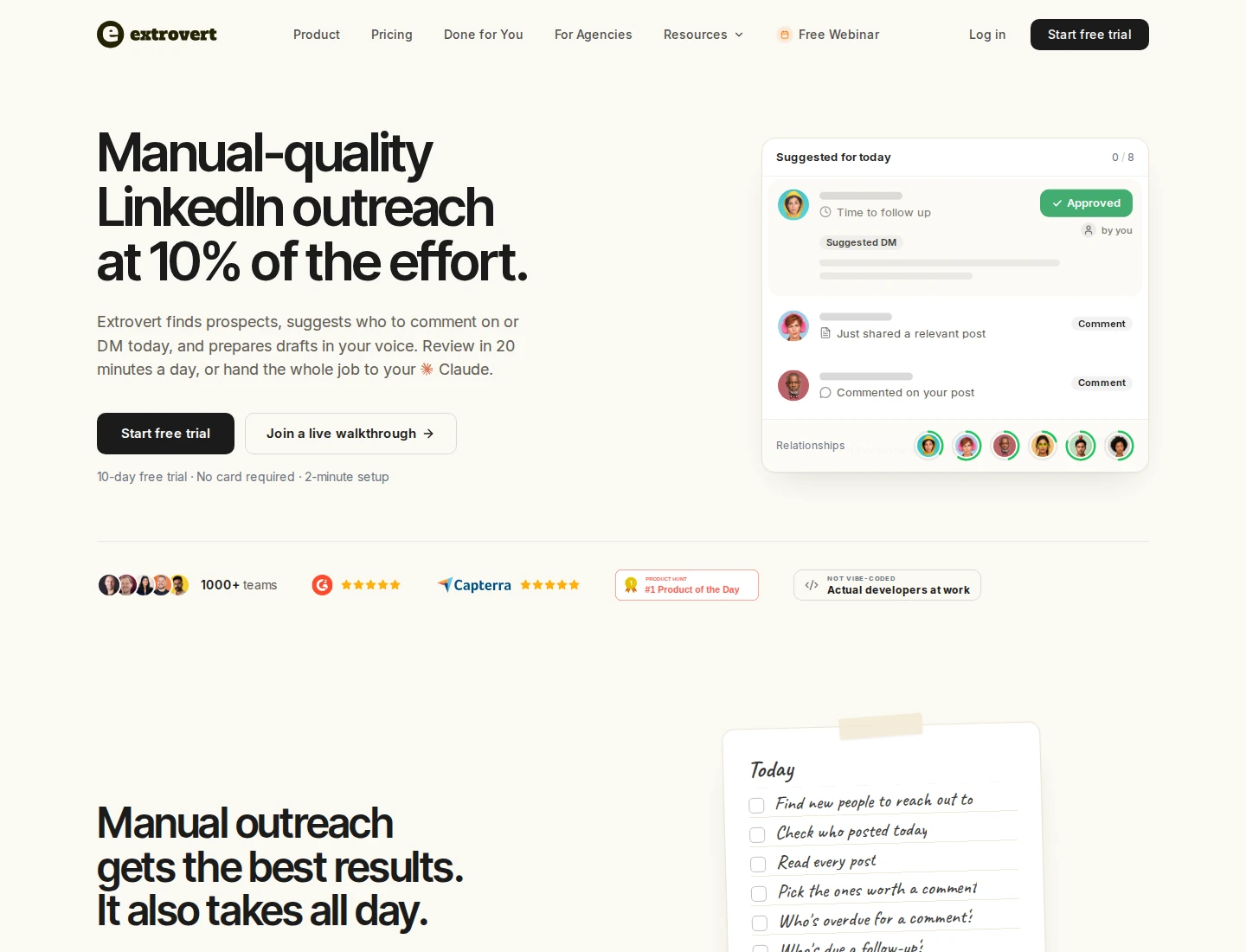
Add your chosen prospects to a campaign. For people you're connected with, Extrovert syncs the conversation history and recommends a first DM or follow-up when your campaign's timing rules allow it. On the separate DMs page, Recommended shows the thread, what is due and the suggested message. Drafts draw on the prospect's headline, About section, recent posts, your previous exchanges and your campaign's DM tone and templates.
A quiet conversation can return when a follow-up is due. A relevant new post, such as a launch or new role, can bring that follow-up forward if enabled. Post-based speed-ups respect your follow-up limit. The recommendation rules explain these distinctions.
Read the thread, check the draft's context, edit it and choose Send or snooze it. Recommendations never send themselves; you can also authorize a connected AI assistant, such as Claude or ChatGPT, to review and send. The DM workflow covers those controls.
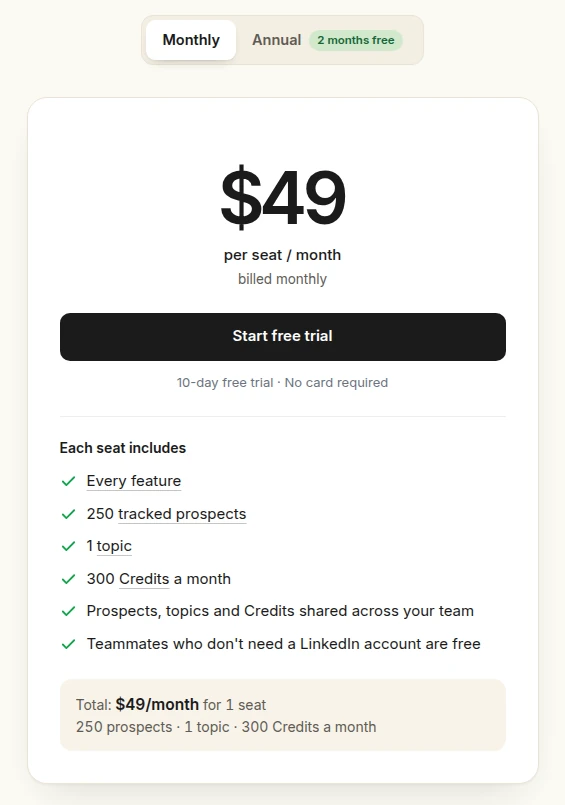
Pricing is $49 per connected LinkedIn account/month, including 250 tracked prospects, one topic and 300 monthly discovery Credits per seat, pooled across the team. Review-only teammates are free; extra capacity costs more. The trial lasts 10 days without a card. Product Hunt shows 5.0/5 from 12 reviews.
Best suited for
SDRs and agencies that want relevant first messages, follow-ups and restarters without tracking every conversation date themselves. Keep HeyReach or another sequencer alongside it when you still need campaign sender rotation.
2. Expandi, best for conditional cloud campaigns and a global inbox
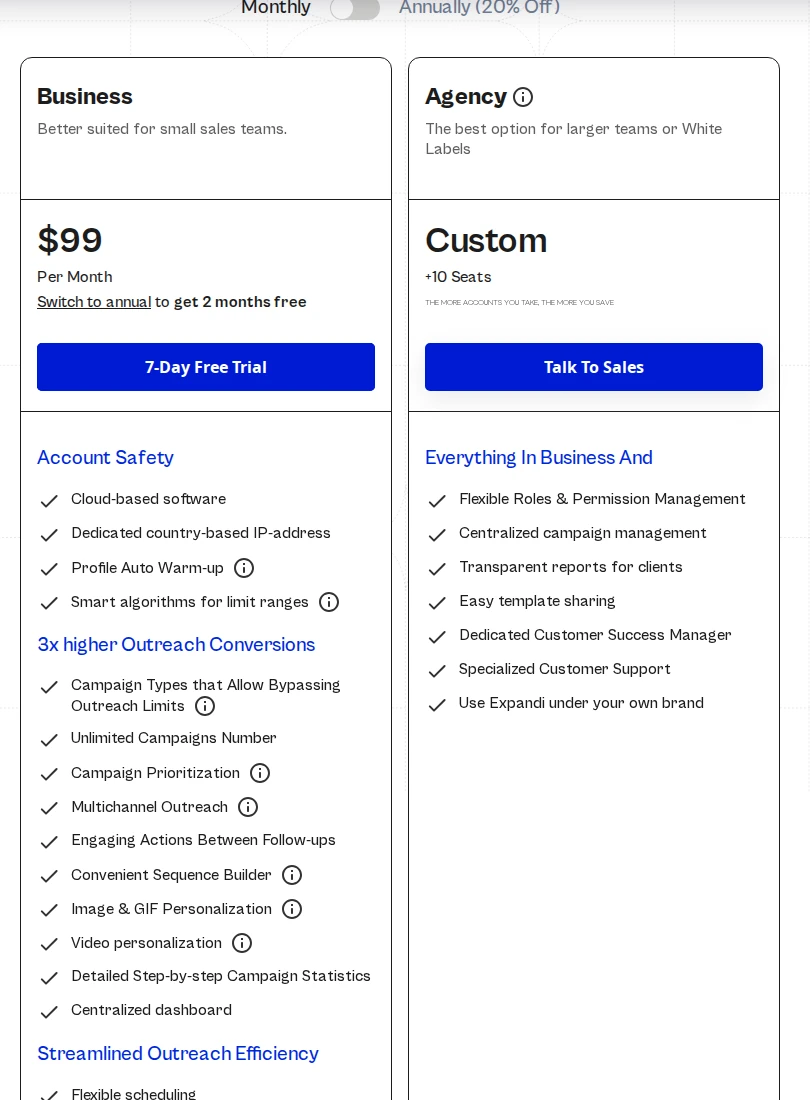
Expandi runs LinkedIn and email campaigns in the cloud. Its If/Action builder lets you branch a sequence around what happens next, rather than sending every prospect through an identical set of steps. Unlimited campaigns and campaign priorities help organize several outreach routines on one account.
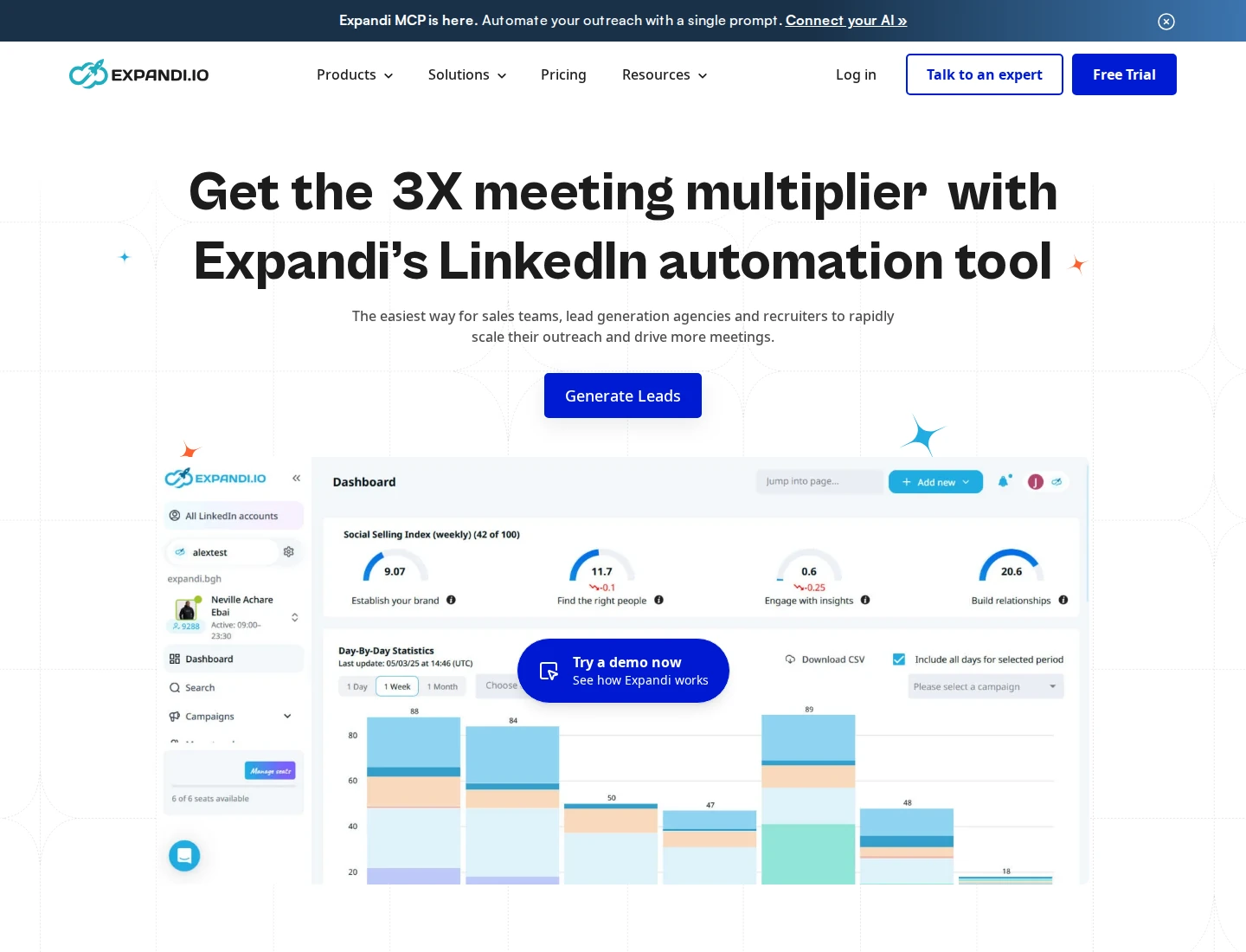
The Global Inbox brings connected accounts into one workspace. You can filter by company, account, unread status or interaction and answer LinkedIn conversations without switching accounts. Roles control which companies or accounts a teammate can access; a view-only manager cannot send replies.
Email has an important boundary. Campaign emails and replies appear in the lead timeline, but you answer from the connected mailbox. This matters if you want every channel's replies handled from one screen.
Pricing: Business costs $99 per seat/month on monthly billing. Annual upfront billing shows a $79 monthly equivalent. Each seat connects one LinkedIn account; disconnecting an account does not cancel its purchased seat. Agency pricing is custom for 10+ seats, with client reports, role controls and white-label options. Image/GIF and video personalization can cost extra. The all-feature trial lasts seven days without a card.
G2 rates Expandi 4.3/5 from 171 reviews. Some reviewers describe a setup learning curve; its campaign and permission options take time to configure. Replies automatically pause a lead, with manual controls to continue or move them.
Best suited for
Teams moving conditional LinkedIn and email campaigns into a cloud account-based setup. Agencies should compare the quoted client-management package and mailbox reply process with their current HeyReach workflow.
3. Dripify, best for cloud sequences with clear team-plan upgrades
Dripify combines LinkedIn and email steps in cloud-based drip campaigns. You build a sequence with actions, delays and conditions, then run it within the connected account's daily allowance. Multiple campaigns share that allowance; adding campaigns does not multiply your account's available actions.
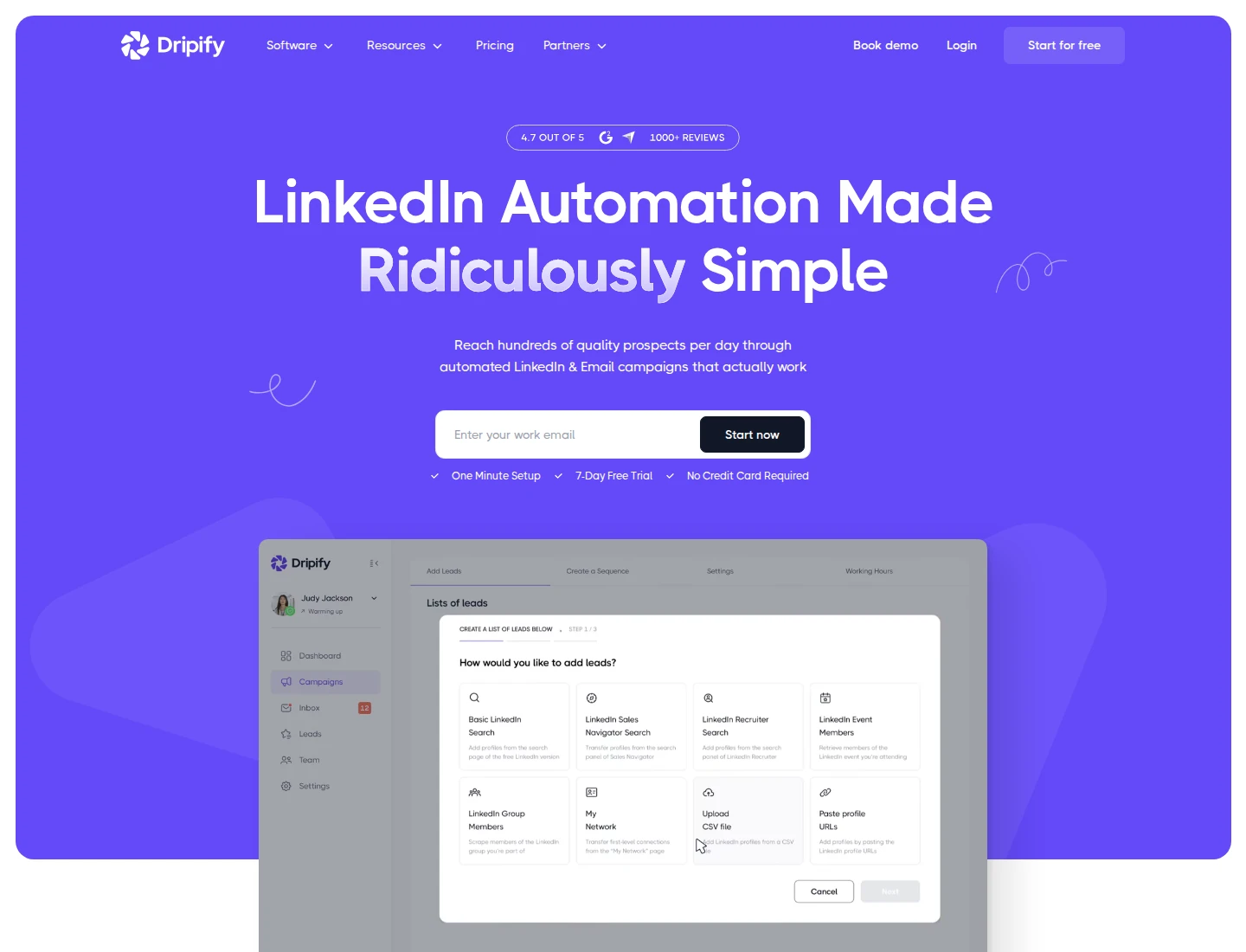
Pricing: Pro costs $79/user/month on monthly billing, or a $59 monthly equivalent with annual billing. Advanced costs $99 monthly or $79 annual-equivalent. Each seat connects one LinkedIn account. Both plans include unlimited campaigns, a dedicated inbox and 100 email-finder credits a month. Basic is no longer listed in the current public pricing menu.
Pro includes HubSpot integration, API/MCP, CSV export and webhooks. Advanced adds team management, lead tagging, A/B testing, evergreen leads and activity control. Owners and Managers need Advanced; Pro members can participate as Users. This distinction matters when replacing an agency workspace rather than one rep's campaigns.
The dedicated LinkedIn inbox includes notes and conversation stars. Automatic synchronization takes 30–40 minutes, with a limited manual refresh available. Replying through Dripify's inbox pauses that lead; replying directly on LinkedIn requires a manual removal or blacklist action to stop further steps. LinkedIn/email inbox switching is marked coming soon.
The seven-day no-card trial includes Advanced features. G2 rates Dripify 4.5/5 from 354 reviews. Some reviewers describe the inbox as awkward across campaigns, so check that handling replies fits your team's routine.
Best suited for
Reps who want LinkedIn and email sequences with an included dedicated inbox. Teams should price the Advanced management seats and check the reply-handling process before moving client accounts.
4. Aimfox, best for multi-sender LinkedIn campaigns and client workspaces
Aimfox distributes an outbound campaign's targets across connected LinkedIn accounts. Once a sender contacts a target, that target stays assigned to the same sender. Disconnecting the account pauses its in-progress targets rather than automatically passing those conversations to someone else.
That makes Aimfox relevant when sender distribution is the part of HeyReach you need to replace. It supports LinkedIn search, Sales Navigator, post engagers and custom lists, with a maximum of 10 follow-ups. Follow-ups stop when a target replies. Multi-account inbound campaigns are a separate boundary: they are not supported.
The workspace inbox combines conversations across connected accounts. You can filter by sender, label conversations and leave notes. Agency client permissions separate workspaces, with white label, onboarding and migration assistance included. Lead export is available, but replied conversations export one at a time rather than in bulk.
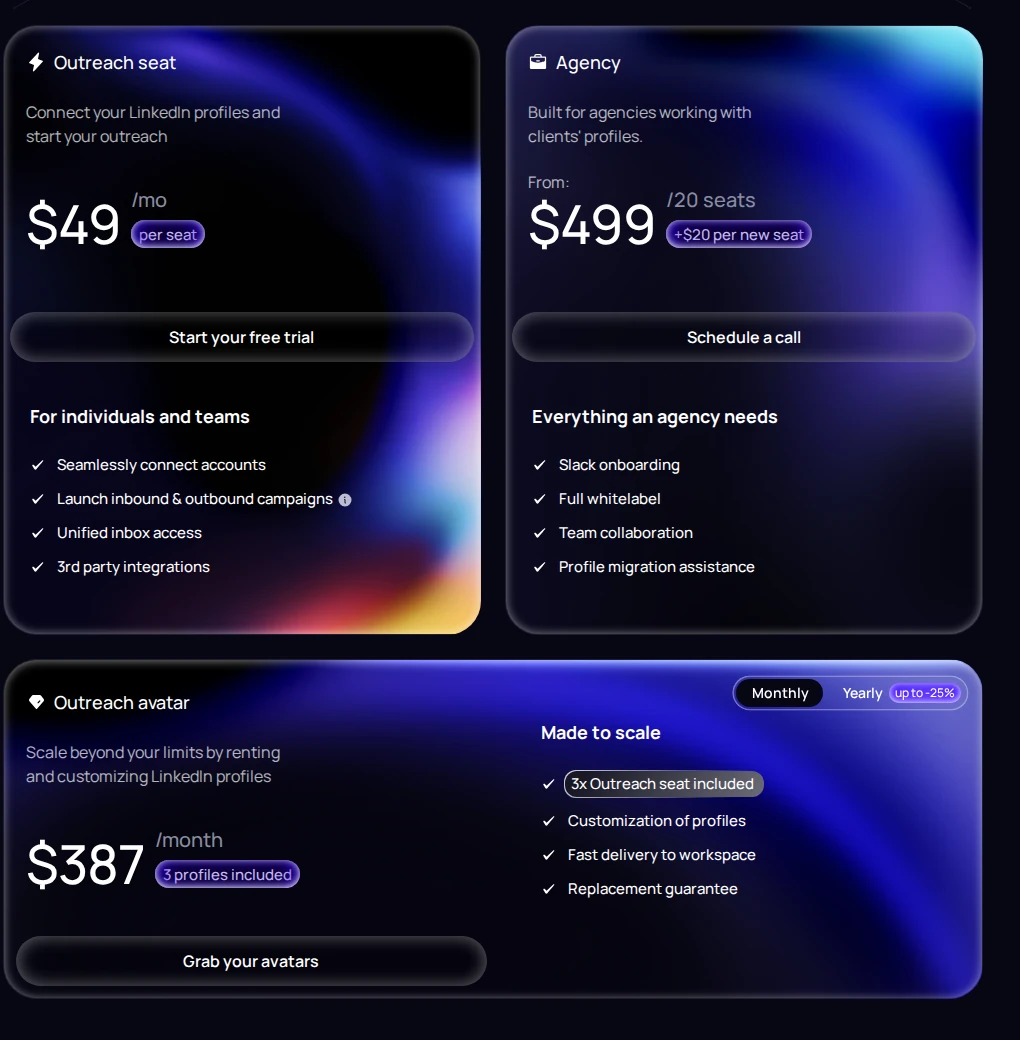
Pricing: Outreach costs $49 per seat/month on monthly billing. One seat covers one active campaign account at a time. Agency starts at $499/month for 20 seats, then $20 per extra seat: 25 active senders cost $599/month. The 14-day trial needs no card. Rented Outreach Avatars are a separate offer and are not included in that trial.
Product Hunt shows 4.4/5 from 10 earlier product reviews. A recent Trustpilot reviewer found campaign reporting difficult; Aimfox's response acknowledged that its analytics interface needed work. Check the reporting view your clients will use.
Best suited for
Agencies replacing multi-sender LinkedIn campaigns while keeping clients in separate workspaces. Compare export needs and the 20-seat agency minimum before moving smaller client portfolios.
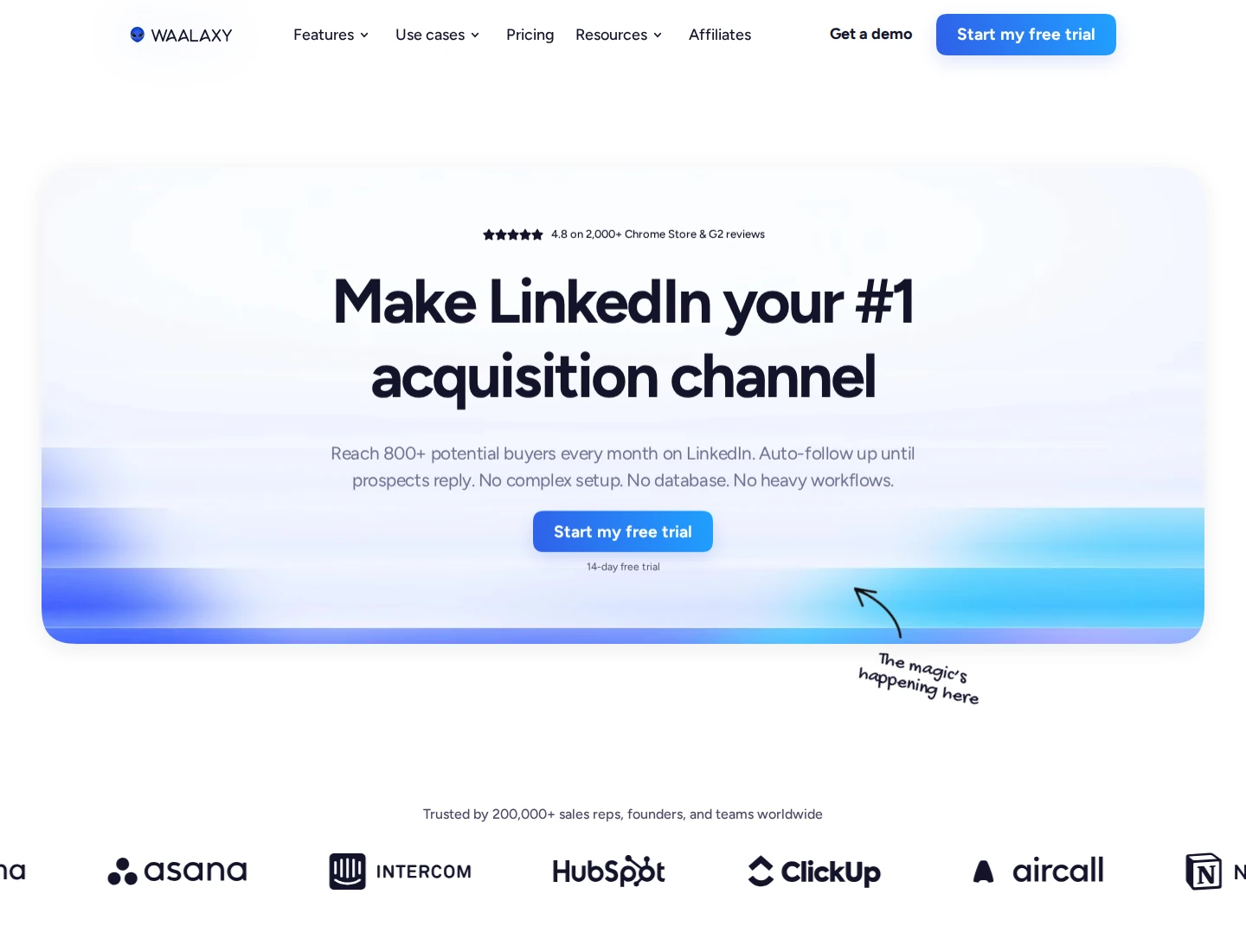
5. Waalaxy, best for prebuilt cloud sequences for individual sellers
Waalaxy runs LinkedIn outreach in the cloud using prebuilt sequences. Campaigns no longer depend on the former Chrome extension. An optional Alien Copilot extension helps with imports, while campaign execution happens in the web application.
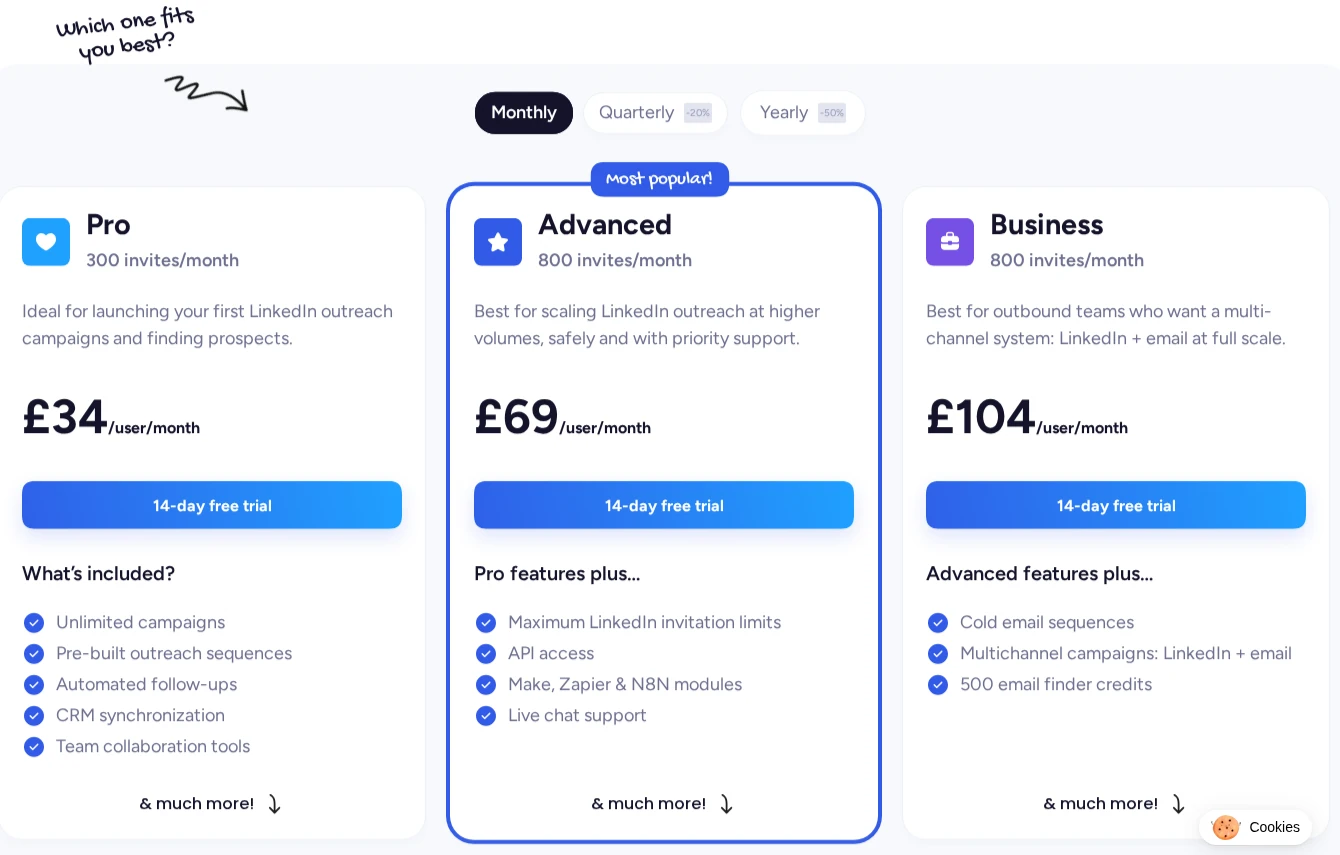
Pro covers LinkedIn campaigns and follow-ups. Advanced adds API access and Make, Zapier and n8n modules. Business adds cold email and combined LinkedIn/email sequences, so it is the relevant tier when moving both channels from your existing stack.
Pricing: The GBP monthly menu lists Pro at £34/user, Advanced at £69 and Business at £104. Annual equivalents are £17, £35 and £52 respectively, paid for the year upfront. Pro advertises 300 invitations/month; Advanced and Business advertise 800. These are plan allowances, subject to the account's limits. A 14-day trial is available.
Inbox is a paid add-on, not part of those entry prices. Team features allow delegated campaign access, separate prospect lists and duplicate protection, but the Inbox FAQ says you cannot view teammates' conversations. Its synchronization also requires a LinkedIn tab to stay open, distinct from cloud campaign execution. Check this boundary before replacing HeyReach's centralized reply desk.
Replies remove prospects from their sequence, stopping later messages. You can set working hours and reduce action quotas. Product Hunt shows 4.3/5 from seven historical reviews, rather than a cloud-release-only sample; some reviewers wanted more flexible workflows.
Best suited for
Individual sellers who prefer a preset LinkedIn outreach routine with optional email on Business. Teams should confirm the separate Inbox bill and conversation-access limits before choosing it for client reply management.
6. Lemlist, best for native email and LinkedIn sequences with calling
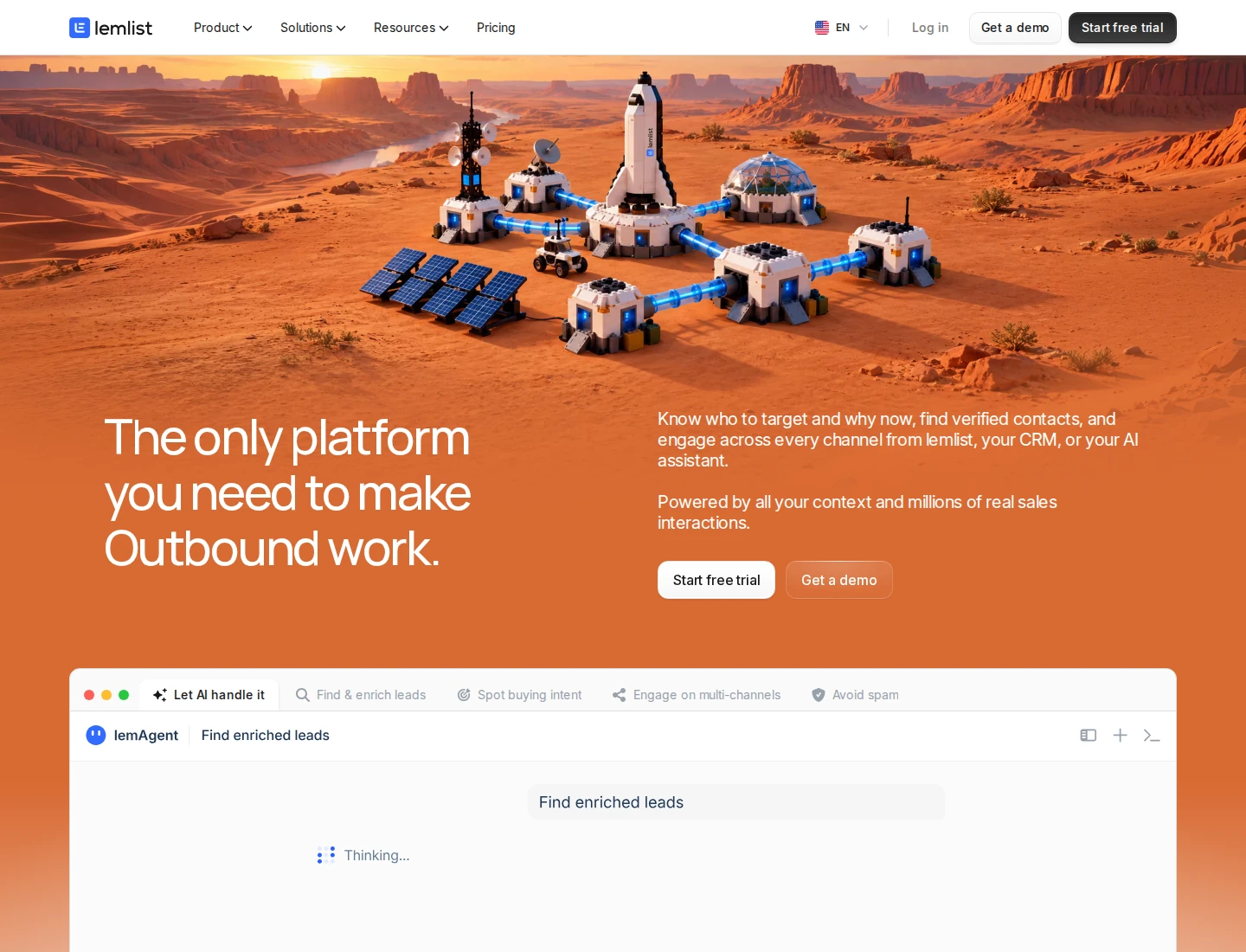
Lemlist combines email, LinkedIn actions and calling workflows in one outbound platform. Conditional steps let you change the next action around a prospect's response. This makes its Multichannel plan relevant when you want email and LinkedIn execution in the same campaign.
Its unified Inbox handles email and LinkedIn replies, with owner and team filters, snoozing and tasks. Only conversations started in Lemlist appear there, so switching does not import every old LinkedIn chat. You can configure whether a reply continues, pauses or ends a lead's sequence, including optional pauses for contacts at the same company.
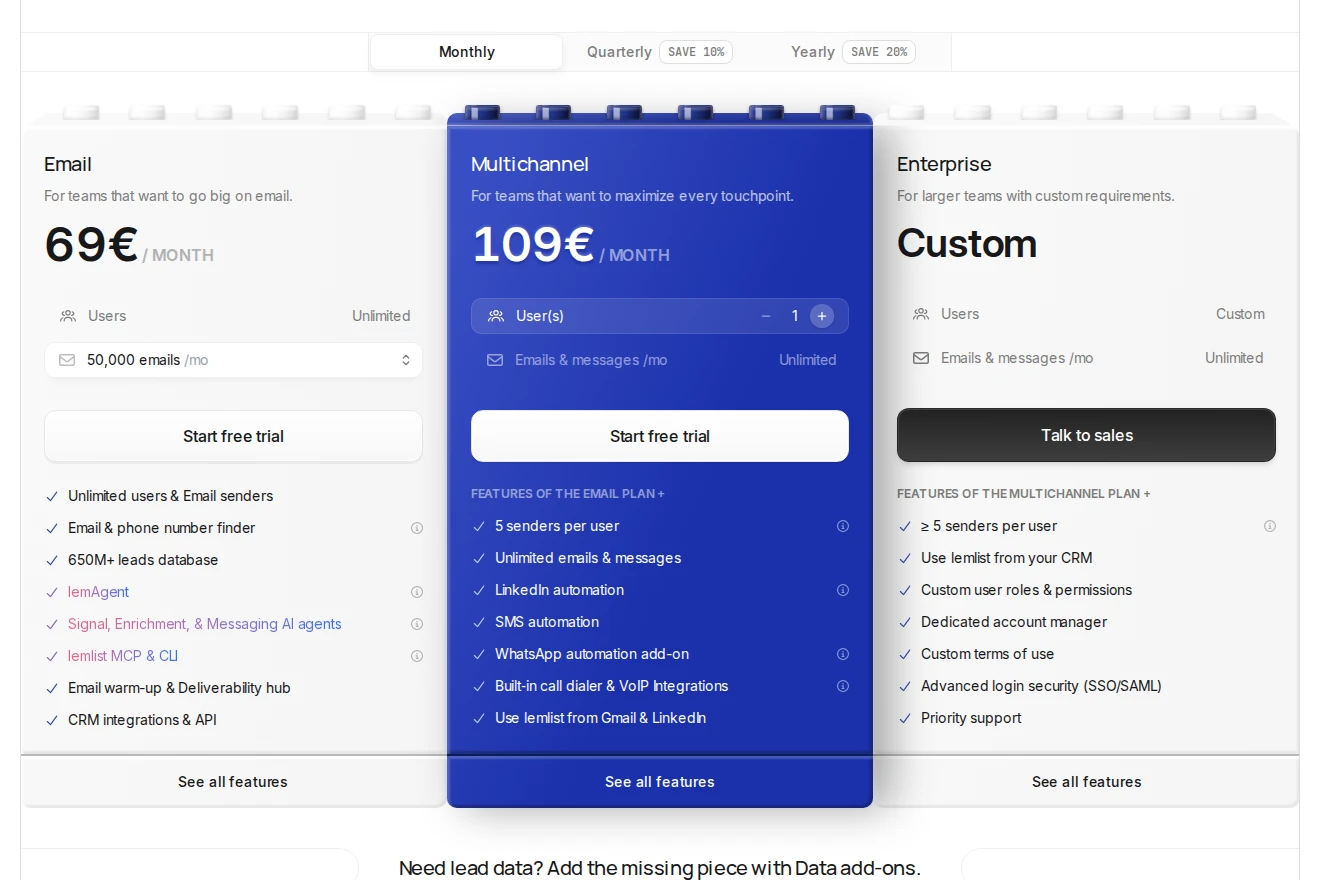
Pricing: In EUR, Multichannel costs €109/user/month on monthly billing or €87 as an annual equivalent. Each seat connects one LinkedIn profile and includes five email sending addresses. The separate Email plan starts at €69/month for 50,000 emails across the team, with unlimited users and email senders; it does not include LinkedIn actions.
LinkedIn connection uses Lemlist's Chrome extension and browser session. Enterprise adds custom roles, SSO and a dedicated manager. Enrichment, buying signals and some additional channels have separate charges, so include data needs in the bill.
The 14-day no-card trial has 200 one-time credits and excludes calling and lemwarm. TrustRadius gives Lemlist 8.3/10 from 23 reviews and ratings. Reviewers mention cost and a learning curve as campaigns grow; check who will maintain your sequences and integrations.
Best suited for
Teams bringing LinkedIn, email and calling into a shared outbound routine. Price the Multichannel seats and data needs rather than using the cheaper email-only subscription as the comparison.
7. Skylead, best for LinkedIn and cold email in one sequence
Skylead runs LinkedIn and cold-email outreach in cloud-based smart sequences. You can build from a template or combine actions, conditions and delays yourself. A response stops that lead's sequence so a person can take over the conversation.
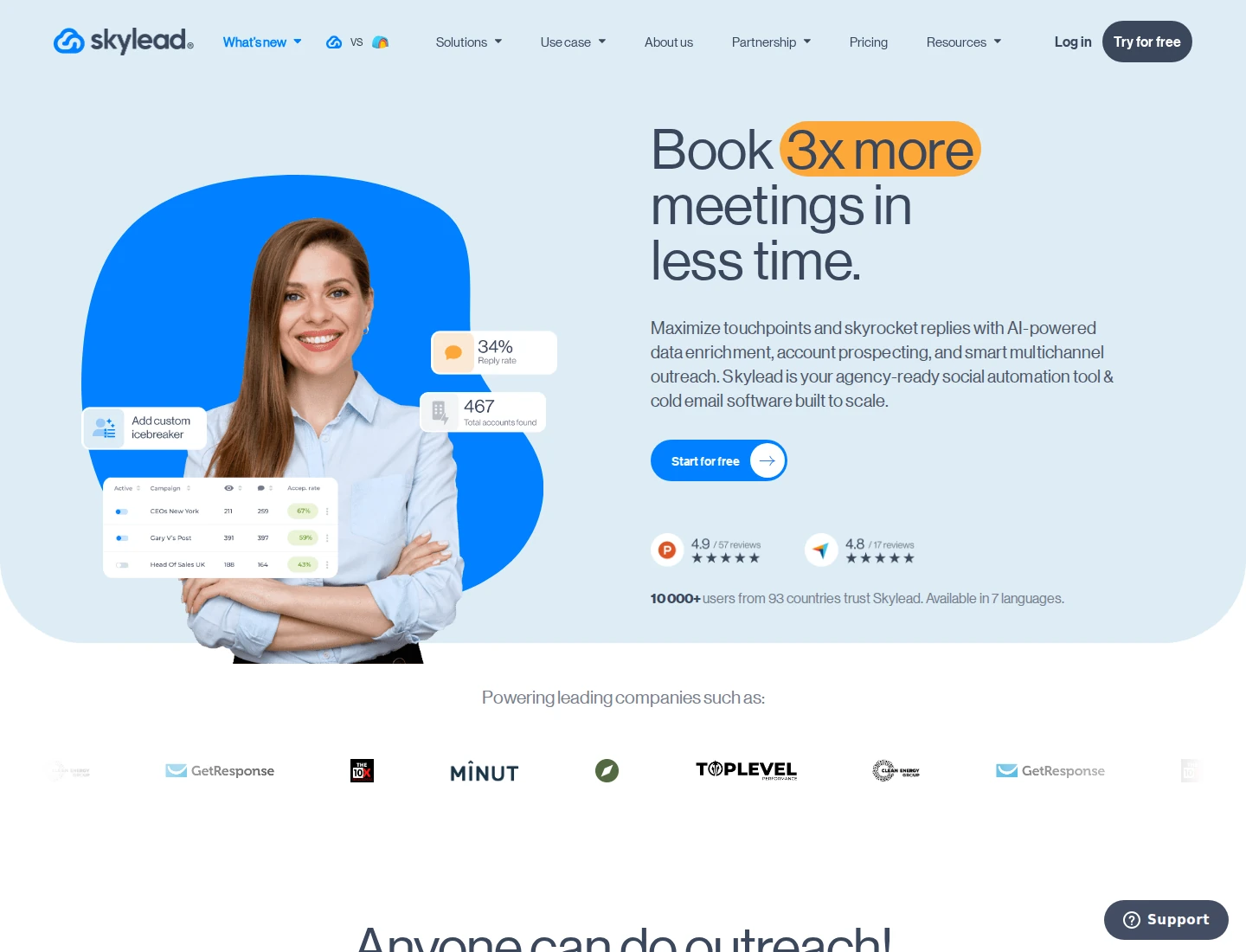
Its Smart Inbox brings LinkedIn and email replies together, with labels and saved reply templates. Agency accounts add separate client environments, granular access permissions and an inbox that filters by team and seat. Check those controls against who handles each client's replies, rather than assuming every multi-account dashboard works like HeyReach.
Pricing: All-in-one costs $100 per seat/month, including one seat and 100,000 emails a month. It supports unlimited connected email accounts and campaigns. Email discovery, verification, warm-up, A/B testing and image/GIF personalization are included; AI enrichment and AI SDR are add-ons. Warm-up and connected sending accounts have different allowances.
Agency seat bundles, email volume, white-label terms and renewal pricing need confirmation before purchase. The seven-day trial applies to the first account; adding another account can start a paid subscription. Do not treat the trial as a free multi-account agency setup.
Trustpilot shows 2.9/5 from two older reviews. G2 reviewers have also reported occasional data-sync or delivery delays. Confirm the CRM and reply handoffs your team needs; API and webhooks connect Skylead to the rest of your stack.
Best suited for
Teams moving LinkedIn and email execution into a shared sequence and reply workflow. Agencies should confirm their exact package, client permissions and renewal bill before moving several accounts.
8. Linked Helper, best for lower-cost desktop campaign execution
Linked Helper runs LinkedIn campaigns on your computer or VPS. Its builder covers connection requests, follow-ups, conditions and reply detection, with a built-in CRM, tags and notes. The application must stay running, so include machine upkeep in your comparison with a cloud sender.
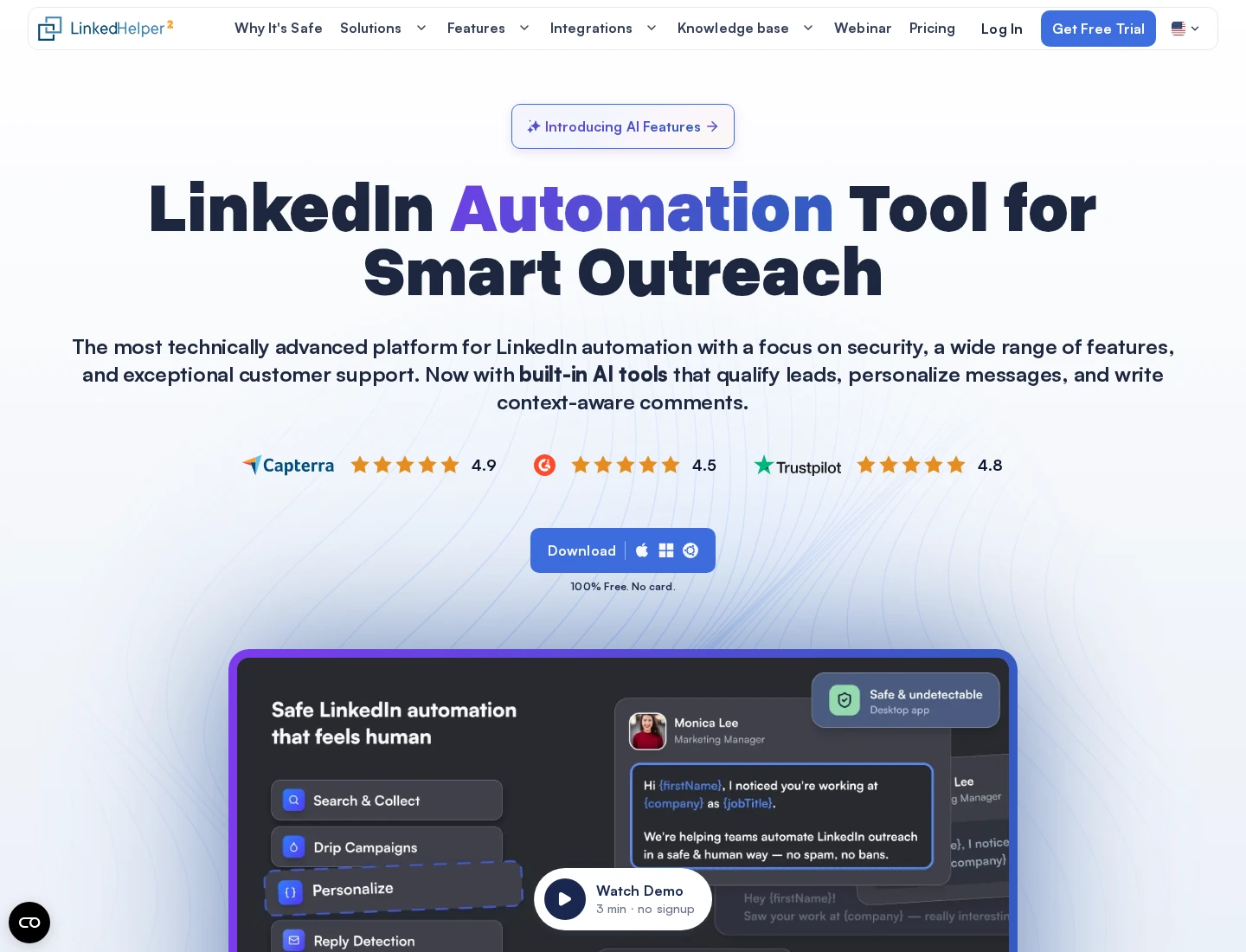
Pricing: Local-storage Standard costs $15 per license for one month; Pro costs $45. One license automates one LinkedIn account at a time. Twelve-month purchases cost $99 for Standard or $297 for Pro, paid upfront. The 14-day Pro trial needs no card and pauses campaigns when it ends without a purchase.
Standard limits selected advanced actions to 20/day per action type. That is not a blanket 20-request limit on ordinary connection requests or plain messages to first connections. Pro removes those vendor-side caps and adds message-history export through CSV or webhooks. LinkedIn account limits still apply.
Cloud Storage changes where campaign and lead data are stored, adds synchronization and backups, and supports shared access. It does not move sending to vendor-hosted servers. Workspace roles are available on both storage types, and review-only teammates do not need a LinkedIn-account license.
Choose the edition before buying: the current FAQ does not offer mid-term Standard-to-Pro upgrades or Local-to-Cloud workspace migration. G2 rates Linked Helper 4.5/5 from 149 reviews. Some reviewers describe a cluttered interface and a learning curve, worth considering alongside the lower subscription price.
Best suited for
Operators who want desktop campaign control and can maintain the running machine. Choose Pro when exporting conversation history or using its higher advanced-action allowances matters to the move.
Side-by-side comparison
Compare the conversation steps, channels, account unit, reply controls and operating requirements described above. Prices below use monthly billing, not annual equivalents; the relevant workflow can require a higher plan than the entry offer.
| Tool | Monthly price and unit | Conversation steps and channels | Account and reply controls | Operating requirements and trial |
|---|---|---|---|---|
| Extrovert | $49/LinkedIn account | Prospect context, first DMs, follow-ups and restarters; optional comment warm-up | Review/edit/send or snooze recommended DMs; free review-only teammates | Cloud; 250 tracked prospects and 300 discovery Credits per seat; 10-day no-card trial |
| Expandi | $99/seat | Conditional LinkedIn and native email campaigns | Global Inbox and scoped account roles; email replies sent from mailbox | Cloud; unlimited campaigns; custom Agency offer; 7-day no-card trial |
| Dripify | $79/user Pro; $99 Advanced | LinkedIn and email sequences | Dedicated LinkedIn inbox; Advanced for Owner/Manager roles | Cloud; unlimited campaigns; 100 monthly finder credits; 7-day no-card trial |
| Aimfox | $49/seat; $499/20-seat Agency base | Multi-sender outbound LinkedIn; up to 10 follow-ups | Client workspaces, sender filters and reply stop | Cloud; extra agency seats $20 each; 14-day no-card trial |
| Waalaxy | £34/user Pro; £104 Business for email | Prebuilt LinkedIn sequences; native email on Business | Delegated campaigns; paid Inbox does not expose teammates' chats | Cloud campaigns; Pro 300 invitations/month; 14-day trial |
| Lemlist | €69/team Email; €109/user Multichannel | Native email, LinkedIn and calling on Multichannel | Unified Inbox for conversations started in Lemlist; configurable reply stop | One LinkedIn profile and five email addresses per Multichannel seat; 14-day no-card trial with exclusions |
| Skylead | $100/seat | Native LinkedIn and email smart sequences | Smart Inbox, client environments and permissions | Cloud; 100,000 emails/month; confirm agency terms; 7-day first-account trial |
| Linked Helper | $15/license Local Standard; $45 Pro | Desktop LinkedIn campaigns and follow-ups | Built-in CRM; message-history export on Pro | Computer/VPS stays running, including Cloud Storage; 14-day no-card Pro trial |
For one outbound campaign shared by several senders, Aimfox documents target distribution and target-to-sender locking. The other reviews describe account-level campaigns or client administration; confirm campaign-level distribution and reply ownership before moving that specific setup.
Which HeyReach alternative fits your use case
| Your situation | Tool and workflow to assess | What to check before moving |
|---|---|---|
| Reps lack a useful reason for their next DM | Extrovert for relevant first messages, follow-ups and restarters | Add a focused buyer list and review the reasons and drafts; keep campaign rotation separately if needed |
| Conditional campaigns and multi-account inbox access matter | Expandi for cloud LinkedIn and email campaigns | Agency quote, scoped roles and answering email from your mailbox |
| Each rep runs sequences, with managers overseeing teams | Dripify Pro/Advanced | Advanced management seats and the manual stop needed after replying directly on LinkedIn |
| An agency distributes outbound targets across client accounts | Aimfox Agency | 20-seat minimum, target-to-sender locking and conversation export needs |
| A solo seller prefers a preset sequence | Waalaxy | Business for email, separate Inbox cost and no access to teammates' chats |
| Sales uses email, LinkedIn and calls together | Lemlist Multichannel | Per-user seat cost, historical conversation coverage and data add-ons |
| LinkedIn and email should share one sequence and reply desk | Skylead | Actual agency seat allowance, email volume and renewal terms |
| Low entry cost matters and desktop upkeep is acceptable | Linked Helper | Local versus Cloud Storage, Pro export requirements and machine uptime |
What results look like with Extrovert
These customer routines combine engagement, direct messages and, where needed, a separate campaign sender. Allbound OS shows a change in daily reply work; Unstuck and Blynked show how warm-up fits before outreach.
At Unstuck, Sabahudin Murtić used at least three comments before handing prospects to HeyReach. His December 2025 comment-to-DM example produced 8 replies and 2 booked calls from 12 messages. A separate earlier example had 3 replies from 500 automated DMs; these were different examples, not a matched test. This is a useful model when you want to improve the preparation around HeyReach rather than remove it.
Allbound OS founder S. Can Timağur reported connection acceptance rising from 15% to 32%, alongside daily DM reply work falling from 45 to 10 minutes. His routine used one or two comments spaced one or two weeks apart, then a connection request within 24 hours of a comment. Extrovert handled engagement and nurture; GetSales handled connection and outreach sequences.
At Blynked, Bojan Djakonovic Berisavljevic described moving from five scattered comments to 50 daily comments in 15–20 minutes. In one client comparison, cold outreach had 24% acceptance and 4% replies; outreach after two weeks of comments had 61% acceptance and 38% replies. He reported the same targeting and message, within a wider Clay, Extrovert and Aimfox setup.
Read more Extrovert customer stories to compare the routines behind the numbers.
Compare the agency bill and plan your move
HeyReach Growth costs $79 per sender/month on monthly billing. Agency includes 25 senders at $999/month; Unlimited costs $2,999/month. Non-sending teammates are free. Its email-platform integrations connect outreach across channels, rather than turning the subscription into a built-in cold-email sender. Agency and Unlimited require bring-your-own proxies, an operating cost outside those subscriptions.
At the published monthly list rates, 25 Extrovert accounts cost $1,225 before volume discounts or extra capacity. Aimfox Agency costs $599 for 25 active senders: its $499 base includes 20, then five additional seats cost $20 each. These buy different workflows: Extrovert supports relevant conversations, while the sender bundles run multi-account campaigns.
For Dripify, 25 Pro seats cost $1,975 before Advanced management upgrades; 25 Advanced seats cost $2,475. Expandi's Agency offer is custom, and Skylead's agency seat allowance and renewal terms need confirmation.
Before moving, compare the plan that covers your connected accounts, reply owners, client workspaces and channels. A per-account subscription and a sender bundle have different costs as your team grows. Confirm any separate proxy requirements, personalization costs and promotional renewal terms alongside the subscription.
- Export the prospect lists and reply history you need. Record scheduled actions and who owns each conversation.
- Stop overlapping scheduled campaigns before enabling the new setup. Avoid sending the same prospect duplicate outreach from two tools.
- Check reply-triggered stops, CRM handoffs and client permissions. Decide who handles each shared inbox.
- Start with a defined group of accounts or prospects. Confirm scheduling, comments, drafts and handoffs before expanding.
You can keep a sequencer while using Extrovert to warm prospects and maintain relationships. Allocate a combined daily activity budget across tools connected to the same LinkedIn account.
FAQ
How can Extrovert replace part of my HeyReach workflow?
Extrovert brings prospect discovery, comments, connection opportunities and recommended DMs into a daily routine. It helps you keep conversations active before and after outreach; API and webhooks let your tools pass prospect details to an existing sequencer when you set up that handoff.
What should I compare for a 25-account agency?
HeyReach Agency lists $999/month for 25 senders, plus bring-your-own proxies; Aimfox lists $599/month for 25 active senders. Extrovert's list-rate total is $1,225 for 25 accounts before volume discounts and extra capacity, for a different conversation workflow. Add the management upgrades, channels and renewal terms your team needs.
What do I need to keep my existing conversations?
Export the lists and reply history available from your current setup, then assign an owner to each open conversation. Check the destination's import and history support before cancelling access, because changing tools does not automatically transfer every message or campaign state.
How much does Extrovert cost beyond the account seat?
The $49 monthly seat includes 250 tracked prospects, one topic and 300 discovery Credits, pooled across the team. Extra tracking, topics and discovery Credits cost more; Lead Finder uses one Credit per processed record, including duplicates, invalid records and records over your tracking limit.
How does Extrovert control activity on my account?
Extrovert keeps activity within your daily limits and follows your working hours. It spaces out actions, and anything over the limit waits for the next day. You choose what to review and what to automate.
How much of Extrovert can I automate?
Comments start in review mode, with optional automatic comments per campaign and connection requests after warm-up. DMs require approval; you can authorize an AI assistant such as Claude or ChatGPT through an MCP connection, which lets it review and send the actions you permit.
What happened to Trigify, and where does Taplio fit?
Trigify's standard customer, integration and API access ended on 22 October 2026 as its team joined HubSpot, with account-specific contractual dates potentially differing. Taplio focuses on content creation, scheduling and audience growth; the Taplio alternatives guide covers that different buying task.
Try Extrovert free for 10 days
Start with the prospects your team wants to reach. Bring their existing conversations into your daily routine. Review why a first message or follow-up is due. Edit the suggested DM and choose what to send. Keep your sequencer when you still need campaign rotation. The 10-day trial needs no credit card.