On this page
The best LinkedIn Sales Navigator alternative depends on what you need to replace: finding people, getting contact details, researching accounts, or keeping a LinkedIn relationship moving after the first conversation.
Extrovert connects prospect discovery with ongoing LinkedIn engagement. Apollo, ZoomInfo, Cognism, Zeliq, Lusha and UpLead cover database-led prospecting and contact data. Crunchbase covers company research, funding and account discovery. None includes LinkedIn InMail access.
Apollo, Lusha and Zeliq Basic have permanent free subscriptions. Their limits differ; see what you can do without a paid subscription.
If price is your main reason for switching, compare the billing term and usage allowance before the headline number. A cheaper seat can still cost more once you add phone reveals, exports or extra tracking capacity.
Sales Navigator alternatives at a glance
| Tool | Main prospecting job | What happens after discovery | Entry price and billing |
|---|---|---|---|
| Extrovert | Find people by role/company or LinkedIn activity | Track posts, prepare comments and DMs, restart conversations | $49 / LinkedIn-account seat / month, monthly |
| Apollo | Contact search with email-sequence workflows | Email sequences, calling and CRM workflows | Free; Basic $49 / seat / month, billed annually |
| ZoomInfo | Contact and account intelligence | Account prioritization, signals and CRM activation | Custom quote |
| Cognism | People search with mobile verification in Pro | Contact export and enrichment | Custom quote; five seats included |
| Zeliq | Contact discovery and waterfall enrichment | Email, LinkedIn and phone sequences | Free Basic; Starter $59 / user / month, monthly |
| Lusha | Contact search, lookalikes and data reveals | Email sequences, enrichment and signals by plan | Free; Starter $37.45 / month, billed yearly, one seat |
| UpLead | Filter-based search and verified contact exports | Download or export contacts to a CRM | Essentials $99 / month, monthly, one user; seven-day trial |
| Crunchbase | Company discovery, funding and growth research | Saved searches, monitoring and exports | Pro $99 / month, monthly; annual first-year offer $49 / month |
Dollar prices are USD. Annual prices shown per month are billed yearly. Credits buy different actions in each product; compare the contacts, channels and exports you need rather than equal credit counts.
What changes when you leave Sales Navigator?
Sales Navigator combines more than 50 search filters with saved leads and accounts, alerts, relationship mapping and InMail. TeamLink and CRM features depend on the plan. Account IQ, Lead IQ and Message Assist also provide AI research and message assistance, with availability depending on plan, language and rollout.
A useful replacement should cover the jobs your team uses:
- People discovery: Can you find the roles and companies in your target market without first building a list in Sales Navigator?
- Account research: Do you need funding, technology, hiring or buying-intent data to prioritize accounts?
- Contact data: Do you need verified emails and direct dials for conversations outside LinkedIn?
- Relationship work: Do you need help tracking posts, commenting and finding a reason to reconnect?
- Native LinkedIn access: Are InMail, mutual connections, relationship maps or TeamLink essential to your process?
Sales Navigator Core's published US price starts at $119.99 per license per month on monthly billing, or $1,079.88 per license per year. Advanced starts at $159.99 monthly or $1,799.88 yearly; Advanced Plus is quoted. Region, taxes and offers can change the price.
A database can replace list-building without recreating LinkedIn's relationship graph. An engagement tool can replace daily follow-through while working alongside an existing sourcing tool. Check those jobs separately before removing a subscription. For the specific two-product decision, read Extrovert vs LinkedIn Sales Navigator.
1. Extrovert for discovery and ongoing LinkedIn relationships
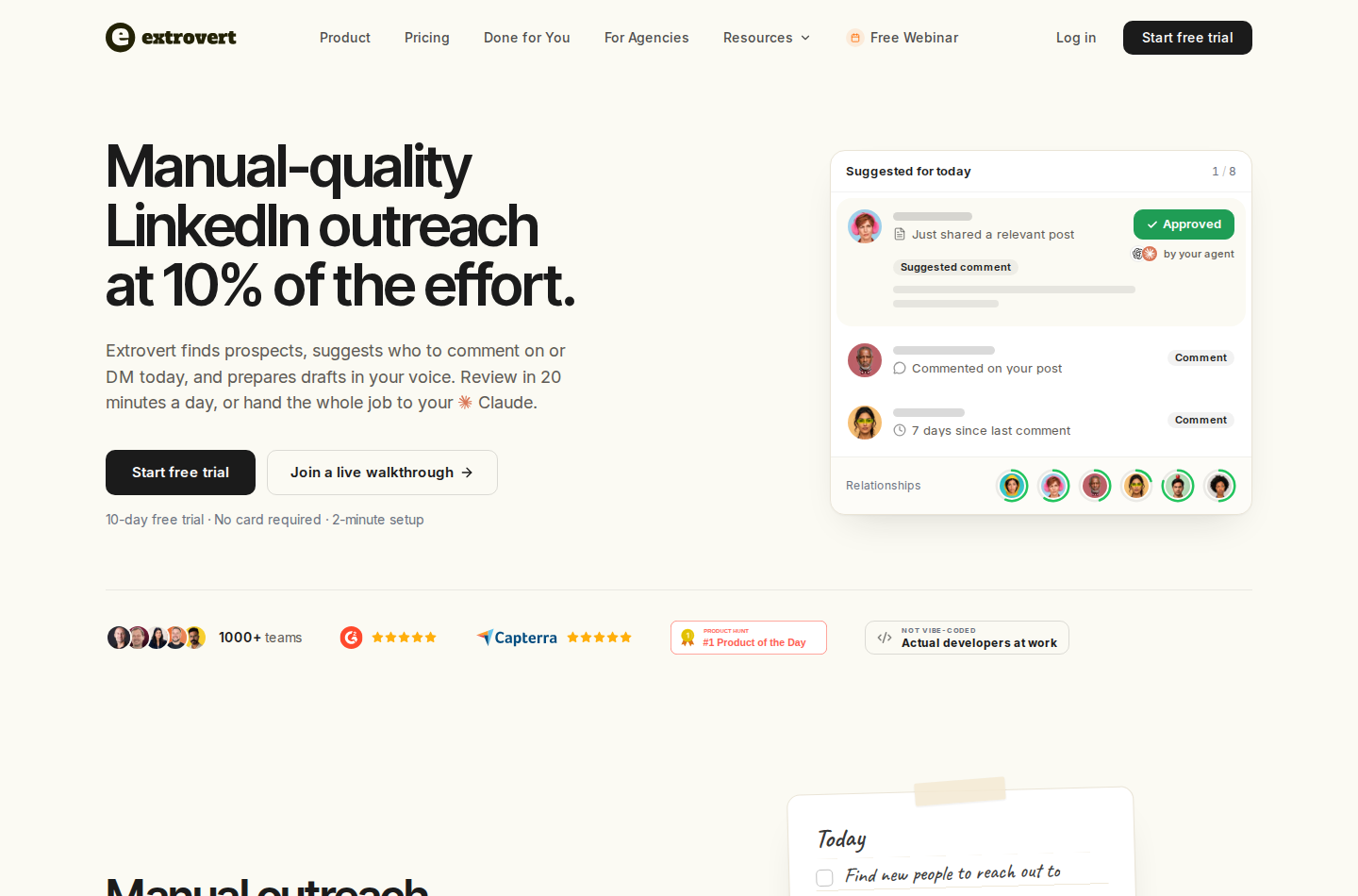
Extrovert connects prospect discovery with regular LinkedIn relationship-building.
Extrovert helps SDRs, founders and account executives find prospects and stay in touch on LinkedIn. Add people you discover to a prospect campaign to track their activity and follow up.
Find people by role and company
Lead Finder searches a separate B2B database by role, location, company size, industry and technologies. You can preview matches before connecting LinkedIn. Adding prospects to a campaign costs one Credit per processed prospect, including records that turn out to be duplicates or invalid profiles.
You can also import an existing Sales Navigator, CRM or CSV list. That lets you keep useful research and move the daily engagement work into Extrovert without rebuilding your targeting.
Discover people through relevant LinkedIn activity
Intent Signals finds people who engage with selected posts, people, company pages or topics. Other signal types identify activity around competitor teams and new connections with their sales or customer-success teams. These are reasons to investigate a prospect, not proof of a purchase decision.
Review suggested prospects before adding them to an engagement campaign.
Illustration: a radar sweeping LinkedIn activity. Most of it is passed over; three people are found by what they did: commented on a post about your topic; engaged with a competitor's post; connected with a competitor's sales team.


Keep a reason to reconnect
LinkedIn monitoring brings tracked prospects' posts into your workflow. Extrovert prioritizes posts and prepares comment drafts, recommended DMs and Conversation Restarters based on relevant activity.
The Conversation Restarter below connects a specific prospect post to a suggested DM. That gives you a concrete reason to follow up during a long sales cycle, instead of repeating a generic check-in.
Illustration: Extrovert reads the prospect's posts. hot take, thought leadership, motivation, promotion are skipped. One post, went to sf tech week, is a Restarter signal. Extrovert suggests the DM "Seen you went to SF Tech Week. How did it go?", and the prospect replies.

Comments are manual by default, with individual or bulk approval. Optional campaign automation can publish comments without pre-review and send connection requests after warm-up. DMs need approval in that workflow.
You can connect an AI assistant such as Claude or ChatGPT to Extrovert through MCP. The connection lets your assistant approve comments and send DM replies when you prompt it. This is optional; you can review drafts directly in Extrovert without it. Review controls do not guarantee protection from LinkedIn restrictions.
Price and limits
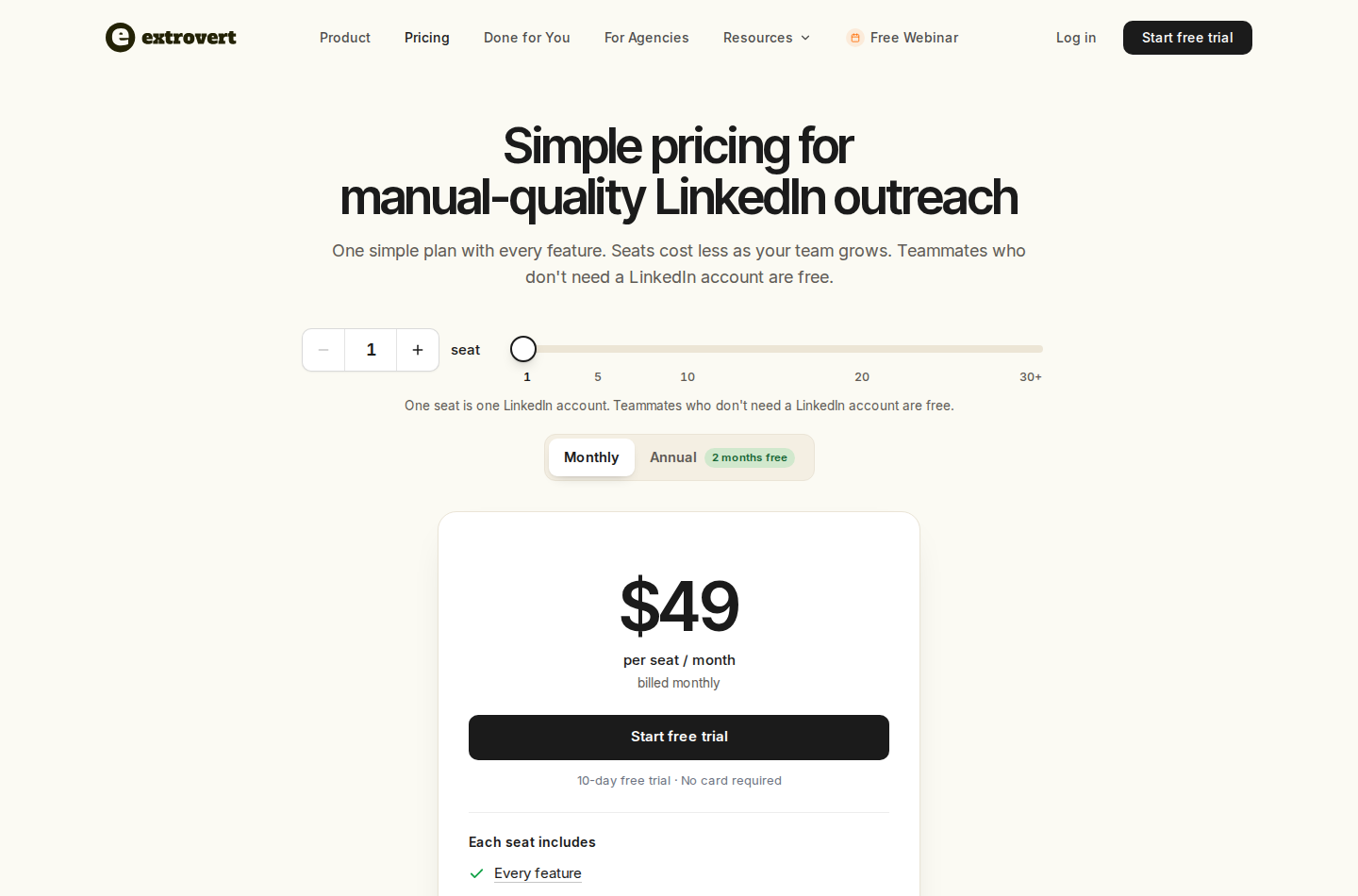
One seat is one connected LinkedIn account. The capture shows monthly billing.
Extrovert pricing starts at $49 per LinkedIn-account seat per month, billed monthly at one seat. Teammates without connected accounts are free. Each seat includes 250 tracked prospects, one topic and 300 monthly Credits, pooled across the team. Annual billing offers two months free; volume discounts apply.
Lead Finder costs one Credit per processed prospect. Intent Signals costs 25–250 Credits per person found, depending on the source. Included Credits reset monthly; purchased top-ups roll over. Discovery Credits and tracking capacity are separate limits.
The 300 included Credits cover up to 300 processed Lead Finder records or 12 prospects from a 25-Credit Intent Signals source, if you spend them on that source alone. Importing a list and tracking its members are separate from paying to discover new people.
Extrovert covers discovery connected to ongoing LinkedIn engagement. It does not reproduce Sales Navigator's full filter system, native relationship graph, account mapping or InMail, and it does not supply a phone/email enrichment database. The trial lasts ten days and requires no card.
2. Apollo for database-led prospecting and email sequences
Apollo combines a contact database with prospecting and sales workflows.
Apollo combines contact and company search with enrichment, email sequences, AI research and CRM integrations. Its database-led workflow covers finding people outside a LinkedIn-only search process and contacting them through email or calls.
Basic adds advanced filters, six intent topics, unlimited sequences and automated enrichment. The free plan includes basic filters and two sequences. Calling, mailbox limits and dialer add-ons affect the scope of the outreach workflow.
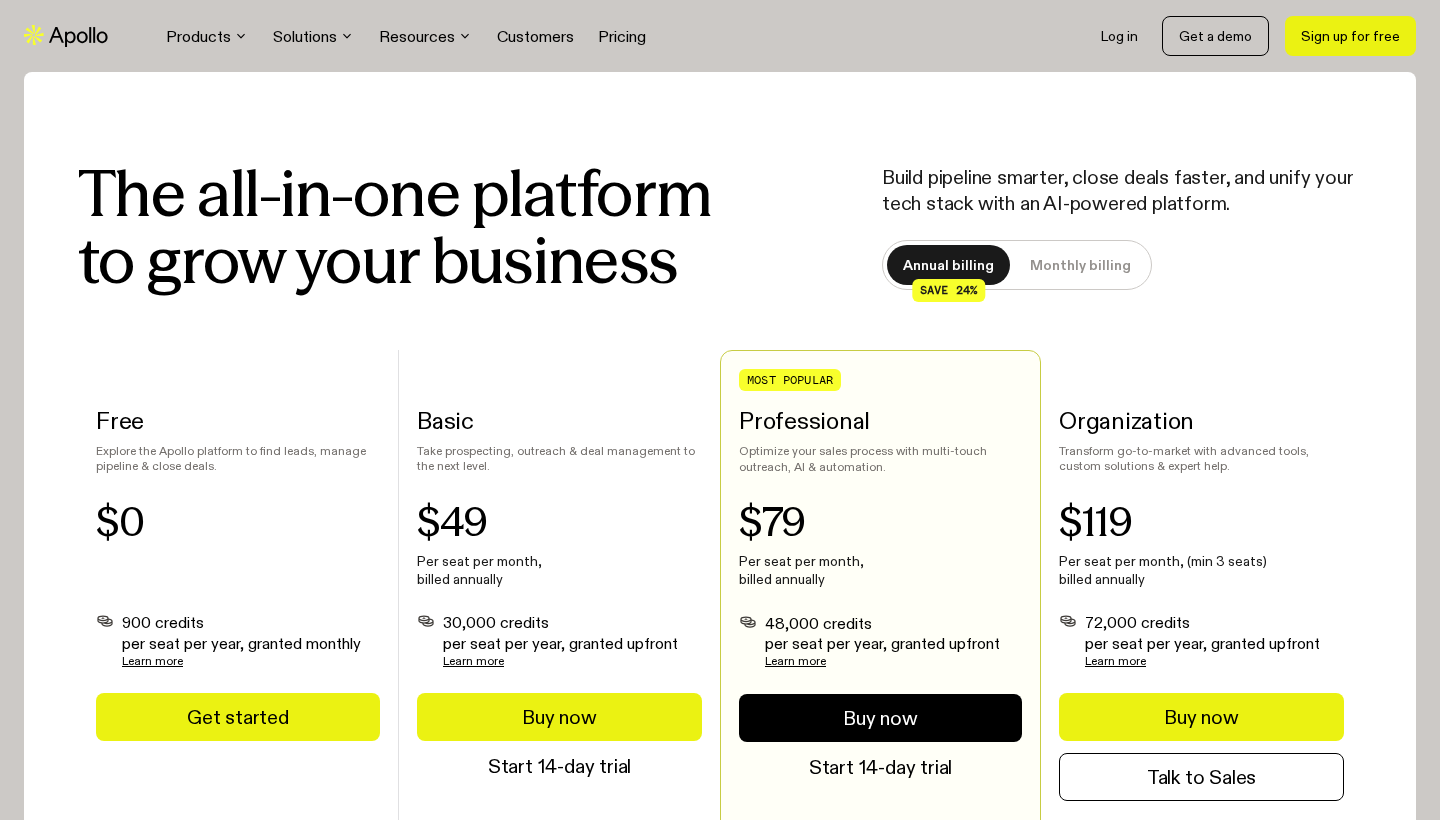
Paid prices in this capture are per seat, per month, billed annually.
Pricing: Free includes 900 credits per seat per year, granted monthly. Basic is $49 per seat per month, billed annually, with 30,000 annual credits granted upfront. An email costs one credit and a phone number eight. Dialer add-ons and other usage can increase the cost.
Replacement scope: Contact and company discovery plus off-LinkedIn outreach. Its database and sequences do not reproduce LinkedIn's native relationship graph or InMail. Check whether the filters and contact allowance in the intended plan cover your market and channels.
3. ZoomInfo for contact and account intelligence
ZoomInfo brings company and contact intelligence into a broader GTM platform.
ZoomInfo covers contact and company search, business emails, mobile numbers, CRM integrations and account intelligence. Its Copilot packages add account prioritization, intent, website-visitor signals and champion tracking, with scope varying by package.
Teams can use those signals to prioritize accounts and send contact and company data into their existing sales tools.
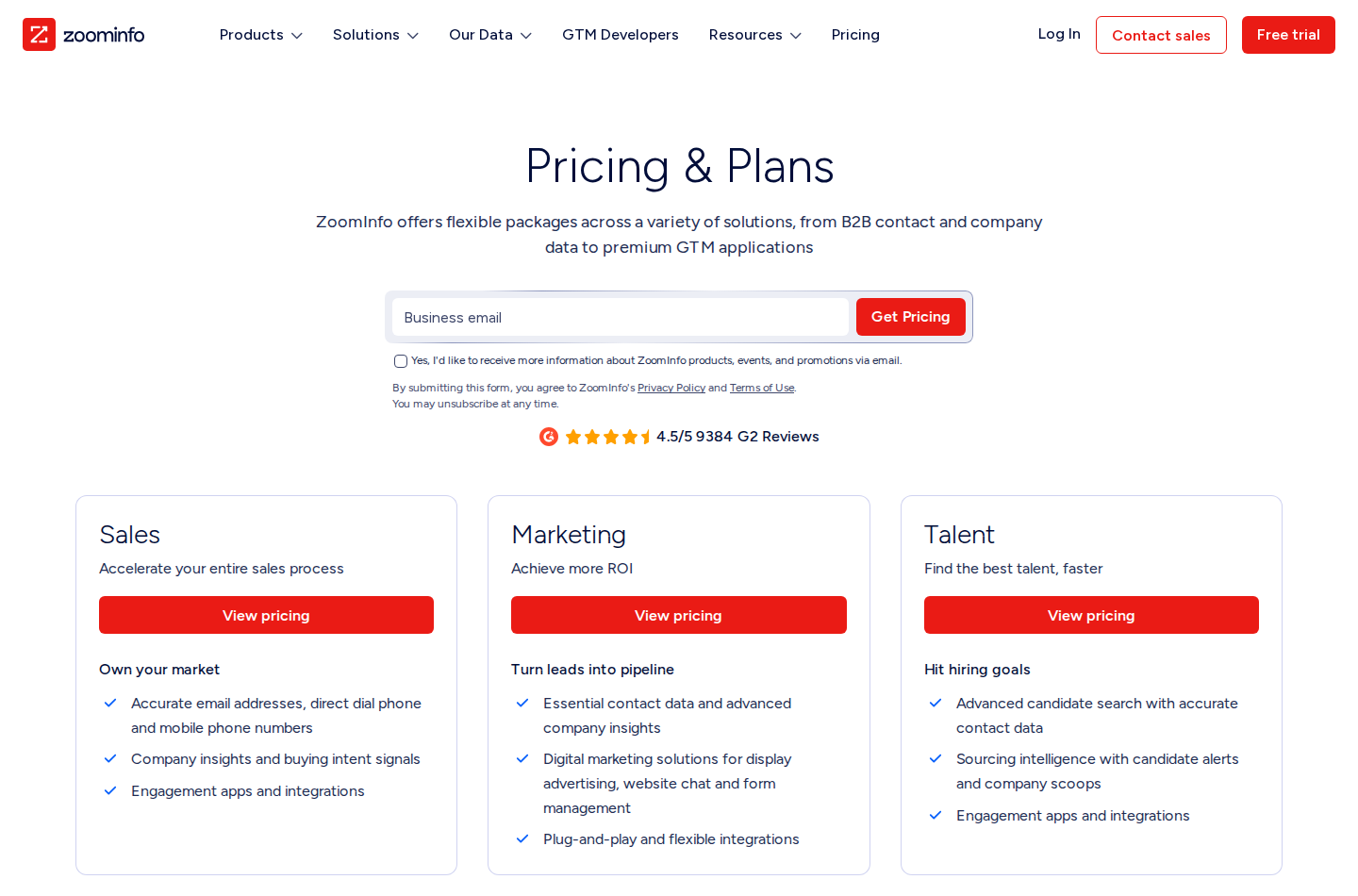
ZoomInfo uses a pricing request rather than a public entry subscription price.
Pricing: Custom quotes depend on licenses, functionality, credits, integrations and add-ons. Confirm the total package price, export allowance, renewal terms and contract length; there is no public entry seat price to compare directly with Sales Navigator Core.
Replacement scope: Contact sourcing and account intelligence. Identify which signals and integrations are included in the quote, and whether your reps can act on them in the tools they already use. Native LinkedIn warm paths and InMail remain separate capabilities.
4. Cognism for people search, account research and calling data
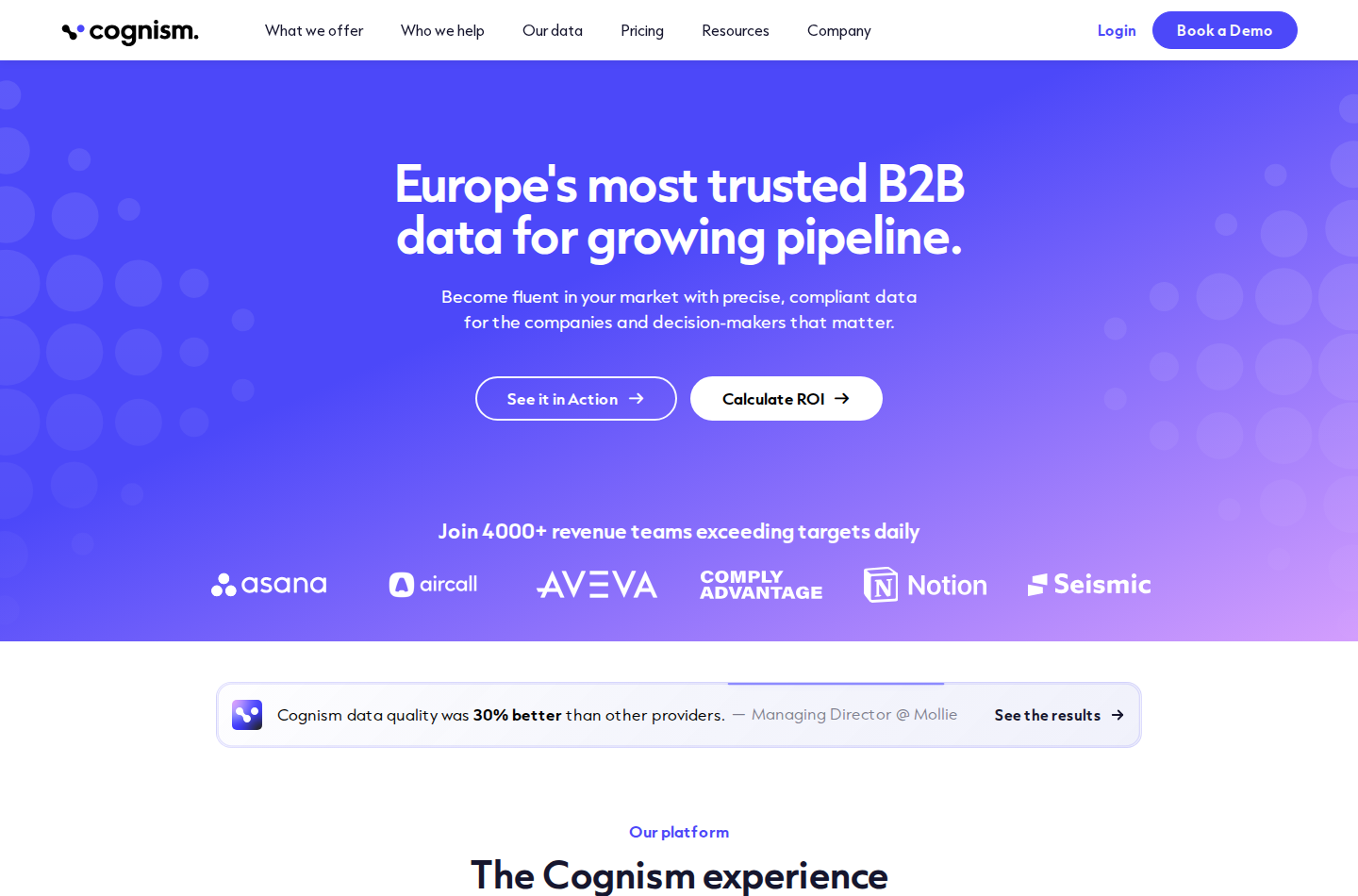
Cognism combines prospecting data with account research and calling information.
Cognism supports people and company discovery through firmographic, technographic and signal-based filters. It combines contact data with AI search and account research. Pro adds intent and on-demand mobile verification; CRM enrichment is an add-on or standalone product.
Cognism provides contact data for turning a Sales Navigator shortlist into a calling list. Account-level intent helps prioritize a company; it does not identify which person has decided to buy.
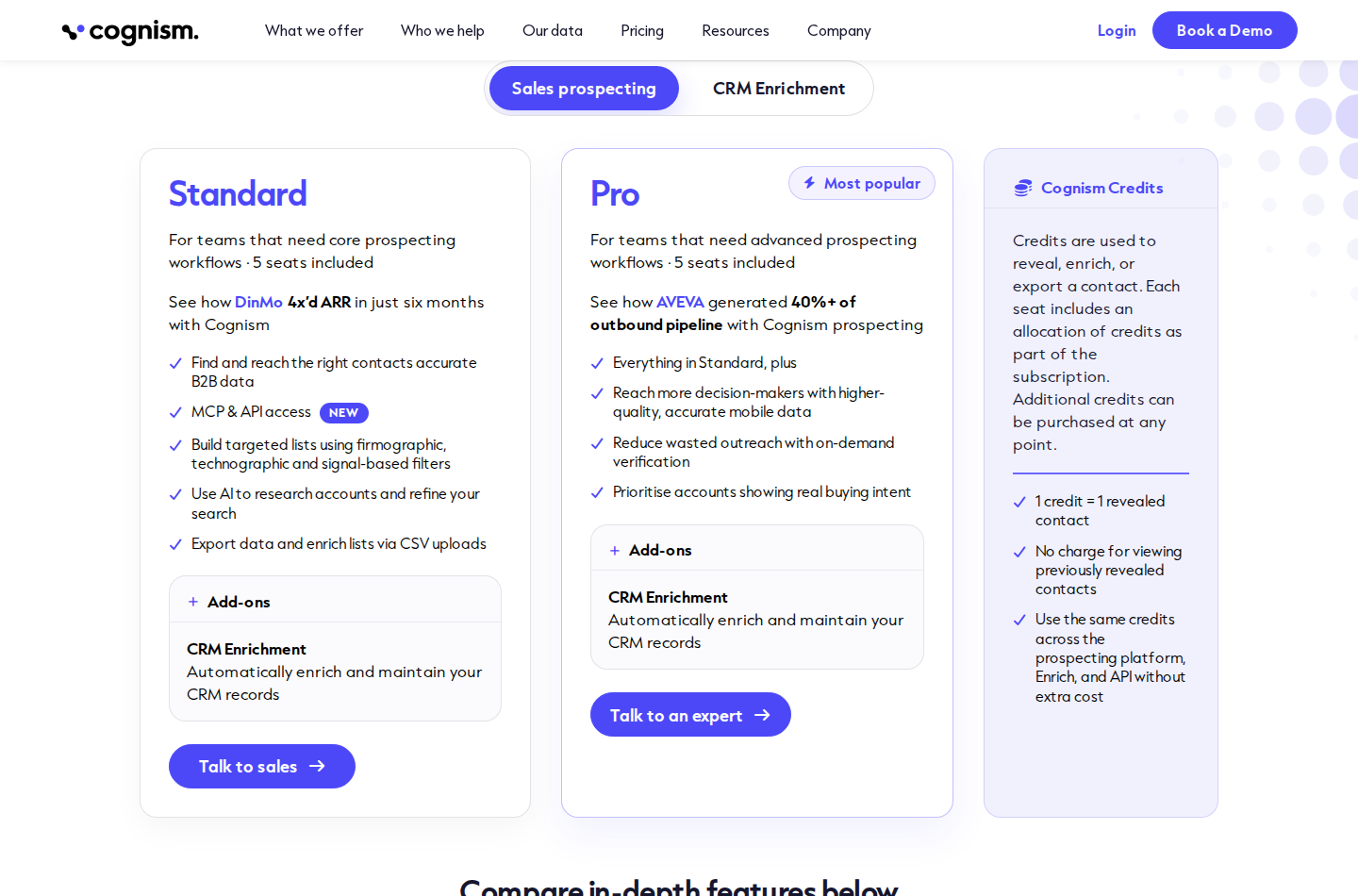
Standard and Pro are quote-based, with five seats included in each package.
Pricing: One credit reveals a contact. Reusing that redeemed record during the contract does not consume another credit unless the contact changes jobs. Confirm the included allowance, verification entitlements and cost of CRM enrichment.
Replacement scope: People search, account research and contact data for outreach. Phone verification and intent are package-dependent. The supplier's data practices do not remove your obligations around lawful use, opt-outs or calling restrictions. Cognism does not reproduce LinkedIn's native relationship graph or InMail.
5. Zeliq for data, enrichment and outreach in one workspace
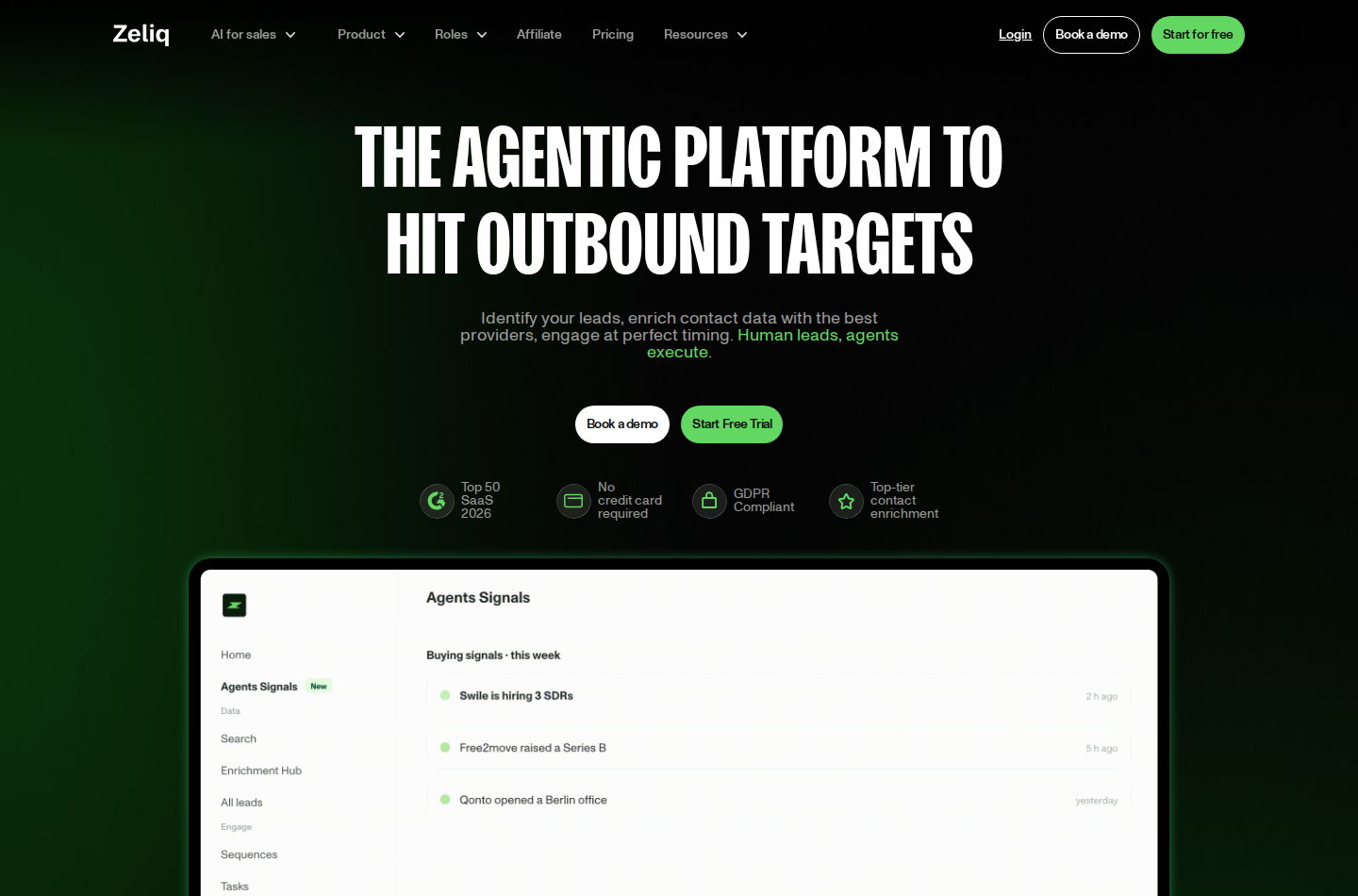
Zeliq combines discovery, enrichment and multichannel sequences.
Zeliq is a B2B prospecting platform combining contact discovery, waterfall enrichment and multichannel outreach in one workspace. It queries more than 40 providers in sequence to find verified professional emails and direct dials across European and North American markets, then activates those contacts through native email, LinkedIn and phone sequences without an export step.
Zeliq is designed for teams managing the full outbound workflow, from prospect discovery and enrichment to multichannel sequences. It may be more than needed for occasional contact lookups.
Key features:
- Waterfall enrichment across more than 40 data providers
- More than 450 million contacts with verified professional emails and direct dials
- Native email, LinkedIn and phone sequences
- Chrome extension for prospecting and enriching from LinkedIn
- CRM sync with HubSpot and Salesforce
Who it's for: Sales teams and SDRs combining prospect discovery, enrichment and sequencing in a single tool. Coverage spans Europe and North America, with depth across France, DACH, Benelux and Southern Europe.
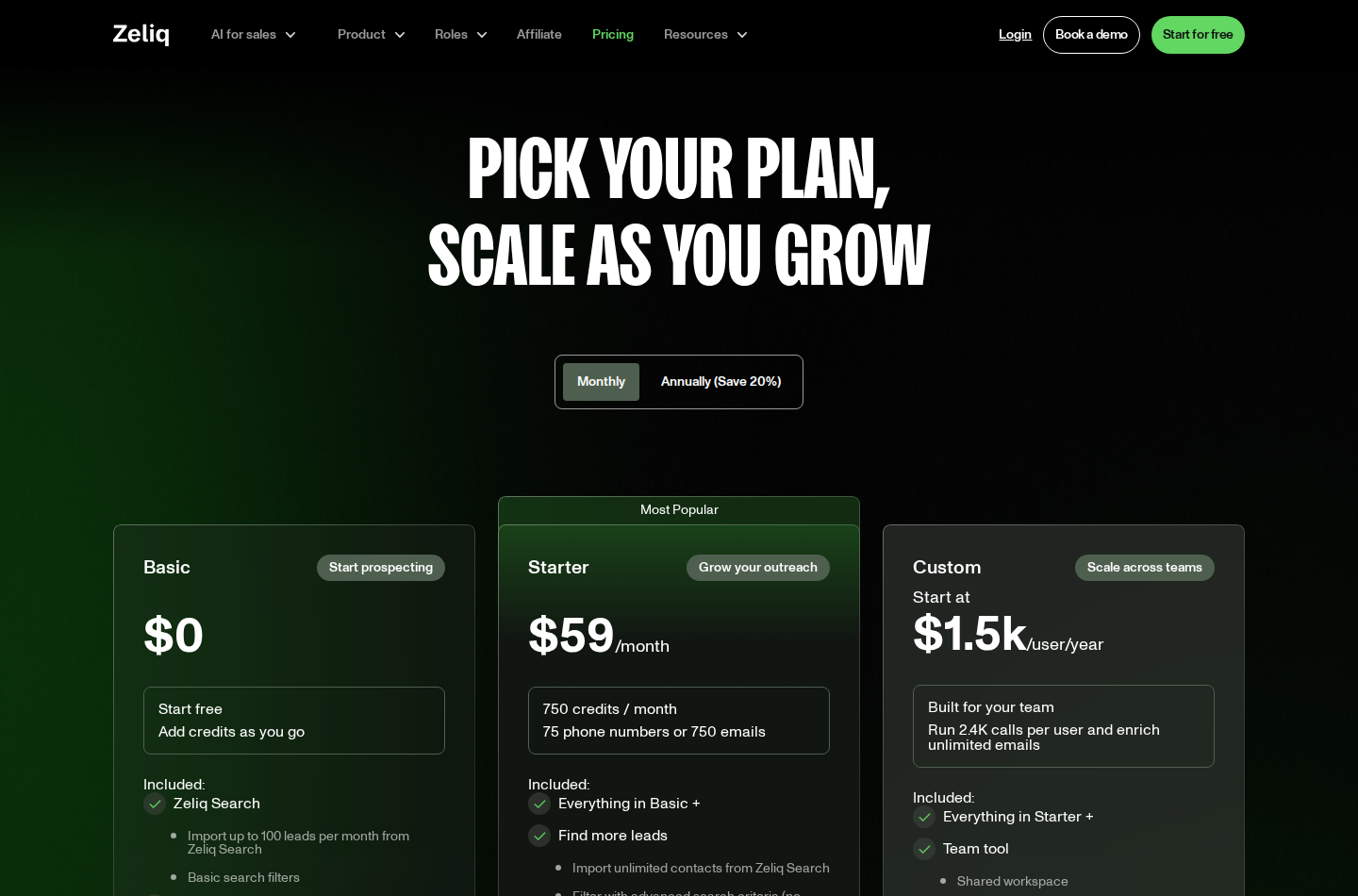
Starter is $59 per user per month, billed monthly; Custom is billed annually per user.
Pricing: Starter is $59 per user per month, billed monthly, with 750 credits per month: 750 email reveals or 75 phone reveals. It has a 14-day free trial with no credit card required. Basic is free with pay-as-you-go credits, up to 100 search imports per month and two active email-only sequences. Custom starts at $1,500 per user per year with a minimum of three licenses. Prices exclude taxes.
Pros:
- Data, enrichment and outreach in one workspace
- Coverage across European and North American markets
- Unused credits roll over
- Monthly Starter plan without an annual commitment
Cons:
- Built for ongoing campaigns rather than one-off lookups
- The full outbound workflow may be more than a team needs for occasional enrichment
6. Lusha for contact and company search with intent topics
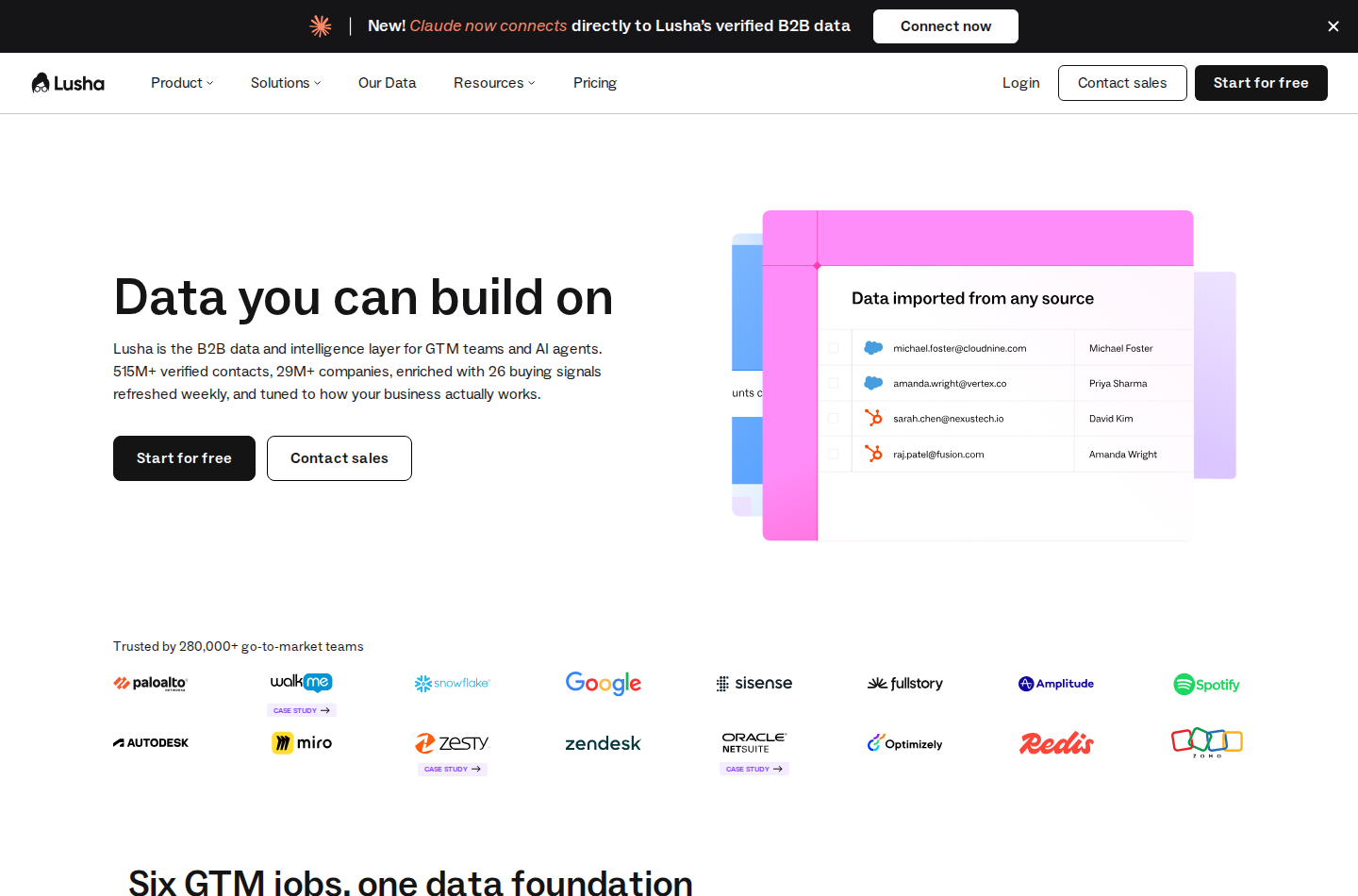
Lusha supports standalone contact discovery as well as browser-based lookups.
Lusha has standalone contact and company filters, email and phone reveals, automated email sequences and a browser extension. Paid packages add lookalikes, enrichment, buying-intent topics and signals. It can support discovery without an existing Sales Navigator list, so its role extends beyond revealing contact details on a profile.
Data reveals are not the only actions that consume credits. Exports, enrichment, intent and API use can also draw from the allowance.
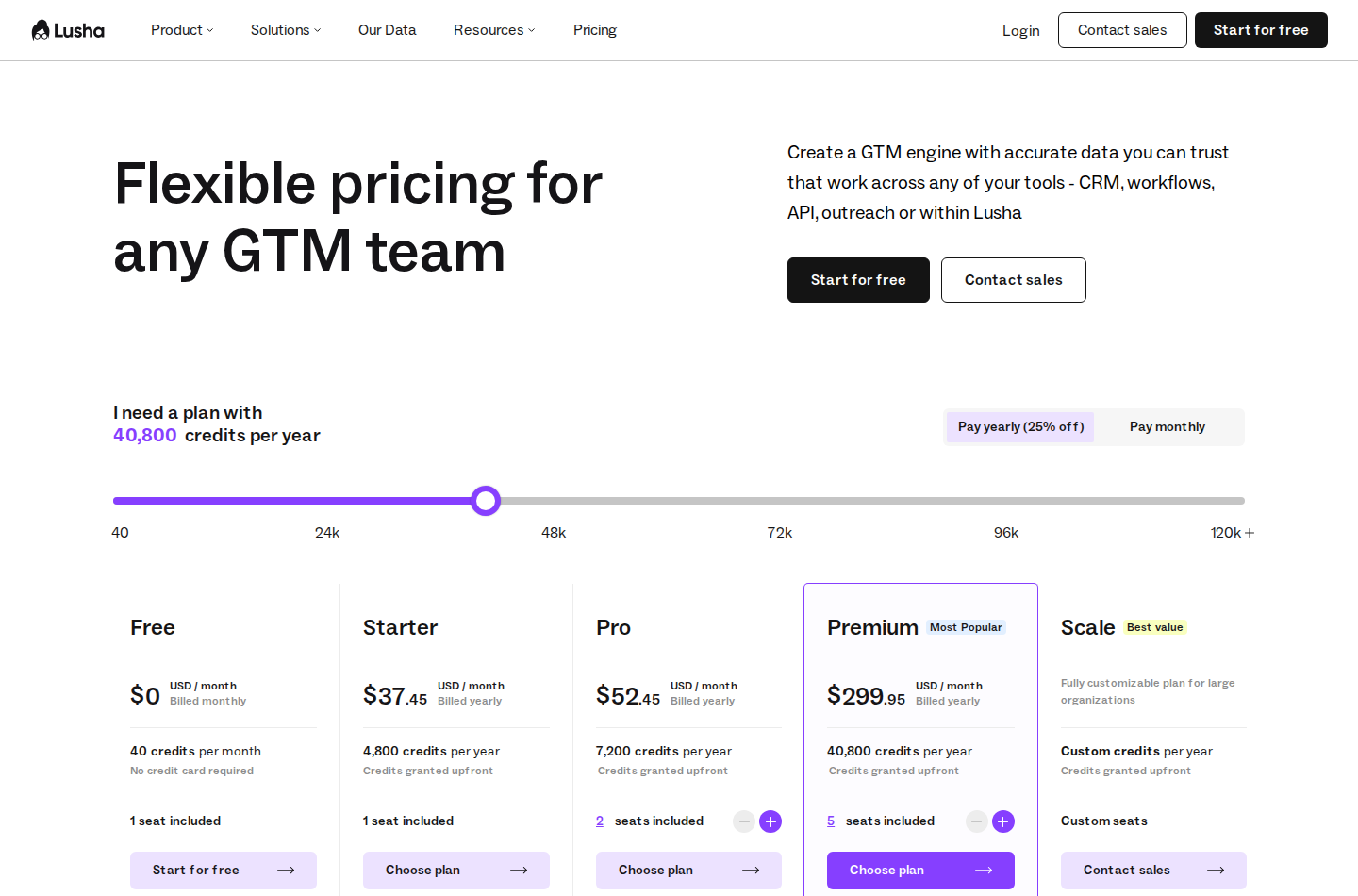
The capture shows yearly billing. Starter includes one seat and 4,800 annual credits.
Pricing: Free includes 40 credits per month and one seat. Starter is displayed at $37.45 per month, billed yearly, with 4,800 annual credits granted upfront and five buying-intent topics. Email reveals cost one credit and phone reveals five; signals, API and webhooks depend on the package. Credit-volume choices affect paid pricing.
Replacement scope: Contact/company discovery and contact-data access. Intent topics are account-research signals, not LinkedIn relationship paths. Budget for the actual mix of reveals, exports and enrichment your team performs.
7. UpLead for filter-based sourcing and verified contact exports
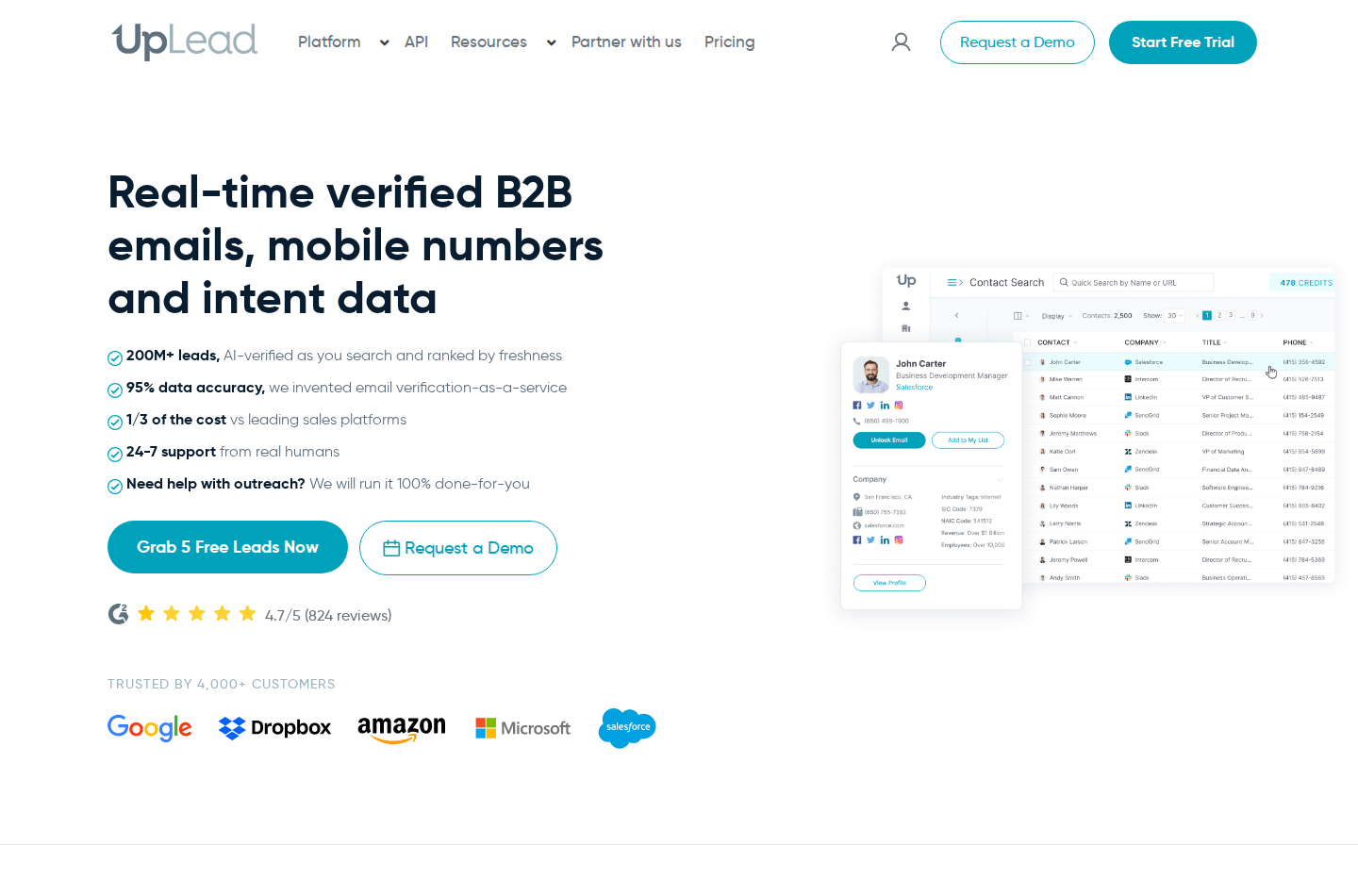
UpLead focuses on finding contacts and delivering their data for outreach.
UpLead searches people and companies using more than 50 filters and verifies emails when contacts are exported. It supplies email and mobile/direct-dial information, with CSV downloads and CRM exports. Plus adds technographics, enrichment and suppression-list uploads; Professional adds buyer-intent data and fuller API/team capabilities.
This makes its role distinct from an extension that only reveals data on a profile you already found. You can build a list from its database, then move those contacts into a sales workflow. Suppression lists help avoid repurchasing contacts you already hold.
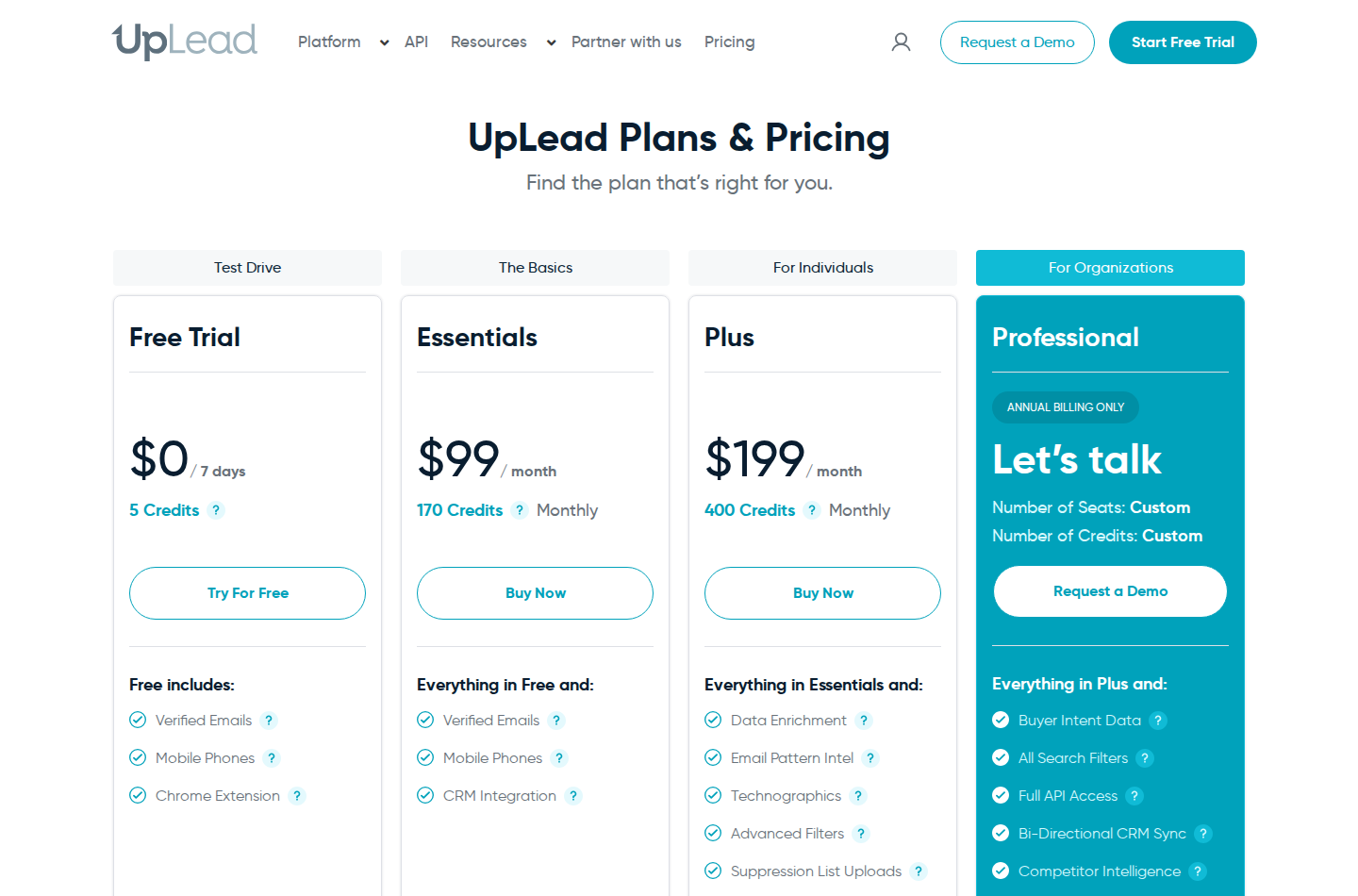
The capture shows monthly plans, not the lower annual-billing equivalents.
Pricing: Essentials is $99 per month with 170 credits; Plus is $199 per month with 400 credits. Each plan includes one user. One credit unlocks one contact for download or CRM export, including its email and mobile direct dial. The seven-day trial includes five credits. Professional has custom annual pricing.
Replacement scope: Contact discovery and data export. Buyer intent is in Professional, not the entry monthly plan. A verified email is useful for outreach, but it does not tell you whether that person is interested in a conversation.
8. Crunchbase for company discovery and funding research
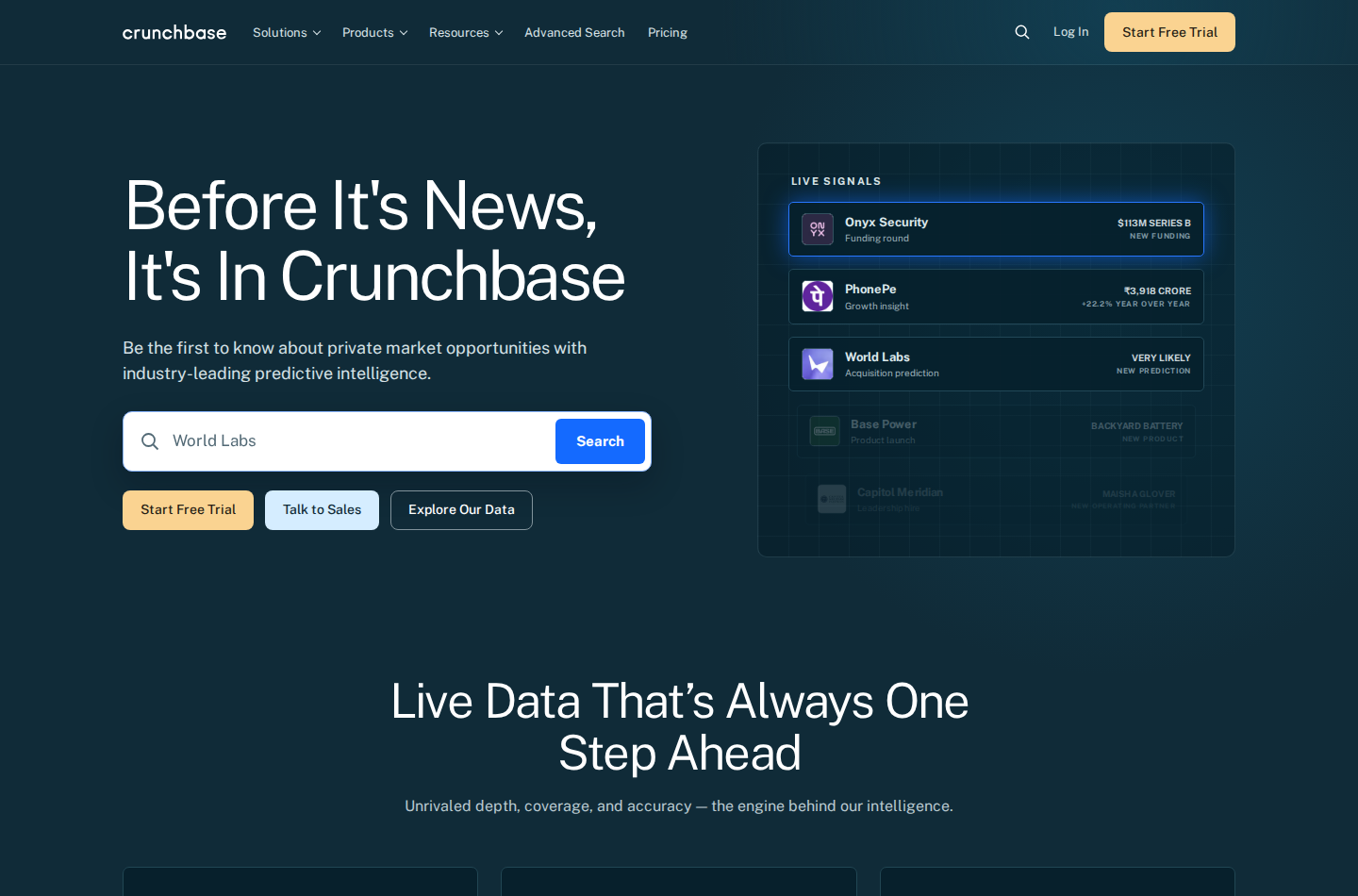
Crunchbase serves account research and company discovery rather than LinkedIn-native people search.
Crunchbase helps you discover and research companies through funding, industry, growth and company information. Its company-first approach fits the account-selection part of prospecting: identifying relevant businesses and changes worth investigating before you build a stakeholder list.
Pro includes advanced search, saved searches and company monitoring. Business adds broader team and integration capabilities. This is a partial Sales Navigator alternative for account research, not a substitute for every lead-search and messaging function.
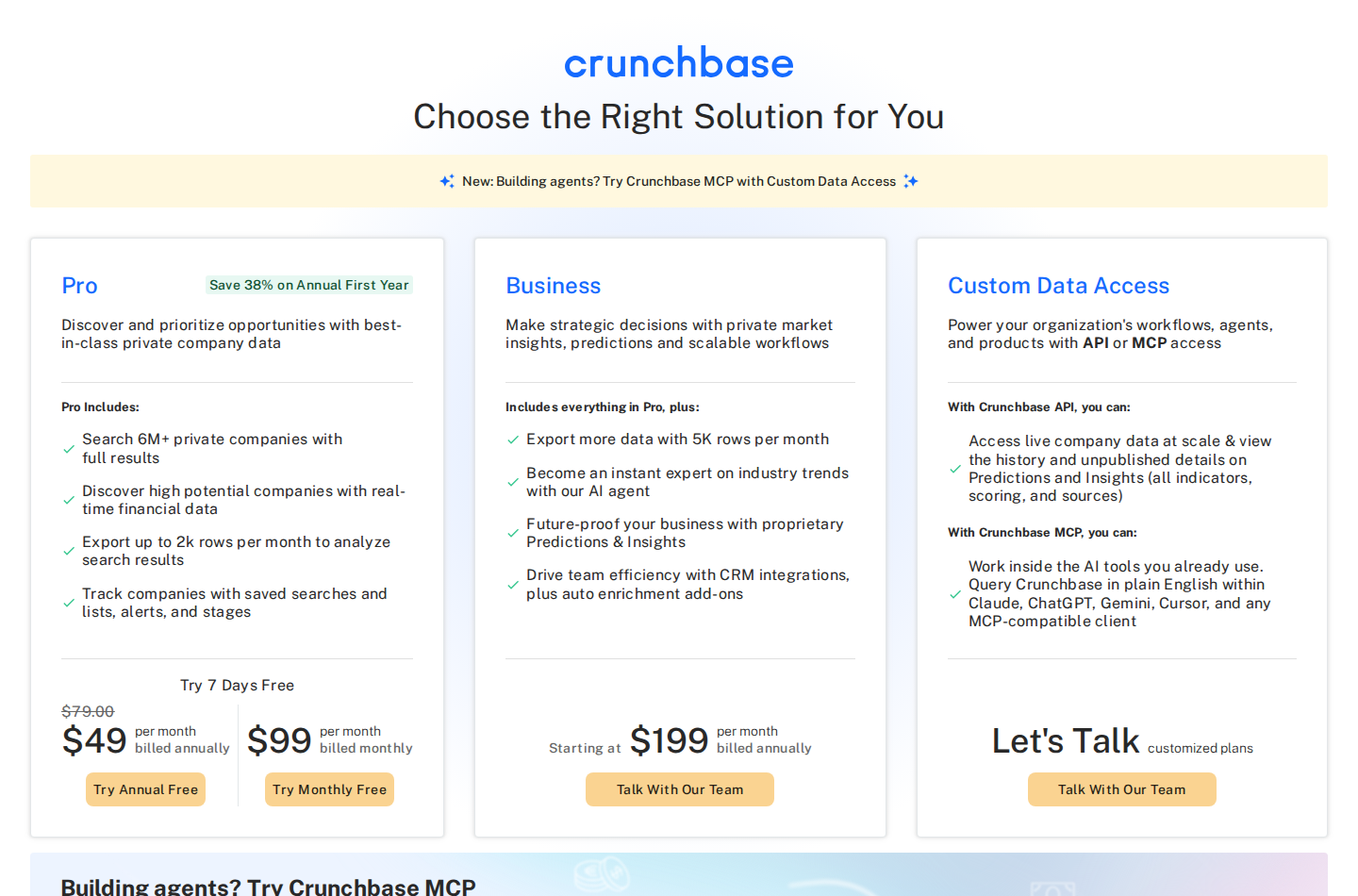
The $49 annual-billing figure is a first-year promotion; monthly Pro is $99.
Pricing: Pro is $99 per month on monthly billing. The annual offer is $49 per month, billed annually, explicitly discounted for the first year; confirm the renewal price. Pro allows up to 2,000 export rows per month. Business starts at $199 per month, billed annually, with up to 5,000 export rows. A seven-day trial is available.
Replacement scope: Company discovery, funding research and account monitoring. Check whether its company coverage matches your market and how you will identify the people at those accounts. Funding is a reason to research an account, not evidence that it needs your product.
Free alternatives: what can you do without a paid subscription?
For low-volume research, ordinary LinkedIn search lets you find people and inspect profiles without Sales Navigator. You give up its advanced filters, saved-lead workflow and paid relationship features, so this is a manual sourcing option rather than feature parity.
Apollo's free plan includes basic contact/account search, two sequences and 900 credits per seat per year, granted monthly. Lusha includes 40 credits per month. Zeliq Basic includes limited search imports and email-only sequences, but contact enrichment uses purchased credits. A free subscription does not necessarily mean free contact data.
Extrovert's ten-day no-card trial and UpLead's seven-day, five-credit trial are time-limited evaluations, not permanent free plans. Use them to check the workflow you need, rather than treating a trial allowance as your ongoing prospecting budget.
Check discovery and follow-through separately
Start with your actual account list and the roles you need to reach. Check whether search produces relevant people, whether you can identify enough stakeholders and what context the tool provides before a conversation. Database size alone does not answer those questions.
Then check what happens after you save a lead. For account executives managing longer sales cycles, stakeholder continuity and useful reasons to reconnect matter alongside sourcing. For SDRs, discovery needs to lead into actions they can repeat without losing context.
Budget for the billed term, connected accounts, contact usage and tracking capacity. Count useful conversations and rep adoption during a pilot; do not infer data quality or revenue from feature lists. If you need help designing that daily work, see social-first prospecting.
During the Extrovert trial, add relevant prospects to a campaign, review their posts and prepare comments and follow-up DMs. Check whether that routine covers your discovery and follow-up needs, and which native Sales Navigator features you still need. Review Extrovert’s price and trial when you are ready to test that routine.
FAQ
Can Extrovert replace Sales Navigator?
Extrovert covers selected prospect-discovery jobs and ongoing LinkedIn engagement through Lead Finder, Intent Signals, tracking, comments and DMs. It does not replace the complete native search/filter system, relationship maps or InMail. The practical question is which of those capabilities your team uses.
Is there a free Sales Navigator alternative?
Ordinary LinkedIn search supports manual people research. Apollo and Lusha offer limited free plans for contact discovery; Zeliq Basic offers limited search and sequences with pay-as-you-go enrichment. None reproduces the complete Sales Navigator feature set. Extrovert offers a ten-day no-card trial for discovery and LinkedIn engagement.
Are contact-reveal extensions Sales Navigator replacements?
A tool that reveals an email or phone number on a profile usually supplements sourcing. It replaces discovery only if it also offers standalone people or account search. Automated message sequences alone do not replace search or relationship intelligence either. See LinkedIn prospecting tools for a broader breakdown of those roles.
Do alternatives include InMail?
InMail is a native LinkedIn feature. Extrovert's DMs and another platform's email sequences are different channels, not an InMail entitlement.
Does human approval make LinkedIn tools risk-free?
No. LinkedIn prohibits unauthorized automation and scraping. Review controls help you decide what is sent, but neither human approval nor vendor sending limits guarantee that an account will avoid restrictions.