On this page
Dripify is the cheaper way to start, and it's easier to change a campaign after it goes live. Expandi is the better pick when you want to pull people into campaigns from LinkedIn activity, like visits to your profile or company page. It also fits agencies that run outreach for clients under their own brand.
Dripify Pro costs $79 per LinkedIn account a month, or $59 on yearly billing. Expandi Business costs $99, or $79 yearly. So Dripify is $20 a seat cheaper to start. Dripify Advanced, with its team features, costs the same as Expandi Business.
Prices as of November 7, 2026.
Dripify vs Expandi at a glance
| Dripify | Expandi | |
|---|---|---|
| Entry plan | Pro: $79/month, or $59/month billed yearly | Business: $99/month, or $79/month billed yearly |
| Team plan | Advanced: $99/month, or $79/month billed yearly | Agency: custom price, 10+ seats |
| LinkedIn and email in one campaign | Yes, on every plan | Yes |
| Email finder | 100 credits a month included | Uses emails from LinkedIn profiles or your CSV |
| Change steps in a live campaign | You can add steps and remove simple ones | No. Duplicate the campaign to change its steps |
| Leads from LinkedIn activity | People from any LinkedIn post, added daily. Intent signals are coming soon | Signals: profile visits, company page visits and post engagement |
| Integrations | HubSpot, webhooks, Zapier and an open API | HubSpot, Pipedrive, Salesforce and Smartlead |
| Your own brand for agency clients | Not on the public plans | Yes, on Agency |
| Free trial | 7 days, no card | 7 days |
| G2 rating | 4.5 out of 5 (354 reviews) | 4.3 out of 5 (183 reviews) |
One seat is one LinkedIn account on both tools.
What Dripify does well
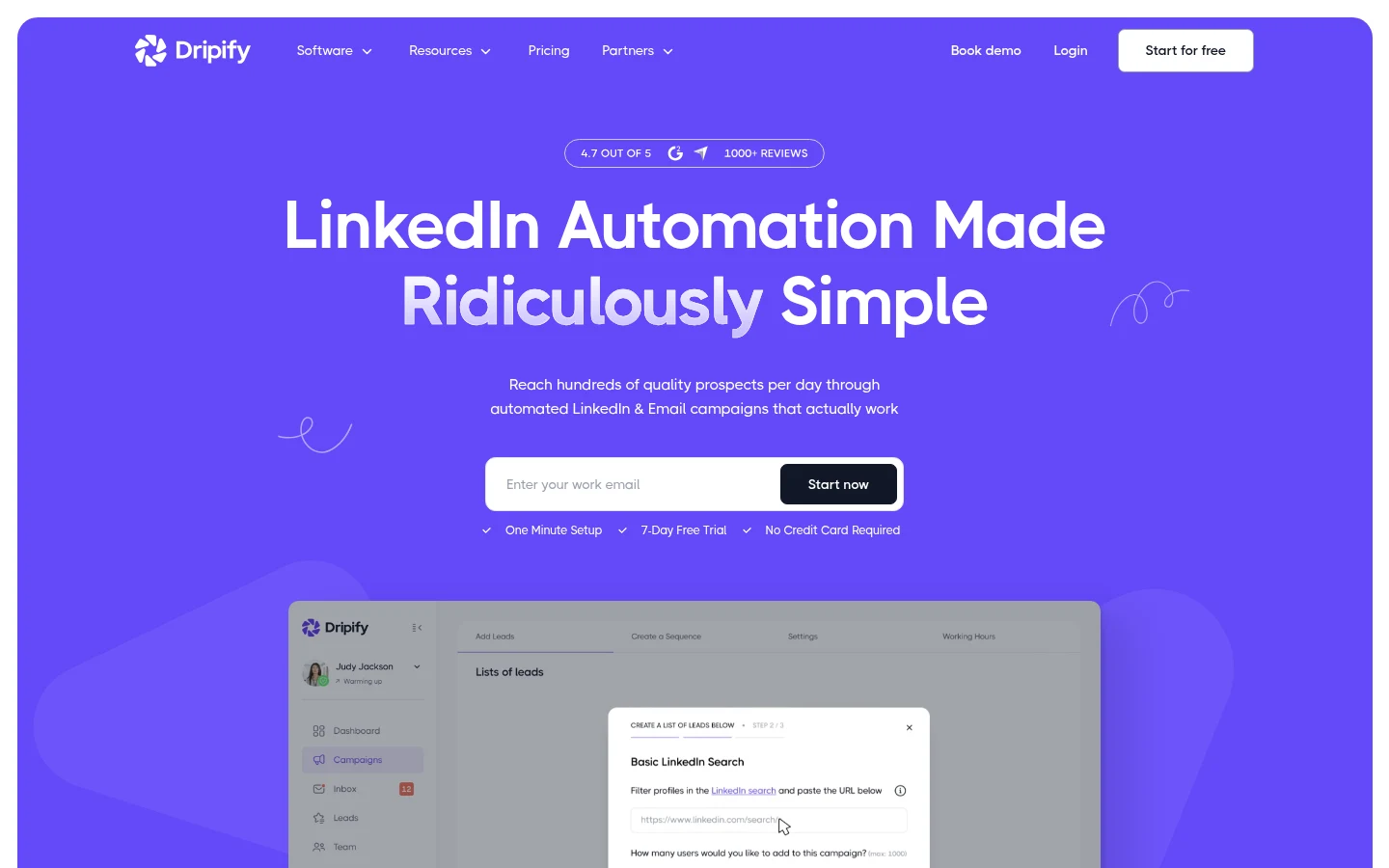
Dripify runs LinkedIn and email steps in one sequence. You build a campaign from actions, conditions and delays, and it can branch. For example, people can move down different branches depending on whether they accepted your connection request or opened your message.
Every paid plan includes 100 email finder credits a month. A credit is used only when Dripify finds and verifies an address. Credits last 30 days and don't roll over. If you need more, packs start at $29 for 1,000 credits. Sending emails isn't metered on any plan.
You can also change a campaign while it runs. Dripify lets you add new steps and extend branches. You can remove simple actions, but not conditions or more complex steps. If you remove the "End of sequence" step, people who already finished the campaign come back into it. Check who will get the new follow-ups before you save.
Dripify can also use any LinkedIn post as a daily source of new leads. It works with a free LinkedIn account. Pro and Advanced include an open API and an MCP server, which let you connect Dripify to your other tools or to an AI assistant like Claude or ChatGPT.
What Expandi does well
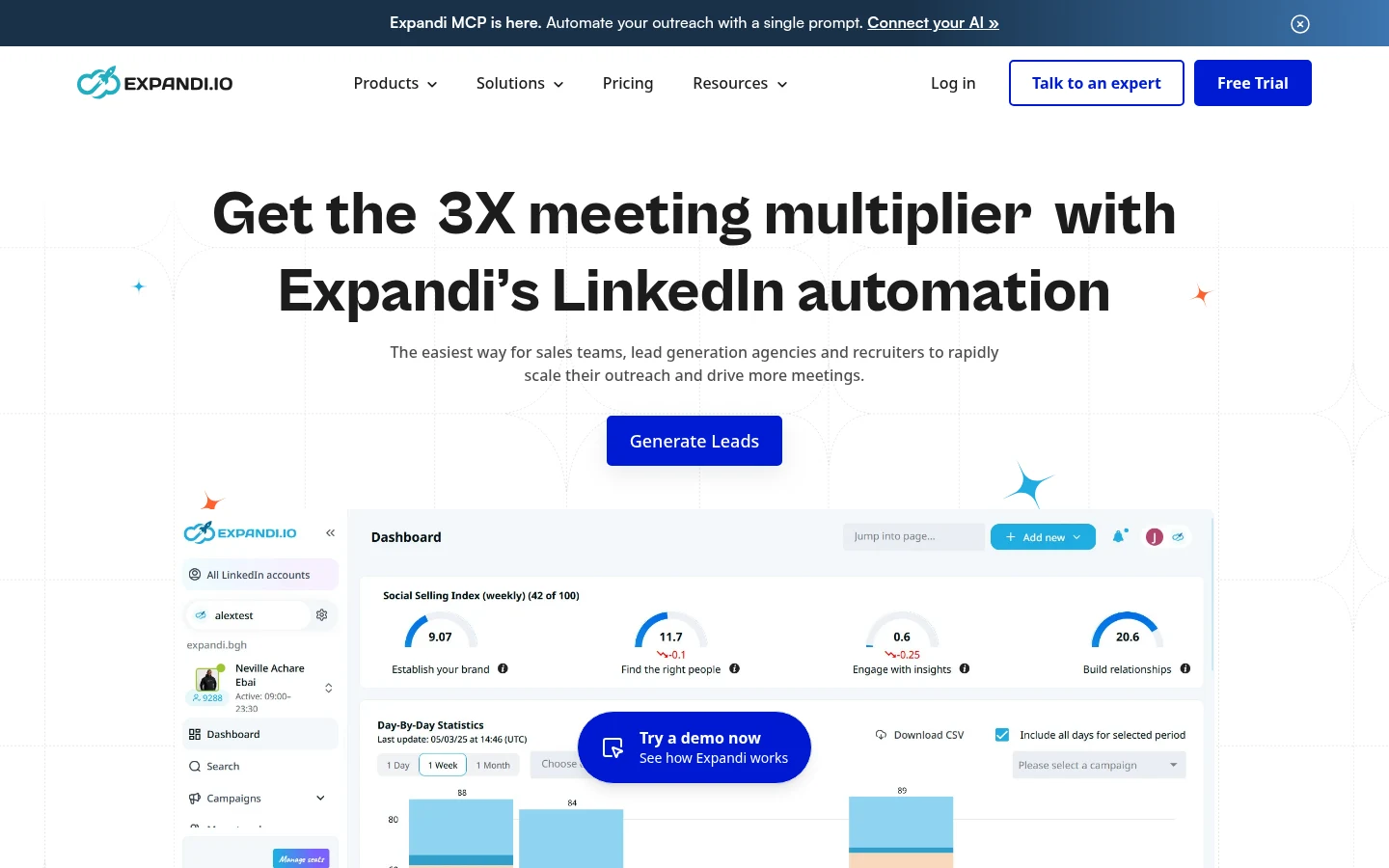
Expandi's main difference is Signals. A Signals campaign adds people who visited your profile or company page, or who liked or commented on up to 3 posts you choose.
Expandi checks for new people about once a day. Post engagement works with a free LinkedIn account. Profile and company page visits need LinkedIn Premium or Sales Navigator.
Signals has rules you need to plan around. The Signal must be the first step in the campaign. You can't mix it with people from a search, a CSV, an API or a webhook in the same campaign. Each post or company page can feed only one campaign, and "Profile visited" can run in only one active campaign at a time.
Campaigns are stricter after launch. Once a campaign is active, you can edit the message text and the delays, but you can't add, remove or reorder steps. To change the structure, duplicate the campaign and edit the copy.
Recent additions since September 2026:
- AI personalization for connection requests, follow-ups and InMail, using a short prompt. It works in Builder campaigns, and a campaign pauses when the account reaches its AI usage limit.
- Up to 10 mailboxes per LinkedIn account, in early access on request.
- An MCP server, so an AI assistant can draft campaigns and replies for you. It doesn't launch or edit running campaigns, and replies go out only after you approve them.
The Agency plan lets you run Expandi under your own brand, with roles, client reports and a dedicated success manager.
Pricing side by side
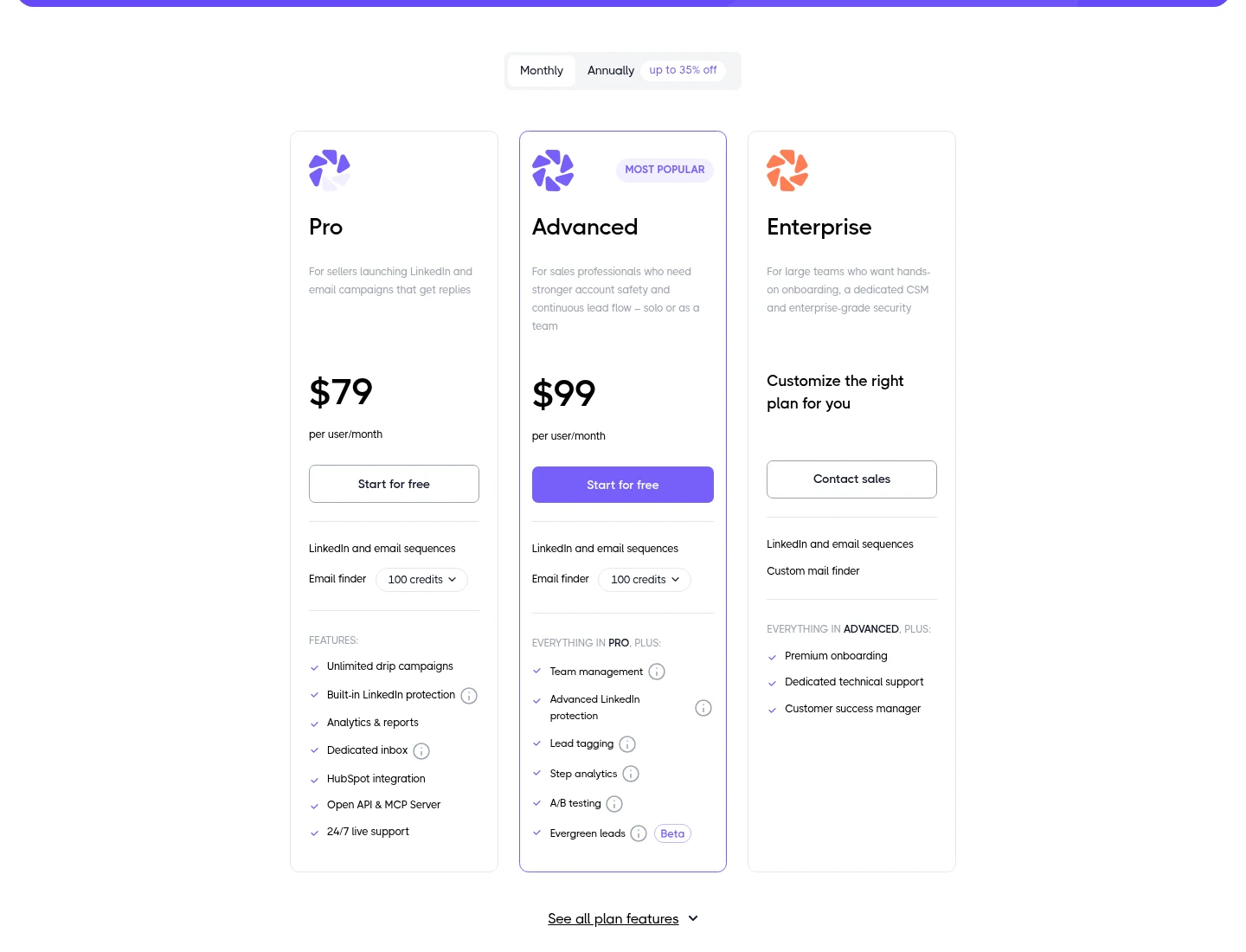
Dripify has two public plans now. The older Basic plan is gone, so Pro is the cheapest way in.
- Pro is $79 a month, or $59 billed yearly. It has unlimited campaigns, the inbox, analytics, HubSpot, CSV export, and connections to other apps through webhooks, Zapier, the API and the MCP server.
- Advanced is $99 a month, or $79 billed yearly. It adds team management, lead tags, step analytics, A/B testing and evergreen leads, both in beta. Evergreen leads adds new matches from a saved Sales Navigator search each week.
- Enterprise has a custom price, with onboarding, a success manager and a custom mail finder.
Both Dripify plans allow up to 75 connection requests, 100+ messages and 200+ profile views a day.
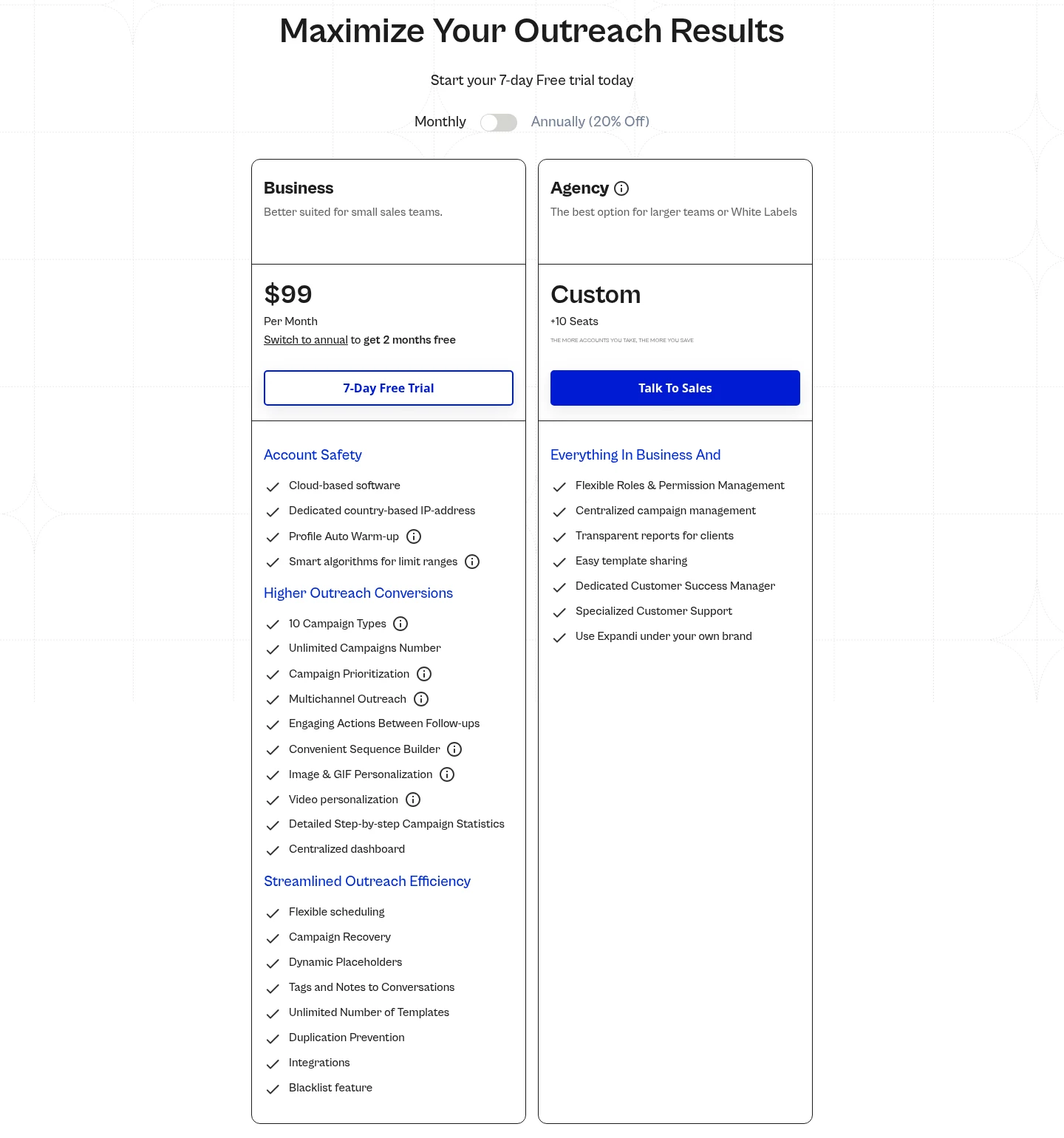
Expandi has one public plan. Business is $99 a month, or $79 billed yearly, with every feature included. Image and GIF personalization costs extra, and video personalization runs through Sendspark as a paid add-on. Agency is a custom quote for 10 or more seats or a white-label setup.
Here's what five LinkedIn accounts cost each month at list price:
| Plan | Billed monthly | Billed yearly (per month) |
|---|---|---|
| Dripify Pro | $395 | $295 |
| Dripify Advanced | $495 | $395 |
| Expandi Business | $495 | $395 |
These totals don't include tax, extra finder credits or add-ons. Expandi says bigger teams get bigger discounts, so ask for a quote if you need several seats. At list price, a five-person team on Dripify Pro saves $100 a month.
Trials, ratings and common complaints
Both tools offer a 7-day trial. Dripify's trial needs no card, includes Advanced features and doesn't charge you when it ends. Expandi's trial includes all features, and after 7 days it moves to the plan you picked unless you cancel.
| Review site | Dripify | Expandi |
|---|---|---|
| G2 | 4.5 (354 reviews) | 4.3 (183 reviews) |
| Capterra | 4.7 (477 reviews) | 4.4 (34 reviews) |
| Trustpilot | 4.7 (541 reviews) | 4.4 (236 reviews) |
On G2, Dripify reviewers most often name price and limited features as downsides, followed by campaign management. On Trustpilot, some Dripify reviewers report billing and refund problems. Expandi reviewers on G2 and Trustpilot mention technical issues, delays and a busy interface at first. On Trustpilot, a few reviewers of each tool say their LinkedIn account was restricted while using it. Customer support is the top strength reviewers tag for Expandi on G2.
Daily limits and account setup
Both tools run in the cloud, so your campaigns keep going when your laptop is off. Both give you a dedicated IP address in your location.
Dripify says it spaces actions out within your working hours, and Advanced adds extra protection and activity control. Expandi says it warms up new profiles automatically and varies daily activity within limit ranges. Expandi's pricing page lists no daily numbers like Dripify's 75 connection requests, so their limits can't be compared one to one.
Which should you choose?
Choose Dripify if:
- you want the lowest price for one or a few LinkedIn accounts,
- you need to find email addresses inside the same tool,
- or you often change campaigns after they go live.
Choose Expandi if:
- you want to reach people who visited your profile or engaged with your posts,
- you run outreach for clients and want it under your brand,
- or you want AI personalization and several mailboxes per account (in early access).
If neither one fits, see our Dripify alternatives and Expandi alternatives.
Where Extrovert fits
Dripify and Expandi run sequences: invite, wait, message, email. Extrovert starts with your prospects' posts. You comment on what they share before you connect, so your name is familiar when your request arrives.
Extrovert shows you posts from the people you want to reach and drafts comments and DMs in your style. You decide what to review and what to automate. First DMs and follow-ups can go out on their own within your daily limits, while replies always stay with you. Its Intent Signals can also find people based on their LinkedIn activity. Connection requests go out without a note, and Extrovert doesn't send email, so it won't replace the email part of Dripify or Expandi.
Extrovert costs $49 per LinkedIn account a month, with a 10-day free trial and no card. If you're comparing it with Expandi directly, see Expandi vs Extrovert.