
On this page
An agency needs to keep each client's voice, prospect list and follow-ups straight, then show what happened. A tool that sends more connection requests covers only part of that job.
Extrovert helps you sell warm outreach or add commenting and DMs to a content retainer. Your team works from client-specific campaigns, reviews drafts in the client's voice and handles conversations on their behalf. Managed accounts let a client connect their profile without needing an Extrovert login. Each client profile still uses a paid seat.
The nine tools below cover client engagement, multi-account sequences, prospect research and content approvals. Compare the tasks your managers will handle, the access your clients need and the total software cost across all clients.
Match the tool to the agency service
- Warm outreach or a commenting add-on: Extrovert organizes each client’s target prospects, comments, DMs and follow-ups. The manager can review drafts or use the agreed automation settings.
- Outbound campaigns across a roster: HeyReach, GetSales, Expandi, Closely, Aimfox and STACKED cover sequences and account operations. Compare reply ownership, client separation and the sender allowance, not only the entry price.
- Founder content and social retainers: SocialPilot covers publishing, client approval and reporting. A content calendar and a prospect engagement queue are different jobs; a retainer may need both.
- Prospect research: Sales Navigator covers native search, saved leads and alerts. Budget the research licenses separately from connected client profiles.
Agency tool shortlist
| Tool and service | Monthly price and client-operation condition |
|---|---|
| Extrovert: comments, DMs and follow-ups | From $49 per LinkedIn account; non-sending reviewers free. |
| HeyReach: multi-sender sequences | $79/sender; Agency $999 for 25 senders, one brand included. |
| GetSales: outreach CRM and Unibox | Send $39/seat; multichannel from Enrich $49. White-label add-on at 10+ seats. |
| Expandi: conditional sequences | Business $99/account; Agency and white-label custom-priced. |
| Closely: LinkedIn and email | Starter $65 for one LinkedIn account; sender bundles include white-label. |
| Aimfox: client-profile outreach | $49/seat; Agency from $499 for 20 seats with white-label. |
| Dux-Soup / STACKED: local/cloud campaigns | $55 Local or $99 Cloud per seat; shared campaigns at 2+ seats. |
| Sales Navigator: native research | Core from $119.99/license; Advanced from $159.99. Team features vary by plan. |
| SocialPilot: publishing and approvals | Premium $100 for 20 social accounts, six users; client approval and branded reports. |
All prices above use monthly billing in US dollars. Annual terms, other currencies and included limits are explained in the product sections.
1. Extrovert: client engagement from comments to follow-ups
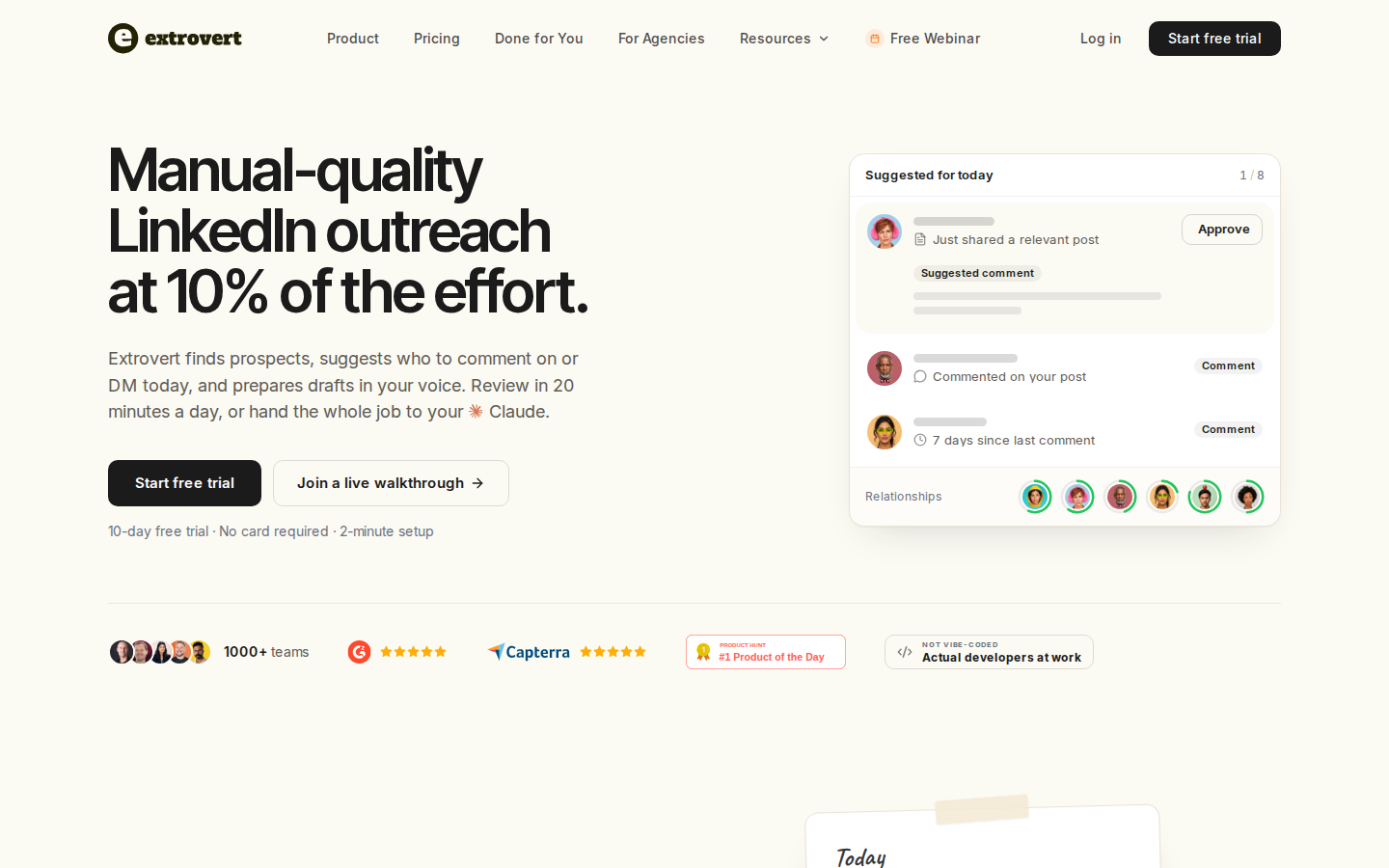
With Extrovert for agencies, one manager can work across several clients' LinkedIn profiles. Create a prospect or topic campaign for each client, set their Voice and share the campaign with the teammates doing the work. Extrovert finds relevant posts, drafts comments and recommends DMs and follow-ups, so the service can continue after the first interaction.
Give managers access without adding another sender
A managed account is a client's connected LinkedIn profile, not a shared agency login. If you do not have the client's LinkedIn credentials, the connection flow offers Share with another person: the client connects through a one-time link without creating an Extrovert account.
Agency teammates who do not connect their own LinkedIn profile are free. They can manage prospects and approve comments and DMs for shared campaigns. Campaign access can go to everyone in the team or selected members.
- User: works on campaigns.
- Manager: also manages managed accounts and campaign settings.
- Admin: has those permissions plus billing and team-member control.
You can invite a client as a User when they want to see campaigns and analytics themselves. Keep Admin access with the agency. These controls govern account and campaign access. White-label branding is a separate requirement.
Keep each client's comments relevant
Prioritize a campaign for reach, relationship building or new prospects. The illustration below shows those three commenting strategies. Set the strategy around the client's service goal, then review the drafts in their Voice before approving them.
Illustration: the posts a campaign found, sorted three ways. Newest posts, newest first: Just now, 20 min ago, 3 h ago, Yesterday. Closest to outreach, fewest comments left before outreach first: 1 left, 2 left, 3 left, 4 left. Evenly distribute, longest since your last comment first: 6 weeks ago, 3 weeks ago, Last week, Yesterday.
Newest posts
In a visibility campaign, the newest posts come first, so your comment goes up while people are still reading.
Closest to outreach
In a warm outreach campaign, the people who need only one or two more comments before you reach out come first, so you get to the first DM sooner.
Evenly distribute
In a nurturing campaign, the people you have not commented on for the longest come first, so nobody on the list is forgotten.


Manual review, bulk approval and automatic commenting are available. An Auto campaign can publish without a person reviewing every comment. A connected AI assistant can also approve comments or send DM replies when prompted, within the user's permissions and limits. Agree on those controls with each client rather than assuming every action is human-reviewed.
Turn a prospect's new post into a reason to reconnect
A Conversation Restarter connects a prospect's recent post with a suggested DM. The illustration shows the signal beside the draft, giving an account manager context for the next message rather than another generic follow-up.
Illustration: Extrovert reads the prospect's posts. hot take, thought leadership, motivation, promotion are skipped. One post, went to sf tech week, is a Restarter signal. Extrovert suggests the DM "Seen you went to SF Tech Week. How did it go?", and the prospect replies.

Extrovert also recommends conversations and tracks follow-ups. For the broader service workflow, see how to prospect on LinkedIn.
Budget for client profiles, not agency reviewers
Extrovert pricing starts at US$49 per seat per month on monthly billing for one to four seats. A seat is one LinkedIn account, including a managed client account; it counts when you create the account or invite a person who can connect LinkedIn. Free reviewers do not replace those paid seats.
Volume rates are $44 per seat for five to nine seats, $40 for ten to nineteen, and $39 for twenty or more. Annual billing charges ten months for twelve.
Each seat adds 250 tracked prospects, one topic and 300 monthly Credits to the team's shared limits. Included Credits reset monthly; comments, DMs and AI drafts do not spend them. Lead Finder and Intent Signals do.
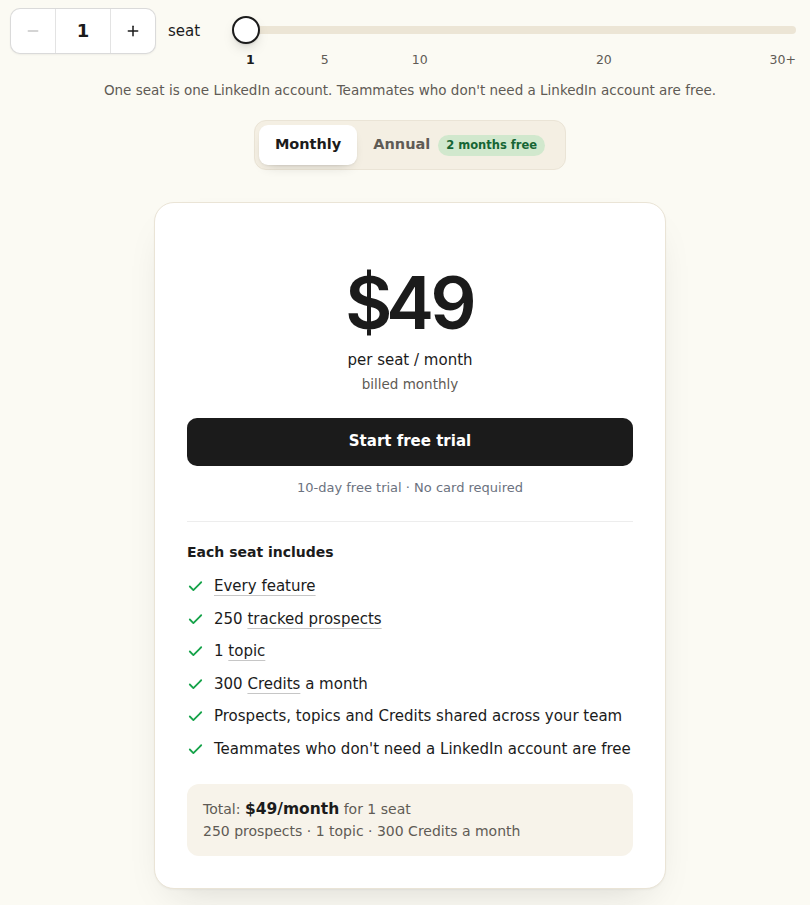
Official pricing, monthly billing. Open the image for the full-size view.
One team can hold several clients and pool those limits. Separate teams have separate plans, limits and Credit balances. Removing a client frees a seat for reuse but does not automatically reduce the subscription; an Admin changes the paid seat count on the Plan page.
The agency program offers 20% off subscriptions for agencies paying for clients, or a 20% lifetime commission when clients pay directly. The discount covers seats and additional prospects or topics, not Credit packs. A directory listing requires an application. The full-product trial lasts ten days with no card required.
For reporting, clients with access can see campaigns and analytics. Managed-account clients can receive your agency's own reports; API and webhooks support external workflows. For an engagement retainer, keep the prospect context and next actions in Extrovert, then include the results in your client report.
Ten connected client profiles in one Extrovert team cost $400 per month at the ten-seat monthly rate, or $320 with the agency program’s 20% subscription discount. Non-sending reviewers are free.
Those seats contribute 2,500 tracked prospects, ten topics and 3,000 monthly Credits to the team’s shared limits. Separate client teams have their own plans and balances, so do not apply a pooled ten-seat calculation to ten independent subscriptions.
Start by evaluating a client-specific campaign, the client’s Voice and the draft-review workflow. Agree on the review policy before expanding to the rest of your roster.
2. HeyReach: sender rotation and agency workspaces
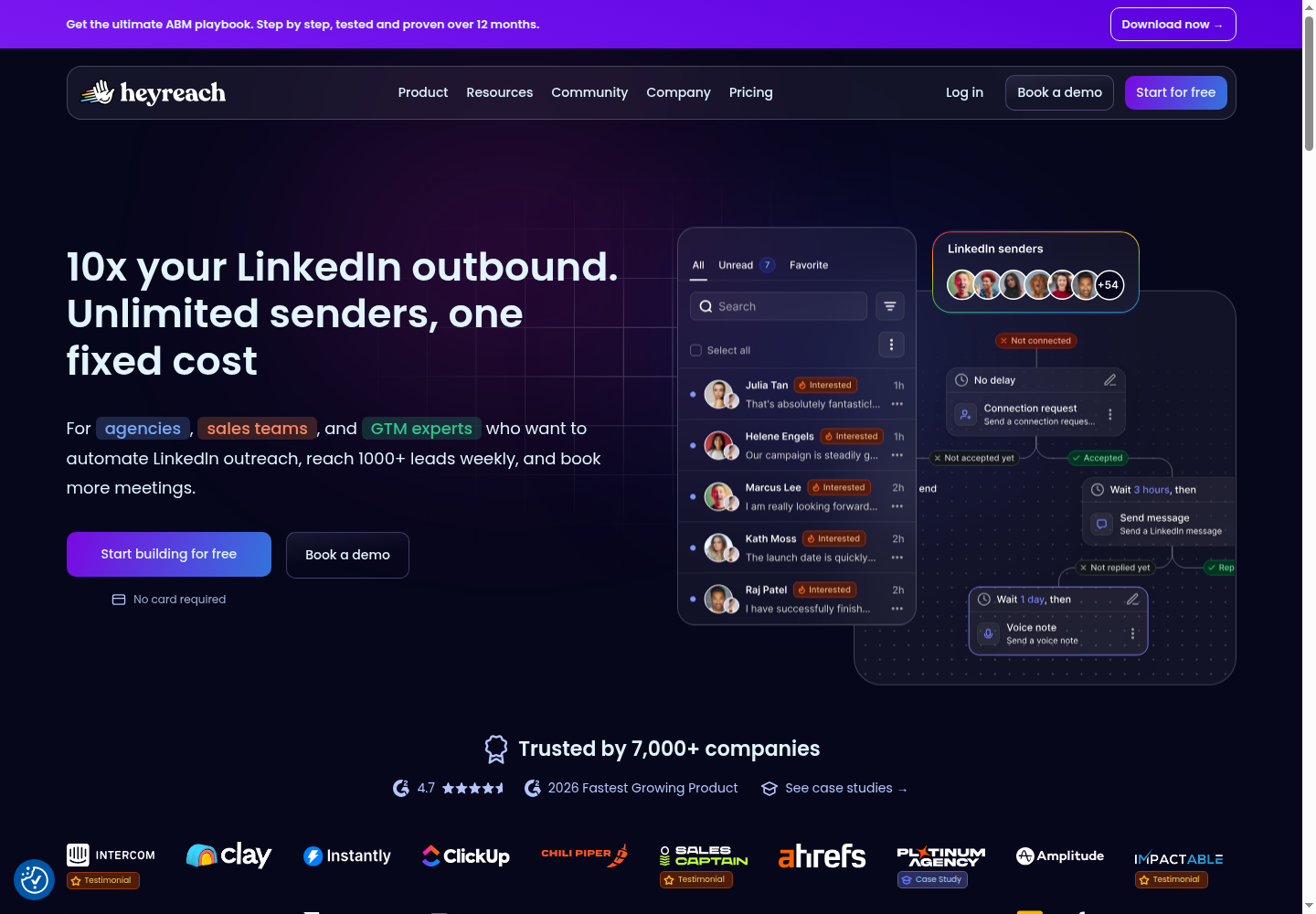
HeyReach manages multiple LinkedIn senders, campaign activity and replies through a unified inbox. Workspaces and permissions let an agency organize access; its API, webhooks and integrations connect campaign activity to other systems.
Growth costs $79 per sender per month on monthly billing. Agency costs $999 per month for 25 senders and includes one white-label brand. Unlimited costs $2,999 per month with unlimited senders; additional brands are an add-on. Teammates and clients do not carry a separate user charge.
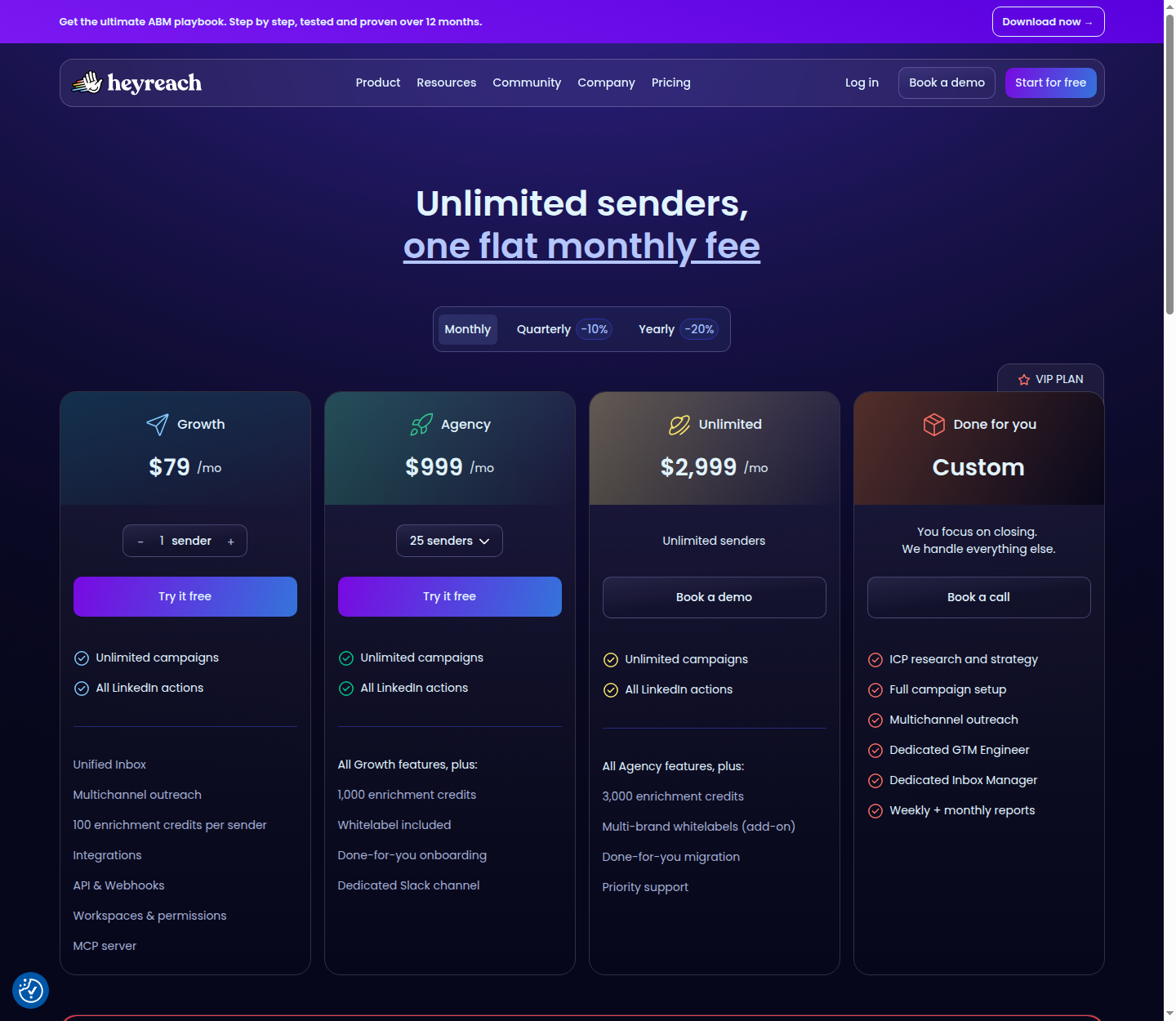
Official pricing, monthly billing. Open the image for the full-size view.
Sender capacity is a subscription allowance, not permission to ignore LinkedIn's account limits. HeyReach's Agency and Unlimited FAQ says to bring your own proxies, so budget for those separately. See our HeyReach alternatives comparison for the distinction between sequences and engagement-led work.
3. GetSales: multi-team outreach operations
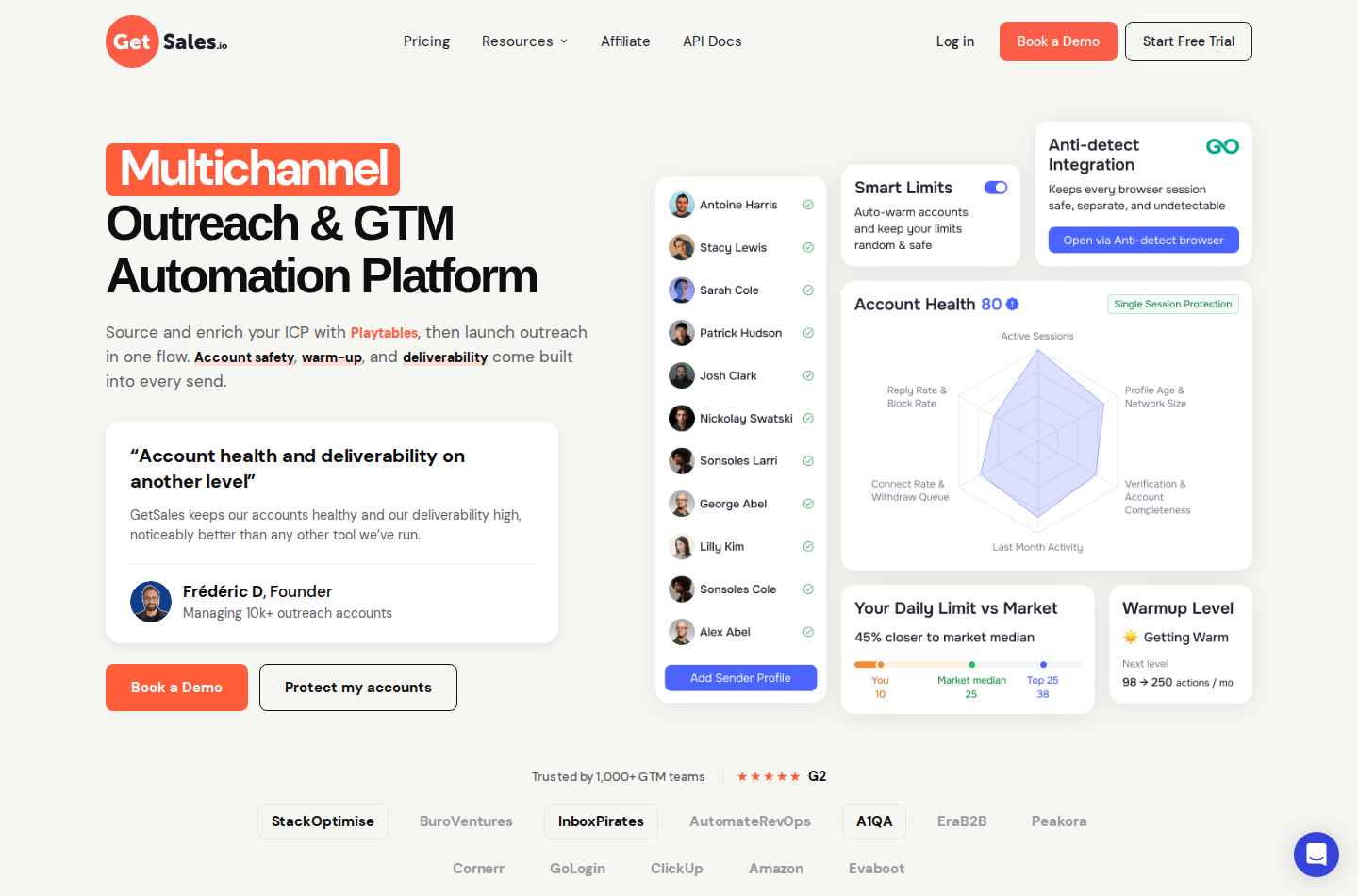
GetSales combines multi-team workspaces, an outreach CRM, sender rotation, automation and Team Unibox. Agencies can organize client work in separate teams and connect CRM systems through integrations, API and webhooks.
On monthly billing, Send starts at $39 per seat, Enrich at $49 and Scale at $69. Send includes Team Unibox. The multichannel inbox and sequencer start with Enrich, which includes three email inboxes per seat; Scale includes twenty. White-label is an add-on available at ten or more seats.
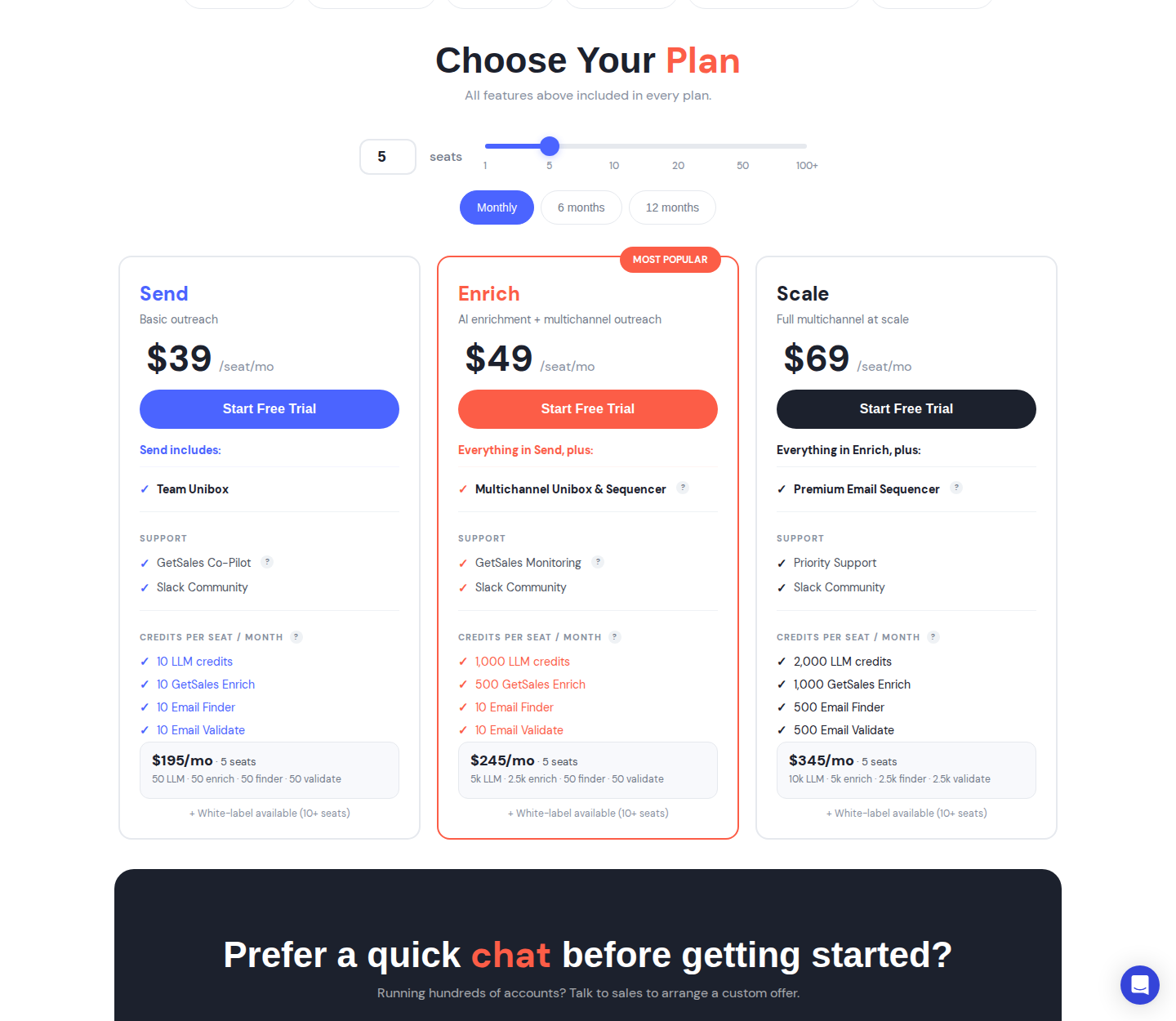
Official pricing, monthly billing. Open the image for the full-size view.
The subscription includes plan-specific enrichment and LLM allowances. Workspaces and user access do not make enrichment unlimited. Playtables is marked coming soon, so it should not be part of a service you promise today. Cloud sessions and sending controls are technical features, not guarantees against account restrictions.
4. Expandi: conditional campaigns and client reports
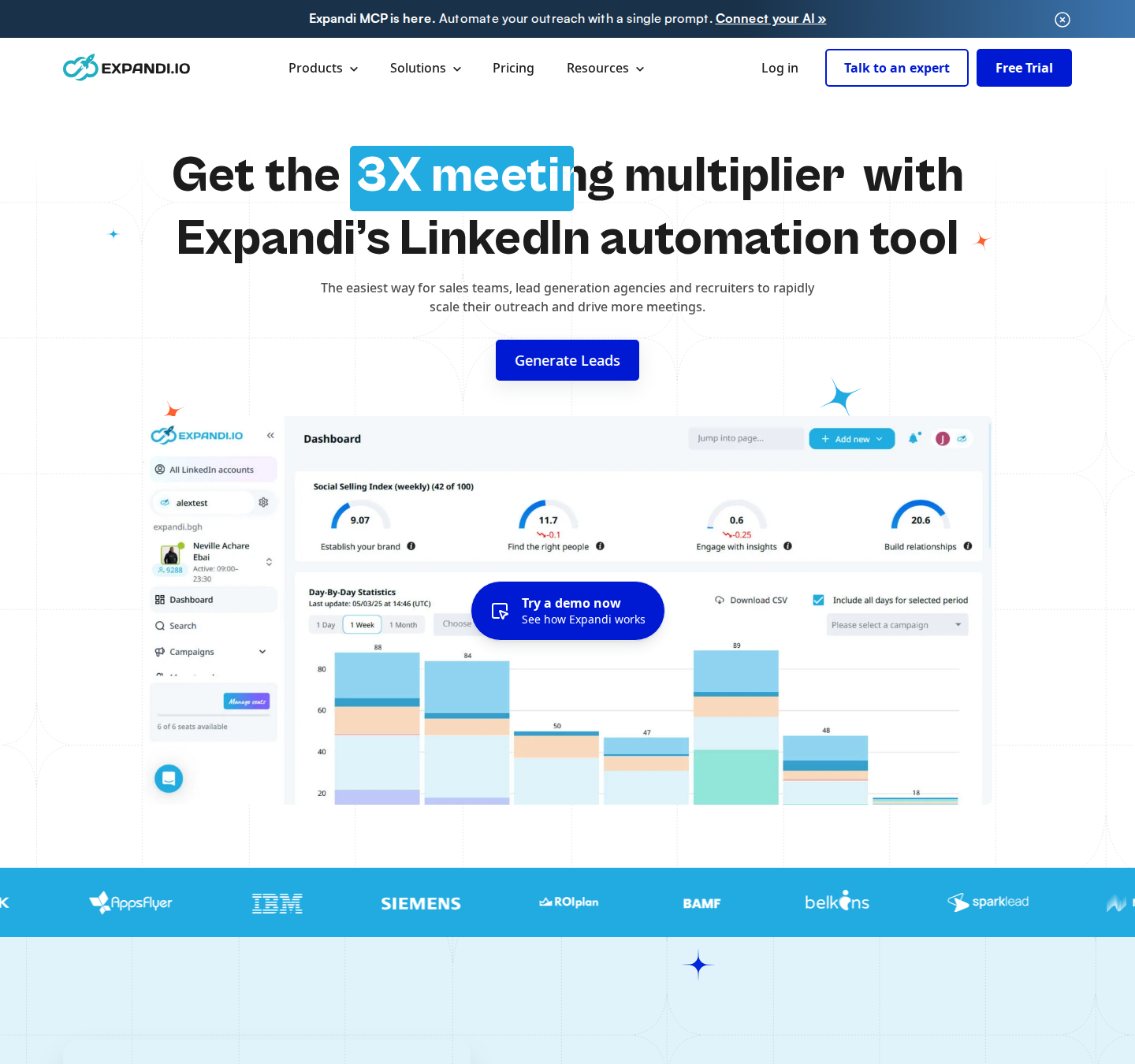
Expandi's sequence builder combines conditions and actions across LinkedIn and email follow-ups. Agencies can manage campaigns centrally, share templates and use campaign statistics for client reports. Its Agency offering adds flexible roles and permissions and branding under the agency's name.
Business costs $99 per connected account per month on monthly billing, or the advertised $79 monthly equivalent with annual billing. Agency pricing is custom for ten or more seats or white-label requirements. A seven-day trial is available.
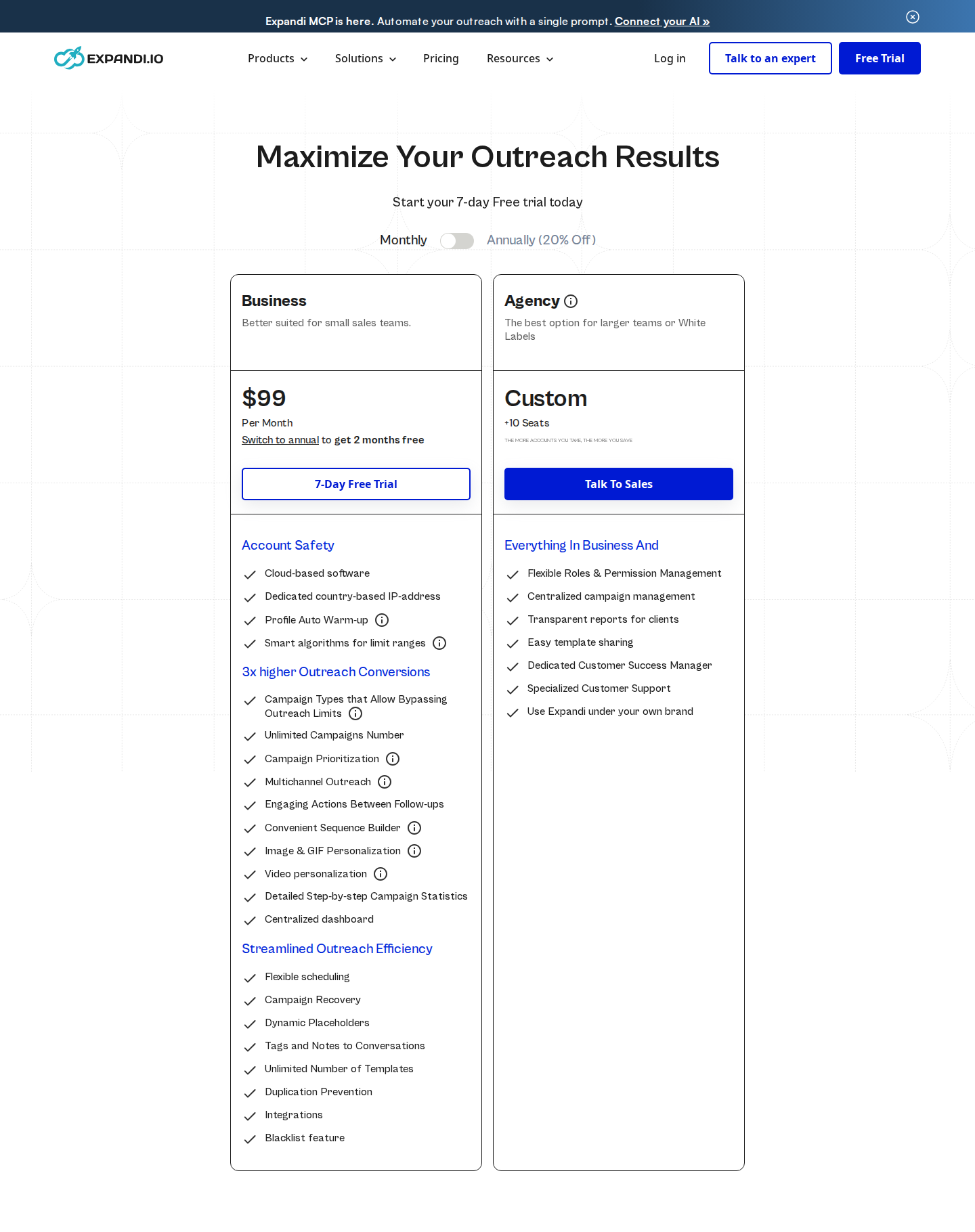
Business $99/month; Agency custom pricing. Monthly billing selected. Open the image for complete plans and features.
Image, GIF and video personalization carry additional costs. Dedicated IPs and warm-up controls do not establish account safety. For a deeper workflow comparison, see Expandi versus Extrovert.
5. Closely: multichannel campaigns and sender bundles
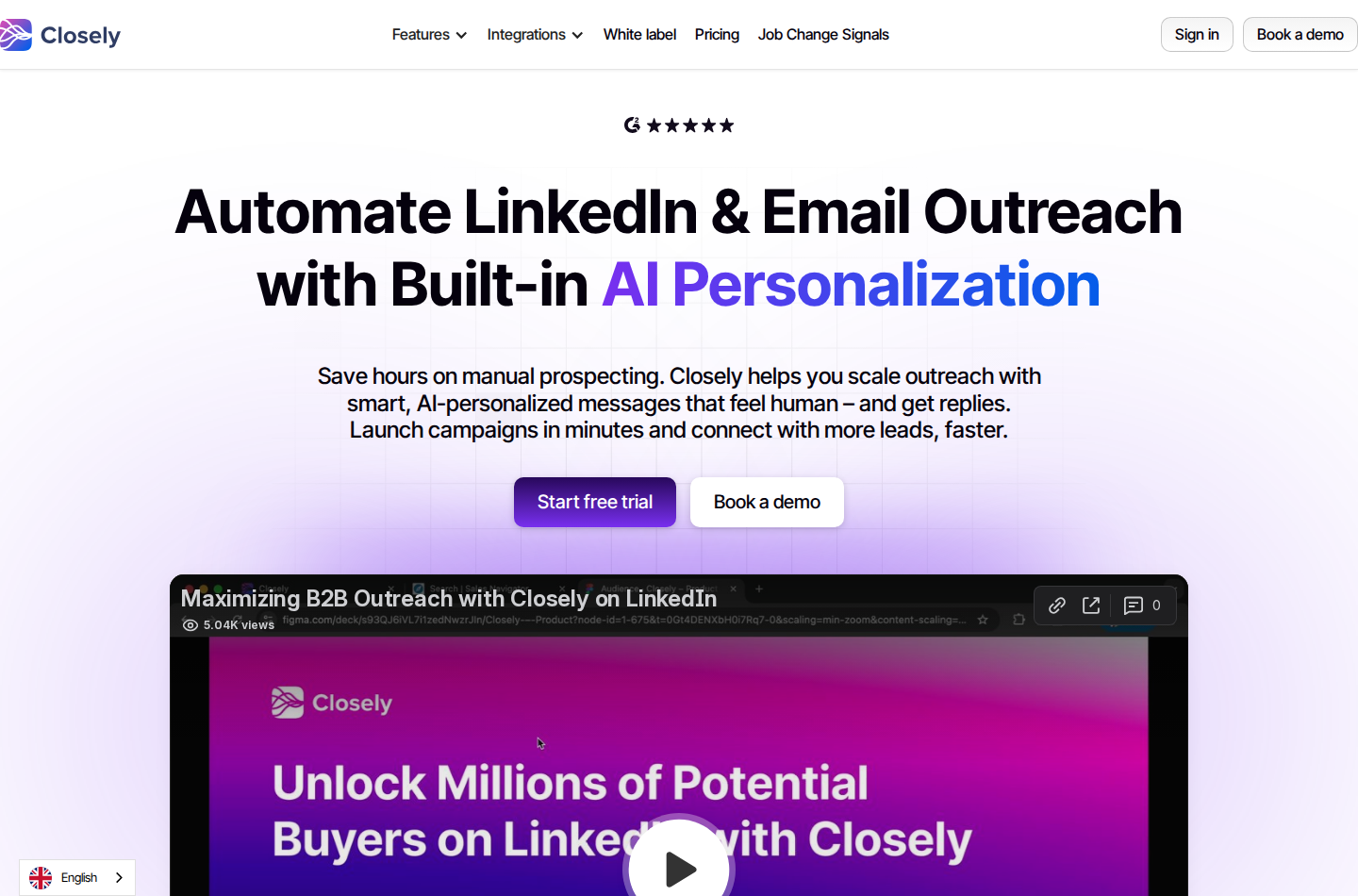
Closely covers LinkedIn automation, email campaigns, reply management and data enrichment. Its pricing bundles LinkedIn accounts and includes white-label access.
Starter costs $65 per month for one LinkedIn account on monthly billing, or $468 per year ($39 monthly equivalent). Growth costs $159 per month for three LinkedIn accounts, or $1,140 per year, and includes 3,000 monthly Credits. Essential costs $259 per month for five accounts, or $1,860 per year, with 5,000 monthly Credits.
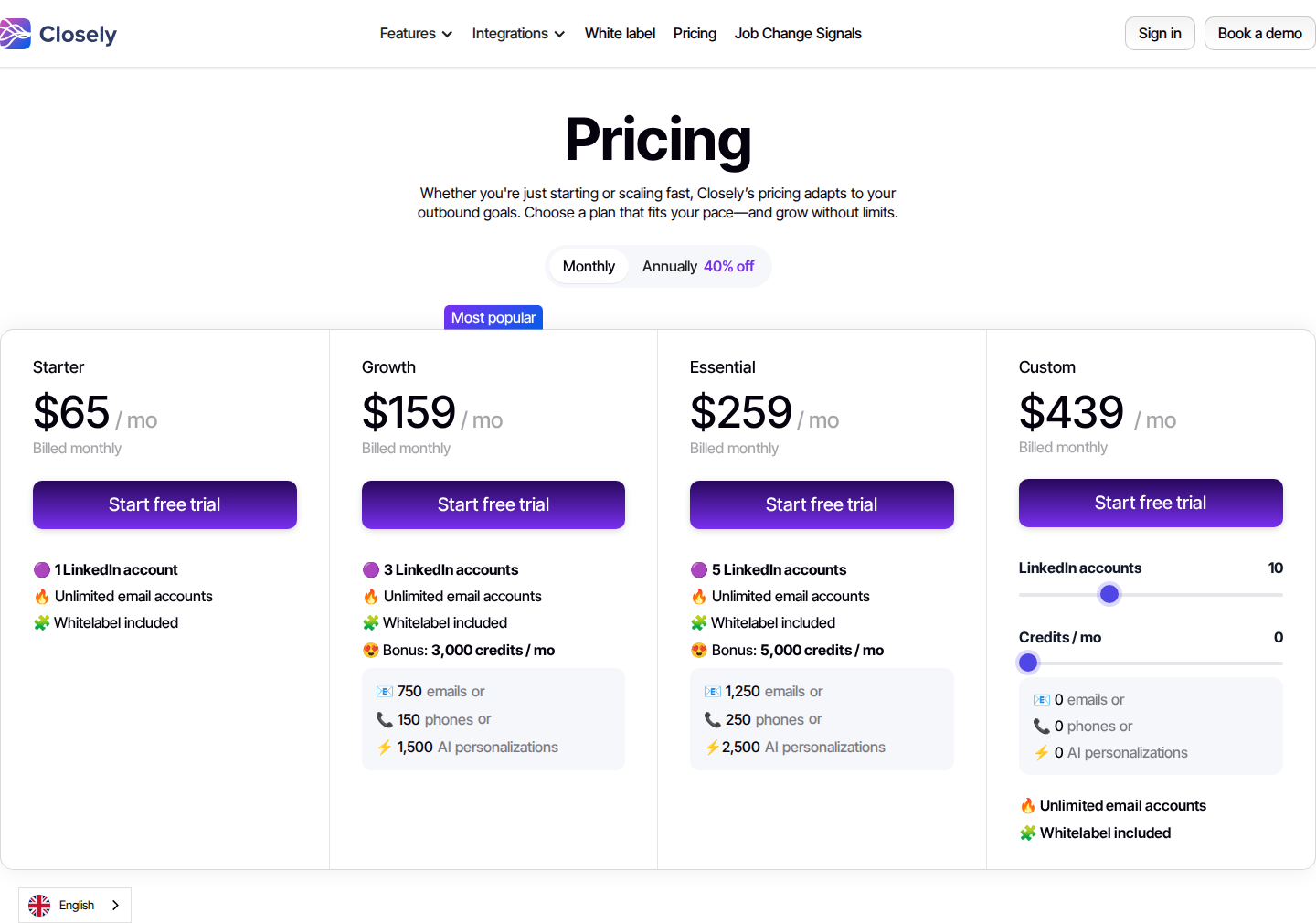
Official pricing, monthly billing. Open the image for the full-size view.
The pricing page advertises unlimited email accounts, but LinkedIn sender counts and enrichment Credits remain plan-specific. Keep those separate when calculating the cost of a client's service.
6. Aimfox: agency access for clients' own profiles
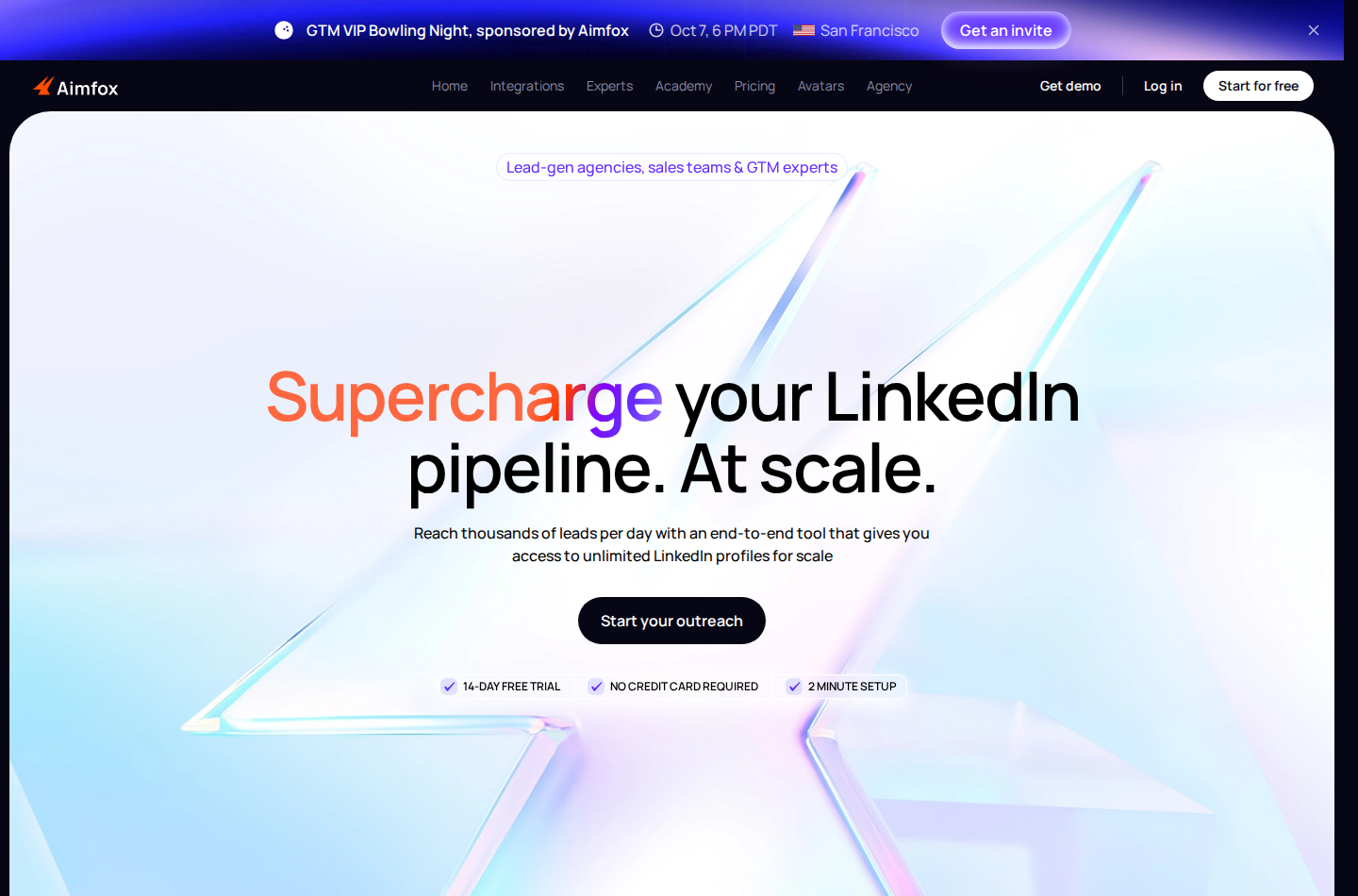
Aimfox runs inbound campaigns for existing connections and outbound campaigns for new leads. It has unified inbox access, third-party integrations, workspace and campaign reporting, team permissions and branding options.
Outreach seats cost $49 per seat per month. The Agency plan starts at $499 per month for twenty seats, with $20 per additional seat, and includes white-label, team collaboration and profile migration assistance.
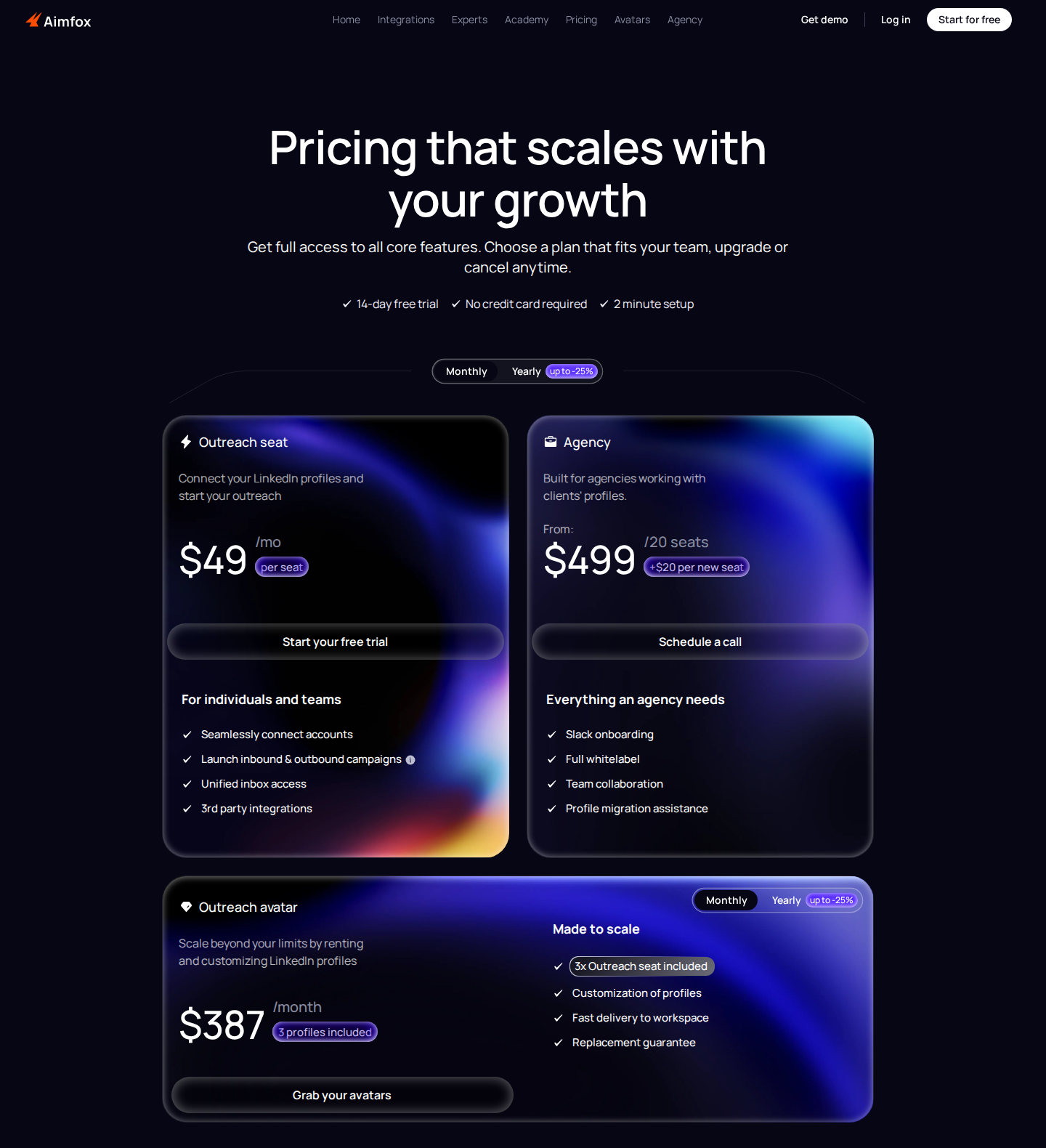
Official pricing, monthly billing. Open the image for the full-size view.
The Agency plan works with clients' profiles. Outreach Avatar, which rents profiles, is a separate offering; it is not what the twenty-seat Agency bundle means. Do not include rented profiles in a proposal for managing a client's own identity. Message and connection allowances remain account- and plan-dependent.
7. Dux-Soup / STACKED: local and cloud campaign execution
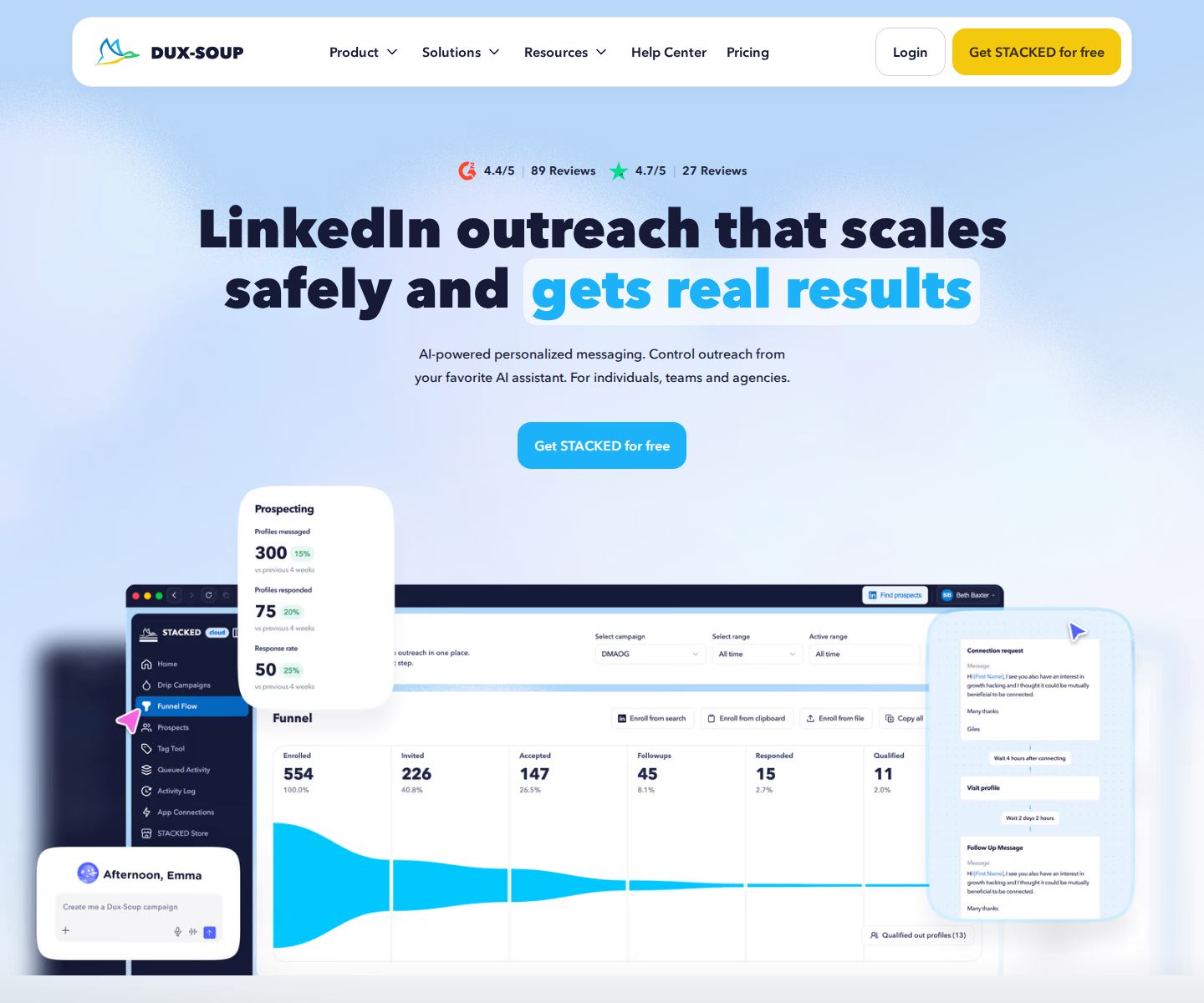
Dux-Soup now presents STACKED as its local and cloud product. Both include drip campaigns, campaign statistics, lead management, exports and integrations. Shared team campaigns are available with two or more seats.
STACKED local runs through a Mac or Windows desktop app on your own machine. It costs $55 per seat per month, or $41.25 monthly equivalent billed annually. STACKED cloud runs on the provider's infrastructure without keeping a local machine on. It costs $99 per seat per month, or $74.17 monthly equivalent billed annually.
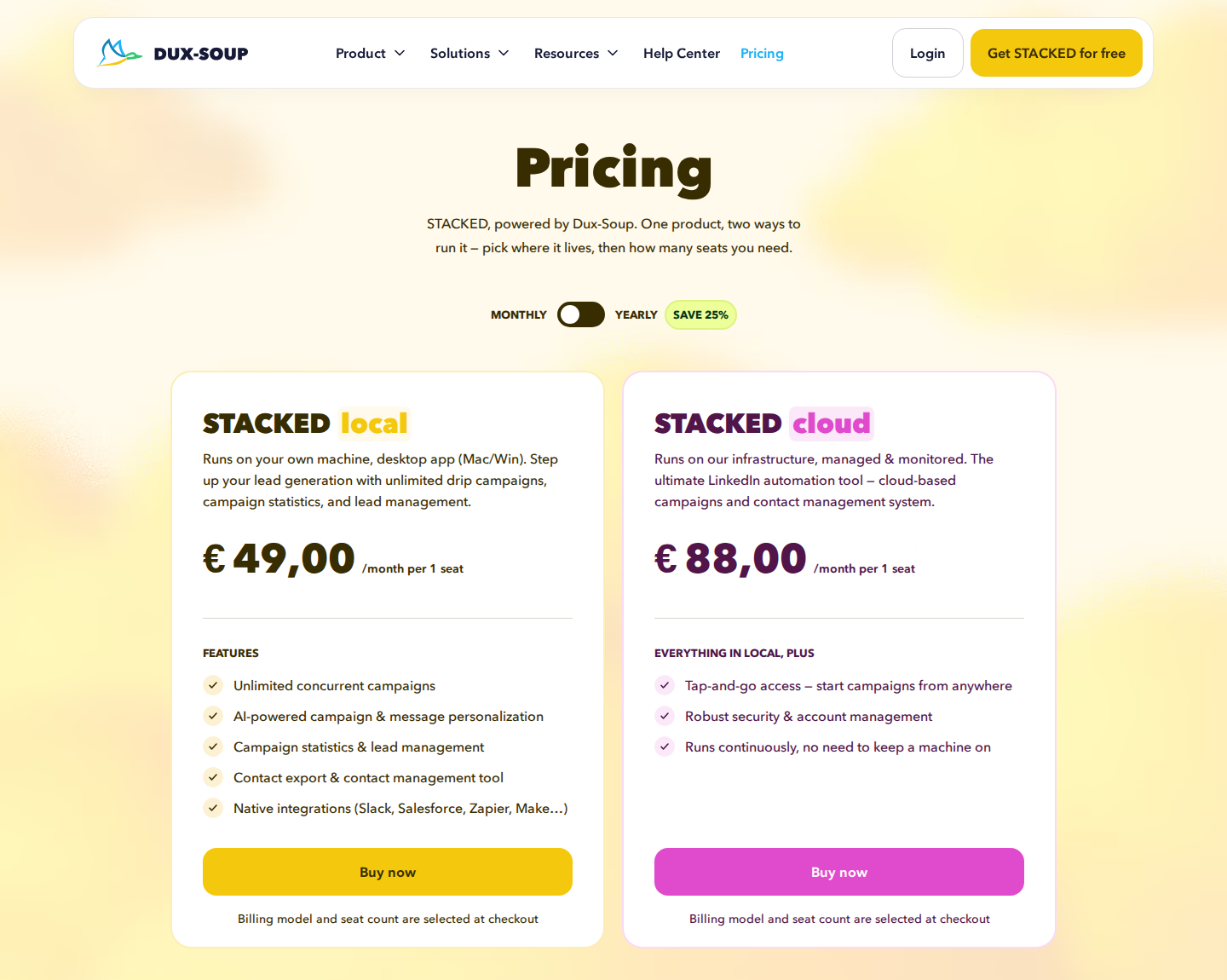
Official pricing shown in euros: €49 Local and €88 Cloud per seat/month on monthly billing. The dollar prices above are the USD offering. Open the image for the full-size view.
The local or cloud setup determines who keeps client campaigns running and where the agency accesses them. Neither deployment model guarantees immunity from LinkedIn restrictions.
8. LinkedIn Sales Navigator: prospect research and team visibility
Sales Navigator provides advanced search, saved leads and accounts, job-change and content alerts, and fifty InMail credits per month. TeamLink, team reporting and other collaboration features vary by plan. Advanced CRM integration belongs to Advanced Plus, not every paid tier.
Core starts at US$119.99 per license per month, or US$1,079.88 per year. Advanced starts at US$159.99 per month, or US$1,799.88 per year. Advanced Plus is custom-priced. Currency, taxes, region and checkout offers can change the final cost.
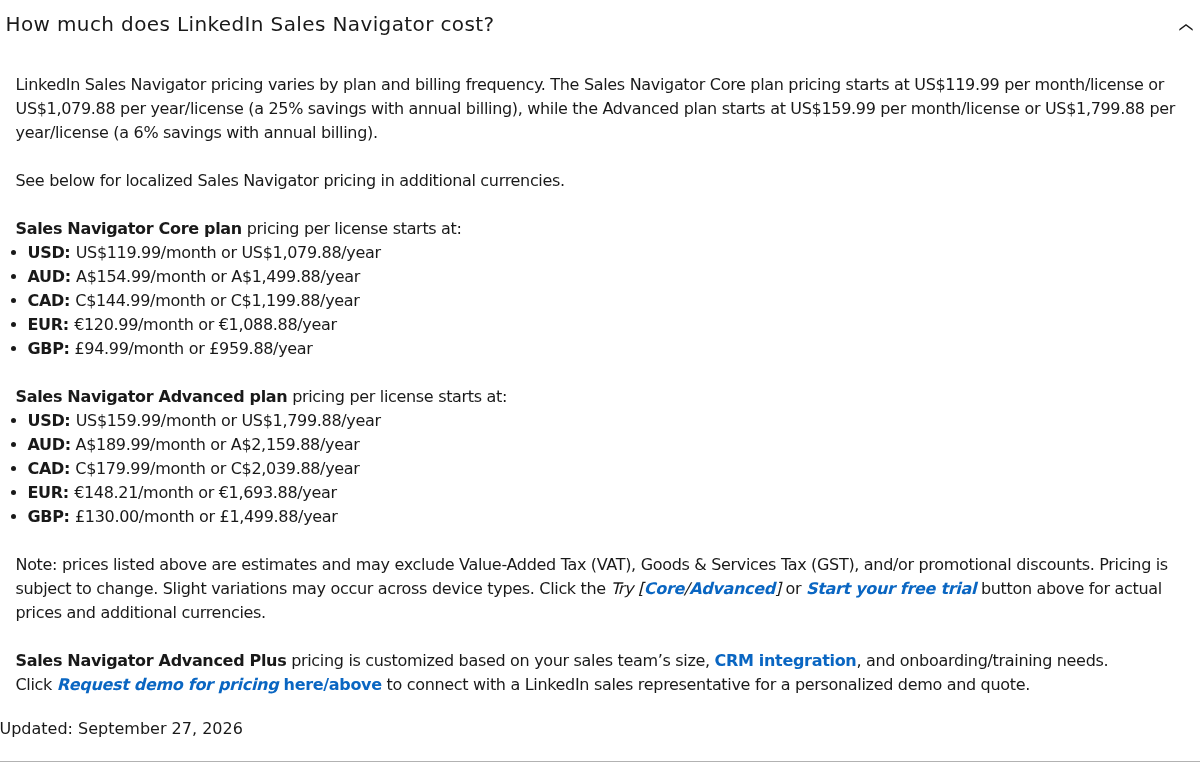
Official cost FAQ shows monthly and annual license prices; Core, Advanced and custom-priced Advanced Plus. Open the image for the full-size view.
LinkedIn also lists Message Assist for AI outreach drafts. Feature availability is plan-dependent. Sales Navigator supports prospect research and collaboration between sellers; it is not an agency console for commenting and following up from multiple clients' profiles. See Extrovert versus Sales Navigator for that workflow distinction.
9. SocialPilot: publishing, client approval and branded reports
SocialPilot handles a different part of a LinkedIn retainer: planning posts, scheduling them and collecting client approval. Its calendar, content library and bulk scheduling support content work across LinkedIn and other social networks. Advanced reports can be customized and delivered automatically.
Premium includes client approval and white-label reports, with twenty social accounts, six users and unlimited client seats. It costs $100 per month on monthly billing, or $85 per month equivalent billed annually.
Standard costs $40 per month for ten social accounts and three users, but the client approval and white-label report features listed above belong to Premium. Extra social accounts cost $4 per month; additional users on Standard and Premium cost $5 per month.
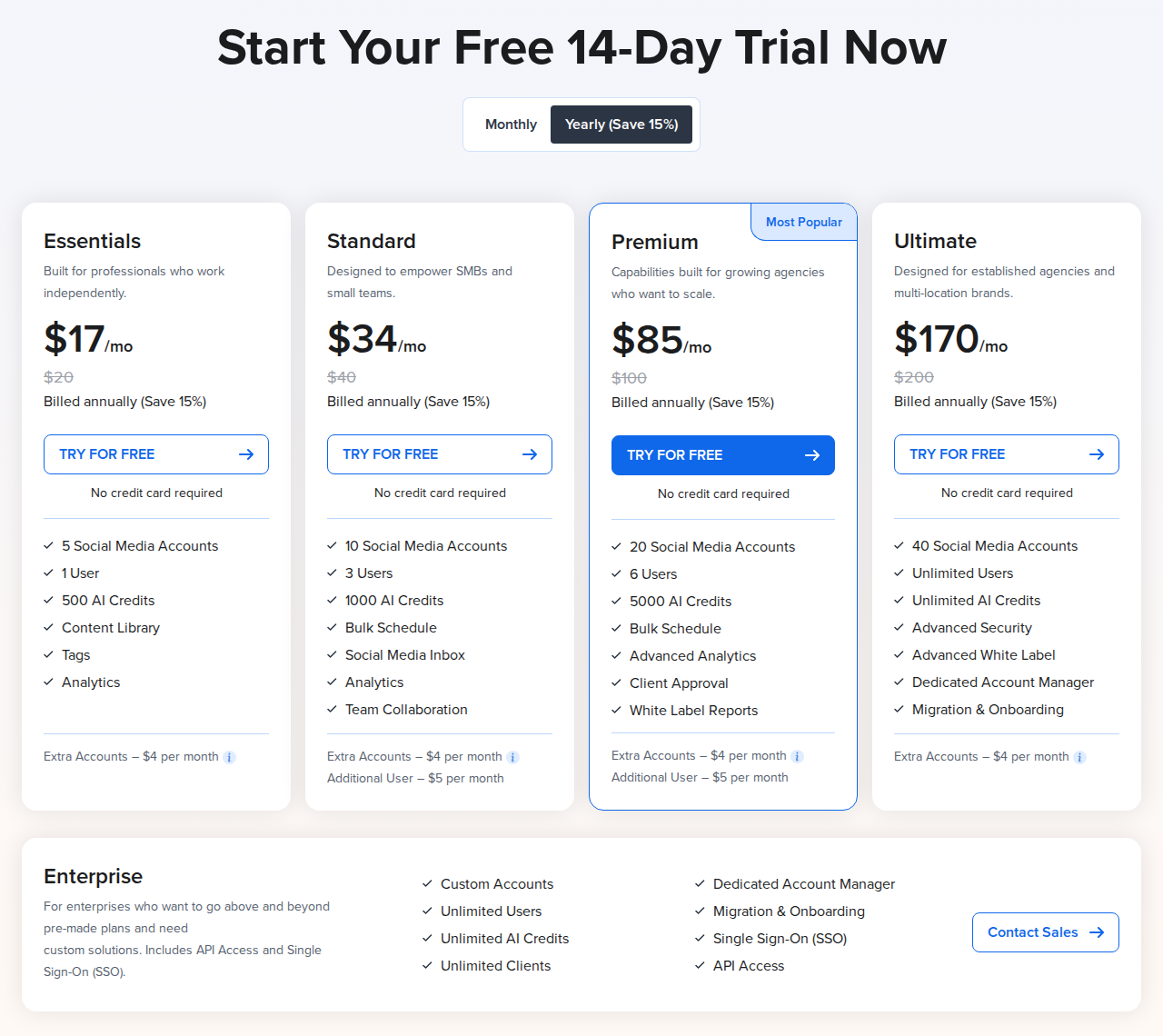
Official pricing with annual billing selected: Premium $85/month equivalent; $100 on monthly billing. Open the image for the full-size view.
A social account is a connected profile or page across the supported networks. Count every channel you manage, rather than treating twenty accounts as twenty clients. Client seats and internal user seats are separate allowances. White-label reports also differ from the Advanced White Label feature listed on Ultimate.
Use the publishing report to show content performance. Keep prospect conversations and sales handoffs in the outreach workflow; do not treat post impressions as qualified leads. Our LinkedIn marketing tools guide covers more of the publishing side.
Set up the client service before scaling it
Put the deliverables in the retainer
Define whether the agency owns post production, prospect research, commenting, first DMs or reply handling. Name the person who answers commercial questions and books a meeting. This prevents a content manager from inheriting sales conversations the client expected to handle. For post production, name the client approver, agree an approval deadline and revision allowance, and decide whether unapproved posts are held or rescheduled.
For a warm outreach retainer, specify the target list, comment and DM review policy, follow-up ownership and reporting cadence. For a content add-on, say whether commenting only covers selected prospects or also conversations around the client’s posts. Agree on exclusions, including existing customers, active opportunities and prospects already contacted by another provider.
Decide who approves and who can send
Record the client profile, campaign owner, Voice and approved prospect lists. Give managers access to the campaigns they run. Agree which actions need review and whether any campaigns may run automatically. A client connection is still required even when they do not need a tool login.
Budget the roster and the work around it
Include the costs your service needs: extra tracked prospects, discovery Credits, research licenses, email infrastructure, publishing software and account-manager time. Flat-price sender bundles can leave paid capacity unused; low per-seat prices can exclude the branding or multichannel tier you need. Keep software costs separate from the fee for strategy, reviews and reply handling.
Separate access from branding
With a managed account, the client can connect their LinkedIn profile without creating an Extrovert login. Selected campaign access limits who works on that campaign. A separate team has its own subscription and limits. White-label branding changes the visible product identity. These are different requirements; specify each one in the service agreement.
Set the handoff and offboarding rules
Assign one owner to each reply queue. Agree which replies the agency may send, which need the client’s judgment and how the client will receive a handoff. Give the client the prospect, conversation context and next action, rather than forwarding an inbox without an owner.
When the engagement ends, stop its campaigns, remove agency access and hand over the agreed lists and reporting records. In Extrovert, remove or reassign the managed account as appropriate, then check the paid seat count separately. Deleting a client connection does not automatically lower the subscription.
Report activity and conversations separately
Show which prospects received comments, which DMs went out, which conversations received replies and what needs a client's response. Separate activity counts from meetings and opportunities. A sent message or a comment is not evidence of pipeline by itself.
With Extrovert, agree whether the client will view campaigns and analytics or receive your agency's report. Keep the next actions alongside the numbers so the report also tells the manager what to do next.
FAQ
Can an agency manage a client without their LinkedIn password?
Extrovert's managed-account connection flow can give the client a one-time link to connect their own LinkedIn profile. They do not need an Extrovert login. The agency still needs a connected account and the client's authorization to act on their behalf.
Does one Extrovert seat cover several client profiles?
No. Each managed client account uses one paid seat. Agency teammates who only manage or review, without their own LinkedIn connection, are free. One team pools the prospect, topic and Credit limits added by its paid seats; separate teams have separate plans and balances.
Will every comment be reviewed by a person?
Only if you keep that workflow. Extrovert supports individual review and bulk approval, but Auto campaigns can publish comments without per-comment review. A connected AI assistant can approve comments and send DM replies when instructed. Set the approval policy before launching a client's campaign.
Does a managed account give clients a white-label dashboard?
A managed account means the client does not need Extrovert access. You can instead invite them as a team member to see campaigns and analytics. Neither option should be sold as a white-label client portal. The agency can deliver reports in its own format.
Do agencies need Sales Navigator for every client?
It depends on the research workflow and the licenses the people doing that work need. Extrovert can import prospect lists and has Lead Finder and Intent Signals for discovery. Sales Navigator offers its own native search and collaboration features; it is not a prerequisite for every Extrovert campaign.