Quick compare
Prices checked
Best forSelected-prospect engagement and follow-up
- Selected-prospect posts, comments and DM follow-up
- Individual or bulk comment review; free unconnected teammates
- No fixed incoming post-boost allocation
- Extra tracking capacity and Credits cost more
Starting price$49/connected LinkedIn seat/month10 days trial, no card
Start Free Trial5/5Chrome Web Store · 6 ratings
Companion extension
Best forChannel-based post boosts with plan-based controls
- Channel-based boosts with editable AI comments
- Free and paid monthly post allowances
- Stopping both outgoing likes/comments requires Infinity
Starting priceFree; Pro $39/monthFree plan: 3 posts/month
Read ReviewHistorical 2025 review
Best forChoosing between reciprocal Community and Private boosts
- Free Community or paid Private delivery
- Paid plans do not use your account for reciprocal engagement
- Community has no individual comment approval
- Paid weekly introductory offers renew at higher rates
Starting priceFree; Private €59/month excl. VAT
Read Review1.8/5G2 · 2 reviews
Historical 2024–2025 reviews
Best forPod selection with a usage-credit budget
- Choose pods by location or industry
- Comment blocking available without Ghost Mode
- Silver credits expire; subscriptions can add cost
- Entry plan lists no included credits
Starting price$9.99/month excl. tax
Read Review4.1/5Chrome Web Store · 329 ratings
Commenting extension, not Community
Best forScheduled engagement with manual participation
- Manual Community participation in regional sessions
- Group plan includes unlimited client sub-accounts
- Scheduled participation takes your time
- English-only Community; no Community free trial
Starting priceCommunity $50/month
Read ReviewBest forPublishing with AI writing and prospect-list engagement
- Writing, publishing and selected-prospect engagement
- Growth includes Expert AI and comment credits
- AI/Engage needs Growth; bulk outreach needs Pro
- Trial can charge early when AI allowance is exhausted
Starting price$39/account/month, tax extraUp to 7 days trial; card, early-billing terms
Read ReviewOne historical review
Best forDrafting, formatting and publishing operations
- Formatting, previews, drafts and analytics
- Unlimited company pages included
- No pod engagement or prospect DM workflow
- Coauthor AI remains beta
Starting price$19.95/profile/month14 days trial, no card
Read Review







On this page
Extrovert is our first pick among Linkboost alternatives for B2B teams that want conversations with selected buyers. It brings prospect posts, comment drafts and DM follow-up into one routine. For boosting your own posts, compare HyperClapper, Podawaa and Lempod; Engage AI runs a manual engagement community. Taplio and AuthoredUp cover writing and publishing. Start with the job you want to replace, then compare its price, activity controls and limits.
Key takeaways
- Extrovert helps you engage people you want to reach, then follow up with context. It does not sell a fixed allocation of incoming likes or comments on your posts.
- HyperClapper, Podawaa and Lempod offer direct post-boosting workflows. Compare how engagement arrives and which actions your own account performs in return.
- Engage AI organizes scheduled sessions with manual participation. Include the time you spend engaging with other members when you compare its subscription cost.
- Taplio and AuthoredUp help you prepare and publish content. Their writing, scheduling and analytics features cover a different part of your wider LinkedIn routine than a boost allowance.
- Price the plan that includes the controls you need. A low entry price can exclude AI writing, outgoing-activity controls or the credit allowance needed for a normal month.
Linkboost's monthly Premium plan is $39 for 30 posts, one per day and five pods per boost. Plus is $59 for 60 posts, two per day and 20 pods per boost. Free includes three monthly posts, one per day and one pod per boost.
How we ranked these Linkboost alternatives
We compared the work each product covers, the available controls and the cost of the plan that supplies them. Four measurable dimensions guide the reviews and comparison table:
- Workflow coverage: own-post boosting, publishing, selected-prospect engagement and DM follow-up. We distinguish a documented step from a separate tool you would still need.
- Capacity and billing unit: posts or boosts per month, tracked prospects, connected profiles, usage credits or scheduled sessions. Different units stay separate rather than becoming a misleading common allowance.
- Account-action controls: comment review, manual participation, optional automation and plan gates for stopping outgoing likes or comments. These settings affect both the routine and the subscription you need.
- Monthly workflow cost: the monthly-billing entry price, plus a higher plan or add-on when it is needed for the described work. Free subscriptions, trials and annual discounts are different offers.
Extrovert ranks first for the B2B relationship-building job: it connects selected prospects with engagement and follow-up. The next three cover direct post amplification, followed by a manual community and two publishing options. This order keeps the replacement paths clear without treating a publishing calendar as a pod or a boost as a sales conversation.
The best Linkboost alternatives in 2026
The seven options below replace different parts of the routine. Extrovert starts with the people you want to reach. The direct boosting tools start with a post you want to promote. The remaining options help you participate in a community or publish more consistently.
1. Extrovert, best for selected-prospect engagement and follow-up
Extrovert starts with the people you want to reach. People- and topic-based campaigns bring relevant posts into your feed, so your comments reach accounts that matter to your business. This replaces prospect tracking and follow-up around Linkboost, rather than supplying incoming likes on your own posts.
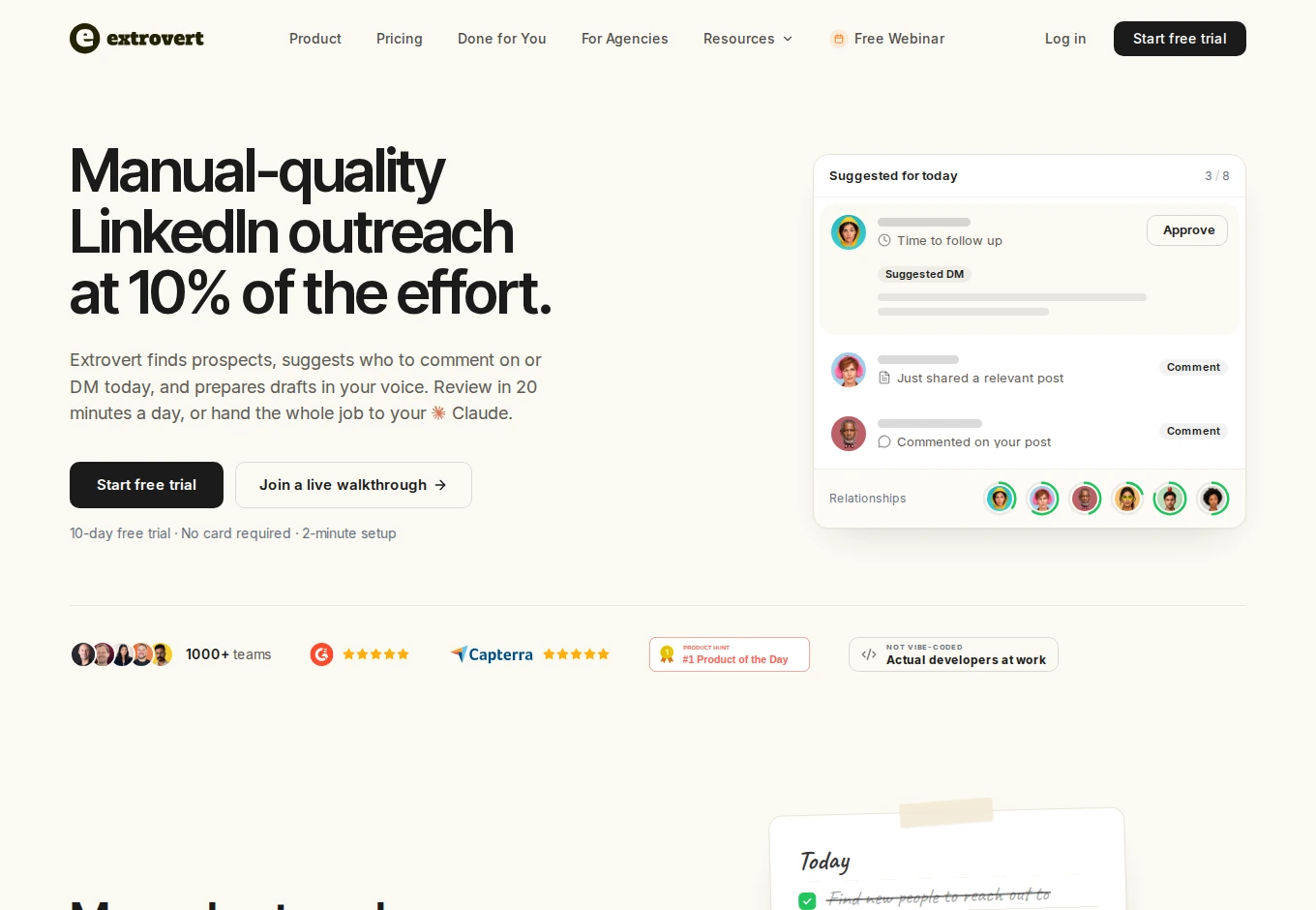
Review comments individually, approve them in bulk or automate selected campaigns. Shared campaigns let teammates work on a client's or colleague's behalf. Connection requests can also form part of the campaign.
Change the feed priority to return to people who need attention. You can focus on fresh posts, prospects closest to outreach or people you have not engaged with recently.
Illustration: the posts a campaign found, sorted three ways. Newest posts first, for get seen campaigns, newest first: Just now, 20 min ago, 3 h ago, Yesterday. Closest to the first DM, for start conversations campaigns, fewest comments left before outreach first: 1 left, 2 left, 3 left, 4 left. Spread comments across people, for stay in touch campaigns, longest since your last comment first: 6 weeks ago, 3 weeks ago, Last week, Yesterday.
Newest posts first
Get seen
Closest to the first DM
Start conversations
Spread comments across people
Stay in touch


Recommended DMs appear with a reason for each suggestion; send or snooze them from the review queue. Conversation Restarters use a prospect's relevant post to suggest a way back into a quiet conversation. The daily warm outreach workflow connects these steps.
Illustration: the DM inbox. 46 conversations run on Auto. 4 wait under Needs you, each with its reason. Said they'd book a call. Did they? (held). You said it was your last message (held). Posted something personal (held). Key accounts: first DM due (you check). The first one is open: "They said they'd book a call, and it's not clear they did." Its draft is ready, with the buttons Send and Snooze.


In the webinar “Warm LinkedIn outreach from Claude,” Oleg Sobolev shows how to prioritize prospect engagement, comment before connecting and follow up on LinkedIn.
Pricing is $49 per connected LinkedIn seat/month, billed monthly. Each seat includes 250 tracked prospects, one topic and 300 monthly Credits, pooled across the team. All features are included; extra capacity, topics and Credit top-ups cost more. Included Credits reset monthly; purchased top-ups roll over. Teammates without a connected account are free.
The trial lasts ten days with no card. Product Hunt rates Extrovert 5/5 from 12 reviews. The main limitation for a pod buyer is straightforward: Extrovert does not promise a fixed volume of incoming reactions.
Best suited for: B2B founders, sellers and agencies who want to engage a selected prospect list. It suits teams that need a clear next conversation after the comment.
2. HyperClapper, best for channel-based post boosts with plan-based controls
HyperClapper directly replaces the post-boosting part of Linkboost. Paste a post URL, choose channels, review or regenerate AI comments, set the volume and pacing, then launch. Channels include private groups, so the audience you select matters alongside the number of reactions.
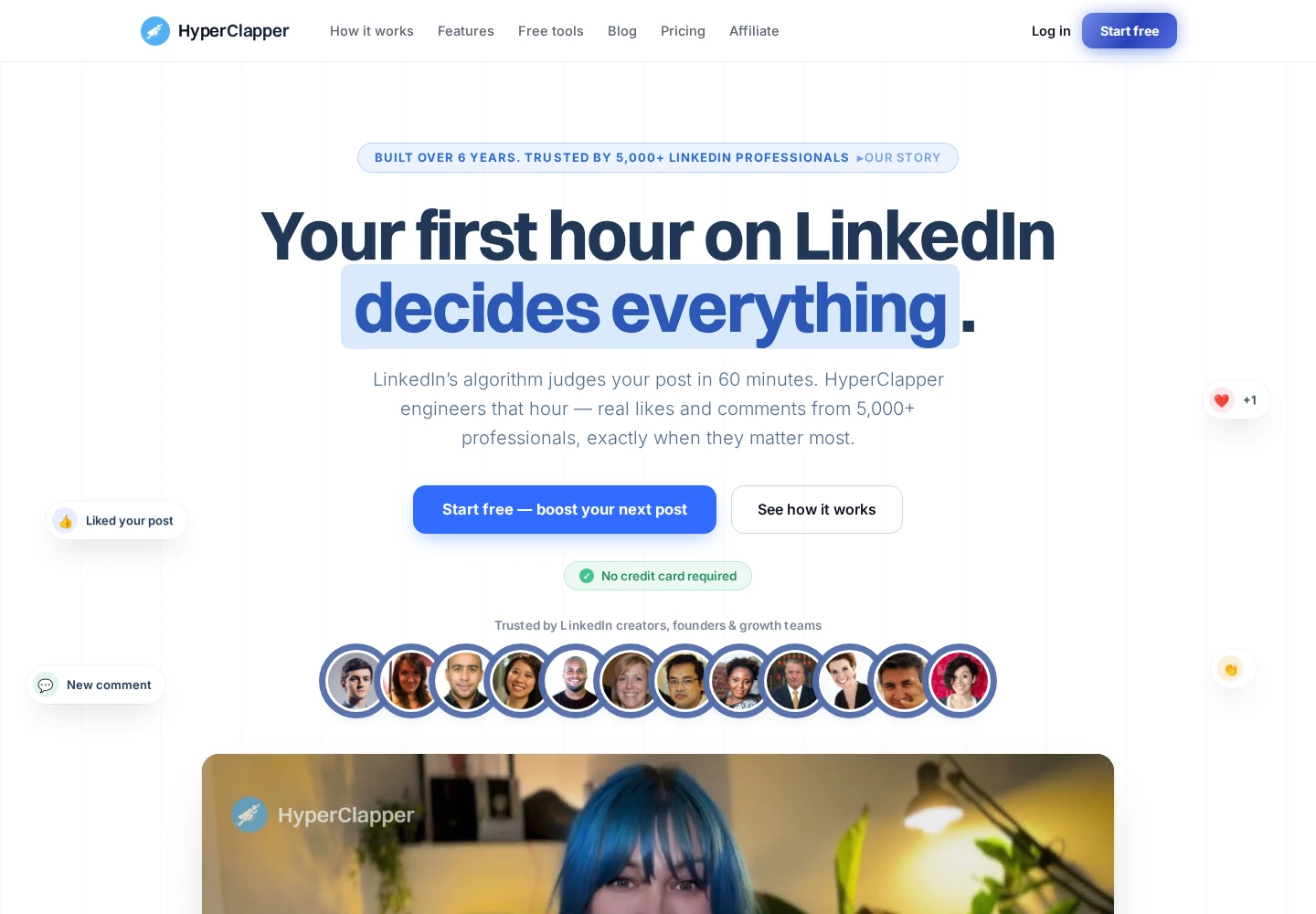
Its Free plan includes three posts per month, one boost per day and one channel. Pro costs $39/month for 30 posts and three channels. Growth costs $59/month for 60 posts and four channels, with AI replies and company-page replies. These are monthly prices, separate from longer billing discounts.
Your account's outgoing activity can determine the plan you need. Pro lets you disable outgoing comments. Disabling both outgoing likes and comments requires Infinity at $99/month, which includes 90 posts and five channels. Check those settings before treating an entry subscription as a match for your intended routine.
Automatic replies add work beyond the initial boost. Review their settings as well as the comments prepared at launch, especially when your name represents a client or company.
HyperClapper's official Chrome companion has a 5/5 aggregate from six ratings. That small extension rating is useful context, not a measure of channel relevance or sales results. The practical limit here is the higher subscription needed for full outgoing-activity controls.
Best suited for: People who publish regularly and want channel-based amplification for their own posts. It fits buyers who can choose a plan around the specific outgoing actions they want to stop.
3. Podawaa, best for choosing between reciprocal Community and Private boosts
Podawaa separates two delivery models. Free Community uses a Chrome extension: your account likes and comments on other members' posts, and they engage with yours. Its five monthly boosts allow up to 20 likes and one comment per post. Manual and automatic boosts share that allowance.
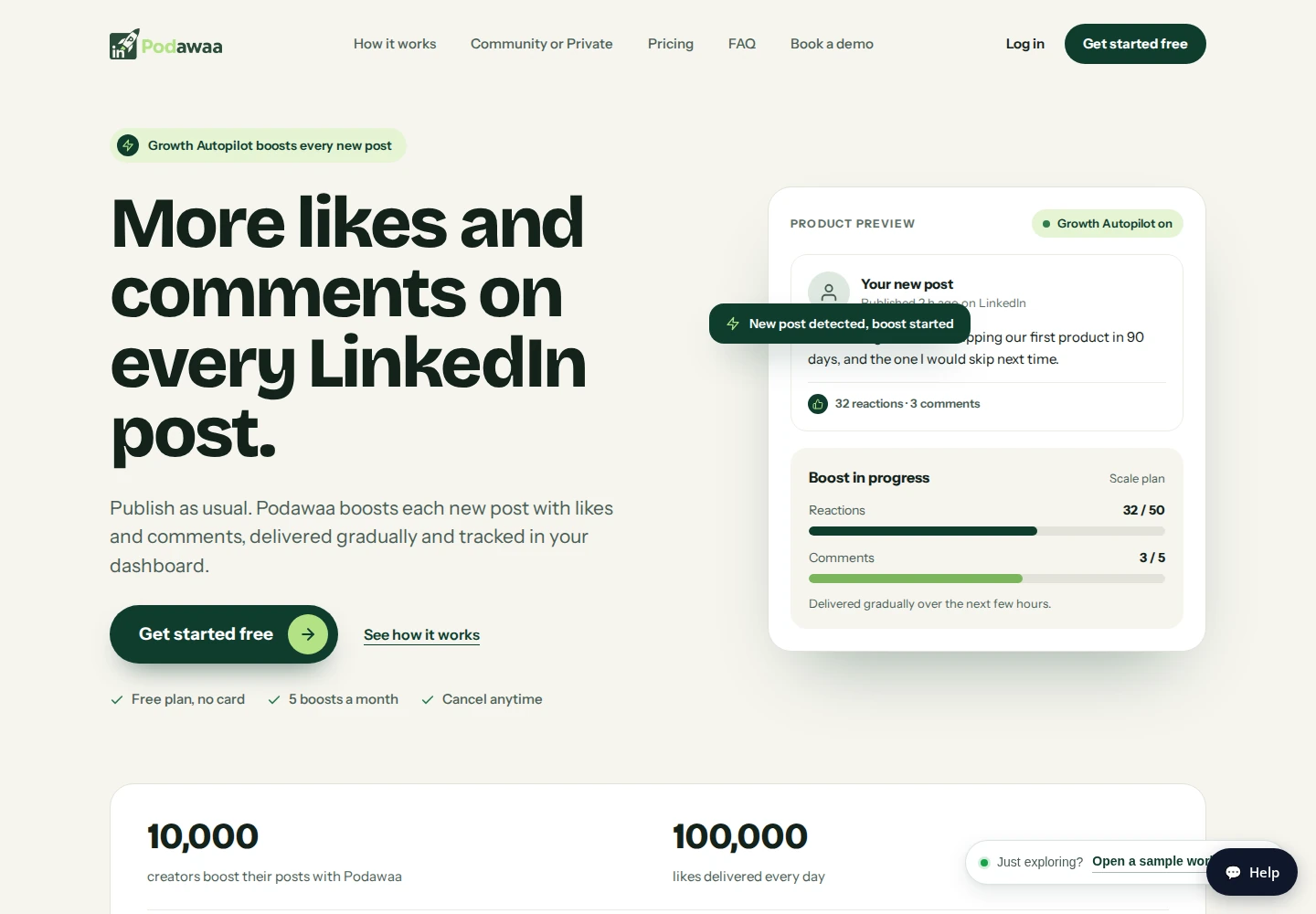
All paid plans currently advertised are Private. They deliver engagement without using your account for reciprocal likes and comments. Scale costs €59/month excluding VAT, with unlimited boosts and up to 50 likes and ten comments per post. “Up to” describes a cap, not a promise that every boost reaches it.
Accelerate costs €89/month excluding VAT. It adds scheduling, 30 AI-written posts per month and an inbox with reply suggestions. Extra accounts cost €19/month on Scale or €39/month on Accelerate. Those units matter when you manage more than one profile.
Community comments are not approved individually, and the FAQ lists no pause button. Removing the extension stops that outgoing activity. Private changes that account behavior, while keeping incoming engagement organized through the service.
Paid plans have no free trial. The €3.40 introductory Scale week renews at €17 every week; it is a separate billing option from the €59 monthly plan. G2 shows 4/5 from one historical review, whose author reported double charging followed by a refund.
Best suited for: Post authors who want to choose explicitly between reciprocal participation and paid Private delivery. It suits buyers who compare renewal terms and outgoing account behavior before starting a boost.
4. Lempod, best for pod selection with a usage-credit budget
Lempod organizes engagement through pods you can find by location or industry. You share a post with selected groups, choose comments and track activity. The group makeup matters: a large allowance says little about whether participants have a reason to care about your topic.
Its current pricing uses Gold and Silver balances. Lite costs $9.99/month excluding tax; its plan card lists no included credits. Starter costs $14.99/month and includes 100 Gold plus 500 Silver. One Gold converts to 50 Silver; converted and included Silver expires one month after addition.
Starting an engagement costs 20 Gold. An engagement action costs ten Silver, while AI usage costs five Silver. Estimate both the launch cost and the actions you expect before comparing this wallet with a subscription priced by monthly posts. Gold-to-Silver conversion has a minimum of 50 Gold and uses increments of 50.
Controls also change the bill. Ghost Mode costs $49.99/month and allows joining pods without performing social actions. Lempod's newer comment-controls update lets users block comments without Ghost Mode; that does not mean all outgoing actions are disabled. Boost Control adds pause, resume and timing controls through a separate subscription.
G2 shows 1.8/5 from two reviews. Those historical reviews include complaints about pricing, extension complexity and a disputed deposit refund, rather than a review of every current plan.
Best suited for: Regular post authors who want to select pods and can budget for usage credits. It fits buyers willing to separate comment controls, broader outgoing activity and optional subscriptions before paying.
5. Engage AI, best for scheduled engagement with manual participation
Engage AI's Community organizes members into scheduled engagement sessions. You submit a post link and thoughtfully comment on allocated members' posts. The service assigns work and tracks participation, while you supply the engagement rather than delegating it to an extension.
Individual costs $50/month and includes up to nine sessions per week. Group costs $250/month with unlimited client sub-accounts through a shared group code. The sessions run on Monday, Wednesday and Friday across APAC, Europe/UK and US East Coast windows. Community content is English-only, and both personal and company-page posts are supported.
The offer lists 15 comments per submitted post. Your participation matters: missed quotas can block later submissions. There is no Community free trial. Its pricing FAQ describes a 30-day money-back guarantee conditioned on taking part at least three times in the first month without improved post visibility.
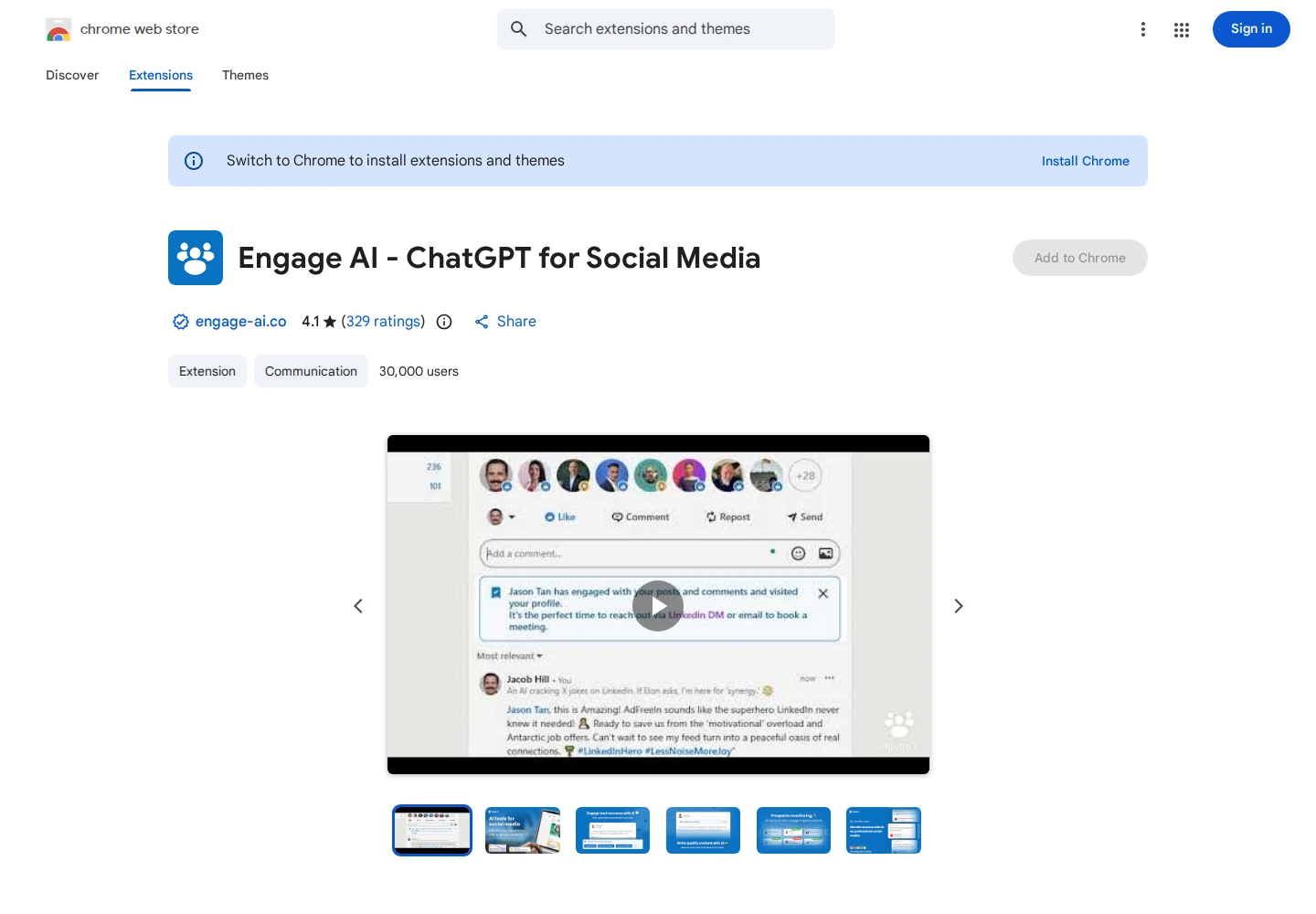
Engage AI also offers a separate commenting extension. Its contextual drafts and tone options are different from the Community subscription; the image here shows that extension. Chrome Web Store rates the extension 4.1/5 from 329 ratings, not the current Community. Extension reviews include reliability and generic-draft complaints, which should not be read as Community delivery reviews.
The subscription therefore has two costs to compare: money and time spent contributing. Scheduled manual participation is a materially different routine from submitting a post for automatic delivery.
Best suited for: People who can attend recurring sessions and contribute useful comments to other members. It fits teams comfortable with an English-language community rather than industry-only audience selection.
6. Taplio, best for publishing with AI writing and prospect-list engagement
Taplio combines post creation, scheduling and analytics with engagement features on higher plans. It covers the routine around producing and distributing content, rather than only submitting a finished post to a pod. It does not provide a fixed allocation of incoming engagement.
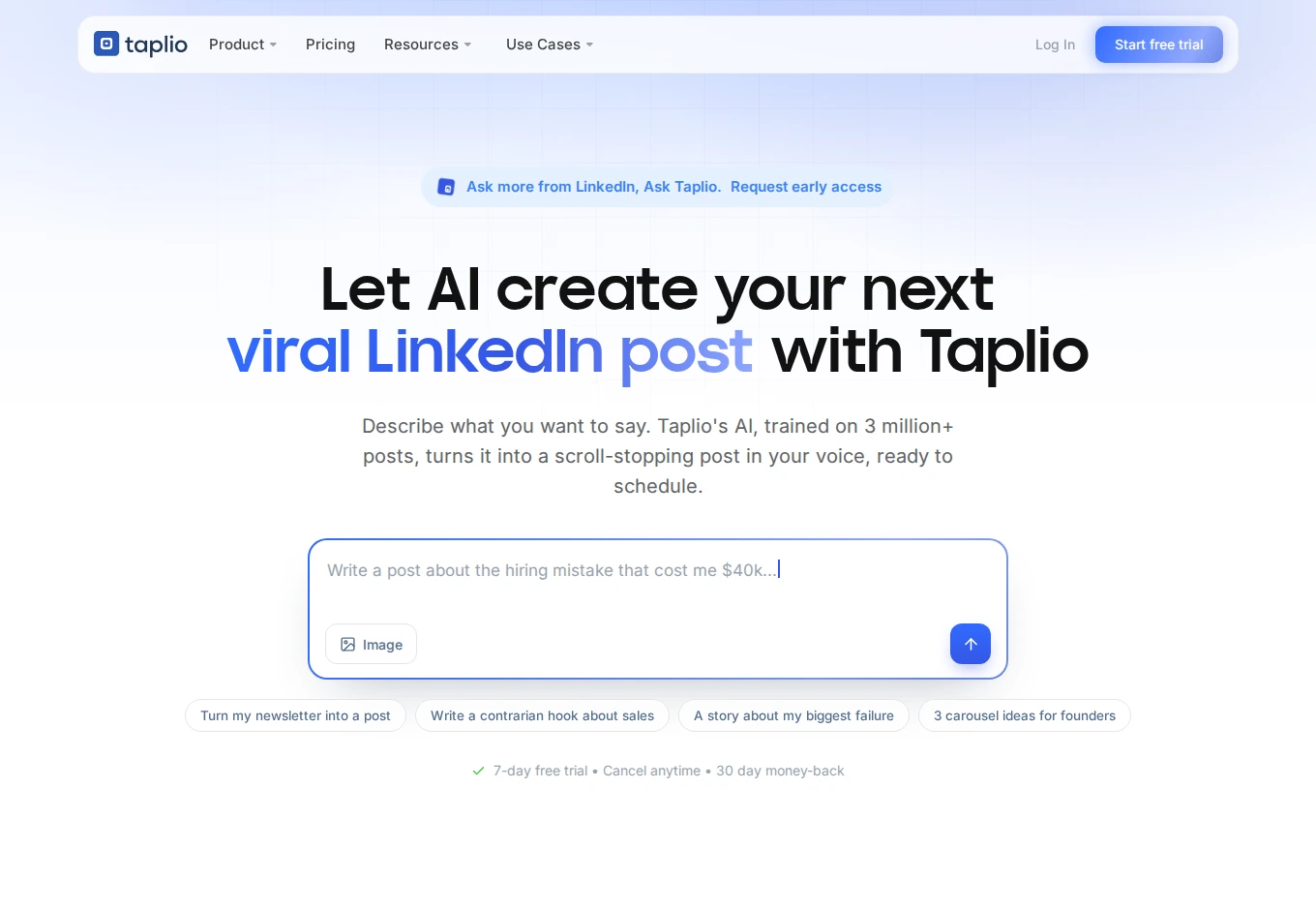
Starter costs $39 per account/month, billed monthly, and covers the editor, calendar and analytics. Growth costs $69 and adds AI writing and Engage features. Its allowance includes 250 Expert AI credits and 500 comment/reply credits per month. Faster AI mode remains available after the Expert allowance. Prices exclude tax.
In Engage, a custom contact list loads prospects' recent posts so you can write or generate replies. This gives Taplio a prospect-engagement role as well as a publishing role. Pro costs $199/month and adds the lead database and automated or bulk outreach. Its unlimited AI and reply credits remain subject to fair use.
Trial conditions deserve attention before entering payment details. The Pro-feature trial requires a payment method and ends after seven days or when its AI allowance is used, whichever comes first. The selected subscription is then charged; choosing annual billing means an annual charge.
Trustpilot shows 3.6/5 from 20 reviews. Some reviewers criticize trial-to-paid messaging and renewals; vendor responses include refunds and investigations. The practical choice is whether the writing, publishing and engagement features justify the required tier.
Best suited for: Founders and content-led teams that want publishing and prospect-list engagement in one suite. It fits buyers who need those broader content tools alongside commenting, with the trial and billing conditions understood.
7. AuthoredUp, best for drafting, formatting and publishing operations
AuthoredUp helps you prepare and manage LinkedIn posts. Its editor combines formatting, previews, readability guidance, reusable snippets, a calendar and analytics. It replaces the work of preparing content, not reciprocal likes and comments on your posts.
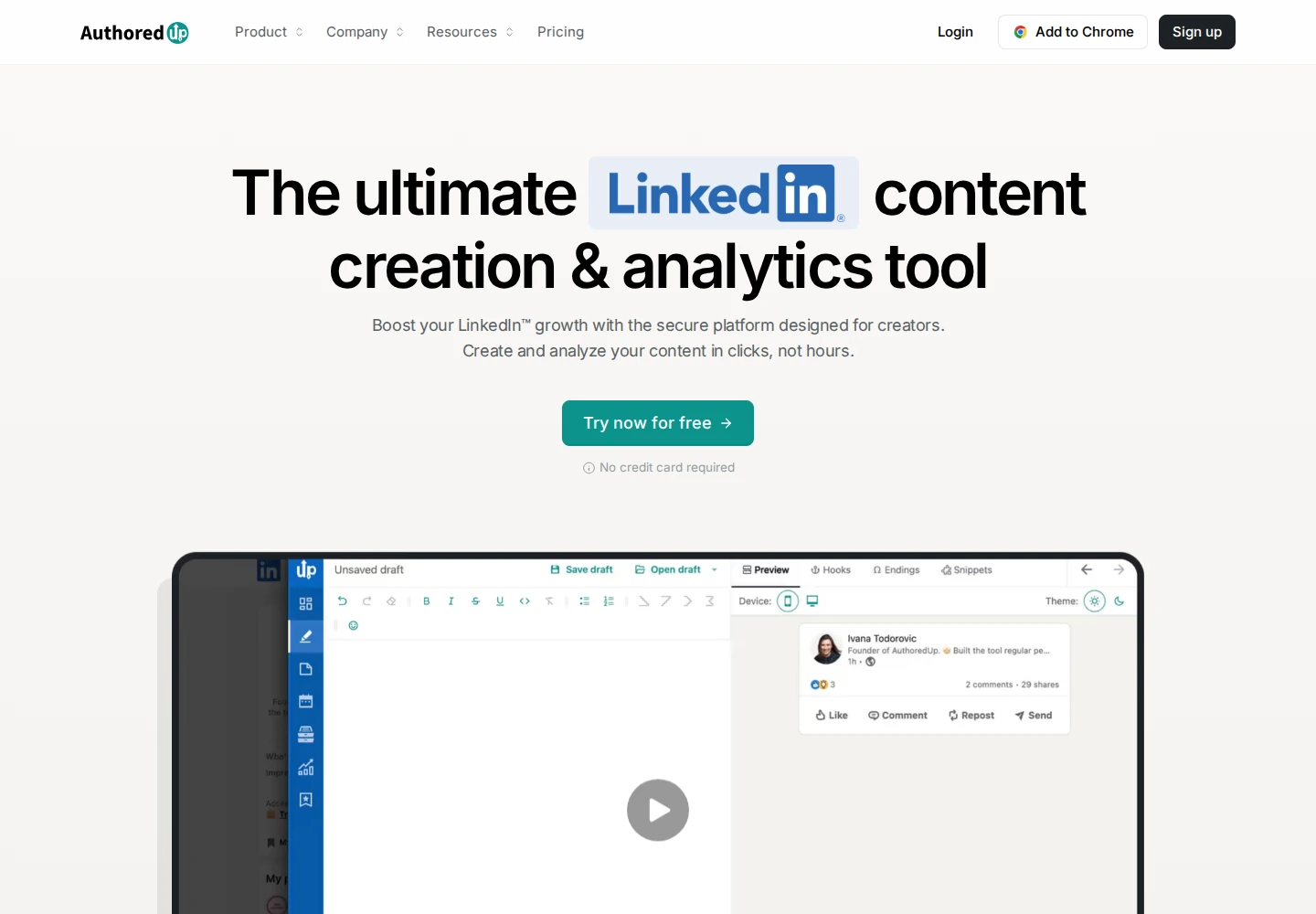
Individual costs $19.95/month for one profile. Business costs $14.95 per profile/month with a minimum of three, so its minimum monthly bill is $44.85. Unlimited company pages are included. Annual billing has lower monthly equivalents but a yearly commitment. The trial lasts 14 days and requires no card.
The previews show how a post will look on different devices and where the “See more” cutoff appears. The library includes more than 200 hooks and 150 endings, while drafts and snippets help you reuse useful material. Analytics can be exported to CSV.
Scheduling submits through the extension to LinkedIn's native scheduler. You need that integration to schedule; the post is then scheduled on LinkedIn. The standalone editor and draft library let you prepare content before opening the LinkedIn publishing step.
Coauthor adds AI writing in beta. Check beta access before choosing a subscription for this feature.
Trustpilot shows 3.2/5 from one historical review. That reviewer criticized lost copy/paste formatting and price; it is one user's account, not a verdict on every current publishing feature.
Best suited for: Authors and small teams that need clearer drafts and a manageable publishing calendar. It fits people who want content-preparation tools without buying a post-boosting or prospect-follow-up workflow.
Side-by-side comparison
Compare the replacement job, capacity, account controls and monthly workflow cost. A boost, tracked prospect, usage credit and community session are different units. Prices below use monthly billing rather than annual equivalents.
| Product | Replacement workflow | Included capacity or unit | Account-action controls | Monthly price and important gate |
|---|---|---|---|---|
| Extrovert | Selected-prospect engagement and DM follow-up | Per seat: 250 tracked prospects, one topic, 300 Credits; team pool | Individual or bulk comment approval; optional campaign automation; DM review queue | $49/connected LinkedIn seat; extra capacity and Credits cost more |
| HyperClapper | Channel-based own-post boosts | Free: 3 posts/month; Pro: 30 posts, 3 channels | Disable outgoing comments on Pro; both likes/comments on Infinity | Free; Pro $39; Infinity $99 for both outgoing controls |
| Podawaa | Community exchange or Private post delivery | Free: 5 boosts/month; Private Scale: unlimited boosts, up to 50 likes/10 comments per post | Community comments cannot be approved individually; Private has no reciprocal account activity | Free Community; Private Scale €59 excluding VAT |
| Lempod | Pod-based own-post engagement | Starter: 100 Gold + 500 Silver; separate launch, action and AI costs | Comment blocking available without Ghost Mode; Ghost Mode stops social actions; Boost Control subscription adds timing controls | Lite $9.99 excluding tax; Starter $14.99; usage and add-ons extra |
| Engage AI | Scheduled manual Community engagement | Individual: up to 9 sessions/week; Group: unlimited client sub-accounts | Members manually comment; participation quotas apply | Individual $50; Group $250; no Community free trial |
| Taplio | Publishing, AI writing and prospect-list engagement | Growth: 250 Expert AI + 500 comment/reply credits; Faster AI continues | Draft/reply tools on Growth; automated or bulk outreach on Pro | Starter $39/account; Growth $69; Pro $199; tax extra |
| AuthoredUp | Drafting, formatting, scheduling and analytics | Individual: one profile; Business: minimum 3 profiles | Post preparation and publishing; no reciprocal engagement delivery | Individual $19.95/profile; Business $14.95/profile |
Which Linkboost alternative fits your use case
Choose the row that matches the work you want to replace. A publishing tool can sit beside a prospect-engagement tool; buying both makes sense only when you need both jobs.
| Your situation | Product and workflow | What to evaluate | What it does not replace |
|---|---|---|---|
| You want relationships with selected buyers or partners | Extrovert: prospect posts, comments and DM follow-up | Relevant feed, draft quality, connected-seat and tracking needs | A fixed allocation of incoming post reactions |
| You want to submit posts to selected channels | HyperClapper: channel-based boosts | Audience fit, monthly posts and outgoing-action plan gates | Your content calendar or full sales follow-up process |
| You want a choice between reciprocal and paid delivery | Podawaa: Community or Private | Account behavior, delivery caps and monthly versus weekly renewals | A selected-prospect relationship workflow |
| You want to choose pods and budget by usage | Lempod: pod marketplace | Gold/Silver consumption, expiration and optional control subscriptions | An all-inclusive fixed monthly post allowance |
| You can join scheduled manual sessions | Engage AI: Community | Regional windows, English-language participation and time commitment | Automatic participation or industry-only targeting |
| You need a publishing suite with AI and engagement | Taplio: content creation and prospect-list replies | Growth/Pro gates, credits and trial-to-paid conditions | Reciprocal pod-style incoming engagement |
| You mainly need to prepare and manage posts | AuthoredUp: editor, previews, calendar and analytics | Profile count, formatting and scheduling routine | Incoming likes/comments or prospect DM follow-up |
What results look like with Extrovert
For a B2B team, a useful replacement should help move a relationship forward. These customer stories show how engagement connects with outreach and follow-up, rather than counting only reactions on your own posts.
SaasFluence: from manual creator tracking to warmer approaches
SaasFluence previously spent 15 hours a week manually tracking B2B creators. Denis Acia describes loading a creator shortlist into Extrovert, reviewing suggested comments and contributing before sending a partnership DM. He reports connection acceptance above 40% with that warm-up workflow. Read the SaasFluence case study.
Allbound OS: connection acceptance from 15% to 32%
Can Timağur leaves one or two comments before reaching out, spaced one to two weeks apart. He reports acceptance rising from 15% to 32% when Extrovert engagement preceded connection requests through GetSales. The tools have separate roles: Extrovert supports engagement and nurture; GetSales handles outreach sequences. His Extrovert-assisted DM reply routine also reduced his reported daily reply time from 45 minutes to ten. Read the Allbound OS case study.
Unstuck: two calls from twelve DMs
In a December 2025 comment-to-DM example, Sabahudin Murtić reported eight replies and two booked calls from twelve messages. His process used relevant comments, then an opener tied to the prospect's content and his own DM style. He reviews the wording and keeps control of what is sent. Read the Unstuck case study, or browse more Extrovert customer stories.
Frequently asked questions
What is the best Linkboost alternative for B2B prospect engagement?
Extrovert is our first choice for engaging selected prospects and keeping follow-up in view. Its people- and topic-based campaigns, comment drafts and recommended DMs support a relationship-building routine rather than a fixed allocation of incoming post engagement.
What tools directly replace Linkboost post boosts?
HyperClapper, Podawaa and Lempod cover own-post amplification through channels, communities or pods. Compare the boost allowance, delivery mode and outgoing actions your account performs, because those conditions differ by product and plan.
How do free plans differ from free trials?
A free plan keeps a limited allowance available without a paid subscription, such as HyperClapper's three posts per month or Podawaa Community's five boosts. Extrovert offers a ten-day trial with no card rather than a permanent free plan.
How can I compare the real monthly cost?
Start with your number of profiles, posting frequency and required controls. Then include the plan gates, credit usage and add-ons that supply that work, keeping monthly billing separate from annual equivalents.
What does Extrovert do to control account activity?
Extrovert keeps activity within your daily limits and follows your working hours. It spaces out actions, and anything over the limit waits for the next day. You choose what to review and what to automate.
How should I move away from an engagement pod?
Cancel renewal and stop reciprocal activity as separate steps. Check connected extensions, active campaigns and scheduled replies, then save the post data and settings you need before removing access.
Can a publishing tool replace an engagement pod?
Taplio and AuthoredUp can replace writing, scheduling and analytics work. Those features do not provide the same incoming likes and comments as a post-boosting service, so compare the publishing job separately.
Try Extrovert free for ten days
Start with the prospects you want to reach. Bring their posts into a focused feed. Review comments that draw on their content and your writing style. Keep the next conversation visible with recommended DMs and follow-up. Use the ten-day trial to see whether this routine fits your team. No card is required.