On this page
AI tools for LinkedIn cover several jobs: writing posts, researching buyers, commenting, preparing messages and running outreach campaigns. Start with the task you want to improve. A post generator needs source material, a research agent needs research criteria and a campaign tool needs prospects and campaign settings.
For B2B founders, sales teams and marketers, this guide compares those workflows, the plans that include AI and the units you pay for. Extrovert comes first for prospect engagement: it connects buyer activity and comment drafts with recommended DMs and follow-up. Publishing and research tools cover other parts of the same LinkedIn routine.
LinkedIn AI tools at a glance
For daily buyer engagement, start with Extrovert’s connected workflow; Commenter AI and Engage AI concentrate on comment assistance. For research and campaigns, compare Sales Navigator, Clay, HeyReach and Waalaxy AI. For publishing, compare Taplio, AuthoredUp, MagicPost, Supergrow and Buffer. ChatGPT supplies a general drafting and research baseline.
On mobile, swipe the comparison table sideways to see the price column. Tap a tool name to jump to its section.
| Tool | Main AI job | Price and useful plan condition |
|---|---|---|
| Extrovert | Prospect discovery, comments, contextual DMs and follow-up | $49/connected LinkedIn account/month; every feature included |
| Commenter AI | Comment drafting and engagement lists | Starter $19/month or $147/year; 300 comments/month |
| Engage AI | In-feed comment copilot | Free core; extension lists Pro at $30/month; Community is separate |
| Sales Navigator | Native buyer research and assisted outreach | Core from US$119.99/license/month; Message Assist on Advanced/Advanced Plus |
| HeyReach | AI-connected multi-sender campaigns | Growth $79/sender/month; MCP connects an external assistant |
| Waalaxy AI | Prospect sourcing and conversation management | $99/month early-access offer; free beta also advertised |
| Clay | AI web research and data enrichment | Free tier; Launch from $185/month monthly; Actions and Data Credits are separate |
| Taplio | Post creation, publishing and engagement | AI writing starts with Growth at $69/month monthly |
| AuthoredUp | Post editing and publishing; Coauthor AI beta | Individual $19.95/profile/month; Coauthor is in closed beta |
| MagicPost | LinkedIn drafts from topics, links and files | AI Creator $69/month or $468/year; $49 Growth is manual writing |
| Supergrow | AI interviews and team content production | Pro $39/month for one account; Teams $199/month for five |
| Buffer | AI writing and multi-channel publishing | Free AI Assistant; paid from $6/channel/month monthly |
| ChatGPT | General-purpose drafting and research | Free plan; Plus $20/individual/month; API costs separate |
A sender, a license, a connected profile and a usage-based workspace are different billing units. Compare the plan that includes the AI feature you need, not the lowest price in a product’s range.
1. Extrovert: AI for prospect engagement and the next conversation
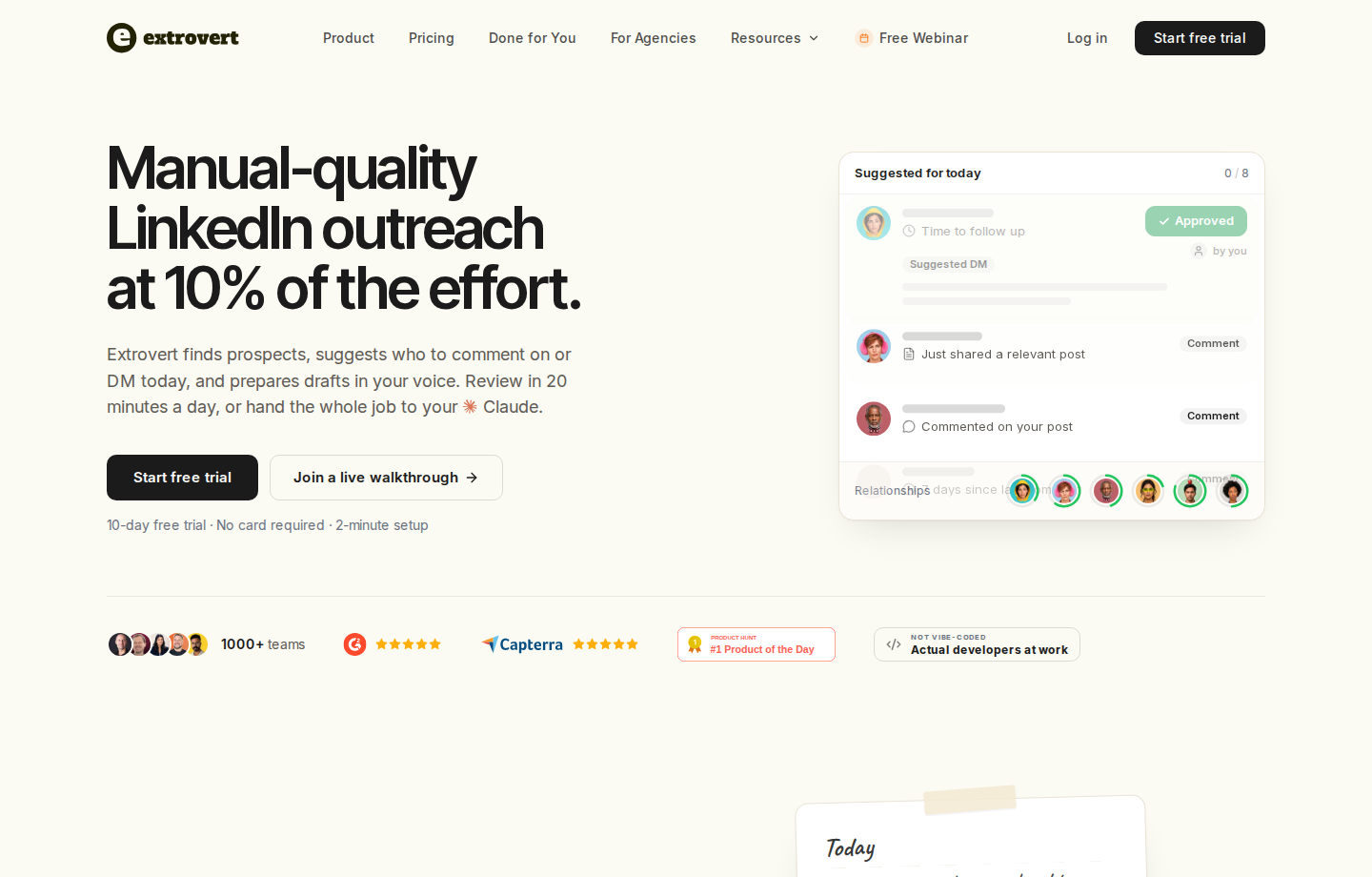
Extrovert’s LinkedIn outreach workflow starts with the people you want to reach. Add existing prospects or discover new ones, bring their posts into a prioritized feed, and prepare comments, connection requests and DMs with relationship context. Keep customers and open deals in nurturing campaigns after the first conversation.
Find prospects by fit and relevant activity
Lead Finder searches a global B2B database by role, company and location, outside your LinkedIn account. Previewing matches is free; each delivered prospect costs one Credit. You can also import people from CSV, your CRM, Sales Navigator or your connections.
Intent Signals finds people behind configured LinkedIn activity and filters them against your ideal customer profile. It surfaces people through topic engagement, competitor content and competitor-team connections. You get the activity that made someone relevant and choose whom to add to a campaign. A signal gives you a reason to investigate; it does not prove someone wants to buy.
Illustration: a radar sweeping LinkedIn activity. Most of it is passed over; three people are found by what they did: commented on a post about your topic; engaged with a competitor's post; connected with a competitor's sales team.


Improve the draft without losing the post context
AI comment drafts reference the actual post and use your company context, tone and past approved comments. Quick Edit lets you give a direction, such as changing the length or emphasis, before deciding what goes out.
Illustration: a draft comment on a prospect's post; your direction, typed or spoken: "Shorter. Ask what they use today."; the draft rewritten with it, shorter, with the Approve button.
Carry engagement into DMs and follow-up
Recommended DMs brings together suggested conversations, a reason to write and an editable draft. Send or snooze the suggestion rather than treating every interaction as an immediate pitch. Conversation Restarters can use a prospect’s relevant post to prepare a DM when a thread has gone quiet.
Illustration: the DM workspace on its Recommended tab, 5 conversations due for a message today, each with its reason. Connected 2 days ago: First DM. No reply for 9 days: Follow-up. New role at their company: Restarter signal. Promised a call 2 weeks ago: Follow-up. Quiet for 3 months: Keep in touch. The first one is open, with the first DM drafted and the buttons Send and Snooze.


You can review comments individually, approve a batch or enable automatic comments for a campaign. Auto comments publish without prior review. Connection requests and DMs have their own settings and limits. Through MCP, Claude, ChatGPT or another connected assistant can edit drafts, approve comments and send the actions you authorize. Set the assistant’s permissions according to which actions you want it to take without individual approval.
API and webhooks connect discovery, engagement and follow-up to your CRM or sequencer.
Price: $49 per connected LinkedIn account/month, billed monthly. Every feature is included, with 250 tracked prospects, one topic and 300 monthly Credits per seat, shared by the team. Teammates who do not connect a LinkedIn account are free. Lead Finder costs one Credit per delivered prospect; Intent Signals costs 25–250, depending on the activity. Included Credits reset monthly without rollover. Extra tracking capacity and Credit top-ups cost more. See Extrovert pricing for annual and volume discounts.
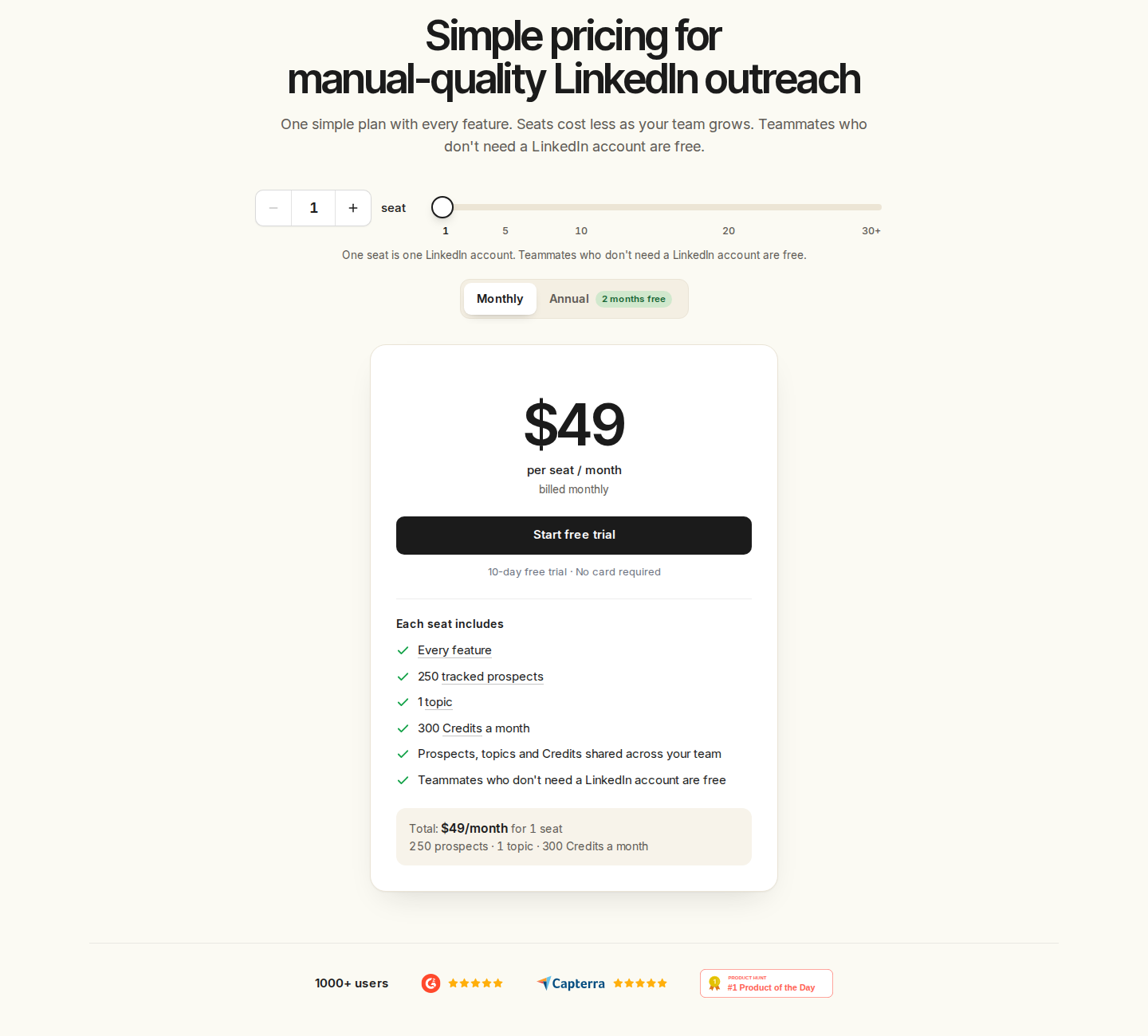
Monthly pricing for one connected account; the seat and billing selectors show team and annual options. Tap the screenshot to open it at full size.
The 10-day trial requires no card. Start with a focused target-account campaign and review the posts, comments and conversations it prepares.
2. Commenter AI: comment drafting and engagement lists
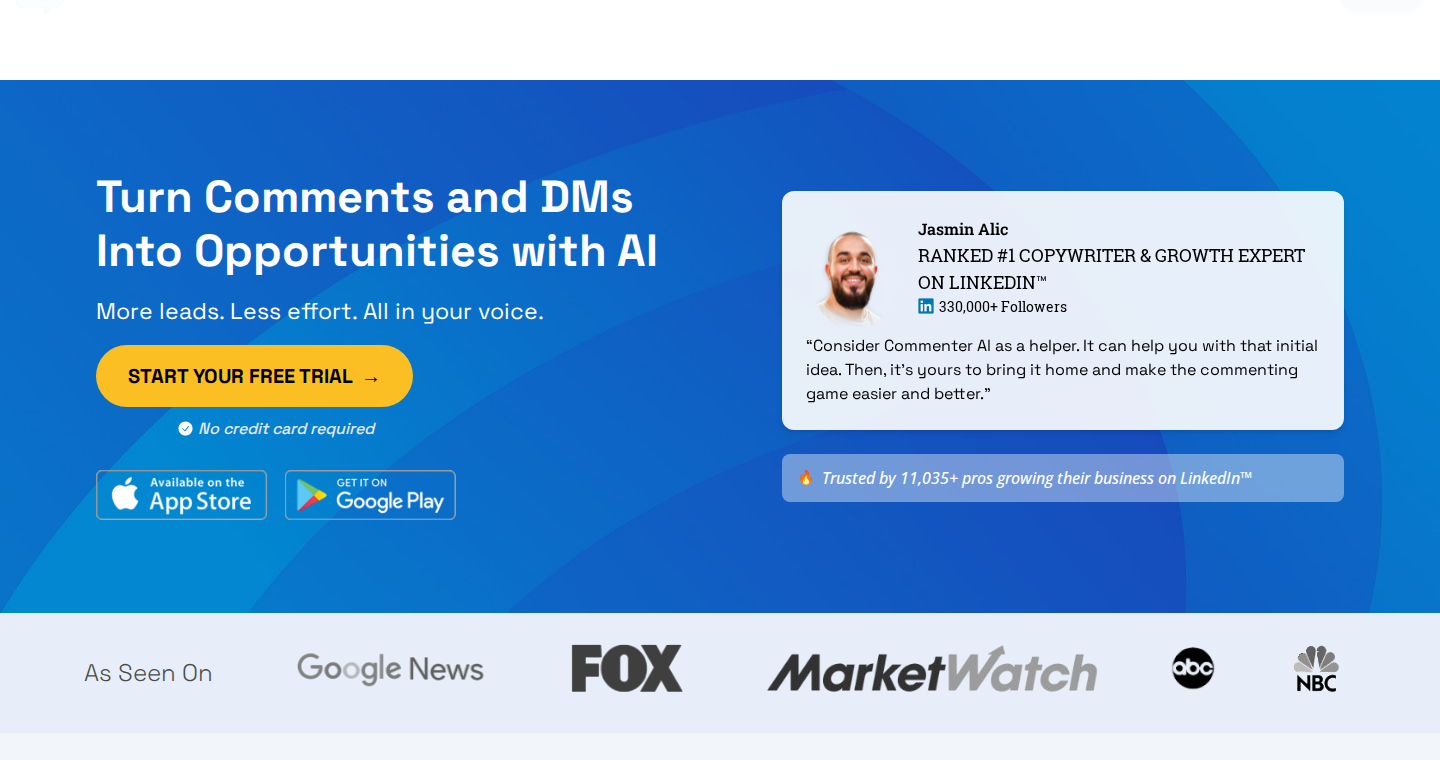
Commenter AI generates comments with controls for emotion, length and style. GenuYou turns your ideas into a draft. Creator adds an engagement list of up to 40 people; Influencer adds an unlimited engagement list and custom prompt/voice controls. Its annual offer also lists a personalized newsfeed.
The workflow centers on comment writing and engagement lists.
Price and capacity: monthly Starter, Creator and Influencer prices are $19, $27 and $37. Annual prices are $147, $197 and $247 respectively. Their monthly comment allowances are 300, 900 and 3,000 respectively. Custom voice belongs to Influencer. The pricing offer includes a three-day trial.
For a B2B team, the work continues after commenting. Extrovert connects prospect posts and comment drafts with recommended DMs and follow-up, so you can manage the next conversation in the same workflow.
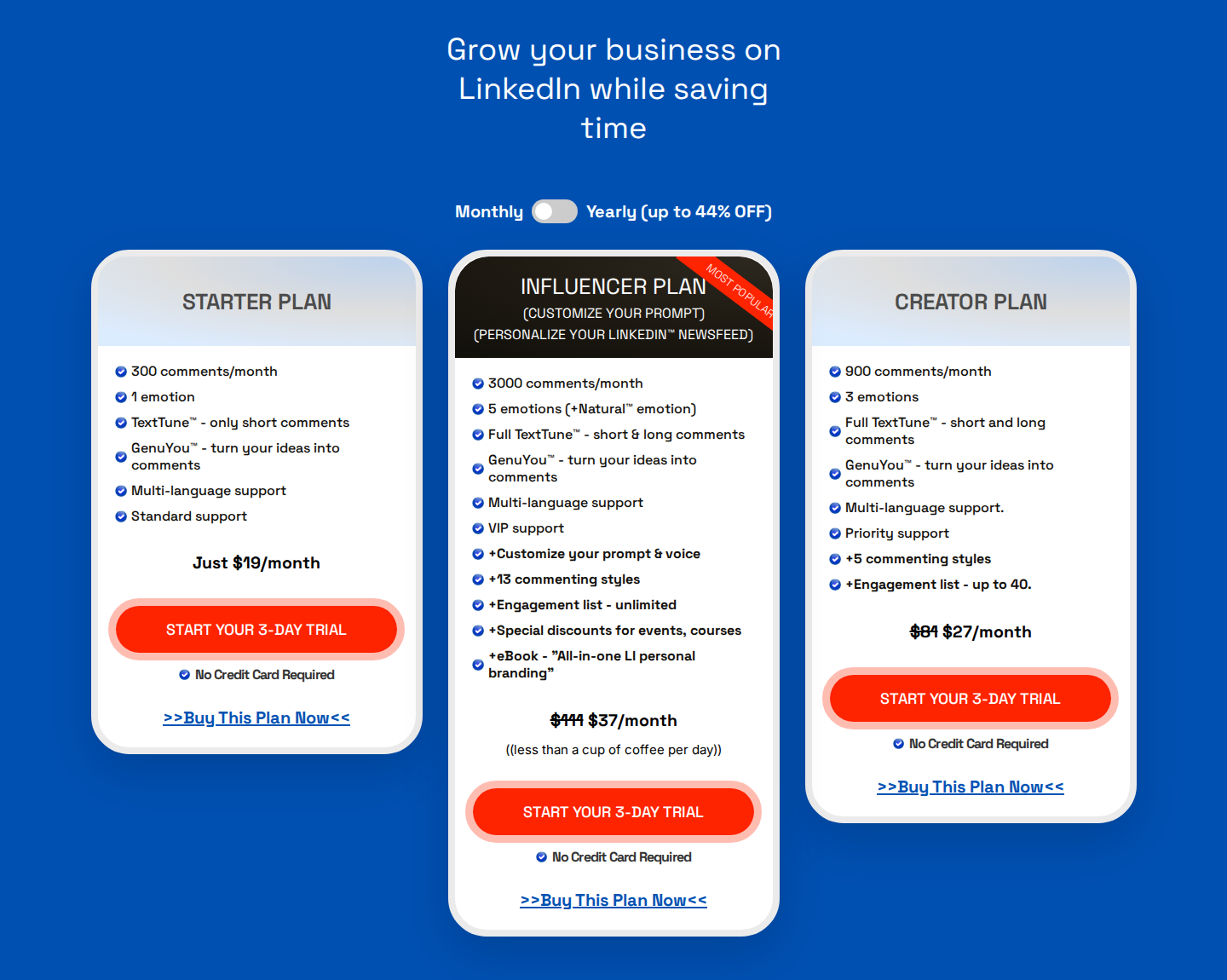
Monthly plans include 300, 900 or 3,000 comments; higher tiers add engagement and voice controls. Tap the screenshot to open it at full size.
3. Engage AI: in-feed comment assistance, separate from the community
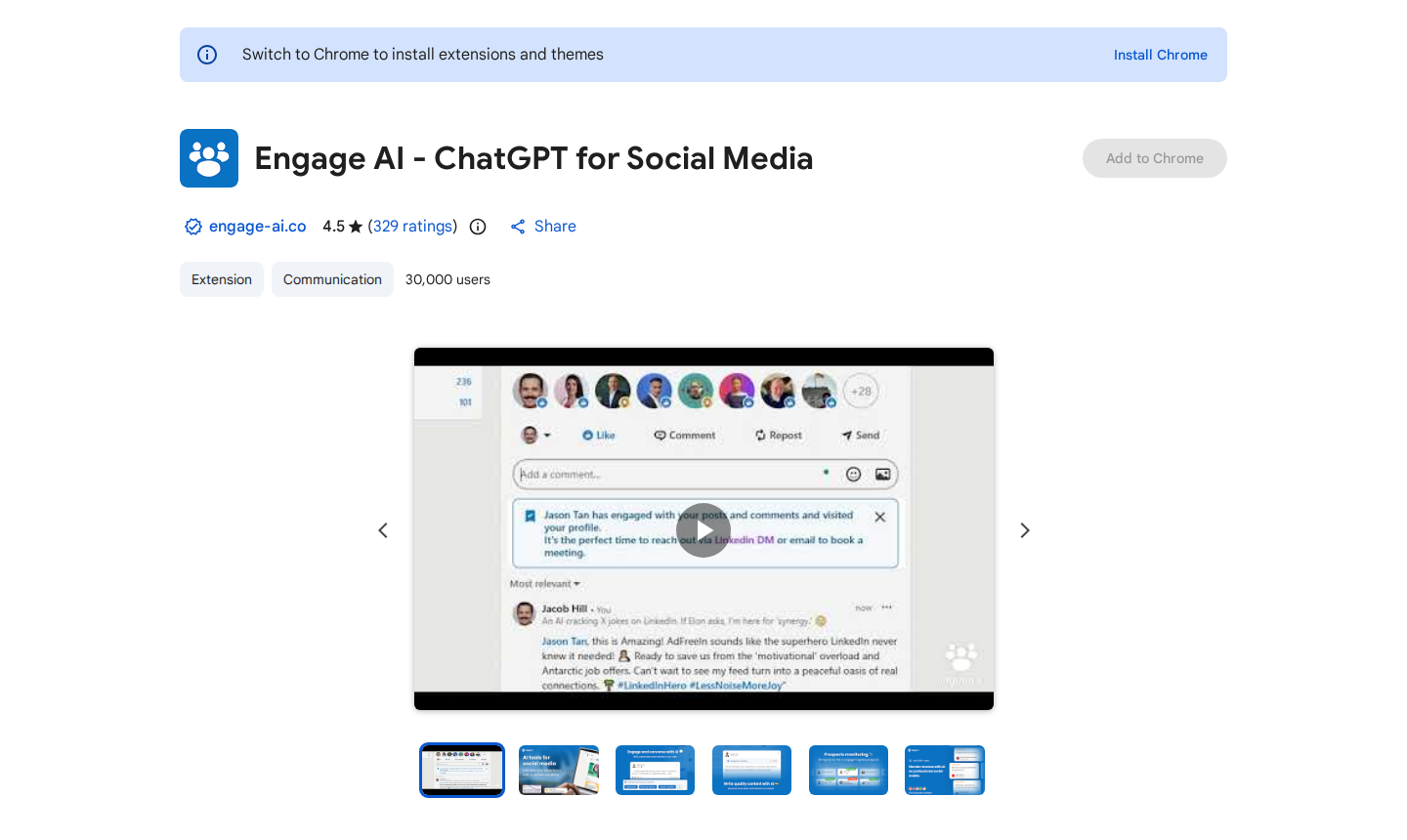
The Engage AI Chrome extension drafts comments inside LinkedIn’s comment field. It supports prompt customization, response tones, length controls and keywords to include or avoid. Its listing also describes premium Second Brain comment history in beta and integrations with tools including HubSpot and Pipedrive.
Price and availability: the extension listing describes a free core option and Pro at $30/month. Engage AI’s current website pricing is for its separate Engagement Community: $50/month for an individual or $250/month for a group, before promotions. Those subscriptions cover organized community participation and are separate from the AI comment copilot subscription.
Community-assigned engagement and commenting on your own target accounts are different activities. For a prospect-focused routine that carries comments into DMs, see the workflow distinctions in our Engage AI alternatives comparison.
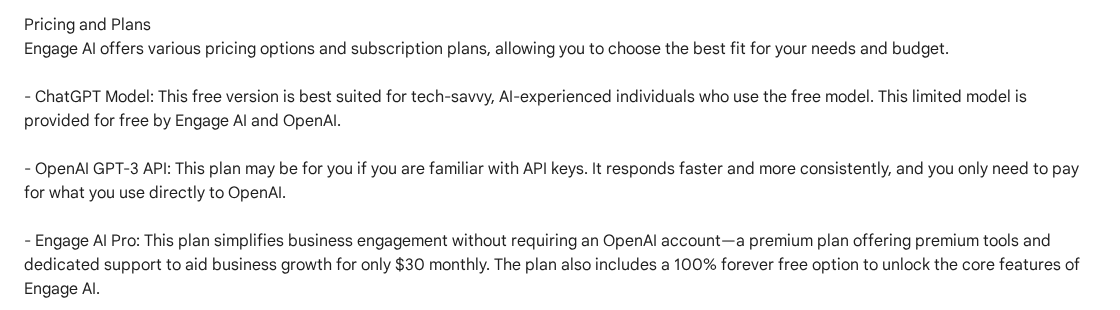
The copilot listing separates the free option from $30/month Pro; Community is a different subscription. Tap the screenshot to open it at full size.
4. Sales Navigator: native prospect research with plan-specific AI
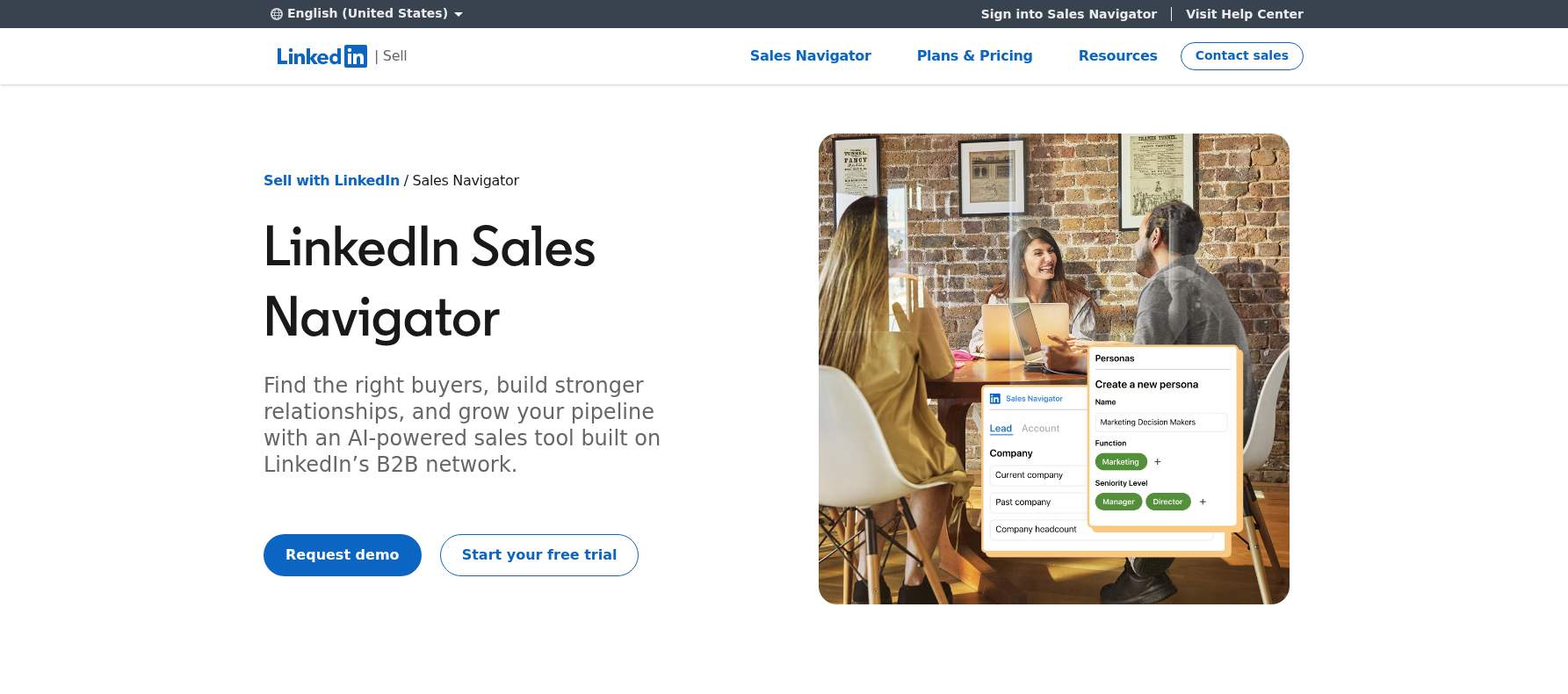
Sales Navigator combines LinkedIn lead and account search, saved lists, alerts and 50 monthly InMails. Account IQ and Lead IQ summarize research, while Message Assist drafts outreach. Advanced Plus adds CRM integrations and contact creation.
AI scope: the current plan comparison includes Account IQ and Lead IQ on Core, Advanced and Advanced Plus. Message Assist is available on Advanced and Advanced Plus in select languages and remains a public beta. Check the particular AI feature, rather than assuming all research and message-writing features share the same plan access.
Price: published US starting prices are $119.99/license/month for Core and $159.99 for Advanced on monthly billing. Annual prices are $1,079.88 and $1,799.88 per license respectively. Advanced Plus is custom-priced. Region, taxes, device and promotions can change the quoted amount.
Extrovert also discovers prospects, but its Lead Finder uses a B2B database rather than LinkedIn’s native search graph. The Extrovert versus Sales Navigator comparison explains discovery, InMail, CRM and daily engagement as separate jobs.
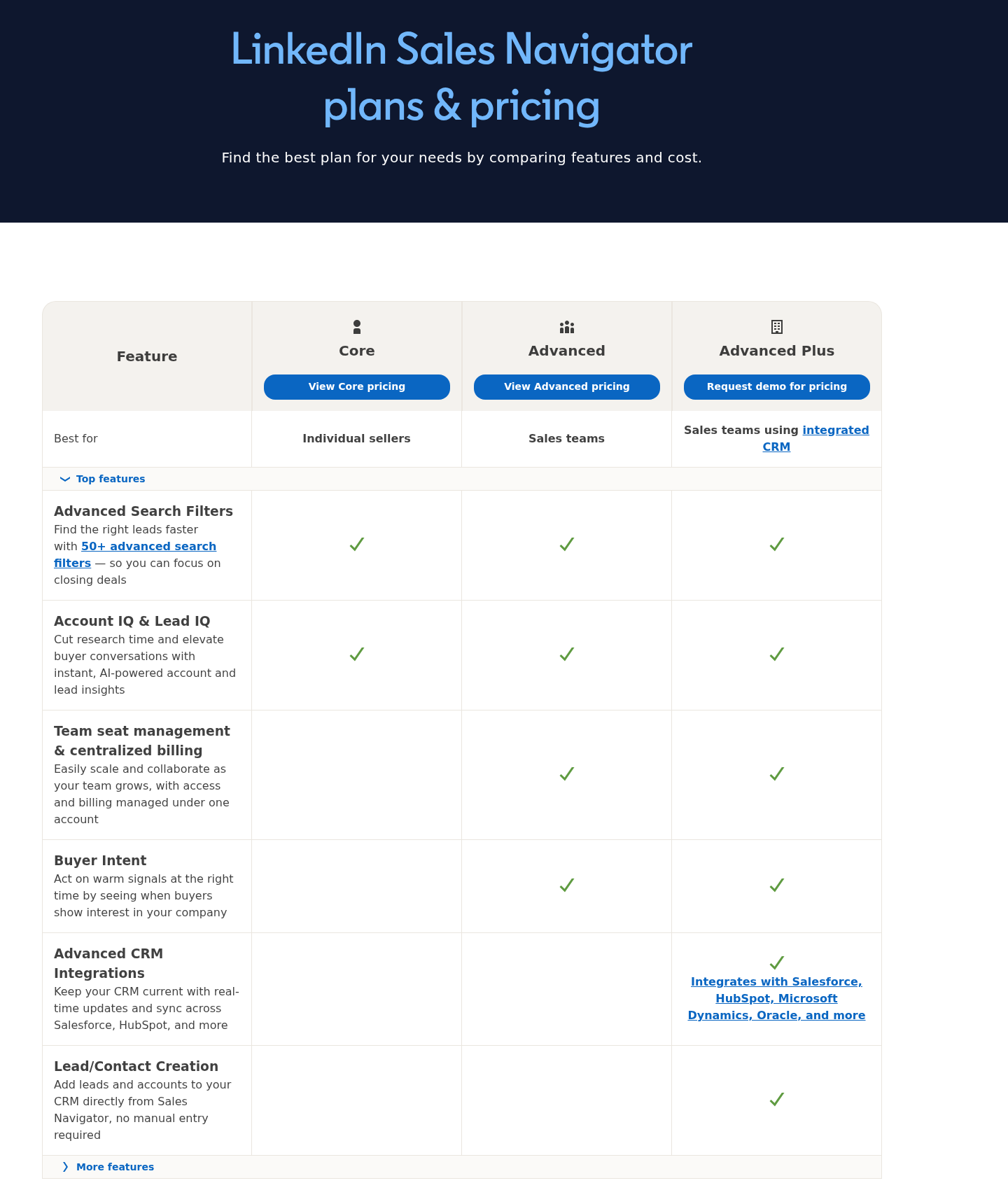
Core, Advanced and Advanced Plus have different message-writing and CRM features. Tap the screenshot to open it at full size.
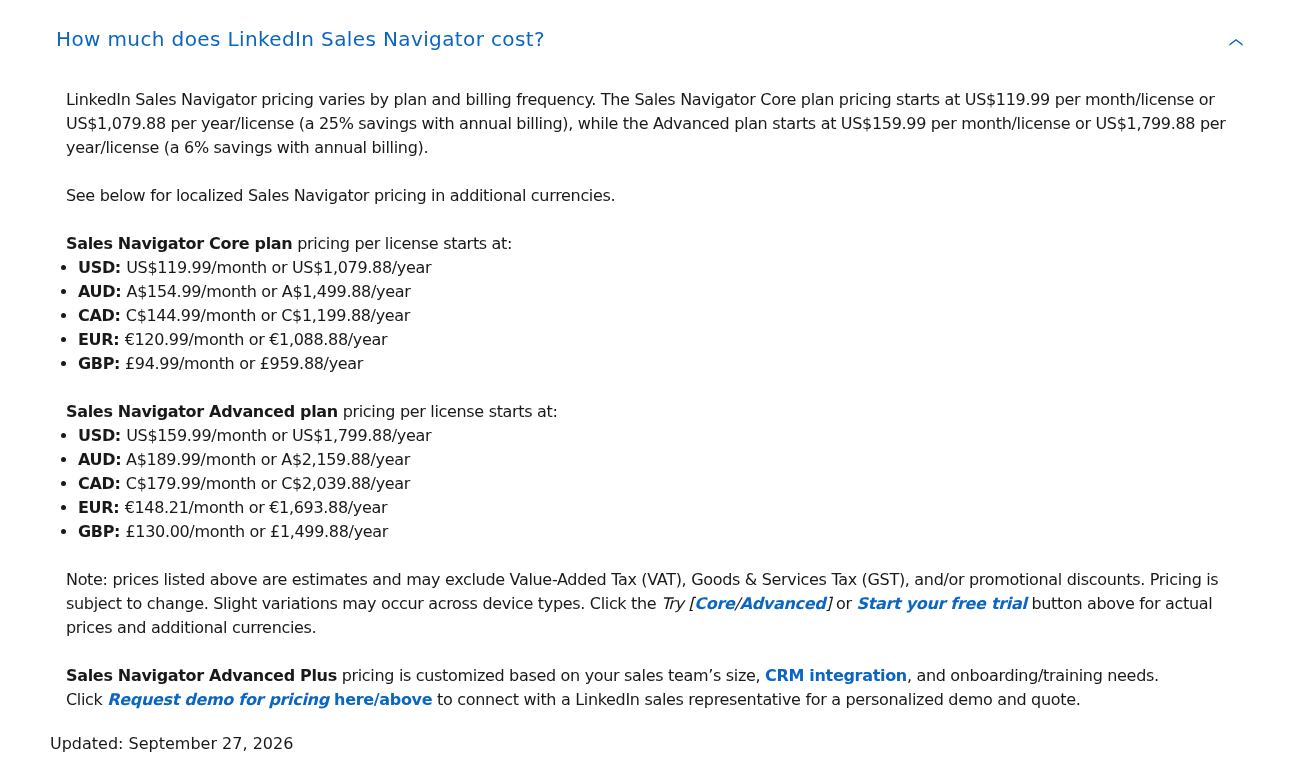
Official monthly and annual starting prices vary by region; Advanced Plus is custom-priced. Tap the screenshot to open it at full size.
5. HeyReach: AI-connected campaign execution across senders
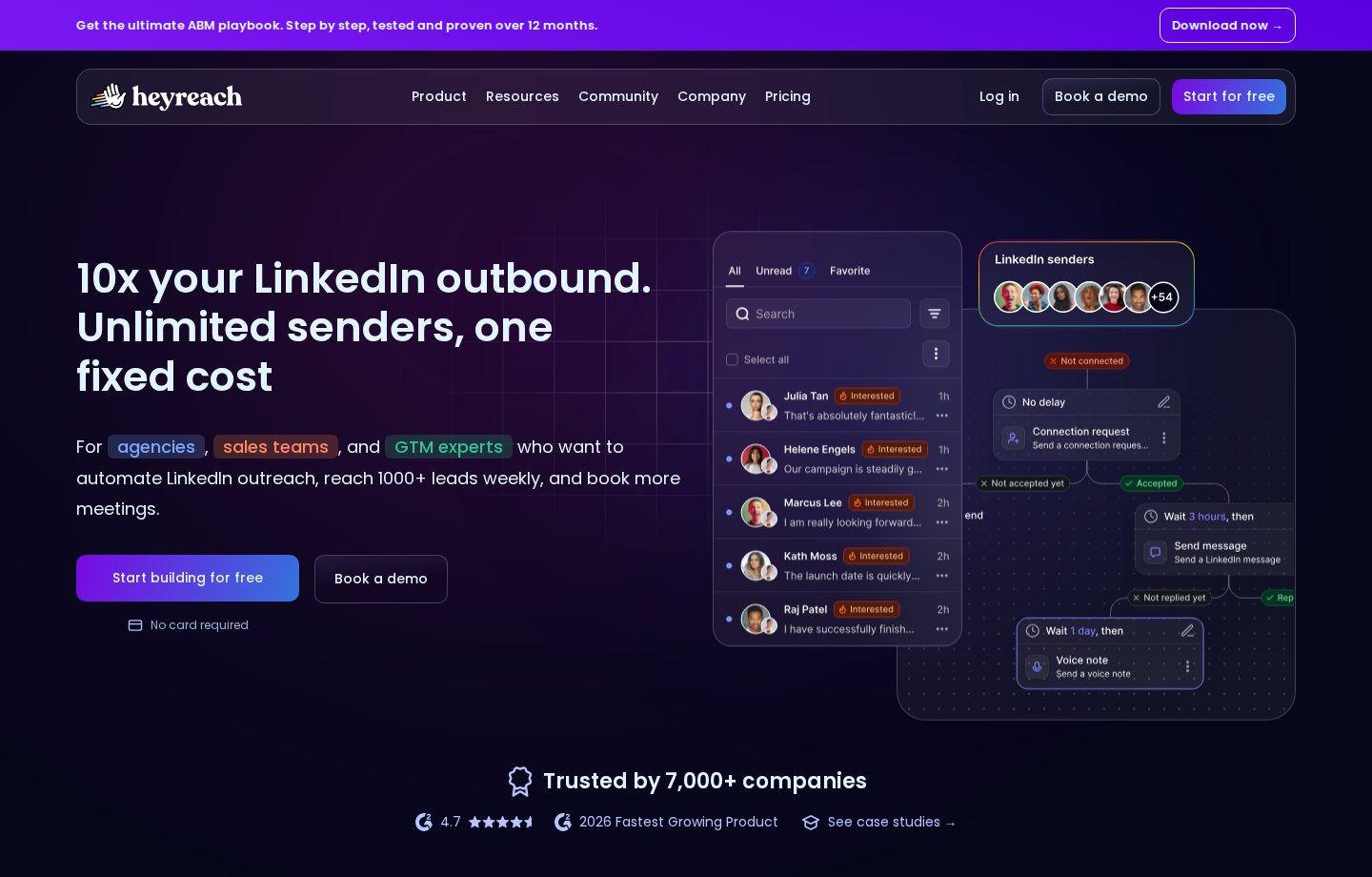
HeyReach runs LinkedIn campaigns across connected senders and collects replies in a unified inbox. Workspaces, permissions, API, webhooks and an MCP server support agency and team operations. MCP lets an external AI assistant use supported tools. The connected assistant supplies the AI model.
Channels and controls: HeyReach integrates with email platforms such as Instantly and Smartlead. Those integrations do not include the separate email subscriptions. The campaign workflow centers on sender management, scheduled actions and reply handling, while Extrovert prepares outreach from prospect activity and relationship context.
Price: Growth costs $79 per sender/month, billed monthly, including 100 enrichment credits per sender. Agency costs $999/month for 25 senders, not unlimited senders. Unlimited costs $2,999/month. Agency and Unlimited require your own proxies according to the pricing FAQ, adding another cost. A sender is a connected LinkedIn account; teammates are not additional sender seats.
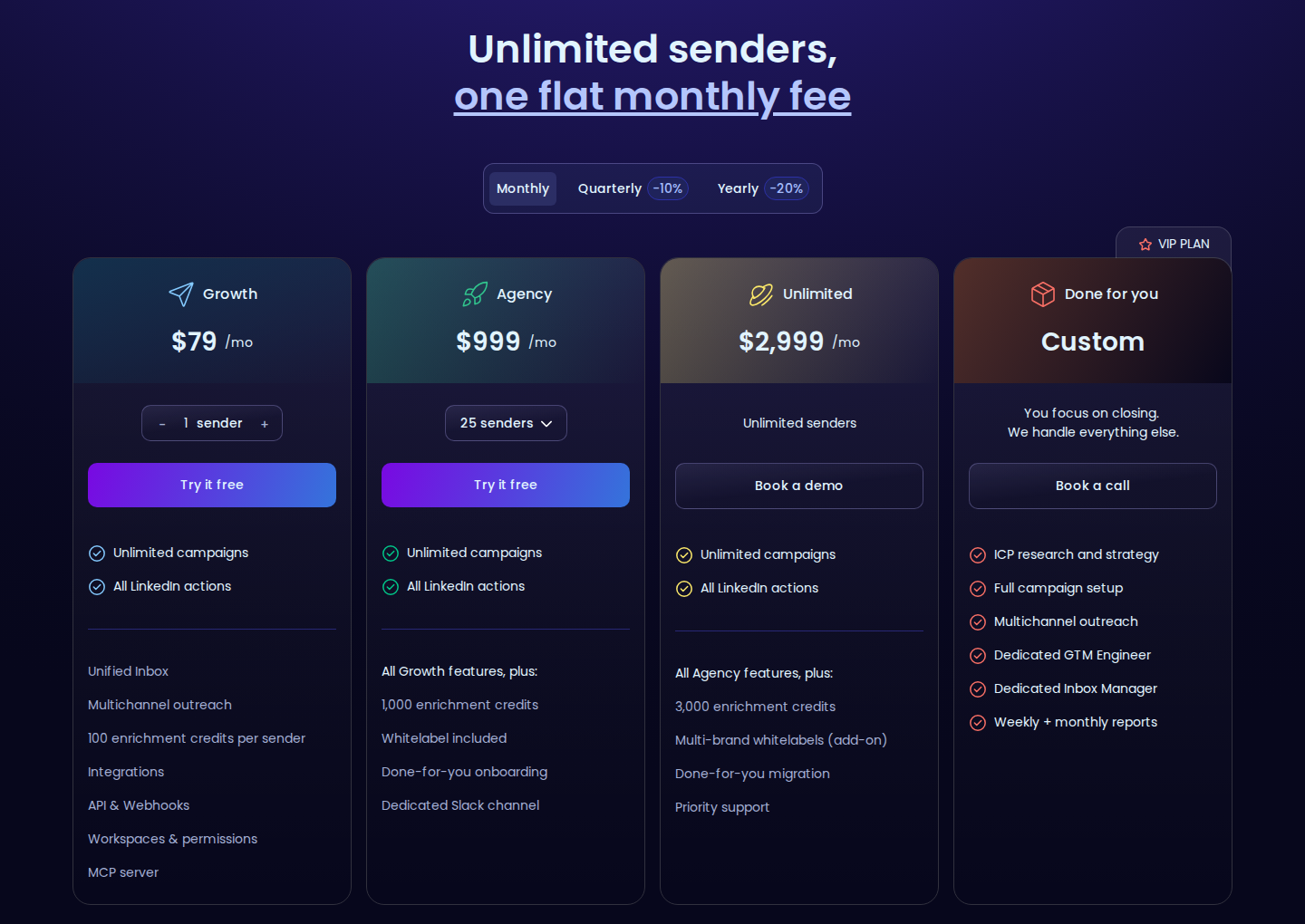
Growth bills per sender; Agency includes 25 senders and Unlimited has a separate flat price. Tap the screenshot to open it at full size.
6. Waalaxy AI: a separate beta outreach agent
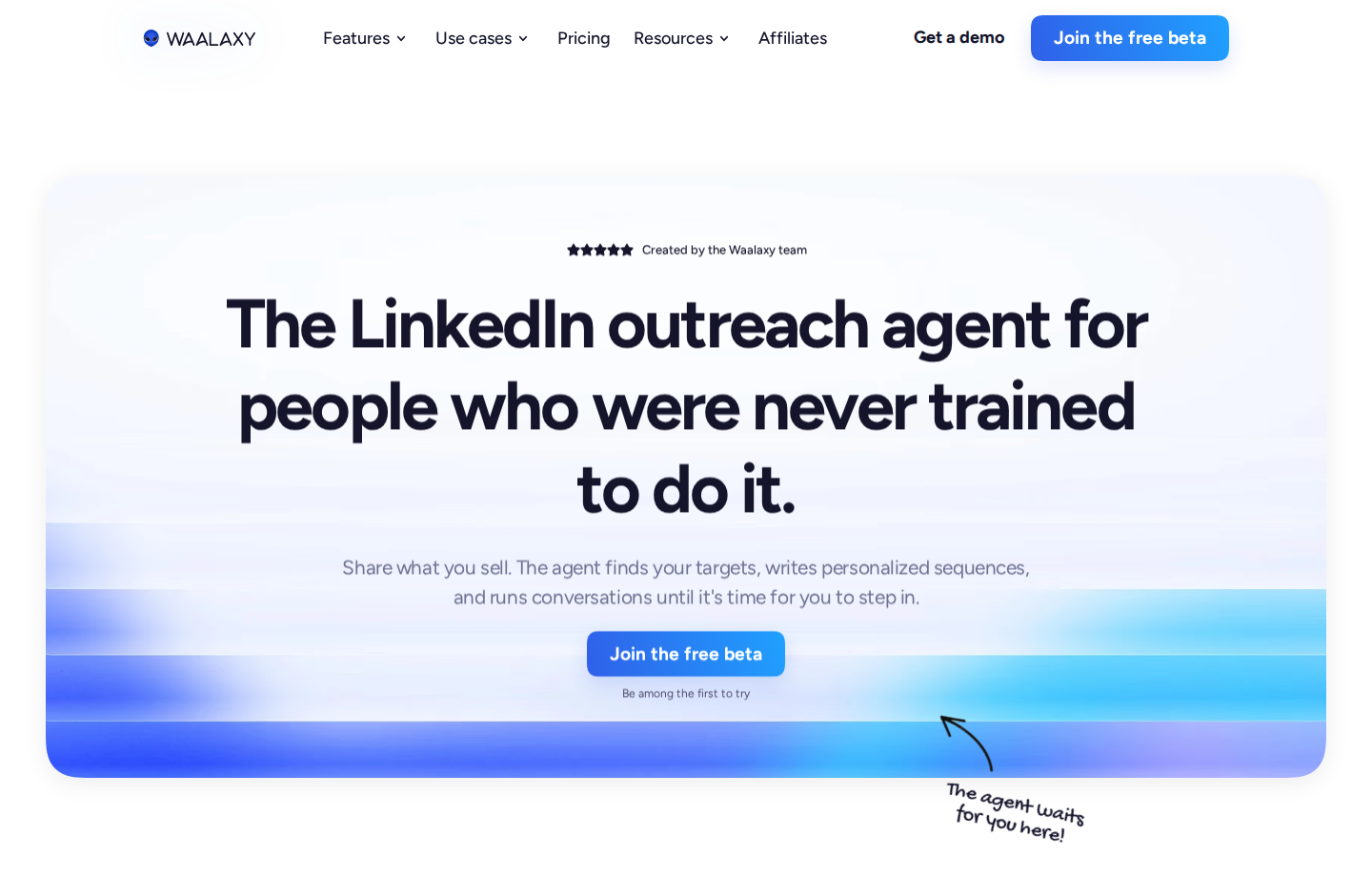
Waalaxy AI describes an agent that takes your website and offer, sources prospects, writes personalized messages and manages conversations until you take over. Its controls include reviewing and validating work before enabling autopilot.
Availability and price: this is a separate beta/early-access product. The page lists a $99/month early-access plan and invites users to a free beta. The page offers unlimited agents; it does not publish a delivered-prospect allowance.
Do not confuse that offer with Waalaxy’s regular Pro, Advanced and Business campaign plans. The main Waalaxy product now runs campaigns in the cloud; Business adds LinkedIn-and-email sequences. Its standard pricing does not establish the cost or included capacity of the separate AI agent.
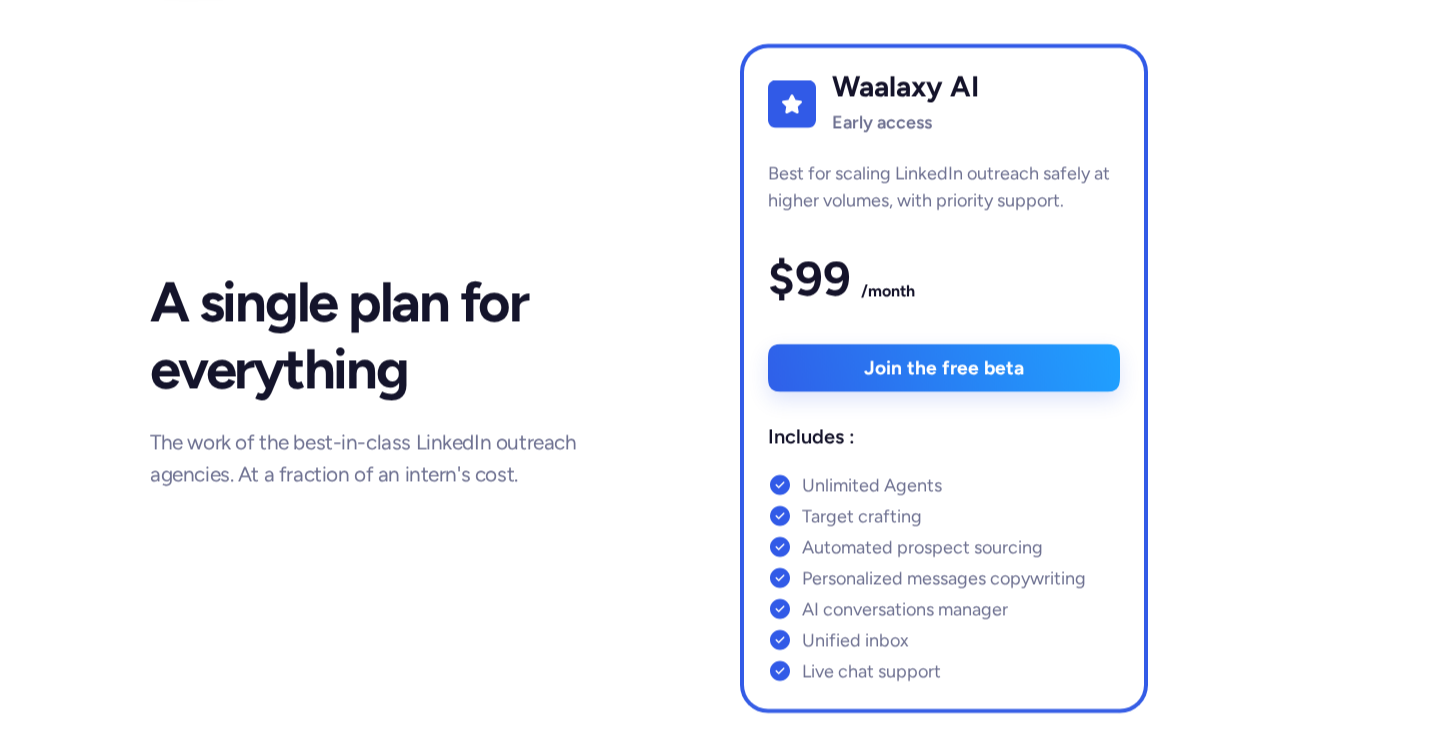
The separate Waalaxy AI offer lists $99/month early access alongside a free-beta invitation. Tap the screenshot to open it at full size.
7. Clay: AI research and enrichment before outreach
Claygent researches companies and people on the web and returns structured data for a workflow. Clay combines that research with data-provider waterfalls, signals, enrichment and personalization. It also supports email sequencing and integrations; syncing a LinkedIn ad audience is different from commenting in the LinkedIn feed or sending a DM.
Price and units: Free includes 500 Actions and 100 Data Credits per month, with a 200-row-per-table limit. Launch starts at $185/month on monthly billing, with 15,000 Actions and 2,500 Data Credits per month.
Its annual offer starts at $167/month equivalent, with 180,000 Actions and 30,000 Data Credits per year. Growth starts at $495/month monthly, or $446/month equivalent annually, and adds CRM synchronization, HTTP API integrations and web intent workflows.
Actions pay for platform work; Data Credits pay for data and supported AI usage. Bringing your own provider key can avoid Clay Data Credits but still uses Actions and incurs the provider’s charges. Some AI models have variable token-based costs. Researching a row is not equivalent to delivering one usable lead or sending one message.
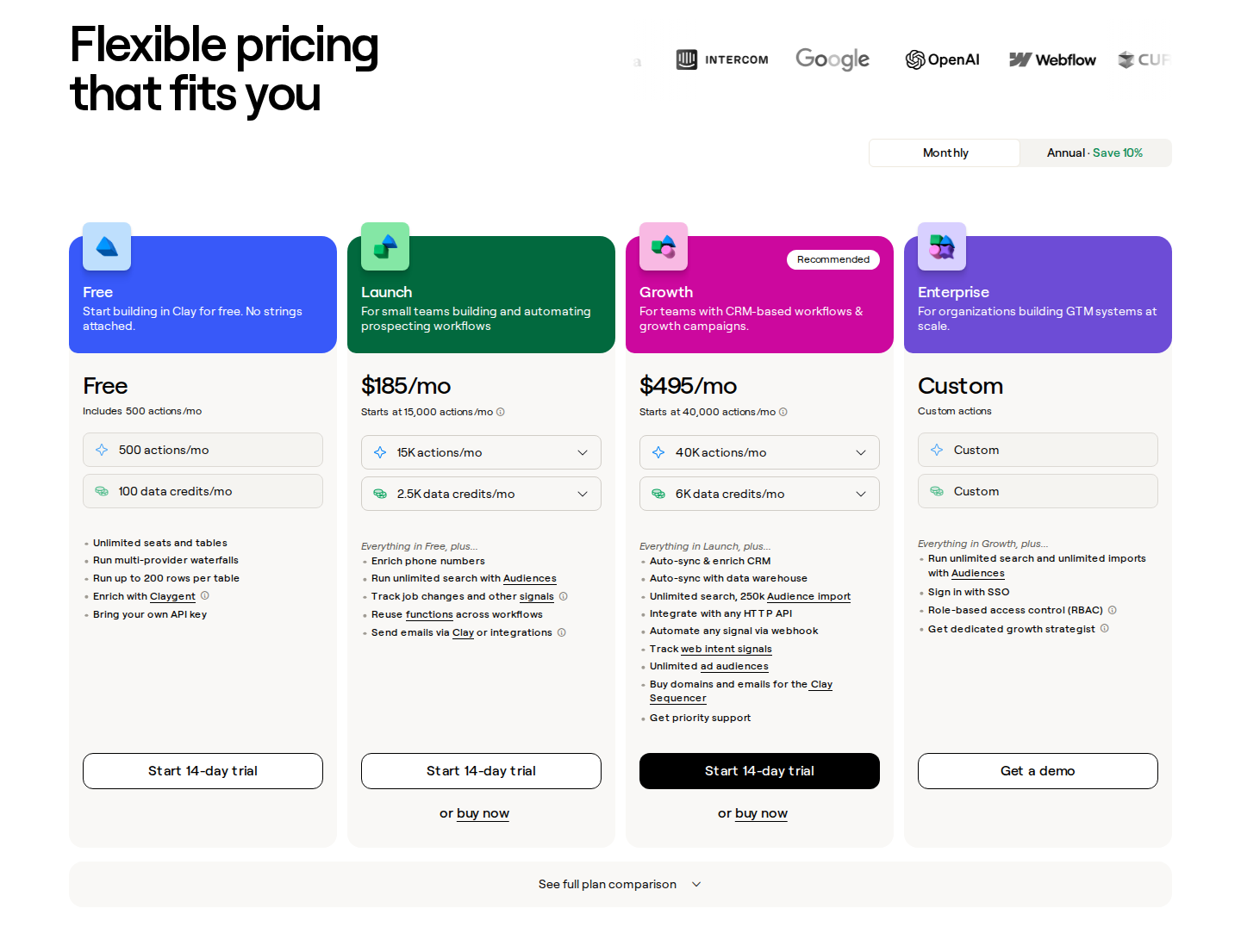
Monthly plans use two units: platform Actions and Data Credits. Capacity selectors change the price. Tap the screenshot to open it at full size.
8. Taplio: publishing, AI comments and contact-list engagement
Taplio combines post ideas, AI writing, carousels, scheduling and analytics. It also has contact lists, curated engagement feeds, AI comments and outreach features.
Plan scope: Starter focuses on scheduling and analytics. Growth adds AI writing, 250 monthly AI credits and 500 comment credits. Pro adds unlimited AI posts/comments and outreach automation. Taplio’s MCP V2 supports engagement tools that find posts, draft comments and queue actions for confirmation; review that workflow separately from other automatic features.
Price: monthly Starter, Growth and Pro prices are $39, $69 and $199. The seven-day trial gives Pro access before switching to the selected plan. The $39 entry price is not the price of the AI writing package.
For B2B sellers using a publishing routine alongside target-account engagement, Extrovert keeps prospect activity, comment context and follow-up together. Our Taplio alternatives article separates those jobs without assuming an engagement tool replaces a post scheduler.
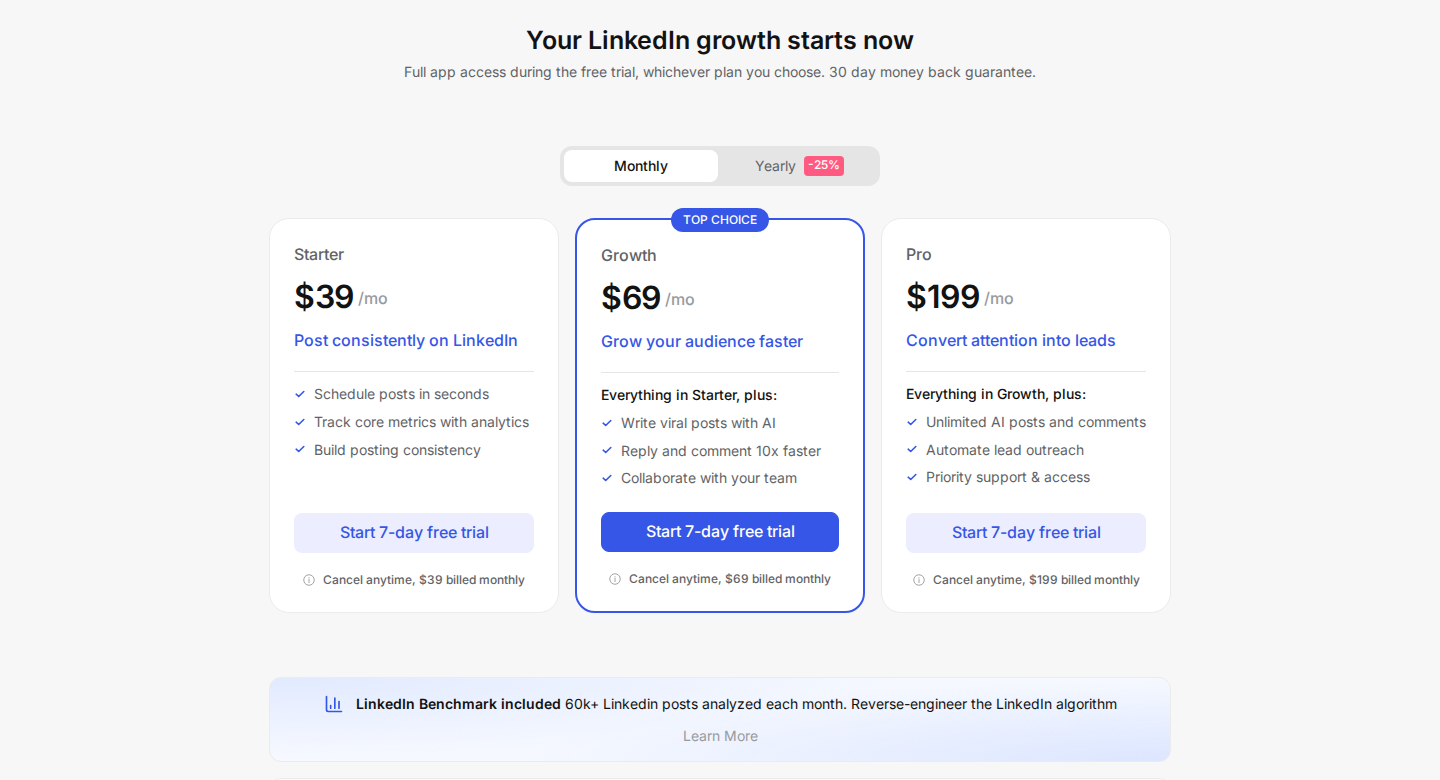
AI writing starts with Growth; Starter covers scheduling and analytics. Tap the screenshot to open it at full size.
9. AuthoredUp: post workflow with closed-beta AI writing
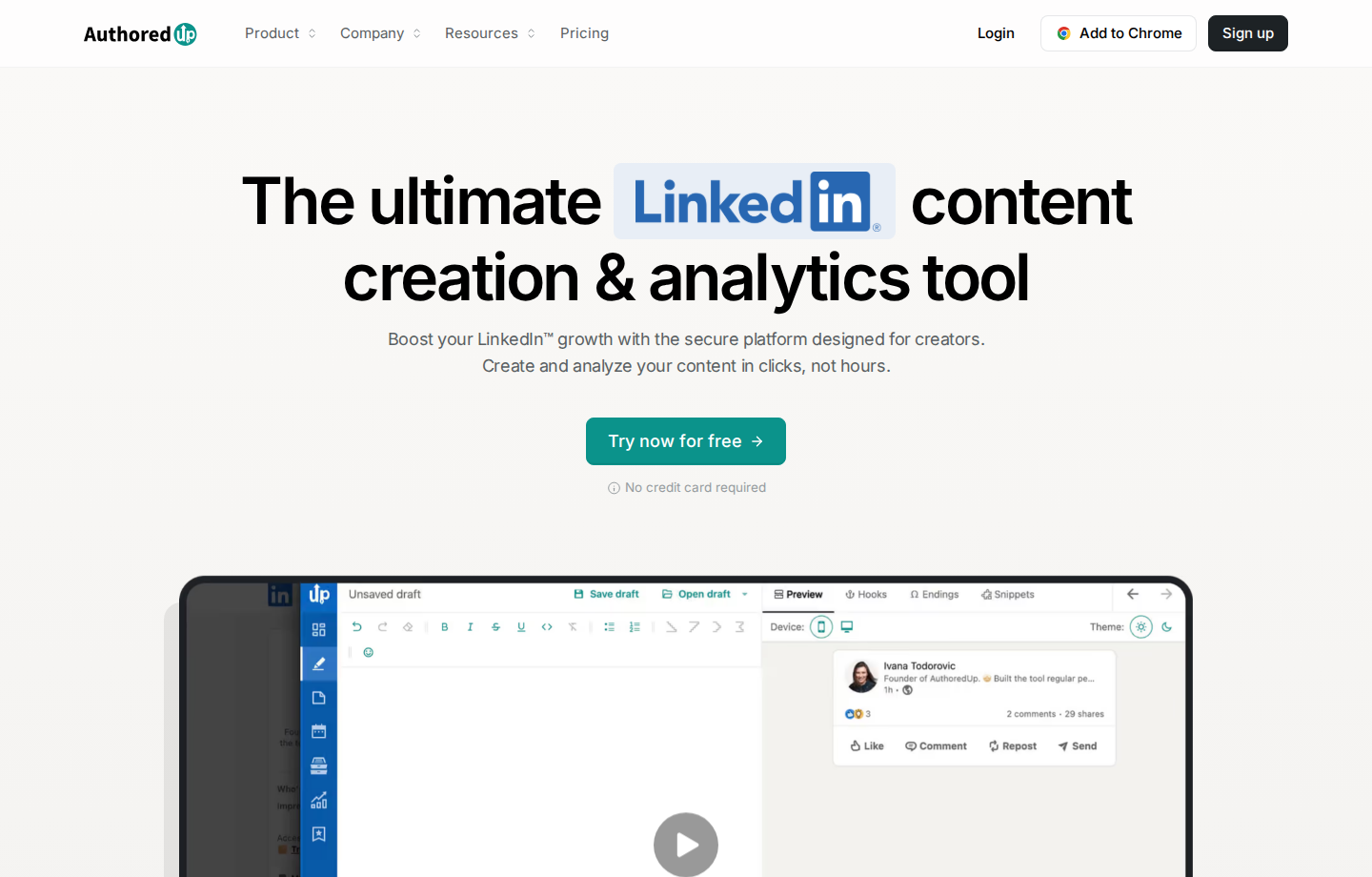
AuthoredUp provides a LinkedIn post editor, device previews, drafts, snippets, scheduling and analytics. Coauthor learns from your posts to assist with writing, but remains in closed beta. Every plan includes Coauthor credits, with paid add-ons available; subscription access is not the same as confirmed beta access.
Price: Individual costs $19.95/month for one connected profile. Business costs $14.95/profile/month with a three-profile minimum. Annual Individual is $199.50/year and Business is $149.50/profile/year. Company-page management is included; Business supports team analytics and collaboration.
Device previews and reusable snippets help with post preparation; team analytics and collaboration help manage several profiles.
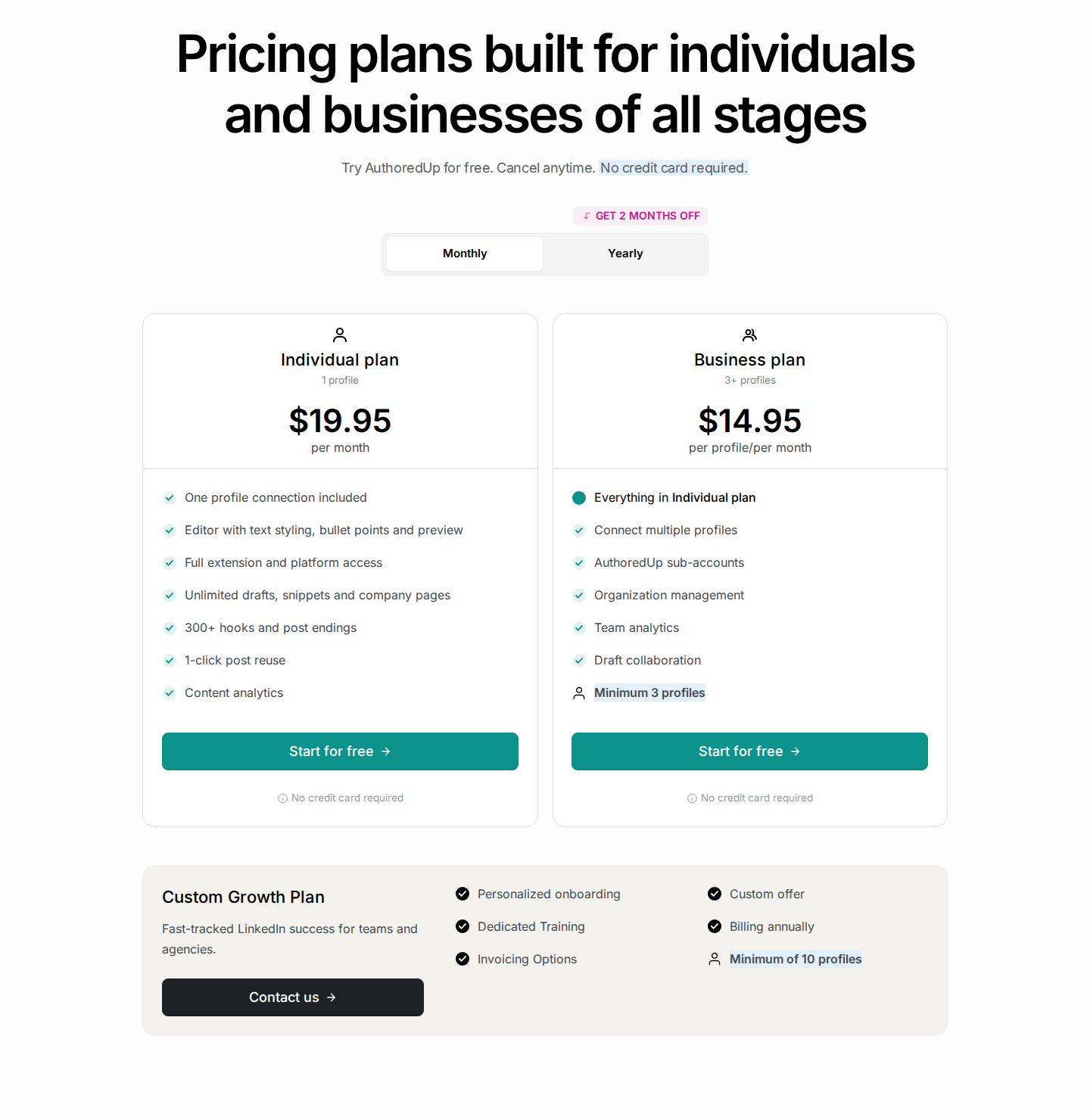
Individual is for one profile; Business requires at least three profiles. Coauthor is a beta feature. Tap the screenshot to open it at full size.
10. MagicPost: LinkedIn posts from your existing material
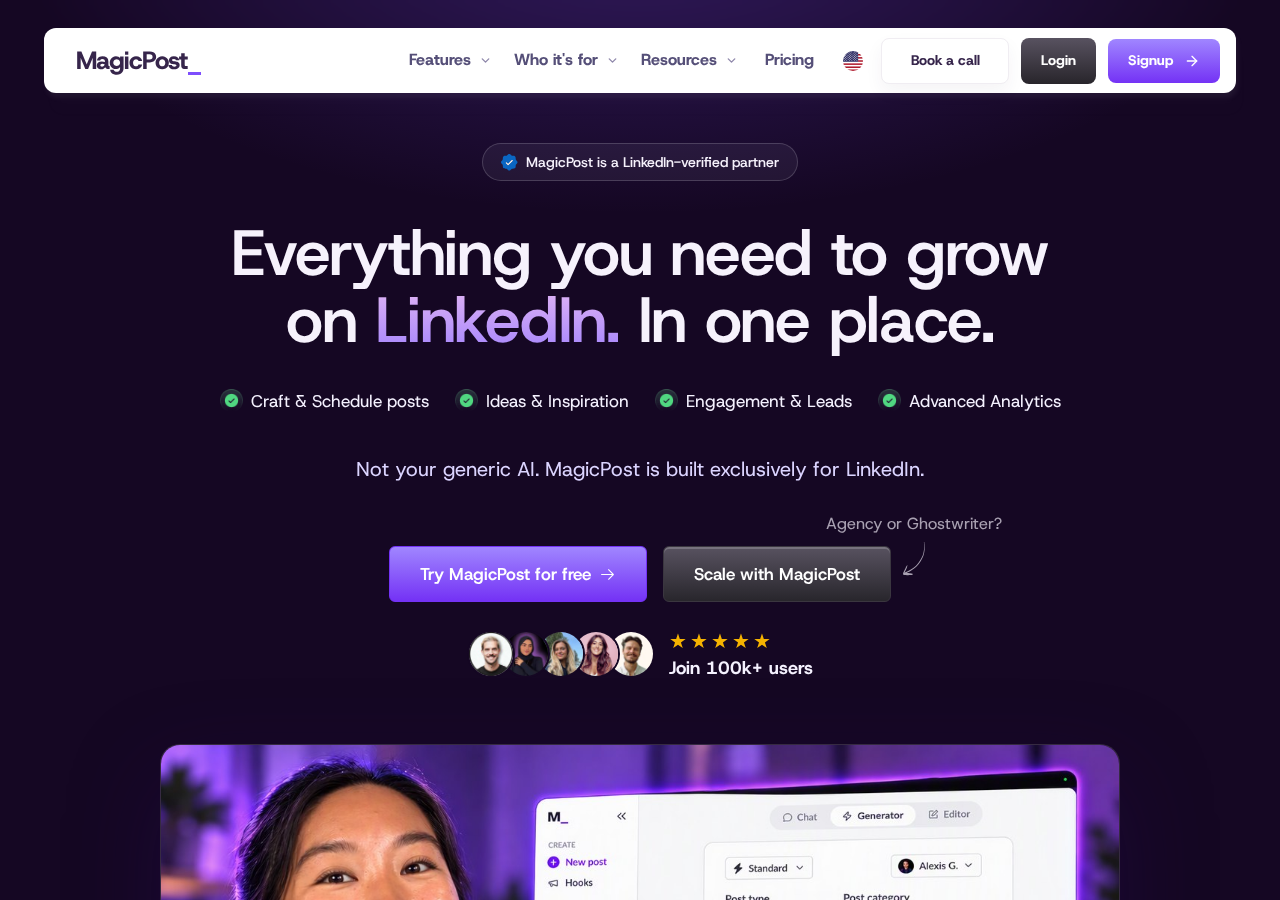
MagicPost turns a topic, link or file into a LinkedIn draft using a writing style imported from real posts. You can add context about your audience, offer and experience, then revise individual lines, hooks and calls to action in the editor. Its publishing workflow also includes visuals, carousels, scheduling and analytics.
Founders and marketers can use an article, recording or company document as source material for a LinkedIn post. MagicPost also has engagement lists, comment replies and lead detection, so its scope extends beyond text generation.
Price: Creator costs $69/month on monthly billing, or $468/year, equivalent to $39/month. It includes unlimited post generation and AI visuals. The $49/month Growth plan focuses on manual writing, scheduling, metrics and engagement rather than the AI generation package.
A seat connects one LinkedIn profile or company page. The public generator allows three posts per day without an account; the account trial requires no card.
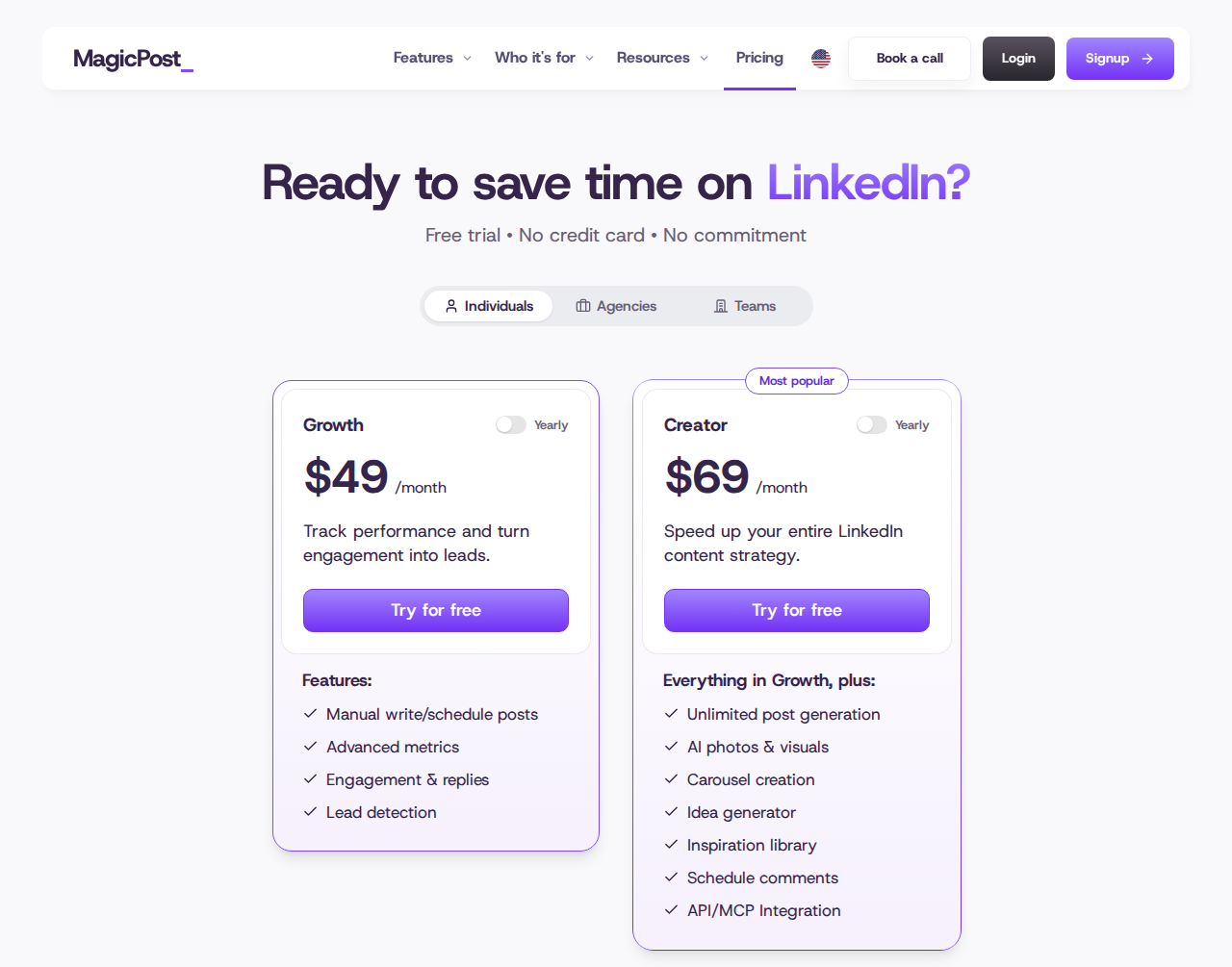
The monthly Creator plan includes AI generation; Growth is the manual writing and engagement package. Tap the screenshot to open it at full size.
11. Supergrow: AI interviews and a team content workflow
Supergrow’s PostCast interviewer captures your expertise in a conversation and turns it into LinkedIn drafts. Content DNA stores the voice and context used for writing. You can also repurpose articles, PDFs and YouTube videos, move drafts through a Kanban board, schedule posts and review their performance.
For B2B marketing teams working with executives, Teams adds feedback and approvals, a shared calendar, member-specific writing profiles and team reporting. Supergrow also includes engagement lists and AI comment assistance.
Price: Pro costs $39/month billed monthly for one account, or $31/month equivalent billed annually. Unlimited PostCast AI interviews are included. Teams costs $199/month for five accounts, or $189/month equivalent billed annually; the admin dashboard is free. Every plan has a seven-day trial.
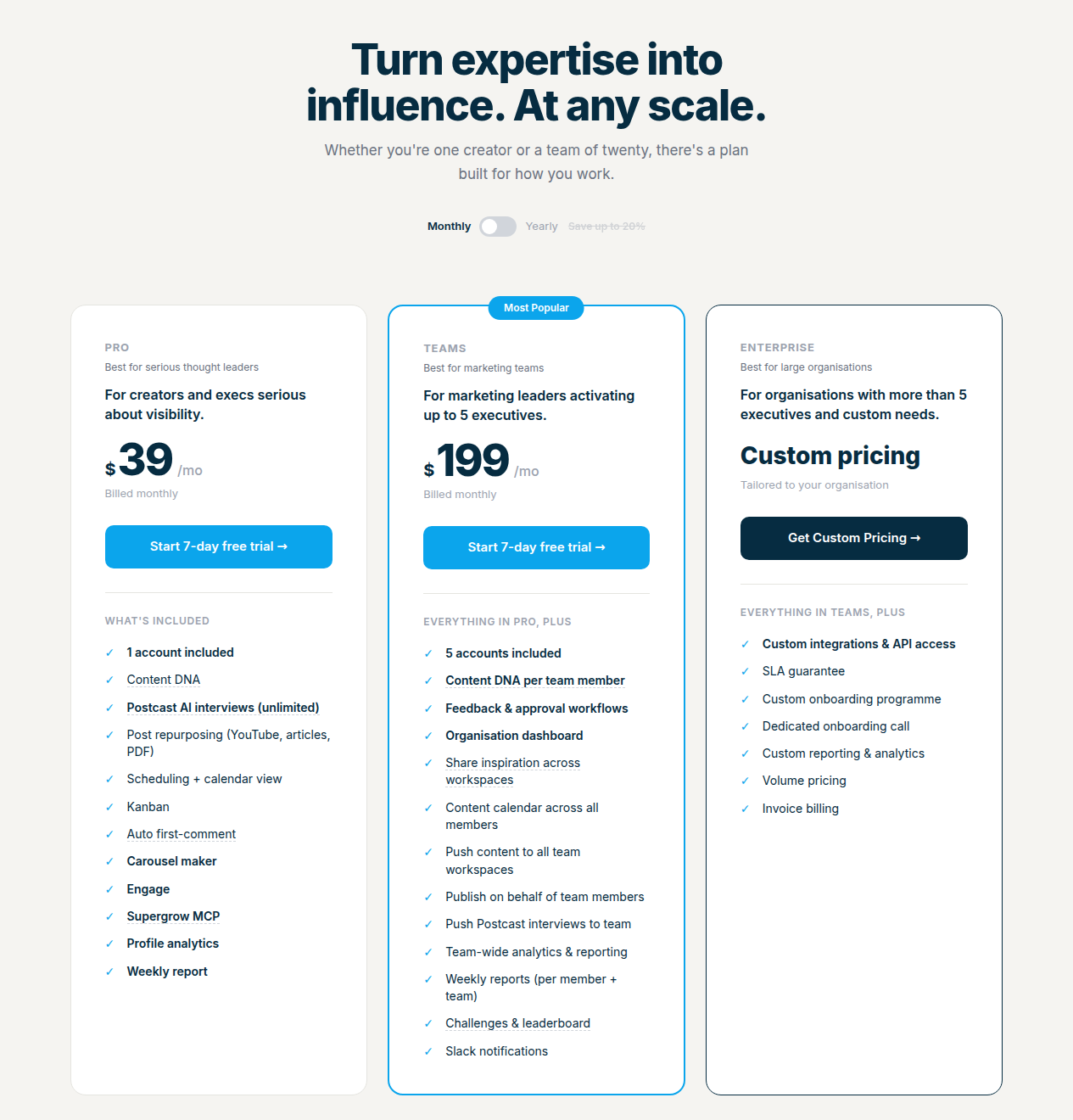
Monthly Pro includes one account; Teams includes five accounts and a free admin dashboard. Tap the screenshot to open it at full size.
12. Buffer: free AI writing with cross-channel scheduling
Buffer’s AI Assistant generates ideas, rewrites drafts and adapts content for LinkedIn and other social channels. Its calendar publishes to LinkedIn personal profiles and company pages, including PDF and carousel posts. Community brings replies to comments on your own posts into the same workspace.
This gives a small marketing team a way to prepare LinkedIn content alongside the rest of its social calendar. Team adds approvals and access controls. When comparing analytics, distinguish LinkedIn company-page reporting from the more limited personal-profile metrics.
Price: Free includes unlimited AI Assistant use, one user, up to three connected channels and ten scheduled posts per channel at a time. Those slots refill as posts publish. Essentials starts at $6/channel/month billed monthly, or $5/channel/month on annual billing. Team starts at $12/channel/month monthly, or $10/channel/month annually, with unlimited members and approvals.
A personal profile and a company page count as separate channels. Free AI comment replies have a separate limit of five suggestions per week.
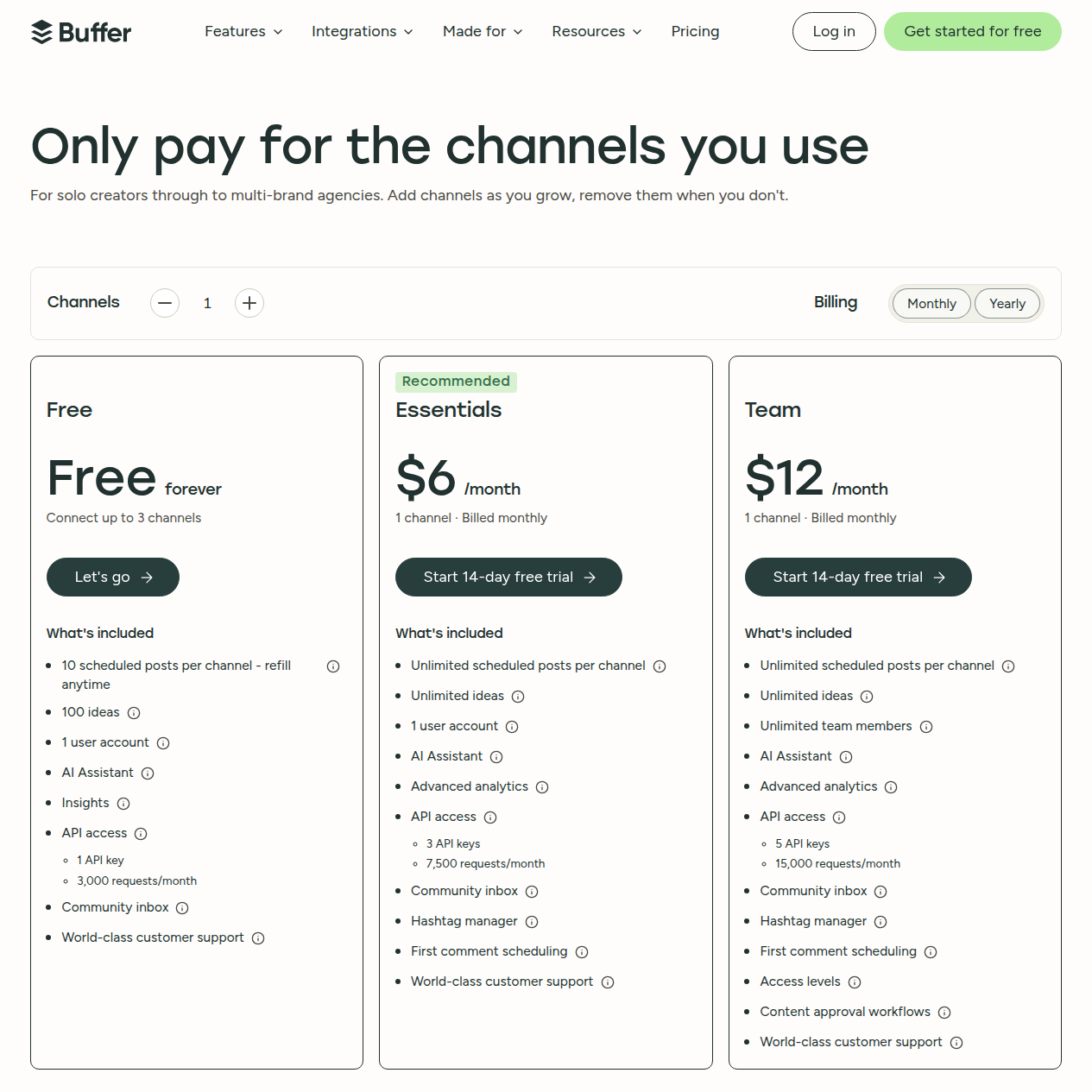
Monthly pricing is per channel. Free includes AI writing and ten scheduled posts per channel at a time. Tap the screenshot to open it at full size.
13. ChatGPT: general-purpose drafting and research
ChatGPT can help turn source material into LinkedIn post ideas, revise a headline or About section, and prepare a message draft. Give it the facts you want to use, examples of your writing and the audience you want to reach. Review the output for invented experience, unsupported claims and language you would not use yourself.
The workflow stays separate from your LinkedIn publishing and prospect-engagement tools. A ChatGPT subscription does not by itself provide a LinkedIn calendar, buyer-post feed or permission to send messages. Connections to other tools can add actions, with their own permissions and costs.
Price: A free plan is available. Plus costs $20 per individual/month, billed monthly, with higher model and tool limits. Usage limits vary, and API usage is billed separately. There is no fixed allowance of LinkedIn posts and no annual Plus plan.
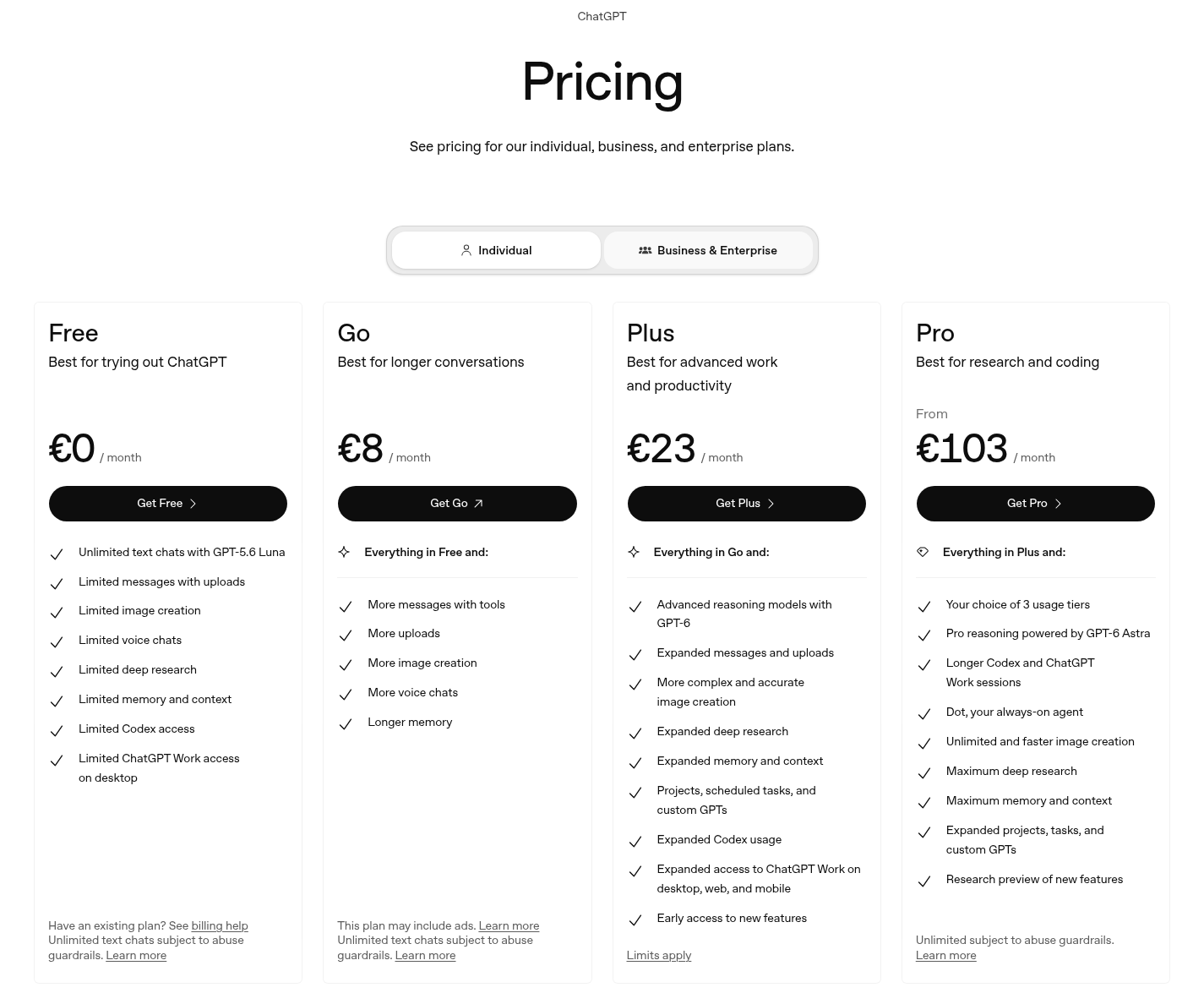
The complete individual plan comparison is shown in regional EUR pricing. Tap the screenshot to open it at full size.
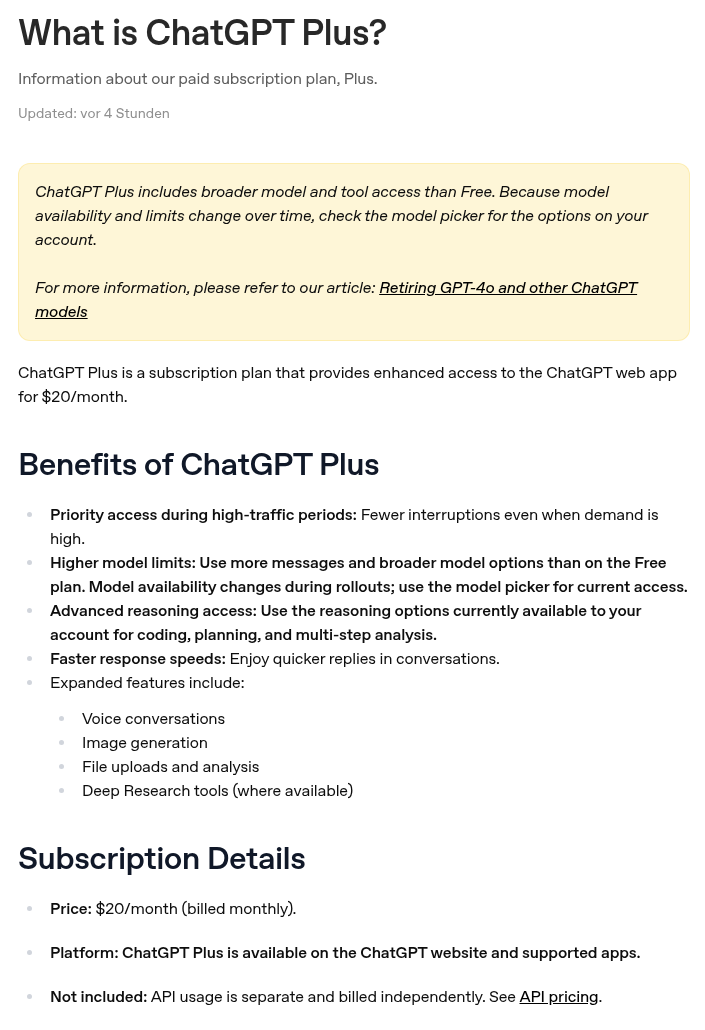
Official US Plus pricing is $20/month, billed monthly; API usage is separate. Tap the screenshot to open it at full size.
How to choose a LinkedIn AI workflow
If writing takes most of your time, check what source material the tool accepts and what you must provide yourself. MagicPost accepts topics, links and files; Supergrow can interview the author; Buffer adapts drafts across channels. Preserve your actual point and evidence before polishing the hook. Scheduling, company-page support and approvals are separate purchase criteria from AI writing.
If researching accounts takes most of your time, separate discovery from enrichment. Sales Navigator searches LinkedIn’s native lead and account graph. Clay researches and enriches records across sources. Extrovert’s Lead Finder discovers people by fit, while Intent Signals adds the LinkedIn activity that made someone relevant. Check a sample for fit and usable context before paying to expand it.
If the gap is turning visibility into conversations, focus on the handoff. A generated comment still needs a relevant buyer’s post; a positive interaction still needs an appropriate next message. Extrovert keeps those posts, comments, recommended DMs and follow-ups in the same prospect workflow. Your publishing calendar can continue alongside it.
If you need team outreach execution, check sender counts, reply ownership, stop conditions, CRM handoffs and who can change a campaign. HeyReach’s sender-based billing and Waalaxy AI’s beta agent offer describe different operating models. An MCP connection gives an assistant access to a tool’s actions; it is not an AI writing model by itself.
What about profile optimization and job search?
LinkedIn AI searches also include career products. Jobscan compares a profile with target job descriptions; Careerflow offers profile checks and section-by-section guidance. Those workflows center on recruiter discovery and applications. For a B2B founder or marketer, profile copy should explain whom you help, what you offer and what evidence supports it. ChatGPT can help revise that copy from the facts you provide.
Decide what the AI may do before connecting it
Separate drafting from execution. Check which actions require confirmation, which run automatically and which an MCP-connected assistant can perform. Review permissions on both the AI client and the LinkedIn tool. Human review, cloud execution and daily limits do not guarantee account standing or LinkedIn compliance.
For each draft, check the underlying post or research, remove invented personal experience and confirm that the recipient has a reason to reply. Assign ownership of replies and stop conditions so an automated follow-up does not continue after a person takes over.
Start with Extrovert’s prospect-engagement workflow. Review the opportunities it finds, edit the drafts that need your perspective and decide which comments, connection requests and DMs you want to approve or automate.