On this page
A founder's LinkedIn work has two different outputs: posts that explain what you know, and relationships with buyers, customers, investors and peers. A publishing calendar handles the first. A prospect list, useful comments and timely DMs handle the second.
For a B2B founder with limited time, Extrovert connects prospect discovery to that relationship routine. It finds people, prioritizes posts and conversations, and prepares comments and DMs in your voice. You can review the work yourself or delegate supported actions to your AI assistant.
These eight tools cover prospect research, relationship nurture, publishing and outbound sequences.
Choose the job before the subscription
For founder-led sales, Extrovert is the first tool to assess when you need to find relevant people, stay visible to them and follow up. The other tools cover native prospect research, publishing, comment assistance or structured outbound sequences.
Your target list may include buyers, existing customers, investors and future hires. Keep their goals separate: a customer conversation needs a different next step from an investor update or a recruiting introduction. The eight tools below support parts of that work; they are not fundraising databases or applicant-tracking systems.
- Finding your first customers: prioritize a defined market and useful conversations. Native search and saved-lead alerts help with research; prospect campaigns help you act on the list you build.
- Staying in touch with customers and warm prospects: prioritize comments, conversation history and follow-up reasons. Measure replies and next steps, including customer feedback, rather than total invitations sent.
- Building a founder brand: prioritize capturing your expertise, editing, publishing and learning which topics reach relevant people. A writing tool should preserve what you know, not invent experience for you.
- Delegating your LinkedIn work: decide whether someone will edit drafts, approve posts or send messages. Extrovert supports permitted assistant actions through MCP and free reviewer-only teammates; publishing tools differ by collaboration plan. Check approval and account permissions before handing over the routine.
- Running a repeatable outbound motion: check sequence controls, imports, CRM handoffs and channel requirements. Assign an owner to replies before increasing activity.
The founder's LinkedIn stack at a glance
The list separates prospecting, engagement and publishing. Open a product capture at full size to read its plan details. Prices below use monthly billing unless stated otherwise. Waalaxy's displayed offer is in GBP; the other quoted prices are USD. A trial is temporary access, not a permanent free plan.
| Tool | Founder workflow and entry price |
|---|---|
| Extrovert | Discover prospects, prioritize comments, continue DMs and follow-ups. $49/LinkedIn account/month; 10-day no-card trial. |
| LinkedIn Sales Navigator | Native lead and account search, saved-lead alerts and InMail. Core from US$119.99/license/month. |
| Taplio | Publishing, analytics and engagement. Starter $39/month; AI writing and commenting on Growth at $69/month. |
| Supergrow | Voice-based AI writing and scheduling. Pro $39/month for one account; Teams $199/month for five. |
| AuthoredUp | Post editing, previews, drafts and analytics. $19.95/month for one profile. |
| Engage AI | In-field AI comment assistance. Comment copilot with free core features; Chrome Web Store listing advertises Pro at $30/month. |
| Kleo | Content strategy, AI writing, scheduling, analytics and creator support. $99/month or $999/year. |
| Waalaxy | Automated invitations and follow-ups; LinkedIn/email sequences on Business. Displayed Pro offer £34/user/month, billed monthly. |
Publishing analytics measure how your posts perform. Prospect engagement requires a separate check: who you are reaching, which conversations continue, and whether a relationship produces a relevant next step. Likes alone do not answer that question.
1. Extrovert: keep prospect relationships moving
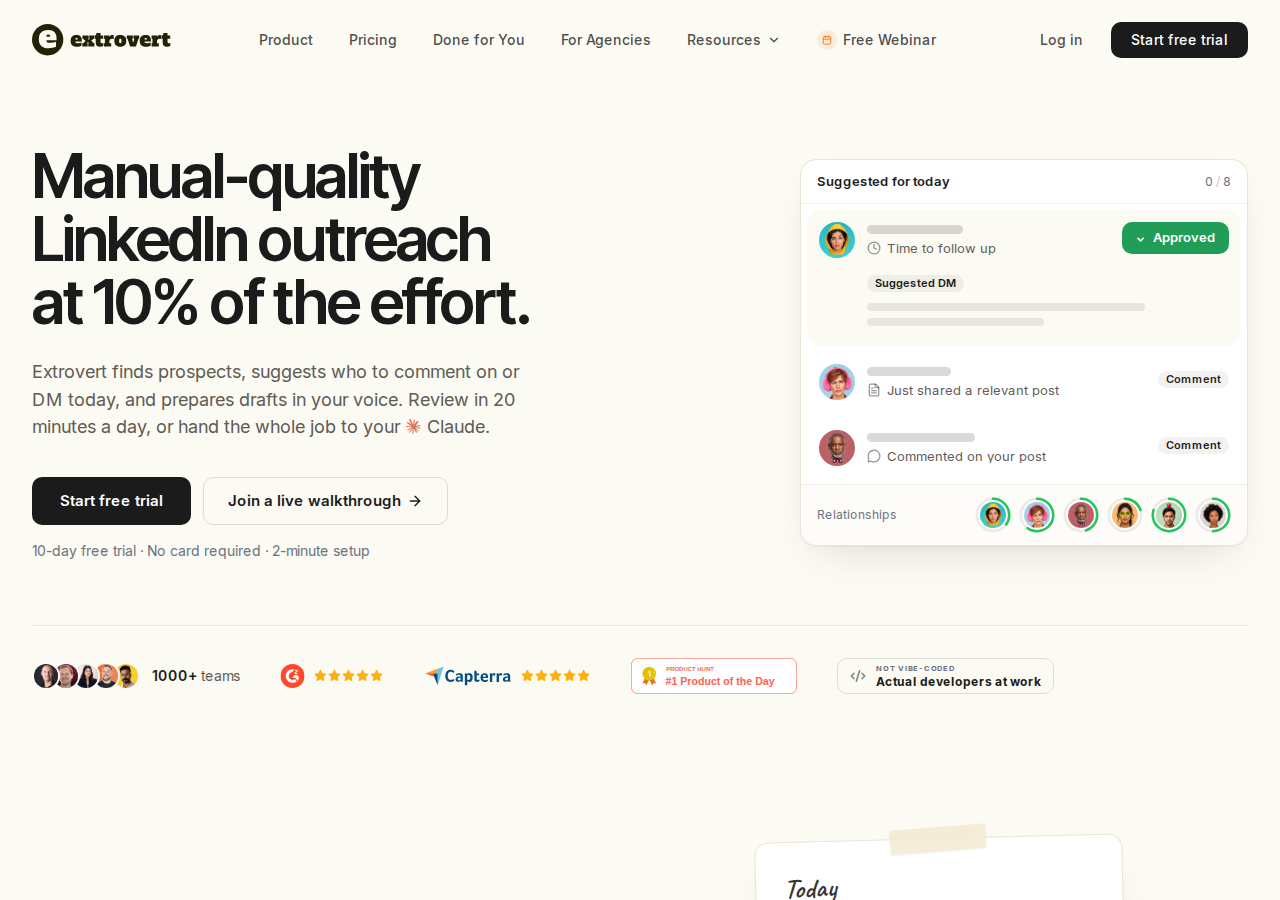
Extrovert brings discovery, comments and follow-up into one workspace. You can add customers and people you already know, import a CRM or Sales Navigator list, or find new prospects. Organize them into campaigns so checking individual profiles does not become another task on your calendar.
Find new people by fit or activity
Lead Finder searches a B2B database using person and company criteria, such as role, company and location. You can preview matches before adding them. It is a separate search source from LinkedIn's native member search.
Intent Signals discovers people through chosen LinkedIn activity: engagement with a post, a tracked topic or a competitor's network. The illustration shows activity that can bring someone into your prospect list. A signal gives you context to investigate; a like or comment does not establish buying intent.
Illustration: a radar sweeping LinkedIn activity. Most of it is passed over; three people are found by what they did: commented on a post about your topic; engaged with a competitor's post; connected with a competitor's sales team.


Spend review time on relevant posts
People and topic campaigns gather posts worth considering. Extrovert prioritizes them according to the campaign's goal and prepares comment drafts using your Voice and instructions. You can contribute to conversations involving buyers and peers without opening every profile separately.
Manual review, bulk approval and optional Auto comments are different controls. Auto comments can publish without prior review within the campaign settings. Connection requests can also be sent after a warm-up sequence. These controls manage your workflow and wording; they do not guarantee immunity from LinkedIn restrictions.
Turn attention into a conversation
Recommended DMs show which conversations need attention and why. The illustration shows a draft you can review, send or snooze. Smart follow-ups and Conversation Restarters help you return to an existing conversation with context, rather than restart a sales pitch from scratch.
Illustration: the DM workspace on its Recommended tab, 5 conversations due for a message today, each with its reason. Connected 2 days ago: First DM. No reply for 9 days: Follow-up. New role at their company: Restarter signal. Promised a call 2 weeks ago: Follow-up. Quiet for 3 months: Keep in touch. The first one is open, with the first DM drafted and the buttons Send and Snooze.


DMs require approval, but the account owner need not click every send personally. An authorized teammate or an assistant connected through MCP can edit, approve and perform supported actions you allow. API and webhooks connect the routine to other systems.
Pricing: $49 per connected LinkedIn account per month for one seat, billed monthly. Every feature is included, with 250 tracked prospects, one topic and 300 monthly discovery Credits per seat, shared across the team. Reviewer-only teammates are free. Lead Finder uses one Credit per delivered prospect; Intent Signals uses 25–250 per prospect depending on the signal. Included Credits reset monthly; purchased top-ups roll over. Additional tracking capacity costs extra. See Extrovert pricing for annual and volume discounts.
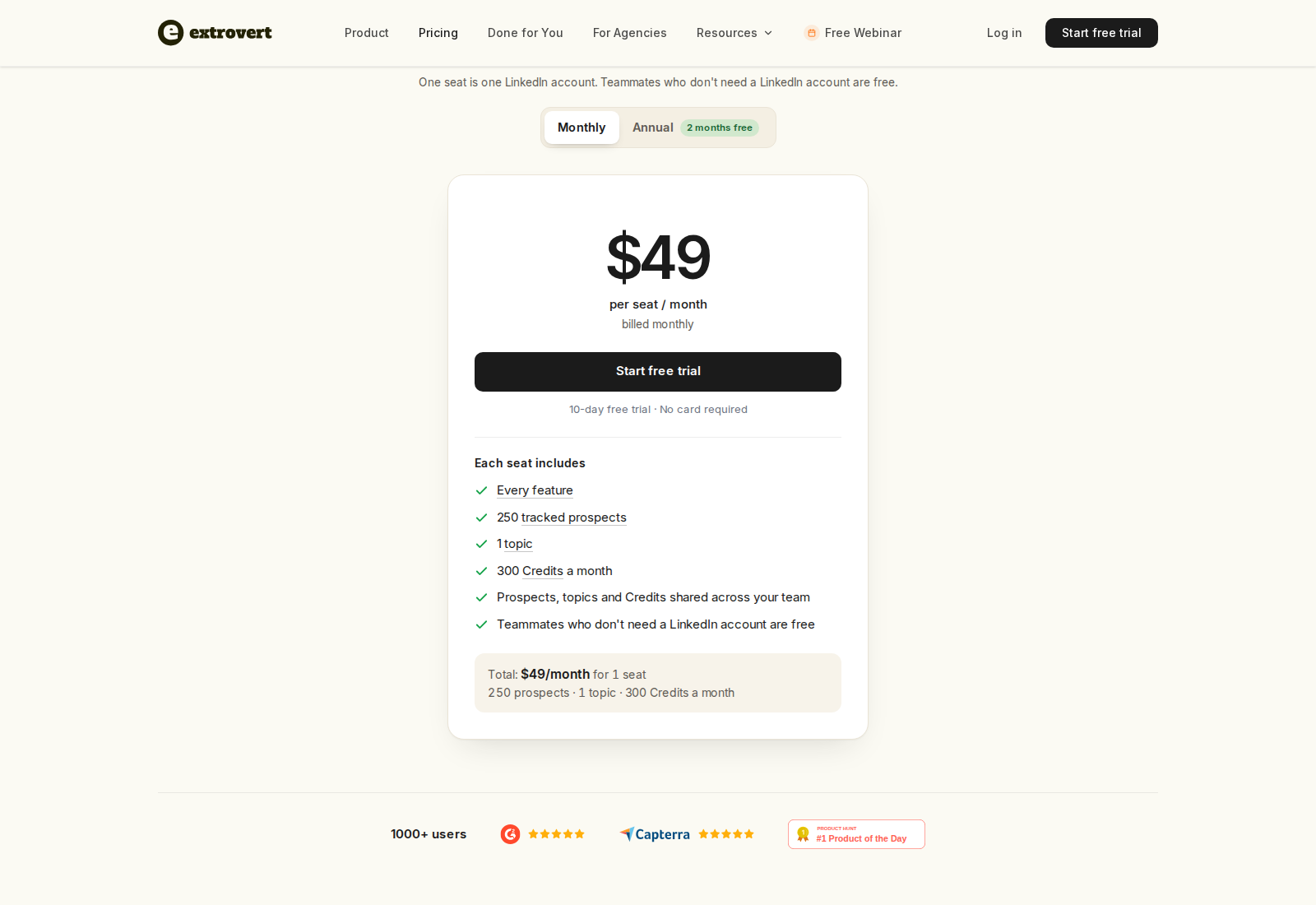
The 10-day trial needs no card. For founder-led LinkedIn sales, add the buyers or warm prospects you need to follow up with. Review their posts and DM suggestions during the trial, and assess whether the drafts give you a useful starting point in your own voice. Add discovery when you need to expand the list.
2. LinkedIn Sales Navigator: native prospect research
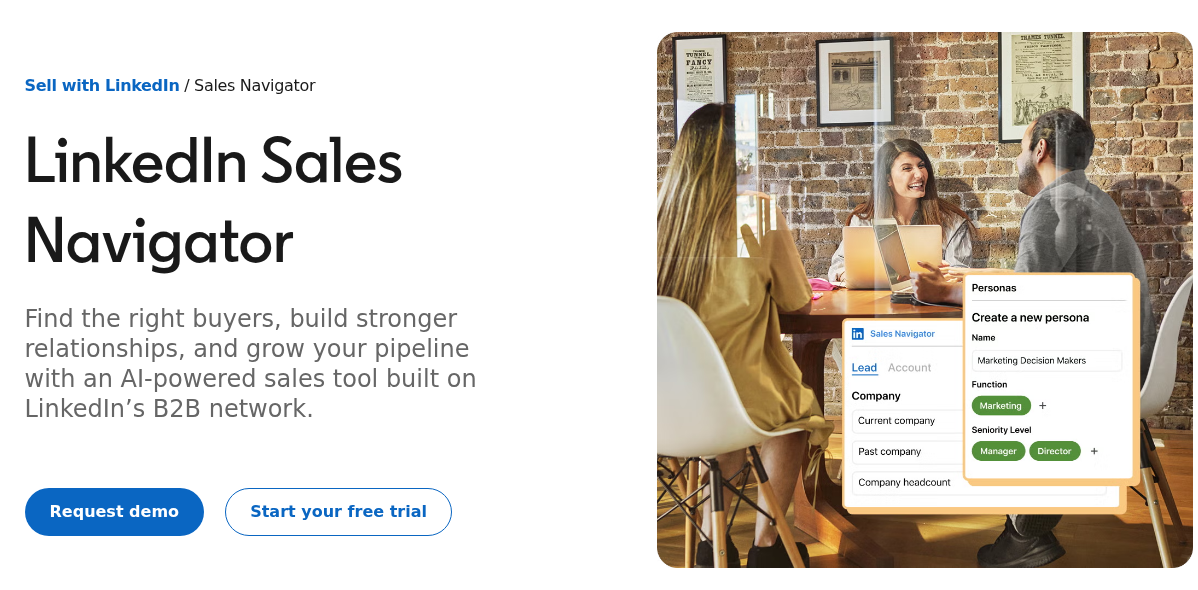
Sales Navigator searches LinkedIn's member and account network with more than 50 filters. Saved leads, searches and alerts help you notice new content or job changes. Every plan includes 50 monthly InMail credits for reaching people outside your connections.
Advanced and Advanced Plus add team capabilities such as TeamLink and Buyer Intent. Advanced Plus adds advanced CRM integrations and lead/contact creation. AI research and message drafting are also part of the current offering, with availability depending on plan, language and account.
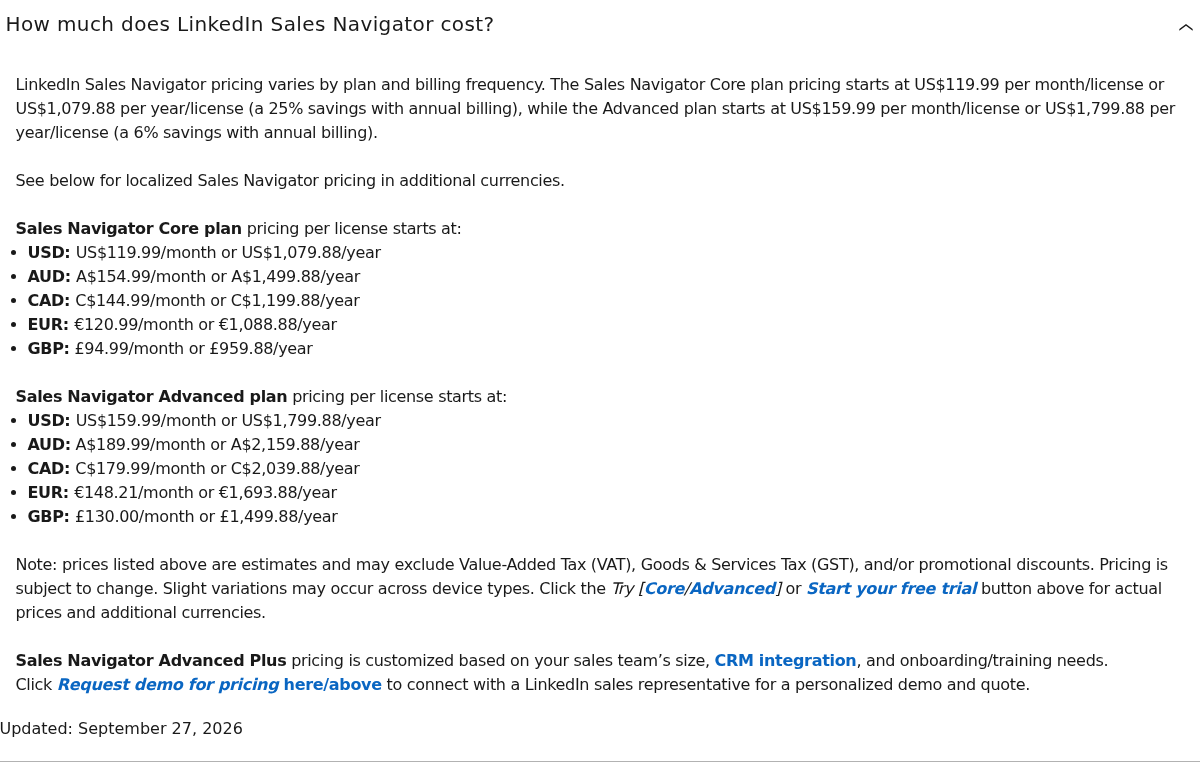
Pricing: Core starts at US$119.99/license/month or US$1,079.88/license/year. Advanced starts at US$159.99/month or US$1,799.88/year. Advanced Plus is custom-priced. Regional offers, taxes and trial eligibility vary.
Workflow boundary: Native relationship search and InMail differ from Extrovert's campaign-based comments and ordinary DMs. You can import a Sales Navigator prospect list into Extrovert without treating the two search sources as identical. See the Extrovert and Sales Navigator comparison for that handoff.
3. Taplio: publishing with engagement features
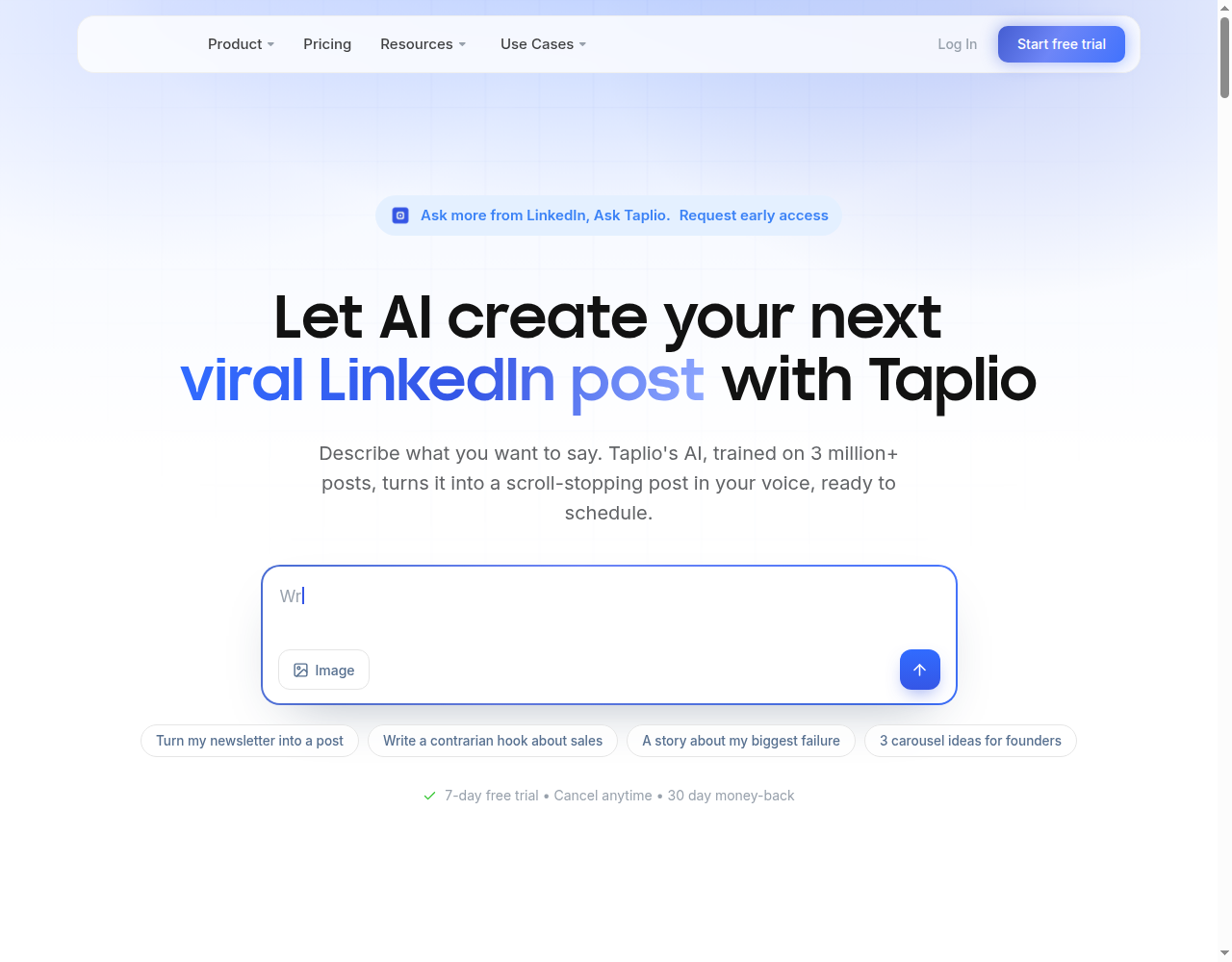
Taplio combines a LinkedIn composer, scheduling, inspiration and analytics. Its engagement functions include contact lists, comments on leads' posts and replies. Pro adds automated lead outreach, including DMs and connection requests. API and MCP access support assistant-led workflows, so Taplio is broader than a post scheduler alone.
Pricing: Starter is $39/month for scheduling and core analytics. Growth is $69/month and adds AI writing and commenting, with 250 AI credits and 500 comment credits per month. Pro is $199/month with unlimited AI posts and comments and automated lead outreach. Its seven-day trial provides Pro access before switching to the selected plan.
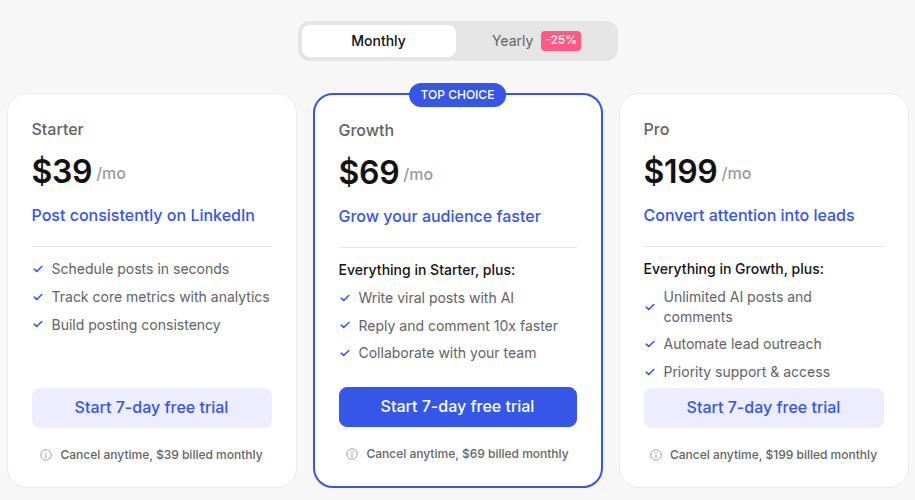
Plan boundary: The entry subscription does not include the full AI and outreach feature set. Post scheduling, lead engagement and delegated assistant actions are separate requirements to check. The Taplio alternatives overview explains how publishing and relationship workflows differ.
4. Supergrow: capture expertise and turn it into posts
Supergrow's Content DNA builds a voice profile from your writing. Postcast interviews capture ideas through conversation; the platform also repurposes YouTube videos, articles and PDFs into content. Scheduling, a calendar and a draft board keep that work organized.
Pricing: Pro is $39/month for one account, with unlimited Postcast interviews, Content DNA, repurposing, scheduling, carousels, Engage, MCP and profile analytics. Teams is $199/month for five accounts and adds feedback, approval and organizational workflows. Enterprise is custom-priced. All plans have a seven-day trial.
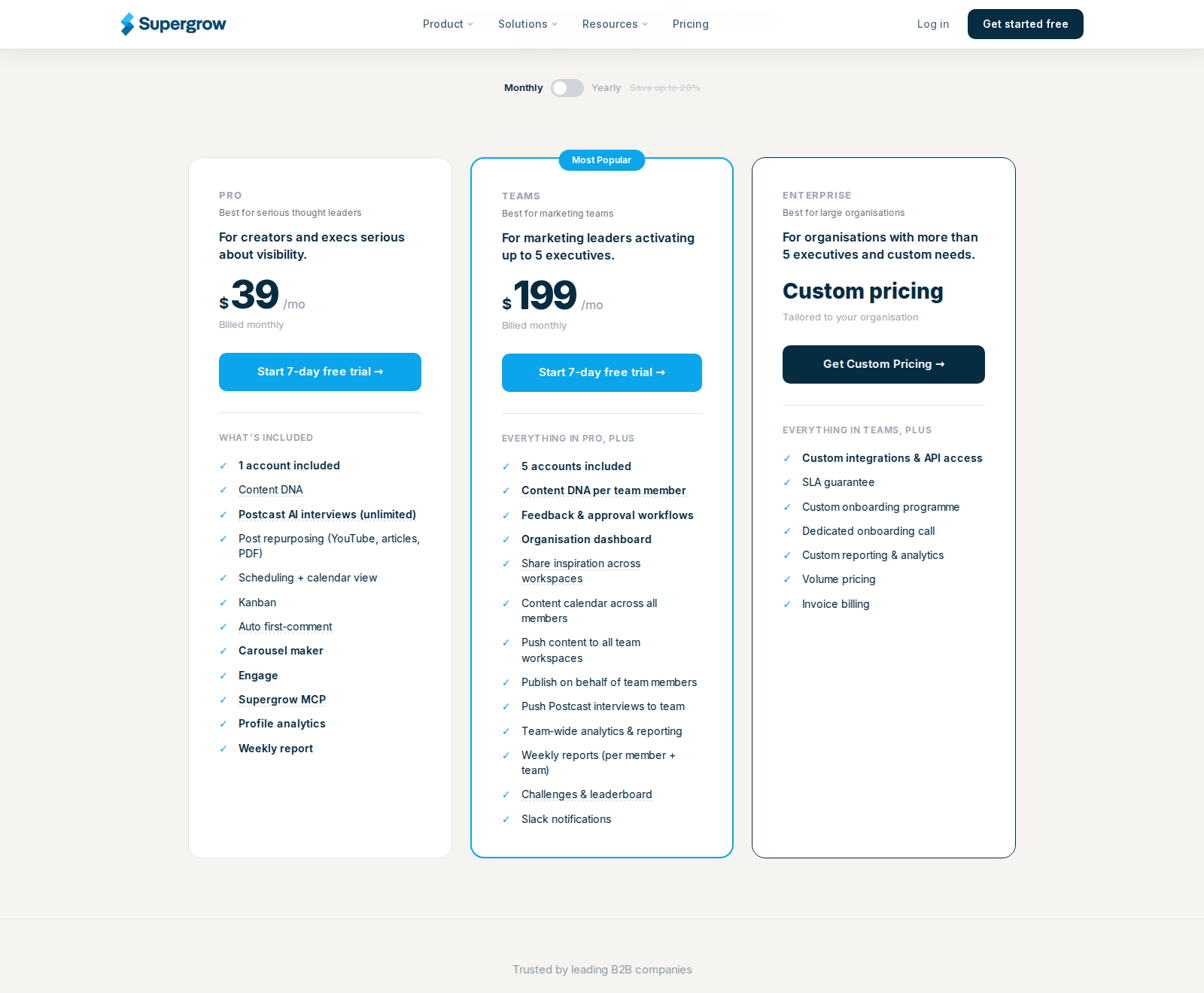
Founder fit: Postcast captures ideas from founders who can explain a subject aloud but struggle to turn that expertise into a draft. Teams adds approval workflows when other people help publish. Check generated posts against your actual experience before publishing them.
5. AuthoredUp: edit and measure your own posts
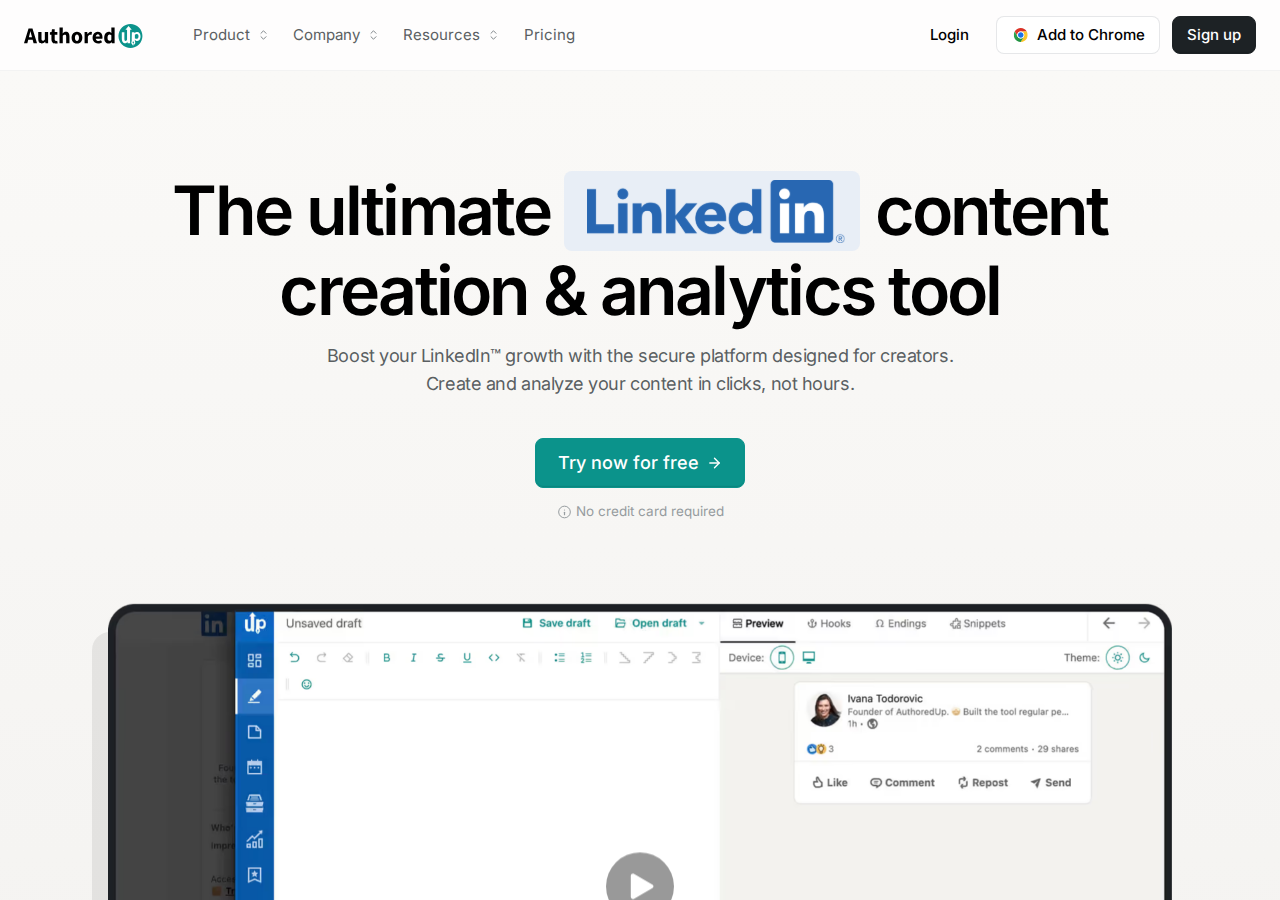
AuthoredUp provides formatting, readability checks, desktop and mobile previews, drafts, snippets and content analytics. Its extension brings the workflow into LinkedIn; its web platform also supports editing and draft management. Business adds collaboration and team analytics.
Pricing: Individual costs $19.95/month for one connected profile, or $199.50/year. Business costs $14.95/profile/month with a minimum of three profiles. Company pages are included. A free trial requires no card.
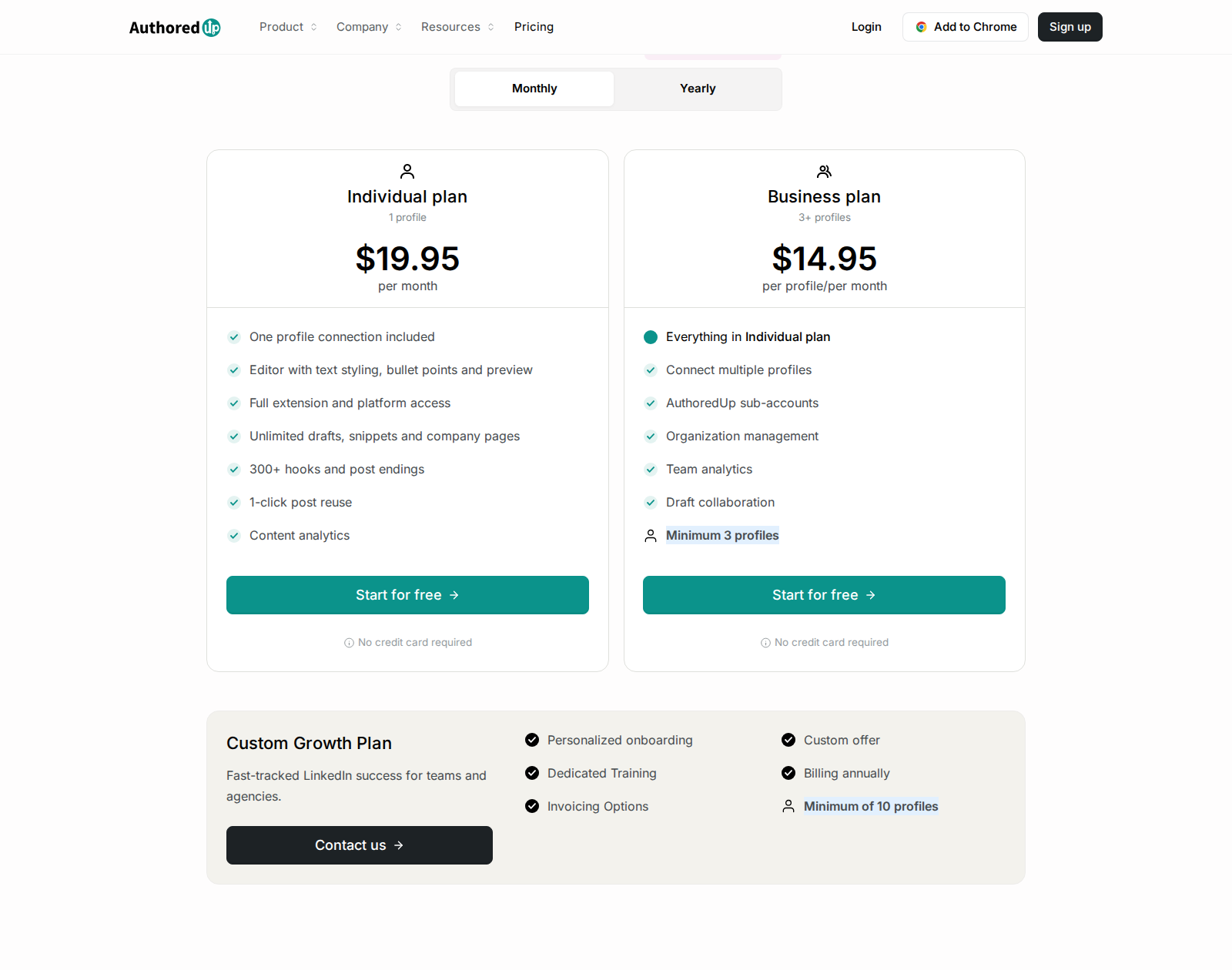
Founder fit: Formatting, snippets and previews help when you already know what you want to say and need to edit it. Coauthor, its AI writing assistant, is listed in closed beta. Scheduling runs through the extension; desktop and mobile post previews show how a post will look to readers.
6. Engage AI: comment assistance and a separate community
Engage AI's Chrome extension generates suggestions in LinkedIn's comment field. Prompts can control tone, length, emojis and words to include or avoid. The current listing also describes integrations and a premium Second Brain beta for recalling past comments.
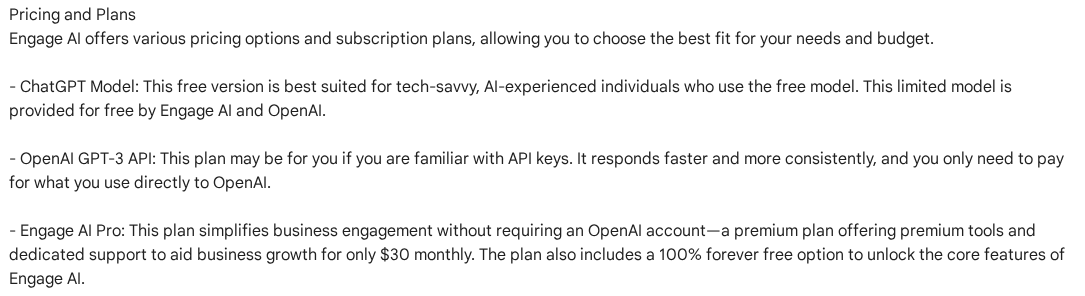
Pricing: The Chrome Web Store listing advertises free core features and Pro at $30/month. This is the comment copilot; the website's Engagement Community is a separate package.
The community lists Individual at $50/month and Group at $250/month, with a separate promotional code. It assigns members posts to engage with during scheduled sessions. Those community fees do not describe the extension's copilot plan, and reciprocal community activity does not establish engagement with your target buyers.
For the broader comment-to-follow-up workflow, see Engage AI alternatives.
7. Kleo: a content system with coaching

Kleo's paid platform covers content strategy, personal voice memory, ideas, AI writing, graphic generation, scheduling and analytics. Weekly calls, a training library and a private community are part of the package. Its inspiration-saving extension is distinct from the current paid platform.
Pricing: Standard is $99/month, with unlimited chats and post creation and 20 visuals per month. Additional profiles cost $49/month each. The annual package is $999/year and includes private onboarding, priority support and early feature access.
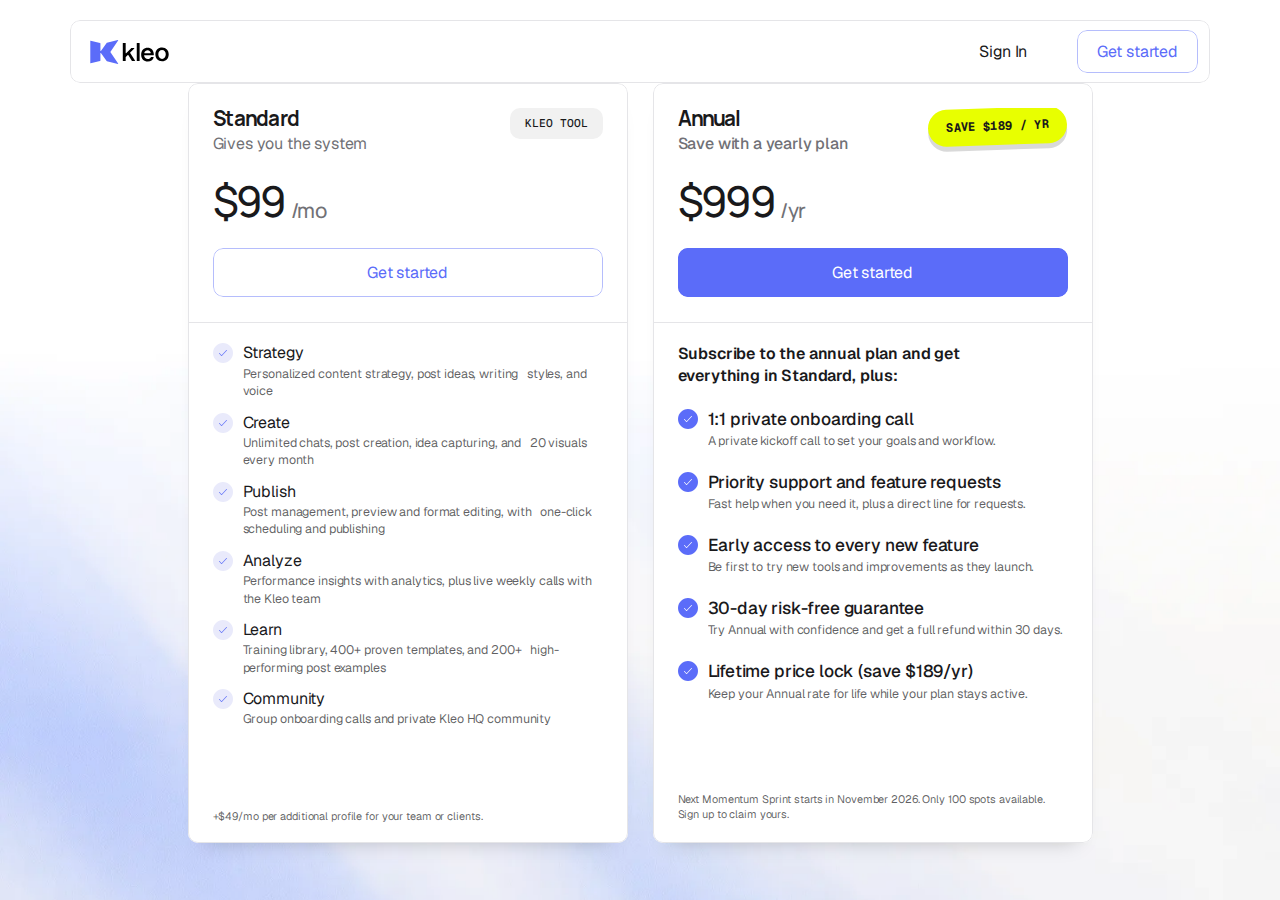
Package boundary: Monthly purchases have a seven-day money-back guarantee; annual purchases have 30 days. A refund guarantee is not a free trial.
8. Waalaxy: invitation and message sequences
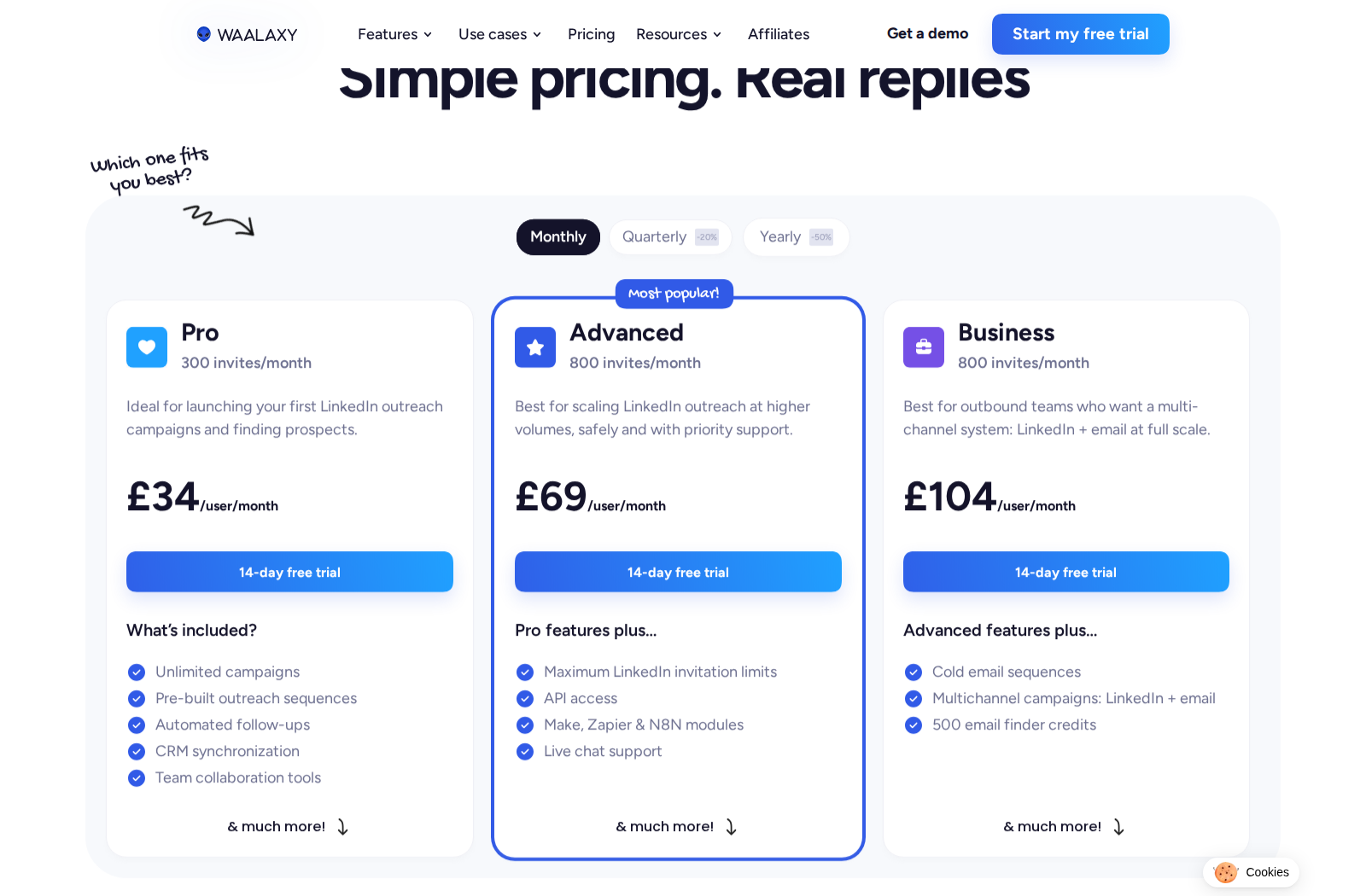
Waalaxy runs automated LinkedIn invitations and follow-ups with pre-built sequences, imports and CRM synchronization. Advanced adds API and automation connectors. Business adds cold-email sequences, multichannel campaigns and 500 monthly email-finder credits. Its LinkedIn Inbox is a paid add-on, with an advertised free allowance of 500 conversations.
Pricing: The displayed monthly GBP offer is Pro £34/user/month, Advanced £69 and Business £104. Pro advertises 300 invitations per month; Advanced and Business advertise 800. A 14-day trial is available. Quarterly and annual billing have different rates, and currency-specific offers vary.
Workflow boundary: A plan's invitation allowance is a software allowance, not a promise that LinkedIn will permit that volume. For a founder, the setup work includes a clear target segment, message sequence and process for handling replies. Pause the sequence when a real conversation starts.
Keep the stack small enough to use
Before paying for two overlapping subscriptions, write down four requirements: who you need to reach, what you will publish, what someone else may do for you and where you will record the next step. Compare the plan that meets those requirements, rather than the lowest advertised price.
Before product-market fit: LinkedIn's native posting, search and messaging can be enough to start conversations. Add a subscription when a repeatable task is taking time away from customer learning. A permanent free comment copilot and a temporary trial are different budget decisions.
Once you have a repeatable sales motion: a relationship workflow and a publishing workflow may both earn their place. Avoid buying two schedulers or paying for a team plan when only your own profile needs support. Sales Navigator is an optional research source, not a prerequisite for Extrovert.
When delegating: distinguish drafting from publishing and sending. Check the connected-account unit, approval permissions and the plan needed for collaboration or MCP. Keep prospect notes and deal next steps in your CRM; post analytics alone will not tell you which relationship needs follow-up.
Run the relationship routine
Start by naming the people you need to stay in touch with and the conversations that have gone quiet. An Extrovert people campaign keeps those posts, drafts and follow-up opportunities together. Expand through Lead Finder or Intent Signals when the existing list no longer covers your market.
For a short daily review, work through relevant posts, edit comments to add your perspective, then review DMs with a concrete reason to contact the person. Stop a follow-up when they decline, and respond to a live conversation instead of continuing a scheduled pitch. Track useful replies and next steps alongside post reach.
If an assistant or teammate will act for you, decide what they may approve and send. Review those permissions separately from the quality of the drafts. LinkedIn automation safety explains the difference between content control, account security and platform restrictions.
FAQ
Can one LinkedIn tool cover a founder's entire workflow?
Some platforms bundle publishing and engagement, but the plan determines what is included. Extrovert covers discovery, prospect campaigns, comments, DMs and follow-ups. It does not schedule your own posts or send cold-email sequences.
Do I need Sales Navigator to use Extrovert?
No. You can add people, import a CRM or CSV list, or discover prospects through Lead Finder and Intent Signals. Sales Navigator provides a different search source and can supply an existing list for import.
What is the best LinkedIn tool for a founder who needs pipeline?
Extrovert is a focused option when the work is finding relevant people and keeping relationships moving through comments, DMs and follow-ups. Evaluate it on your own target list and the conversations you want to continue, rather than follower growth alone.
Is human review a guarantee against LinkedIn restrictions?
No. Review controls what you approve and send. It does not make third-party activity compliant with LinkedIn's rules or guarantee an unrestricted account. Auto campaigns and delegated assistants also need explicit settings and permissions.