Quick compare
Prices checked
Best forDelegate targeting and conversation work with approval points
- Native Agent uses business and conversation context
- Agent can prepare and send DMs with permission
- Built-in Agent has a daily usage limit
Starting price$49/LinkedIn account/month10-day trial, no card
Start Free TrialRating not listed
Best forDelegate prospect sourcing and ongoing replies
- Approval or autonomous sequence/reply modes
- Hands conversations back when information is missing
- Separate beta; numeric prospect allowances not stated
Starting price$100/LinkedIn account/month
Read ReviewBest forFind signal-based prospects; keep ownership of replies
- Optional lead approval before automatic outreach
- Replies stop the remaining outreach sequence
- AI reply drafts require human sending
Starting priceFrom $99/month
Read Review3.5/5G2 · 3 reviews
Product reviews before current October plans
Best forReview researched outreach and take over conversations
- Qualification explanations and cited prospect research
- Vetted sequences can run automatically
- Human takes over after a prospect replies
- Discovery and upgraded generation use credits
Starting price$199/seat/month7-day trial, payment method required
Read ReviewBest forAdd AI decisions and replies to workflows you build
- Manual, draft-approval or autonomous reply modes
- Up to three autonomous no-response follow-ups
- You build the campaign plan
- Intent Agent access is temporary on Growth
Starting price$49/seat/month, billed annually14-day trial, no card
Read Review




On this page
Extrovert is our first choice among the best LinkedIn AI agents for turning a sales goal into prospect selection, engagement and context-aware conversations while keeping control over actions. Its built-in Agent works with your account setup, campaigns and message history. The shortlist below also separates agents that can reply autonomously from tools that prepare replies for you, and from AI-assisted workflows whose steps you still build yourself.
Key takeaways
- Extrovert combines a native Agent with prospect discovery, campaign actions and DM context. You can delegate work inside the product or use a connected assistant, with permission to review kept separate from permission to send.
- Check what happens after a prospect replies. Some products continue the conversation automatically; others stop the sequence and leave you a suggested answer.
- Approval has several meanings. Reviewing a prospect list, approving campaign copy and approving each reply are different controls, so check the stages you want to keep.
- Business context makes a useful starting point, but conversation history matters once someone responds. Look for an agent that can use the relevant exchange rather than restart from your company description.
- Compare the plan that supports your workflow, not the number of AI features advertised. Account seats, billing commitments, credits and beta access can change what you can delegate.
What a LinkedIn AI agent actually is (and what it is not)
A LinkedIn AI agent takes a goal, uses available context and helps choose or carry out the next action. For a sales team, that can mean finding suitable prospects, deciding why to contact them, preparing an opening message or working through a reply. The useful question is how much of that job you can hand over without rebuilding every step yourself.
A native agent lives inside the product. It can use the product's saved business context, prospect data and available actions. Its freedom still has boundaries: an agent may choose prospects but require approval before importing them, or send a campaign but stop when someone responds.
An AI assistant connected to a backend works differently. The assistant reasons about your request; the connected product supplies LinkedIn context and actions. A working connection does not automatically create a recurring sales routine. Scheduling, approval and delivery of results depend on the assistant and the workflow you set up.
A fixed sequence follows steps you chose in advance. Adding an AI-written opening line does not turn that sequence into a goal-driven agent. Some products sit between these models: AI scores a lead or drafts a reply, while your workflow still determines where the lead goes next.
This guide focuses on prospecting and conversations, rather than agents for writing posts. Use the broader LinkedIn AI tools guide for writing and publishing, or compare LinkedIn automation tools when you mainly want to run predefined steps.
How we ranked these LinkedIn AI agents
We compared the work each product documents across five stages: finding prospects, qualifying or planning, taking LinkedIn actions, handling replies and following up. Extrovert ranks first for combining a native goal-driven Agent with prospect selection, campaign work and conversation context, while letting you choose how to authorize actions.
Four criteria drive the comparison:
- Delegated stages: which of the five stages the agent handles, and which still need a sequence or a person. A generated draft counts as preparation, not a sent message.
- Context inputs: whether it uses business instructions, prospect profiles or activity, and existing conversation history. These inputs answer different questions: who fits, why now and what has already been said.
- Control modes: where you can review targets, approve actions or allow automatic execution. We distinguish campaign-level approval from approval of individual replies.
- Reply and handoff behavior: whether a response stops the sequence, starts an autonomous conversation or produces a draft for you. We also consider documented escalation when the agent lacks information.
The table applies these criteria to every pick. Prices, account units, credits and access conditions show what it costs to use the relevant workflow; they are not a substitute for its fit. A product with an autonomous reply mode serves a different operating choice from one designed to keep you sending every answer.
The best LinkedIn AI agents in 2026
Each option below takes on a different share of the work. Start with the decisions you want to delegate, then check how the product handles a real reply. The control column matters as much as the feature list.
1. Extrovert, best for delegated prospecting and conversation work
Extrovert’s built-in Agent helps turn a LinkedIn goal into prospect selection, engagement and ongoing conversations. You can start inside Extrovert without connecting another AI assistant.
Tell Agent whom you want to reach. It reads your profile, website and Voice settings, which describe your business and writing style. In Lead Finder, it proposes filters and previews matches. Before importing, it shows the prospect count, destination campaign and Credit cost, then waits for your go-ahead. You delegate the targeting work while keeping control of whom you add and what you spend.
The campaign brings those prospects’ posts into your feed so you can engage before or alongside outreach. Agent can adjust campaign settings and approve comments with permission; selected comment campaigns can run automatically.
On the separate DMs page, recommendations explain why a first message or follow-up is due. Drafts use conversation history and your Voice. Edit, send or snooze them, or authorize Agent to prepare and send DMs. Daily reviews suggest next steps without sending messages themselves.
The native Agent has a daily usage limit. You can wait for its reset or use your own connected assistant through MCP, the integration that gives it access to Extrovert’s context and actions.
Watch the Claude outreach workflow below, or request its slide deck with your work email.
Extrovert costs $49 per LinkedIn account/month, billed monthly, with 300 monthly Credits. The trial lasts 10 days with no card required. Product Hunt rates it 5/5 from 12 reviews.
Best suited for
Founders and sales teams who want to delegate targeting, engagement and conversation work with clear approval points. It also suits agencies managing client accounts under each account’s permissions.
2. Waalaxy AI, best for autonomous prospecting conversations
Waalaxy AI takes a website and offer, suggests two to four audiences, then finds and filters prospects for the audience you choose. Its documented outreach starts with an invitation without a note, followed by three personalized messages. When someone answers, the agent can continue the conversation rather than hand you an inbox full of replies to process.
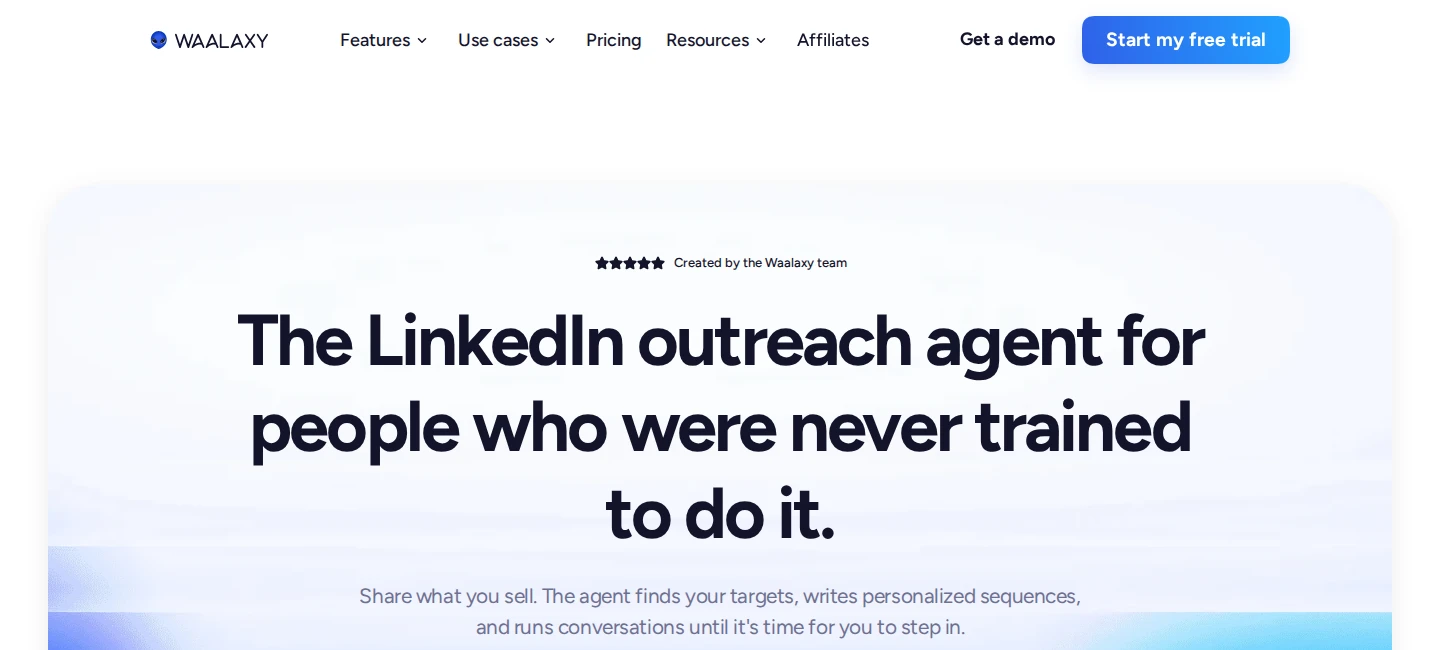
That continuation is its defining choice. Approval mode lets you edit, regenerate or reject every sequence and reply before sending. Autonomy mode sends on your behalf, with the option to take over. The official guide says the agent hands a conversation back when it lacks information, so you still need to supply the business details that make a useful answer possible.
Memory stores prices, lead times, common objections and your corrections. Those saved instructions help shape later responses as the conversation develops. Waalaxy AI is a separate LinkedIn-only beta, not the classic Waalaxy LinkedIn-and-email product or a CRM.
The current English offer is $100/month per connected LinkedIn account. It advertises unlimited agents, which does not mean unlimited prospects or messages. The beta's numeric prospecting allowances are not stated in that offer. It runs in the cloud without a Chrome extension, and prospect discovery does not require Sales Navigator.
Best suited for
Sales teams that want to delegate prospect sourcing and allow an agent to continue conversations within supplied business instructions. It also fits teams that prefer approving every sequence and reply before trying autonomous sending.
3. Gojiberry, best for signal-led sourcing with human-owned replies
Gojiberry starts from your website, ideal customer profile and chosen signals, then sources and scores prospects several times a day. It can look for relevant engagement, job changes, hiring and other activity. A lookalike search supplies more candidates when your audience produces fewer signals, though a lookalike does not carry the same reason to reach out as observed activity.
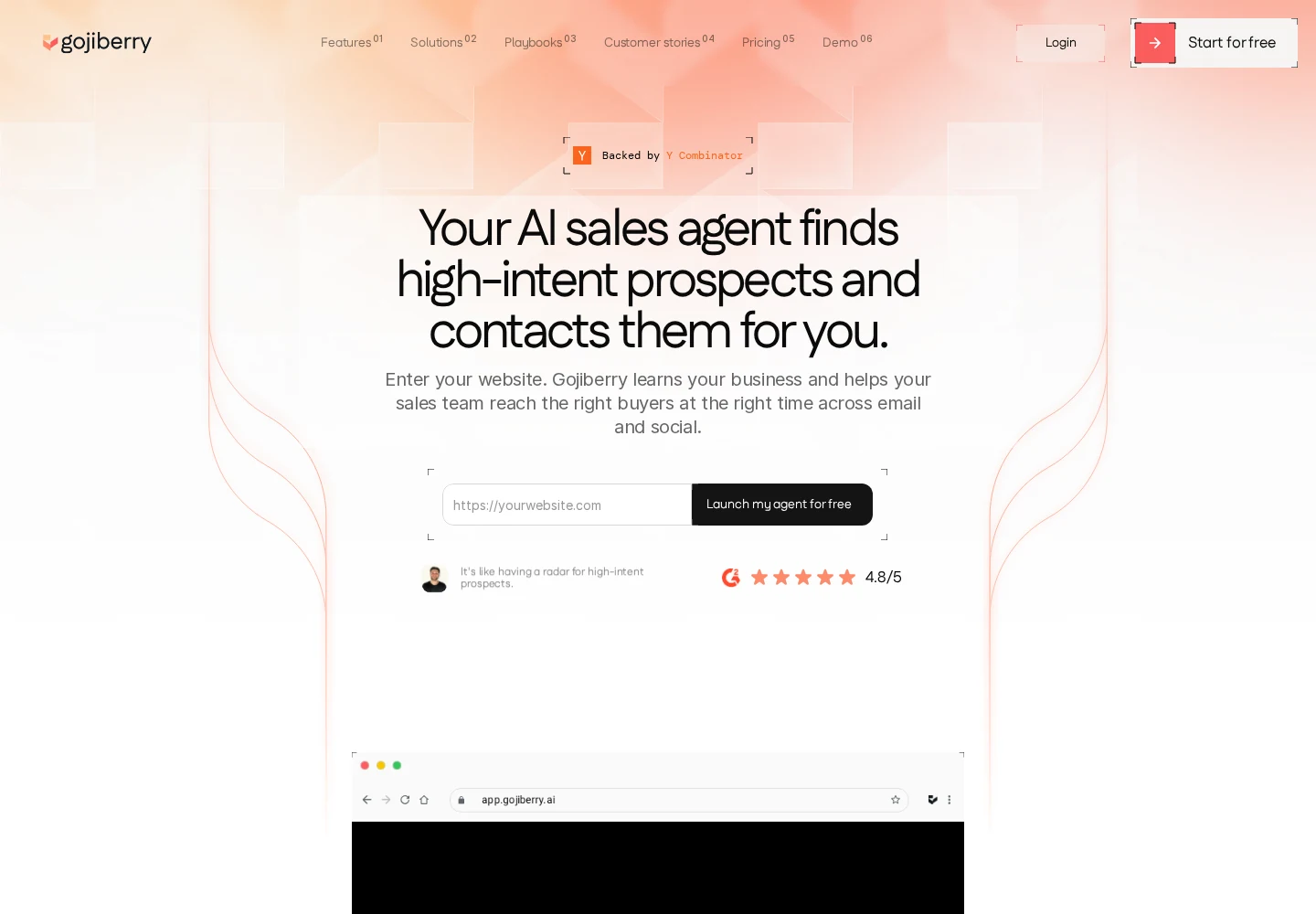
Review Mode gives you a clear decision point before outreach. You inspect the person's role, company and signal, then approve or reject the lead. Approval moves them into automated outreach; it does not mean you will approve every message individually. Without Review Mode, qualified leads can enter outreach automatically.
The workflow changes when someone responds. Gojiberry removes them from the remaining automated LinkedIn and email steps, leaving the conversation with you. AI Draft Reply can suggest an answer using your instructions, but you review, edit and send it. This is a useful division of work when sourcing and first contact consume your time but you want to own the actual sales discussion.
Pro starts at $99/month. Its pricing help includes two LinkedIn seats, two agents, two lead sources and 200 monthly credits; the homepage advertises up to 1,800 contacted prospects monthly. Trustpilot shows 4.4/5 from 102 reviews. Some reviewers report billing disputes or poor-fit suggestions, making lead review and clear subscription terms worth attention.
Best suited for
Teams that want ongoing prospect discovery and automated first outreach, with an optional approval step for new leads. It suits sellers who want AI help writing replies while keeping responsibility for sending them.
4. Valley, best for researching prospects before you approve outreach
Valley's Scout copilot helps turn a prospecting play into an audience, research and outreach. You can start with people engaging with your content, a hiring signal, a competitor audience or your own list. You review the audience and plan, while Valley qualifies prospects and explains why they fit.
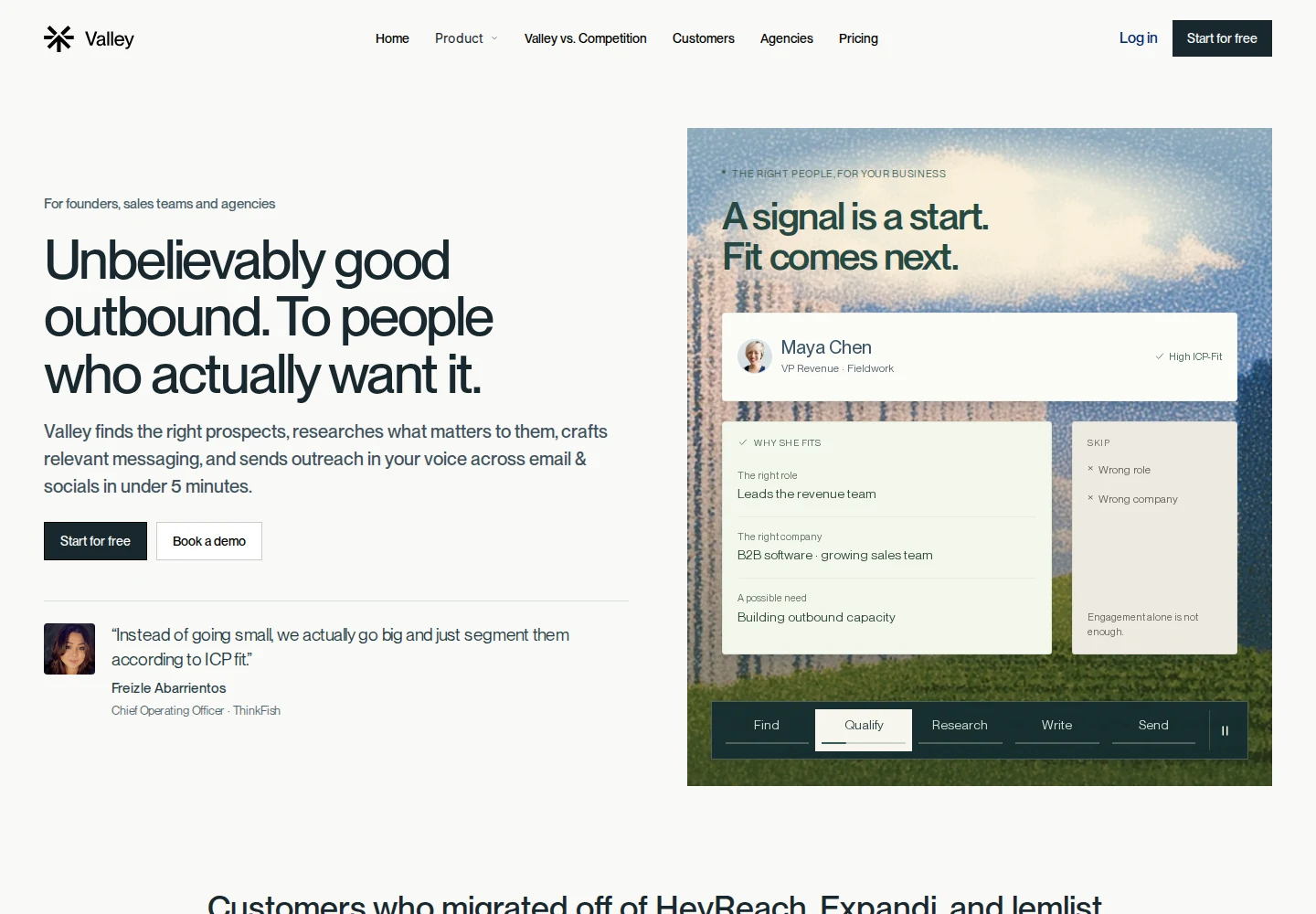
The research gives you something concrete to assess before sending. Valley draws on prospect posts, interviews and company news, with source citations, while your website and voice instructions describe your offer and writing style. You can correct qualification decisions and refine criteria instead of accepting an unexplained list.
For execution, you choose timing and follow-up steps. You can approve messages or let vetted sequences run automatically. A prospect's reply stops the sequence; the unified inbox brings research, message history and a suggested next reply together for your review. The conversation then belongs to you, rather than an autonomous agent carrying it through to a meeting.
Starter costs $199 per seat/month on monthly billing, or $149/month billed quarterly at $447. One seat connects one LinkedIn account, and Scout is included. Finding prospects, enriching their details and higher-tier AI message generation use credits; base research, writing and LinkedIn sending are included. The seven-day trial requires a payment method.
G2 shows 3.5/5 from three reviews, dated before the current October packaging. One reviewer criticized AI-sounding copy and value; this small product-level cohort does not rate Scout separately.
Best suited for
Sellers who want prospect research and qualification close to the messages they approve. It suits teams comfortable handing over follow-up execution while taking back the conversation after a reply.
5. We-Connect, best for AI decisions inside workflows you build
We-Connect combines a visual campaign builder with AI decision steps and an optional autonomous reply mode. You still build the workflow: the agents score or route contacts, while the surrounding campaign steps perform the messaging. This makes it a hybrid rather than a product that turns a broad sales goal into the whole plan for you.
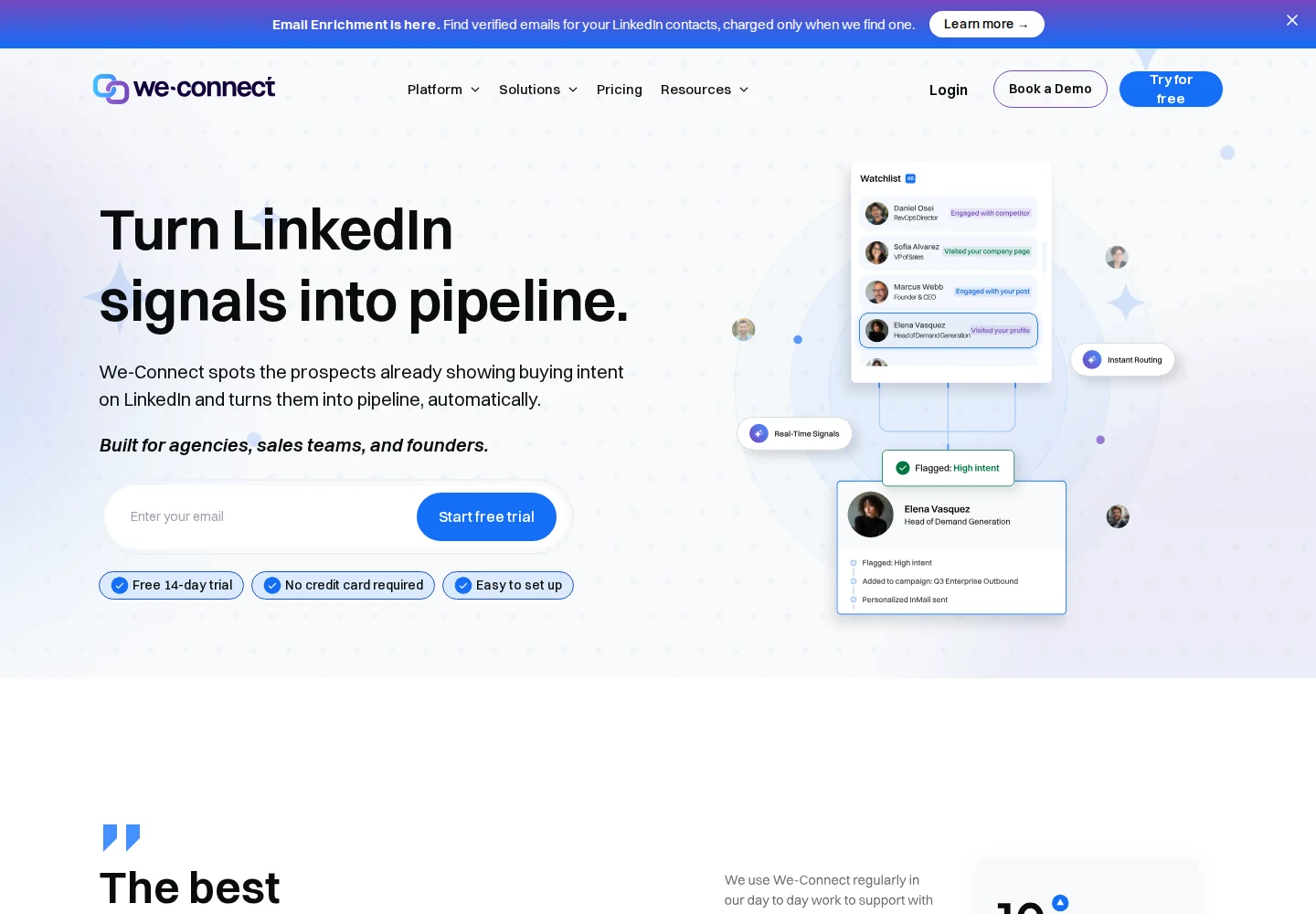
The Lead Scoring Agent gives a prospect a score from zero to 100 against your criteria. You choose the threshold and branch. Sentiment analysis can route engagement into positive, neutral or negative paths, while a Business Snapshot gives the AI your company, offer, audience and tone. It can also include documents such as FAQs and case studies.
Reply control is more flexible than a single automation switch. Manual mode leaves you writing; Co-Pilot prepares drafts for approval; autonomous mode sends replies without approval. You can take over one conversation without stopping the others. Autonomous replies also support up to three no-response follow-ups with a delay you choose, while existing pending drafts do not suddenly send when you change modes.
Growth is $69 per LinkedIn seat/month, or $49/month billed annually at $588 upfront. AI scoring, messages and replies currently have no additional usage charge. Intent Agent sourcing is temporary early access until Scale launches, so treat it separately from lasting Growth entitlements. G2 shows 4.6/5 from 84 reviews; individual complaints include occasional slow syncing and dashboard usability.
Best suited for
Operators who want to design their own branches and use AI for qualification or conversation handling. It fits teams that want optional autonomous replies without delegating the entire campaign plan.
Side-by-side comparison
Compare delegated stages, available context, approval points and what happens after a reply. Starting prices use the stated billing commitment; the reviews explain access and usage limits.
| Product | Delegated work | Context used | Control and reply behavior | Entry cost and conditions |
|---|---|---|---|---|
| Extrovert | Targeting, prospect import, campaign engagement and authorized DM sending | Profile, website, Voice, prospect activity and conversation history | Approve imports; authorize Agent actions including DM sends; daily recommendations alone do not send | $49/LinkedIn account/month; 300 monthly Credits; 250 tracked prospects |
| Waalaxy AI | Audience suggestions, sourcing, personalized outreach and conversations | Website, offer, profile and business Memory; incoming replies | Approve every sequence/reply or use autonomy; missing information returns to human | $100/connected account/month; separate beta; prospect allowance not stated |
| Gojiberry | Signal sourcing, qualification and outreach; suggested replies | Target-customer criteria, signals and prospect details; previous messages inform follow-ups | Optional lead review; prospect reply stops remaining steps; human sends reply draft | From $99/month; Pro includes two LinkedIn seats and 200 monthly credits |
| Valley | Signal plays, qualification, research, outreach and follow-up execution | Business/voice, prospect research and message history | Review messages or run vetted sequences; reply stops follow-ups and returns to human | $199/seat/month, or $149/month billed quarterly; discovery credits apply |
| We-Connect | Scoring/routing and optional reply handling inside user-built workflows | Profile/activity, Business Snapshot and conversation thread | Manual, approved drafts or autonomous replies; up to three no-response follow-ups | $69/seat monthly, or $49/month billed annually; Intent access temporary |
Which LinkedIn AI agent fits your use case
| Your situation | Product to examine | Work you delegate | Work you retain |
|---|---|---|---|
| You want a native Agent that works with prospects, campaigns and ongoing DMs | Extrovert | Context-based targeting, campaign engagement and DM preparation/sending with permission | Import/action permissions, review choices and final sales judgment |
| You want an agent to continue prospect conversations | Waalaxy AI | Sourcing, personalized outreach and replies in autonomy mode | Business Memory, chosen audience and escalated conversations |
| New relevant leads are the bottleneck, but you want to send replies yourself | Gojiberry | Signal discovery, qualification and initial outreach | Optional lead approval and conversation responses |
| You need to understand the research before outreach | Valley | Qualification, cited research and vetted follow-up execution | Audience/message feedback and conversations after replies |
| You already know the branches and rules you want | We-Connect | AI scoring, routing and optional autonomous responses | Workflow design, thresholds and reply-mode settings |
What results look like
The value of an agent is the work it helps you complete. These customer examples show conversation and relationship workflows using Extrovert; each result belongs to the customer's stated routine and tool stack.
- Unstuck: Sabahudin Murtić reported 12 messages, eight replies and two booked calls in a December 2025 comment-to-DM example. His wider workflow includes manual review and Extrovert with Claude Code for follow-up suggestions. Read the Unstuck case study.
- Allbound OS: Can Timağur reported cutting daily time on Extrovert-assisted DM replies from 45 minutes to 10 minutes, while editing before sending. In a separate comment-first workflow with Extrovert and GetSales, connection acceptance rose from 15% to 32%. Read the Allbound OS case study.
- Blynked: Bojan Djakonovic Berisavljevic reported 24% connection acceptance and 4% replies for cold outreach, compared with 61% acceptance and 38% replies after two weeks of familiarity in one client comparison. That workflow used Clay for targeting, Extrovert for comments and Aimfox for connections. Read the Blynked case study.
For a connected-agent example, Kurt Warner's Aura and Muse workflow prepares comment batches through Extrovert's MCP connection and asks for approval. His Leads By Me story shows how external agents can fit around human judgment. Explore more Extrovert customer stories to see the work behind the numbers.
FAQ
What is the difference between a LinkedIn AI agent and automation?
An agent uses context to help decide what to do, such as which prospects fit or how to answer a message. A fixed automation follows the steps you configured, although some products combine those steps with AI scoring or reply handling.
How do I choose how much work to delegate?
Separate prospect selection, campaign execution and replies before comparing products. You may want automatic sourcing and approved outreach while keeping every conversation response under review.
What context should a LinkedIn agent use?
Look for your business and tone instructions, relevant prospect information and the existing conversation. A prospect's recent activity can explain why to reach out, while message history helps the agent avoid repeating a question you already asked.
How does Extrovert handle approvals and sending?
Extrovert's Agent can prepare work and carry out authorized actions, including sending a prepared DM with your go-ahead. Reviewing or recommending a reply does not itself authorize sending, and the separate DMs page lets you edit, send or snooze recommendations.
How do native agents differ from connected AI assistants?
A native agent is part of the product; a connected assistant uses another product's context and actions through an integration. Extrovert supports both, but an external assistant's subscription, limits and scheduling remain part of that setup.
Can a LinkedIn AI agent run across client accounts?
Extrovert supports managed accounts under existing permissions, with one paid seat per connected LinkedIn account. Operators without their own connected account are free, so distinguish the people doing the work from the accounts they manage.
How does Extrovert control account activity?
Extrovert keeps activity within your daily limits and follows your working hours. It spaces out actions, and anything over the limit waits for the next day. You choose what to review and what to automate.
Try Extrovert free for 10 days
Give Extrovert's Agent a concrete LinkedIn goal. Review the prospects and changes it proposes. Use your business context and Voice to shape the work. Continue conversations with message history and suggested next steps close at hand. Choose which actions to approve and which supported work to automate. Your 10-day trial needs no credit card.