Quick compare
Prices checked
Best forLinkedIn engagement and warm follow-up
- Tracked-prospect comments and contextual DM follow-up
- Free teammates without a connected LinkedIn account
- Each connected account needs a paid seat
- Extra prospect tracking capacity costs more
Starting price$49/LinkedIn account/month, monthly10 days trial, no card
Start Free TrialBest forLinkedIn publishing and audience engagement
- Publishing, scheduling and engagement in one product
- Contact-list feeds and reply styles
- AI writing and Engage start at Growth
- Separate profiles need separate licenses
Starting price$39/account/month, monthlyTrial needs a card; AI cap can start billing
Read ReviewCount includes reviews and ratings
Best forNo-code sales-stack automation
- Connects 1,000+ apps
- Unlimited automations on Pro
- Each successful step uses transactions
- Shared team access requires Teams
Starting priceFree; Pro $22/month, monthly
Read Review2020–2023 reviews and ratings
Best forLead and account discovery
- Native LinkedIn search with 50+ filters
- 10,000 saved leads per user
- Full CRM Sync requires Advanced Plus
- 50 InMail credits per user per month
Starting price$119.99/license/month, monthly (US)Eligible one-month trial; payment method needed
Read ReviewBest forContact data and outbound execution
- Contact data, email sequences and calling
- CRM connections on Basic
- Credit use varies by data type
- Pipedrive sync excludes sales activity
Starting priceFree; Basic $49/seat/month, annually14 days trial with 75 Credits
Read ReviewBest forEnrichment and prospect research workflows
- Configurable research and enrichment
- Unlimited seats and tables
- Actions and Data Credits are separate allowances
- CRM auto-sync requires Growth
Starting priceFree; Launch $185/workspace/month, monthly14 days trial with 1,000 Data Credits
Read ReviewBest forContact and account intelligence
- Contact, company and buying-signal data
- CRM and sales-engagement handoffs
- Paid capacity and contract terms require a quote
- Regional data coverage needs checking
Starting priceCustom quoteTypically 7 days trial, no card
Read Review8.3/10TrustRadius · 23 ratings
Count includes reviews and ratings
Best forEmail and multichannel outreach
- Conditional email and multichannel campaigns
- CRM connections and API from Email
- Email and Multichannel use different billing units
- Data and channel add-ons have separate costs
Starting price$69/workspace/month, monthly14 days Multichannel trial, no card
Read ReviewBest forLinkedIn and email sequences
- LinkedIn and email steps with delays and conditions
- Campaign reporting and email finder
- Daily LinkedIn action limits still apply
- Team management requires Advanced
Starting pricePro $79/user/month, monthly7 days trial, no card
Read ReviewBest forCoordinated sales execution
- Rep cadences with conversation and deal review
- CRM activity handoffs
- Modules and commercial terms require a quote
- Sync direction differs by CRM and object
Starting priceCustom quote
Read Review7.9/10TrustRadius · 12 ratings
Count includes reviews and ratings
Best forEmail outreach infrastructure
- Unlimited connected email accounts and warmup
- API and Zapier on Growth
- Unibox replies and teammates require Hypergrowth
- Upload capacity is a fixed workspace cap
Starting price$47/workspace/month, monthly14 days trial, no card
Read ReviewBest forShared CRM records and sales follow-up
- Shared customer and opportunity records
- Sequences, forecasting and call review on Professional
- Sequences require Professional or Enterprise
- Professional and Enterprise have onboarding fees
Starting priceFree, up to 2 users14 days paid-feature trial
Read ReviewBest forConfigurable sales processes
- Configurable CRM records, permissions and processes
- Free Suite supports two users
- Pro API access is a paid add-on
- Sales Engagement cadences cost extra
Starting priceFree; Starter $25/user/month30 days Sales Cloud trial, no card
Read ReviewBest forDeals and next activities
- Visual deal pipelines and next activities
- API and webhooks from Lite
- Full email sync and sequences require Growth
- Growth has company-wide sequence/automation caps
Starting price$14/seat/month, annually (US)14 days trial, no card
Read ReviewProduct-family reviews
Best forConversation analysis and deal inspection
- Conversation analysis with deal and coaching context
- Call-derived CRM field writeback on Foundation
- Per-user licenses plus a platform fee
- Optional applications need assigned seats
Starting priceCustom quote
Read ReviewOne November 2021 review
Best forSales content management and tracked branded deal sites
- Search approved assets and share branded deal sites
- Free viewers; Team has no seat minimum
- CRM engagement sync requires Team
- API, webhooks and SSO require Enterprise
Starting priceFree; Team $25/active seat/month
Read Review










On this page
Extrovert is our first pick among the best B2B sales tools for teams that need warmer LinkedIn conversations. It brings prospect posts, comment drafts and follow-up suggestions into a daily routine. The other 15 tools cover publishing, data, automation, outreach, CRM, call analysis and sales content. Choose the missing job in your stack, then compare the plan limits and handoffs you will need.
Key takeaways
- Start with the sales job that is breaking down. A larger database will not fix missed follow-ups, and a CRM will not choose a useful prospect post to comment on.
- Extrovert covers LinkedIn discovery, engagement and contextual follow-up. Keep your CRM for opportunity records and your email tool for email campaigns.
- Compare the plan that supplies your workflow, not only the entry price. AI comments, CRM sync, sequences and API access can sit behind different tiers.
- Count seats, contacts, sends, transactions and data Credits separately. An annual monthly equivalent also means a different commitment from a monthly subscription.
- Check what happens between tools before you buy. Assign an owner to replies, deal updates and the next action so useful activity does not disappear between systems.
What B2B sales software actually is (and what it is not)
B2B sales software helps people find business buyers, start relevant conversations, manage opportunities and close deals. The category includes several different jobs. A contact database supplies names and contact details. An enrichment tool fills gaps in a list. A sequencer organizes outreach steps, while a CRM records the deal, owner and next activity.
LinkedIn engagement fills another part of the workflow. Reps need to notice what target buyers say, leave useful comments and return to conversations at the right time. Extrovert supports that ongoing relationship work. A publishing tool focuses more on what you post and how your audience responds, even when it also includes engagement features.
Conversation intelligence helps managers inspect calls and coach reps. Sales-content software helps sellers find approved material and see how buyers use it. No-code automation moves records between applications when a form arrives, a contact changes or a deal reaches a new stage. Scheduling, routing, proposals and e-signature are additional jobs; your CRM may already cover some of them.
These products are not sixteen versions of the same application. A search subscription is not a complete follow-up system, and an integration badge does not establish two-way synchronization. Check which records move, in which direction, at what trigger and on which plan. Keep deal ownership in the CRM and decide who handles replies. Add a subscription only when it covers work that your current team and tools leave unfinished. For an engagement-first approach, see the warm outreach guide.
For a small-list outreach plan, get Stef Curcio's warm-outreach slides. They cover warm-up comments, message approaches and the next conversation.
How we ranked these B2B sales tools
We compared five practical dimensions from the products' documented workflows and plans:
- Sales steps covered. Discovery, public engagement, private outreach, opportunity management, call analysis and content sharing are separate steps. The review identifies which ones each tool handles so you can see both coverage and overlap.
- Included capacity. We checked the relevant unit, such as tracked prospects, InMails, uploaded contacts, email sends or automation transactions. An unlimited account connection does not remove a separate contact or send limit.
- Handoff coverage and plan. We checked named CRM connections, imports, API, webhooks and agent access where documented. A task reminder, CSV transfer and live CRM sync do different work; the required tier matters.
- Control over actions. We distinguished drafts and reminders from approval, scheduling and automatic execution. This helps you choose where a rep reviews the work and where the application follows preset rules.
- Price and commitment. We kept monthly subscriptions, annual monthly equivalents, per-seat licenses, usage allowances and onboarding fees separate. Quote-based products remain quote-based.
Extrovert leads for the LinkedIn relationship work that sits between finding a buyer and starting a warmer conversation. The shortlist then covers complementary jobs, from publishing and automation to CRM and revenue intelligence. Within each review, the paid feature gates and included capacity explain what the entry price buys. Platform-labelled customer ratings add feedback about each product, alongside the workflow comparison.
The best B2B sales tools in 2026
These 16 tools cover different parts of a sales team's day. Start with the review for the job you need to fix, then check its price and handoffs against your current stack. Extrovert comes first for LinkedIn engagement and warm follow-up. The comparison tables after the reviews bring the choices together.
1. Extrovert, best for LinkedIn engagement and warm follow-up
Extrovert turns a prospect list into a daily LinkedIn relationship routine. Import people from CSV, your CRM or Sales Navigator, or use Lead Finder to discover prospects. Track people and topics, then read relevant posts without opening each profile.
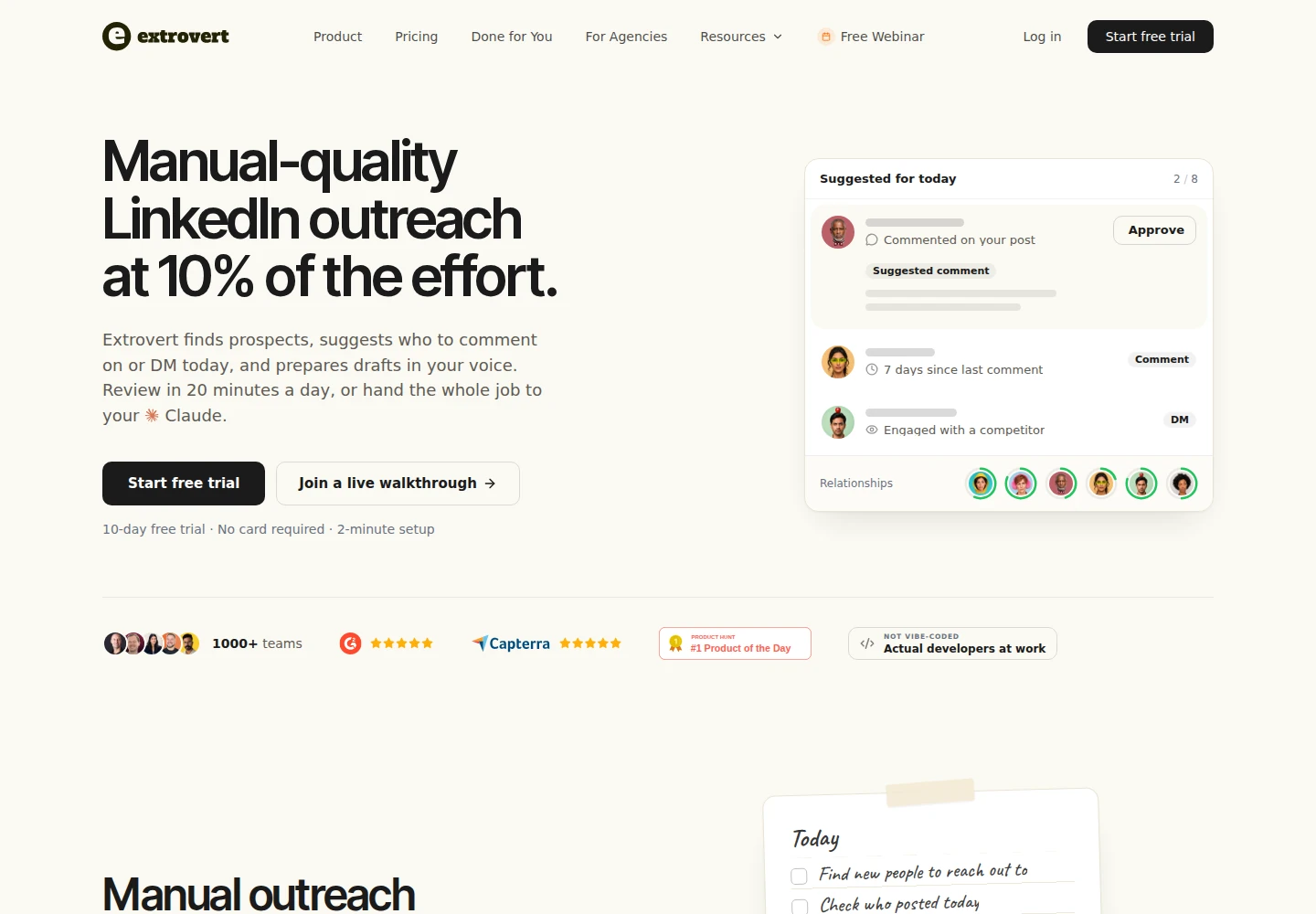
Choose a campaign strategy to decide which posts deserve attention. Extrovert can prioritize people you have not engaged recently, helping reps spread their attention across an account list. For SDRs selling on LinkedIn, that gives each comment a clear purpose.
Illustration: the posts a campaign found, sorted three ways. Newest posts, newest first: Just now, 20 min ago, 3 h ago, Yesterday. Closest to outreach, fewest comments left before outreach first: 1 left, 2 left, 3 left, 4 left. Evenly distribute, longest since your last comment first: 6 weeks ago, 3 weeks ago, Last week, Yesterday.
Newest posts
In a visibility campaign, the newest posts come first, so your comment goes up while people are still reading.
Closest to outreach
In a warm outreach campaign, the people who need only one or two more comments before you reach out come first, so you get to the first DM sooner.
Evenly distribute
In a nurturing campaign, the people you have not commented on for the longest come first, so nobody on the list is forgotten.


Drafts use your voice, and you can tell Extrovert how to change a comment before approving it. Review comments individually, approve a batch or enable Automatic Comments for selected campaigns. AI for LinkedIn comments explains the controls.
Recommended DMs show conversations due for attention with reasons and drafts; send or snooze them. Conversation Restarters can tie a new DM to a prospect's post. The CRM keeps the deal record, while Extrovert supplies context for the next interaction.
Illustration: the DM workspace on its Recommended tab, 5 conversations due for a message today, each with its reason. Connected 2 days ago: First DM. No reply for 9 days: Follow-up. New role at their company: Restarter signal. Promised a call 2 weeks ago: Follow-up. Quiet for 3 months: Keep in touch. The first one is open, with the first DM drafted and the buttons Send and Snooze.


API, webhooks and Claude/ChatGPT access through MCP support custom handoffs. Agent actions depend on granted permissions. Check the data flow and required setup for your CRM.
Pricing: $49 per connected LinkedIn account per month, monthly. Each seat includes all features, 250 tracked prospects, one topic and 300 monthly discovery Credits, pooled across the team. Non-connected teammates are free; extra tracking costs more. Lead Finder uses one Credit per processed record, including duplicates, invalid records and records over the limit. Intent Signals costs vary by type. Included Credits reset without rollover, while purchased top-ups roll over. See Extrovert pricing.
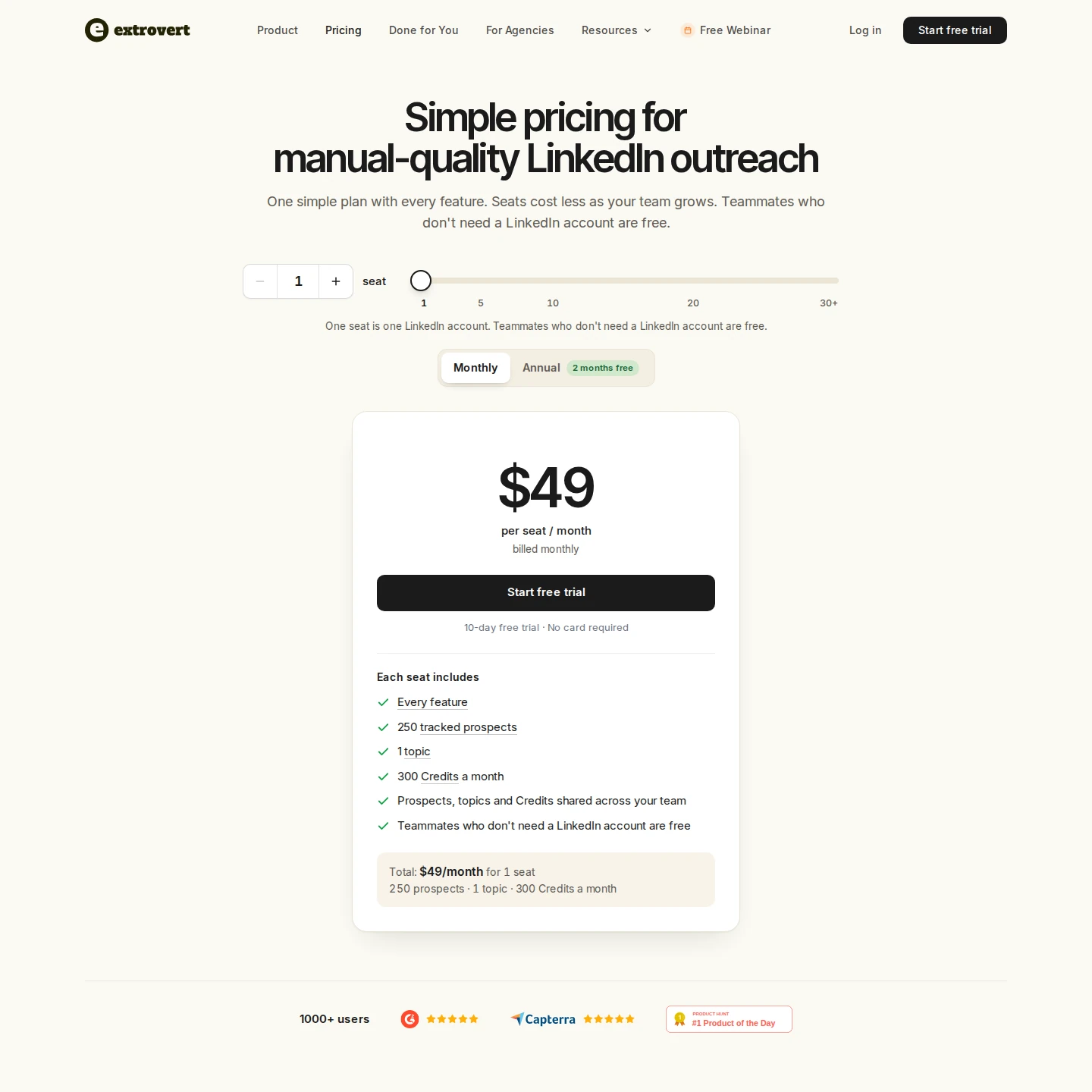
Product Hunt: 5.0/5 from 12 reviews. The trial lasts ten days without a card.
Best suited for: SDRs, AEs and founders building relationships with LinkedIn buyers. Use it alongside your CRM and email sender.
2. Taplio, best for LinkedIn publishing and audience engagement
Taplio combines LinkedIn post creation, scheduling and analytics with contact-list engagement. You can collect people in Custom lists, open their posts in Engage and write a reply or use Smart Reply. Its four reply styles include adding value, congratulating, agreeing and disagreeing.
That combination connects the posts you publish with the people you want to engage. The feed normally updates in 30–60 minutes, though updates can take longer. Taplio also has voice settings, so its engagement tools go beyond a generic writing box.
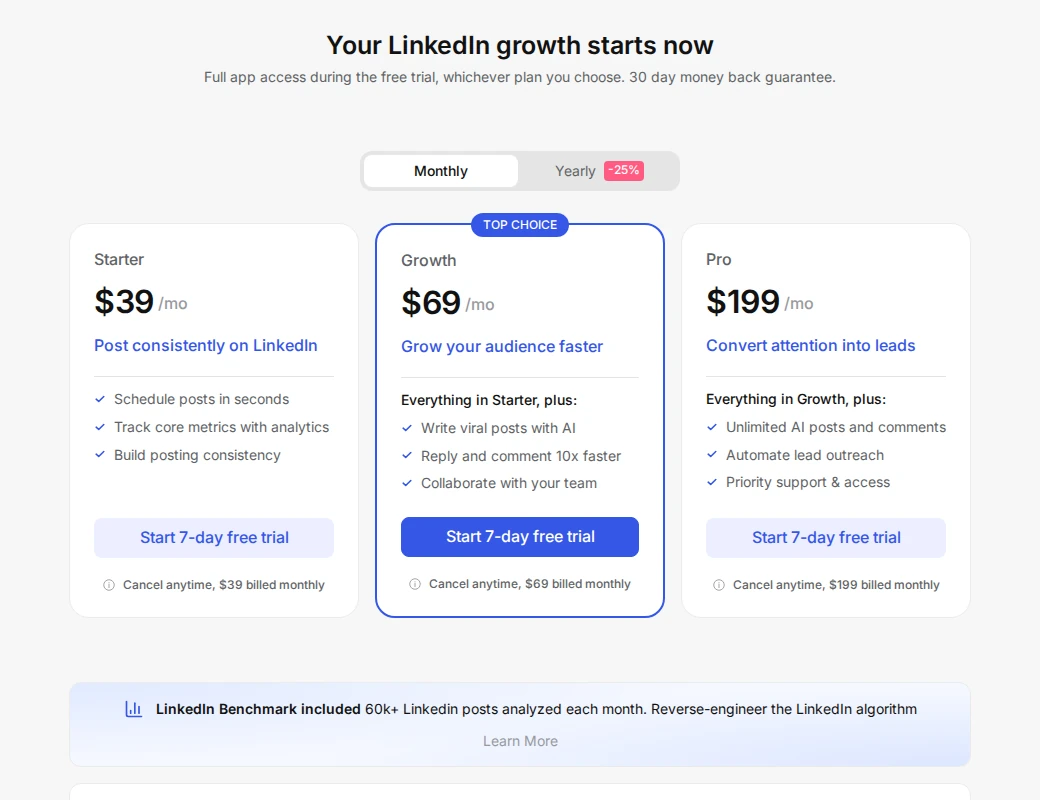
Pricing: Starter is $39 per account per month, monthly, for publishing and core analytics; it excludes AI writing and Engage. Growth is $69 monthly and adds those tools. It includes 250 Expert-mode AI credits, then unlimited Faster mode, plus a separate 500-credit comment/reply allowance each month. Pro is $199 monthly; annual subscriptions have lower monthly equivalents. Separate personal profiles need separate licenses.
MCP V2 can draft comments and queue work for confirmation. Higher-tier automatic outreach has different controls from individual draft approval. Match the required action to the plan rather than treating every feature as included in Starter.
Trustpilot rates Taplio 3.6/5 from 20 reviews. Some reviewers question billing clarity and value. Its trial help requires a card and says billing begins after seven days or when the trial AI cap is reached, whichever comes first.
Best suited for: People combining a regular LinkedIn publishing schedule with audience engagement. For tracked-prospect follow-up, compare that workflow with Extrovert's engagement tools.
3. Albato, best for no-code sales-stack automation
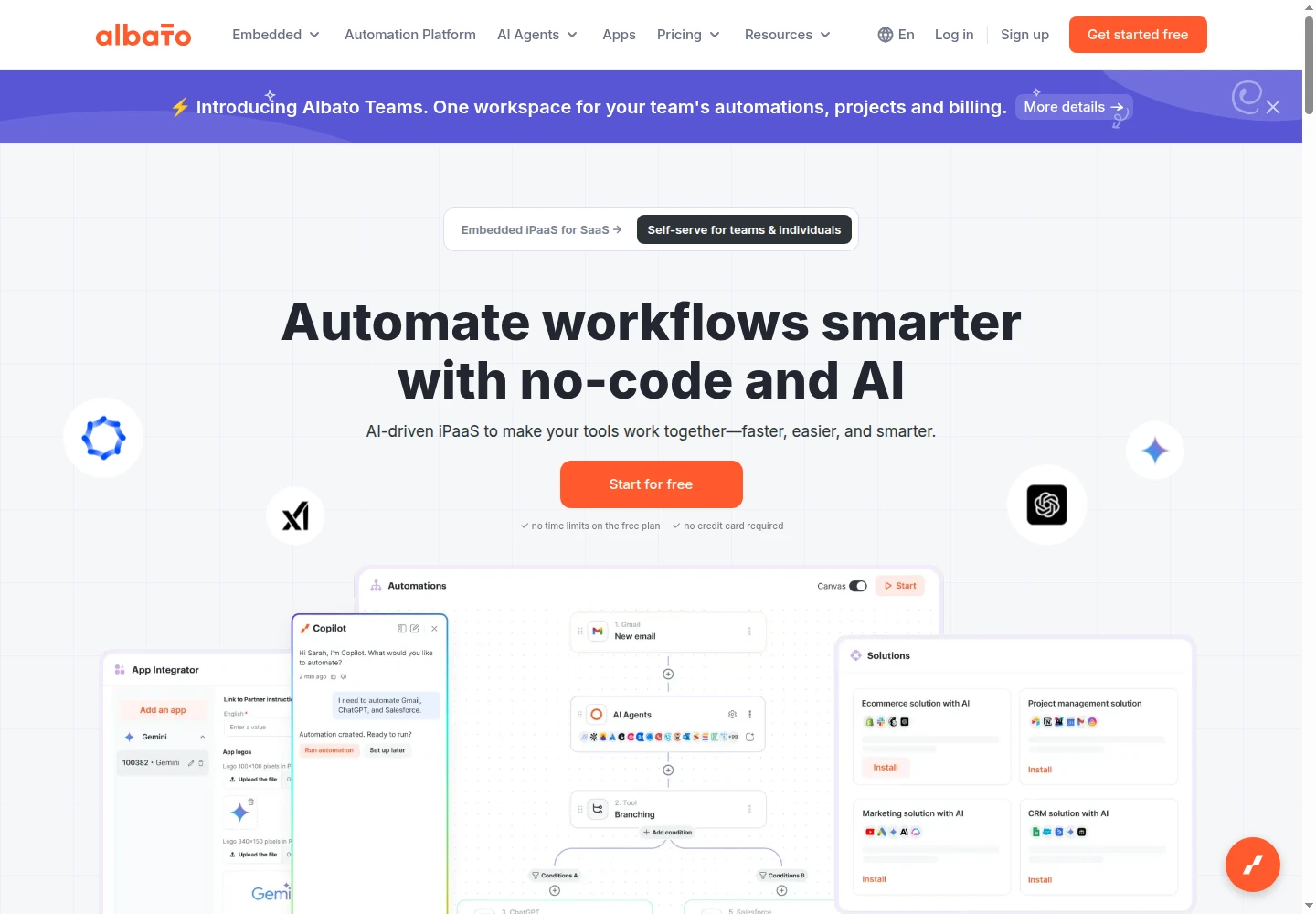
Albato's self-serve automation platform and workflow builder.
Albato is a no-code automation and integration platform that connects the apps a sales team already uses. It moves leads, contacts and deal updates between CRMs, outreach tools, forms and messengers without developers, so reps spend less time on manual copy-paste and follow-ups don't get lost.
Pricing: Pro starts at $22 per month, billed monthly, with 1,000 transactions. A free plan is also available.
Build a flow around a trigger, map fields and add actions or filters. Albato lists 1,000+ apps and 20+ tools, with documented examples such as sending Typeform leads to HubSpot. Check the exact trigger and action you need; an app connection does not include every operation.
Pro includes one seat and unlimited automations. Each successful step after the trigger consumes a transaction, so a multi-step lead flow can use several. Additional transactions are billed automatically at a higher unit price. Free includes 100 monthly transactions and five active two-step automations; Teams adds shared access from $93 monthly with five seats and 5,000 transactions.
TrustRadius lists 7/10 from two reviews and ratings. Capterra and AppSumo reviewers describe a learning curve around custom requests and debugging.
Best suited for: Sales operations teams connecting existing applications without custom development. Start with one specific handoff and count its successful steps before choosing a transaction allowance.
4. LinkedIn Sales Navigator, best for lead and account discovery
Sales Navigator provides LinkedIn-native prospect search, saved lists, alerts and InMail. More than 50 filters help you narrow the people and accounts you want to reach. You can save up to 10,000 leads per user, with 1,000 leads in each list, then watch for changes worth a conversation.
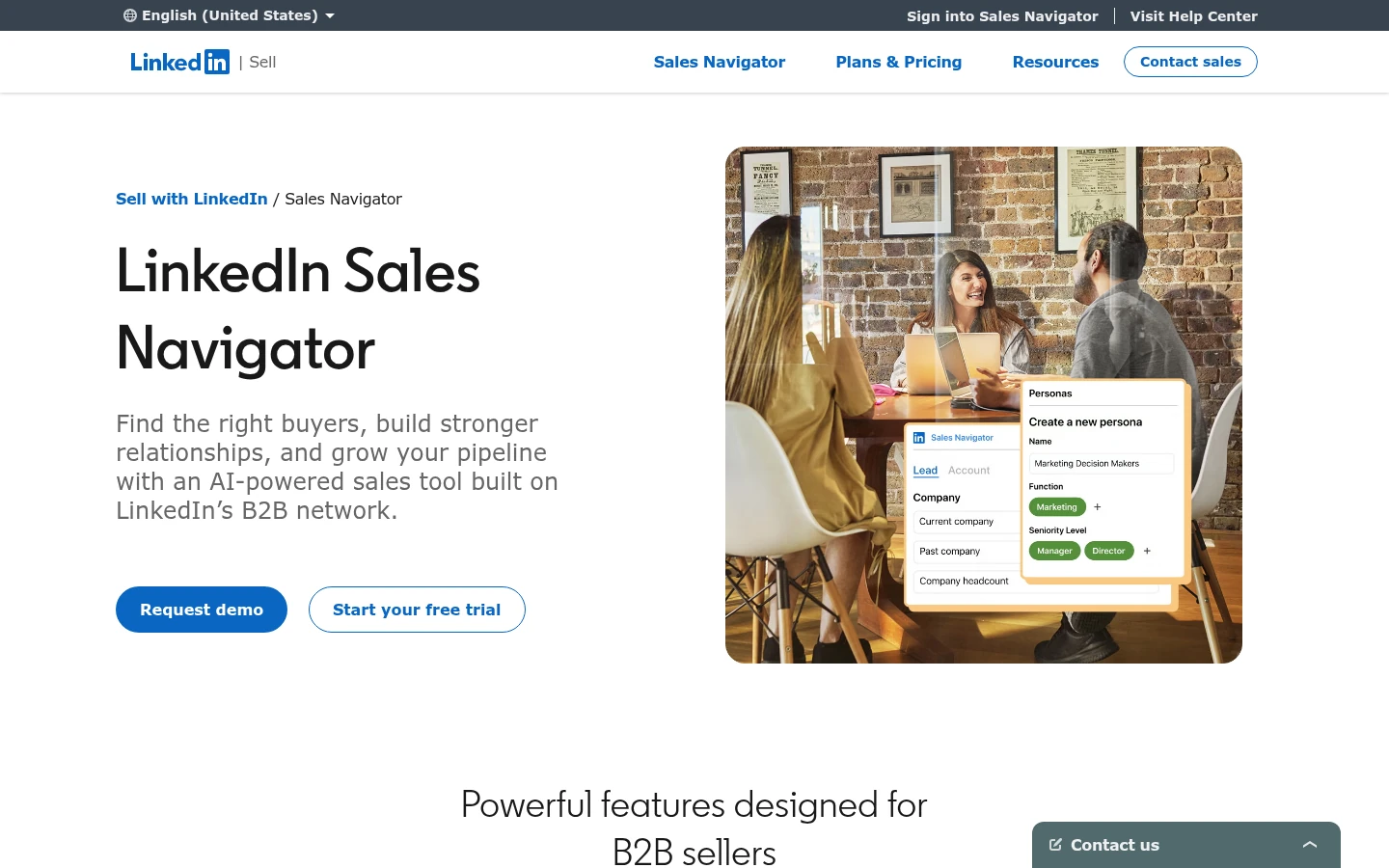
All three plans include 50 InMail credits per user each month and Relationship Map. Advanced and Advanced Plus add Buyer Intent, shared lists, CSV uploads, TeamLink and Smart Links. These tools help a team research an account and find a route to the people inside it.
Pricing: US Core starts at $119.99 per license per month, monthly, or $1,079.88 per year. Advanced starts at $159.99 monthly or $1,799.88 annually. Advanced Plus requires a quote; region and tax affect checkout.
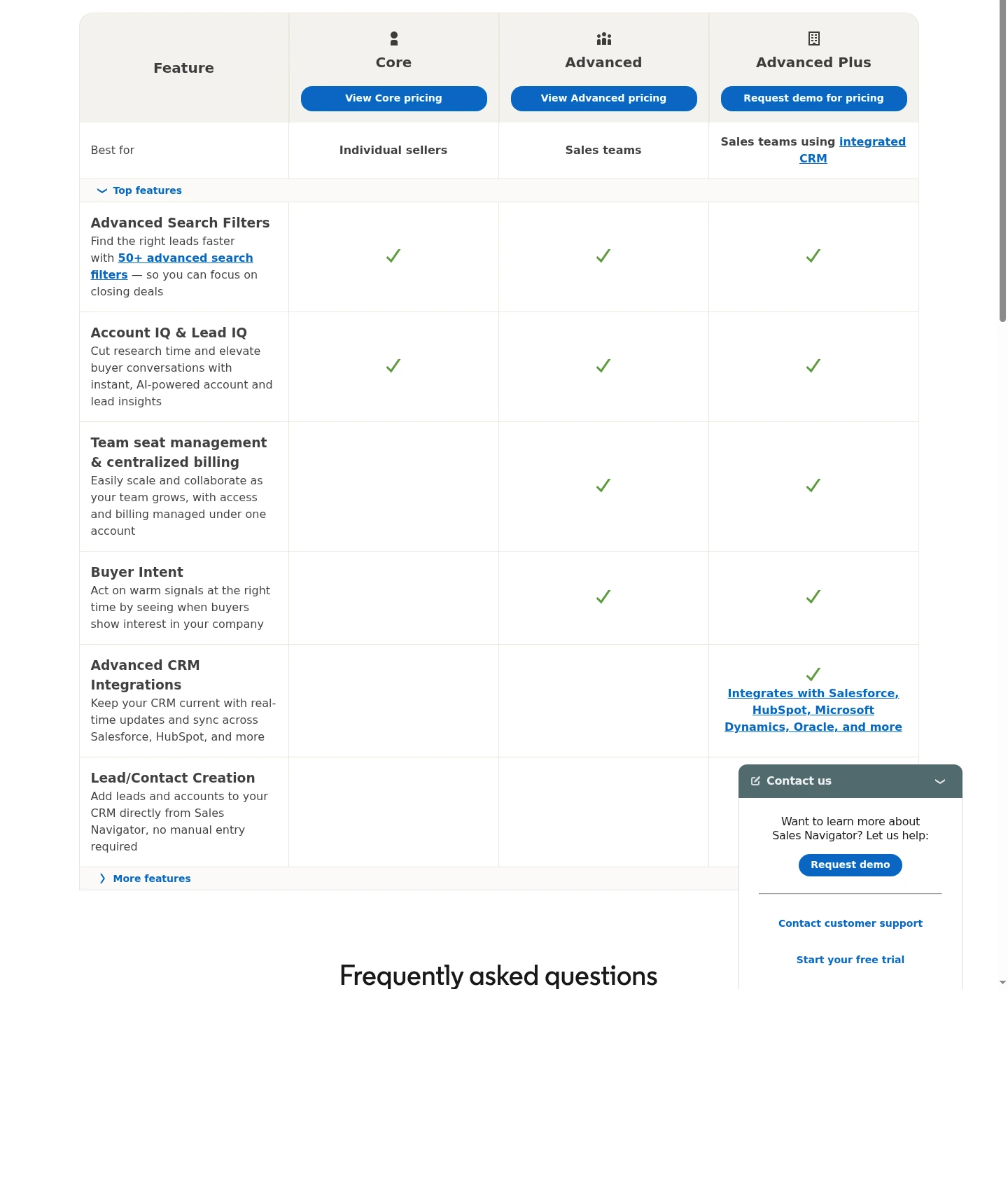
Full CRM Sync requires Advanced Plus. It supports two-way handoffs with systems including HubSpot, Salesforce, Microsoft Dynamics 365 and Oracle Sales. Check the specific CRM setup rather than buying Core and expecting the same connection.
SourceForge lists 4.2/5 from five reviews and ratings dated 2020–2023. More recent Capterra reviewers mention price and switching between Sales Navigator and LinkedIn messaging. Eligible Core and Advanced trials last one month, require a payment method and renew into a paid subscription.
Best suited for: Sellers building named lead and account lists from LinkedIn's native data. Use Extrovert alongside Sales Navigator to connect discovery with ongoing prospect engagement.
5. Apollo, best for contact data and outbound execution
Apollo combines people and account data with enrichment, email sequences, calling, meeting booking and lead management. It helps reps move from a filtered list to an outreach routine in the same application. LinkedIn steps are manual tasks: the rep visits LinkedIn, acts and marks the task complete.
Pricing: Basic is $49 per seat per month on annual billing, or $65 monthly. Professional is $79 per seat per month annually, or $99 monthly. Organization starts at $119 on annual billing with a three-seat minimum. Annual plans require a year paid upfront. Free includes 75 Credits a month and two sequences per team.
Basic includes unlimited sequences, five workflows per team and one mailbox per user. Its 30,000 annual Credits arrive upfront; monthly Basic supplies 2,500 per month. A verified email costs one Credit and a phone number eight, so the allowance is not a count of complete contacts. Credits expire without rollover.
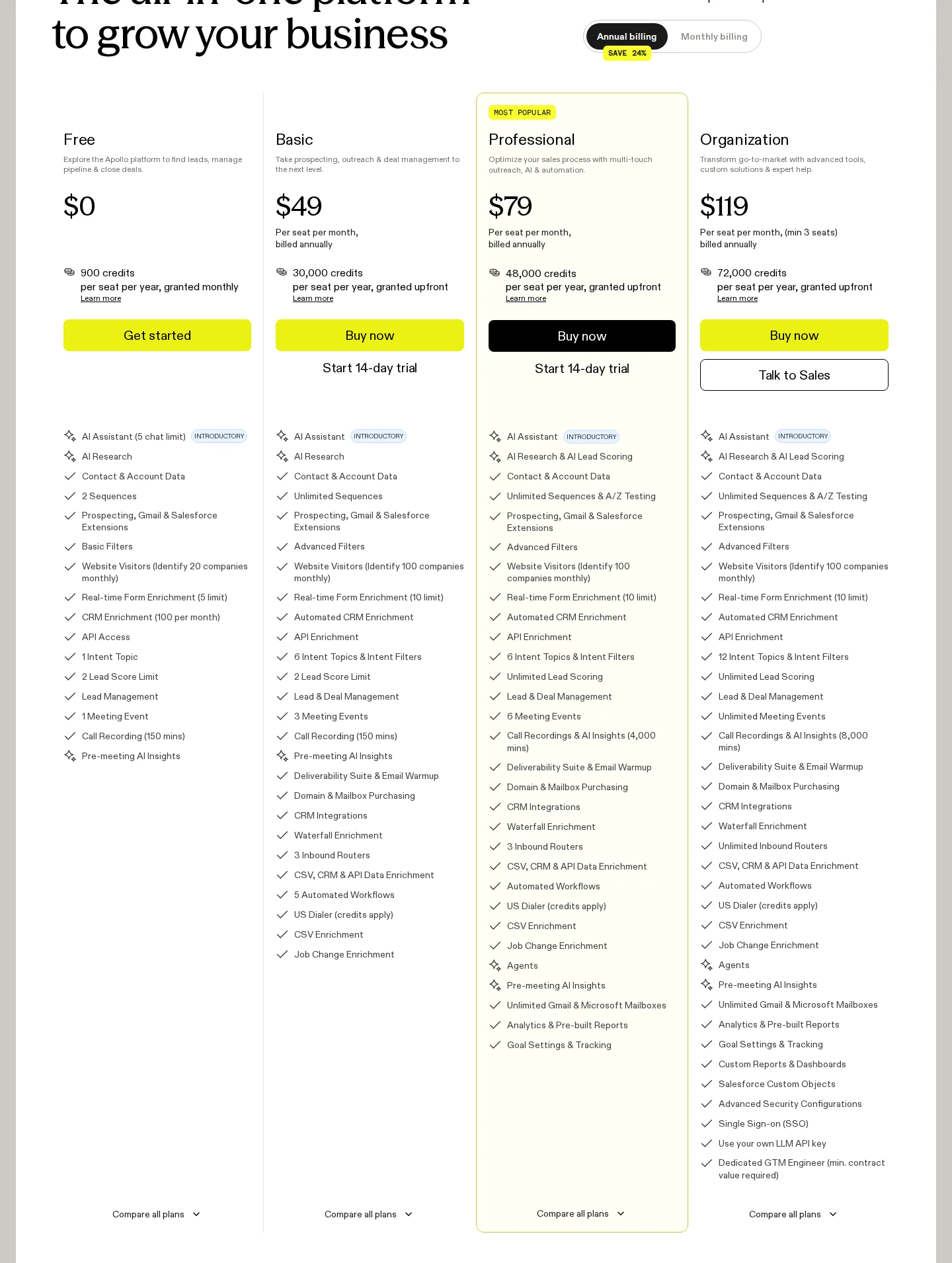
Basic includes CRM integrations, but only one CRM can be connected. Pipedrive transfers contacts and accounts, not emails, calls, meetings, tasks, notes or sequence activity. Confirm the handoff your reps need before planning around it.
Advanced Dialer costs an additional $119 per team per month annually, or $149 monthly. Basic and Professional offer 14-day trials with 75 Credits.
Trustpilot rates Apollo 3.1/5 from 1,378 reviews. Capterra reviewers mention outdated contacts, credit budgeting and a busy interface.
Best suited for: Teams combining contact research with email and calling work. For a deeper data-workflow comparison, see the B2B prospecting tools guide.
6. Clay, best for enrichment and prospect research workflows
Clay helps an operations team build a repeatable process for finding and checking prospect data. An email waterfall tries providers in sequence until a result meets your settings. Claygent adds web research, and configured rules can qualify records and route them toward outreach.
The work happens in tables, with unlimited seats and tables across plans. Free includes 500 Actions and 100 Data Credits each month, with 200 rows per table. Launch adds larger tables, phone enrichment, scheduled work, signals and native email campaigns.
Pricing: Launch starts at $185 per workspace per month, monthly, or a displayed $167 monthly equivalent annually. Its entry allowance is 15,000 Actions and 2,500 Data Credits per month; the annual package supplies 180,000 and 30,000 respectively. Growth starts at $495 per month, or a $446 monthly equivalent annually, with higher allowances. CRM auto-sync, external HTTP integrations and webhook automation require Growth.
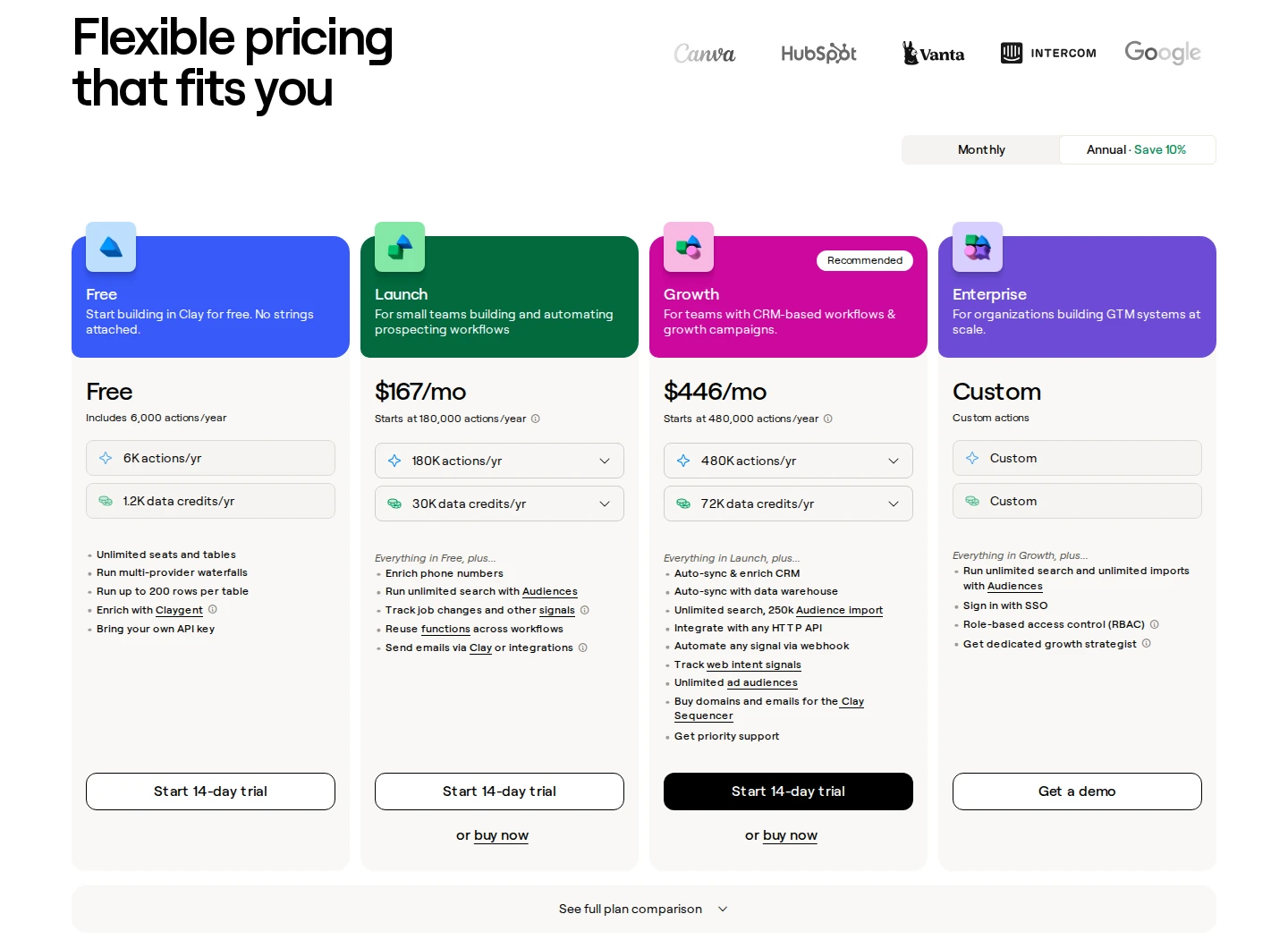
Actions pay for platform work; Data Credits pay for sourced data and certain AI work. Using your own provider key avoids that provider's Clay Data Credit charge, but still uses Actions and your provider subscription. Actions do not roll over; monthly Data Credits can accumulate up to twice the monthly allowance. Data Credit top-ups cost a 30% premium.
Trustpilot rates Clay 2.8/5 from 26 reviews. Reviewers mention setup effort, credit-spend visibility and debugging. The trial lasts 14 days with 1,000 Data Credits and excludes phone enrichment.
Best suited for: Operations teams that want to define their own enrichment and research process. Budget time for provider settings, workflow construction and checking the resulting records.
7. ZoomInfo, best for contact and account intelligence
ZoomInfo helps a sales team research target companies, find the people inside them and pass contact data into sales work. Its Sales offering includes business email, direct-dial and mobile numbers, company information and buying signals. That makes data coverage and the next handoff central to the purchase.
ZoomInfo also promotes Person-Level Intent within accounts showing research activity, adding role and buying-context information. Use a signal to prioritize research and a relevant conversation. It does not establish that every named person is ready to buy.
Pricing: Custom quote. Confirm the applications, data access, export allowance, users and contract term included in that quote. Payment frequency and the right to cancel are separate conditions.
Professional lists HubSpot and Salesforce integrations. Copilot Advanced adds intent, workflows and exports to Outreach or Salesloft; Enterprise adds custom integrations and more advanced workflows. The ZoomInfo–Salesloft connection serves joint customers, so include both subscriptions and the required configuration in your plan.
An exported contact or company profile uses one credit under the pricing page's export model. Get the allowance for your chosen package rather than treating access to a database as unlimited exporting. The full-platform trial typically lasts seven days, needs no card and ends automatically, with terms varying by offer.
Capterra rates ZoomInfo Sales 4.1/5 from 322 reviews. Reviewers describe regional coverage gaps, stale roles or phone details, and cost concerns.
Best suited for: Teams researching named accounts and buying committees at scale. Sample the regions, roles and fields your reps need before agreeing to the data package.
8. lemlist, best for email and multichannel outreach
lemlist connects prospect lists, enrichment, personalized sequences and reply handling. You can import from CSV or CRM, prepare a campaign and choose how it reacts to replies or clicks. Those controls can continue, pause or end a lead's sequence rather than applying one rule to every campaign.
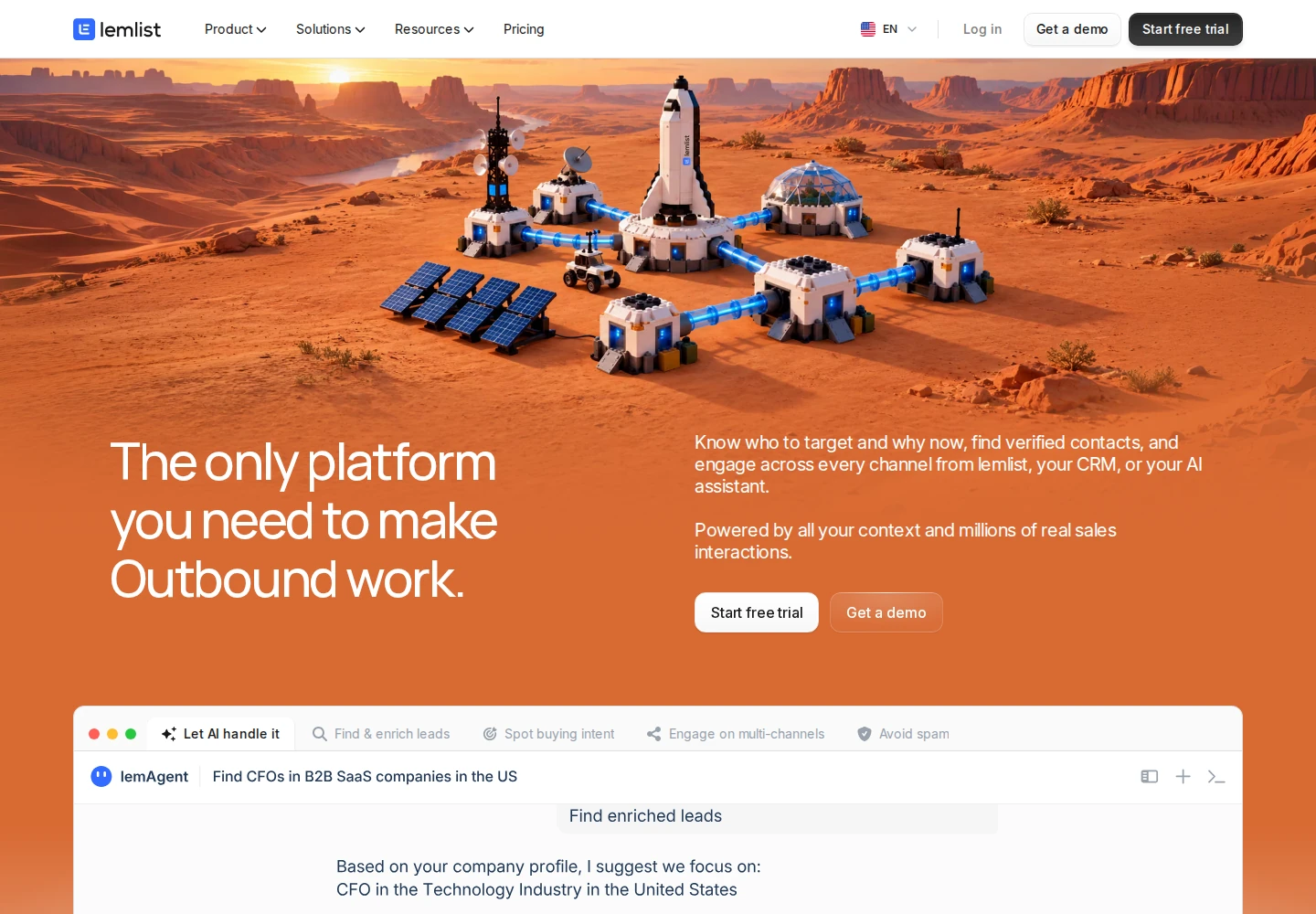
Pricing: Email starts at $69 per workspace per month, monthly, or $55 per month with yearly billing. The entry configuration covers 50,000 team emails a month with unlimited users and senders. Multichannel starts at $109 per user per month, monthly, or $87 per user per month with yearly billing. It includes five sender addresses belonging to that user, 400 calling minutes and 400 Credits per month.
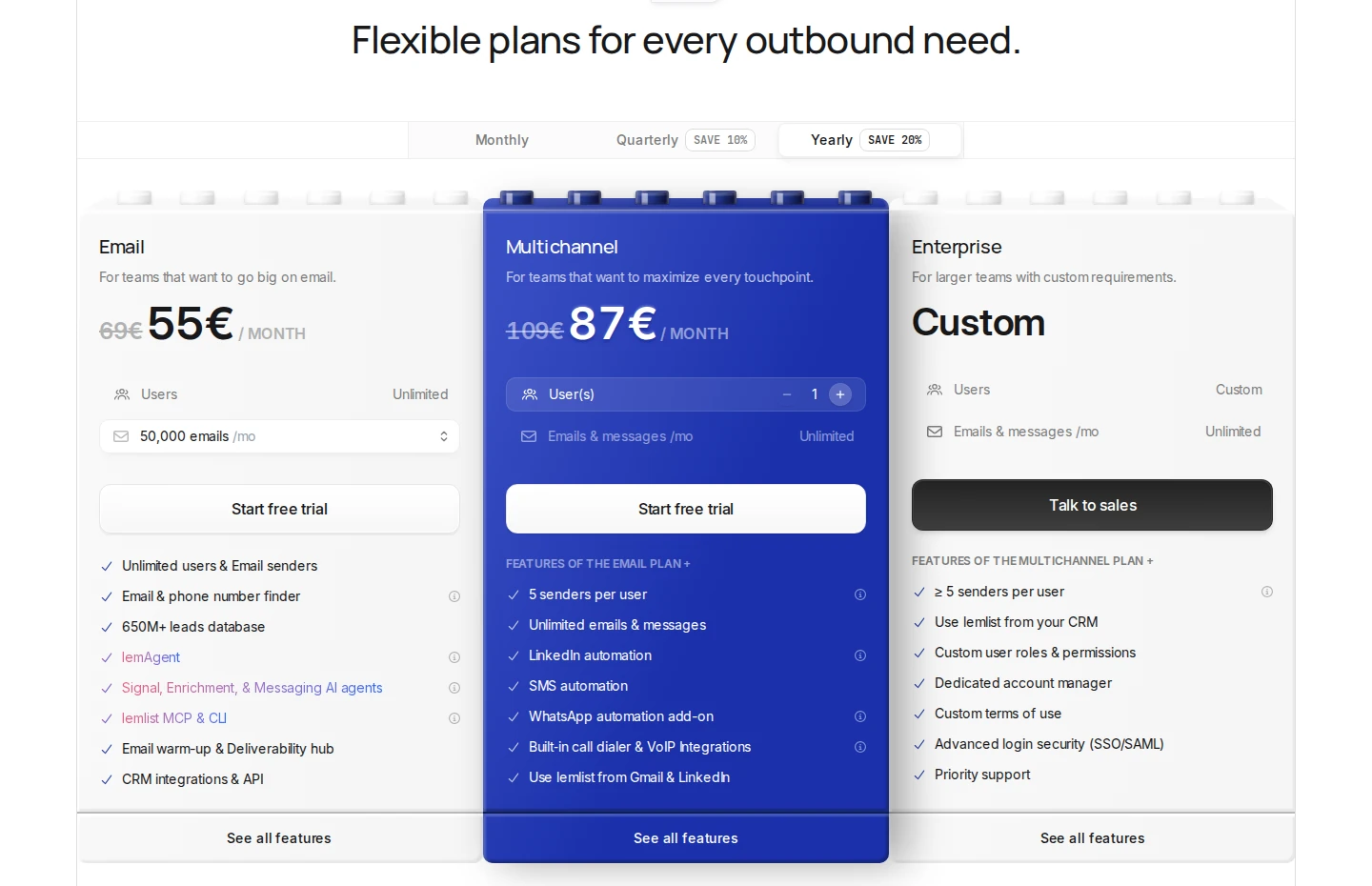
Official pricing section; EUR regional pricing with yearly billing shown; the US-dollar prices above use US packaging. Open the image for full size.
Multichannel adds LinkedIn actions and in-app calls. SMS uses Credits, and WhatsApp is a paid add-on. Email has no included enrichment Credits; a verified email costs five Credits and a phone number 20. Add data usage to the campaign budget.
HubSpot, Salesforce, Pipedrive and API access start with Email. Working inside the CRM interface is an Enterprise feature. API, CLI and MCP also support agent-led workflows; the required campaign and sending controls still apply.
The standard Multichannel trial lasts 14 days without a card, with 200 Credits and up to 50 emails a day. It excludes warmup and calling; Email itself has no trial.
TrustRadius lists 8.3/10 from 23 reviews and ratings. Reviewers on TrustRadius, G2 and Trustpilot mention cost, campaign complexity and CRM-sync issues.
Best suited for: Teams coordinating personalized email and multichannel campaigns. Compare lemlist alternatives by workflow when your missing job is ongoing LinkedIn relationship work.
9. Dripify, best for LinkedIn and email sequences
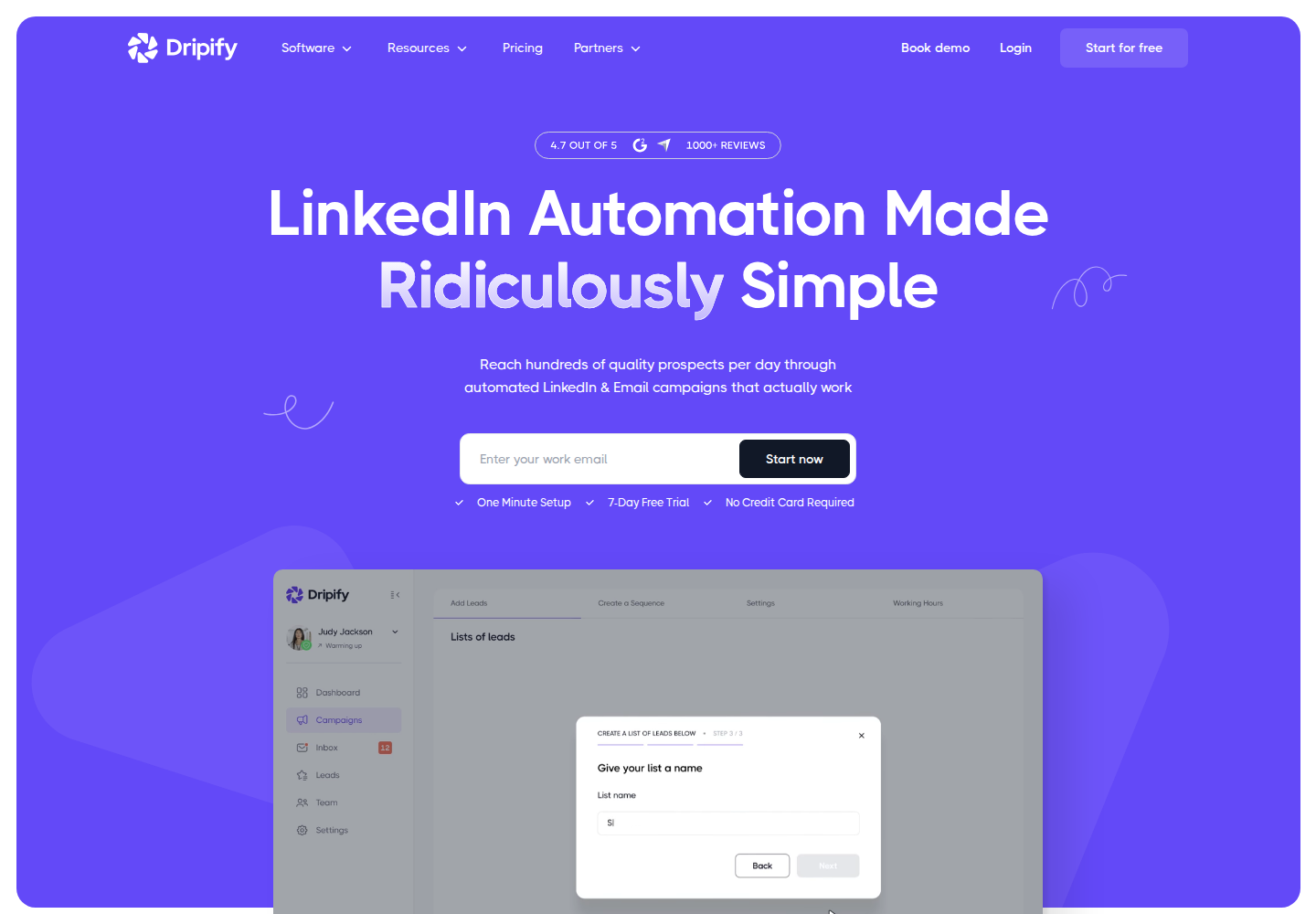
Dripify: official product positioning. Open the image for full size.
Dripify uses campaign sequences with LinkedIn and email steps, delays, and conditions. It includes an email finder and campaign reporting. Pro includes a dedicated inbox, CSV export, webhooks, HubSpot integration, and an open API/MCP server; Advanced adds team management and further campaign features.
Pricing: Pro starts at $79 per user per month billed monthly, or a $59 monthly equivalent with annual billing. Advanced costs $99 monthly or a $79 annual equivalent. Both plans include unlimited campaigns and 100 email-finder Credits, with paid additions available. Enterprise is custom-priced. The trial lasts seven days without a card.
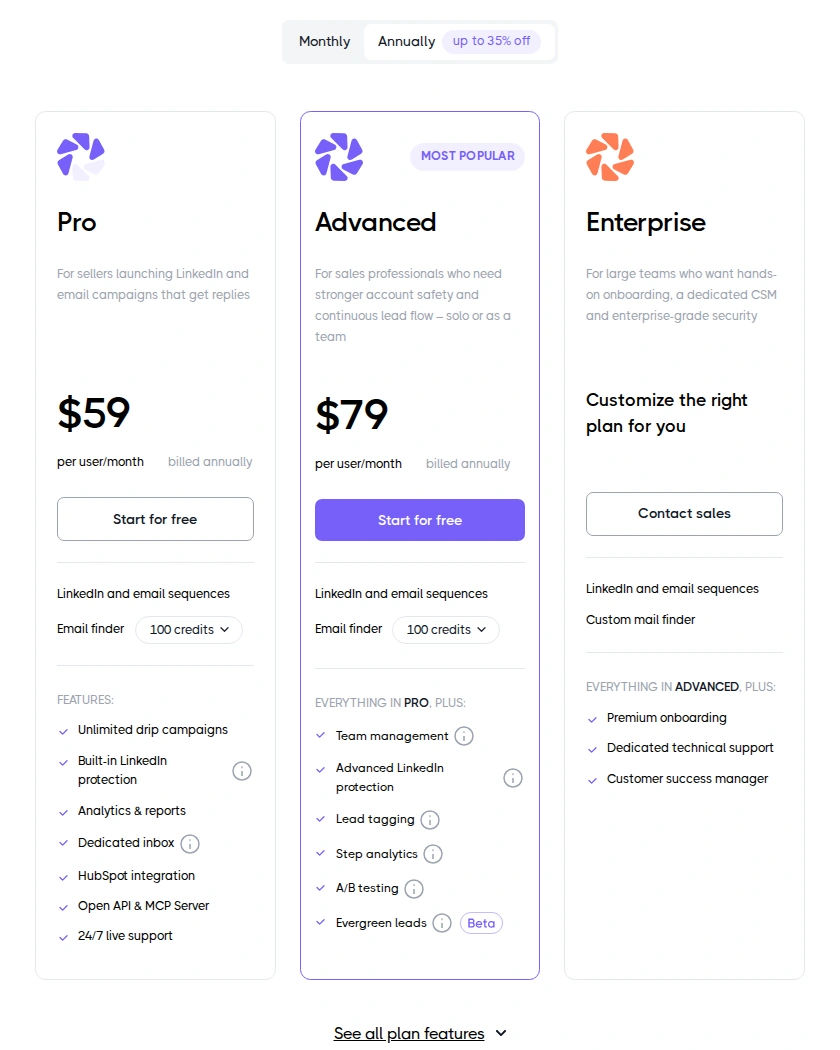
Official pricing section; billing context and plan allowances are shown. Open the image for full size.
Stack boundary: Both public paid plans include unlimited campaigns, but daily LinkedIn action limits still apply. Team management requires Advanced. Automated sequence actions are different from approving a contextual draft; neither a vendor's protection features nor manual review guarantees account safety.
G2 rates Dripify 4.5/5 from 354 reviews. G2 reviewers mention price, editing running sequences and organizing replies across campaigns. For a team workflow, decide who owns incoming prospect replies each day and which reps need the inbox, export and integration features included in Pro.
Best suited for: Sales teams using repeatable LinkedIn and email sequences for a defined prospect list. Choose the tier around reply handling, shared management and campaign analysis.
10. Salesloft, best for coordinated sales execution
Salesloft organizes rep outreach and the next action across a sales team. Cadence covers email, calls and social touchpoints, while Rhythm prioritizes work from buyer signals. Account agents can research companies, identify buyers and draft email; managers can connect that activity with conversation and deal review.
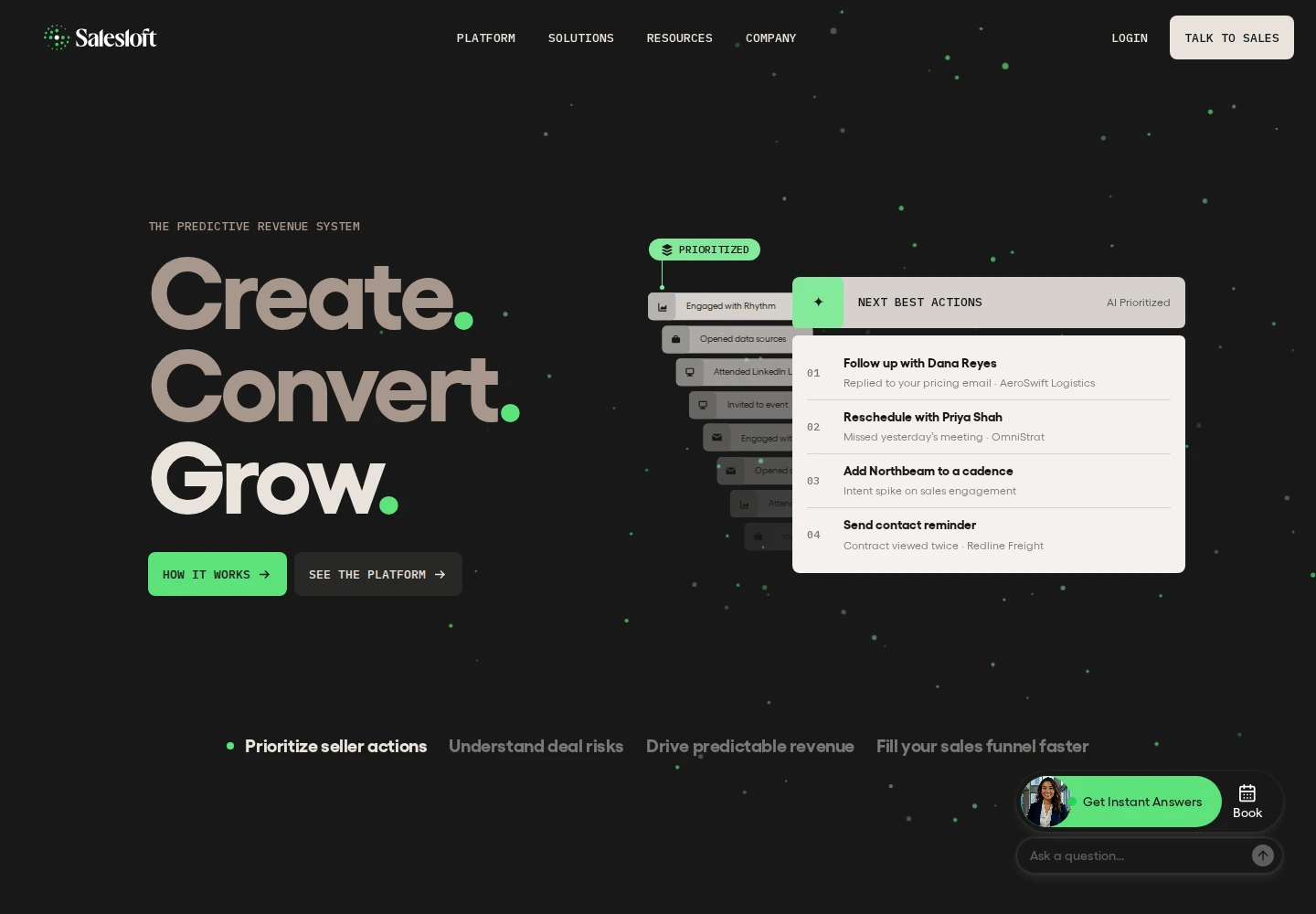
The current platform presents Cadence, Conversation Intelligence, Deals and Rhythm alongside Clari Forecast, Inspect and Analytics. Agents, MCP and shared data connect parts of that workflow. Check which modules the proposed package includes before comparing it with separate sequencing, call-analysis or forecasting subscriptions.
Pricing: Custom quote. The Order Form sets the initial term, fees and included products; there is no fixed public trial duration. Compare the full commitment with the payment schedule, particularly when a multi-year agreement is paid in annual installments.
Administrators can set a daily email cap between one and 1,000 per user. Email pacing can range from five to 120 seconds, with a documented 60-second default; the Loft It extension has separate treatment. These settings help define how the rep's campaign runs rather than removing mailbox constraints.
Salesforce sync covers Leads, Contacts, Accounts and Opportunities in both directions. HubSpot People and Accounts are two-way, while Opportunities move into Salesloft and Activities move out to HubSpot. Assign record ownership around those directions.
Trustpilot rates Salesloft 2.2/5 from 19 reviews. Reviewers describe dialer reliability, CRM-sync and contract-renewal concerns.
Best suited for: Revenue teams coordinating rep cadences with coaching and deal inspection. Confirm CRM coverage, purchased modules and implementation responsibilities as one buying decision.
11. Instantly, best for email outreach infrastructure
Instantly manages connected sending accounts, warmup, email campaigns and reply workflows. Its wider product family also includes lead data, AI Credits and a separate CRM. For this buying decision, start with the Outreach plan and add the other products only where the workflow needs them.
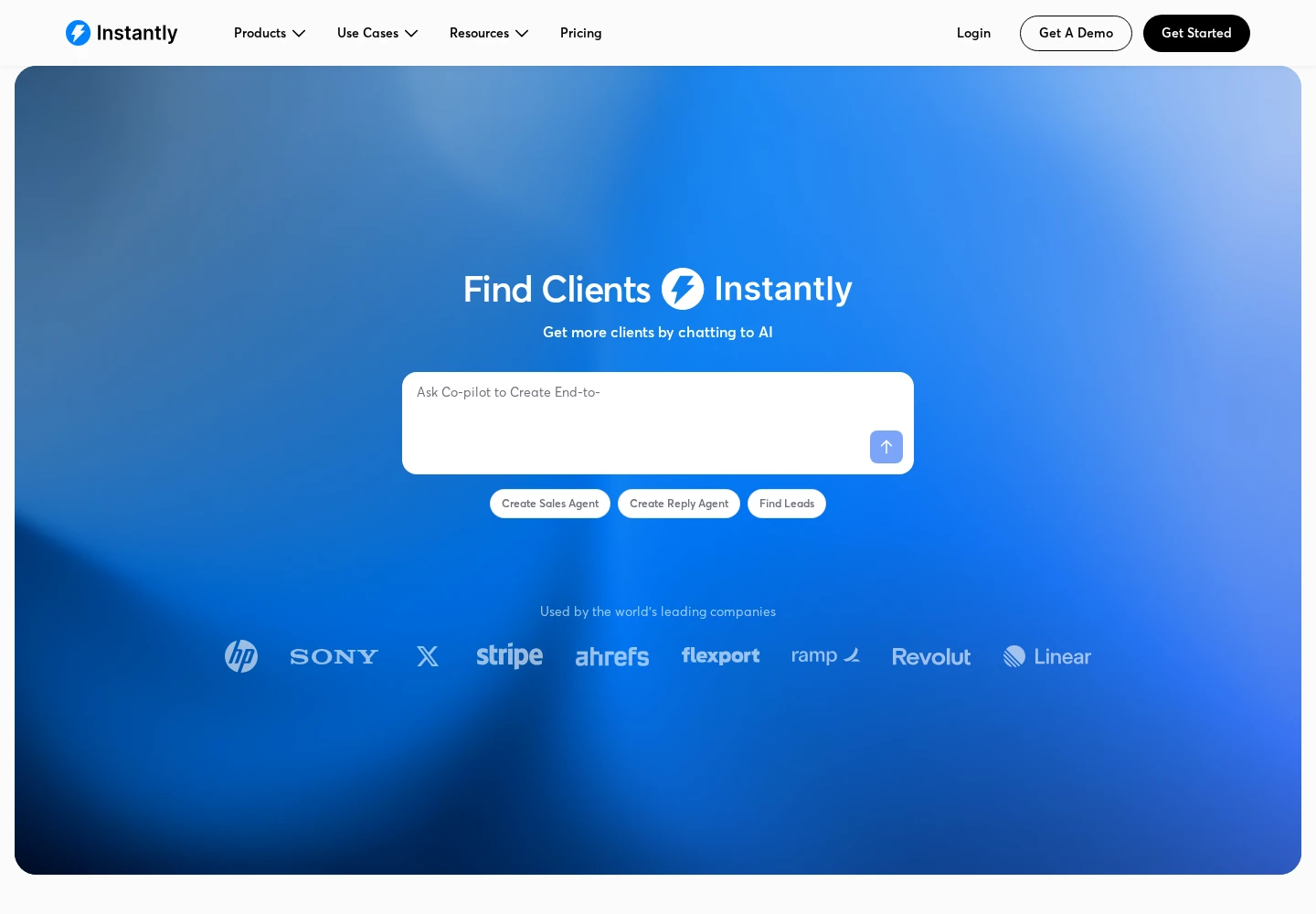
Pricing: Outreach Growth is $47 per workspace per month, monthly, with unlimited connected email accounts and warmup, 1,000 campaign-upload slots and 5,000 emails per month. The upload limit is fixed across the workspace, not a monthly allowance. Paused, draft and completed campaigns still count, as do duplicate uploads into different campaigns.
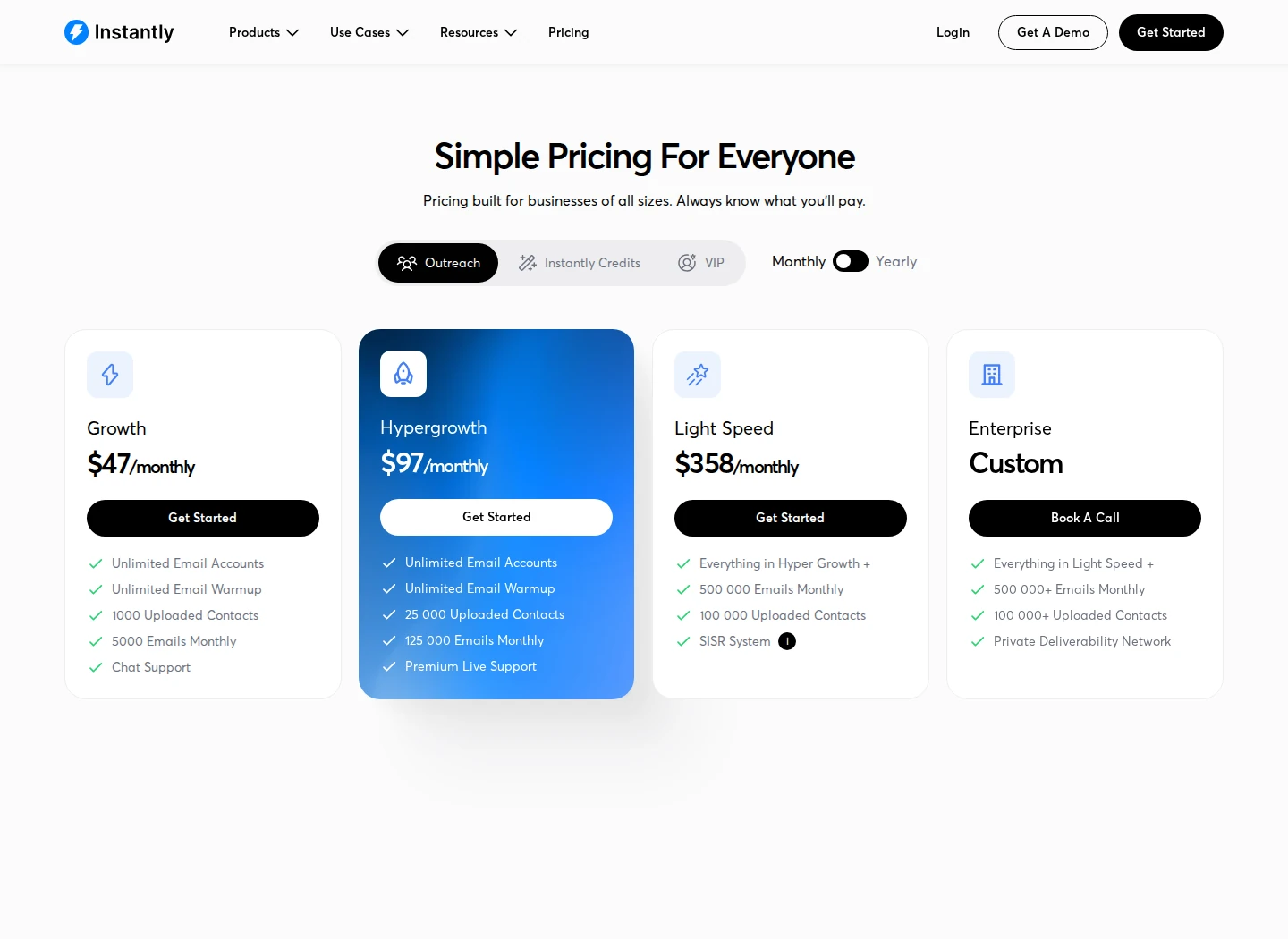
Hypergrowth is $97 monthly and adds Unibox replies, invited teammates, more workspaces, subsequences and webhooks. Growth includes API and Zapier, but only a Unibox preview. Check that distinction if several reps need to handle replies together.
Mailboxes, domains, Credits and CRM carry separate costs. The $94 monthly Starter bundle combines Growth Outreach with 1,500 monthly Credits; it does not turn every product into one unlimited subscription. For CRM activity logging, distinguish the relevant connector from a webhook service and its extra subscription.
The trial lasts 14 days without a card, with two connected accounts, 250 campaign leads and 1,000 emails. TrustRadius lists 7.9/10 from 12 reviews and ratings. G2 reviewers mention higher-tier feature gates, setup effort and reporting detail.
Best suited for: Teams operating email campaigns across several sending accounts. Price the contacts, sends, reply access, mailboxes and data your actual routine needs.
12. HubSpot Sales Hub, best for shared CRM records and sales follow-up
HubSpot connects contact, company and deal records with sales activity. Professional adds sequences, forecasting and conversation intelligence, so reps can organize follow-up around a shared customer record. Sales and marketing products can use those records while retaining separate subscriptions and limits.
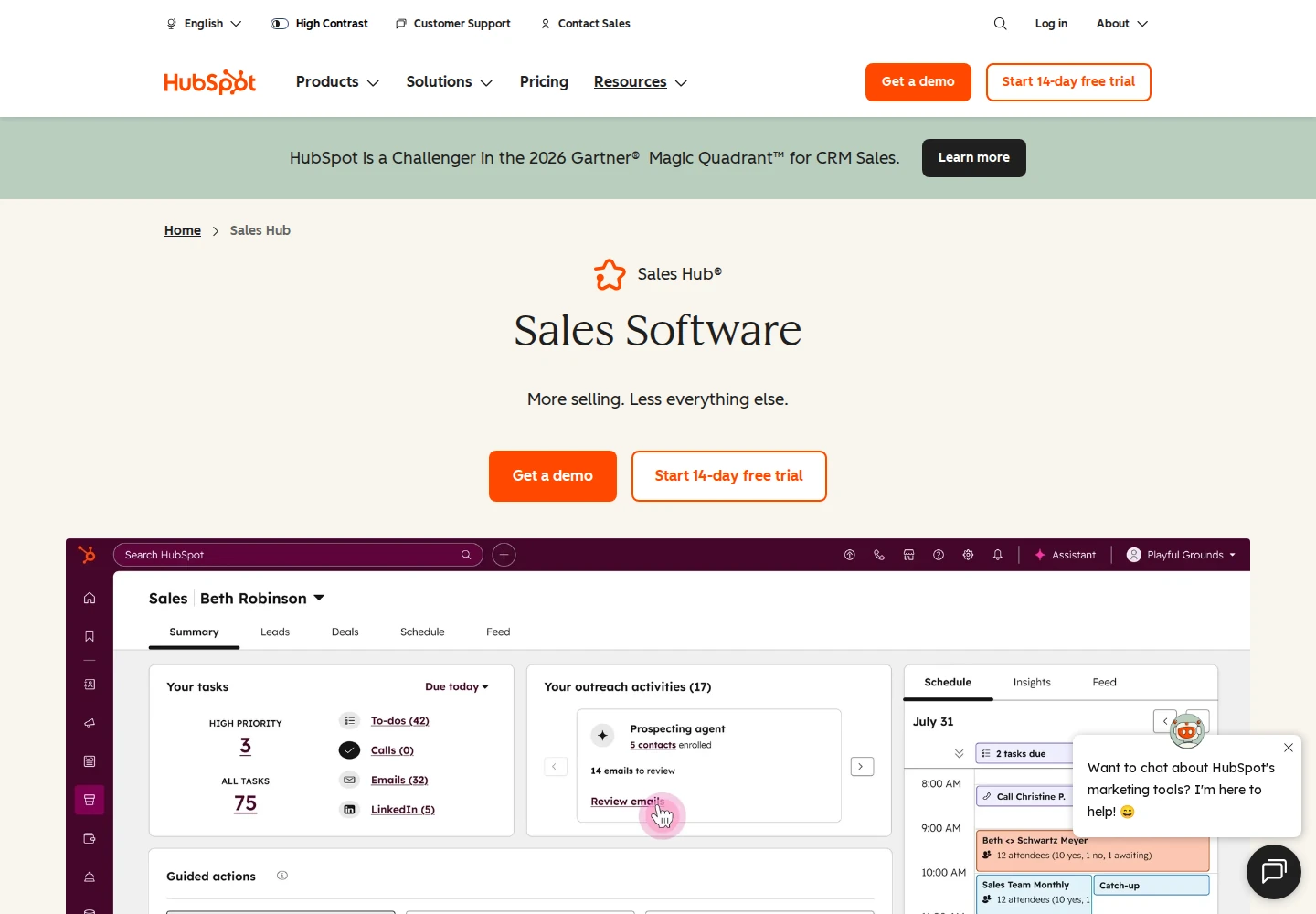
Sequences combine automated email with manual email, call and LinkedIn tasks. A LinkedIn connection or InMail task asks the rep to act; it is not an automatic LinkedIn send or prospect comment. Sequences use an individual connected work mailbox rather than the team inbox.
Pricing: US Sales Hub Professional starts at a $90 monthly equivalent per Sales seat, paid upfront annually, plus required $1,500 one-time onboarding. Enterprise starts at $150 per Sales seat per month annually, with $3,500 onboarding. A Core Seat alone does not supply the full Professional or Enterprise sales feature set. Free tools support up to two users; the paid-feature trial lasts 14 days.
Professional includes up to 5,000 sequences per account, 300 customizable workflows and 500 sequence emails per user in a rolling 24-hour period. Enterprise raises the sequence-email limit to 1,000; mailbox-provider and configured limits still apply.
Salesforce integration is available with Professional and Enterprise. Embedded Sales Navigator insights require an assigned Professional or Enterprise Sales seat plus Sales Navigator Advanced Plus; that display is separate from CRM Sync.
G2 rates HubSpot Sales Hub 4.4/5 from 14,368 reviews. Capterra reviewers mention rising costs, tier gates and workflow-setup effort.
Best suited for: Sales teams needing shared deal records and structured follow-up. Compare the required Sales seats, onboarding and other Hub subscriptions together.
13. Salesforce Sales, best for configurable sales processes
Salesforce organizes leads, accounts, contacts and opportunities around the sales process you define. Reps can follow qualification stages, record activities and move a qualified lead into a contact and opportunity. Administrators control the fields, permissions, automation and reporting that support that process.
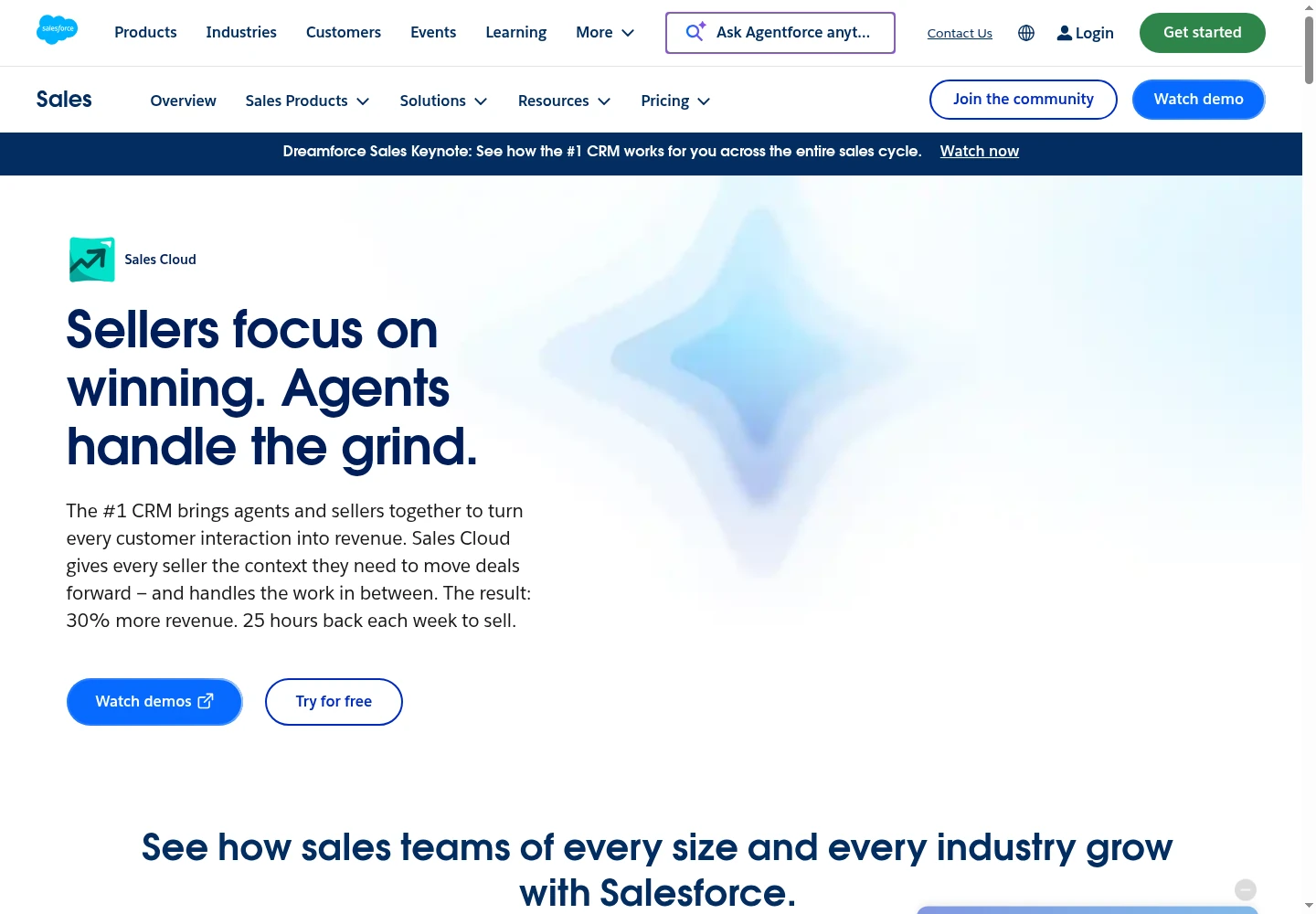
Starter includes built-in sales flows and email, event and contact sync. Pro adds quoting, forecasting and more customization. Core adds advanced pipeline and forecast management, opportunity scoring, conversation intelligence and APIs. Choose the edition around the work you need rather than assuming the entry subscription includes every sales application.
Pricing: Free Suite supports two users without a card or contract. US Starter is $25 per user per month, billed monthly or annually. Pro is $100 and Core is $195 per user per month, billed annually. A 30-day Sales Cloud trial is available without a card; its terms differ from the permanent free offering.
Pro includes five Flow Builder flows per organization. Web Services API access on Pro costs another $25 per user per month annually, while Core includes APIs. Sales Engagement cadences cost $50 per user per month annually. Add integrations, implementation and ongoing administration to the license budget.
G2 rates Agentforce Sales, formerly Sales Cloud, 4.4/5 from 27,576 reviews. G2 and Capterra reviewers mention expansion cost, setup effort and the learning curve for new reps.
Best suited for: Companies with a defined sales process and someone responsible for CRM administration. Scope the records, permissions and required integrations before choosing an edition.
14. Pipedrive, best for deals and next activities
Pipedrive organizes leads, deals, contacts and activities around a visual sales pipeline. Customize stages, connect each opportunity to its people and company, and make the next activity visible. It gives reps a practical way to keep deal follow-up organized in the CRM.
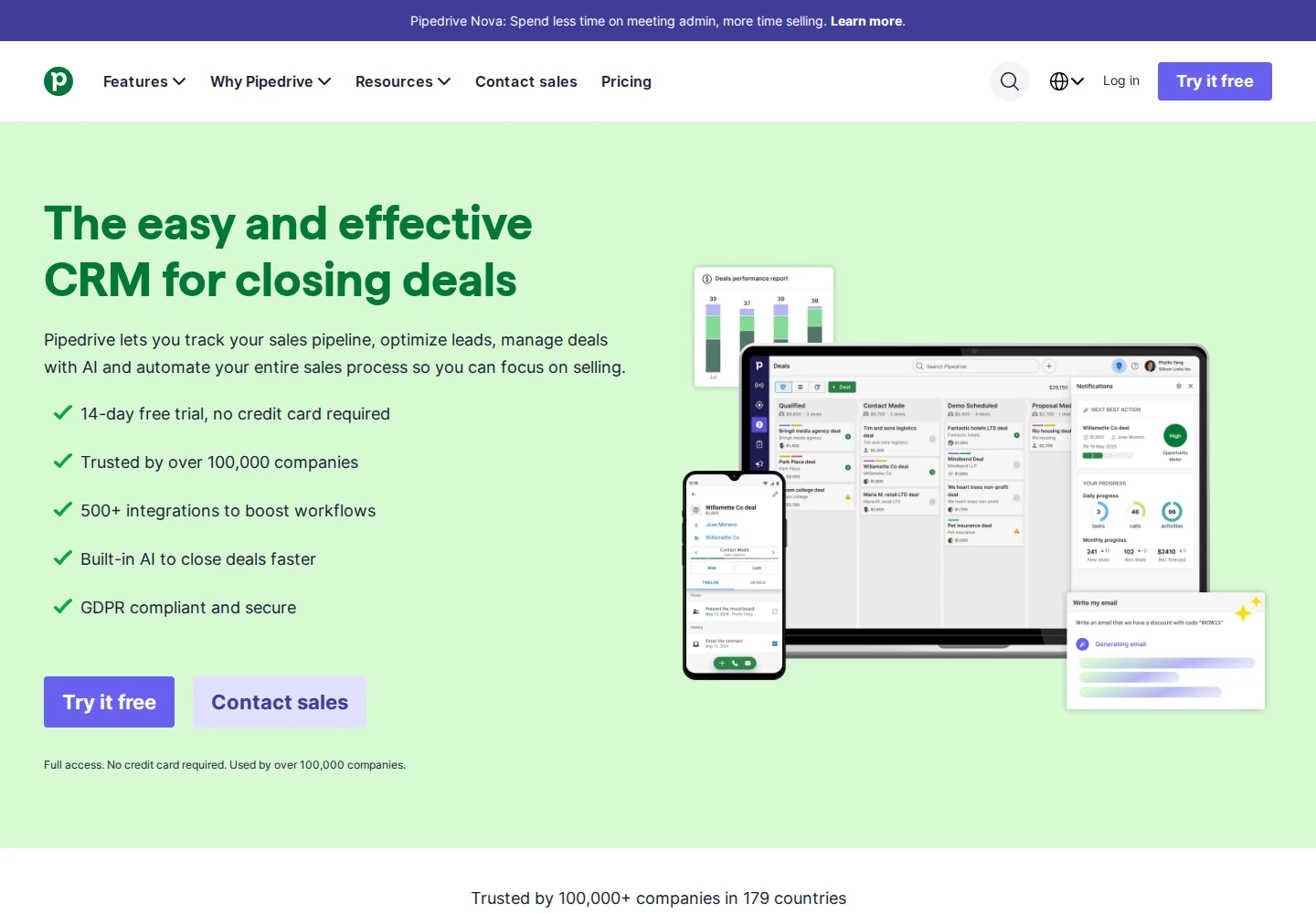
Growth adds full email sync, sequences, automations and meeting scheduling. It includes one synced email account per user, five sequences per company and 50 automations per company. A sequence can contain up to 15 steps and 500 enrolled leads or deals. Email steps can remain drafts or send automatically after authorization by each user for each sequence.
Pricing: US Lite is a $14 monthly equivalent per seat, paid as $168 per year. Growth is $39, Premium $59 and Ultimate $79 per seat per month on annual billing. The trial lasts 14 days without a card. Check taxes and the plan's add-ons when budgeting.
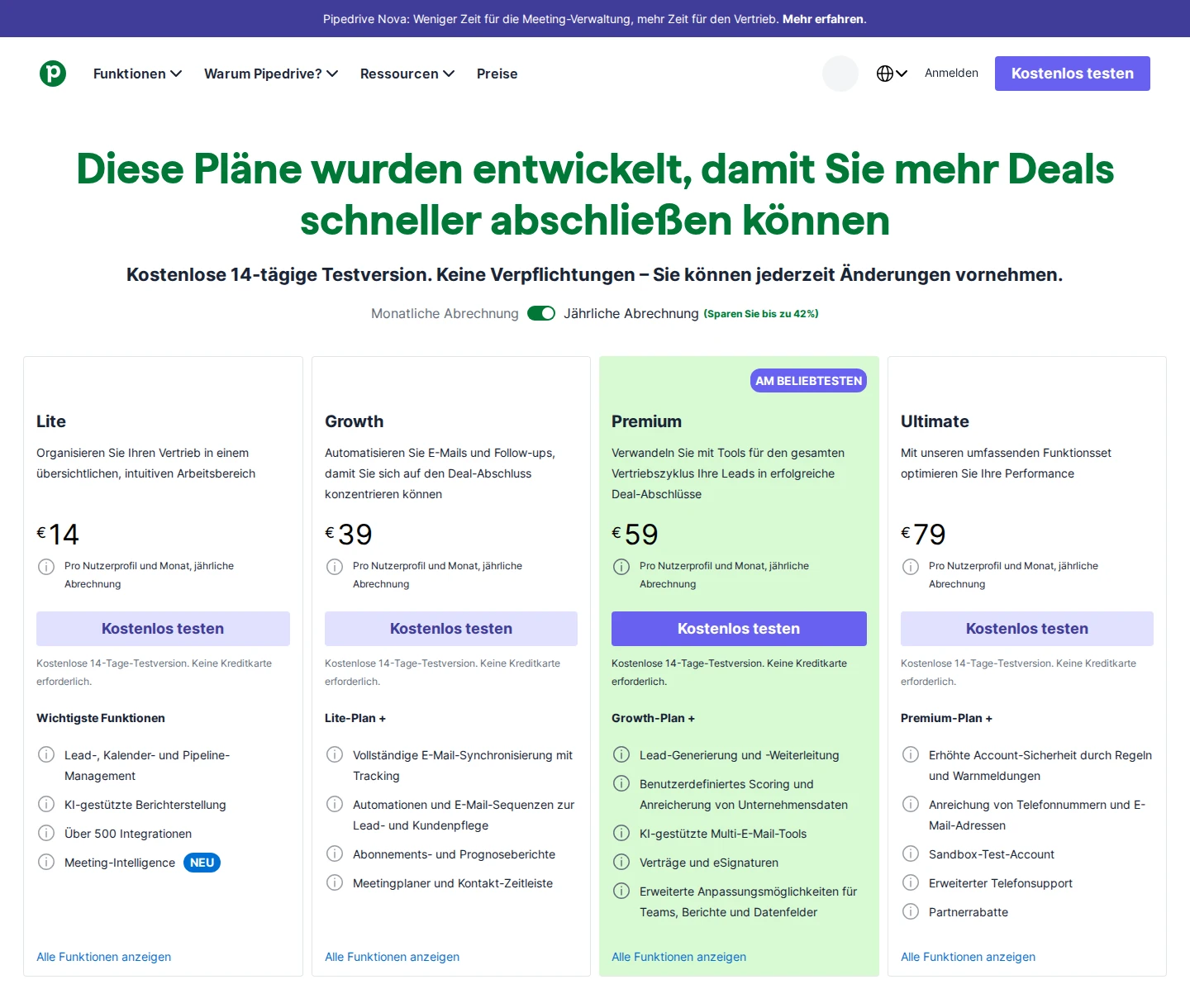
Official pricing section; German/EUR regional pricing shown; the US-dollar prices above are a separate regional price. Open the image for full size.
Growth allows 5,000 leads and deals per seat, with a company maximum of 300,000. Unarchived won and lost deals count too; contacts have no Pipedrive usage limit. Import/export, API and webhooks start with Lite, while full email sync requires Growth.
LeadBooster, Smart Docs and Projects cost extra on Lite and Growth and are included on Premium and Ultimate. Check those inclusions before adding separate lead-capture, document or project tools.
G2 rates Pipedrive 4.3/5 from 5,100 reviews. Reviewers mention advanced-plan costs and less detailed mobile analytics.
Best suited for: Reps managing deals around a clear next activity. Choose the tier for email, automation and shared access rather than treating Lite as the complete follow-up package.
15. Gong, best for conversation analysis and deal inspection
Gong connects recorded sales conversations with deal context, coaching and forecasting. Reps and managers can review transcripts and analysis, inspect opportunities and write selected findings into CRM fields. Its wider product family also includes outreach through Gong Engage, so the purchase covers more than call recording alone.
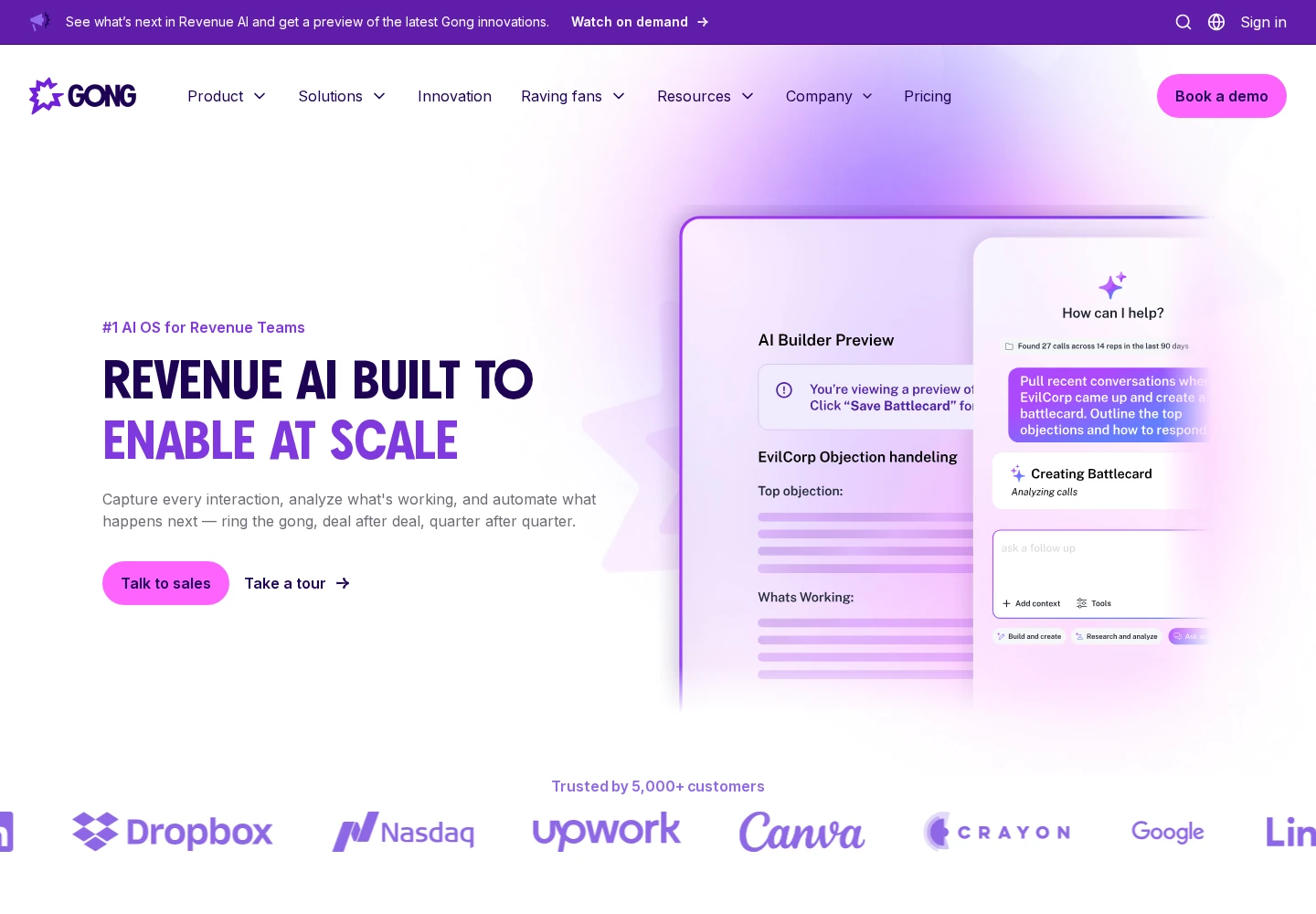
Foundation is the core, with separately assigned applications for enablement, forecasting, outreach and data. Check which applications and seats are included in your proposal. Integrations include Salesforce, HubSpot, Zoom and Slack; Gong lists existing-stack integrations as free, while your setup and governance still need an owner.
Pricing: Custom quote, with per-user licenses plus a platform fee based on the users supported. The Order Form defines the initial term and purchased applications. Standard terms renew for one-year periods with 60 days' written notice unless the Order Form differs. A fixed free-trial duration is not listed.
A recording can be up to six hours long. Standard retained history is the shorter of three years and your customer tenure, with a company-library exception. Set recording permissions, access and retention around the conversations your team needs to review.
Foundation's AI Data Extractor supports Salesforce, HubSpot and Microsoft Dynamics, with up to 20 published extractors per workspace. An administrator maps call-derived findings to existing, writable CRM fields. That handoff differs from automatically creating new records or replacing the CRM.
Trustpilot rates Gong 2.8/5 from eight product-family reviews. Trustpilot and Capterra reviewers describe navigation/search friction and uneven AI recaps.
Best suited for: Managers coaching reps and inspecting deals from recorded conversations. Confirm the licensed applications, platform fee and recording policy together.
16. Content Camel, best for sales content management and tracked branded deal sites
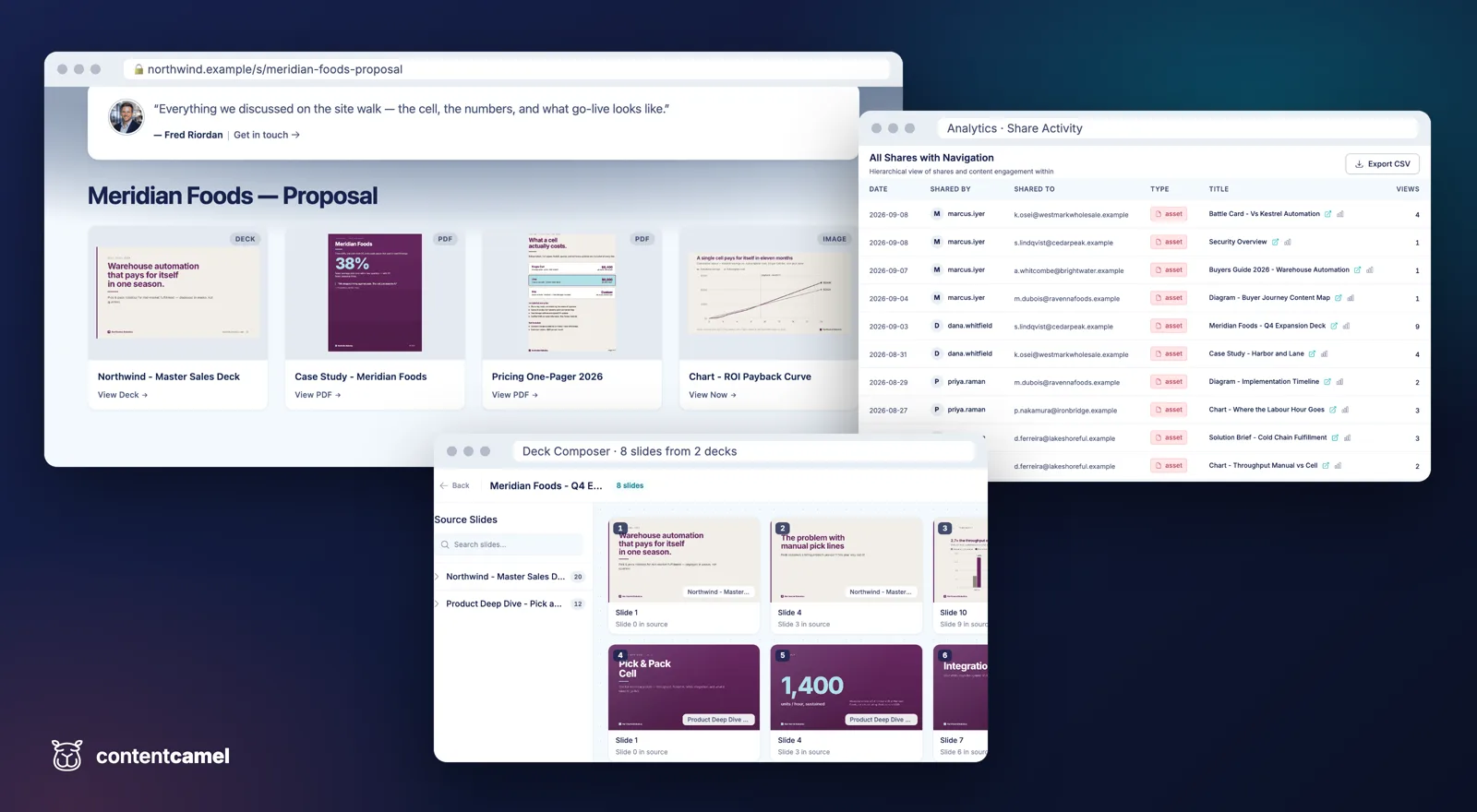
Content library, a branded deal site, engagement analytics and deck composer.
Content Camel gives marketing one library for sales assets and lets reps share them through branded, tracked deal sites. AI search reads file contents to find material for a buyer's question. A browser extension brings the library into Gmail, Outlook, LinkedIn and the CRM.
Reps can bundle assets into one buyer-facing page instead of sending separate attachments. Page-level analytics show what buyers opened and when they returned. Reps can also build a tailored presentation from approved slides; changes to the master deck update the decks built from it.
Pricing: Solo is free for one user, with the content library, AI search and unlimited published sites. Team is $25 per active seat per month, billed monthly with no minimums; viewers are free. Enterprise adds custom SSO, API access and webhooks on custom pricing. See Content Camel pricing.
Stack boundary: Content Camel manages and tracks sales content; reps keep sending from Gmail, Outlook or LinkedIn. It does not replace a CRM or sequencing tool. HubSpot and Salesforce engagement sync requires Team.
Rating: G2 rates Content Camel 4.0/5 from one review, dated November 2021. That small, historical sample offers little guidance on the current paid plans.
Best suited for: Content Camel fits teams that already have outreach tools but need approved content in one searchable library. Choose it when reps need to share a tailored set of assets and see which material a buyer opens.
Side-by-side comparison
Compare the job covered, the paid plan and the capacity or handoff you need. Annual-plan prices are monthly equivalents with an annual commitment; quote-based products depend on the package. These are separate tool prices, not a blended stack total.
| Tool | Job to cover | Representative paid plan | What to check before buying |
|---|---|---|---|
| Extrovert | LinkedIn prospect engagement and warm follow-up | $49 / connected LinkedIn account / month, monthly | 250 tracked prospects + 300 Credits/seat; individual/batch review or selected-campaign automatic comments |
| Taplio | LinkedIn publishing and audience engagement | Growth $69 / account / month, monthly | Growth: 250 Expert AI credits + separate 500 comment/reply credits; trial card/AI cap terms |
| Albato | No-code automation between sales apps | Pro $22 / month, monthly, with 1,000 transactions | Required app connectors, transaction allowance and team seats |
| LinkedIn Sales Navigator | Native lead and account search | Core $119.99 / license / month, monthly (US) | 10,000 saved leads + 50 InMail/month; full CRM Sync requires Advanced Plus |
| Apollo | Contact data and outbound execution | Basic $49 / seat / month, annually | 30,000 Credits/year upfront; one mailbox/user; Pipedrive sync excludes sales activity |
| Clay | Enrichment, research and workflows | Launch $167 / workspace / month, annually | 180,000 Actions + 30,000 Data Credits/year; CRM auto-sync/HTTP/webhooks require Growth |
| ZoomInfo | Contact, company and intent intelligence | Custom quote | Contract-specific data/export allowances, applications, integrations and term; joint-customer Salesloft handoff |
| lemlist | Email and multichannel campaigns | Email $69 / workspace / month, monthly | Email: 50,000 team emails/month; Multichannel $109/user/month adds LinkedIn, calls and five senders |
| Dripify | LinkedIn and email sequences | Pro $79 / user / month, monthly | Daily action limits; team management on Advanced |
| Salesloft | Rep cadences and revenue execution | Custom quote | Included modules, CRM objects/direction, admin sending caps and Order Form commitment |
| Instantly | Email sending accounts and campaigns | Outreach Growth $47 / workspace / month, monthly | 1,000 fixed upload slots + 5,000 emails/month; Unibox replies/team require Hypergrowth |
| HubSpot Sales Hub | CRM plus sales automation | Professional $90 / Sales seat / month, annually + $1,500 onboarding | 500 sequence emails/user/rolling 24 hours; full features need Sales seats, not only Core seats |
| Salesforce Sales | Configurable CRM and sales processes | Starter $25 / user / month, monthly or annually | Pro $100/user/month annually: five flows/org; API +$25 and Sales Engagement +$50/user/month annually |
| Pipedrive | Deal pipelines and next activities | Lite $14 / seat / month, annually (US) | Growth $39/seat/month annually for full email sync/sequences: five sequences and 50 automations/company |
| Gong | Conversation analysis and deal inspection | Custom quote | Per-user licenses plus platform fee; recording permissions, included applications and CRM connection |
| Content Camel | Sales content management and tracked deal sites | Team $25 / active seat / month, monthly; Solo free | Sharing from Gmail/Outlook and LinkedIn; Team for CRM sync |
Which B2B sales tool fits your use case
Use this table to match an unfinished sales job to the part of the stack that covers it.
| Team or situation | Tool | Work it adds | Important buying check |
|---|---|---|---|
| SDRs, AEs and founders with a target account list | Extrovert | Prospect posts, comment drafts and contextual LinkedIn follow-up | Tracking capacity, campaign controls and discovery Credits |
| People publishing regularly on LinkedIn | Taplio | Post planning, scheduling, analytics and audience engagement | The tier for AI writing and Engage |
| Sales operations moving records between apps | Albato | Triggered data transfers, updates and notifications | Exact connector actions and transaction use per flow |
| Sellers building named account and lead lists | LinkedIn Sales Navigator | Native LinkedIn filters, saved leads and account alerts | The tier for collaboration and CRM Sync |
| Outbound teams needing contact data and execution | Apollo | Data, enrichment, email sequences and calling | Credits, connected mailboxes and CRM-specific sync scope |
| Operations teams building enrichment workflows | Clay | Multi-provider lookups, research and workflow steps | Both Actions and Data Credits, plus CRM tier |
| Teams researching accounts and buying committees | ZoomInfo | Contact, company and account-intent information | Contracted coverage, exports, seats and applications |
| Reps coordinating email and multichannel campaigns | lemlist | Campaign steps, personalization and outreach execution | Email-only versus Multichannel plan and billing unit |
| Teams running repeatable LinkedIn outreach sequences | Dripify | Ordered actions, delays, conditions and campaign reporting | Daily action limits and team-management tier |
| Revenue teams coordinating reps and managers | Salesloft | Cadences, conversation analysis and deal follow-up | Included modules, supported CRM and setup ownership |
| Teams operating several email sending accounts | Instantly | Connected accounts, warmup, campaigns and replies | Contact and send limits, plus mailbox and data costs |
| Sales teams needing shared contact and deal records | HubSpot Sales Hub | CRM activity, sequences and sales management | Sales-seat tier, onboarding and other Hub subscriptions |
| Companies with a configurable sales process | Salesforce Sales | Account and opportunity records with permissions and automation | Edition, integration requirements and administration |
| Reps organizing deals around the next activity | Pipedrive | Visual pipelines, contacts, activities and follow-up | The tier for email sync, sequences and automation |
| Managers reviewing calls and deal progress | Gong | Conversation analysis, coaching and deal inspection | Recording permissions, platform fee and licensed applications |
| Sellers sharing approved material with buyers | Content Camel | A content library, branded deal sites and engagement analytics | Active seats and the tier for CRM engagement sync |
What results look like with Extrovert
These customer stories show how LinkedIn engagement fits with outreach and sales follow-up.
Allbound OS: comment first, then connect
S. Can Timağur reported connection acceptance rising from 15% to 32% in his Extrovert comment-first workflow with GetSales outreach. He spaced comments before sending an invitation, rather than connecting without prior contact. He also reported cutting daily DM-reply work from 45 minutes to ten. Read the Allbound OS case study.
Blynked: compare cold and familiar prospects
Bojan Djakonovic Berisavljevic described one client comparison using Clay, Extrovert and Aimfox. After two weeks of comments, familiar prospects showed 61% connection acceptance and 38% replies, compared with 24% acceptance and 4% replies for cold prospects. Those figures belong to that combined workflow and client comparison. The Blynked case study explains the sequence and his daily engagement routine.
Unstuck: move from comments to a conversation
Sabahudin Murtić shared a December 2025 example in which 12 LinkedIn DMs led to eight replies and two booked calls. His approach connected public comments with a relevant private message, with human-reviewed activity in a wider workflow that also included HeyReach and Claude Code. Read the Unstuck case study, or browse more Extrovert customer stories.
FAQ
What should a small B2B sales stack include?
Cover a reliable customer record, a way to find the right people and a routine for starting and continuing conversations. Add data, engagement, sequencing or call-analysis tools where the current workflow leaves a clear gap.
How do I choose between a CRM and a LinkedIn engagement tool?
A CRM records the opportunity, owner, stage and next activity. Extrovert helps you notice prospect posts, leave useful comments and follow up with context, while that deal record stays in the CRM.
How much do B2B sales tools cost?
This shortlist includes free entry plans, monthly subscriptions and quote-based contracts. Compare the plan your workflow needs, including paid seats, usage allowances, annual commitments, onboarding and add-ons.
What should I check in an integration?
Check the records transferred, direction, trigger, required tier and who owns the next action. A CSV import, webhook and two-way CRM sync are different handoffs, so try the exact flow your team will use.
How can I avoid paying for overlapping tools?
List discovery, engagement, outreach, deal management, call analysis and content sharing separately, then mark which application handles each. Keep one owner for each job and add another subscription only when it provides work or controls you need.
How does Extrovert control LinkedIn activity?
Extrovert keeps activity within your daily limits and follows your working hours. It spaces out actions, and anything over the limit waits for the next day. You choose what to review and what to automate.
What should I measure during a trial?
Start with a focused prospect list and compare time spent, relevant conversations, replies, qualified meetings and opportunities against your baseline. Review the actual drafts and follow-up decisions as well, because activity counts alone do not tell you whether the workflow helps sales.
Try Extrovert for warmer LinkedIn conversations
Bring a focused prospect list into Extrovert. See which posts deserve your attention. Shape comment drafts in your voice. Review the suggested next conversation. Keep your campaign controls and daily limits clear. Use the ten-day trial without a card to see how the routine fits your sales day.